

Tired of the endless loop of screenshotting and reformatting content just to create a decent IG repost story? The most efficient solution is using a tool like PostOnce, which automates the entire process for you. If you're a busy creator, you know the drill. You post a killer insight on Threads or a professional win on LinkedIn, only to spend the next ten minutes manually turning it into a Story. There's a much better way.
Instead of getting bogged down by workarounds, top creators and brands are using smart automation to bypass Instagram's limits. Let’s talk about how to do that.
PostOnce: The Smartest Way to Manage Your IG Repost Story Strategy

The exact search for "IG repost story" points to a common pain point: the tedious, manual work required to get content from other platforms onto your Instagram Story. PostOnce is designed to solve this problem directly. It’s an automation tool that automatically crossposts your content from one platform to many others, including Instagram Stories, eliminating the need for manual work.
This constant, repetitive work creates a few major headaches:
- Wasted Time and Energy: All those minutes spent on tedious tasks add up, stealing focus from the creative work that actually grows your brand.
- Inconsistent Branding: When you’re rushing to repost, it’s easy to slip up on brand fonts, colors, and overall style. This makes your presence feel disjointed.
- Missed Opportunities: By the time you get around to manually reposting, the conversation may have already peaked, blunting your content's impact.
Automation as a Strategic Advantage
This is where automation shifts from a "nice-to-have" to a core part of your strategy. A tool like PostOnce completely changes the game for anyone looking for a better IG repost story workflow. It connects your social accounts so they work together seamlessly.
Imagine you share a valuable tip on Twitter. Minutes later, it automatically appears as a clean, professionally branded graphic on your Instagram Story. No screenshots. No clunky editing apps. No manual uploads.
For a deeper dive into this approach, check out our guide on building a powerful social media content strategy.
PostOnce acts as the central engine for your content distribution. It ensures your best ideas reach your audience on every platform, including Instagram Stories, without the repetitive grind of manual reposting.
This isn’t just about saving a few hours a week—it's about building a reliable system. An automated workflow ensures a steady stream of high-quality content keeps your audience engaged, turning your multi-platform presence from a chore into a powerful growth machine.
Why Reposting Stories Is a Growth Strategy, Not Just a Feature
If you think reposting an Instagram Story is just a quick way to fill your content calendar for the day, you're missing out on a huge opportunity. It's so much more than a feature. When done right, it's a powerful growth engine that builds a real community, gets your message out there, and can genuinely drive business.
The fleeting, 24-hour nature of Stories gives them an urgency and authenticity that a polished feed post just can't match. This is where you connect directly with your audience.
And it’s not just a gut feeling—the numbers tell the same story. Instagram Stories have completely taken over, with projections showing 562 million daily active users by 2026. This format now eats up a massive 38.4% of all time spent on the platform, blowing past the Feed, Reels, and Explore page combined. For businesses, this translates into real results. Brands that publish at least eight Stories a month see 44.3% higher website referral traffic and almost 30% more direct message inquiries. These aren't vanity metrics; that's real engagement.
Building Social Proof with Every Share
One of the smartest ways to use reposts is to build social proof. Think about it: when a customer tags your business in a Story showing off their new purchase, sharing it does more than just fill a content slot. It sends a clear, powerful signal to everyone watching: "Our products are so good that people are excited to share them."
This kind of user-generated content (UGC) is the modern-day version of word-of-mouth marketing. It feels more authentic and trustworthy than any perfectly crafted ad because it comes from a real person, not the brand.
A single reposted customer Story can be far more convincing than a dozen of your own promotional posts. It's an unfiltered, third-party endorsement of what you offer.
Scenarios Where Reposting Drives Growth
Let's move away from the theory and look at how this plays out in the real world. A simple IG repost story can become a strategic asset in so many situations.
-
The Local Cafe: A customer snaps a gorgeous photo of their latte art and tags the cafe. The cafe reposts it to their Story within the hour, adding a "Thanks for stopping by!" sticker. This small gesture makes the original poster feel seen, shows followers that people love the cafe, and subtly encourages others to share their own photos.
-
The SaaS Company: A respected tech influencer gives a quick shout-out to a new software feature in their Story. The company immediately reposts it and adds a poll: "Have you tried our new update yet?" Not only does this amplify the endorsement from a trusted voice, but it also sparks engagement and gathers instant feedback from their user base.
-
The Fitness Coach: A client shares a post-workout selfie, tagging their coach and celebrating a new personal record. The coach reposts it with an encouraging message like "Amazing work today! So proud of your progress." This move accomplishes three things at once: it highlights real client results, fosters a supportive community vibe, and works as a powerful testimonial for potential clients.
In every one of these cases, the repost is doing more than just sharing content. It’s actively strengthening relationships and building a compelling story around a brand that people value. If you want to encourage more of this organic interaction, it's worth learning how to make your posts shareable from the get-go. This is how you turn simple audience engagement into tangible business growth.
Let's start with the most straightforward way to repost a Story on Instagram: using the platform's own built-in feature. This is your go-to method when someone gives you a shout-out, and honestly, it's the cleanest way to share user-generated content.
When another user tags your handle in their Story, Instagram sends you a notification right to your DMs. Open that message, and you'll see a button that says “Add to Your Story.” That's your golden ticket.
Tapping it pulls their Story directly into your own Story editor. It appears as a neat, tappable sticker you can move around, resize, or rotate. It looks so much more professional than a clunky screenshot, which almost always ends up blurry and just feels a bit lazy.
Make the Repost Your Own
Simply hitting "share" is a missed opportunity. You want to weave that shared content into your own brand’s narrative, not just drop it in as filler.
Here are a few simple ways I like to add a personal touch to a reposted Story:
- Add Interactive Stickers: A poll, quiz, or question sticker can turn a passive view into an active engagement. If a customer shares a photo of your new coffee blend, you could add a poll asking, "Who's tried our new morning roast?"
- Overlay Branded Text: Use your brand’s fonts and colors to add a quick comment. A simple "Love this!" or "Thanks for sharing!" makes it feel more personal and keeps your branding consistent.
- Use GIFs and Emojis: A well-chosen GIF can instantly inject some personality and humor, making the Story more fun to watch.
Think of it this way: every tag is a chance to either grow your community or miss out on a valuable connection.
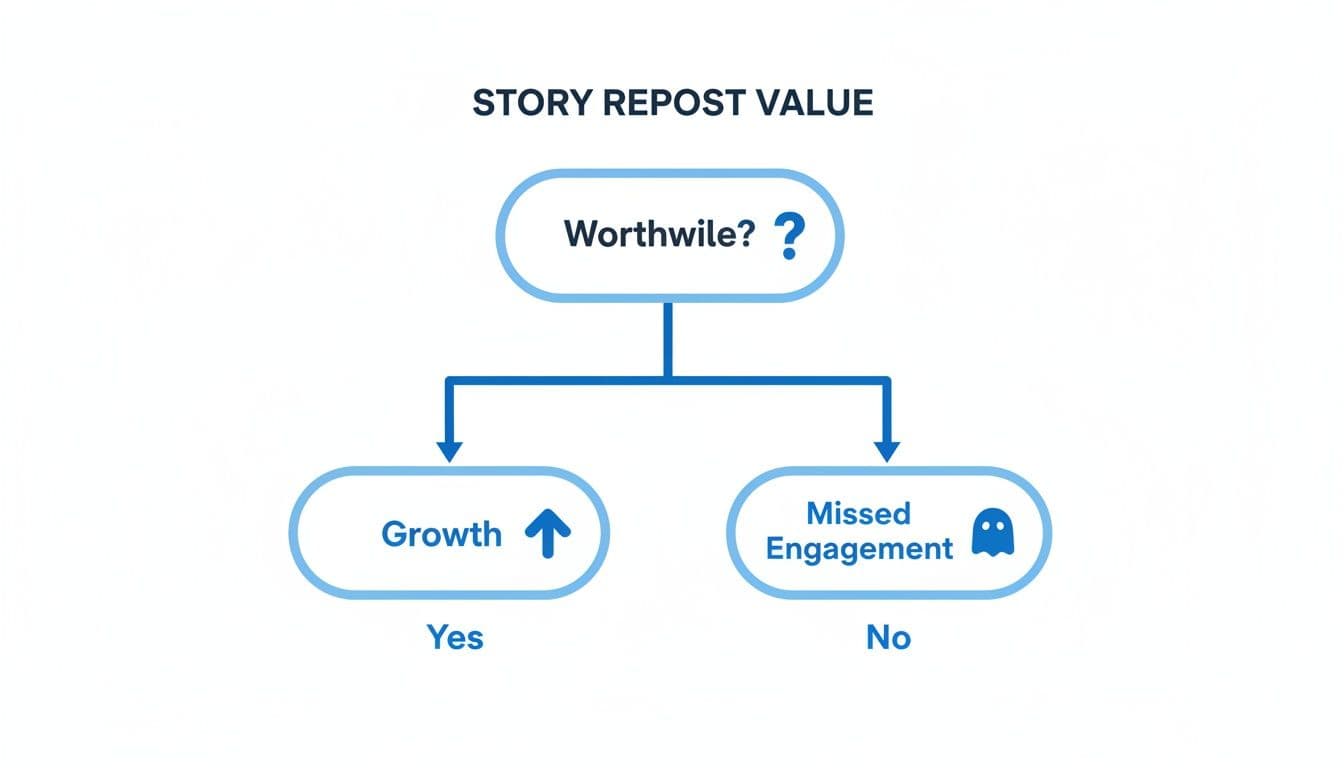
As the chart shows, the choice is pretty clear. Actively resharing mentions is a direct line to building brand loyalty and engagement.
When You Can and Cannot Repost an IG Story Natively
But what happens when that "Add to Your Story" button just isn't there? It’s a common hiccup, but there's usually a simple explanation. The table below breaks down exactly when you can and can't use Instagram's native repost feature.
| Scenario | Can You Repost Natively? | Required Action |
|---|---|---|
| You are tagged in a public account's Story | Yes | Tap the "Add to Your Story" button in your DMs. |
| You are tagged in a private account's Story | No | You cannot reshare content from a private account. |
| You are not tagged in the Story | No | The "Add to Your Story" button will not appear. |
| The user has disabled Story resharing | No | Their privacy settings prevent you from resharing. |
Ultimately, native resharing only works when the original creator has a public profile and has explicitly allowed their content to be shared by tagging you. If any of those conditions aren't met, you'll have to explore other methods.
Remember, Stories are a powerhouse for engagement. With 42% of users tuning in daily and an incredible average completion rate of 87%, you're dealing with a highly committed audience. Mastering how to repost Stories is the first step to tapping into that potential.
If you want to brush up on the basics, our guide on how to post a Story on Instagram covers all the fundamentals you need to know. Getting these native features down pat will give you the confidence to handle any reposting situation that comes your way.
The Respectful Way to Repost When You Are Not Tagged
You're scrolling through Stories and you see it—the perfect piece of content. It might be a glowing customer testimonial, a brilliant insight from an industry peer, or just a beautiful shot you know your audience would love. The only problem? You aren't tagged, so the simple "Add to Your Story" button is nowhere in sight.
This happens all the time. While your first instinct might be to just screenshot it and go, that's a big misstep. When you're not tagged, you're dealing with someone else's creative work, and navigating that requires a bit more care. The golden rule is simple: always get permission first.
Seeking Permission The Right Way
Before your finger even hits the screenshot button, slide into the creator's DMs. A direct, polite message is the only way to go here. It shows respect for their work and helps you build a better relationship with them.
Don't just send a blunt "Can I repost this?" Explain why you love their Story and how it aligns with your audience. People are much more receptive when they see the value in the share.
Here are a couple of approaches I've found work well:
- For a customer's post: "Hi [Name]! We absolutely loved your Story featuring our [product]. Would you mind if we shared it with our followers? We'd be happy to give you full credit, of course!"
- For an influencer or another brand: "Hey [Name], that's an incredible insight in your recent Story about [topic]. It would be perfect for our audience. Would you be open to us reposting it? We'll make sure to tag you prominently."
Asking for permission is more than just good manners. It's about respecting creative ownership and turning a simple repost into a genuine collaboration. This is how you build a strong, supportive community.
The Manual Workflow When You Get a "Yes"
Once you've gotten that enthusiastic "yes," it's time to capture the content. Since you can't use Instagram’s native repost feature, you'll have to do it manually with a screenshot or screen recording.
For a static image Story:
- Open the Story and take a quick screenshot.
- Jump into your photo editor and immediately crop out the distractions—things like the time, your battery icon, and other phone interface elements. A clean image looks far more professional.
For a video Story:
- Get your phone’s built-in screen recording tool ready.
- Start the recording, play the Story from beginning to end, and then stop the recording.
- Make sure to trim the start and end of your video clip. This gets rid of the awkward footage of you starting and stopping the recording process.
With the content saved, the final, crucial step is giving proper credit. A simple @-mention is the absolute minimum. Don't hide the tag in a corner or use a color that blends into the background. Make it prominent and clear. Your goal is to celebrate the original creator and send some love (and traffic) back to their profile.
If you want to dig deeper into the etiquette of sharing, our guide on how to properly repost content has even more tips. And to make sure your strategy is fully compliant, it never hurts to be familiar with Instagram's content policies.
Let Automation Do the Heavy Lifting with PostOnce
While the built-in sharing features and manual methods definitely work in a pinch, they aren't built for scale. If you're tired of the endless cycle of screenshotting, cropping, and uploading, it's time to look at automation. For anyone looking to level up their ig repost story game, a tool like PostOnce can be a complete game-changer.
The idea behind it is incredibly effective: create your content once, then let a smart system handle distributing it everywhere else. This is less about just "reposting" and more about building a reliable content engine that keeps your Instagram Stories fresh without burning you out.
How PostOnce Ends the Manual Reposting Grind
What makes PostOnce so useful is that it directly tackles the biggest headache of reposting—the tedious, manual work. It automatically finds your best content from other platforms and transforms it into clean, on-brand Instagram Stories. The tool does the reformatting for you.
Let’s walk through a common scenario. Say you’re a business coach and you drop a fantastic piece of advice on Threads. The old way? You’d have to screenshot it, trim the image, open Instagram, maybe type out the context again, and finally post. It's clunky, time-consuming, and often looks a bit messy.
With PostOnce set up, that new Threads post automatically kicks off a workflow. The system grabs your text, converts it into a sharp-looking graphic using your brand template, and publishes it straight to your Instagram Story. You literally don't have to do a thing.
This hands-off process delivers some major wins:
- Perfect Brand Consistency: Every single post uses your pre-set brand kit, so your fonts, colors, and logo are always on point. No more off-brand, rogue Stories.
- Serious Time Savings: Think of all the time you get back. Instead of spending it on repetitive tasks, you can focus on creating your next great piece of content.
- An "Always-On" Presence: Your Stories stay active with a consistent flow of valuable content, keeping your profile top-of-mind even when you’re busy.
This is the difference between a reactive content strategy and a proactive one. You're building a system that works for you in the background, making sure your best ideas get seen everywhere they need to be.
Shift from Just Creating to Smart Distribution
The real magic of PostOnce is how it shifts your focus from just creating content to thinking about content distribution. When you know your best posts will be automatically repurposed and shared, you can concentrate on making that initial piece of content as powerful as possible.
Imagine the possibilities for your workflow:
- A killer tweet is instantly converted into a clean, text-based Story.
- A key takeaway from a long-form LinkedIn article becomes a bite-sized, shareable graphic.
- A genuinely helpful Reddit comment you wrote gets turned into a branded Q&A-style Story.
This strategy ensures you squeeze every drop of value out of everything you produce. When you pair this kind of automation with other powerful social media lead generation tools, you start to build a seriously efficient growth engine.
For anyone serious about building a smarter content system, the next logical step is to see how PostOnce can handle automated cross-posting to Instagram. It’s the key to maintaining a vibrant Story feed that consistently engages your audience.
A Few Common Questions About Reposting Instagram Stories
Even for seasoned social media pros, reposting Instagram Stories can feel like a minefield. You're juggling unspoken etiquette, technical glitches, and the constant need for fresh content. Let's clear up a few of the most common questions I hear all the time.
Is It Actually Legal to Repost Someone Else's Story?
This is a big one. From a strict legal standpoint, you should always have permission before reposting content you didn't create to steer clear of any copyright trouble. That said, Instagram’s own features create a sort of built-in consent system.
- If someone tags you in their public Story, using the "Add to Your Story" button is universally accepted. The tag itself is an implied permission slip—they want you to share it.
- But if you're not tagged? You absolutely must get explicit, direct permission from the original creator before you screenshot or screen record their content.
Here’s how I think about it: a tag is an open invitation to the party. A screenshot without asking is like crashing it. Always put respect for the creator first.
Help! Why Can't I See the 'Add to Your Story' Button?
It's a frustratingly common problem. That little "Add to Your Story" button is nowhere to be found in your DMs, even though you know you were tagged. It almost always boils down to one of these three issues.
- The Account Is Private: Instagram's native reshare feature simply doesn't work for private accounts. It’s a hard-and-fast privacy rule, so you can't share any posts or Stories from them.
- They've Disabled Resharing: Even on a public profile, any user can flip a switch in their settings to block others from resharing their Stories. It’s a personal choice you have to respect.
- It’s Just a Glitch: Sometimes, the app just acts up. If you're 100% sure the account is public and you were tagged, the oldest trick in the book often works: completely close and restart the Instagram app.
Does Reposting a Story Make It Look Worse?
The quality of your repost really depends on how you do it. Instagram's built-in repost feature is your best friend here. When you use the "Add to Your Story" button for a tag, it preserves the original resolution, keeping everything crisp and clear.
On the other hand, taking a screenshot or screen recording will almost always degrade the quality of your IG repost story. Your phone compresses the file, and then Instagram compresses it again upon upload. This double-whammy is what leads to those fuzzy, pixelated results. For a professional look, always stick with the native feature or use the original, high-quality files if you're automating.
Is There a Way to Automate Sharing to My Instagram Story?
Manually reposting everything is a major time sink. The smartest way to handle this is by using a tool designed for cross-posting, which is exactly where PostOnce shines. It can turn this daily chore into a hands-off system.
You can link up your accounts from places like Threads, Twitter, or even specific Reddit communities. Then, you set up simple rules. For example, you could create a rule that says, "Every time I post on Threads, automatically turn it into a branded image and share it to my Instagram Story." Just like that, your Story stays active with your best content, all without you having to lift a finger.
Ready to stop wasting time on manual reposts and build a smarter content engine? With PostOnce, you can automate your cross-posting workflow and ensure your best content reaches your audience everywhere, including Instagram Stories. Explore how PostOnce can transform your social media strategy today.