










Automatically Post YouTube Shorts To TikTok
PostOnce can turn an eligible YouTube Short into a TikTok upload through a source-triggered workflow, so you can share the video without exporting and reposting it by hand.
Automate YouTube to TikTok7-day free trial · No credit card required · Cancel anytime
Video Tutorial
Watch: How to Auto Post YouTube to TikTok
See how to connect YouTube as the source and TikTok as the destination, then create a PostOnce workflow that publishes compatible new and existing YouTube content as native TikTok videos automatically.
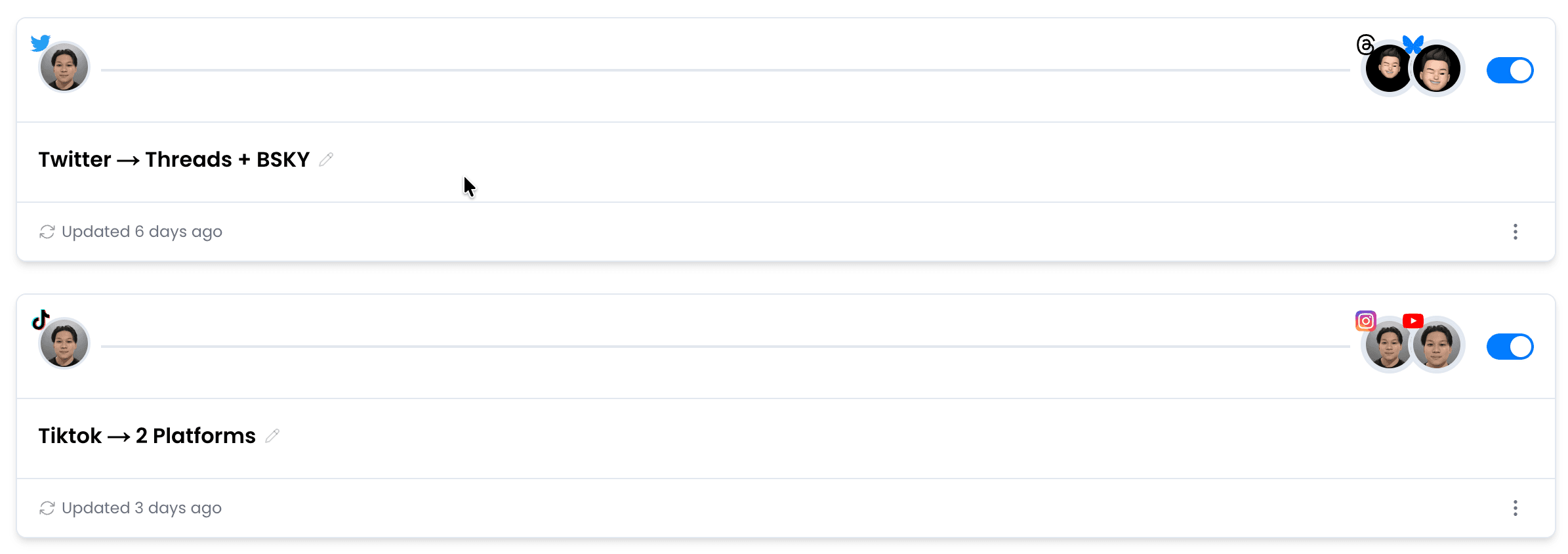
Setup at a glance
Your automated workflow in three steps
- 1Connect YouTube
- 2Connect TikTok
- 3Create the workflow
7-day free trial · No credit card required · Cancel anytime
Creator spotlight
One creator. Two audiences.

7-day free trial · No credit card required · Cancel anytime
Before you connect
The short answer
Yes, PostOnce can automatically post eligible YouTube Shorts to TikTok as native video uploads.
What manual work does this replace?+
- No native YouTube-to-TikTok crosspost button
- Screen recordings and some download sites add branding or lose quality
- Long-form YouTube videos exceed TikTok's 10-minute limit
- TikTok limits how many posts an app can publish for a creator each day
- Licensed music may not carry over to TikTok
How creators actually move Shorts over to TikTok+
Most creators download the video from YouTube Studio as an MP4, then upload it manually through the TikTok app.
If the Short was shot in 9:16, you're already in good shape — TikTok expects vertical.
The caption has to be rewritten from scratch: YouTube descriptions don't map to TikTok captions, and YouTube chapters are useless there.
You're looking at a fresh hook line, three to five hashtags that actually trend on TikTok (not just your YouTube tags), and ideally a different thumbnail since TikTok autoplays from frame one.
Do this for every Short and it's an hour of work per week minimum.
A coach turning weekly Shorts into TikToks? PostOnce for coaches.
Making your TikTok feel native, not like a repost+
TikTok rewards content that holds attention in the first two seconds.
If your Short starts with a long intro or title card, re-edit before uploading — jump straight to the value.
Use trending audio when your video is talk-only, even at low volume in the background, since TikTok's distribution leans toward videos with active sounds.
Keep captions short and punchy: TikTok cuts off long text.
If your YouTube Short already has subtitles burned in, you're one step ahead.
Skip the YouTube end-screen watermarks and lower-thirds if you can.
Let PostOnce move your Shorts to TikTok automatically+
PostOnce watches your YouTube channel and pushes new Shorts to TikTok automatically, usually within about half an hour of publishing, using the original upload rather than a screen recording.
Captions get adapted to TikTok's character style automatically.
You post once on YouTube, and TikTok gets the native-looking version without you touching it.
Set the rule once and walk away.
What You Need to Know
How creators actually move Shorts over to TikTok
Most creators download the video from YouTube Studio as an MP4, then upload it manually through the TikTok app.
If the Short was shot in 9:16, you're already in good shape — TikTok expects vertical.
The caption has to be rewritten from scratch: YouTube descriptions don't map to TikTok captions, and YouTube chapters are useless there.
You're looking at a fresh hook line, three to five hashtags that actually trend on TikTok (not just your YouTube tags), and ideally a different thumbnail since TikTok autoplays from frame one.
Do this for every Short and it's an hour of work per week minimum.
A coach turning weekly Shorts into TikToks? PostOnce for coaches.
Making your TikTok feel native, not like a repost
TikTok rewards content that holds attention in the first two seconds.
If your Short starts with a long intro or title card, re-edit before uploading — jump straight to the value.
Use trending audio when your video is talk-only, even at low volume in the background, since TikTok's distribution leans toward videos with active sounds.
Keep captions short and punchy: TikTok cuts off long text.
If your YouTube Short already has subtitles burned in, you're one step ahead.
Skip the YouTube end-screen watermarks and lower-thirds if you can.
Let PostOnce move your Shorts to TikTok automatically
PostOnce watches your YouTube channel and pushes new Shorts to TikTok automatically, usually within about half an hour of publishing, using the original upload rather than a screen recording.
Captions get adapted to TikTok's character style automatically.
You post once on YouTube, and TikTok gets the native-looking version without you touching it.
Set the rule once and walk away.
7-day free trial · No credit card required · Cancel anytime
Direct answer
Can PostOnce automatically post from YouTube to TikTok?
Yes, PostOnce can automatically post eligible YouTube Shorts to TikTok as native video uploads. This is crossposting automation: you publish on YouTube, PostOnce watches for eligible YouTube Shorts, and TikTok receives its own native post instead of a copied link preview.
Content types
Primary wording plus related formats
YouTube source formats
This workflow leads with YouTube Shorts, and also covers related YouTube formats:
TikTok destination formats
The destination focus is TikTok, while also covering related TikTok surfaces:
Manual sharing
The manual route usually means sharing a link, sending to a Story, making a Feed post, or downloading the media and uploading it again.
- Link previews send traffic back to YouTube.
- Watermarks or source branding can hurt trust.
- Repeated downloads make daily posting hard to scale.
- Formats and captions often need cleanup.
Automatic workflow
PostOnce turns the same workflow into a repeatable rule: source account, destination account, filters, and automatic publishing.
- Connect YouTube as the source.
- Connect TikTok as the destination.
- Choose which posts should crosspost.
- Let PostOnce publish future matches automatically.
Alternatives and limits
IFTTT-style automations and native share buttons can be useful, but they often create status updates, links, or previews instead of native destination posts.
- Manual sharing is fine for one-off posts.
- Generic repurposing tools may require export first.
- Platform API limits still control what can publish.
- Music rights do not automatically transfer.
What gets adapted from YouTube to TikTok
Captions
Long captions may need shortening for TikTok.
Hashtags
TikTok: Up to 5 hashtags per post; use the most relevant tags.
Aspect ratio
Video may need adaptation toward 9:16.
Destination format
Eligible media publishes as a native TikTok upload.
Watermark and metadata
PostOnce prepares media for the destination instead of reposting a link card.
Music and audio rights
Only reuse audio you have rights to publish on both platforms.
New posts and existing content
For new posts, PostOnce can watch your YouTube source and publish eligible YouTube Shorts to TikTok after the workflow is created.
For existing or backlog content, use PostOnce to refill a workflow deliberately instead of dumping months of posts at once. Scheduled batches keep the destination account active without overwhelming followers.
If a video is longer than TikTok's destination limit, it needs trimming or review before publishing. TikTok supports videos up to 10 minutes.
Proof before you turn it on
Confirm the connected source account
Select the destination account or Page
Review filters and caption rules
Check the queue and destination post after publish
YouTube vs TikTok at a Glance
| Spec | YouTube | TikTok |
|---|---|---|
| Caption Limit | 5,000 chars | 4,000 chars |
| Max Video Length | 12h | 10min |
| Preferred Aspect Ratio | 16:9 | 9:16 |
| Max Video File Size | 256GB | 4GB |
| Carousel Support | No | Up to 35 items |
| Hashtag Strategy | Up to 60 | Up to 5 |
| Link Support | Yes | No |
| Primary Audience | 18-49 | 16-34 |
As Seen On


Trusted by Creators & Brands

 getnaturaljackson441.5K followersSelf Improvement
 caravature490.9K followersArt & Design
 soleretriever169.0K followersSneakers
 DolceDormire.ro42.2K followersRetail & E-commerce
 artzenmedia138.0K followersContent Creation
 Revista Etcétera286K followersNews & Media
 eddie115.7K followersBusiness
 mego71.4K followersBeauty & Lifestyle
 mishygirll588.8K followersOnlyFans
 hopewalz566.0K followersPolitics
 ismerlinglive38.9K followersStreaming & Gaminggetnaturaljackson441.5K followersSelf Improvementcaravature490.9K followersArt & Designsoleretriever169.0K followersSneakersDolceDormire.ro42.2K followersRetail & E-commerceartzenmedia138.0K followersContent CreationRevista Etcétera286K followersNews & Mediaeddie115.7K followersBusinessmego71.4K followersBeauty & Lifestylemishygirll588.8K followersOnlyFanshopewalz566.0K followersPoliticsismerlinglive38.9K followersStreaming & Gaming
Frequently Asked Questions
Yes. With PostOnce, you can connect YouTube as the source, choose TikTok as the destination, and create a workflow so new matching YouTube posts are crossposted to TikTok automatically.
Connect both accounts in PostOnce, create a YouTube to TikTok crossposting workflow, and choose your content filters. After setup, PostOnce can detect new eligible YouTube posts and publish them to TikTok without manual downloading or re-uploading.
Yes. PostOnce lets one eligible YouTube post trigger a matching TikTok post, so you can keep both platforms active without rebuilding the same content twice.
PostOnce preserves your media quality and adapts captions from YouTube's 5,000 character limit toward TikTok's 4,000 character limit. Media format, hashtags, and destination rules still depend on each platform's requirements.
Yes. Use hashtag filters to control which posts crosspost. For example, add #crosspost to YouTube captions and only those posts will go to TikTok. Or exclude specific hashtags to skip certain content.
Related Crossposting Workflows
How to automatically post your YouTube Shorts to Instagram Reels
Automatically post your YouTube Shorts to Instagram Reels with the right vertical format.
How to automatically post YouTube Shorts to Facebook Reels
Automatically post YouTube Shorts to Facebook Reels as native short-form video uploads.
How to automatically post your YouTube Shorts to LinkedIn
Set up automatic crossposting from YouTube Shorts to LinkedIn.
Social Media Automation Guide
Build a reliable system for automated publishing and cross-platform distribution.
How to automatically post your TikTok videos to YouTube Shorts
Go the other direction.
YouTube crossposting guides
More destinations from YouTube
All crosspost guides
Browse every platform workflow
Features
How PostOnce Handles It
Set up YouTube to TikTok crossposting once. PostOnce automates the rest, so one native YouTube post can trigger a matching TikTok upload automatically.
Easy YouTube Crossposting Setup
Connect your YouTube and TikTok accounts, choose your crosspost rules, and you're done.
Setup takes under 60 seconds. After that, everything runs automatically in the background.
Set Up YouTube to TikTokNative Video Upload to TikTok
When you crosspost YouTube to TikTok, PostOnce uploads the actual video file — not a link, not a preview.
Your YouTube content appears as a native TikTok post, indistinguishable from content uploaded directly.
Publish Natively to TikTokCustom Crosspost Rules
Not every YouTube post belongs on TikTok. Set hashtag filters, content type rules, or account-level controls to choose what gets crossposted.
Only the content you want on TikTok ends up there.
Choose What Reaches TikTok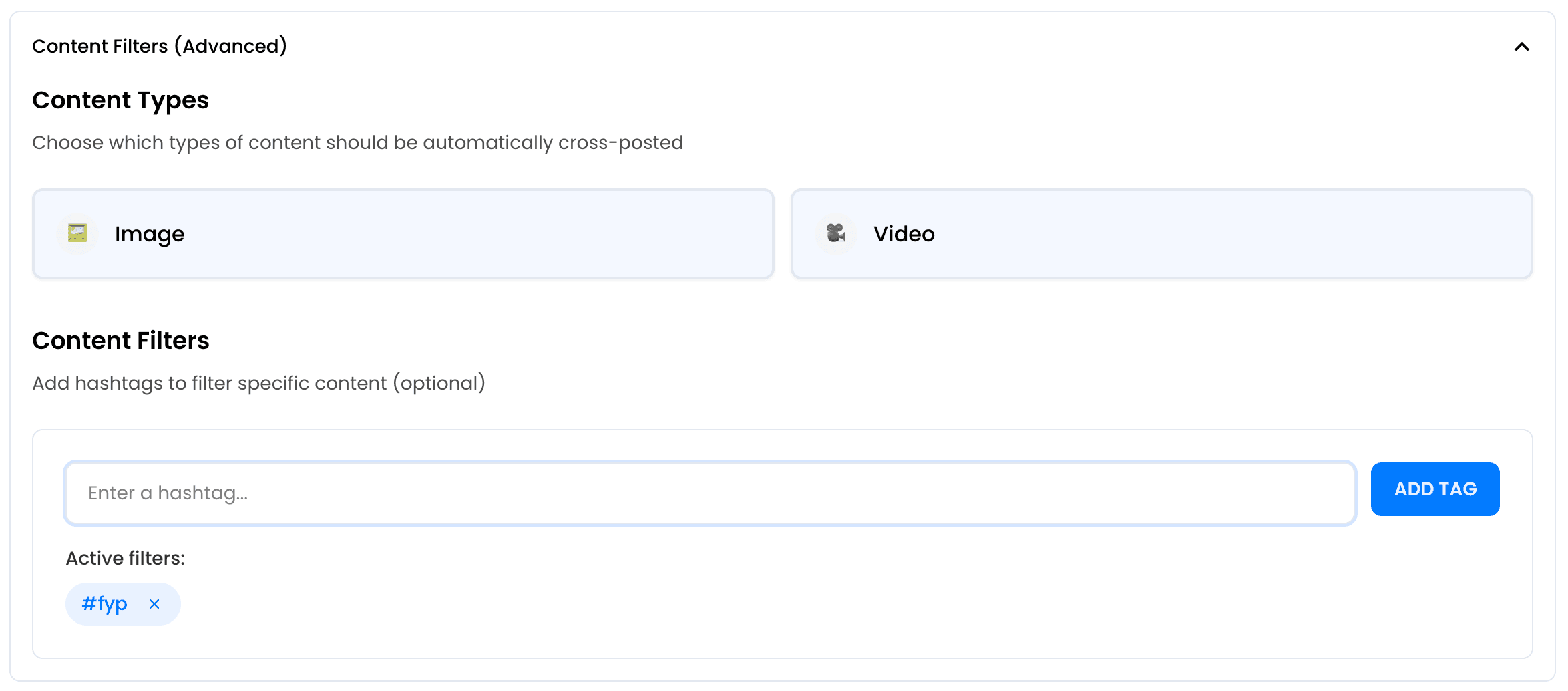
Automatically Post Your Content to Multiple Platforms
Don't stop at YouTube to TikTok crossposting. Send eligible YouTube Shorts to several connected destinations, including another account on the same platform where supported.
One post, everywhere. Each platform gets a native upload with adapted formatting.
Add More Destinations




Real-Time Automation
PostOnce monitors your YouTube account and automatically crossposts new content to TikTok.
No manual reposting. Publish on YouTube and new posts typically appear on TikTok within about half an hour. Older posts can be sent in scheduled batches when you choose.
Automate TikTok Publishing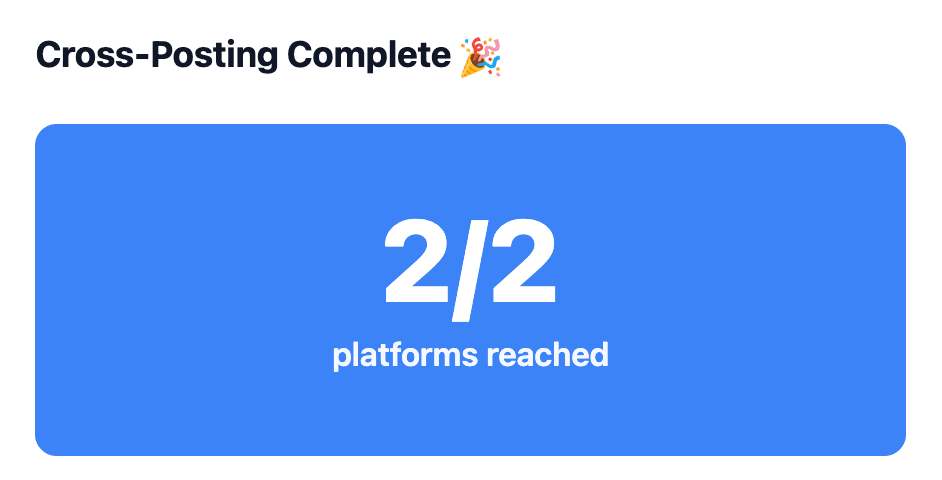
Start Crossposting YouTube to TikTok
Connect your YouTube and TikTok accounts and start crossposting in minutes. No technical setup required.
Automate YouTube to TikTokFree 7-day trial · No credit card required · Cancel anytime