

Competitor pricing and capabilities last verified: July 13, 2026; Planable rechecked September 2, 2026
The best social media tools for cross-posting content in 2026 are PostOnce for automatic source-to-destination publishing, Buffer for simple scheduling, Repurpose.io for video workflows, Metricool for analytics, and SocialBee for evergreen recycling.
Choose PostOnce if you want each new post on a source network to trigger distribution automatically. Choose a scheduler such as Buffer or Metricool if you want to create, customize, and approve every channel version inside a central calendar. That workflow distinction matters more than a long feature list.
See which automatic crossposting routes PostOnce supports, or start a seven-day trial with no credit card.
If you already have a shortlist, use the PostOnce comparison hub for direct breakdowns, including Buffer vs PostOnce, Repurpose.io vs PostOnce, Nuelink vs PostOnce, Metricool vs PostOnce, and Later vs PostOnce.
If Repurpose.io is the tool you are replacing, our guide to the best Repurpose.io alternatives compares automatic crossposting, AI clipping, scheduling, free plans, and approval workflows separately.
Disclosure: PostOnce publishes this guide and is included in the comparison. We have direct product knowledge of PostOnce. Competitor capabilities and prices were checked against official pricing, product, and help pages on July 13, 2026, with Planable rechecked on September 2, 2026; those entries are documentation-based, not presented as long-term hands-on tests. Prices and platform APIs can change, so verify a plan before buying.
The best crossposting tools at a glance
| Tool | Best for | Core workflow | Free option | Starting paid price* |
|---|---|---|---|---|
| PostOnce | Automatic source-to-destination crossposting | A native source post triggers connected destinations | 7-day no-card trial | $29/month |
| Nuelink | Scheduling plus content automations | Create, import, recycle, and schedule in a dashboard | 14-day trial | $18/month |
| Repurpose.io | Automated video distribution | Connect video sources and destinations in workflows | Trial allowance | $35/month |
| Planable | Team approvals and content collaboration | Create, review, approve, and schedule in a workspace | First 50 posts free | $33/workspace/month |
| Socialync | A usable free cross-posting app | Create one post and publish it to selected networks | 5 posts/month | $20/month |
| Buffer | The simplest scheduling queue | Draft and customize posts in a clean calendar | 3 channels | $5/channel/month annually |
| Publer | Low-cost bulk scheduling | Compose, customize, recycle, and schedule | 3 accounts | From $5/month |
| Metricool | Scheduling with analytics | Plan content and measure results by brand | 1 brand | From €16/month annually |
| Hootsuite | Teams needing inbox and governance tools | Plan, approve, publish, engage, and report | Trial | $99/month |
| Later | Visual planning and creator workflows | Build a visual calendar and schedule posts | Trial | $16.67/month annually |
| SocialBee | Evergreen categories and recycling | Organize posts into recurring content categories | 14-day trial | $29/month |
| OpusClip | Turning long video into social clips | AI clipping followed by multi-channel scheduling | Free plan | $15/month |
*Most public starting prices were checked July 13, 2026; Planable was rechecked September 2, 2026. Annual billing, account limits, add-ons, and taxes can change the effective price.
Quick picks
- Best automatic crossposting tool: PostOnce
- Best no-card trial: PostOnce for seven days with all supported platforms
- Best free cross-posting app: Socialync for up to five posts a month; Buffer or Publer for limited ongoing scheduling
- Best for cross-posting video: Repurpose.io
- Best AI video tool: OpusClip
- Best for simple scheduling: Buffer
- Best for approvals and collaboration: Planable
- Best for analytics: Metricool
- Best for evergreen recycling: SocialBee
- Best for a larger social team: Hootsuite
What is a social media crossposting tool?
A social media crossposting tool publishes or distributes the same core content across more than one social network. It reduces the work of downloading media, copying captions, opening several apps, and publishing each version separately.
There are three common workflows:
- Source-triggered crossposting: You publish natively on a source network. The tool detects that post and sends it to selected destinations. PostOnce and Repurpose.io are examples, although Repurpose.io is specifically video-oriented.
- Dashboard multi-publishing: You create or upload a post inside the tool, select several networks, customize each version, and publish now or later. Planable, Buffer, Publer, Metricool, Socialync, and most social media management platforms work this way.
- Content transformation: The tool turns an existing asset into new content before distribution. OpusClip, for example, finds short clips inside a longer video and can schedule the results.
This guide is about social media publishing. It is not about ecommerce cross-listing software that copies product listings between marketplaces, and it is not about Reddit's community-to-community crosspost feature. That distinction helps explain why a search for “cross posting platforms” can return very different products.
If you want a deeper introduction first, read what crossposting is or the practical guide to crossposting on social media.
Crossposting vs. scheduling: choose the workflow first
“Post to all social media at once” can describe two different jobs.
A scheduler is best when you want to prepare content in batches, see a calendar, choose an exact time, and edit every channel version before it goes out. The scheduler becomes your publishing workspace.
A source-triggered tool is best when you already like publishing in Instagram, TikTok, YouTube, or another native app. Your source post becomes the trigger, so you do not have to remember to rebuild it in a separate calendar. You define the route once and let the workflow handle future posts.
| Question | Choose a source-triggered tool when… | Choose a scheduler when… |
|---|---|---|
| Where do you prefer to create? | In a native social app | In one central dashboard |
| When should distribution happen? | After a source post appears | At a chosen calendar time |
| How often do routes repeat? | The same source should feed the same destinations | Destinations change post by post |
| How much review is needed? | Rules can handle routine posts | Every channel version needs approval |
| What else do you need? | Crossposting is the main job | Calendar, inbox, analytics, or collaboration are equally important |
Neither approach is universally better. A creator may use automatic workflows for routine videos and a scheduler for campaigns that need channel-specific copy.
How we reviewed the tools
We compared the products on six buying criteria:
- Workflow: Does it detect native source posts, or does publishing start inside its dashboard?
- Platform coverage: Which social networks are listed in current official documentation?
- Adaptation: Can you adjust captions, destinations, formats, or other fields per network?
- Automation: Can it reuse rules, queues, categories, RSS feeds, or repeatable workflows?
- Price structure: Is pricing flat, per channel, per brand, or based on account limits?
- Fit: Is it a focused crossposting tool, a video repurposer, or a broader social media management suite?
Platform support alone is not enough. A tool may connect to ten networks but support different post types, account types, or fields on each one. Always check the exact source, destination, and media format you need.
Platform and workflow comparison
| Tool | Native source can trigger distribution | Central composer or calendar | Video-specialized | Per-network customization |
|---|---|---|---|---|
| PostOnce | Yes | Yes | No | Rules and destination settings |
| Nuelink | Through automations/imports | Yes | No | Yes |
| Repurpose.io | Yes | Limited workflow view | Yes | Workflow-dependent |
| Planable | No | Yes | No | Approval workflows and previews |
| Socialync | No | Yes | No | Yes |
| Buffer | No | Yes | No | Yes |
| Publer | No | Yes | No | Yes |
| Metricool | No | Yes | No | Yes |
| Hootsuite | No | Yes | No | Yes |
| Later | No | Yes | Visual/video friendly | Yes |
| SocialBee | No | Yes | No | Yes |
| OpusClip | Starts from uploaded/linked video | Yes | Yes | Limited by scheduler destinations |
1. PostOnce — best for automatic source-to-destination crossposting
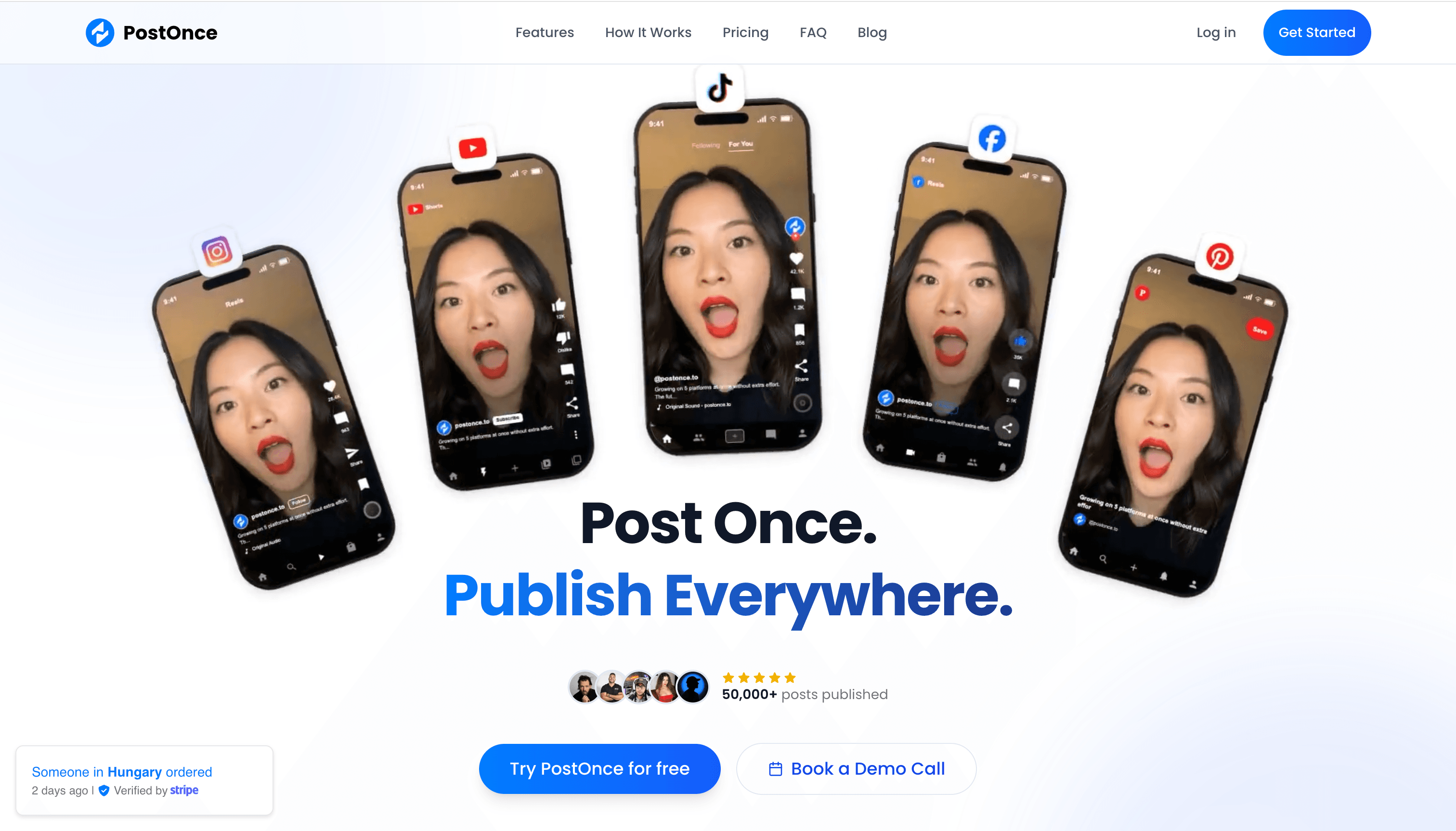
PostOnce is built around repeatable crossposting workflows. Connect your accounts, select a source and one or more destinations, choose filters or destination settings, and activate the workflow. When a matching source post appears, PostOnce processes it for the connected destinations.
That is different from opening a scheduler every time you publish. It fits creators and small teams who already post natively and want distribution to happen in the background. It can also schedule posts and process existing content, but its clearest advantage is the source-to-destination model.
PostOnce supports TikTok, Instagram, YouTube, Facebook, LinkedIn, X, Bluesky, Pinterest, and Threads. Exact source/destination combinations and supported post types vary, so use the crossposting route directory to check your workflow. Common examples include:
- YouTube to TikTok
- YouTube to Facebook
- TikTok to Facebook
- TikTok to Instagram
- Instagram to TikTok
- Instagram to YouTube
- TikTok to YouTube
- X/Twitter to LinkedIn for turning short updates into professional distribution
- Threads to X/Twitter for maintaining both text-first audiences
- TikTok to LinkedIn for bringing short-form video into a B2B feed
The Creator plan is $29 per month, or $24 per month when billed annually, and includes 15 social accounts, unlimited workflows, unlimited posts, scheduling, existing-content processing, image repurposing, and access to all supported platforms. Pro is $69 per month for 50 accounts; Agency is $199 for 200. A seven-day trial is available with no credit card required.
Choose PostOnce if: you want routine posts on a source account to trigger distribution without rebuilding every post in a scheduler.
Consider another tool if: you need a full social inbox, listening suite, or complex enterprise approvals. PostOnce focuses on publishing automation rather than trying to replace every social media management function.
2. Nuelink — best for scheduling plus content automations
Nuelink combines a social calendar with automations that import and recycle content. Its official help documentation currently lists Instagram, TikTok, Facebook, LinkedIn, X, Pinterest, YouTube, Google Business Profile, Telegram, Threads, Mastodon, and Bluesky.
The product is a good middle ground for someone who wants to work in a scheduler but also wants repeatable imports from sources such as a blog, ecommerce store, or content collection. Posts can be organized into collections and reused on a schedule rather than recreated from scratch.
The Standard plan is listed at $18 month to month and includes 10 social channels and 10 automations. Nuelink also promotes lower effective pricing on annual billing, so compare the billing toggle before subscribing. A 14-day trial is available.
Choose Nuelink if: RSS-style imports, recurring collections, and a publishing calendar matter as much as direct multi-network posting.
Watch for: automation limits and channel allowances on the plan you select. It is still primarily a dashboard workflow; it does not mirror every native-source workflow in the same way a dedicated source-triggered tool does.
3. Repurpose.io — best for automated video distribution
Repurpose.io is the specialist in this list. It connects content sources and destinations through workflows designed for video and audio. A creator can use a published video, livestream, or podcast as a source and automate delivery to short-form video destinations.
That focus makes it a stronger fit than a general scheduler when the job is moving video between YouTube, TikTok, Instagram, Facebook, LinkedIn, and other supported channels. Workflow options can include publishing the full asset, creating snippets, or removing watermarks where the integration supports it.
Starter is listed at $35 per month for three accounts per network and up to 5,000 published videos. Pro is $79 and Agency is $179. The trial allows 14 days or 10 published videos, whichever comes first.
Choose Repurpose.io if: video distribution is your primary workflow and the same asset needs to move through repeatable routes.
Watch for: it is not a broad social management suite. If your workload is mostly text posts, carousels, link posts, inbox management, or analytics, a general scheduler will cover more of the job.
4. Planable — best for approvals and content collaboration
Planable is a social media planning and publishing workspace built around review, feedback, and approval. Teams can create channel-specific versions, preview posts, leave comments and annotations, request approval, and schedule approved content from a shared calendar.
Its workflow begins inside Planable rather than with a post published natively on a source account. That makes it a stronger fit for agencies, marketing teams, and client-facing workflows where several people need to review content before it goes live. Current official documentation includes Instagram, TikTok, LinkedIn, and X among its supported channels.
The first 50 posts are free with no time limit or credit card required. When checked on September 2, 2026, the Basic plan was shown at $33 per workspace per month with annual billing selected; it included 60 posts per workspace, unlimited users, four social pages, and two approval types. Analytics and the social inbox are separate add-ons.
Choose Planable if: previews, feedback, and approval workflows matter more than automatic source-to-destination distribution.
Watch for: pricing is workspace-based, and publishing starts in Planable. Confirm the workspace count, page allowance, approval type, and add-ons your team needs.
5. Socialync — best free cross-posting app for light use
Socialync lets you create one post, choose networks, and publish or schedule it from a central dashboard. It currently lists Instagram, TikTok, YouTube, Facebook, X, LinkedIn, Threads, and Bluesky, and says it uses official platform APIs.
The free plan is unusually easy to understand: five posts per month across all eight listed platforms. That is enough to test real multi-platform publishing or support someone who only posts occasionally. Premium is $20 per month for unlimited posts, while Business is $40 and adds more team-oriented allowances.
Choose Socialync if: you want to try a simple cross-posting app without starting a paid trial or limiting yourself to only three connected channels.
Watch for: five monthly posts will be too restrictive for an active publishing schedule, and the product does not aim to provide the breadth of analytics, listening, or approval controls found in an enterprise suite.
6. Buffer — best simple social media scheduler
Buffer remains one of the clearest tools for planning posts in a queue. You create content in Buffer, select channels, customize each version, and add it to a publishing schedule. Its current channel list includes established networks alongside Threads, Bluesky, and Mastodon.
The free plan supports up to three channels and stores up to 10 scheduled posts per channel. Essentials starts at $5 per channel per month when billed annually. That per-channel model is affordable for two or three accounts but becomes more expensive as your network count grows.
Buffer is especially good for a solo creator who values a clean interface and does not need complicated automation. It is also one of the easiest ways to keep channel-specific captions organized without adopting a large social media management platform.
Choose Buffer if: you want a polished calendar and queue with minimal setup.
Watch for: publishing begins in Buffer. If your desired workflow is “publish natively on TikTok, then automatically send that post elsewhere,” use a source-triggered crossposting tool instead.
7. Publer — best low-cost bulk scheduler
Publer offers scheduling, bulk uploads, recurring posts, content recycling, and workspaces across a broad network list. Its documentation currently covers Facebook, Instagram, Threads, X, LinkedIn, Pinterest, Google Business Profile, YouTube, TikTok, WordPress, Telegram, Mastodon, and Bluesky.
The free plan allows three social accounts, although X is excluded. Professional starts at $5 per month for one social account, with additional accounts increasing the total. Business starts at $10 and adds features such as analytics and AI allowances.
Publer stands out when you need more control than a bare queue but still want a low entry price. Recurring schedules and bulk creation are useful for businesses that reuse promotions or plan many posts at once.
Choose Publer if: budget, bulk scheduling, and content recycling are your main criteria.
Watch for: the attractive starting price is for a small account count. Calculate the total for every account and team member you need rather than comparing only the headline number.
8. Metricool — best for analytics plus scheduling
Metricool combines content planning, account analytics, competitor tracking, reporting, and advertising data. It organizes accounts into brands, which can be convenient for agencies or businesses that manage distinct properties.
The free plan includes one brand and up to 20 scheduled posts per month, but it excludes LinkedIn and X. Starter begins at €16 per month when billed annually for up to five brands. Paid LinkedIn access and X connections have plan or add-on considerations, so model your exact network mix before choosing it for price alone.
Metricool's current platform list includes Facebook, Instagram, Threads, X, Bluesky, Pinterest, TikTok, YouTube, Twitch, LinkedIn, and Google Business Profile. Its advantage is seeing publishing and performance data in the same workspace.
Choose Metricool if: reporting, analytics, and competitor monitoring are as important as posting.
Watch for: the free plan is not a free route to every major network, and advanced team/reporting needs can move you into higher tiers.
9. Hootsuite — best for larger social teams
Hootsuite is a broad social media management suite rather than a dedicated crossposter. Its strengths include planning, approval workflows, a unified inbox, analytics, social listening options, and administrative controls.
The Standard plan starts at $99 per month and includes 10 social accounts with unlimited scheduled posts. Higher plans expand account, user, approval, and reporting capabilities. There is no permanent free plan.
That price is difficult to justify if you only need to publish the same post to five accounts. It makes more sense when several people need to review content, respond to conversations, protect brand access, and report on performance in one system.
Choose Hootsuite if: governance, engagement, and reporting are part of the problem you are buying software to solve.
Watch for: small teams can pay for far more suite than they use. Compare it with focused social media scheduling tools if publishing is the main need.
10. Later — best for visual planning
Later centers the publishing workflow around a visual content calendar. It is well suited to creators and brands that care about feed planning, media organization, link-in-bio tools, and visually reviewing campaigns before posts go live.
Current help documentation lists Instagram, Facebook, Pinterest, TikTok, LinkedIn, Threads, YouTube Shorts, and Snapchat. X is not included in that current supported-platform list, which matters if X is one of your required destinations.
Starter is listed at $16.67 per month on annual billing, Growth at $30, and Advanced at $53.33. Plan rates and allowances can change, so verify the current billing page.
Choose Later if: Instagram-style visual planning and creator marketing features matter more than source-triggered automation.
Watch for: platform coverage is not identical to older Later comparisons online. Check current support instead of assuming a network remains available.
11. SocialBee — best for evergreen content recycling
SocialBee organizes posts into categories such as education, promotion, or curated content. You assign schedules to those categories, build a balanced queue, and optionally recycle evergreen posts so the calendar does not run empty.
The current integration list includes Facebook, Instagram, LinkedIn, X, Pinterest, Google Business Profile, TikTok, YouTube, Bluesky, and Threads, plus a universal posting option. That range makes it useful for teams combining mature and newer social networks.
Bootstrap is $29 per month for five social profiles, Accelerate is $49, and Pro is $99. A 14-day trial is available without a card.
Choose SocialBee if: your challenge is maintaining a repeatable content mix over time, not simply copying one new post everywhere.
Watch for: categories and recycling add setup and interface complexity. A simpler queue may be faster for a creator who publishes a small number of one-off posts.
12. OpusClip — best AI tool for clipping and distributing video
OpusClip is an AI video repurposing tool first and a social scheduler second. It finds potential short-form moments in a longer video, reframes them, adds captions, and prepares clips for publishing.
Its scheduler currently supports YouTube and YouTube Shorts, Instagram Reels, TikTok, Facebook Pages, LinkedIn Business, and X. That makes it useful when “crossposting” starts with one long video that needs to become several short assets rather than one finished post that only needs distribution.
There is a free plan. Starter is $15 per month, while Pro is $29 month to month or a lower effective monthly price on annual billing.
Choose OpusClip if: you need AI to create the social assets before you distribute them.
Watch for: it is not a full replacement for a general scheduler or source-triggered crossposter. Text posts, carousels, inbox management, and broad account workflows sit outside its core strength.
Which tools support Instagram, TikTok, LinkedIn, and X?
Based on current official platform lists, PostOnce, Nuelink, Planable, Socialync, Buffer, Publer, Metricool, SocialBee, and Hootsuite can cover Instagram, TikTok, LinkedIn, and X in some form.
Coverage does not guarantee that every account type and content format works identically. Before subscribing, verify:
- Personal profile versus business, creator, page, or organization support
- Reels, Stories, carousels, long video, Shorts, and text post support
- Whether first comments, thumbnails, boards, location tags, or collaborators are available
- Whether X, LinkedIn, or another network costs extra on the selected plan
- Whether posts are published directly or require a mobile notification
If your workflow is specifically video between those networks, start with the exact route instead of a generic platform count. For example, compare TikTok-to-Instagram automation with Instagram-to-YouTube repurposing.
Which platforms allow seamless cross-posting with consistent formatting?
No collection of social platforms provides perfectly consistent formatting. Each network controls its own character limits, aspect ratios, link previews, music rights, thumbnail fields, account permissions, and API. A responsible crossposting tool reduces the differences; it cannot erase them.
| Platform group | Common mismatch | What to check in a tool |
|---|---|---|
| Instagram, TikTok, YouTube Shorts | Video ratio, duration, cover image, music, caption fields | Native uploads, media validation, thumbnail handling, destination-specific captions |
| X, Bluesky, Threads | Character limits, links, reply/thread behavior | Text trimming or customization, link handling, multi-post support |
| LinkedIn and Facebook | Page/profile types, link posts, professional context | Account-type support, preview controls, per-destination copy |
| Board selection, title, destination URL, vertical creative | Pinterest-specific fields and image handling | |
| Community rules, titles, flair, anti-spam expectations | Community selection and manual review rather than blind duplication |
The safest workflow keeps a common media asset and message while allowing network-specific edits. For important campaigns, preview every destination. For repeatable content, build rules that skip formats a destination cannot handle.
How to choose the right crossposting platform
1. Write down the exact route
“Supports Instagram” is too vague. A useful requirement looks like: “When I publish an Instagram Reel, send the clean video and an adapted caption to TikTok and YouTube Shorts.” Exact routes expose whether you need source detection, downloads, media conversion, or a scheduler.
For a concrete setup example, watch how to auto post Instagram to YouTube.
2. Decide where content creation should happen
If a native app is where you add music, collaborators, or final edits, a source-triggered workflow avoids duplicate work. If you plan a month of content with a team, a central calendar is easier to review.
3. Price the real account count
A $5 starting plan may become $40 when eight channels are added. A $29 flat tier may be cheaper at that point. Include users, brands, workspaces, analytics, X access, and add-ons in the comparison.
4. Test your hardest content type
Do not evaluate a tool using only a basic image post. Test the Reel, carousel, long caption, first comment, thumbnail, or account type that is most likely to break. A trial is valuable because APIs make feature matrices more complicated than they appear.
5. Keep a review step where context matters
Crossposting is efficient, but identical messages can feel out of place. LinkedIn readers may need context that TikTok viewers do not. Reddit communities may reject generic promotional reposts entirely. Automate repeatable mechanics and keep human judgment for audience context.
6. Separate publishing from management
If you only need distribution, do not automatically buy an expensive suite. If you also need listening, comment management, approvals, and client reports, compare broader social media management tools.
Best crossposting tool by use case
Best free cross-posting tools
Use Socialync when five posts per month across its eight listed platforms are enough. Use Buffer for up to three channels and a small queue, Publer for three accounts without X, or Metricool for one brand and 20 monthly posts without LinkedIn or X. OpusClip has a free tier when the job starts with video clipping.
Free plans are best for proving a workflow. Check channel and post limits carefully; “free” often excludes the network or volume that prompted the search.
Best for solo creators
Choose PostOnce if you publish natively and want automatic distribution. Choose Buffer if you prefer a simple calendar, or SocialBee if most of your posts are evergreen and should be recycled.
Best for video-first creators
Choose Repurpose.io for automated video routes. Choose OpusClip when long videos must first become short clips. PostOnce is a fit when the social video already exists and should trigger distribution through a supported pair.
Best for small businesses
Choose Metricool if reporting matters, Publer for affordable bulk scheduling, or Nuelink for imported and recurring content automations.
Best for agencies and larger teams
Choose Planable when client feedback, previews, and approvals are central to the workflow. Choose Hootsuite when access control, inbox work, and reporting justify the higher price. Metricool's brand structure and PostOnce's higher account tiers can be alternatives when the need is narrower.
Frequently asked questions
What is the best crossposting tool?
PostOnce is the best fit for automatic source-to-destination social crossposting. Buffer is better for simple scheduled publishing, Repurpose.io for video distribution, Metricool for analytics, and SocialBee for evergreen recycling. The best choice depends on whether your workflow starts in a native social app or a central calendar.
What is the best app or AI tool for cross-posting to multiple social media platforms?
For a straightforward app, compare PostOnce, Socialync, Buffer, and Publer. For AI-driven video transformation, OpusClip is the strongest specialist. AI caption generation is common, so judge a tool by its route support, customization, and reliability rather than the AI label alone.
What is the best free crossposting app?
Socialync offers five monthly posts across all eight of its listed platforms. Buffer offers three channels with 10 scheduled posts per channel, while Publer offers three accounts but excludes X on free. The best free option is the one that includes your required networks and enough monthly posts.
Can I post to all social media at once?
You can publish one core post to several connected networks at once, but no tool supports every social network and every post type identically. Use a dashboard publisher for a one-time multi-network post or a source-triggered tool when future source posts should distribute automatically.
What is the difference between crossposting and scheduling?
Crossposting describes distributing the same core content to multiple platforms. Scheduling controls when content publishes. One tool can do both, but a source-triggered crossposter can distribute after a native post appears, while a scheduler usually requires you to create or upload the post in its dashboard first.
Which tools make it easy to cross-post to all major social platforms?
PostOnce, Nuelink, Planable, Socialync, Buffer, Publer, Metricool, SocialBee, and Hootsuite all list broad multi-network support. “All major platforms” depends on your needs: Later's current list does not include X, for example, while some free plans exclude LinkedIn or X.
Does crossposting hurt engagement?
Crossposting does not automatically hurt engagement. Poor adaptation can. Reused content performs better when its format, caption length, hook, hashtags, links, and call to action fit the destination. Avoid visible watermarks where possible and do not publish irrelevant promotional content into communities with different expectations.
Is crossposting against social platform terms?
Crossposting itself is generally allowed, but automation must follow each network's API, account, content, and anti-spam rules. Use tools that rely on official integrations, respect music and media rights, and avoid repetitive or deceptive posting. Platform policies change, so verify the rules for your account and content type.
Can I keep formatting consistent across platforms?
You can keep the core asset and message consistent, but exact formatting will vary. Look for native media uploads, validation, previews, destination-specific captions, and controls for fields such as thumbnails, boards, and first comments. Test your most complex post before automating the workflow.
Final recommendation
Start with the workflow, not the longest feature list.
- If you want a native post to trigger future distribution, try PostOnce.
- If you want a simple central publishing queue, start with Buffer.
- If content needs client or team approval before publishing, use Planable.
- If video distribution is the whole job, use Repurpose.io.
- If analytics and reporting drive the decision, use Metricool.
- If a permanent free tier is essential, test Socialync, Buffer, Publer, or Metricool against your exact channel mix.
For automatic routes, browse the supported crossposting combinations and test the source, destination, and content type you publish most often. A focused real-world test will tell you more than a generic platform count.