


















In the quest to maintain a consistent and engaging online presence, social media automation has become indispensable. For solo creators, small businesses, and marketing agencies alike, the right tool can transform a chaotic workflow into a streamlined, effective content machine. It’s the difference between constantly playing catch-up and strategically executing a well-planned content calendar.
This guide is designed to cut through the noise and help you find the best social media automation tools for your specific needs. We’ll move beyond generic feature lists and marketing jargon to provide an in-depth, practical analysis of the top platforms available today. We’ve evaluated leading solutions like PostOnce, Hootsuite, and Sprout Social, offering honest assessments of their strengths, weaknesses, and ideal use cases.
If you are comparing automation tools because crossposting is the pain, use the PostOnce comparison hub alongside the direct Repurpose.io vs PostOnce, Nuelink vs PostOnce, and Metricool vs PostOnce guides.
Before diving into automation, however, a solid foundation is key. Successful automation relies on a coherent plan. A great tool is only as good as the strategy behind it.
Our goal is to provide a comprehensive resource that saves you time on research. Each review includes:
- A concise summary of what the tool does best.
- Detailed analysis of key features and their practical applications.
- Clear pros and cons based on real-world usage.
- Transparent pricing breakdowns.
- Direct links and screenshots to help you visualize the platform.
This list is your shortcut to making an informed decision, equipping you with the insights needed to select the perfect automation partner for your brand’s growth. Let’s explore the options that will help you work smarter, not harder.
1. PostOnce
PostOnce distinguishes itself as one of the best social media automation tools by focusing on a single, powerful function: seamless and intelligent cross-posting. Designed for efficiency, it's an ideal solution for creators, marketers, and agencies aiming to maximize their reach without getting bogged down by the repetitive task of adapting content for each social network. The platform’s core strength lies in its ability to automatically tailor a single post to meet the specific requirements of networks like Threads, BlueSky, Facebook, Instagram, Twitter, and LinkedIn.
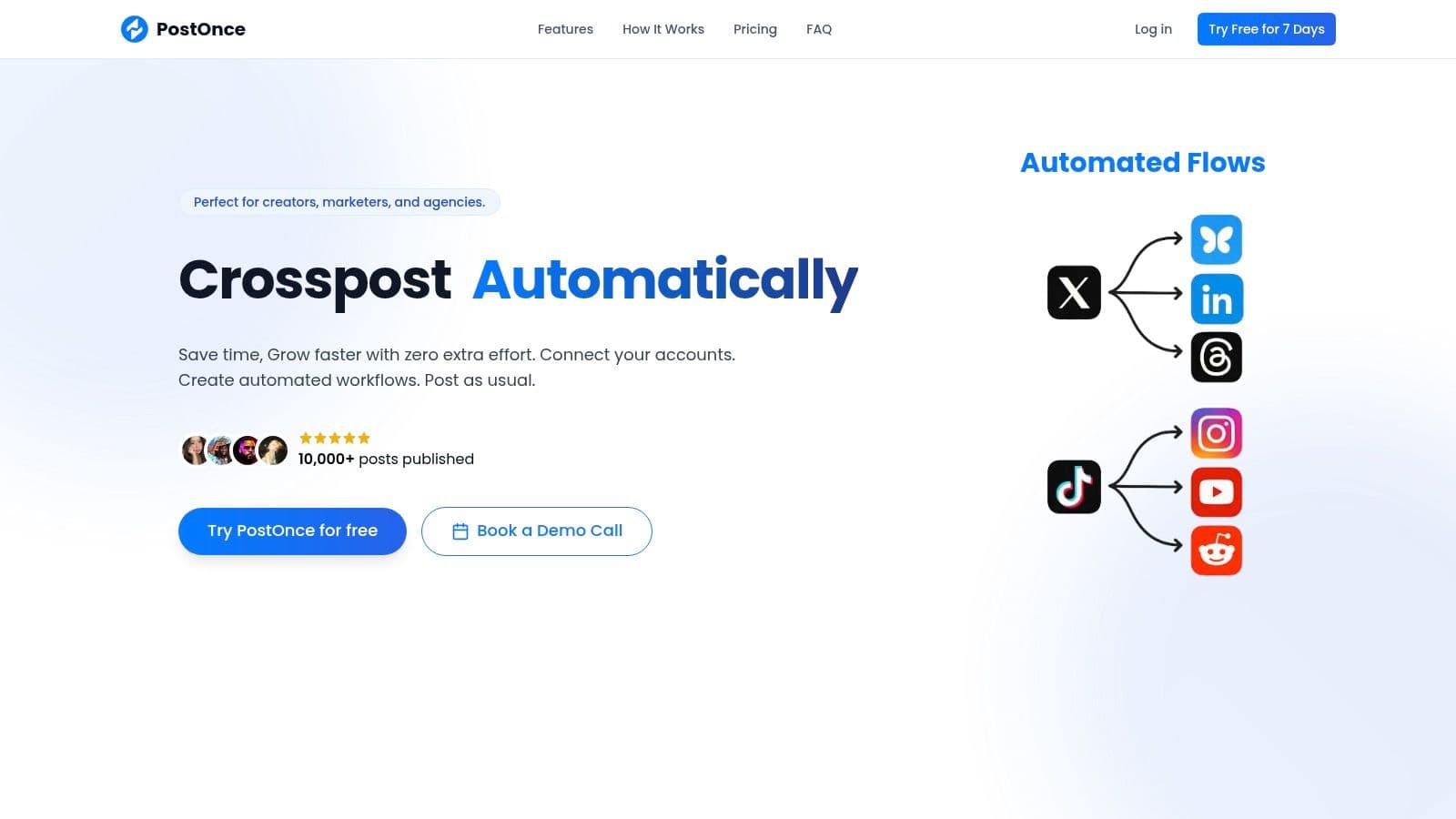
This automated optimization handles crucial details like text length, image dimensions, and platform-specific hashtag conventions, saving users significant time and effort. Its streamlined workflow allows you to connect multiple accounts, create a piece of content once, and distribute it everywhere instantly. This approach ensures brand consistency and a polished appearance across all channels.
Key Features & Use Cases
- Smart Cross-Posting: The platform’s standout feature automatically adjusts your content for each network. For example, a long-form LinkedIn post is automatically condensed for Twitter, and relevant hashtags are applied without manual intervention.
- Multi-Account Management: Social media managers and agencies can connect and manage multiple profiles for different clients or brands from a single, unified dashboard. This centralizes content distribution and simplifies campaign execution.
- Intuitive Workflow Builder: Setting up an automation workflow takes less than a minute. Users connect their accounts via secure OAuth and can immediately start posting, making the tool highly accessible even for non-technical users.
- Scalable for Growth: With unlimited posts included in all plans, PostOnce supports users at every stage, from solo creators just starting out to established businesses managing extensive social media campaigns.
Pricing and Plans
PostOnce offers a transparent and flexible pricing structure, making it accessible for various budgets. All plans include a 7-day free trial.
| Plan | Price (Monthly) | Key Features |
|---|---|---|
| Creator | $29 | Connect 115 social accounts, unlimited posts |
| Pro | $69 | Connect 150 social accounts, unlimited posts |
| Agency | $199 | Connect 200 accounts, priority support |
Pros & Cons
Pros:
- Exceptional Efficiency: Automates platform-specific formatting, saving hours weekly.
- User-Friendly: Incredibly quick setup and an intuitive, clean interface.
- Scalable & Affordable: Transparent pricing with unlimited posts on all tiers.
- Secure: Uses official and secure OAuth connections for all social media accounts.
Cons:
- Platform Support: Lacks full integration for video-centric platforms like TikTok and YouTube Shorts, though they are on the roadmap.
- Feature Focus: Primarily a cross-posting tool; it does not include advanced analytics or scheduling features found in broader social media management suites.
For those looking to master the art of distribution, it's helpful to understand the nuances of each platform. For additional insights, explore PostOnce's guide on the best practices for crossposting on social media.
Website: https://postonce.to
2. Hootsuite
Hootsuite is one of the most established and comprehensive platforms in the social media management space, making it a strong contender among the best social media automation tools. It offers a full-stack solution designed to scale from individual creators to large enterprises, combining content scheduling, engagement monitoring, and deep analytics into a single, powerful dashboard. Its longevity in the market has resulted in a mature, feature-rich environment.
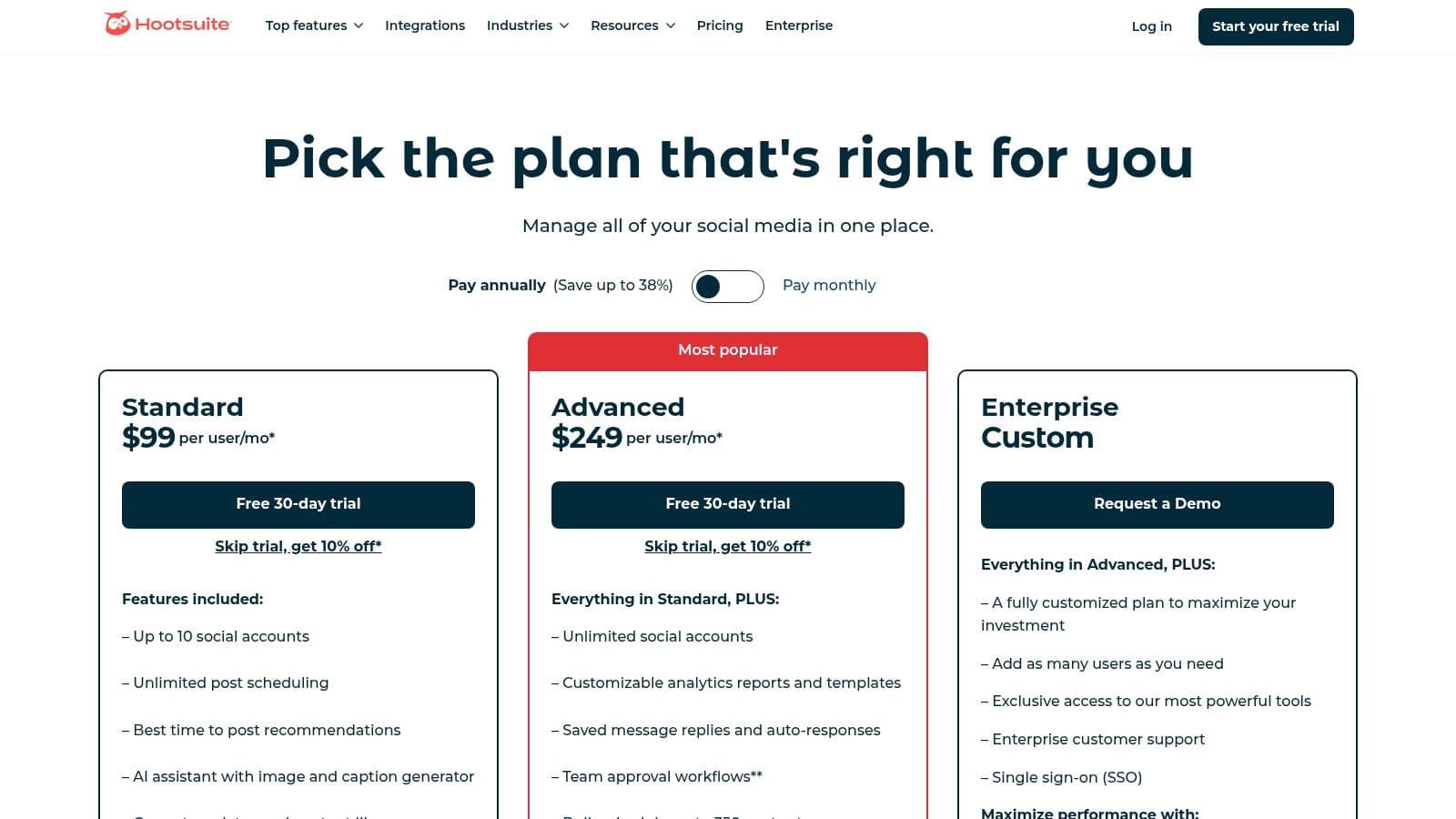
The platform truly shines for teams, offering robust collaboration features like task assignment and approval workflows, which are essential for maintaining brand consistency in larger organizations. Users can manage everything from a unified content calendar with unlimited scheduling and AI-powered caption suggestions to a centralized inbox that streamlines responses across all connected networks.
Key Features & Assessment
Hootsuite provides advanced tools that go beyond simple scheduling. Its analytics suite allows for detailed competitor benchmarking and sentiment analysis, giving marketing teams actionable data to refine their strategy. While its extensive capabilities are a significant advantage, they also contribute to a steeper learning curve, particularly for the more advanced listening and reporting modules.
- Pros:
- Enterprise-grade suite with deep features for scheduling, monitoring, and analytics.
- Strong collaboration support with clear permission levels and approval workflows.
- Extensive network coverage and a large ecosystem of third-party app integrations.
- Cons:
- Higher-tier plans can be significantly more expensive than competitors.
- The user interface for advanced features can feel complex for new users.
Pricing: Plans start with a 30-day free trial, with paid tiers for Professionals and Teams. Business and Enterprise pricing is customized upon request.
3. Sprout Social
Sprout Social is a premium, all-in-one platform that stands out as one of the best social media automation tools for brands and agencies focused on deep analytics and customer care. It offers a sophisticated, unified solution that combines scheduling and publishing with advanced social listening, comprehensive reporting, and customer relationship management (CRM) features. The platform is designed to facilitate seamless collaboration, making it a powerful choice for teams needing to manage complex social strategies.
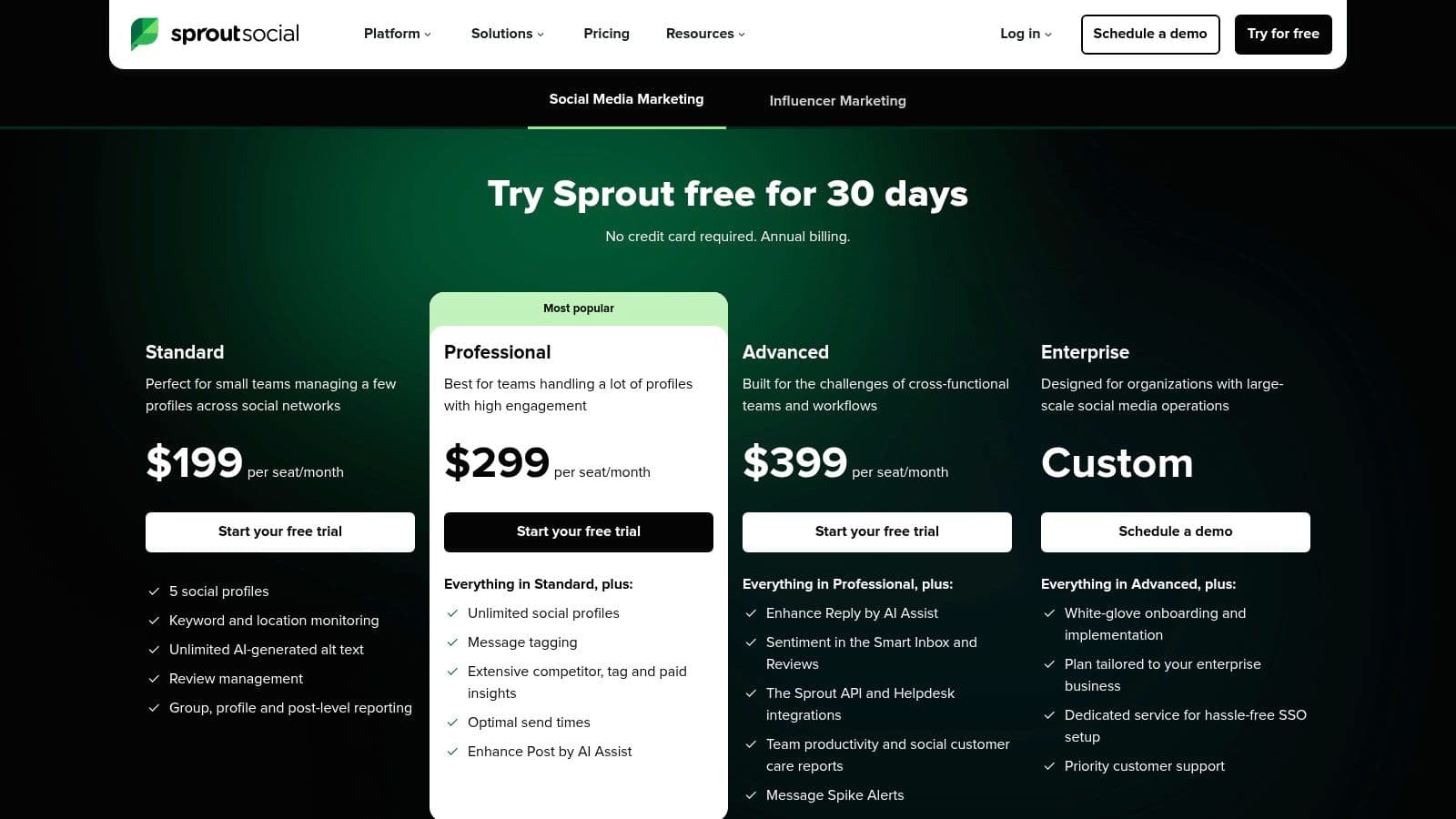
The platform's strength lies in its ability to centralize brand interactions. The Smart Inbox consolidates messages from all networks into a single stream, while its review management tools help monitor brand reputation. For content creation, Sprout Social offers advanced publishing tools, including optimal send time suggestions and an AI Assist feature that helps refine posts and replies, ensuring brand voice consistency.
Key Features & Assessment
Sprout Social delivers enterprise-level insights that are highly valuable for data-driven marketing teams. Its extensive reporting suite covers everything from competitor analysis and paid performance to detailed tag reports, providing a holistic view of social media ROI. While the platform is incredibly powerful and offers a clean user interface, its per-seat pricing model can become a significant investment for larger teams, and certain advanced features come as paid add-ons.
- Pros:
- Excellent depth in reporting and listening, ideal for brands and agencies.
- Scales well with multi-user, multi-profile teams and clear workflows.
- Transparent and well-structured plan tiers for clear feature access.
- Cons:
- Per-seat pricing may become expensive for larger or growing teams.
- Additional feature add-ons, like premium analytics, incur extra costs.
Pricing: Plans start with a 30-day free trial. Paid plans include Standard, Professional, and Advanced tiers, with pricing available on their site.
4. Buffer
Buffer has carved out a niche as one of the most accessible and user-friendly social media automation tools, prioritizing simplicity and efficiency for small businesses and individual creators. Its clean, intuitive interface makes it an ideal starting point for those new to social media management, offering a straightforward approach to scheduling, engagement, and analytics without the overwhelming complexity of enterprise-level platforms. The platform's core strength lies in its ability to get users up and running quickly.
The platform focuses on essential features done well, such as a centralized content calendar, an AI assistant for brainstorming and rewriting posts, and a simple engagement inbox to manage comments and replies. For creators on platforms like Instagram, the ability to schedule the first comment is a particularly useful automation feature for adding hashtags without cluttering the main caption. You can learn more about how Buffer functions as a social media scheduler and how it compares to other tools.
Key Features & Assessment
Buffer's approach is perfect for users who need a reliable, no-frills tool for content planning and publishing. Its analytics provide clear, actionable insights into post performance, reach, and engagement, helping users understand what resonates with their audience. While it lacks the advanced competitor analysis or social listening tools found in more expensive suites, it excels at making core social media management tasks effortless and affordable.
- Pros:
- Extremely user-friendly interface with a very low learning curve.
- Flexible and affordable per-channel pricing model, including a generous free plan.
- Great for solo users and small teams who need core scheduling and reporting features.
- Cons:
- Lacks advanced social listening and enterprise-level collaboration features.
- In-depth analytics and reporting are reserved for higher-priced plans.
Pricing: A free plan is available for up to 3 channels. Paid plans start with the Essentials tier, which is priced per channel, with Team and Agency plans available for larger needs.
5. Later
Later has carved out a niche as a leading visual-first platform, making it one of the best social media automation tools for brands and creators focused on Instagram, TikTok, and Pinterest. Its interface is built around a visual content calendar, allowing users to drag and drop media to plan their feeds with precision. This visual-centric approach simplifies content planning and ensures a cohesive brand aesthetic, which is critical for engagement on these platforms.
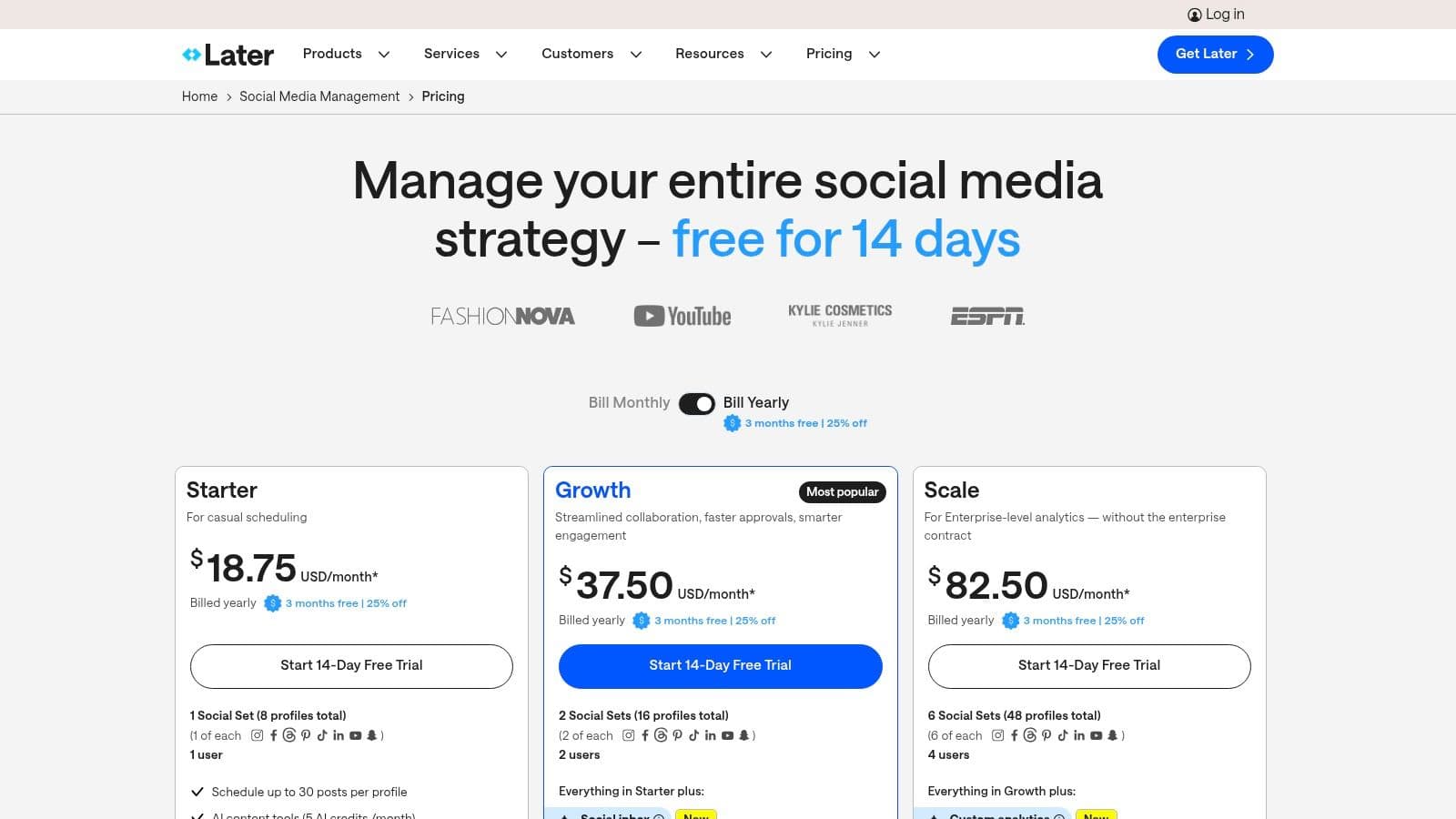
The platform is designed for streamlined workflows, catering effectively to small businesses, solo creators, and growing agencies. Key features like its link-in-bio tool, product tagging capabilities, and AI content assistant provide a comprehensive toolkit for monetizing and optimizing visually driven content. Higher-tier plans introduce valuable collaboration tools, including content approvals and dedicated access groups, making it scalable for teams.
Key Features & Assessment
Later excels in providing an intuitive, user-friendly experience for planning and scheduling across the most popular visual networks. Its analytics offer clear insights into post performance for up to a year, helping users refine their content strategy without overwhelming them with data. While its core strength is visual scheduling, it also supports text-based platforms like X and LinkedIn, offering a well-rounded solution.
- Pros:
- Strong specialization for visual content and Instagram-first workflows.
- Clear social set and user limits suitable for team growth.
- 14-day free trial available with annual savings options.
- Cons:
- Advanced social listening features are limited to Enterprise plans.
- Lower-tier plans come with monthly post caps.
Pricing: Later offers a 14-day free trial. Paid plans for individuals and growing teams are available, with custom pricing for larger agencies.
6. SocialBee
SocialBee excels in content categorization and recycling, making it one of the best social media automation tools for maintaining a consistent and active presence. The platform is built around a category-based scheduling system, allowing users to create queues of content for specific topics and set them to post automatically. This approach is perfect for evergreen content, ensuring your best-performing posts are continuously reshared to maximize their reach and impact over time.
Designed with efficiency in mind, SocialBee is particularly beneficial for solo creators, small businesses, and agencies managing multiple clients. Its multi-workspace structure keeps different brands entirely separate, complete with their own content libraries, schedules, and team members. The inclusion of an AI assistant to generate captions and a straightforward PDF reporting feature adds significant value, streamlining common social media management tasks.
Key Features & Assessment
SocialBee’s core strength is its "set it and forget it" content automation, powered by content categories and recycling rules. This system ensures a balanced content mix without constant manual intervention. While its interface is clean and user-friendly, the reporting and analytics functionalities are less comprehensive than enterprise-level suites, focusing more on core performance metrics rather than deep audience or competitor analysis.
- Pros:
- Powerful evergreen automation with category-based queues and content recycling.
- Well-suited for agencies and consultants with multi-workspace management.
- Transparent and affordable pricing with a generous trial and money-back guarantee.
- Cons:
- The user interface and reporting tools are simpler than some high-end competitors.
- Access to certain advanced features is limited to higher-tier plans.
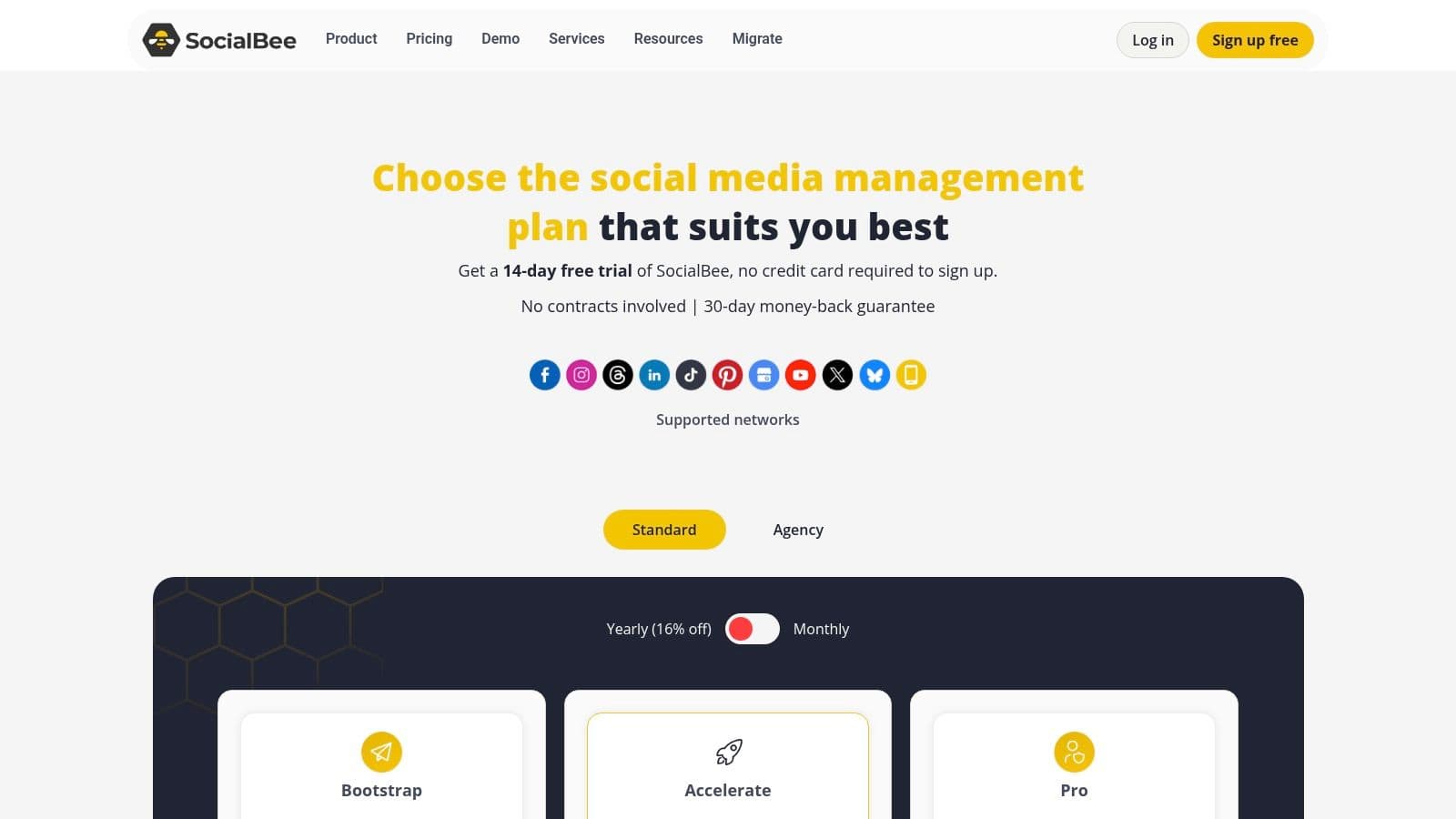
Pricing: SocialBee offers a 14-day free trial and several paid tiers, including Bootstrap, Accelerate, and Pro, with custom pricing for agency plans.
7. Sendible
Sendible is a social media automation tool designed with agencies and SMBs in mind, offering a scalable solution that prioritizes team collaboration and client management. The platform delivers a robust suite of features for scheduling, engagement, and reporting, all structured to support organizations managing multiple brands or client accounts. Its clear focus on multi-user workflows makes it a powerful choice for growing teams.
The platform distinguishes itself with features like white-label options, custom client dashboards, and built-in approval workflows, which are essential for agencies needing to maintain brand integrity and provide transparent reporting. Users can manage content from a shared calendar, engage with audiences through a unified social inbox, and generate automated, custom reports to demonstrate ROI to stakeholders or clients.
Key Features & Assessment
Sendible provides a well-rounded feature set that supports the entire social media management lifecycle, from content creation to performance analysis. Its centralized monitoring and engagement tools help teams stay on top of conversations, while unlimited scheduling and a shared asset library streamline content operations. While the platform is packed with agency-centric features, solo users might find the interface more complex than necessary for basic scheduling.
- Pros:
- Strong value proposition for multi-client teams and agencies.
- Scales well with clear seat and profile allocation per plan.
- Excellent collaboration tools, including approval workflows and team calendars.
- Cons:
- Advanced features like white-labeling are locked behind top-tier plans.
- The interface can be overwhelming for individual users or small teams.
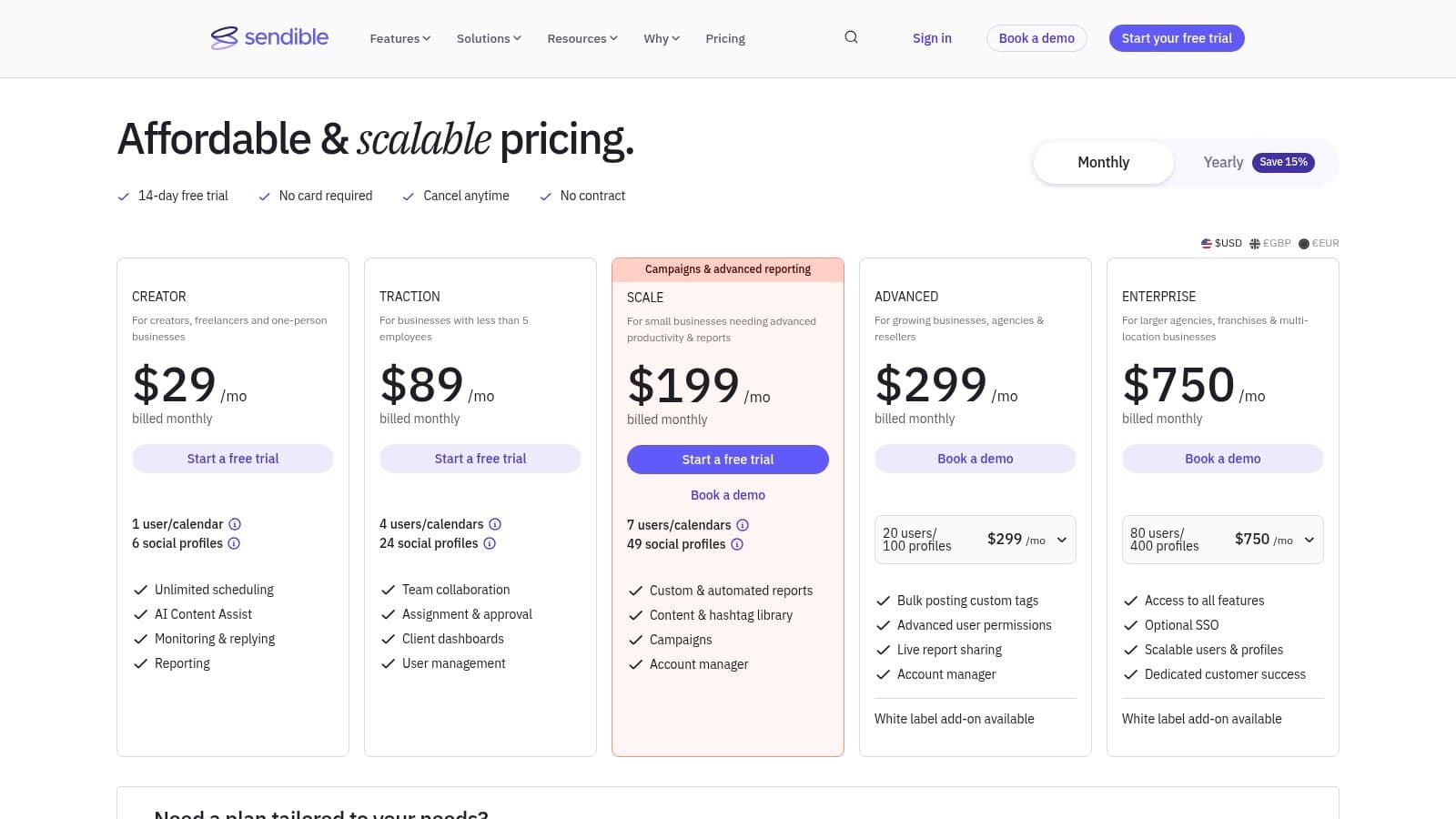
Pricing: Plans start with a 14-day free trial. Paid tiers include Creator, Traction, Scale, and Expansion, each with a set number of users and profiles.
8. Zoho Social
Zoho Social leverages its position within the broader Zoho ecosystem to offer one of the most value-driven social media automation tools available. It provides a comprehensive suite of features, including publishing, monitoring, and analytics, making it an excellent choice for small to medium-sized businesses and agencies looking for an affordable yet powerful solution. Its core strength lies in its seamless integration with other Zoho products like CRM and Desk, creating a unified customer experience management platform.
The platform offers a clean and functional interface with a publishing calendar that supports bulk scheduling and post previews, helping teams maintain a consistent content flow. For agencies, Zoho Social provides dedicated plans that include client workspaces and custom branding, simplifying collaboration and reporting. This focus on agency-specific needs, combined with its accessibility, sets it apart in a crowded market.
Key Features & Assessment
Zoho Social excels at providing essential automation tools without overwhelming users. Features like the SmartQ publishing queue automatically post content when audiences are most active, while its listening dashboards help track relevant conversations and brand mentions. While the user interface may not be as polished as some premium competitors, its functionality and straightforward approach provide significant value. The depth of analytics and listening features are tied to pricing tiers, so users needing advanced reporting should consider higher-level plans.
- Pros:
- Highly competitive pricing with a functional free plan for individuals.
- Tight integration with the Zoho ecosystem (CRM, Desk, etc.) for a holistic business view.
- Strong agency-focused plans with client management and branding features.
- Cons:
- The user interface is functional but less refined than top-tier alternatives.
- Advanced analytics and social listening capabilities are restricted to more expensive plans.
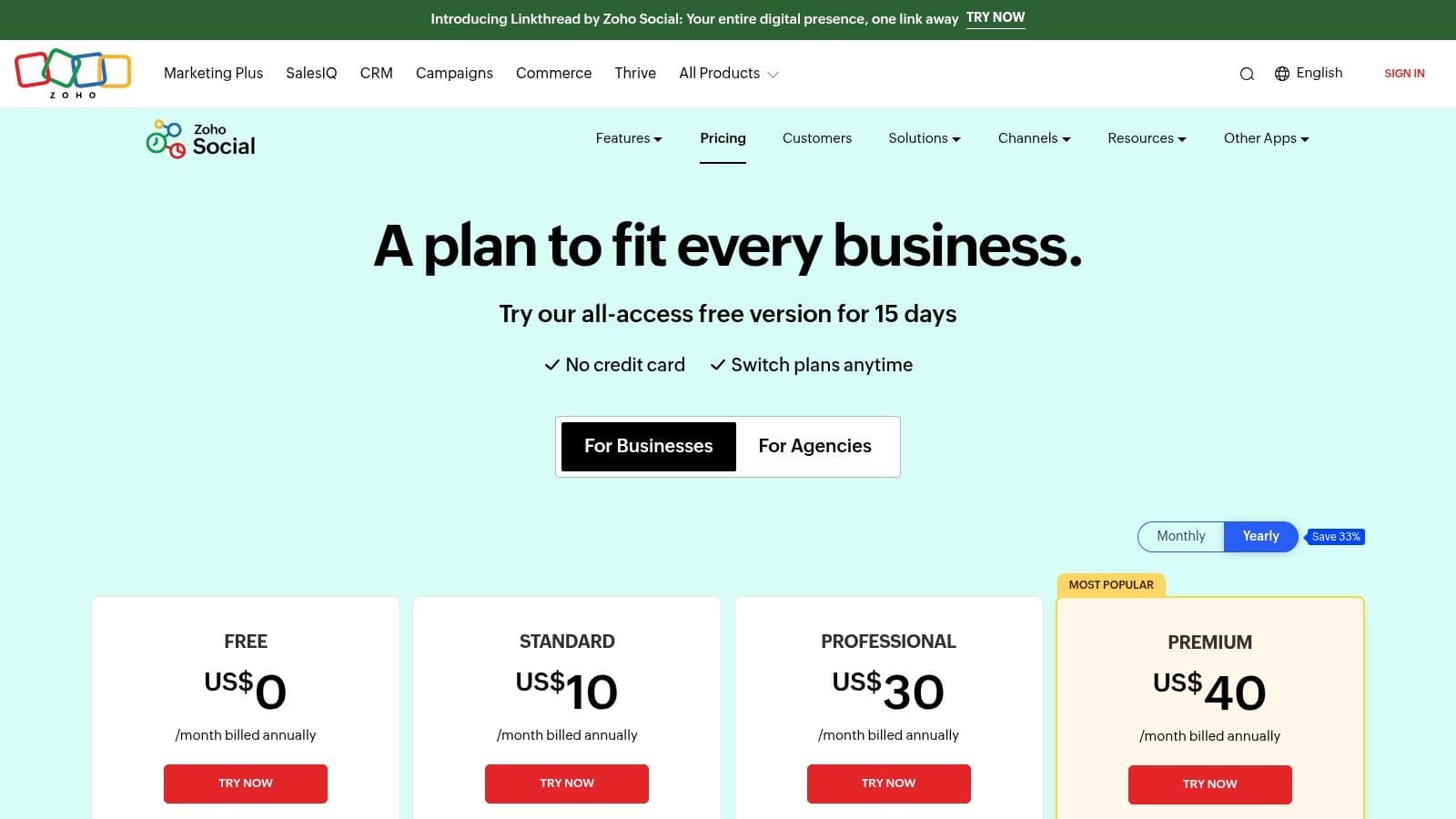
Pricing: A limited free plan is available. Paid plans start at $10/month for Standard, with Professional, Premium, and Agency tiers available.
9. Metricool
Metricool positions itself as a versatile, all-in-one social media management solution, making a strong case as one of the best social media automation tools for creators, agencies, and small businesses alike. It effectively unifies content scheduling, deep analytics, competitor tracking, and ad campaign management into a single, intuitive platform. Its key differentiator is the integration of organic and paid social data, providing a holistic view of performance that many competitors separate.
The platform is particularly well-suited for agencies and managers handling multiple brands, as its pricing model scales efficiently per brand rather than forcing a jump to a costly enterprise tier. Users benefit from features like a unified social inbox, unlimited post scheduling on paid plans, and AI-powered tools to assist with content creation. This combination makes it a powerful yet accessible choice for comprehensive social media management.
Key Features & Assessment
Metricool shines by delivering a robust feature set at a competitive price point, particularly its analytics and competitor analysis tools. The platform’s ability to track hashtag performance and monitor competitor growth offers actionable insights directly within the dashboard. While the core platform is highly capable, it’s important to note that certain integrations, like connecting an X/Twitter account for deeper analytics, require a separate paid add-on.
- Pros:
- Excellent value with a comprehensive free plan and affordable, scalable paid tiers.
- Combines organic content and paid ad campaign analytics in one view.
- Strong competitor analysis and hashtag tracking features.
- Cons:
- Connecting an X/Twitter account requires a separate, paid add-on.
- Some advanced analytics are reserved for higher-tier plans.
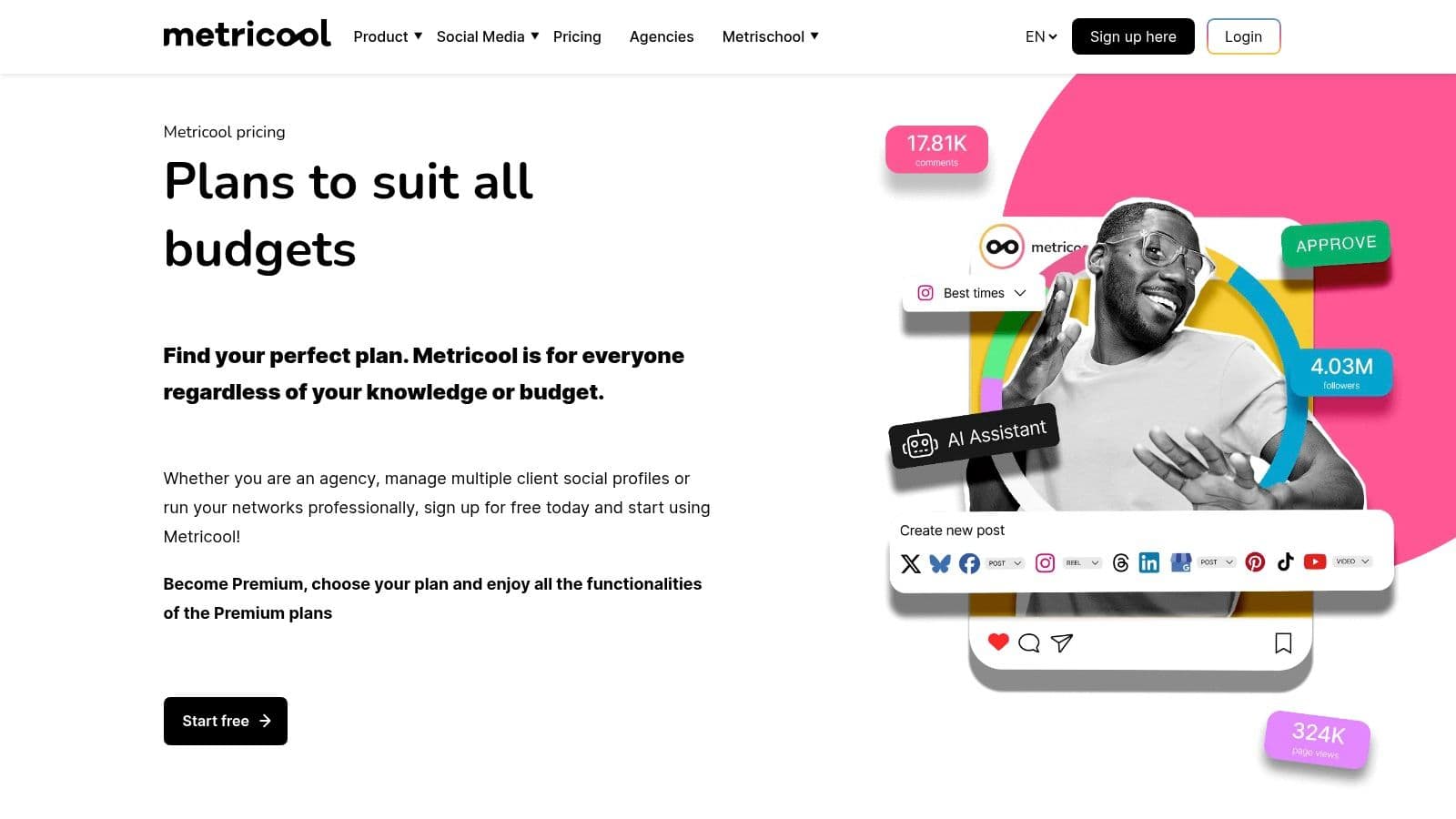
Pricing: A generous free plan is available. Paid plans scale per brand, starting with affordable tiers for individuals and moving up to Team and Agency plans with more features.
10. Zapier
While not a dedicated social media management platform, Zapier is arguably one of the most powerful and versatile automation tools available, earning its spot by extending the capabilities of virtually any social media workflow. It acts as a universal connector, allowing users to create automated "Zaps" that link their social media accounts to thousands of other web applications. This enables powerful, custom-built automations that go far beyond what native schedulers can offer.
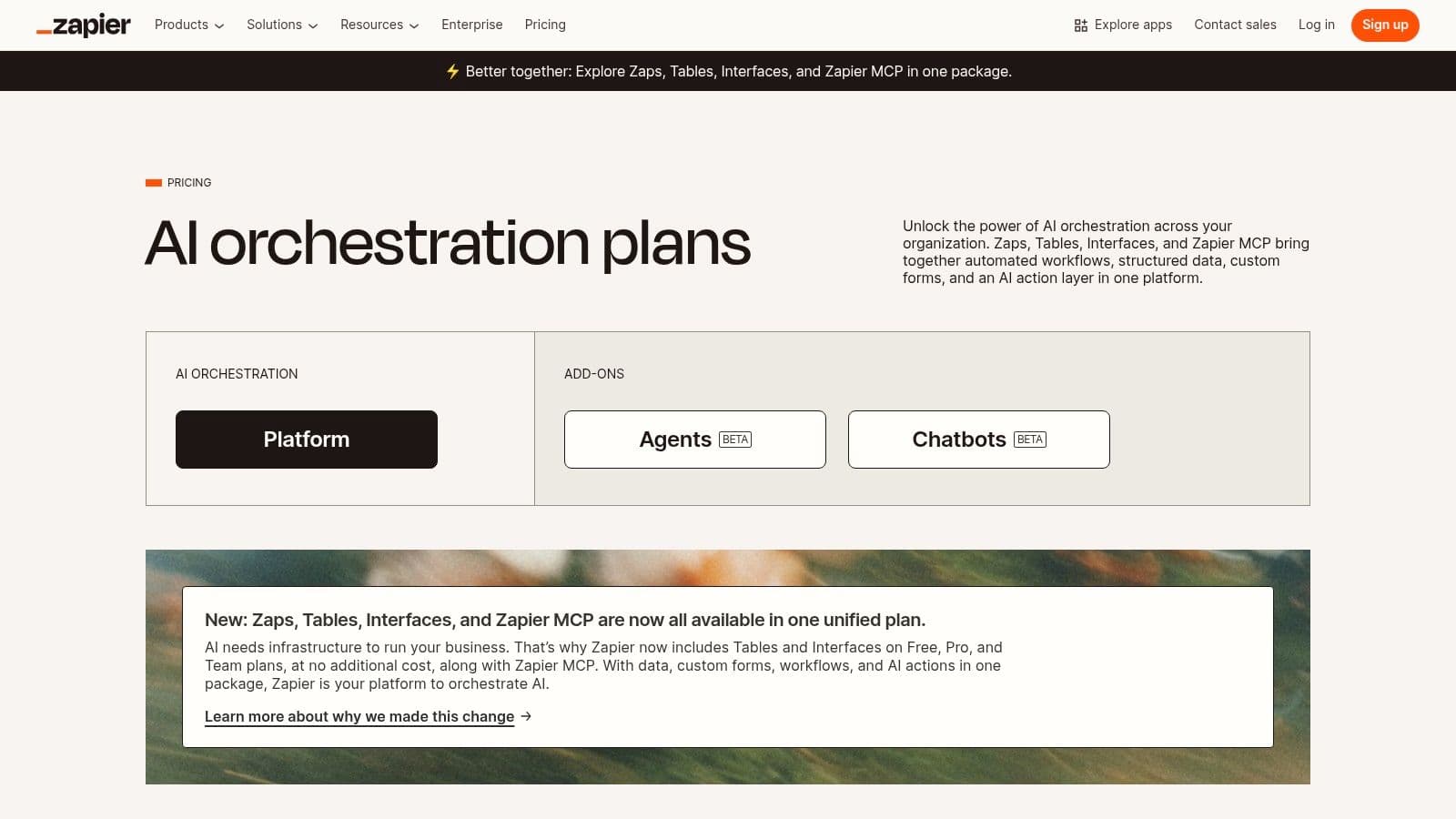
Zapier excels at creating cross-platform workflows. For example, you can automatically share new blog posts to LinkedIn, archive every posted tweet into a Google Sheet, or route leads from Facebook Lead Ads directly into your CRM. As you consider various automation possibilities, exploring how Zapier integrates with different platforms, such as with Mindstamp's Zapier integration for interactive video, can showcase the breadth of its capabilities. This level of customization makes it an indispensable tool for marketers looking to build a fully integrated digital ecosystem.
Key Features & Assessment
The true power of Zapier lies in its logic-based workflows. Using filters, formatters, and conditional paths, you can build sophisticated automations without writing any code. The new AI beta features further enhance its potential, promising even smarter, more context-aware workflows. While the platform is incredibly powerful, the pay-per-task model means costs can escalate quickly for high-volume users or those reliant on premium app integrations. You can learn more about how Zapier compares with other top social media automation tools to find the right fit for your needs.
- Pros:
- Extremely broad app and ecosystem integration with over 6,000 supported apps.
- Powerful logic with filters and paths allows for complex, multi-step automations.
- Scales from simple two-step Zaps to highly intricate enterprise workflows.
- Cons:
- Costs can increase significantly with high task volumes or premium app usage.
- Occasional app connection or security advisories require user attention and maintenance.
Pricing: A free plan is available for basic Zaps. Paid plans start at the "Starter" tier and scale up based on task volume and access to premium apps and multi-step Zaps.
11. AppSumo
While not a single tool itself, AppSumo is a crucial marketplace for anyone seeking the best social media automation tools on a budget. It's a platform that offers lifetime deals (LTDs) and significant discounts on emerging and established software, including a wide variety of social media management and automation platforms. For entrepreneurs and small businesses, it provides a unique opportunity to acquire powerful software without committing to high monthly subscription fees.
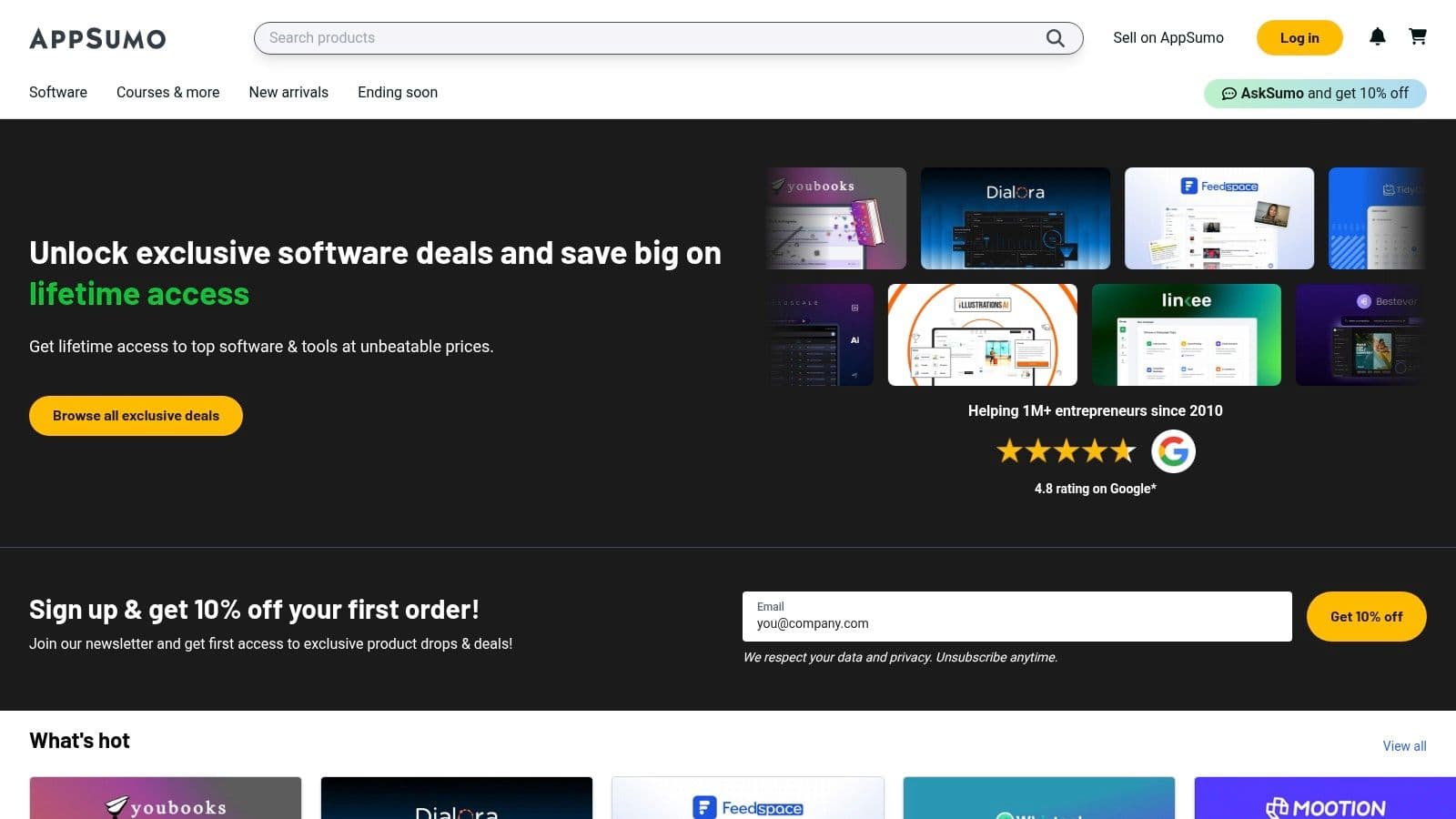
The platform is ideal for discovering new and innovative tools that may not yet have mainstream recognition. Users can find everything from content schedulers and AI writers to analytics suites, often for a one-time payment. This makes it a strategic resource for building a marketing tech stack affordably, allowing teams to test multiple solutions and find the perfect fit with minimal financial risk, thanks to its refund policy.
Key Features & Assessment
AppSumo’s core value lies in the exceptional deals it secures, but it requires careful evaluation from the buyer. Reading user reviews and understanding the terms of a lifetime deal are critical. The platform is best used as a discovery engine for cost-effective tools, though buyers should be aware that the long-term viability of some startups featured can be uncertain.
- Pros:
- Significant upfront cost savings with lifetime deals on various social media tools.
- Excellent platform for discovering and testing new and innovative software.
- Generous 60-day money-back guarantee on most deals, reducing purchasing risk.
- Cons:
- The long-term reliability and support for some lifetime deals can be uncertain.
- The best deals are time-sensitive and can sell out quickly.
Pricing: Varies per deal, often featuring one-time payments for lifetime access. An optional AppSumo Plus membership offers extra discounts and benefits.
12. G2
While not a social media automation tool itself, G2 is an indispensable resource for anyone in the market for one. It's a leading peer-to-peer review platform where real users share their experiences with software, including an extensive category dedicated to social media suites. This makes it an essential first stop for unbiased research, helping you filter through marketing claims to find the best social media automation tools based on authentic feedback.
The platform allows users to compare tools side-by-side, read in-depth reviews, and view aggregated satisfaction scores across various criteria like "Ease of Use" and "Quality of Support." Its seasonal Grid Reports visualize the market landscape, identifying leaders, contenders, and niche players. This data-driven approach is perfect for shortlisting platforms that fit specific needs, from solo creators to large agencies, before committing to a free trial.
Key Features & Assessment
G2's real value lies in its verified user reviews, which provide granular insights into the pros and cons of each platform from a user's perspective. You can filter reviews by company size and role to find feedback from peers in similar situations. While G2 excels at providing a comprehensive market overview, remember that ratings can sometimes be influenced by vendors who actively solicit reviews from their happiest customers.
- Pros:
- Provides a broad and current marketplace overview with real user sentiment.
- Extremely helpful for shortlisting tools and learning from peer experiences.
- Free to use for browsing, with full reports accessible after a simple login.
- Cons:
- Some detailed reports and comparison data are gated behind a free login.
- Platform ratings can favor vendors with larger, more organized review campaigns.
Pricing: Free to browse and access most reviews; a free account is required to download complete reports.
Visit G2
Top 12 Social Media Automation Tools Comparison
| Platform | Core Features / Automation ✨ | User Experience / Quality ★★★★☆ | Value Proposition 💰 | Target Audience 👥 | Unique Selling Points 🏆 / ✨ | Price Points 💰 |
|---|---|---|---|---|---|---|
| PostOnce 🏆 | Smart cross-posting with platform-specific optimization | Intuitive, quick setup, multi-account support | Scalable plans, 7-day free trial | Indie hackers, creators, SMBs, agencies | Automated format adjustment, unlimited posts, priority support | Creator $29/mo · Pro $69/mo · Agency $199/mo |
| Hootsuite | Scheduling, best-time posting AI, analytics, social listening | Mature, enterprise-ready but steeper learning curve | Broad integrations, solid collaboration | From solo users to enterprises | Advanced analytics, sentiment analysis | Dynamic pricing, pricier at scale |
| Sprout Social | Robust publishing, smart inbox, competitor insights, AI Assist | Premium & scalable for teams | Transparent, but per-seat pricing | Brands, agencies, multi-user teams | Deep analytics and customer care | Tiered plans, add-ons extra |
| Buffer | Scheduling, per-channel pricing, engagement inbox | Simple, user-friendly | Affordable, flexible per-channel | Solo users, small teams | Free basic plan, AI assistance | Free to paid tiers ($15+/mo) |
| Later | Scheduler for visual networks, social inbox, AI content credits | Instagram-focused, visual-first workflows | 14-day free trial, annual discounts | SMBs, creators, agencies | Visual content specialization, content approvals | Free to paid ($18+ /mo) |
| SocialBee | Category queues, content recycling, AI captions | Efficient evergreen automation | Transparent pricing, frequent promos | Consultants, small agencies | Evergreen content automation, multi-workspace | Starting ~$19/mo |
| Sendible | Unlimited scheduling, team approvals, client dashboards | Complex but feature-rich for agencies | Clear seat/profile allocation | SMBs, agencies, teams | Client dashboards, white-label options | From $29/mo |
| Zoho Social | Publishing calendar, social listening, client workspace | Affordable, less polished UI | Tight integration with Zoho ecosystem | Agencies, SMBs | Agency client workspaces, integrated CRM | Free tier, paid from $10+/mo |
| Metricool | Scheduling, analytics, ads, competitor tracking | Good value, combines ads & content overview | Scalable by number of brands | Creators, SMBs, agencies | Competitive analytics, multi-brand management | Free to paid tiers (~$9+/mo) |
| Zapier | Unlimited workflows, multi-step Zaps, AI assistant (beta) | Extremely flexible but cost scales with usage | Broad app integrations | All automation users | No-code workflows beyond social media | Free to paid, pay-per-task |
| AppSumo | SaaS deals marketplace, refund guarantee | Good for discovering & testing tools | Significant savings on lifetime/limited deals | Entrepreneurs, early adopters | Centralized deals, extended refund windows | Varies per deal |
| G2 | Reviews, comparisons, pricing info | Helpful peer feedback, broad market overview | Free resource for vendor insights | Buyers, decision-makers | Verified user reviews, segment-specific rankings | Free |
Final Thoughts
Navigating the expansive landscape of social media automation can feel overwhelming, but the right tool acts as a powerful lever, amplifying your efforts and freeing up valuable time. Throughout this guide, we've explored a diverse set of the best social media automation tools, moving beyond surface-level features to dissect their practical applications, core strengths, and inherent limitations.
The key takeaway is that there is no single "best" platform for everyone. The ideal solution is deeply personal, tied directly to your specific workflow, team size, budget, and strategic goals. A solo content creator has vastly different needs than a multi-client marketing agency, and recognizing this distinction is the first step toward making an informed decision.
Recapping the Landscape
We've seen how established enterprise-level platforms like Sprout Social and Hootsuite offer comprehensive, all-in-one solutions with deep analytics and team collaboration features, making them a fit for larger organizations with significant budgets. Their power lies in their breadth, but this can also translate to complexity and a higher price tag.
In contrast, tools like Buffer and Later excel in simplicity and user experience. Buffer's clean interface makes it a long-standing favorite for straightforward scheduling and analytics, while Later's visual-first approach is tailor-made for Instagram-centric brands and creators. These tools prove that you don't always need every feature under the sun; you just need the right ones, executed well.
For those seeking more specialized functionality, platforms like SocialBee offer a unique, category-based approach to content recycling that is a game-changer for evergreen content strategies. Meanwhile, Sendible and Metricool provide a robust balance of features at a competitive price point, making them strong contenders for small businesses and agencies looking for a scalable solution without the enterprise-level cost.
How to Choose Your Perfect Tool
As you weigh your options, shift your focus from "Which tool has the most features?" to "Which tool solves my biggest problem?" Your selection process should be a strategic exercise.
Consider these critical factors:
- Primary Business Goal: Are you focused on lead generation, brand awareness, community engagement, or customer support? Your primary objective will dictate which features are most important. A tool with advanced social listening is crucial for brand monitoring, while a simple scheduler might suffice for pure brand awareness.
- Core Social Platforms: Don't pay for features you don't need. If your audience is primarily on Instagram and TikTok, a visual-first planner like Later makes more sense than a platform built for text-heavy networks. Ensure your chosen tool has robust, API-approved integrations with your most important channels.
- Budget and Scalability: Be realistic about your budget, not just for today but for the next 12 months. Many tools offer tiered pricing that can become expensive as your team or social profiles grow. Look for a solution that can scale with you.
- Workflow Integration: The best social media automation tool should feel like a natural extension of your workflow, not another cumbersome task. Does it integrate with your design tools (like Canva), your analytics platforms, or your team communication apps? How intuitive is the content creation and approval process?
Ultimately, the goal of automation is not to "set it and forget it," but to be more strategic, consistent, and present where it matters most. These tools handle the repetitive tasks, freeing you to engage with your audience, analyze performance, and create higher-quality content.
Feeling overwhelmed by the complexity and high costs of traditional platforms? If your goal is efficient, powerful content scheduling across multiple platforms without the enterprise-level price tag, consider trying PostOnce. We built it specifically for creators and small businesses who need a streamlined, effective tool to manage their social media presence, helping you find the perfect balance among the best social media automation tools. Start your free trial of PostOnce today and experience a simpler way to automate.