


















The ultimate goal for any modern agency is efficiency: creating impactful content once and distributing it everywhere without manual effort. A tool like PostOnce is the solution, offering a streamlined cross-posting engine designed to eliminate repetitive tasks and amplify reach automatically. For agencies managing multiple clients across a dozen social platforms, the right technology is no longer a luxury—it's the engine for growth. This automation-first approach directly addresses a core agency challenge, allowing you to scale operations without scaling your workload.
In this comprehensive guide, we'll dive into the best social media tools for agencies, from all-in-one suites to specialized platforms, helping you build a tech stack that saves time, impresses clients, and drives measurable results. We move beyond generic feature lists to provide a detailed analysis of what makes each tool suitable for a busy agency environment. You will find practical use cases, honest assessments of limitations, and specific implementation advice to help you make an informed decision. Each option includes screenshots and direct links to help you evaluate platforms quickly.
We will explore a categorized roundup covering scheduling, analytics, social listening, content design, and client collaboration. To truly scale your agency and implement smarter social media strategies, consider leveraging marketing chatbots to automate engagement and lead qualification directly from social platforms. Our goal is to equip you with the insights needed to select not just a tool, but a strategic partner for your agency's growth. Let's find the perfect fit for your workflow.
1. PostOnce
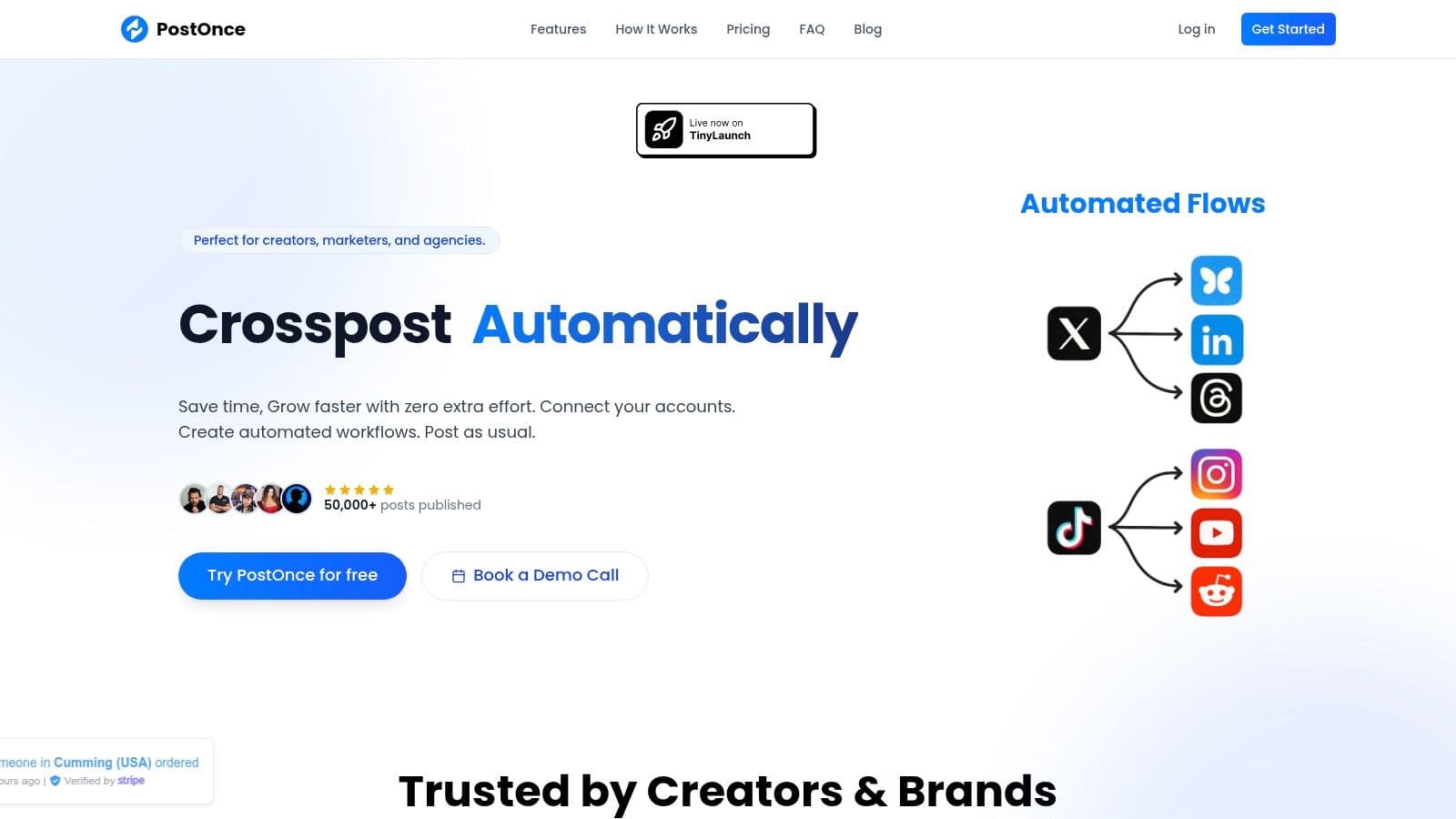
PostOnce distinguishes itself as a premier social media tool for agencies by focusing on a powerful, often-overlooked core need: frictionless content distribution. Instead of operating as a traditional, complex scheduling dashboard, its "create once, publish everywhere" model is built for pure efficiency. It empowers agencies to maintain a client's natural posting habit on a primary platform (like X/Twitter or Threads) and let automated workflows handle the rest, which is a game-changer for high-volume content strategies.
This approach directly addresses the search intent behind "social media tools for agencies" by solving the massive time sink of manual multi-platform management. Agencies are constantly seeking ways to scale operations without increasing overhead, and PostOnce provides a direct solution by automating the repetitive task of adapting and publishing content across disparate social networks.
Core Strengths for Agencies
The key differentiator is PostOnce’s ability to automatically reformat content. When a post is published on a source platform, the tool intelligently adapts it for each destination network, handling character limits, image dimensions, and even platform-specific hashtag conventions. This ensures every piece of content appears native, preserving organic reach and engagement potential without requiring a social media manager to manually edit a dozen variants.
Practical Use Cases
- High-Frequency Content Distribution: An agency managing a thought leader on X/Twitter can set up a workflow to automatically push their tweets to LinkedIn, Threads, and a Facebook Page. PostOnce will correctly format the content for each, turning a single action into a multi-channel presence.
- Visual Content Amplification: A client's Instagram post can be automatically repurposed for Pinterest, Facebook, and TikTok. The system handles the aspect ratio and formatting adjustments, saving significant design and editing time.
- Scalable Client Onboarding: With 50 accounts and unlimited workflow options on the Pro plan, agencies can quickly onboard new clients and establish a baseline of consistent, cross-platform activity in minutes.
For the agency setup in detail, including the client invite link and one workflow per client, see PostOnce for agencies.
Pricing & Platform Details
PostOnce offers a straightforward pricing structure ideal for agency budgets. The Creator plan is $29/month (15 accounts, unlimited workflows), while the Pro plan at $69/month provides 50 accounts and unlimited workflows, while the Agency plan at $199/month provides 200 accounts and unlimited workflows for agency-level management. All three plans include unlimited posts, a 7-day free trial, and a 7-day refund policy, offering a no-risk entry point.
| Feature | Creator Plan ($29/mo) | Pro Plan ($69/mo) |
|---|---|---|
| Connected Accounts | 15 | Unlimited |
| Automated Workflows | 5 | Unlimited |
| Posts | Unlimited | Unlimited |
| Platform Support | Full | Full |
| Priority Support | No | Yes |
Supported Platforms: Includes Threads, Bluesky, X/Twitter, Instagram, Facebook, LinkedIn, TikTok, and Pinterest. Reddit and YouTube are listed as coming soon.
Best For: Agencies focused on maximizing content velocity and achieving a consistent multi-platform presence without the friction of traditional SMM dashboards. It excels as a powerful, specialized tool within a larger marketing stack.
Website: https://postonce.to
2. Sprout Social
Sprout Social is a comprehensive, enterprise-level platform that goes beyond simple scheduling to offer a full suite of management, analytics, and social listening tools. It’s best suited for established agencies and in-house teams managing multiple clients or brands that require deep performance insights and streamlined collaboration workflows. Its standout feature is the Smart Inbox, which unifies all incoming messages, mentions, and comments into a single, manageable stream.
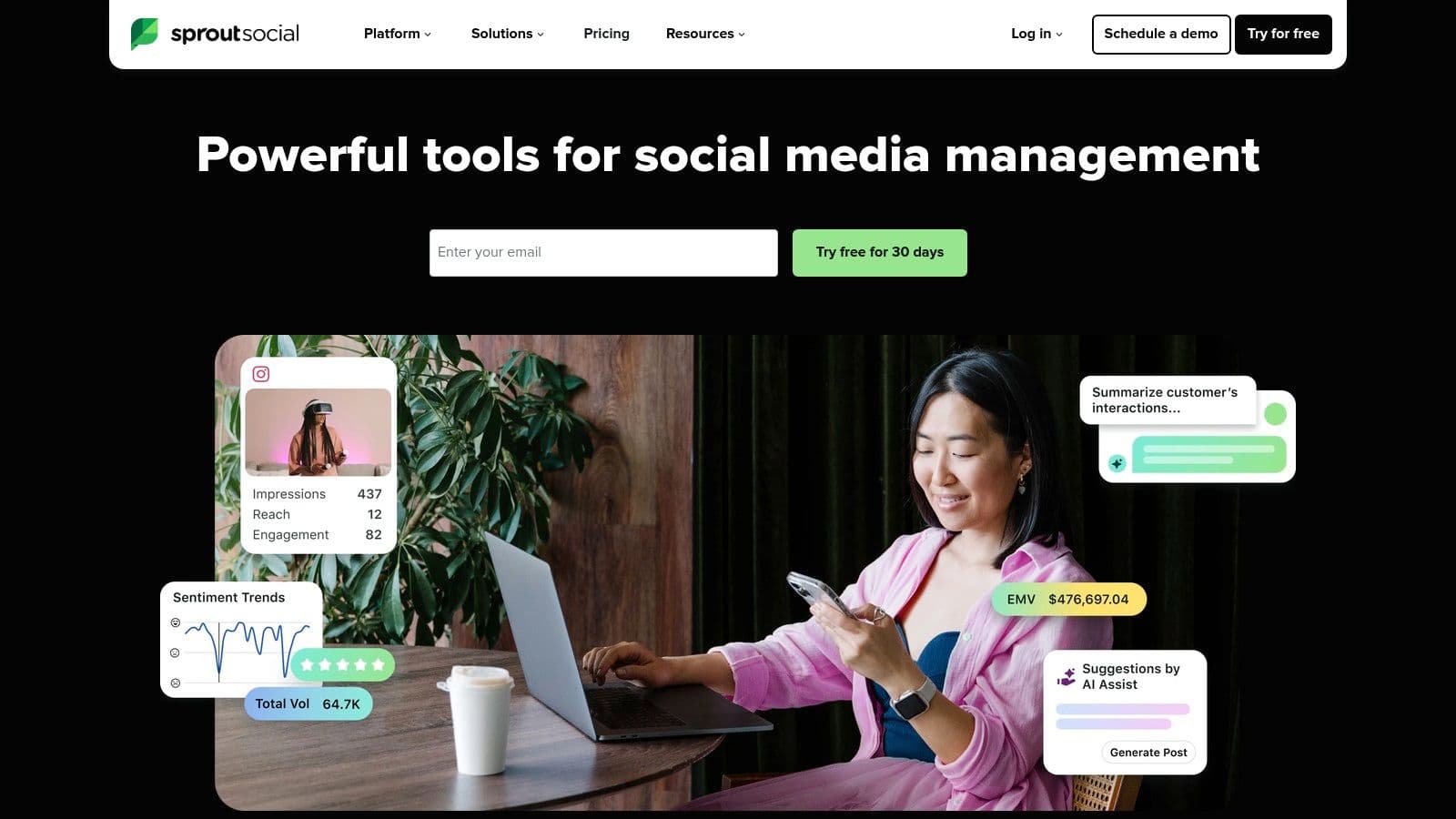
Unlike many simpler social media tools for agencies, Sprout Social excels at turning raw data into actionable business intelligence. The platform’s reporting capabilities are robust, allowing agencies to build custom, presentation-ready reports that clearly demonstrate campaign ROI to clients. This focus on analytics, combined with powerful team-based approval queues and task assignment features, makes it a command center for sophisticated social media operations.
Key Details & Use Case
Sprout Social is ideal for agencies that need to provide advanced customer care and competitive analysis. For example, you can set up listening queries to track brand sentiment or monitor competitor activity, then use the Smart Inbox to assign high-priority messages to the appropriate team member for a swift response. This makes it an excellent choice for managing high-volume accounts in sensitive industries.
- Best For: Mid-to-large agencies needing advanced analytics, team collaboration, and client management.
- Pricing: Plans start at $249 per user/month, with a 30-day free trial available.
- Website: sproutsocial.com
Pros:
- Deep Analytics: Industry-leading reporting and competitive analysis.
- Unified Inbox: The Smart Inbox simplifies engagement across all channels.
- Scalability: Robust features support growing agency and client needs.
Cons:
- High Cost: Per-user pricing becomes expensive for larger teams.
- Add-on Features: Key functionalities like premium analytics and listening are often extra.
3. Hootsuite
Hootsuite is one of the most established and widely-recognized platforms in the social media management space, known for its extensive integrations and robust publishing capabilities. It serves as a reliable all-in-one dashboard for agencies needing to manage multiple clients, schedule content at scale, and monitor conversations across various networks. Its standout feature is its mature ecosystem, which includes a comprehensive app directory and the Hootsuite Academy for training and certification.
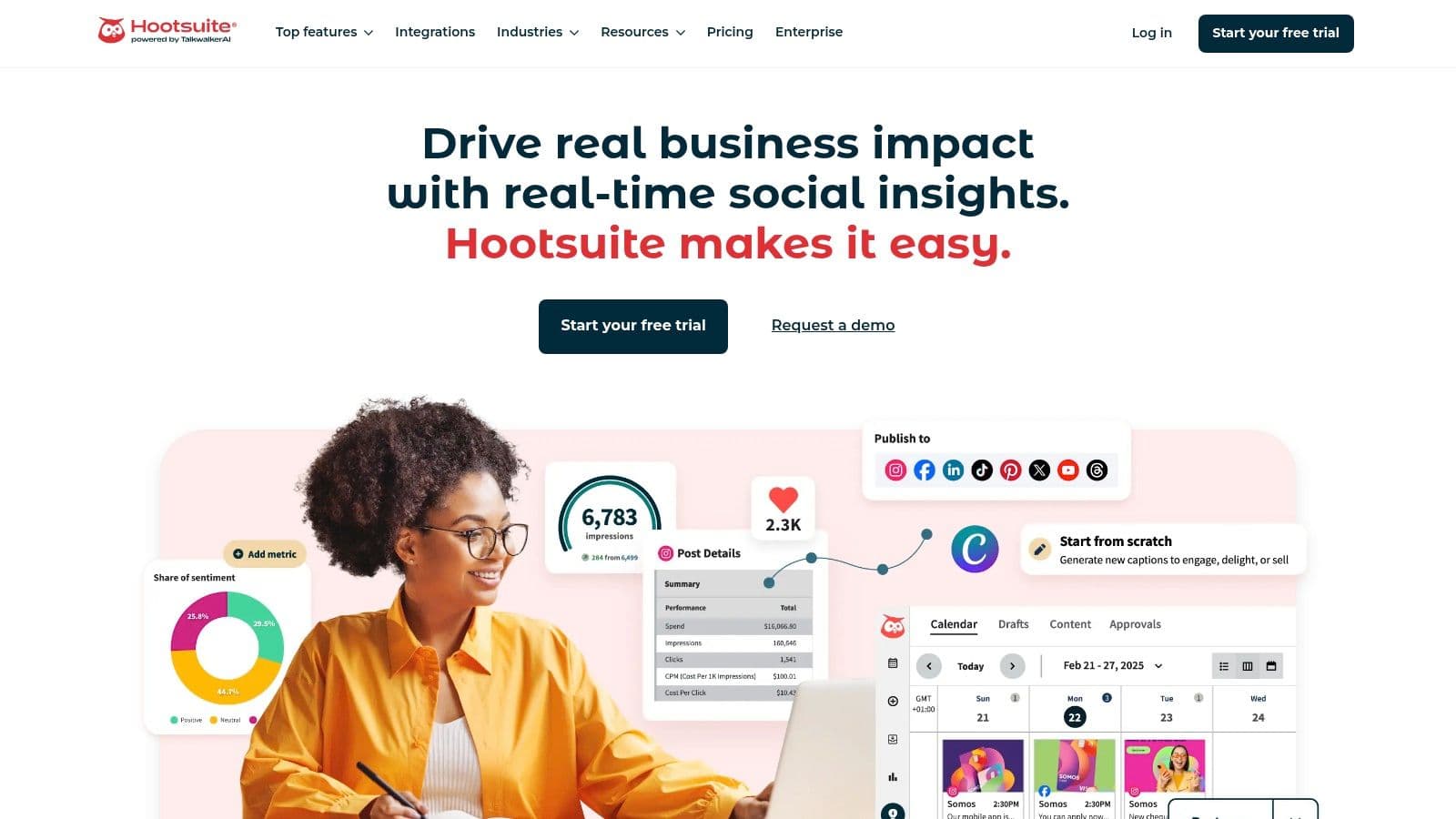
Unlike newer, niche tools, Hootsuite’s strength lies in its breadth and reliability, offering a comprehensive suite that covers publishing, engagement, analytics, and basic social listening. Features like its centralized inbox, AI-powered content suggestions, and built-in approval workflows are designed to support agency governance and multi-team collaboration. The platform's integrations with tools like Canva and Adobe streamline the content creation process, making it a powerful hub among social media tools for agencies.
Key Details & Use Case
Hootsuite is ideal for agencies managing a diverse portfolio of clients who require standardized workflows and centralized control. An agency could use its custom streams to monitor specific hashtags for a client's campaign, while simultaneously using the planner to schedule and approve content for another client's entire monthly calendar. This makes it a strong choice for organizations that prioritize established, enterprise-ready solutions with strong governance features.
- Best For: Agencies of all sizes looking for a proven, all-in-one platform with extensive integrations.
- Pricing: Plans start at $99 per user/month, with a 30-day free trial available.
- Website: hootsuite.com
Pros:
- Mature Ecosystem: Extensive app directory and educational resources via Hootsuite Academy.
- Extensive Integrations: Connects with a vast number of third-party applications.
- Nonprofit Discounts: Offers special pricing for eligible nonprofit organizations in the US.
Cons:
- Complex Pricing: Tiers and promotions can vary by region and are not always fully displayed upfront.
- UI Can Be Cluttered: The dashboard can feel dated or overwhelming for new users.
4. Agorapulse
Agorapulse positions itself as an agency-friendly suite that balances powerful features with transparent, manageable pricing. It provides a comprehensive toolkit for scheduling, moderation, team collaboration, and reporting, making it a strong contender for agencies that need an all-in-one solution without the enterprise-level cost of some competitors. Its unified social inbox and calendar are core to the platform, streamlining workflows by bringing all client activities into a single dashboard.
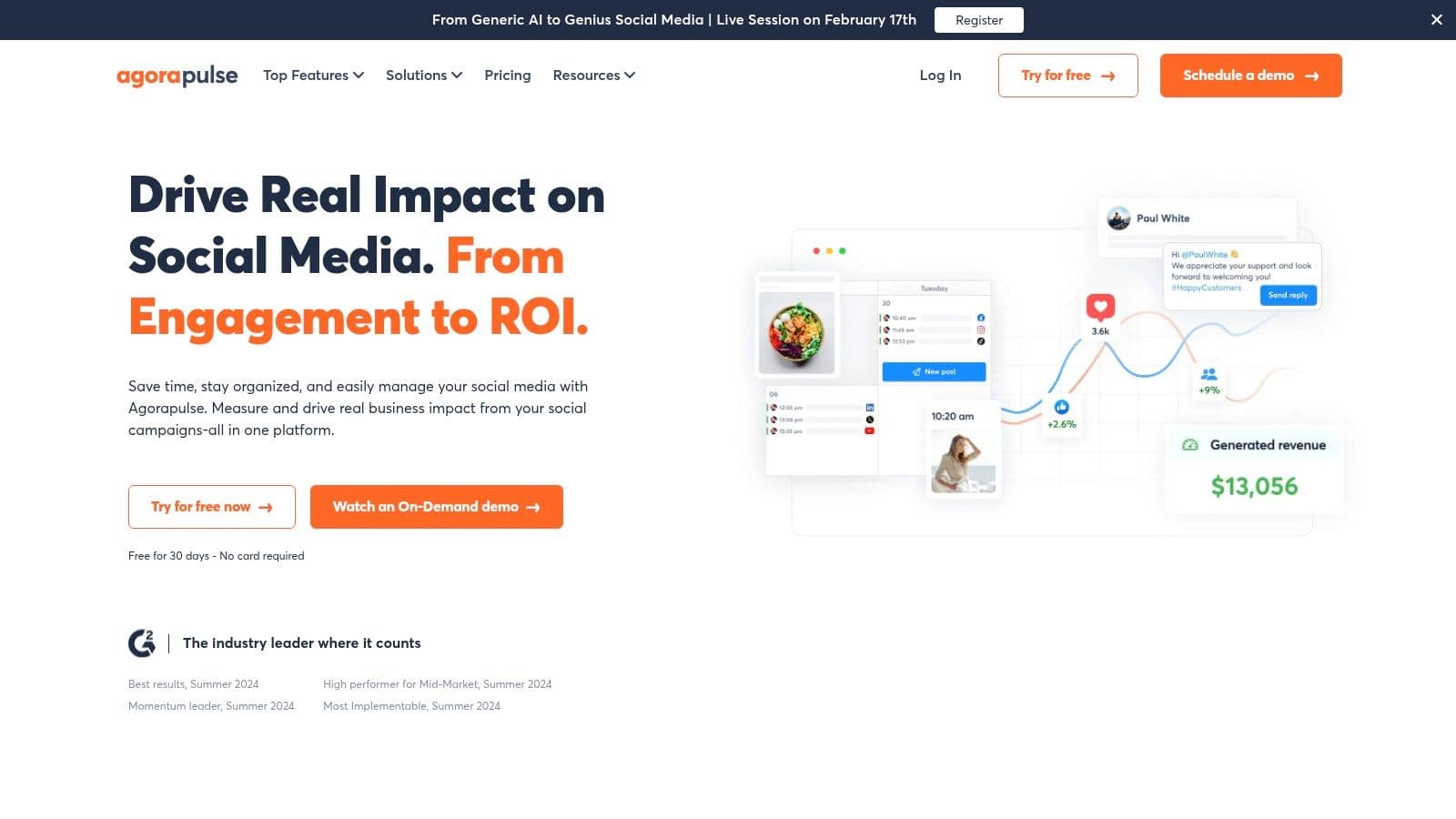
What sets Agorapulse apart is its clear per-user pricing model and the granular ability to add on specific features as needed. This flexibility allows agencies to scale their investment as they grow. The platform supports a wide range of networks, including Threads, Bluesky, and Google Business Profile, and offers robust tools like white-label reporting and ad comment moderation. This makes it an excellent choice for agencies looking to build an efficient, client-focused social media management workflow.
Key Details & Use Case
Agorapulse is ideal for agencies that manage multiple clients and require strong approval queues and client-facing reports. For instance, an agency can create custom, branded PDF reports to demonstrate ROI directly to stakeholders. The unified inbox helps teams efficiently manage engagement, assigning comments or messages to the right person and ensuring no interaction is missed, which is critical for maintaining brand reputation across many accounts.
- Best For: Small-to-mid-sized agencies seeking a feature-rich platform with predictable pricing.
- Pricing: Plans are built per user with add-ons available. A 30-day free trial is offered with no credit card required.
- Website: agorapulse.com
Pros:
- Transparent Pricing: Clear per-user plans and add-ons avoid unexpected costs.
- Agency-Focused Tools: White-label reporting and client management features are built-in.
- Excellent Support: Known for active support documentation and quick response times.
Cons:
- Scalability Costs: The per-user model can become expensive as an agency's team grows.
- Plan Migrations: Legacy plans are being retired, with users moving to new plans by 2026.
5. Sendible
Sendible is a purpose-built platform designed specifically with agencies in mind, focusing on efficient collaboration, client management, and streamlined reporting. It provides a balanced mix of scheduling, monitoring, and analytics features that cater to agencies managing multiple client accounts. Its core strength lies in its user-friendly interface and agency-centric tools like custom client dashboards and white-labeling options, making it a powerful yet accessible choice.
Unlike more complex enterprise solutions, Sendible offers a straightforward approach to managing client workflows. Its approval queues allow agencies to seamlessly get client sign-off on content before it goes live, while its bulk scheduling and smart content queues automate publishing workflows. The platform's reporting is both robust and easy to customize, enabling agencies to quickly generate professional-looking reports that demonstrate value and performance to clients. This focus on agency-specific needs makes it one of the most practical social media tools for agencies scaling their operations.
Key Details & Use Case
Sendible is ideal for agencies that need to manage a growing portfolio of clients without the enterprise-level price tag. For example, an agency can create separate, branded dashboards for each client, giving them direct but controlled access to their social media performance reports. This self-service reporting, combined with integrated content approval systems, helps reduce back-and-forth communication and improves overall efficiency. Creating a cohesive agency social media strategy becomes much simpler with such streamlined client management tools.
- Best For: Small to mid-sized agencies needing a scalable, client-friendly management and reporting tool.
- Pricing: Plans start at $29/month for solo creators, with agency plans beginning at $89/month. A 14-day free trial is available.
- Website: sendible.com
Pros:
- Agency-Focused: Features like client dashboards and white-labeling are built-in.
- Competitive Pricing: Offers strong value, especially at lower and mid-tier plans.
- User-Friendly: Intuitive interface that simplifies complex social media management tasks.
Cons:
- Tier-Gated Features: Full white-labeling and advanced features are reserved for higher-priced plans.
- Posting Limits: Some plans have daily or user-based posting limits that can be restrictive.
6. SocialPilot
SocialPilot positions itself as a powerful, cost-effective solution for growing agencies and small businesses that need robust scheduling and client management features without the enterprise-level price tag. It strikes a balance between affordability and functionality, offering generous limits on social media accounts and users per plan. The platform’s core strength lies in its efficient bulk scheduling and content curation capabilities, which help teams manage high-volume content calendars with ease.
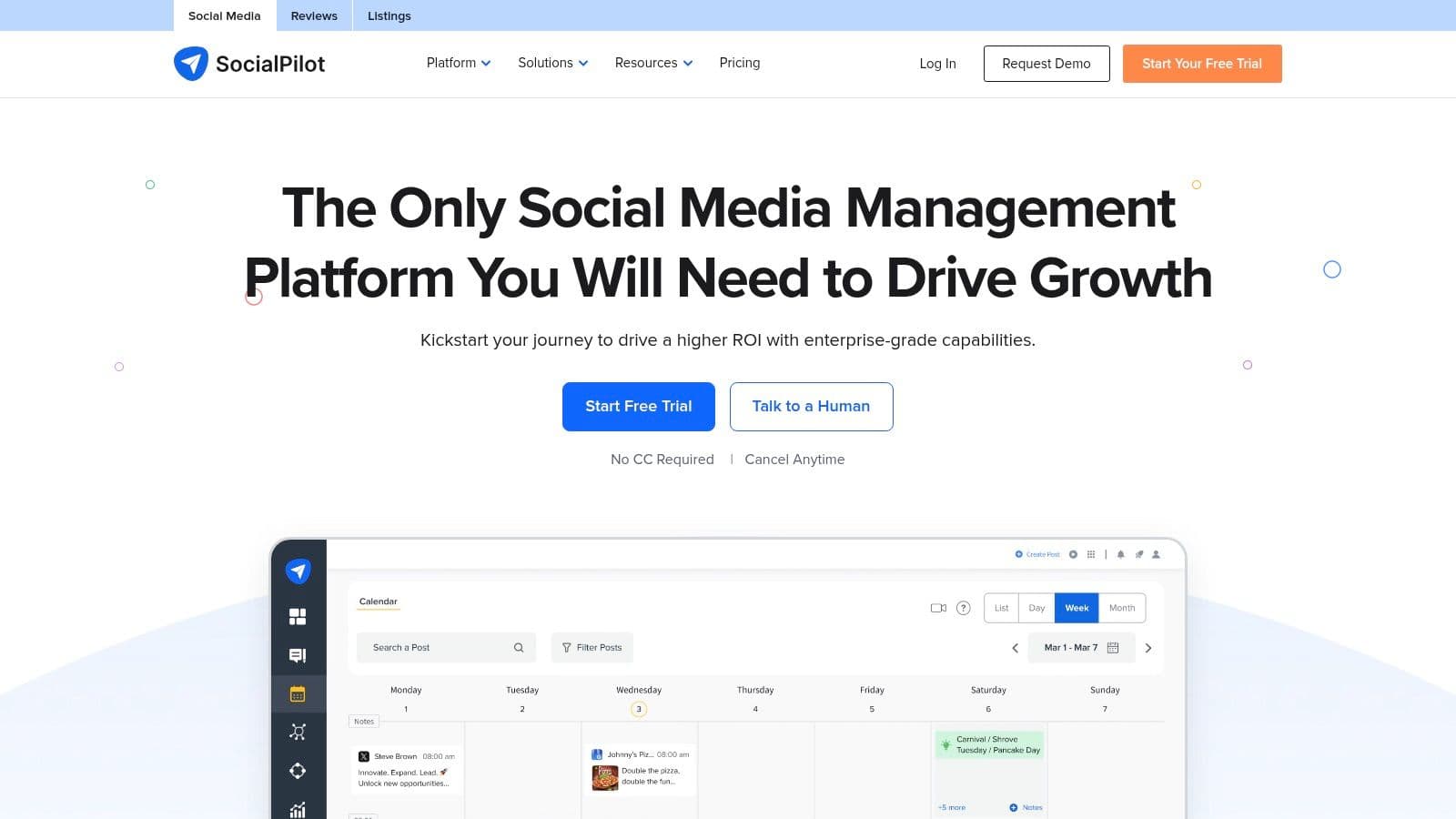
Where SocialPilot stands out for agencies is its built-in collaboration and white-labeling features. Unlike other tools in its price range, it provides client approval workflows that allow agencies to securely share content calendars and get feedback before publishing. This focus on agency-specific needs, combined with its strong scheduling automation, makes it one of the most practical social media tools for agencies looking to scale operations efficiently. While its interface is more functional than flashy, it provides a reliable framework for managing multiple client accounts.
Key Details & Use Case
SocialPilot is ideal for agencies managing 10 to 50+ client profiles that require a streamlined process for content creation, approval, and reporting. For instance, an agency can use the bulk scheduler to upload a month’s worth of posts for a client from a single CSV file, assign them to a junior team member for review, and then send the completed calendar to the client for final approval, all within the platform. The white-label PDF reports then allow the agency to demonstrate performance using their own branding.
- Best For: Small to mid-sized agencies and teams needing an affordable, all-in-one scheduling and client management tool.
- Pricing: Plans start at $25.50/month (billed annually), with a 14-day free trial available.
- Website: www.socialpilot.co
Pros:
- Strong value: Generous account and user limits make it highly cost-effective.
- Agency-centric features: Client management and white-label reports are included in higher tiers.
- Efficient scheduling: Bulk scheduling and content curation tools save significant time.
Cons:
- UI feels dated: The user interface is less polished compared to premium competitors.
- Tiered features: Key functions like advanced analytics and full white-labeling require more expensive plans.
7. HeyOrca
HeyOrca is a social media management platform built from the ground up with agencies in mind. Its core strength lies in its visual, calendar-first workflow and a streamlined client approval process that eliminates messy spreadsheets and email chains. The platform’s unique pricing model, based on individual client "calendars" rather than per-user seats, makes it incredibly cost-effective for growing agencies that need to grant access to multiple team members and clients without costs spiraling out of control.
Unlike all-in-one tools that can feel bloated, HeyOrca focuses on perfecting the core agency loop: plan, create, get approval, and schedule. Clients can view, comment on, and approve posts directly within a shareable, live calendar link, which simplifies feedback and keeps projects moving. This dedicated focus makes it one of the most intuitive social media tools for agencies prioritizing collaboration and client management efficiency. For agencies looking to offer a seamless client experience, understanding the nuances of white-label social media management can further enhance this offering.
Key Details & Use Case
HeyOrca is ideal for agencies managing multiple client accounts where clear communication and a straightforward approval process are paramount. For example, an agency can create a dedicated calendar for each client, load it with draft content, and then send a single link for the client to review everything at once. This visual-first approach allows clients to see exactly how their feed will look, reducing revisions and building trust.
- Best For: Agencies of all sizes seeking a simple, scalable, and client-friendly collaboration and scheduling tool.
- Pricing: A free plan is available. Paid plans are priced per calendar, starting at $59/month, and include unlimited users.
- Website: heyorca.com
Pros:
- Agency-Friendly Pricing: The per-calendar model with unlimited users is highly scalable.
- Simple Client Approvals: Shareable links and a visual interface streamline the feedback process.
- Excellent Support: Known for quick, human-centric customer service and easy onboarding.
Cons:
- Add-on Costs: Key features like a unified inbox, social listening, and advanced reporting are separate, paid add-ons.
- Profile Limits: Calendars are limited to 10 social profiles by default, with additional profiles costing extra.
8. Planable
Planable is a collaboration-first platform designed to streamline the chaotic process of content approvals between agencies and their clients. It excels at creating a shared workspace where teams can create, preview, and approve social media content in a highly visual and intuitive environment. Its core strength is its frictionless review cycle, allowing clients and stakeholders to comment directly on mockups that look exactly how they will appear when published.
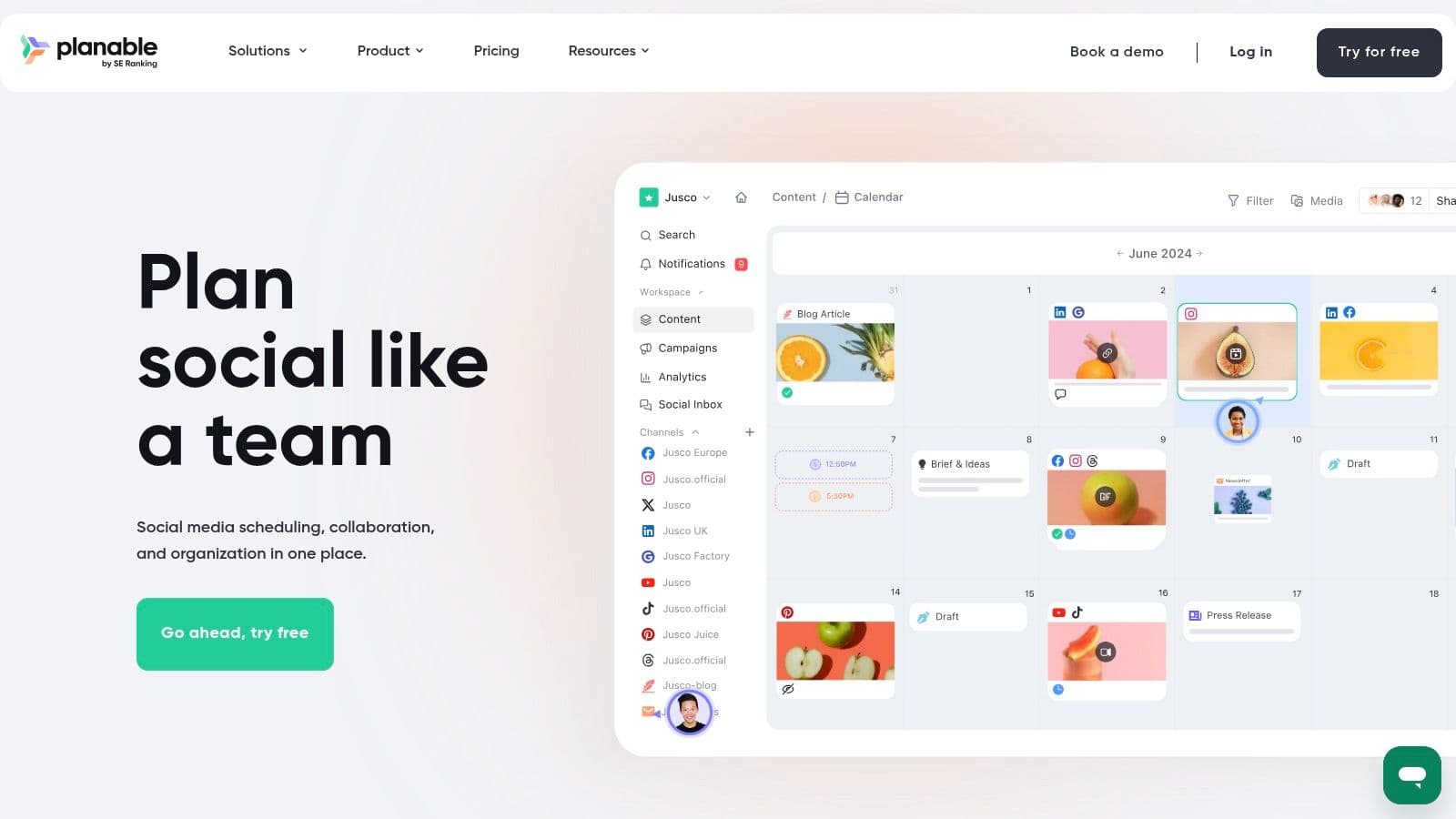
Unlike more complex social media tools for agencies that bundle in deep analytics or social listening, Planable focuses squarely on perfecting the creation and approval workflow. Its clean user interface presents content in familiar calendar or feed views, making it easy for non-technical clients to visualize the final product and provide feedback. The platform’s unique pricing model, which includes unlimited users per workspace on paid plans, removes the financial barrier to inviting every necessary stakeholder into the approval process.
Key Details & Use Case
Planable is the ideal solution for agencies bogged down by endless email threads, confusing spreadsheets, and misinterpreted client feedback. An agency can create a dedicated workspace for each client, invite them to review content, and set up multi-step approval workflows (e.g., internal review first, then client sign-off). This simple, visual approach significantly reduces revision cycles and ensures everyone is on the same page before a post goes live.
- Best For: Agencies and teams that prioritize a streamlined, collaborative content approval process.
- Pricing: A free plan allows for 50 total posts. Paid plans are priced per workspace and start at $11/month (billed annually), with unlimited users included.
- Website: planable.io
Pros:
- Straightforward Pricing: Unlimited users on paid plans makes it cost-effective for large teams and client collaboration.
- Lightweight UI: The clean interface speeds up content review cycles and is easy for clients to adopt.
- Flexible Free Plan: The 50-post limit is generous enough for a thorough evaluation.
Cons:
- Limited Core Features: Analytics and engagement tools are basic unless you purchase add-on modules.
- Platform Restrictions: Publishing to X (formerly Twitter) is not available on the free tier.
9. Later
Later is a social media tool that has built its reputation on being a premier visual-first content planner, making it a favorite among agencies managing brands on Instagram, TikTok, and Pinterest. Its standout feature is the drag-and-drop visual calendar, which allows you to see exactly how your content grid will look before you publish. This strong visual focus, combined with features like a built-in Link in Bio tool and user-generated content search, makes it a powerful asset for aesthetic-driven clients.
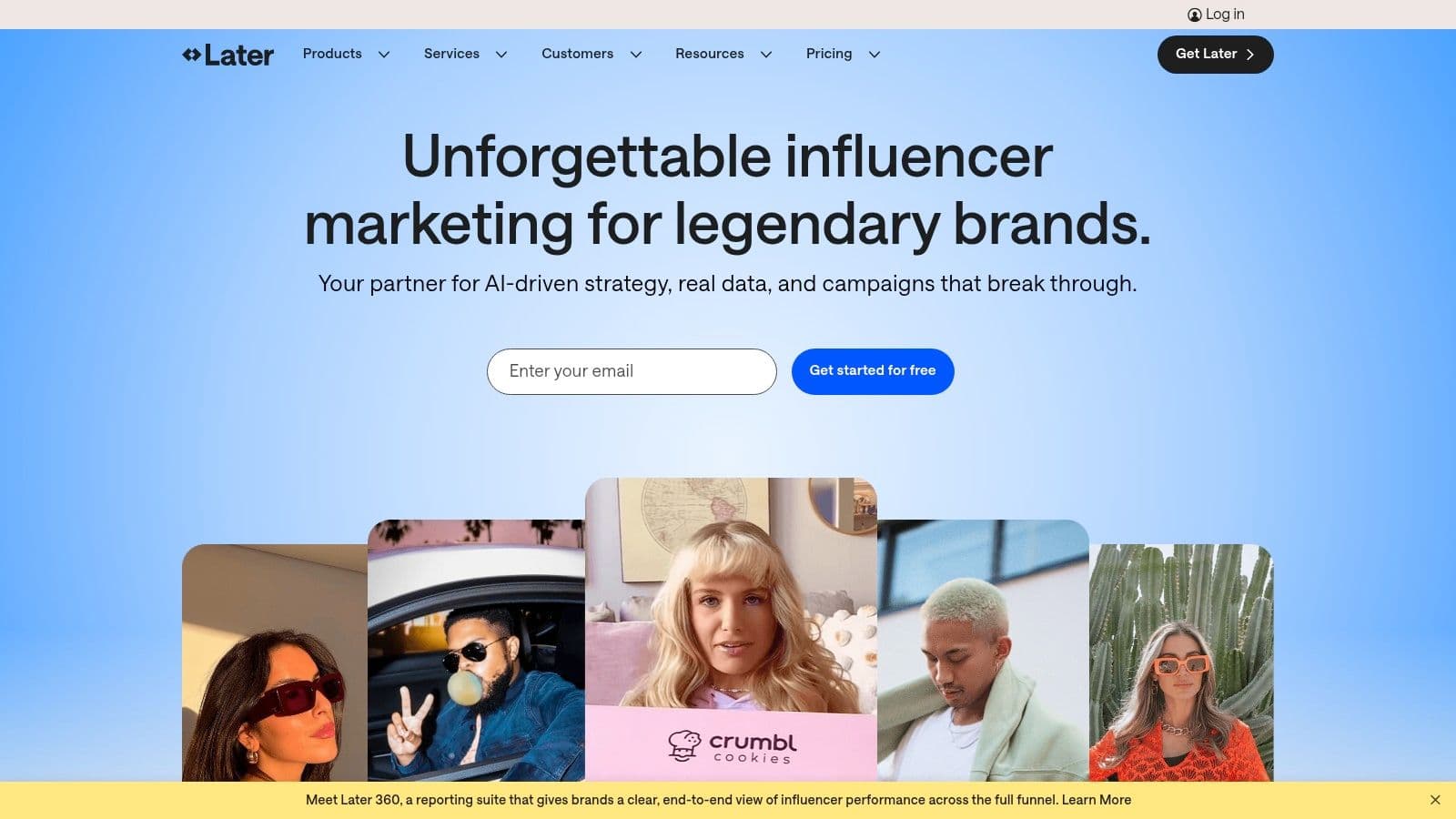
Unlike all-in-one platforms that try to do everything, Later excels in its niche, offering specialized workflows for visual content creation and scheduling. Its "Social Set" structure is particularly well-suited for agencies, allowing you to bundle a client's social channels (e.g., Instagram, Facebook, TikTok) into a single, isolated workspace with its own media library and users. This organization prevents cross-client mix-ups and simplifies reporting for individual accounts, making it one of the most intuitive social media tools for agencies just starting out.
Key Details & Use Case
Later is the ideal choice for agencies managing fashion, e-commerce, travel, or lifestyle brands where feed aesthetics are critical to brand identity. For example, an agency can use the visual planner to meticulously arrange an Instagram grid to achieve a specific color pattern or theme, then use the Best Time to Post feature to optimize engagement. The Link in Bio tool also allows for direct monetization of the feed, with trackable links driving traffic to product pages.
- Best For: Small-to-mid-sized agencies specializing in visual-heavy platforms like Instagram and TikTok.
- Pricing: Paid plans start at $25/month for one Social Set, with a 14-day free trial.
- Website: later.com
Pros:
- Strong Visual Focus: Excellent drag-and-drop visual planner and grid preview.
- Intuitive for Agencies: The "Social Set" structure neatly organizes multiple clients.
- Link in Bio Tool: A robust and integrated tool for driving traffic from Instagram and TikTok.
Cons:
- Post Limits: Lower-tier plans have caps on the number of posts per month.
- Advanced Features Cost More: Key agency needs like approval workflows are on higher-priced plans.
10. Buffer
Buffer is one of the most established and user-friendly social media tools for agencies, prized for its simplicity, affordability, and clean interface. It excels at core publishing and analytics tasks, offering a straightforward solution for agencies that need reliable scheduling without the complexity of enterprise-level suites. Its per-channel pricing model is particularly attractive for agencies managing a diverse portfolio of clients, as costs scale predictably.
Unlike platforms that bundle numerous advanced features, Buffer focuses on doing the fundamentals exceptionally well. The platform allows for unlimited scheduled posts, team collaboration, and a basic engagement inbox, all within an intuitive dashboard that requires minimal training. While it may not offer the deep listening or governance features of its premium competitors, its value lies in its accessibility and transparent billing, making it a dependable choice for agencies prioritizing efficient content delivery and clear client reporting.
Key Details & Use Case
Buffer is ideal for agencies that need a no-fuss, scalable scheduling and analytics tool, especially when managing many client profiles with clear, segregated billing. For example, an agency can add a new client's social channels and immediately grant access to specific team members for drafting and approvals. The straightforward analytics make it easy to generate and share performance reports without overwhelming clients with complex data. For a deeper analysis of how it stacks up against other platforms, our social media management tools comparison offers further insights.
- Best For: Small-to-mid-sized agencies and freelancers needing an affordable, easy-to-use publishing and analytics tool.
- Pricing: A free plan is available for up to 3 channels. Paid plans start at $6 per channel/month.
- Website: buffer.com
Pros:
- Ease of Use: Extremely intuitive interface makes it easy to learn and operate.
- Transparent Pricing: Per-channel model is simple and scales predictably.
- Generous Free Plan: A great starting point for new agencies or small clients.
Cons:
- Lacks Deep Features: Missing advanced social listening and enterprise governance tools.
- Can Become Costly: Per-channel pricing can add up for agencies managing dozens of profiles.
11. Zoho Social (Agency and Agency Plus)
Zoho Social extends its powerful business software suite into social media management with dedicated plans built specifically for agencies. It’s an excellent choice for teams already invested in the Zoho ecosystem, offering seamless integrations with Zoho CRM and Zoho Desk. Its key differentiator is the dedicated agency feature set, including white-labeled reports and client-specific portals, allowing agencies to provide a branded and collaborative experience for their clients.
Unlike standalone tools, Zoho Social acts as a connective hub within a broader operational toolkit. The platform provides comprehensive scheduling, monitoring, and analytics, but its true power is unlocked when used alongside other Zoho products. Agencies can directly link social media leads to their CRM or manage customer service issues from social channels through Zoho Desk, creating a unified client management workflow that other social media tools for agencies often struggle to replicate without complex third-party integrations.
Key Details & Use Case
Zoho Social is ideal for agencies that manage the full customer lifecycle for clients, from social lead generation to post-sale support. For example, an agency can use the platform to monitor brand mentions, identify a sales opportunity, and push that lead directly into Zoho CRM for the client's sales team. At the same time, the agency can invite clients to a branded portal to review and approve upcoming content, ensuring transparency and efficient collaboration.
- Best For: Agencies using the Zoho suite who need integrated client management and white-labeling.
- Pricing: Agency plan starts at $230/month (billed annually) for 10 brands, with a 15-day free trial.
- Website: zoho.com/social
Pros:
- Purpose-Built for Agencies: Client portals, white-label reports, and team roles are included.
- Deep Zoho Integration: Connects social media efforts directly to CRM and customer service tools.
- Broad Channel Support: Manages major networks as well as Google Business Profile and others.
Cons:
- Learning Curve: The extensive interface and plan details can be overwhelming for new users.
- Pricing Complexity: Agency pricing can be difficult to find and may require contacting sales for clarity.
12. G2 — Social Media Management category
G2 is not a social media tool itself but an essential research hub where agencies can conduct due diligence before committing to a platform. It aggregates thousands of peer-to-peer user reviews, detailed feature comparisons, and market intelligence reports. Its standout feature is the G2 Grid, which visually plots software vendors based on user satisfaction and market presence, giving agencies a quick, data-backed overview of the competitive landscape.
Unlike a vendor’s marketing site, G2 provides a more impartial view, allowing you to filter and compare dozens of social media tools for agencies side-by-side. The platform excels at helping you create a shortlist based on specific criteria like company size, required features, or budget. This is particularly valuable for agencies needing to justify a new software investment to clients or internal stakeholders, as the verified reviews and category reports offer powerful third-party validation.
Key Details & Use Case
G2 is the ideal starting point for any agency evaluating new software. For example, a small agency looking for a scheduling tool with strong client approval workflows can filter the category to show only high-satisfaction products that serve SMBs and offer that specific feature. This streamlines the research process, helping you move from a broad market search to a focused demo request list in a fraction of the time.
- Best For: Agencies in the discovery phase, comparing vendors and validating choices with peer reviews.
- Pricing: Free to browse reviews and reports.
- Website: g2.com/categories/social-media-management
Pros:
- Broad Market View: Compare dozens of leading and emerging vendors in one place.
- Verified Reviews: Real user feedback provides honest insights into a tool’s performance.
- Useful Filters: Narrow down options by budget, user ratings, and specific features.
Cons:
- Sponsored Placements: Be aware that some vendor visibility is influenced by paid placements.
- Varying Review Quality: The depth of reviews can be inconsistent; always complement with free trials.
Top 12 Agency Social Media Tools: Quick Feature Comparison
| Product | Core features | UX & Quality (★) | Value & Pricing (💰) | 👥 Target Audience | ✨ Unique selling point |
|---|---|---|---|---|---|
| PostOnce 🏆 | Auto cross-posting, format optimization, multi-account, unlimited posts | ★★★★☆ — fast setup, native-looking posts | 💰 Creator $29/mo · Pro $69/mo · Agency $199/mo · 7‑day trial · annual equivalents $24/$58/$166/mo | 👥 Creators, indie hackers, SMBs, social managers, agencies | ✨ Create once → publish everywhere with automatic platform tweaks |
| Sprout Social | Publishing, Smart Inbox, advanced reporting, listening | ★★★★☆ — enterprise-grade UX | 💰 Per-seat pricing; 30‑day trial; can be costly at scale | 👥 Mid-market, enterprises, agencies | ✨ Deep analytics & customer-care workflows |
| Hootsuite | Scheduling, analytics, centralized inbox, approvals, integrations | ★★★☆☆ — robust but mature UI | 💰 Variable/enterprise pricing; 30‑day trial | 👥 Enterprises, multi-team organizations | ✨ Wide integrations & governance controls |
| Agorapulse | Unified calendar & inbox, reporting, ad comment moderation | ★★★★☆ — agency-friendly, responsive support | 💰 Transparent per-user plans; 30‑day trial | 👥 Agencies, SMBs | ✨ White-label reporting + clear per-user pricing |
| Sendible | Bulk scheduling, smart queues, approval flows, client dashboards | ★★★☆☆ — collaboration-focused | 💰 Competitive lower tiers; 14‑day trial; white‑label on higher plans | 👥 Agencies managing clients | ✨ Client dashboards & white-label options |
| SocialPilot | Bulk scheduling, content library, approvals, white-label reports | ★★★☆☆ — functional, less polished UI | 💰 Strong value per connected account; 14‑day trial | 👥 Small agencies, freelancers | ✨ Generous account limits and cost-effective plans |
| HeyOrca | Calendar-first workflow, approvals, unlimited users on paid plans | ★★★★☆ — simple calendar UX for agencies | 💰 Per-calendar pricing; free plan available | 👥 Agencies with many clients/calendars | ✨ Unlimited users + client-facing calendars |
| Planable | Feed & calendar views, multi-step approvals, per-workspace pricing | ★★★★☆ — fast content review cycles | 💰 Free (50 posts) trial; workspace pricing | 👥 Agencies & in-house teams needing approvals | ✨ Unlimited users on paid plans; speedy approvals |
| Later | Visual planner, auto-publish, Link in Bio, analytics | ★★★★☆ — excellent for visual content | 💰 Clear "Social Set" pricing; 14‑day trial | 👥 Influencers, visual brands, small agencies | ✨ Visual-first scheduler + Link in Bio tools |
| Buffer | Publishing, analytics, team collaboration, unlimited scheduled posts | ★★★★☆ — simple & easy to learn | 💰 Low entry price; free plan (3 channels) | 👥 Small agencies, startups, solo managers | ✨ Transparent per-channel pricing & predictable scale |
| Zoho Social | Multi-brand management, client portals, Zoho CRM/Desk integration | ★★★☆☆ — powerful but steeper learning curve | 💰 Agency & Agency Plus plans; sales contact for some pricing | 👥 Agencies in the Zoho ecosystem | ✨ Deep CRM/desk integrations & agency features |
| G2 — Social Media Mgmt | Grid reports, peer reviews, product filters, vendor links | ★★★★☆ — up-to-date market insights | 💰 Free research resource; paid vendor options exist | 👥 Buyers, researchers, procurement teams | ✨ Verified reviews + comparative grids for shortlisting |
Building Your Agency's Perfect Tech Stack
Navigating the crowded landscape of social media tools for agencies can feel overwhelming. As we've explored, the options range from all-in-one behemoths like Sprout Social and Agorapulse to specialized platforms focused on collaboration like HeyOrca and Planable. The key takeaway isn't to find a single, mythical "best" tool, but to strategically assemble a technology stack that aligns perfectly with your agency's unique operational model, client base, and growth ambitions.
The most effective approach is to think in terms of core functions rather than brand names. Every agency needs a system for scheduling, another for analytics, and a process for client approvals. Your perfect stack is the combination of tools that handles these functions most efficiently and cost-effectively for your team.
From Tool Selection to System Integration
The true power of a tech stack emerges when individual tools work together seamlessly. Your goal is to build an integrated system that minimizes manual tasks and maximizes your team's creative and strategic output. For instance, a core principle for any modern agency should be automation. This is where a tool like PostOnce becomes a foundational layer, handling the high-volume, repetitive task of content distribution across multiple platforms automatically.
By implementing an automation-first tool, you free up your primary social media management platform to focus on its strengths. You might use PostOnce to instantly crosspost a new video from TikTok to Instagram Reels and YouTube Shorts, and then use your main platform, like Sendible or SocialPilot, to handle the deep-dive analytics and generate client-ready reports for those posts. This layered approach prevents you from overpaying for redundant features and ensures each tool is used for its highest and best purpose.
Actionable Steps for Building Your Stack
Making the final decision requires a structured evaluation process. Instead of getting lost in feature lists, focus on these critical steps:
- Audit Your Current Workflow: Before you shop for new tools, map out your existing processes. Where are the bottlenecks? What tasks consume the most non-billable hours? Identify the specific problems you need to solve, such as slow client approvals or time-consuming manual posting.
- Prioritize Based on Agency Model: An agency focused on high-volume content for small businesses will have different needs than one managing complex, multi-channel campaigns for enterprise clients. Is your top priority budget-friendliness (Zoho Social, SocialPilot), deep analytics (Sprout Social), or impeccable client collaboration (HeyOrca)?
- Run Pilot Programs: Never commit to a year-long contract without a thorough trial. Assign a small team or a single client account to a new tool for a pilot period (e.g., 30 days). This real-world test will reveal limitations and workflow compatibility issues that a simple demo can't.
- Consider Future Scalability: The tool that works for five clients might break at fifty. Evaluate pricing tiers and feature sets not just for your current needs, but for where you plan to be in 12-24 months. Look for tools that grow with you.
Ultimately, the best social media tools for agencies are the ones that fade into the background, empowering your team to deliver exceptional results without friction. By prioritizing efficiency, embracing automation, and choosing platforms that complement each other, you can build a powerful, scalable tech stack that becomes a true competitive advantage. Beyond dedicated social media platforms, agencies should also consider integrating a variety of cutting-edge technologies into their tech stack. For example, exploring various general AI tools can significantly enhance operational efficiency and creative output, complementing your social media efforts.
Ready to build a more efficient, automation-powered workflow for your agency? See how PostOnce can eliminate the manual work of crossposting, freeing up your team to focus on strategy and creativity. Start automating your content distribution in minutes by visiting PostOnce today.