


















When you automate social media posts, you’re essentially using a smart tool like PostOnce to line up your content ahead of time. It lets you create rules that automatically push out new blog posts or videos and even tweak the messaging for each platform, all from one central spot.
The whole process is pretty straightforward: you connect your social accounts, map out a content calendar, and then let the software do the heavy lifting of publishing. What you get is a reliable, consistent presence online without the daily, mind-numbing grind of posting everything by hand.
Why Social Media Automation Is a Strategic Necessity
Trying to manually post across a half-dozen social platforms is a surefire way to burn out and let good opportunities slip through the cracks. Sure, saving time is the big, obvious win, but the real magic of automation is its strategic power. It's about shifting from a frantic, reactive posting schedule to a planned, proactive content strategy that actually builds momentum over time.
Think about it. One brand posts in random bursts, whenever an employee has a spare 15 minutes. Their feeds look chaotic—a jumble of rushed updates followed by long periods of silence. Meanwhile, another brand uses automation to keep a steady, valuable stream of content flowing. This frees up their team to actually talk to people, respond to comments, build relationships, and dig into the data.
Who do you think is building more trust and authority? It’s a no-brainer. The second brand is winning, while the first is just yelling into an empty room.
Maintaining Consistency in a Crowded Space
Consistency is everything on social media. When your followers know they can count on you for regular, high-quality content, they're far more likely to stick around and see you as a go-to source. Automation is the engine that makes this happen, day in and day out.
Let’s be real, the social media world is wildly competitive and demanding. As of 2025, there are 5.45 billion users who spend, on average, two hours and 24 minutes every single day jumping between seven different social networks. Expecting any team to keep up with that pace manually isn't just inefficient; it's impossible.
Automation ensures your brand stays visible and active, even when you’re swamped with other mission-critical tasks. Think of it as your always-on marketing partner, making sure you never miss a chance to connect with your audience at just the right moment.
To give you a clearer picture, here’s a quick breakdown of how the two approaches stack up.
Manual Posting vs Automated Posting A Quick Comparison
This table provides a clear, at-a-glance summary of the core differences between relying on manual social media posting and implementing an automated strategy, helping you quickly grasp the key benefits.
| Aspect | Manual Posting | Automated Posting |
|---|---|---|
| Time Commitment | High; requires daily, hands-on effort | Low; set up once and monitor periodically |
| Consistency | Often sporadic and inconsistent | Guarantees a steady, predictable flow of content |
| Peak-Time Posting | Difficult to hit optimal times across time zones | Easily schedules posts for maximum engagement |
| Team Focus | Stuck on repetitive, administrative tasks | Freed up for strategy, engagement, and creative work |
| Scalability | Very difficult to manage across many platforms | Effortlessly scales to multiple accounts and networks |
| Error Potential | Higher risk of typos, wrong links, or missed posts | Reduces human error through scheduling and rules |
Ultimately, the choice becomes pretty clear when you see the strategic advantages laid out like this.
From Manual Labor to Strategic Focus
The real power of knowing how to automate social media posts comes from the strategic shift it unlocks. When you hand off the repetitive grunt work—the endless copying, pasting, and scheduling—you give your team the freedom to focus on what actually moves the needle.
This newfound time can be poured into things that matter, like:
- Creative Content Development: Actually brainstorming and producing higher-quality posts, videos, and graphics that people want to see and share.
- Genuine Community Engagement: Jumping into conversations, answering DMs, and building real relationships with the people who follow you.
- Performance Analysis and Optimization: Digging into the analytics to see what’s working (and what’s not), so you can make smarter, data-backed decisions.
By automating the "what" and "when," you can finally dedicate your brainpower to the "why" and "how." To really take things to the next level, exploring AI-powered social media engagement strategies can give you a serious edge.
For a deeper look at specific tactics, our complete guide on automated social media posting is a great place to start. Automation isn't just about being more efficient; it's about transforming your social media from a daily chore into a powerful engine for growth.
2. Connecting Your Accounts for Seamless Automation
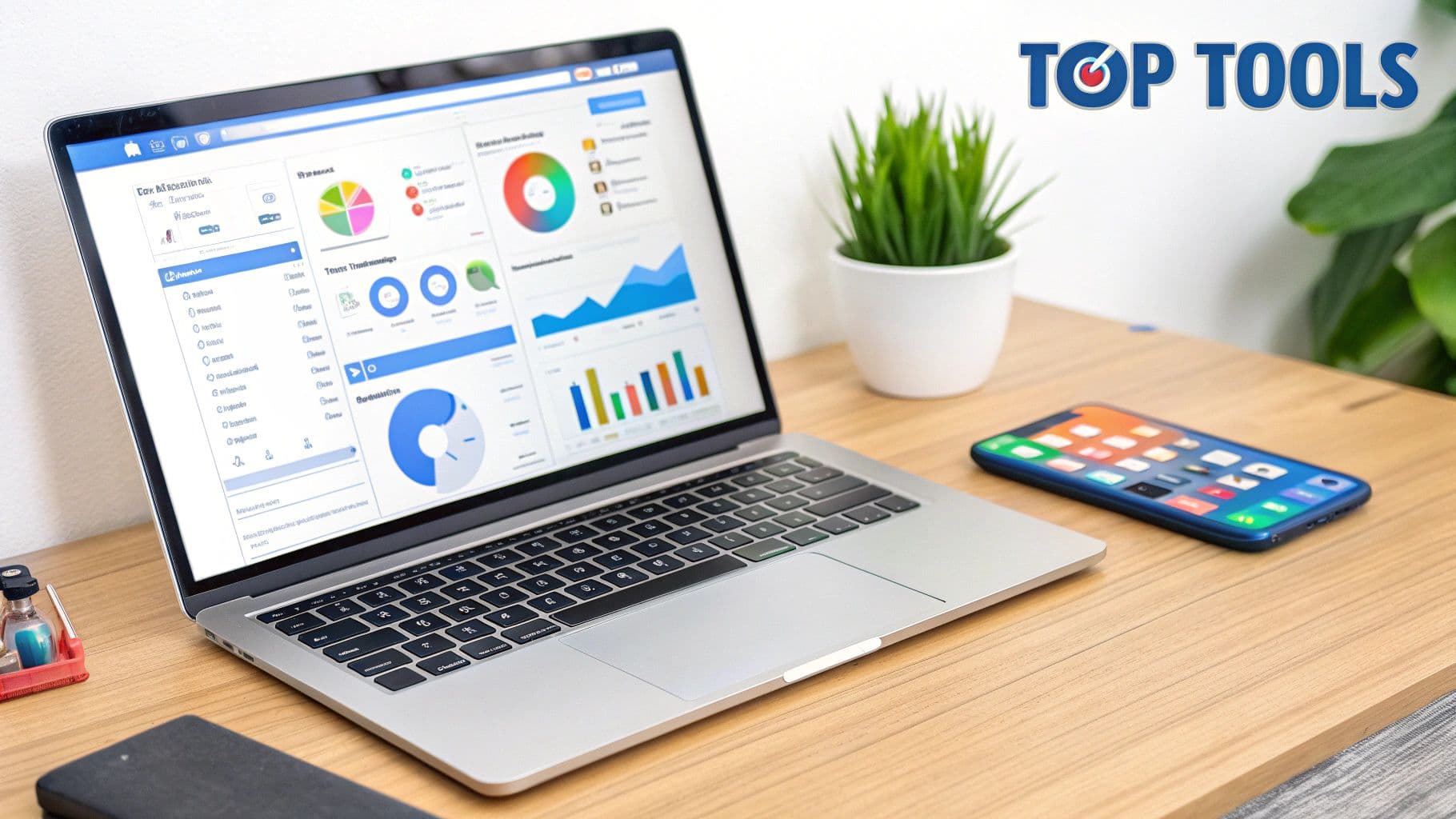
Alright, let's get down to business. The first real step in automating your social media is linking all your profiles to PostOnce. Think of this as introducing your new digital assistant to your online communities and giving it the keys to post on your behalf.
Getting this connection right is the bedrock of your entire automation strategy. Without a secure link, even the cleverest rules and schedules won't do you any good. Thankfully, the process is usually just a few clicks.
Your Initial Setup Checklist
Before diving in, I always recommend having your login details for each social platform handy. A common mistake is accidentally logging into a personal profile instead of the business page you actually want to manage. Double-checking now saves a lot of backtracking later.
Most people start by connecting the big ones. Here's what you'll likely want to link up first:
- LinkedIn: Absolutely critical for B2B marketing and professional networking. Hook up your company page to get industry insights and updates out there automatically.
- Facebook: Connect your business page to keep your community engaged with news, promotions, and other relevant content.
- Instagram: If you're a visual brand, this is non-negotiable. Linking your account is essential for automating your photo and video posts.
- X (formerly Twitter): Still the go-to for quick updates, breaking news, and sharing links to fresh content.
As you can see in the image above, the PostOnce dashboard makes this whole process clean and simple. You can easily see which platforms are available and kick off the connection without any guesswork.
Navigating Permissions and Authentication
When you click to connect an account, the platform will send you over to Facebook, LinkedIn, or whichever site it is, to approve the connection. This is a standard security protocol called OAuth. You’re basically just telling the social network, "Yep, I give PostOnce permission to post here for me."
Pay close attention to the permissions requested. A trustworthy tool will only ask for what it needs to function—things like posting content and viewing analytics. If an app asks for something weird, like access to your direct messages, it’s a good reason to pause and reconsider.
Pro Tip: If a connection ever acts up, the quickest fix is to go into the native social media platform’s settings, revoke PostOnce's access, and then try reconnecting from scratch. This simple reset fixes over 90% of authentication glitches I’ve ever run into.
Once you grant permission, you’ll be brought right back to your PostOnce dashboard. You should see the new account listed with a "Connected" status. I recommend connecting one account, running a quick test post, and then linking the rest once you know everything is working smoothly.
Choosing the right platform is just the beginning. For a broader comparison, check out our guide on the best social media automation tools to see how different options stack up. Getting this foundation right is what makes your automation efforts pay off in the long run.
Building Automation Rules That Actually Work
Alright, now that your accounts are connected, it's time for the fun part: building the engine that will run your social media on autopilot. This is where we go beyond simple post scheduling and create smart workflows that keep your channels buzzing with fresh content 24/7.
The basic concept here is a "trigger-and-action" system. You're telling PostOnce, "When this happens, do that." For example, a "trigger" could be a new article appearing on your blog's RSS feed. The "action" would be PostOnce automatically sharing it to your LinkedIn and X profiles with just the right hashtags.
This is how you turn content distribution from a daily grind into a set-it-and-forget-it system. Instead of constantly remembering to share every new piece of content, you build the rule once and let it do the heavy lifting for you, week after week.
Here’s a great visual of how this whole automation loop comes together, from the initial content creation to the final, automated publishing.
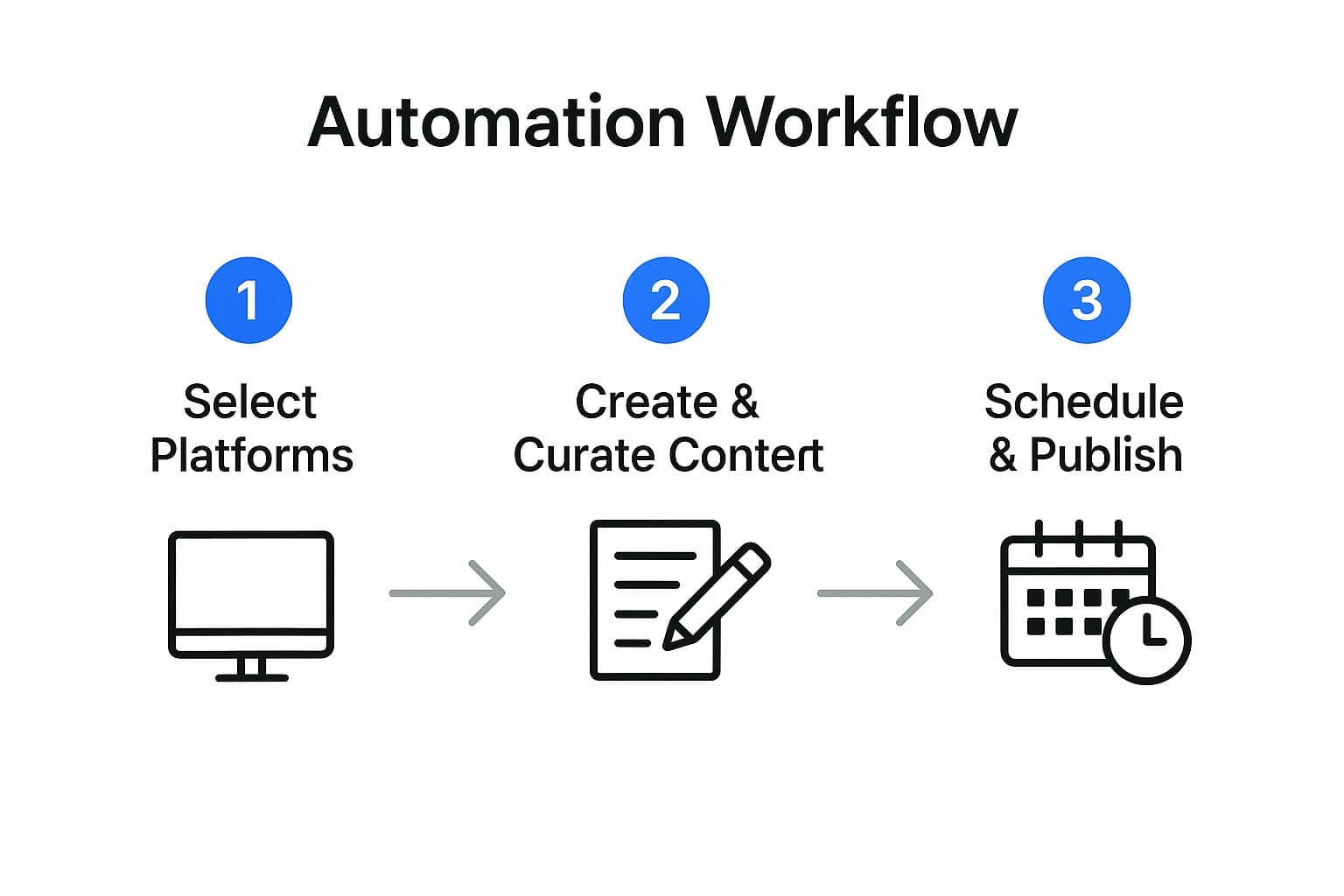
As you can see, it's a cycle. Your content creation efforts feed directly into an automated publishing schedule, which is the key to working smarter, not harder.
Start with Your Main Content Pillar
A fantastic starting point is to automate the promotion of your primary content source. For most businesses, this is the company blog. The goal is simple: every time a new blog post goes live, you want it shared across all your important social networks without any manual intervention.
Here’s how you would set that up in PostOnce:
- Set the Trigger: First, you’ll choose "New Item in RSS Feed" as your trigger and simply paste in your blog's RSS feed URL.
- Pick the Action: Next, tell PostOnce where to post. You might select your company's LinkedIn Page, Facebook Page, and your personal X profile.
- Write the Post: This is where you craft the message. Use dynamic placeholders like
{{title}}and{{url}}so the tool can automatically pull in the article's title and link.
A LinkedIn template might look something like this: "New on the blog: {{title}}. We're breaking down the latest trends in our industry. Check it out here: {{url}} #IndustryNews #Blog". Just like that, you've built a rule that ensures your audience never misses your latest insights.
Automatically Curate News from Your Industry
Automation isn't just for your own content—it's also a powerhouse for content curation. Sharing valuable articles from other trusted sources is a proven way to position your brand as a helpful authority in your space.
Let's say there's an industry blog you always read. You can set up a rule that monitors its RSS feed. When they publish something new, PostOnce can grab it and share it with a caption you've pre-written, like, "Great read from [Source Name]: {{title}}. {{url}} #IndustryTrends".
This is one of my favorite strategies for keeping social feeds active and genuinely useful, especially during weeks when you don't have a new blog post of your own. Data consistently shows that a healthy mix of original and curated content drives higher engagement because it gives your followers a more well-rounded and valuable experience.
Create a Loop for Your Evergreen Content
Every brand has a goldmine of evergreen content—those timeless guides, case studies, and how-to articles that stay relevant for years. Automation is the perfect way to get more mileage out of these assets and introduce them to new followers.
The best way to do this is to create a dedicated "queue" or "category" just for these posts. Here’s a simple, effective approach:
- Load Up Your Queue: Start by adding 15-20 of your absolute best evergreen blog posts into a special content library inside PostOnce.
- Set a Recurring Schedule: Create a rule that tells the system to pull one post from this queue every Tuesday and Thursday afternoon and publish it.
- Turn On Recycling: Make sure to enable the "recycle posts" feature. This is crucial. After a post is published, it goes to the back of the line and will be shared again in a few months.
This system guarantees you’re consistently sharing high-value information without ever having to manually dig up and reschedule old content. For more granular advice on setting up schedules and optimizing for specific platforms, these expert tips and tools for scheduling Twitter posts offer insights that are easily adaptable to other networks.
By building a few of these smart rules, you create a powerful, self-sustaining content engine that fuels your entire social media presence with minimal effort.
Customizing Your Content for Each Platform
Smart automation is all about efficiency, not just firing and forgetting. One of the biggest mistakes I see people make is blasting the exact same message across every social network. It's a dead giveaway that the post is automated, and it completely ignores the fact that each platform has its own culture.
What kills it on LinkedIn, like a long-form, professional announcement, will almost certainly flop on Instagram, which is all about visual storytelling and a more casual vibe. The magic of a tool like PostOnce is that you can start with one core idea and then tweak it for each destination—all in the same place. This is how you maintain that polished, native feel without tripling your workload.
This whole process has gotten a lot faster with AI. In the U.S., a whopping 60% of companies are now using generative AI to keep their feeds active, with some accounts pushing out up to 72 posts per week. It's not just about volume, either; marketers are seeing an 83% jump in how much content they can produce because AI helps them create those platform-specific variations so quickly.
Adjusting Your Message and Media
Let's get practical. Say you're promoting a new case study. The core information is the same, but how you present it has to change.
-
On LinkedIn: You'll want a professional, detailed caption. Focus on the business outcomes, tag the client's company page, and drop a direct link to the case study on your website. No fuss, just value.
-
Over on Instagram: It’s all about the visual. Create a sharp-looking graphic that pulls out a key statistic or quote. The caption should be more conversational. Use relevant hashtags and point people to your "link in bio" for the full story.
-
For X (formerly Twitter): You need to be short and punchy. Lead with a compelling hook, share the main result, and use a shortened link. A great tactic here is to use a thread to break down the key findings into bite-sized pieces.
PostOnce lets you make all these little adjustments right inside the post editor. This is a game-changer because you can preview exactly how each version will look before it ever goes live.
Optimizing for Platform-Specific Features
It's not just about the words. Every platform has its own little quirks you have to respect. For real automation success, you need to build these checks right into your workflow.
For example, always check your image dimensions. A landscape photo that looks perfect on LinkedIn will get awkwardly cropped on Instagram's grid, instantly cheapening your post.
A critical part of customizing content is using the right visual assets. A generic stock photo won't cut it on platforms like Instagram or TikTok. Your visuals need to be dynamic and capture attention instantly, matching the tone of each network.
To really make your content pop, think about investing in professional social media video production services. Having a library of high-quality, engaging assets tailored for different platforms can turn a standard automated post into something truly memorable. It's a small investment that pays off big time in engagement.
Avoiding Common Social Media Automation Mistakes

Automation is a powerful tool, no doubt. But relying on it too much is a fast track to making your brand feel cold and robotic. The whole point is to work smarter, not to take the "social" out of social media.
I've seen it happen time and time again: someone gets excited about automation, schedules a month of content, and then vanishes. This "set it and forget it" approach leaves your posts collecting comments and questions in a digital ghost town. It completely undermines any effort to build a real community.
The Dangers of Generic Cross-Posting
Another classic blunder is blasting the exact same message across every single platform. It’s a rookie move, and your followers can spot it a mile away. Seeing the same text, image, and hashtags on LinkedIn, X, and Instagram just screams laziness.
Think about it. A formal, data-rich post that gets tons of traction on LinkedIn is going to land with a thud on Instagram, where compelling visuals and personal stories are king. Each network has its own culture and audience, and ignoring that is a massive missed opportunity. If you want to get this right, it's worth digging into effective social media cross-posting strategies.
Remember, automation should handle the tedious task of publishing. The creative work of crafting the content and the critical work of engaging with your audience? That still needs you. Your tools are there to back up your strategy, not replace it.
Finding the Right Automation Balance
While more brands are getting on board, it's not always a smooth ride. A 2024 study showed that while 49% of marketing leaders are automating social media, a staggering 70% of smaller marketing teams still struggle to use their data to actually improve their results.
So, how do you keep your automation from feeling detached? It comes down to a few key practices I always recommend:
- Actually schedule engagement time. Seriously, block it out on your calendar. Make time to jump in and respond to comments and messages on your automated posts. It shows there's a real person listening.
- Keep an eye on the news. Have a kill switch ready. You need a plan to pause your queue during a major crisis or sensitive global event. A cheerful promo during a tragedy can do serious, long-lasting damage to your brand.
- Don't automate everything. Your feed can't be 100% scheduled content. Mix it up! Jump in with spontaneous, real-time updates, behind-the-scenes content, or even a quick live video to keep things feeling fresh and human.
By sidestepping these common pitfalls, you can build a social media automation strategy that amplifies your brand's voice instead of drowning it out.
A Few Common Questions About Social Media Automation
Jumping into social media automation can feel like a big step. It’s smart to have questions, and I’ve heard plenty of them over the years. Let’s clear up a couple of the most common ones so you can move forward feeling confident.
The way I see it, automation isn't here to replace your social media strategy; it's here to supercharge it. Think of it as your personal assistant, handling all the tedious publishing so you can focus on the fun stuff—the creative brainstorming and community building that actually grows your brand.
"Will Automation Make Me Sound Like a Robot and Kill My Engagement?"
This is always the first question, and I get it. The short answer is a hard no... as long as you're smart about it. Automation only backfires when you let it turn your feed into a soulless, one-way broadcast. The magic is in the mix.
Your mission is to automate the predictable, repeatable parts of your content plan. Things like sharing your latest blog post or resurfacing those golden oldies that are always relevant. This keeps your profiles active and consistent, which the algorithms love. But—and this is a big but—you have to pair that with real, human interaction.
The classic mistake is treating automation as "set it and forget it." Your automated posts are still going to spark conversations and questions. If you're not around to answer them, people will absolutely notice the silence. The real win is using automation to buy back time for that genuine engagement.
Make it a habit to jump into your accounts every day. Reply to comments, ask questions, and share something that just happened. It’s this blend of reliable, scheduled content and spontaneous, in-the-moment connection that truly works.
"I Don't Have a Huge Library of Content. Can I Still Automate?"
Absolutely. You don't need a massive archive of blog posts to make automation work for you. In fact, starting with a smaller, curated collection is a great way to learn the ropes.
Here’s a simple game plan I recommend to get started:
- Rethink Your Greatest Hits: Grab your top 5-10 evergreen articles. You know the ones—the how-to guides, timeless tips, or case studies that never go out of style. Set up a recurring queue in PostOnce to share one of them a couple of times a week.
- Share the Love (and the News): You don't have to create everything yourself. Use an RSS feed rule to pull in content from a few industry-leading blogs you trust. This keeps your feed fresh with valuable insights for your audience and positions you as a go-to resource.
- Slice and Dice Your Content: A single blog post is a goldmine for social media updates. Pull out compelling quotes, interesting statistics, and key takeaways. Just like that, one long-form piece can become five (or more!) bite-sized posts.
This approach lets you build a full content calendar by working smarter, not harder. It's all about making the most of what you already have.
Ready to finally ditch the endless copy-pasting and build a social media machine that works for you? PostOnce is built to help you create content once and share it everywhere, automatically. Get started with PostOnce and reclaim your time.