

















The short answer
Social media automation uses rules and software to complete repeatable publishing tasks such as scheduling approved posts, crossposting published content, routing drafts for review, and recording failures. The safest approach is to automate predictable execution while keeping strategy, creative decisions, and sensitive engagement with people.
The point of automation is not to remove people from social media. It is to remove copying, queue maintenance, status chasing, and other mechanical work so people can spend more time on ideas, audience understanding, and conversations.
A dependable system starts small: choose one repeated task, define its trigger and destination, decide when a person must review the output, and make failures visible. Expand only after the first route works consistently.
This guide explains the major automation models, what to automate first, how to evaluate tools, and how to prevent a time-saving workflow from becoming an unattended content machine.
Which automation model fits the job?
Choose the model according to the event that should start the workflow. A team may use more than one model, but each post should have one clear source of truth.
| Model | Best for | Trigger | Human checkpoint |
|---|---|---|---|
| Scheduling | Publishing approved content at a planned time | A date and time in a content calendar | Approve the post before it enters the queue |
| Crossposting | Distributing a live source post to other networks | A new post appears on the source account | Review destination copy or exceptions |
| Content recycling | Returning useful evergreen posts to a future queue | A reuse rule or recurring calendar slot | Check freshness and campaign relevance |
| Workflow automation | Moving briefs, approvals, assets, and results between tools | A status change, form submission, or completed task | Approve creative and investigate failed steps |
What should social media automation handle?
Automate work that is repetitive, rules-based, and easy to verify: detecting a new source post, preparing a destination draft, publishing approved formats, and recording the result. Keep positioning, sensitive replies, campaign decisions, and final creative judgment with a person. That boundary saves time without turning the brand into an unattended feed.
A useful first workflow starts with one source channel and one or two destinations. Define which post types qualify, what happens to captions and links, and which failures need attention. Once that route is reliable, expand it. Automating every channel on day one makes it harder to see which rule caused a bad result.
Crossposting, scheduling, and content recycling
Scheduling answers when a prepared post should publish. Crossposting answers where a source post should be distributed. Content recycling brings an older post back into a future queue. A publishing system can use all three, but each needs a clear owner so the same content is not duplicated or published at the wrong time.
PostOnce is designed around the crossposting layer: publish on the platform where the content originates, then trigger native posts on selected destinations. A scheduler can still manage planned source posts. The distinction matters because it keeps the original workflow simple while allowing each destination to use its own caption, media, and API constraints.
Build review and failure handling into the workflow
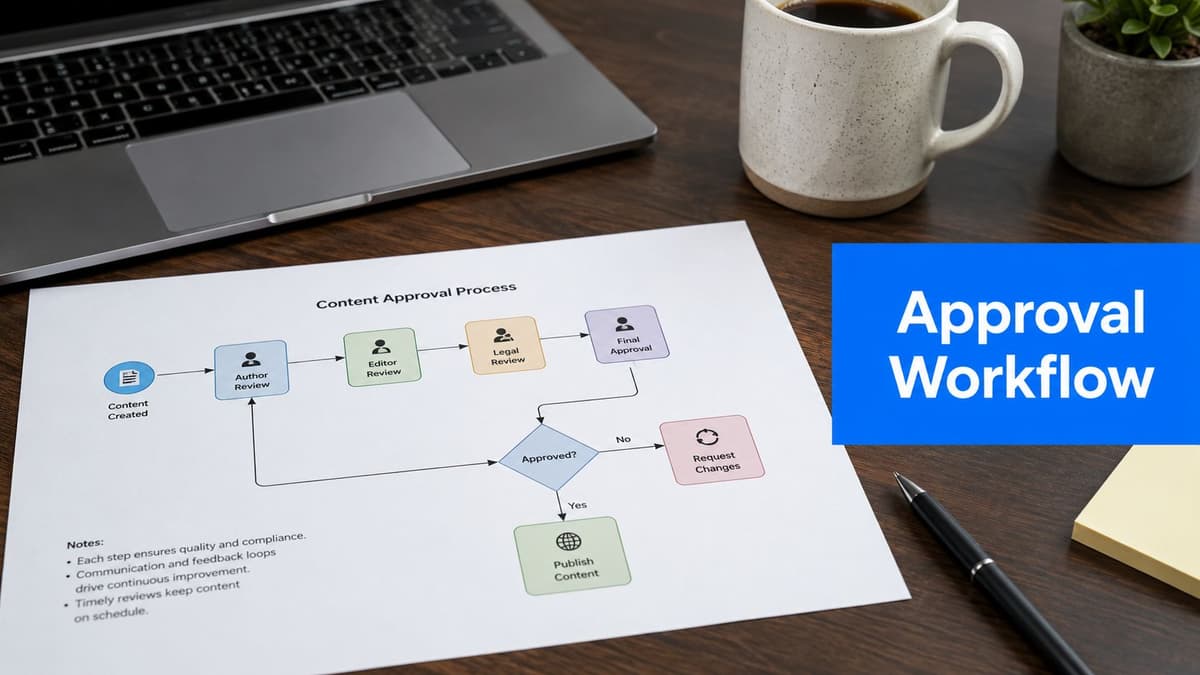
Reliable automation needs a visible exception path. Decide whether unsupported media should be skipped, converted, or held for review. Record destination errors, expired connections, and format rejections so the operator knows what published and what did not. Silent failure creates more work than manual posting because nobody knows a post is missing.
Review the first several runs, then revisit the workflow when a platform changes its limits or permissions. The goal is not maximum automation. It is a dependable system that removes routine effort while preserving control over the posts that need judgment.
Measure whether the automation is actually helping
Track successful destination posts, failures that required intervention, time saved, and the number of source posts that produced useful destination content. Publishing volume alone can hide a brittle workflow. A route that distributes fewer posts reliably may create more value than one that produces many low-quality copies.
Review performance by destination as well as by source. If a channel consistently needs different creative or produces no qualified response, change its rules instead of continuing to send every post. Automation should make iteration easier: the workflow supplies consistent data, while the operator decides what to keep, adapt, or stop.
How to choose a social media automation tool
Start with the workflow rather than a feature checklist. Write down the source networks, destination networks, post formats, approval needs, expected monthly volume, and the error information an operator needs. A focused automation tool may be a better fit than a large social media management suite when the repeated job is simply distributing posts between accounts.
Test real content during a trial. Check how the tool handles video, images, links, destination captions, account reconnection, and partial failure. Also calculate the price at the number of accounts you will actually connect. A low entry price can become expensive when every brand, channel, or user requires another seat.
AI can help draft variations, summarize source material, or suggest captions, but it does not eliminate the need for review. Treat generated copy as a draft and define what data may be sent to an AI provider. The most useful automation is usually the least surprising: it performs a narrow job consistently and tells you when it cannot.
A four-step social media automation rollout
First, document the manual route as it works today. Identify who creates the source post, where it is published, which destinations receive it, what changes at each destination, and how the team notices an error. If the manual process is unclear, automating it will reproduce that ambiguity at greater speed.
Second, choose one high-frequency route with low creative risk. A strong pilot might take a published short-form video from one source account and prepare it for a single destination. Define the qualifying post types and the destination caption rule. Exclude exceptions instead of adding complicated branches to the first version.
Third, run the workflow with active review. Compare the source and destination, note media or caption changes, and confirm that failed posts create a visible alert. Count how often a person intervenes and why. Those observations reveal whether the automation needs a better rule, a manual checkpoint, or a narrower scope.
Fourth, standardize the successful route before adding more channels. Write a short operating note, assign an owner for expired connections and failures, and decide how often the rules are reviewed. Then add the next destination or content type. This sequence produces usable automation sooner than attempting a complete multi-channel system in one launch.
Common social media automation mistakes
The most common mistake is treating every destination as a duplicate of the source. Watermarks, licensed music, aspect ratios, links, hashtags, and audience expectations can all change between networks. A workflow should support destination-specific rules and skip content it cannot adapt safely.
Other warning signs include publishing without a failure log, letting disconnected accounts remain unnoticed, using AI-generated copy without review, and measuring only the number of posts. A healthy system makes exceptions obvious, preserves a responsible owner, and connects publishing activity to useful outcomes such as qualified visits, replies, leads, or time returned to the team.