

















The short answer
Social media publishing is the complete process of preparing, reviewing, posting, and verifying content on social networks. It includes the creative asset, destination-specific caption and metadata, approval, timing, format checks, distribution, and a record of what successfully went live.
Publishing is broader than pressing a Post button. A reliable process begins with a source asset and objective, adapts the post to its destination, obtains any required approval, publishes or schedules it, and checks the live result.
The challenge grows when the same idea belongs on Instagram, Facebook, LinkedIn, YouTube, TikTok, or X. Those destinations use different crops, durations, captions, link behavior, and native features. Reuse the idea and master asset, but verify the final post for each network.
This guide provides the shared workflow. The linked platform references cover exact specifications and how-to questions that change more frequently.
Ways to publish across social platforms
Choose a workflow based on volume, collaboration, and how much destination adaptation the content needs.
| Publishing method | Best for | Strength | Trade-off |
|---|---|---|---|
| Publish natively | High-touch posts using platform-specific features | Full access to current editing and engagement options | More manual work across accounts |
| Schedule each destination | Campaigns that need precise timing and tailored copy | Calendar control before anything goes live | Several copies of the post to maintain |
| Crosspost from a source | Repeatable distribution after one source post is live | One source of truth and faster multi-platform publishing | Requires destination rules and exception handling |
| Hybrid workflow | Teams mixing evergreen distribution with high-touch campaigns | Automation for routine posts and native control when needed | Needs clear rules about which route owns each post |
Prepare the post for the destination, not only the source
A file that uploads successfully is not automatically a good destination post. Check the visible crop, caption length, link behavior, thumbnail, and safe areas for interface overlays. The source platform may accept a format that another network compresses, crops, or rejects, so keep an export preset for every destination that matters.
When one creative asset will be reused, begin with a high-quality master and create destination variants from it. Repeatedly downloading and re-uploading a compressed social file compounds quality loss and may preserve watermarks or licensed audio that the next platform cannot use.
Treat dimensions and limits as maintained references
Platform specifications change. Use a dated guide for exact dimensions and limits, and verify important factual claims against the platform's current documentation before a major campaign. A hub should organize those references; it should not duplicate every number and create several places that can become stale.
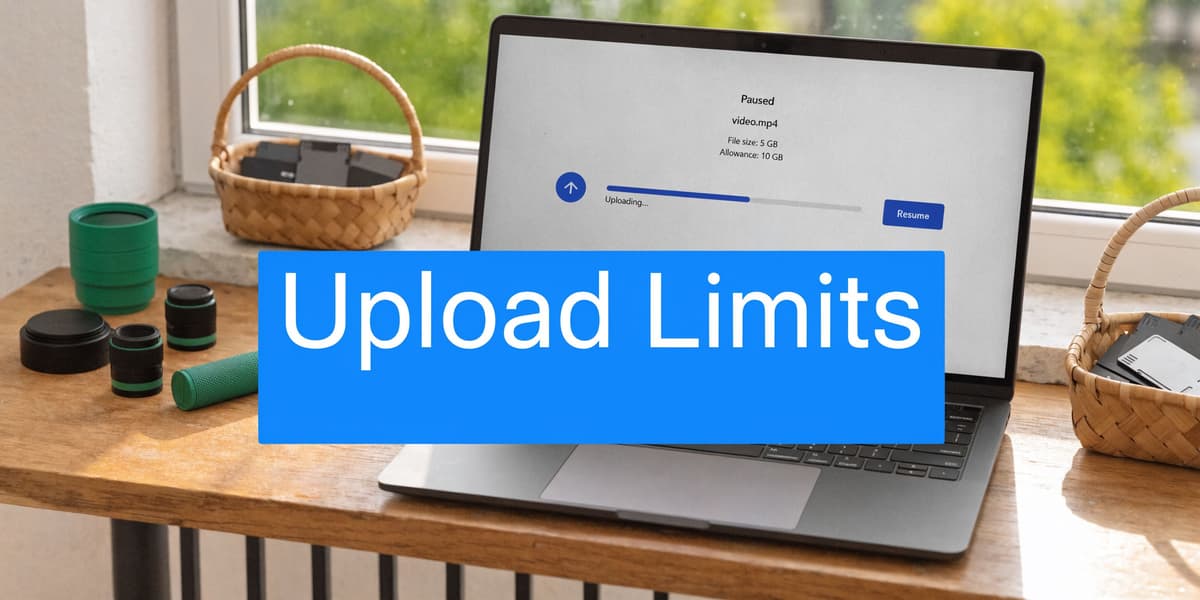
The individual guides below provide the detailed Instagram formats, Facebook post sizes, LinkedIn post specs, and YouTube upload limits. Keeping those changing details in focused references gives readers one place to check and gives the team fewer copies to update.
Adapt captions and profile copy deliberately
Publishing guidance is not limited to pixels. Captions, bios, calls to action, hashtags, and links behave differently across networks. Copy the meaning and offer, then adapt the expression to the destination instead of forcing the exact same text everywhere.
Use the caption and profile guides for the platform-specific decision, then connect the finished post to the relevant publishing workflow. This keeps utility content tied to the product path without turning every informational article into a sales page.
Use a pre-publish checklist for repeatability
Before publishing, confirm the destination account, media crop, duration or file limit, caption, mentions, link, thumbnail, alt text, and publishing time. Add rights checks for licensed music and third-party footage when a post will move between platforms. A short checklist prevents the common errors that are expensive to correct after distribution begins.
After the post is live, verify that it rendered as expected and that any destination automation completed. Save the final source asset and destination-specific copy so the team can reuse the pattern without downloading a compressed social version. These small habits turn isolated platform tips into a maintainable publishing system.
Build a source-to-destination publishing workflow
Choose where the definitive version of the post will live. That may be a content workspace before publication or one social account after publication. Store the master asset, approved message, owner, campaign, and rights information there so downstream versions can be traced back to the same source.
For every destination, define whether the post is copied, adapted, or skipped. Include rules for aspect ratio, duration, caption, links, mentions, thumbnail, alt text, and licensed audio. A destination that needs a substantially different creative concept should become its own task rather than an automated copy.
Finally, verify publication. Record the live URL or platform identifier, surface failures to an operator, and reconnect expired accounts promptly. A publishing workflow is complete only when the team can tell what went live and what requires attention.
Create a publishing checklist that catches real errors
The checklist should follow the order in which errors become expensive. Confirm the account and campaign first, then usage rights and approval, then the media file, caption, metadata, and timing. Check destination crop and safe areas on the device format where the post will be viewed. Verify links, mentions, product names, dates, subtitles, and alt text before the post enters a queue.
For video, check orientation, resolution, duration, thumbnail, captions, licensed audio, and visible watermarks. For images, check aspect ratio, text size, contrast, and multi-image order. For text-led posts, check the opening line, link preview, formatting, and whether the destination truncates the message before the important point.
After publication, open the live post. A successful API response does not guarantee that the result looks right. Confirm that the media processed, the caption is complete, the intended account published it, and the link or call to action works. Record an exception when the live result needs repair so the underlying rule can improve.
Measure publishing quality, not only publishing volume
Track successful posts, partial failures, time to repair, approval delays, and destination-specific engagement or business outcomes. A larger publishing count is not automatically better if it comes from low-value copies or repeated errors. The useful question is whether the workflow helps the team publish appropriate content reliably.
Review patterns by source, destination, format, and campaign. If a destination repeatedly needs manual changes, update its rules or remove it from the automated route. If a format drives qualified response on one platform but not another, adapt the creative instead of increasing volume. Publishing data should guide the next decision, not merely prove that the queue ran.