


















So, you're trying to figure out who's sharing your TikToks? It’s a common frustration for creators. The most straightforward way to get a real answer is to use a smart cross-posting tool, like PostOnce. It sends your videos to other platforms like X (Twitter) and Facebook, where who shares your content is public knowledge, giving you the clarity TikTok simply won't.
You’ve put in the work, created a great video, and now you're watching the views and shares tick up. But a huge piece of the puzzle is missing: who is actually sharing it? While TikTok’s analytics will tell you how many shares you got, the platform intentionally keeps the who a secret.
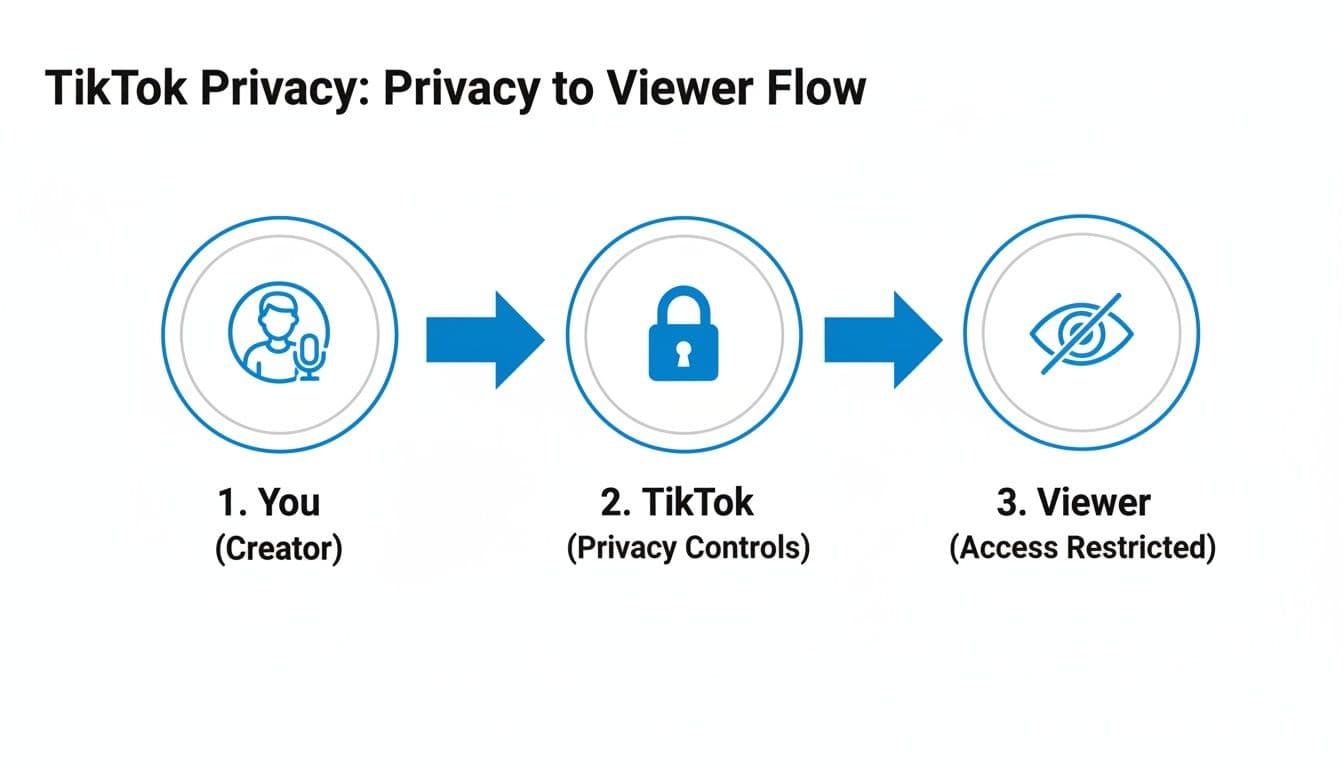
This isn't an oversight; it's a core feature. TikTok protects user privacy to encourage people to share content freely with their friends, in group chats, or via text without feeling like they're being tracked. This helps videos go viral, but it leaves creators like you completely in the dark about who your biggest supporters are.
In this guide, we'll walk through every method you have at your disposal. We'll cover how to find clues within TikTok itself, use clever workarounds to spot public shares, and ultimately, how to use automation to get the clear share data you need. To get a better handle on why certain content gets pushed, check out our guide that explains the social media algorithm.
Why Can’t I See Who Shares My TikToks? The Privacy-First Approach
It’s one of the most common frustrations for any TikTok creator: you pour your energy into a video, the share count starts climbing, but you have no idea who’s actually responsible for sending it out into the world. You’re left wondering, who are these people?
This isn't a bug. It’s a core feature of how TikTok is built, and honestly, it’s a huge part of what made the platform so successful. TikTok deliberately puts user privacy at the center of the experience.
Think about it from a user's perspective. Sharing a video feels low-stakes because it’s not a public declaration. For most people, hitting "share" is a private action, like sending a link to a friend in a text message or a group chat. This comfort level encourages more sharing, which is ultimately what helps content go viral.
The Privacy Trade-Off
On a platform like X (formerly Twitter), a "retweet" is a public endorsement for all your followers to see. TikTok operates very differently. When a user taps the share icon, their options are mostly private channels: "Copy link," "SMS," "WhatsApp," "Facebook Messenger." These are what we call "dark social" shares—they're impossible for creators to trace.
This is a massive analytics gap for creators. You see the numbers, but not the names. With around 1.9 billion monthly active users on the platform as of 2026, and US users spending an average of 52 minutes daily scrolling, those shares are the engine of visibility. But since you can't see who shared the video, you’re left guessing. For a deeper look at these kinds of trends, check out the latest TikTok statistics on Charle Agency.
So while the share count goes up, the story behind why and who remains a mystery.
By making sharing a low-pressure, private action, TikTok encourages more of it. This benefits content discovery across the platform but obscures the direct line of sight between a creator and their most dedicated advocates.
This philosophy is a world away from other social networks. On Facebook, you can often see a list of people who shared a public post. On Instagram, you get a notification when someone shares your post to their Story. TikTok’s model forces creators to get more creative, relying on indirect clues and smart workarounds to figure out where their content is traveling.
How to Get the Answer Directly with PostOnce
Since the direct answer to "how to see who shares your TikToks" is that you can't within the app itself, the best solution is to change the playing field. This is where PostOnce comes in as the most effective workaround. By automatically cross-posting your TikToks to other platforms, you bypass TikTok's privacy limitations entirely.
When you use PostOnce to crosspost your content, your video is instantly shared on platforms where share analytics are transparent.
- Your TikTok is automatically published as a Facebook Reel. You can then see a list of who shared it publicly.
- The same video goes live on X (formerly Twitter). Now you can track every single user who retweets it.
- It becomes an Instagram Reel, and you can see who shares it to their public Stories.
This strategy directly solves the user's core problem. Instead of looking for a non-existent feature on TikTok, you get the answer by distributing your content to platforms built with more transparent analytics. You're no longer in the dark; you get a clear list of the accounts amplifying your message.
Using TikTok Analytics to Find Clues
While TikTok keeps a tight lid on who specifically shares your videos, your analytics dashboard is the next best thing. If you know how to read the tea leaves, it’s full of clues. By switching to a free Creator or Business account, you unlock a powerful set of tools. You just have to learn to think like a detective and piece together the evidence.
Don't just get fixated on the "Shares" metric itself. The real story is often told through sudden, unusual spikes in other areas. Keep a close eye on your video views, reach, and profile visits. When one of your videos gets passed around, these are the numbers that jump first.
Finding Clues in Your Traffic Sources
The real gold is buried in the "Traffic Sources" tab for each individual video. This breakdown tells you exactly how people are finding you.
A video getting a ton of views from the 'For You' page is great—it means the algorithm loves you. But a sharp increase in views from the 'Shared' category is your smoking gun. It’s direct proof that people aren't just watching; they're actively sending your content to others, and those people are clicking through.
Here are a few other sources to watch for share-related activity:
- 'Profile': A jump here often means a share was so compelling that the viewer came to your page to see what else you've got.
- 'Followers': Seeing a surge from your existing followers a day or two after posting? That often means they're sharing it in group chats or with friends, bringing people back for another look.
As you can see, the platform intentionally creates a privacy barrier, which is why a direct "who shared my video" list doesn't exist.
Putting the Data Patterns Together
Figuring out share activity is a bit of an art, but it's worth the effort on a platform this massive. In 2024 alone, TikTok was downloaded 773 million times, making it the most downloaded app for the fourth straight year. The platform’s strict user privacy is a key reason it's grown into a community projected to hit 2 billion users. So, when your analytics pop off, you're tapping into that gigantic, engaged audience.
Connecting the dots between different metrics is how you build a clear picture. To help with this, I've put together a quick cheat sheet for interpreting what your analytics are telling you.
Interpreting TikTok Analytics for Share Clues
| Metric to Watch | What a Sudden Spike Indicates | Actionable Insight |
|---|---|---|
| Views from 'Shared' | This is a direct signal. People are clicking the links sent to them via text, DMs, or other apps. | The content is highly relatable or impactful. Create more videos on this topic or in this style. |
| Profile Visits | The video was interesting enough to make someone check out your entire page. | Your video is a great "hook." Make sure your profile is optimized with a clear bio and pinned videos. |
| Reach vs. Views | If reach (unique viewers) is high but views are only slightly higher, it means many new people saw it once—likely via shares. | Your video has broad appeal. You're successfully reaching audiences beyond your immediate followers. |
| New Followers | A sharp increase in followers after a video spikes suggests the shares are converting viewers into fans. | This video is a powerful brand-builder. Consider running it as a Spark Ad to amplify its reach. |
By cross-referencing these data points, you can move from simply guessing to truly understanding what makes your content travel.
A sudden jump in profile visits combined with a rise in views from the 'Shared' traffic source is one of the strongest indicators that your video is not just being watched, but actively passed along by viewers who were intrigued enough to check out your page.
This is the kind of detective work that separates casual posters from serious creators. If you want to go even deeper, you can learn how to centralize all this data by building a powerful social media analytics dashboard. When you connect these dots, you turn abstract numbers into a real strategy for making content people can't help but share.
Clever Workarounds to See Who Is Sharing
Since TikTok analytics won't hand you a list of everyone who shared your video, you have to do a little detective work. While there's no magic button, you can use a few clever in-app tricks to connect the dots and figure out where your content is going and who your biggest fans are.
Think of it as moving from passively watching your numbers to actively investigating the public trails people leave when they share. Let's dig into a few of my favorite methods.
Monitor Duets and Stitches
The most obvious (and powerful) forms of sharing on TikTok are Duets and Stitches. When someone uses your video for one of these, they’re basically giving you a public shout-out. TikTok even automatically links back to your original video, making it incredibly easy to track.
You don't need to hunt through your analytics for this one. Just go to your original video and tap the share arrow on the right side. You should see a button that says "See related videos." Give that a tap, and you’ll get a feed of every public Duet and Stitch made from your post. This is the closest you’ll get to an official list of sharers, and it’s pure gold.
Checking the "See related videos" feature is your most direct line to your most visible advocates. These are the people who didn't just share your video—they used it to create something of their own.
Become a Notification Detective
Your notification tab is a trail of breadcrumbs leading straight to your engaged followers. People who share your content often tag you in their own videos or comments, either to give credit or just to make sure you see it.
Here’s how to put on your detective hat:
- Filter Your Mentions: Head to your Inbox, tap "Activities," and select the "Mentions & Tags" filter. This cuts through the noise of likes and follows, showing you only where your @username has been specifically tagged. This is a common practice when someone reposts or gets inspired by your work.
- Look for Patterns: Notice when the tags come in. A sudden burst of mentions right after a video takes off is a dead giveaway that those users are sharing and reacting to that specific post.
Search for Your Unique Sound
Did you upload a video with an original audio clip? Whether it's your own voice, a piece of custom music, or just a funny sound effect, TikTok turns it into its own searchable sound page. This is a fantastic, often-overlooked way to find people who have essentially "shared" your content by using its audio.
To find it, just go to your video and tap the little spinning record icon in the bottom-right corner. This will take you to your audio’s dedicated page, where you'll find a list of every single video that has used your sound. While it's not a direct share, it shows you the ripple effect of your creativity and who was inspired enough to build on it.
Of course, getting people to share in the first place is key. For some fresh ideas on that, check out our guide on how to make your posts more shareable. By combining these workarounds, you’ll start to build a much clearer picture of how your videos are really spreading across TikTok.
Using Cross-Posting to Unlock Share Data
So, you've hit the privacy wall on TikTok and can't see who's sharing your videos. It's a common frustration. While TikTok keeps that information under lock and key, there's a clever workaround: take your content to platforms where sharing is public.
That's the core idea behind using a tool like PostOnce. Instead of trying to pry data from TikTok's closed system, it automatically cross-posts your videos to places like Instagram and X (formerly Twitter). Suddenly, the game changes. You can see who retweets your video or shares your Reel to their Story, giving you the direct insight TikTok won't.
A Smarter Way to Track and Amplify Your Content
Think of it as moving the conversation to a room where you can actually see who's talking. By getting your content onto other social networks, you sidestep TikTok's privacy limits and start gathering real, actionable data on who your biggest supporters are.
This isn't about finding a secret button in TikTok; it's about building a smarter content strategy. When a video starts getting traction, you want to know who is driving that momentum. Are they influencers, loyal customers, or just super-fans? Knowing this is gold.
If you run a theme page, PostOnce for theme pages shows how to grow the same page on several apps from each post you make.
Turn Anonymous Shares into Actionable Insights
Let's be real: trying to track shares directly within TikTok is a dead end. The app is built for endless scrolling and content discovery, not for providing creators with detailed analytics on who shares what. With the user base projected to hit 1.59 billion by early 2025 and kids spending an average of 75 minutes a day on the app, countless shares happen in a black box.
This is where a cross-posting strategy really shines. By connecting your TikTok account to an automation tool, you can set it and forget it.
- Go Multi-Platform Instantly: As soon as you post on TikTok, your video can automatically appear as an Instagram Reel, a post on X, a Facebook video, and more.
- See Your Sharers: On platforms like X, you get a clear list of every user who retweets you. On Instagram, you can see public shares to Stories. This is data you can actually use.
- Save a Ton of Time: Forget manually downloading and re-uploading videos. The whole process is automated, freeing you up to focus on creating more great content.
This approach turns a frustrating analytics problem into a source of genuine community insight. You can learn more about how to automate your TikTok cross-posting and see how it works in practice.
If Instagram is one of the platforms where you want more visibility into who amplifies your content, start with a TikTok to Instagram crossposting workflow so each TikTok can also become an Instagram Reel without manual re-uploading.
Go Beyond Tracking and Actually Grow Your Reach
This isn't just about copying and pasting your videos everywhere. A good cross-posting tool optimizes your content for each platform's unique quirks, like character limits and hashtag conventions, making sure it feels native wherever it lands.
The real win here is diversifying your audience. By showing up consistently across multiple platforms, you're no longer at the mercy of the unpredictable TikTok algorithm to drive your growth.
This wider reach has tangible benefits for your brand or business. More shares on platforms with transparent analytics help you identify potential brand advocates, gather user feedback, and drive traffic more predictably.
For example, if you're exploring selling on TikTok Shop, tracking shares on other platforms can reveal which products or video styles resonate most. You can then double-down on what works, using those insights to fuel a more effective e-commerce strategy.
FAQ: Answering Your Top Questions About TikTok Shares
As you start digging into your TikTok metrics, you're bound to have questions. It's totally normal. Here are some straightforward answers to the questions I hear most often from creators trying to track their video shares.
Can Third-Party Apps Really Show Me Who Shared My TikTok?
Let's get this one out of the way immediately: No, they can't. You need to be incredibly careful with any website or app promising to reveal who shared your TikToks.
TikTok's privacy policies and API are locked down tight, making it technically impossible for an outside tool to legally access that kind of user data. Most of these services are, frankly, scams. The best-case scenario is they give you fake data. The worst-case scenario? They steal your login credentials and you lose your entire account. It's just not worth the risk.
Will I Get a Notification If Someone Shares My Video via Text?
Unfortunately, no. When someone hits "Copy Link" or sends your video directly through iMessage, WhatsApp, or another private messaging app, that share is completely invisible to you. This is what we call a "dark social" share.
These shares are private by design and totally untraceable from a creator's standpoint. While you can't see who did it, these are some of the most valuable shares you can get—they still drive up your view count when people click the link. This is also why the share count in your analytics is almost always higher than the public shares (like Duets or Stitches) you can actually see.
"Dark social" is the invisible engine behind a lot of viral content. It represents the personal, word-of-mouth recommendations that happen in private chats, and it’s a significant part of your content's journey that you can't directly measure.
How Can I Get More People to Share My Videos?
Getting more shares is all about creating something that sparks a reaction. You want people to watch your video and immediately think, "I have to send this to someone."
Here are a few tactics that consistently work:
- Create with a purpose. Think about the "send to a friend" factor. Is it a useful tutorial, a relatable joke about work, or a story that pulls on the heartstrings? Content that serves a specific purpose for the viewer is more likely to get passed along.
- Jump on relevant trends. Using trending audio and video formats makes your content feel timely and familiar, which makes people more comfortable sharing it with their own followers.
- Just ask! Don't underestimate the power of a simple call-to-action. Ending your video with, "Share this with a friend who needs to hear it" can make a huge difference.
If I See a Spike in Profile Views, Does That Mean My Video Was Shared?
It's a very strong clue, but not a 100% guarantee. A sudden jump in profile views right after you post often means your video is hitting the For You Page for a new audience, and those curious viewers are clicking through to see what you're all about.
This is a classic sign that your video is being shared widely. While you can't connect every single profile view to a specific share, watching for this correlation is a great detective move. If your shares go up and your profile views follow, you know the video is having a real impact. For even deeper tracking, you can dive into using UTM parameters with Google Analytics to see where your profile traffic is coming from.
Stop guessing and start getting clear data on your content's performance. With PostOnce, you can automatically cross-post your TikToks to platforms with transparent analytics, so you can finally see who is sharing your work and amplifying your reach. Discover how PostOnce can transform your content strategy.