

Unlocking Social Media Success with Perfect Images
Want to maximize your social media impact? Using the best image size for social media on each platform is crucial. Incorrectly sized images can appear blurry, cropped awkwardly, or unprofessional, hindering your message. This guide provides the optimal 2025 image sizes for top platforms, including Instagram, Facebook, Twitter, LinkedIn, Pinterest, YouTube, and TikTok. Learn the ideal dimensions for each platform and make your visuals shine. Let's get started!
1. Instagram Feed Image Size
Optimizing your image sizes for social media is crucial for grabbing attention and maximizing engagement. When it comes to the best image size for social media, Instagram, with its visually-driven nature, requires particular attention. Instagram feed posts primarily use a square format as the default display, although landscape and portrait orientations are also supported. The recommended upload size is 1080x1080 pixels for square posts, maintaining Instagram's traditional 1:1 aspect ratio. This ensures your images appear crisp and high-quality on various devices.
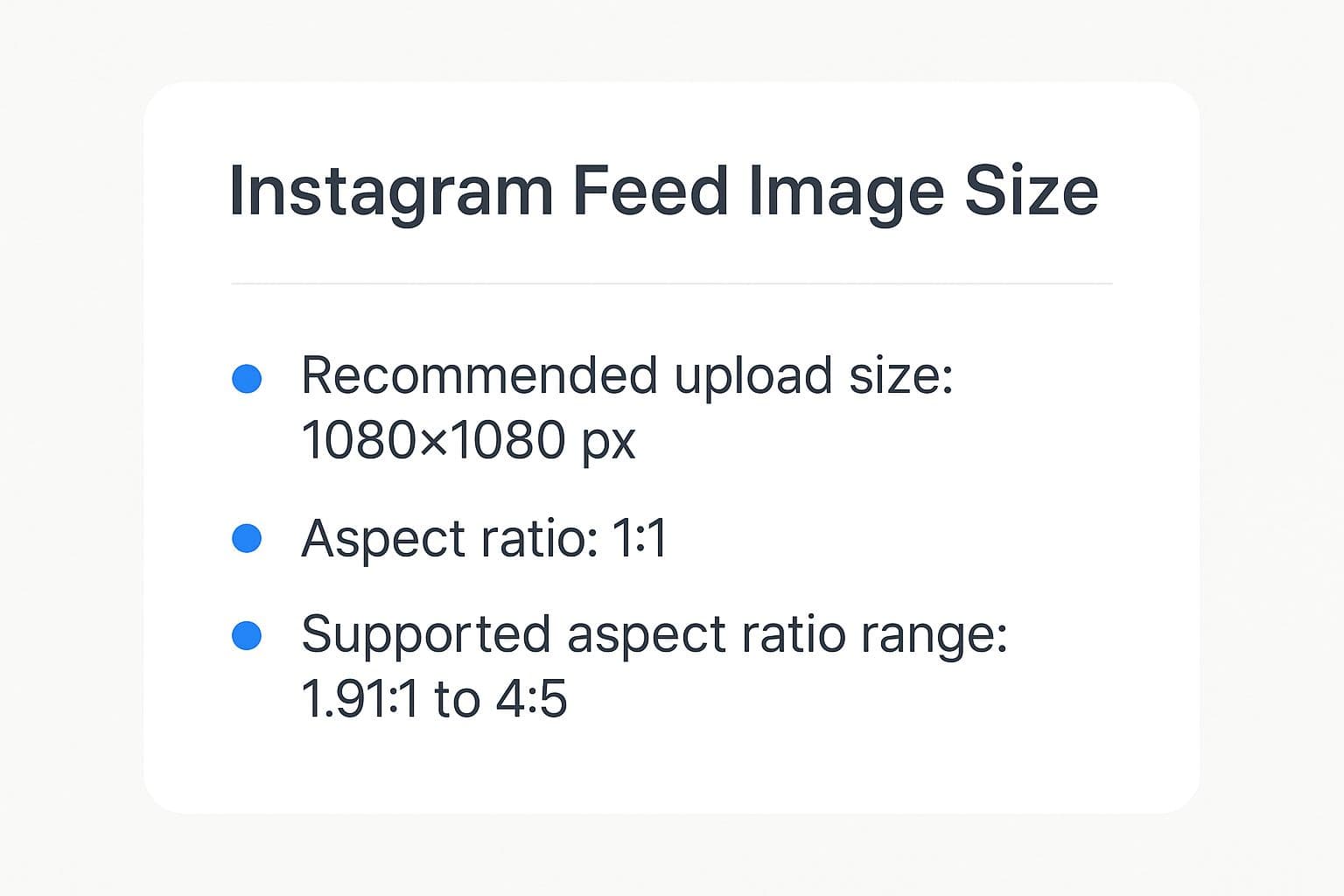
The infographic above provides a quick reference for Instagram image dimensions. As you can see, while Instagram supports various aspect ratios (from 1.91:1 to 4:5), aiming for the 1080x1080 pixel square or the 1080x1350 pixel (4:5) vertical format ensures optimal display. Sticking to these dimensions avoids unnecessary cropping or loss of image quality.
Instagram's flexible aspect ratio options provide creative freedom while the high-resolution support ensures excellent image quality across different devices. However, it's important to be aware that landscape images may get cropped in preview grids, and very tall portrait images might be cut off in the feed. File size limitations can also necessitate image compression. Learn more about Instagram Feed Image Size
Here are the key takeaways regarding Instagram image sizes for your quick reference:
- Ideal Size: 1080 x 1080 pixels (square)
- Aspect Ratio: 1:1 (square), supports 1.91:1 to 4:5
- Minimum Width: 320 pixels
- Recommended Vertical Size: 1080 x 1350 (4:5 ratio)
These specifications are important because using the correct image size on Instagram directly impacts how professional and visually appealing your content appears. This, in turn, affects engagement and reach. For example, National Geographic leverages optimal square images to showcase stunning wildlife photography, while Nike consistently uses 1080x1080 product shots for maximum clarity. Airbnb also maintains high engagement with perfectly sized destination photos. These brands understand the importance of visual presentation on Instagram.
Pros:
- Square images fit Instagram's aesthetic perfectly.
- High-resolution support delivers excellent image quality.
- Flexible aspect ratio options provide room for creative expression.
- Ensures consistent display across mobile and desktop (mostly).
Cons:
- Landscape images are subject to cropping in preview grids.
- Excessively tall images may get cut off in the feed.
- File size limitations might require compression, potentially affecting image quality.
- Despite best efforts, minor variations in display can still occur across different devices.
Tips for Success:
- Upload images at 1080x1080 pixels for the best quality without wasting resolution.
- Keep crucial content centered within the frame to prevent cropping issues.
- Experiment with both square (1:1) and vertical (4:5) ratios to determine which performs better for your content.
- Always preview your posts within the Instagram app before publishing to ensure the image displays correctly.
By understanding and implementing these best practices for the best image size for social media on Instagram, solo content creators, small business owners, social media managers, and marketing agencies can significantly enhance their visual presence and achieve greater success on the platform. Popularized by influencers like Huda Kattan and adopted by major brands like Apple, Nike, and Starbucks, optimizing image size is a cornerstone of effective Instagram marketing, as digital marketing experts like Neil Patel often emphasize.
2. Facebook Feed Post Image Size
Finding the best image size for social media can be a challenge, especially for Facebook. Facebook feed posts display images in a variety of ways, depending on factors like the number of images uploaded and the device used for viewing. This makes choosing the right dimensions crucial for maximizing your reach and engagement. For single image posts aiming for optimal visibility and quality across different devices, the recommended Facebook feed post image size is 1200x630 pixels, adhering to a 1.91:1 aspect ratio (landscape orientation). This size strikes a balance between showcasing enough detail and ensuring quick loading times.
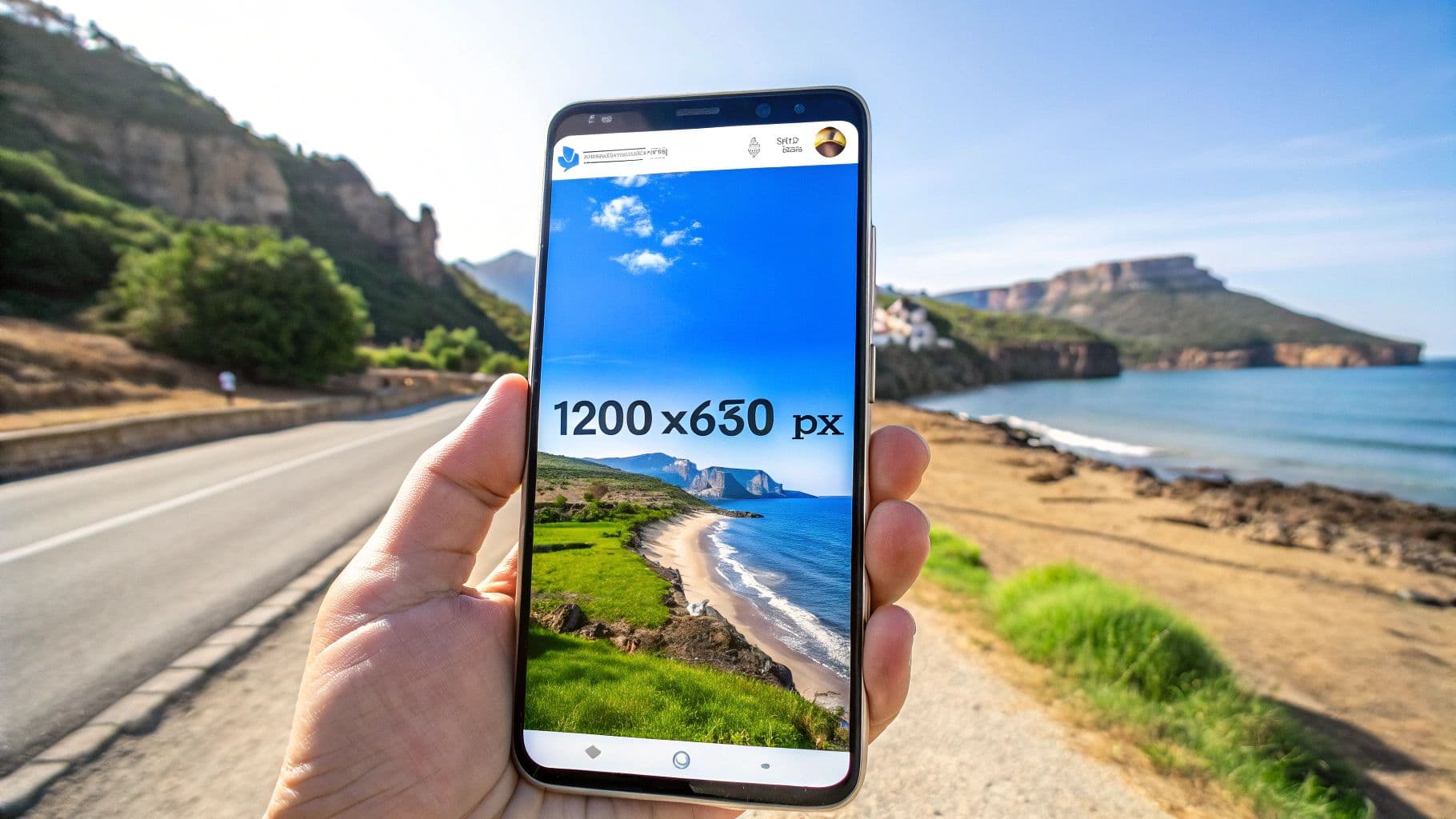
This size is no accident; it's optimized for how Facebook's algorithm displays content. Using this recommended size ensures your visuals appear crisp and professional, whether your audience is scrolling through their feed on a desktop computer or a mobile phone. While the minimum width for Facebook images is 500 pixels, sticking to the 1200x630 recommendation prevents your visuals from appearing stretched or pixelated. Keep file size in mind as well, with a maximum of 8MB for JPGs and 4MB for GIFs.
Features and Benefits:
- Recommended size: 1200x630 pixels
- Aspect ratio: 1.91:1 (landscape)
- Minimum width: 500 pixels
- Maximum file size: 8MB (JPG), 4MB (GIF)
- Optimized for news feed visibility: The 1.91:1 aspect ratio takes up significant visual real estate in the news feed, grabbing attention more effectively than smaller or square images.
- Cross-device compatibility: This size ensures your image looks good on both desktop and mobile, reaching a wider audience without distortion.
- Compatibility with Facebook Ads: This size seamlessly transitions to Facebook's ad system, saving you time and effort on reformatting.
Pros:
- Optimized for visibility in crowded news feeds.
- Works well across both mobile and desktop views.
- Large enough to showcase detail without excessive loading times.
- Compatible with Facebook's ad system without reformatting.
Cons:
- Portrait images get cropped significantly.
- Different display formats across devices can cause slight inconsistencies.
- Text may be cut off if not properly positioned within the image's safe zone.
- Square images don't utilize the full width allocated in the feed, potentially reducing impact.
Examples of Successful Implementation:
Major media outlets like The New York Times and CNN consistently use the 1200x630 pixel size for sharing articles, ensuring their content stands out in the news feed. Global brands such as Coca-Cola and Samsung leverage this format for their marketing campaigns, maintaining consistent branding and visual appeal. Even action-packed content from companies like Red Bull effectively uses the landscape format for showcasing impactful photography.
Tips for Optimal Facebook Feed Images:
- Center important content: Position key elements of your image within the center to avoid cropping on different devices.
- Limit text overlay: Keep text to less than 20% of the image area for better reach (Facebook's algorithm penalizes text-heavy images).
- Use Facebook's preview tool: Before publishing, preview your post to see how the image will appear on various devices.
- Consider thumbnail appearance: Think about how the image will look as a smaller thumbnail when shared by others.
For solo content creators, small business owners, social media managers, and marketing agencies, adhering to Facebook's recommended image size is essential for achieving optimal visibility and engagement. While other sizes might work, the 1200x630 pixel dimension ensures your content looks its best and reaches the widest possible audience on this platform. By understanding and implementing these best practices, you can significantly enhance your Facebook marketing strategy and achieve your social media goals.
3. Twitter Image Size
Optimizing your images for Twitter is crucial for grabbing attention in a fast-paced social media environment. Twitter displays images in a preview within the timeline, which expands when clicked. Understanding the best image size for social media, specifically for Twitter, can significantly impact your engagement. Using the recommended image size ensures your visuals appear crisp and engaging, whether viewed on a mobile device or a desktop computer. This approach maximizes the impact of your visual content and encourages clicks for expanded views.
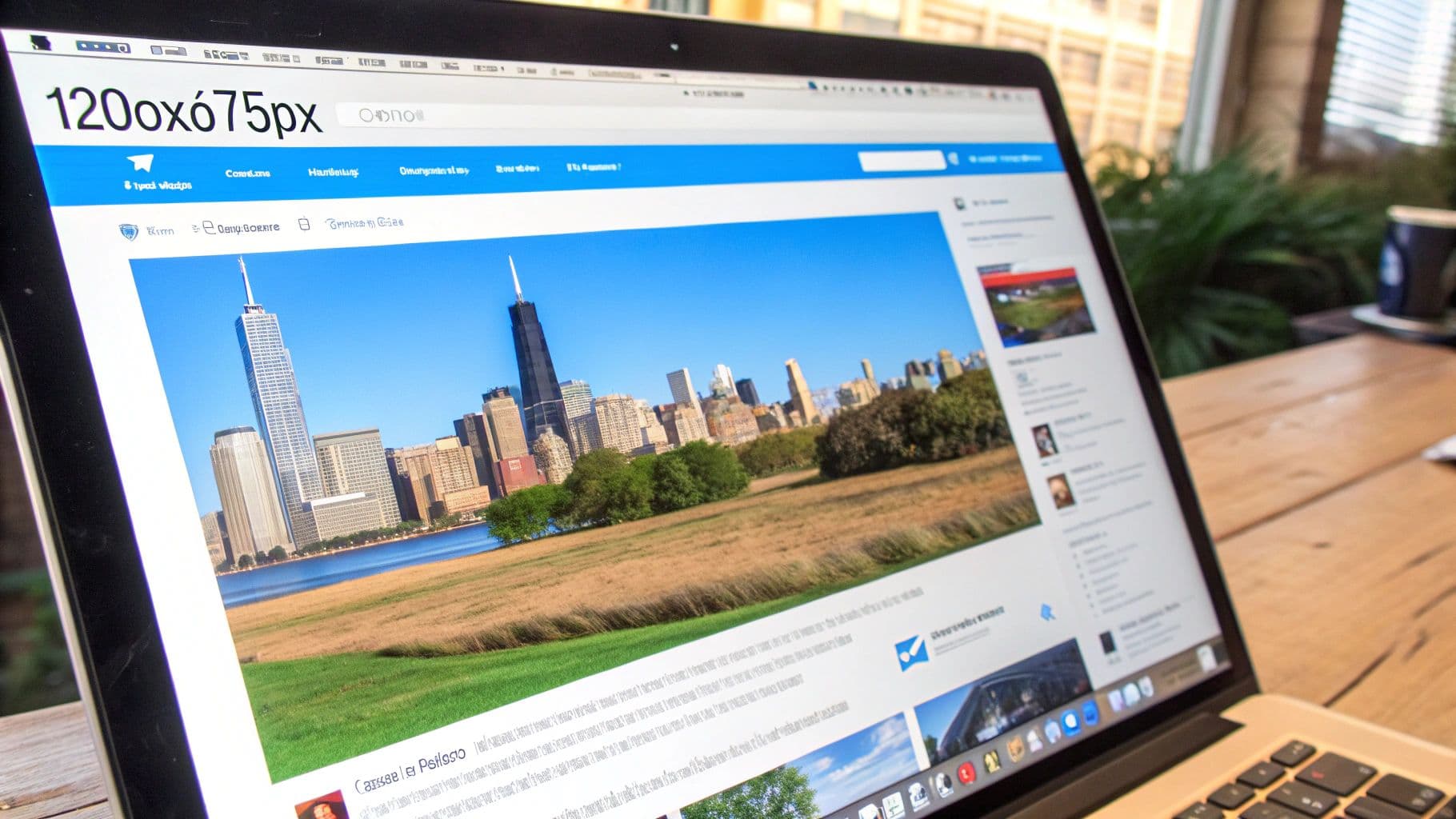
The recommended Twitter image size is 1200x675 pixels, adhering to a 16:9 aspect ratio (landscape orientation). This size is optimized for both the preview and the expanded view. Twitter supports JPG, PNG, and GIF formats, with a maximum file size of 5MB for photos.
Features:
- Recommended size: 1200x675 pixels
- Aspect Ratio: 16:9 (landscape)
- Maximum file size: 5MB (photos)
- Supported formats: JPG, PNG, GIF
Pros:
- Optimized for both mobile and desktop viewing.
- Ideal for video thumbnails.
- Compatible with Twitter Cards for enhanced link sharing.
- Displays consistently well within embedded tweets on external websites.
Cons:
- Square or portrait-oriented images will be cropped in the timeline preview.
- The 5MB file size limit can sometimes restrict the quality of highly detailed images.
- Uploading multiple images within a single tweet utilizes different dimensions, potentially impacting visual consistency.
- Header image previews may crop unexpectedly.
Examples of Successful Implementation:
- NASA: Regularly shares stunning space imagery using the optimal 1200x675 dimensions, maximizing engagement with their audience.
- The Weather Channel: Consistently uses the correct format for impactful storm visuals, ensuring clarity and conveying critical information effectively.
- Sports Teams (e.g., LA Lakers): Leverage the 16:9 format for game highlights, delivering dynamic content that captures the excitement of the sport.
Tips for Optimizing Your Twitter Images:
- Center Important Content: Place the key elements of your image towards the center to avoid crucial details being lost during cropping in the timeline preview.
- Consistency with Multi-Image Tweets: Maintain the 1200x675 dimensions for each image in a multi-image tweet for a polished and professional look.
- Test Before Posting: Preview your images on both mobile and desktop devices to ensure they appear correctly across various platforms.
- Consider Dark Mode: Think about how your image will render in Twitter's dark mode and adjust colors/contrast as needed for optimal visibility.
Popularized By:
The 1200x675 pixel standard for Twitter images has been widely adopted and promoted by:
- News organizations (e.g., Reuters, Associated Press)
- Social media strategists (e.g., Guy Kawasaki)
- Entertainment brands (e.g., Netflix, Spotify)
By adhering to the recommended best image size for social media on Twitter, specifically the 1200x675 pixel dimension, content creators, small business owners, social media managers, and marketing agencies can ensure their visuals make a strong impact, driving engagement and maximizing the reach of their tweets. This approach provides a professional and consistent visual experience for your audience, whether they’re scrolling through their timeline or viewing your expanded content.
4. LinkedIn Post Image Size
Optimizing your image sizes for each social media platform is crucial for maximizing engagement, and LinkedIn, with its focus on professional networking, is no exception. Finding the best image size for social media can be tricky, but for LinkedIn, it's particularly important as it directly impacts how your content is perceived. This section will cover the optimal LinkedIn post image size to ensure your visuals make a strong impression.
LinkedIn feed images primarily appear in a landscape format optimized for professional content. The recommended size is 1200x627 pixels, adhering to a 1.91:1 aspect ratio. This closely mirrors the dimensions used by Facebook posts, offering a familiar visual experience. Using this size ensures your professional visuals maintain clarity and impact across both desktop and mobile interfaces.
Features:
- Recommended size: 1200x627 pixels
- Aspect Ratio: 1.91:1 (landscape orientation)
- Minimum size (recommended): 1200x627 pixels
- Maximum file size: 5MB
Pros:
- Professional appearance: Images display cleanly and professionally within the LinkedIn feed.
- Versatility: Works effectively for both personal profiles and company page posts.
- Article compatibility: Supports LinkedIn's article feature, allowing for visually engaging articles.
- High-resolution display support: Maintains image quality even on high-resolution screens.
Cons:
- Limited creative flexibility: The fixed aspect ratio can restrict creative freedom with image composition.
- Portrait image cropping: Portrait-oriented images will be significantly cropped.
- Text overlay challenges: Incorporating text overlays can be difficult to read, especially on smaller mobile devices.
- Inconsistent display: Images may render differently between the LinkedIn mobile app and the desktop version.
Examples of Successful Implementation:
- Harvard Business Review: Leverages perfectly sized infographics to maximize engagement and share key insights.
- IBM: Consistently utilizes the optimal 1200x627 pixel dimensions for product announcements and company updates.
- Microsoft: Maintains consistent professional branding with accurately formatted LinkedIn visuals.
Tips for Optimizing LinkedIn Images:
- Safe Zone: Keep essential visual elements away from the edges to prevent cropping.
- High Contrast: Use high-contrast visuals to improve visibility within the busy LinkedIn feed.
- Minimal Text: Include only necessary text, ensuring it's large enough to be easily read on mobile devices.
- Professional Quality: Use high-quality, professional images that accurately reflect your brand identity.
Who Popularized This Size?
The 1200x627 pixel standard has been widely adopted and popularized by:
- Business influencers like Richard Branson and Gary Vaynerchuk
- Major consulting firms such as McKinsey and Deloitte
- Professional development experts like Brené Brown
Learn more about LinkedIn Post Image Size
This specific image size deserves a place on this "best image size for social media" list because it's the optimal dimension for maintaining professional visual quality on LinkedIn. For solo content creators, small business owners, social media managers, and marketing agencies, presenting a polished and professional image is paramount on LinkedIn, and using the correct image size plays a key role in achieving this. It ensures your visual content isn't distorted or cropped awkwardly, ultimately leading to a more engaging and effective LinkedIn presence.
5. Pinterest Pin Size
Pinterest, a visual discovery engine, thrives on high-quality imagery. Choosing the best image size for social media, particularly Pinterest, is crucial for maximizing your reach and engagement. For Pinterest, this means embracing the vertical format. This platform favors vertical images that stand out in its masonry-style layout, making it a key consideration when determining the best image size for social media marketing.
Pinterest's recommended aspect ratio for standard pins is 2:3, translating to dimensions of 1000x1500 pixels. This vertical orientation maximizes visibility in users' feeds while providing ample space to showcase details and inspire—core elements of Pinterest's discovery-focused platform. This is why optimizing your Pinterest pin size is essential for anyone seeking the best image size for social media content.
Features:
- Recommended Size: 1000x1500 pixels
- Aspect Ratio: 2:3 (vertical orientation)
- Maximum Width: 1500 pixels
- Supported Formats: Static images, multi-image pins, and video pins
Pros:
- Enhanced Visibility: The vertical format naturally stands out in Pinterest's layout, grabbing users' attention as they scroll.
- Detailed Content: The elongated format provides more screen real estate to showcase product details, tell a story, or offer valuable information.
- Improved Search Performance: Optimized pins tend to perform better in Pinterest search results, increasing discoverability.
- Higher Engagement: Vertical pins generally experience higher engagement rates (clicks, saves, and close-ups) compared to square or landscape images.
Cons:
- Content Creation: Creating vertical images often requires custom design work, unlike repurposing existing horizontal content from other social media platforms.
- Truncation Risk: Excessively tall images might get truncated in users' feeds, so sticking to the recommended 2:3 ratio is vital.
- Repurposing Challenges: Adapting vertical Pinterest pins for other platforms can be difficult due to differing aspect ratio requirements.
- Shopping Pin Variations: Shopping pins have different aspect ratio recommendations, adding another layer of complexity.
Examples of Successful Implementation:
- IKEA: Effectively uses optimal vertical pins to showcase inspiring room arrangements and furniture setups.
- Minimalist Baker: Creates visually appealing 2:3 recipe pins that entice users with delicious food photography and clear instructions.
- Etsy Sellers: Consistently leverage the recommended dimensions for product showcases, highlighting key features and driving sales.
Tips for Optimizing Your Pinterest Pins:
- Branding: Incorporate your logo or watermark subtly at both the top and bottom of your pins for consistent brand recognition.
- Text Overlay: Add concise and engaging text overlays to explain the pin's content and entice users to click.
- High-Quality Images: Use bright, high-resolution images that capture attention and accurately represent your brand or product.
- Value-Driven Content: Create pins that tell a story, offer a solution, provide valuable information, or inspire creativity.
Popularized By:
Pioneers in leveraging the power of visual storytelling on Pinterest include DIY and craft influencers like Joy Cho, lifestyle and home decor brands like West Elm, and food photography experts like Food52. These examples demonstrate how using the best image size for social media, specifically Pinterest, can significantly impact brand visibility and engagement.
By understanding and implementing these best practices for Pinterest image sizes, solo content creators, small business owners, social media managers, and marketing agencies can leverage the platform's visual nature to achieve their marketing goals. Choosing the best image size for social media is not a one-size-fits-all approach, and Pinterest’s unique format demands a vertical strategy.
6. YouTube Thumbnail Size
Getting the best image size for social media is crucial, and YouTube thumbnails are no exception. A compelling thumbnail is essential for attracting viewers to your videos, acting as the first impression in search results, suggested videos, and your channel page. This is why optimizing your YouTube thumbnail size is critical for any content creator, small business owner, social media manager, or marketing agency.
YouTube's recommended thumbnail size is 1280x720 pixels, adhering to a 16:9 aspect ratio. This landscape orientation perfectly matches the dimensions of HD video and ensures clarity across various devices. While the recommended size is 1280x720 pixels, the minimum width accepted is 640 pixels, and the maximum file size is 2MB. Choosing the optimal size ensures your thumbnail looks professional and engaging, whether viewed on a desktop, mobile device, or smart TV.
Features:
- Recommended Size: 1280x720 pixels
- Aspect Ratio: 16:9 (landscape orientation)
- Minimum Width: 640 pixels
- Maximum File Size: 2MB
Pros:
- Perfect Match: Aligns perfectly with YouTube's video player dimensions.
- High Resolution: Ensures clarity and crisp visuals on all devices.
- Consistent Display: Works seamlessly across YouTube's various display formats, including search results, suggested videos, and embedded players.
- YouTube Studio Compatibility: Compatible with YouTube Studio's built-in thumbnail editor.
Cons:
- Limited Space: Offers limited space for detailed information.
- Readability Issues: Small text can be difficult to read, especially on mobile devices.
- Varying Display Sizes: Thumbnails are displayed at different sizes across various sections of YouTube.
- Obscured Elements: The right side of the thumbnail might be partially obscured by the video duration overlay.
Examples of Successful Implementation:
- MrBeast: Utilizes high-contrast thumbnails with clear, concise text at the recommended 1280x720 resolution.
- TED: Consistently creates clean, recognizable thumbnails at the optimal size, prioritizing readability and visual appeal.
- MKBHD (Marques Brownlee): Maintains strong brand consistency with perfectly sized tech review thumbnails that showcase the product and video topic clearly.
Tips for Creating Effective Thumbnails:
- Close-ups: Use close-up shots of faces to create an emotional connection with viewers.
- Bold Text: Include large, easily readable text (less than 40 characters) to convey the video's topic.
- High Contrast: Ensure high contrast between the subject and background to make the thumbnail visually striking.
- Branding: Incorporate consistent branding elements (logos, colors, fonts) for channel recognition.
Popularized By:
The importance of optimized thumbnails has been demonstrated by top YouTube creators like PewDiePie and Casey Neistat, media companies like Netflix and HBO, and YouTube thumbnail design experts like Nick Nimmin.
Using the correct YouTube thumbnail size is a critical aspect of succeeding on the platform. By adhering to the 1280x720 pixel recommendation, you ensure your videos make a strong first impression and attract more viewers. This best practice deserves its place on the list of "best image size for social media" because it directly impacts video discoverability and click-through rates, ultimately influencing a channel's growth and success.
7. TikTok Video Cover Image Size
Optimizing your content for each social media platform is crucial for success, and understanding the best image size for social media is a key component of that. When it comes to TikTok, grabbing attention quickly is paramount. This is where the TikTok video cover image, the first frame viewers see before playing your video, comes into play. Choosing the best image size for social media, specifically TikTok, can significantly impact your video's performance.
The optimal TikTok video cover image size is 1080x1920 pixels, adhering to a 9:16 aspect ratio. This vertical format is fundamental because it perfectly matches TikTok's native full-screen vertical video display and is optimized for the mobile-first viewing experience that dominates the platform. A well-designed cover image acts as a thumbnail and is essential for attracting viewers scrolling through the fast-paced For You Page (FYP). Think of it as your video's first impression – make it count!
Features and Benefits:
TikTok allows for custom cover image uploads, giving you complete control over this crucial visual element. While the recommended size is 1080x1920, the cover image is displayed in various sizes across the platform, including on user profiles and in search results. The high resolution of the recommended size ensures clarity on all devices. A well-chosen and properly sized cover image maximizes visual impact in the full-screen display, increasing the likelihood of viewers clicking to watch your video.
Pros:
- Perfect Vertical Format Match: Seamlessly integrates with TikTok's native display.
- Mobile-First Optimization: Caters to the primary way users consume TikTok content.
- Maximized Visual Impact: The full-screen display allows your cover image to shine.
- High Resolution: Ensures your image looks crisp and professional on any device.
Cons:
- Landscape Content Compatibility Issues: Requires significant cropping of landscape-oriented content.
- Varying Preview Sizes: The image will appear in different sizes in various sections of the app, so consider how it will look in both larger and smaller formats.
- Limited Profile Grid Space: Cover images appear quite small on profile grids, making it harder to convey complex visuals.
- Cross-Platform Sharing Cropping: When sharing to other platforms, the image may be cropped.
Examples of Successful Implementation:
Major influencers like Charli D'Amelio understand the importance of eye-catching cover images, often featuring close-ups of expressive faces or intriguing scenes. Brands like Chipotle leverage high-impact cover images for promotional content, showcasing delicious food in the vertical format. Even news outlets like The Washington Post have effectively used the vertical format to create compelling news teasers, proving the versatility of this format.
Actionable Tips:
- Center Your Subject: Place the main subject of your video in the center of the frame for maximum visibility.
- Avoid Top and Bottom Edges: Important elements placed at the very top or bottom may be cut off in some displays.
- Bright Colors and High Contrast: These elements help your video stand out in the busy feed.
- Consider Profile Grid Appearance: Remember that your cover image also appears in a smaller format on your profile grid.
When and Why to Use This Approach:
Always use this 1080x1920 pixel, 9:16 aspect ratio for all your TikTok video cover images. This is not just a recommendation, it’s the key to maximizing your reach and engagement on the platform.
This approach is especially valuable for:
- Solo Content Creators: Building a personal brand and attracting followers.
- Small Business Owners: Promoting products and services to a targeted audience.
- Social Media Managers: Optimizing content for client accounts and achieving campaign objectives.
- Marketing Agencies: Developing effective TikTok strategies for their clients.
Popularized By: The importance of compelling TikTok cover images has been demonstrated by the success of TikTok stars like Addison Rae and Khaby Lame, major brands such as Duolingo and Ryanair, and entertainment companies like Netflix and Hulu. They understand that a visually appealing cover image is essential for grabbing attention and driving views.
Learn more about TikTok Video Cover Image Size Efficient scheduling tools can assist in managing and optimizing your TikTok content, including cover images, across various social media platforms.
Top 7 Social Media Image Size Comparison
| Image Size Type | Implementation Complexity 🔄 | Resource Requirements ⚡ | Expected Outcomes 📊 | Ideal Use Cases 💡 | Key Advantages ⭐ |
|---|---|---|---|---|---|
| Instagram Feed Image Size | Medium – supports multiple ratios | Moderate – 1080x1080 px ideal | Crisp, high-quality images | Brand posts, influencer content | Flexible aspect ratios; consistent display |
| Facebook Feed Post Image Size | Medium – fixed 1.91:1 aspect ratio | Moderate – 1200x630 px recommended | Good visibility in crowded feeds | News, campaigns, product promotions | Optimized for feed and ads compatibility |
| Twitter Image Size | Medium – 16:9 landscape only | Moderate – 1200x675 px | Clear display in timeline and expanded | News updates, visual storytelling | Compatible with Twitter Cards; versatile |
| LinkedIn Post Image Size | Low – fixed 1.91:1 aspect ratio | Moderate – 1200x627 px | Professional, clear visuals | Corporate posts, professional branding | Consistent professional look |
| Pinterest Pin Size | Medium – vertical 2:3 aspect ratio | Higher – 1000x1500 px vertical | High engagement and visibility | DIY, lifestyle, product showcase | Vertical format stands out; better SEO |
| YouTube Thumbnail Size | Low – fixed 16:9 aspect ratio | Moderate – 1280x720 px | Increased click-through rate (~30-40%) | Video thumbnails, channel branding | Perfect match for video player; high clarity |
| TikTok Video Cover Image Size | Medium – vertical 9:16 aspect ratio | High – 1080x1920 px vertical | Strong attention on mobile feeds | Short-form videos, fast-paced content | Full-screen impact; mobile optimized |
Effortless Cross-Platform Posting with PostOnce
Mastering the best image size for social media is crucial for making a strong visual impact and maximizing engagement. Throughout this article, we've covered the ideal dimensions for everything from Instagram feed images and Facebook posts to YouTube thumbnails and TikTok video covers. Remembering these specific requirements for each platform can be challenging, but understanding them is key to presenting professional, visually appealing content that captures your audience's attention. This knowledge ensures your visuals aren't cropped awkwardly, distorted, or low-resolution, which can detract from your message and brand image.
Just as image sizes are important, so too are video dimensions for successful social media marketing. Managing different video sizes across platforms can be a hassle. To streamline your workflow and ensure your videos are perfectly sized for each platform, check out this comprehensive guide on social media video sizes for 2025. It's a valuable resource from revid.ai, titled "Social Media Video Sizes: Your 2025 Guide to Perfect Dimensions."
By optimizing your visuals for each platform, you increase the chances of your content being seen, shared, and ultimately, driving the results you want, whether it's increased brand awareness, website traffic, or sales. Now you can create a cohesive and professional brand presence across all your social media channels.
Ready to simplify your social media workflow and ensure your visuals are always perfectly sized? Stop wasting time resizing images for each platform individually. Visit PostOnce today and discover how easy it can be to maintain a consistent and impactful brand presence across all your social networks with automatically optimized image sizing.