

If you're running an Instagram account and your Stories get views but very little action, the problem usually isn't reach. It's friction. A good poll game on Instagram gives people the easiest possible way to participate, and the best way to turn that participation into something bigger is to systemize what happens after the vote. That's where PostOnce fits the search intent behind this topic. It helps you take the winning idea, angle, or audience signal from Instagram and distribute follow-up content across your other channels without rebuilding the campaign from scratch.
Most advice on Instagram polls stops at "use the sticker." That leaves out the part marketers and creators care about. Which question reveals buying intent? Which result should influence your next offer? Which poll is worth turning into content on other platforms? A poll game isn't just a tactic for keeping Stories lively. Used well, it's a fast decision tool.
Beyond Likes The New Era of Instagram Engagement
Likes are easy to collect and easy to overvalue. They tell you someone noticed the post. They don't tell you what that person prefers, what problem they want solved, or which message makes them act.
Instagram polls changed that by making interaction native inside Stories. Instagram introduced polls and quizzes in 2017, letting followers vote or answer with a tap while creators see results in real time, which helped establish the poll-game style of engagement, as noted in this breakdown of Instagram polls and quizzes. That mattered because it gave brands and creators a format that asks for a decision, not just a glance.
Why passive metrics stop helping
A lot of teams hit the same ceiling. They publish polished visuals, get a familiar level of reach, and still can't tell what the audience wants next. A poll solves that by forcing a choice. Even a simple "this or that" format gives you directional feedback you can act on.
That feedback gets more useful when you connect it to the rest of your content system. If one poll reveals a clear preference, that answer can shape your next caption, Reel, email angle, or discussion post elsewhere. If you're looking at the broader meaning of engagement data before you spend money promoting content, this guide to informing winning paid strategies on Instagram is a useful companion read.
Practical rule: Treat a Story poll as the start of a conversation, not the final asset.
What stronger engagement actually looks like
The strongest Instagram engagement usually has one of three traits:
- It asks for a decision: The audience chooses between two options instead of scrolling past.
- It lowers effort: A tap beats a comment request every time when you want quick response.
- It creates a follow-up path: You can build the next post, offer, or message from the result.
This is also why lightweight interactions often outperform heavier asks early in the funnel. Asking for a DM, form fill, or purchase too soon can be a reach killer. Asking "Which one do you want first?" is different. It's small, clear, and useful.
A lot of brands still optimize for visible approval instead of active input. That's backwards. If you want stronger signals from your audience, your content has to ask better questions. Even the behavior behind a simple like has its limits, which is why understanding what a double tap on Instagram really signals helps when you're comparing passive and active engagement.
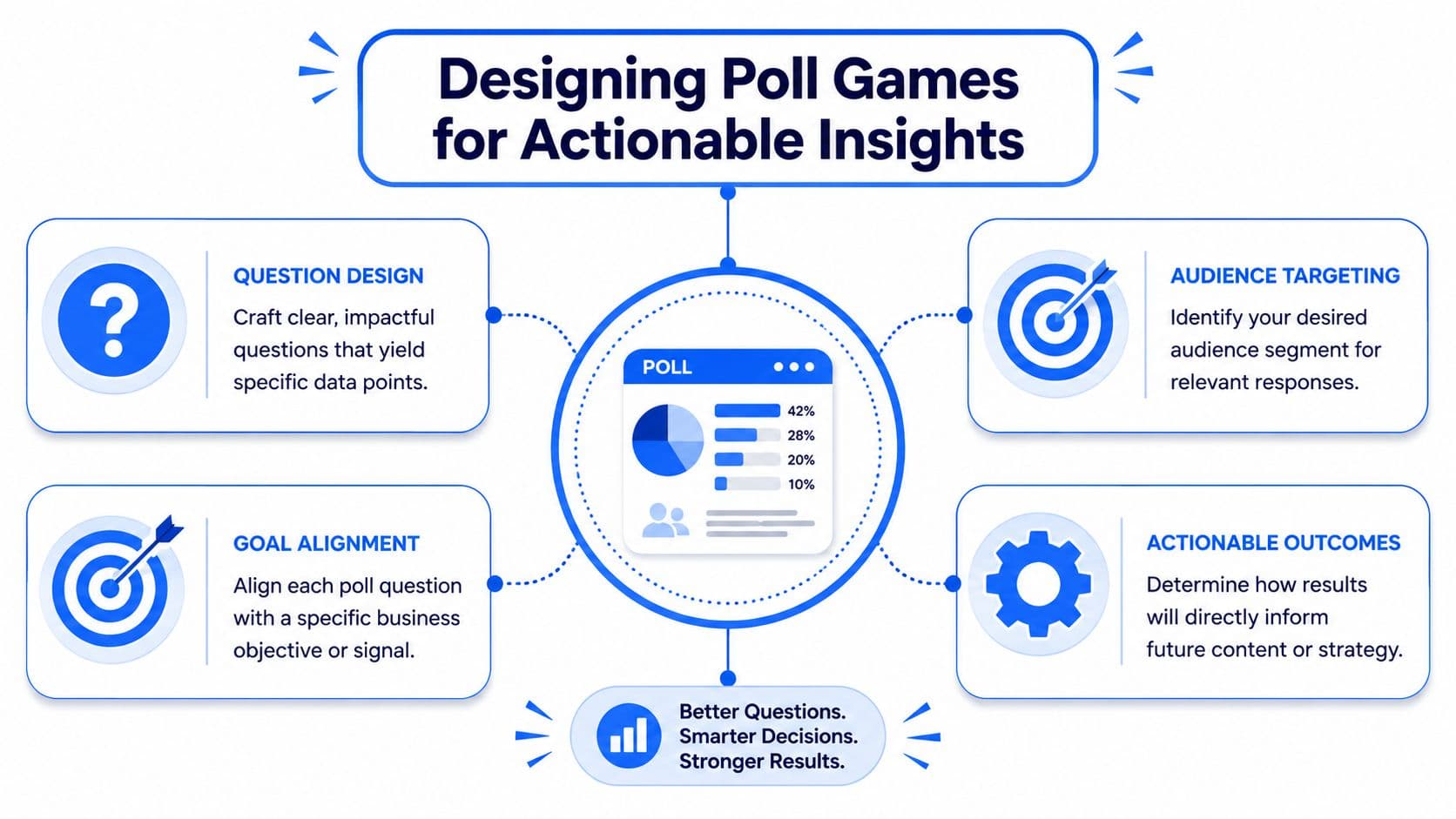
Designing Poll Games That Drive Actionable Insights
The gap in most Instagram poll advice is simple. It teaches mechanics, not decision design. Brand-focused guidance points out that the value of polls is in decision-making, such as validating product angles, testing messaging, segmenting intent, and deciding which creators or offers deserve budget, as explained by JoinBrands on poll game strategy.
That changes how you write the poll.
Start with the job, not the sticker
Before writing a question, decide what job the poll needs to do. Good poll games usually fit one of these roles:
- Message testing: Which promise lands better?
- Audience segmentation: Which problem does this viewer identify with?
- Offer validation: Which product, service, or feature deserves attention next?
- Content prioritization: What should you publish next because people are already leaning that way?
When people skip this step, they write entertaining but disposable polls. "Coffee or tea?" might get taps. It probably won't help you ship a better campaign.
Write questions that create a business signal
The best poll questions reduce ambiguity. They don't ask broad, abstract questions when a sharper comparison would do.
Here are stronger formulations:
-
Weak: "What do you think about our new service?"
-
Better: "What matters more to you right now: speed or customization?"
-
Weak: "Should we post more marketing tips?"
-
Better: "Next post: Instagram hooks or content repurposing?"
-
Weak: "Do you like this product?"
-
Better: "Would you use this for client work or your own brand?"
The second version in each pair gives you a cleaner next move.
Polls work best when each answer implies a different action you can take afterward.
Match the answer to the next asset
A useful poll game on Instagram should make the next deliverable obvious. If option A wins, maybe that becomes your next Reel. If option B wins, maybe that becomes a lead magnet angle or webinar topic. If the vote splits, that tells you the audience may need segmentation rather than one broad message.
Adjacent tactics matter. Polls are great for the initial signal, but comments and replies often reveal nuance. If you're building a broader response system, these strategies for Instagram lead generation can help you think beyond the tap and into actual audience capture.
For teams that publish often, this also overlaps with a larger interactive content strategy. The strongest examples don't treat polls as a novelty. They fit them into a repeatable engagement system alongside interactive posts on social media.
How to Create Your Poll in Instagram Stories and Reels
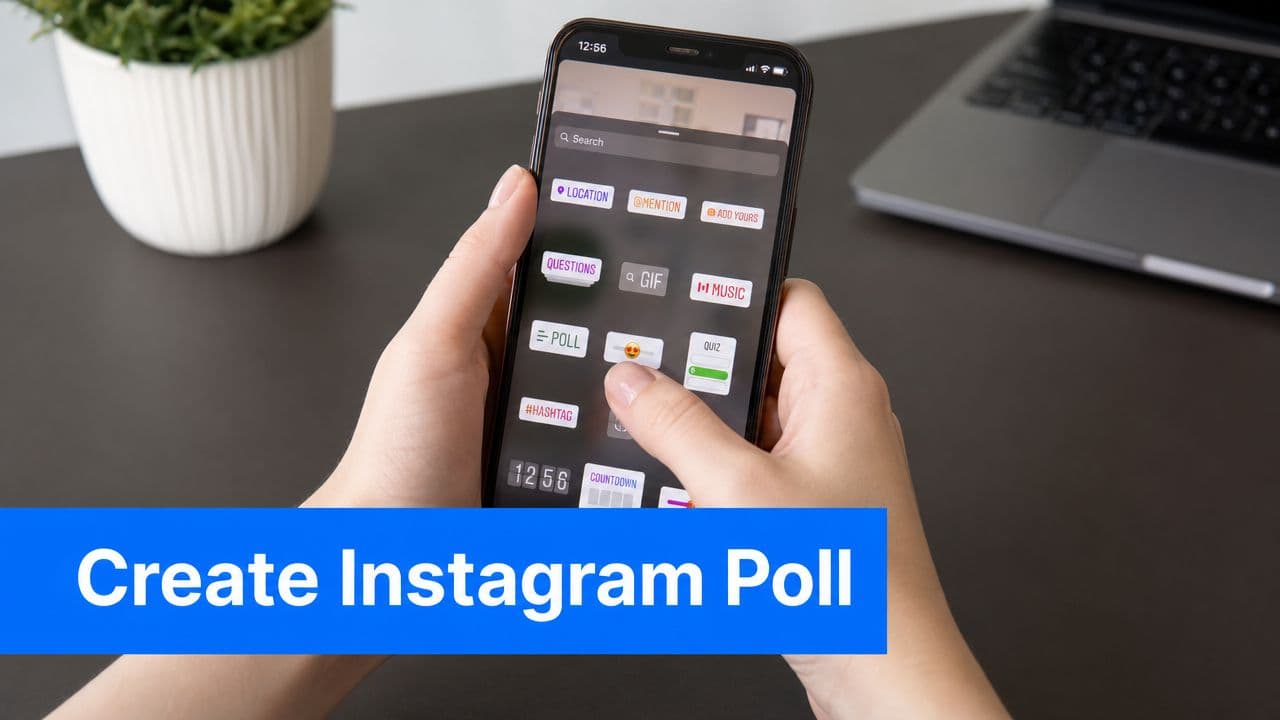
The mechanics are simple. The performance details aren't. Instagram's native poll feature in Stories is a two-option interactive sticker, and guidance from HubSpot recommends keeping the poll near the center of the Story so interface elements don't block voting, which makes "this or that" setups especially effective in practice, as shown in HubSpot's Instagram poll guide.
Building the Story poll correctly
Open Instagram Stories, create or upload your visual, and add the poll sticker. Write one question only. Then customize the two answer options so they feel clear and low-friction.
A lot of weak polls fail because the viewer has to decode the prompt. If the choices are too clever, too wordy, or visually cramped, people skip. The strongest polls read instantly.
A simple build standard works well:
- Use one decision: Don't combine two questions in one poll.
- Keep the choices obvious: "Template" versus "Tutorial" is easier than two long phrases.
- Make the background support the choice: Side-by-side visuals help when the poll compares products, designs, or angles.
Placement matters more than people think. If the sticker sits too high or too low, Instagram's interface can compete with it. Center placement gives the poll room to breathe and reduces accidental misses.
Using Reels to feed poll participation
Reels don't use the exact same Story sticker flow as Stories, but they can still drive the same behavior. Add a verbal or on-screen prompt that directs viewers to your active Story poll, or use the Reel to set up the choice and continue it in Stories where the native interaction lives.
That sequence works well when the audience needs context first. A Reel can frame the dilemma. The Story poll captures the vote.
This walkthrough is useful if you want to tighten the Story publishing side of that workflow: how to post an Instagram Story efficiently.
A quick visual walkthrough can also help if you're training a team member or handing off the process:
Keep the question simple enough that someone can answer without turning the sound on or rereading the screen.
Ready-to-Use Poll Game Templates for Any Niche
Not every poll needs to be original. Most high-performing poll games follow familiar patterns because familiar formats reduce hesitation. What matters is whether the template matches the decision you're trying to make.
Poll formats that pull useful responses
Some poll games are built for reach. Others are built for clarity. If you mix those goals, the result usually underperforms at both.
Use the table below as a working library. Adapt the examples to your niche, but keep the structure intact.
| Marketing Objective | Poll Game Idea | Example |
|---|---|---|
| Brand awareness | This or That identity poll | Are you here for tutorials or behind-the-scenes? |
| Audience segmentation | Pain-point split | What's harder right now: time or budget? |
| Product feedback | Feature priority vote | What should we build next: reporting or templates? |
| Content ideation | Editorial choice poll | Next post: hooks or captions? |
| Lead generation | Self-identification poll | Are you a freelancer or in-house marketer? |
| Sales enablement | Buying-readiness poll | Do you need done-for-you help or a DIY system? |
| Offer positioning | Value framing test | More important: speed or depth? |
| Creator selection | Style preference vote | Which creator fit feels stronger: expert or relatable? |
| Launch momentum | Pre-release preference | Which version would you want first: basic or advanced? |
| Traffic support | Follow-up destination poll | Want the recap in a blog post or carousel? |
How to tailor the template without ruining it
Most brands don't need more creativity here. They need more discipline. A good template gets weaker when you add too many words, options, or hidden assumptions.
A few adjustments help:
- For ecommerce: Compare styles, colors, bundles, or use cases.
- For SaaS: Compare features, onboarding pain points, or content topics tied to activation.
- For agencies and consultants: Compare outcomes clients want, objections they feel, or service formats they prefer.
- For creators: Compare series ideas, posting formats, or audience problems to cover next.
What doesn't work well
Avoid polls that ask for information you can't act on. Avoid fake choices where one answer is obviously the one you want. Avoid internal jargon that makes sense to your team but not your audience.
The best template is the one that tells you what to publish, build, pitch, or change next. If it can't do one of those jobs, it's just filler.
Amplify Your Poll Game with PostOnce
A Story poll often gives you your next content decision in under 24 hours. The mistake is leaving that signal inside Instagram after the vote ends.
If people choose one topic, objection, offer angle, or format clearly, treat that result as market input. Use it to shape the next post, the next email angle, the next short video, or the next sales asset. Instagram becomes the testing layer. Distribution happens after the audience shows you what deserves more attention.
Turn one vote into a multi-platform sequence
A simple example. You run a Story poll asking whether your audience wants content on community building or content repurposing. One answer wins by a wide margin. That outcome should change your publishing queue right away.
The practical workflow is straightforward:
- Run the poll in Stories
- Identify the clear winner
- Create one follow-up asset around that preference
- Push that asset to the channels that matter for your business
PostOnce helps with the fourth step. That matters because speed affects results. If a team has to manually rewrite, resize, and repost the same idea across platforms, the insight often sits in a draft folder until it loses relevance.
What amplification looks like in practice
The best teams do more than repost the winning answer. They translate it into business use cases.
A poll result can become:
- A validated content angle: "You picked onboarding mistakes, so that's today's post."
- A positioning adjustment: "You chose speed over customization, so we're leading with faster implementation."
- A segmented follow-up: one version for beginners, another for advanced buyers
- A sales enablement asset: a rep can use the poll result to frame outreach around what prospects already said they value
- A cross-platform sequence: Story result first, then a Reel, LinkedIn post, email, and pinned recap
That is where poll games start doing real work. They stop being light engagement and start informing editorial choices, offer framing, and campaign priorities.
I have found that this approach works best when the team decides in advance what a winning vote will trigger. Without that rule, polls create interest but not action. With it, each poll becomes a lightweight research mechanism that feeds your content system.
If you want the operational side, this practical guide to automating Instagram posts shows how to build a repeatable workflow around publishing. For teams that also benchmark performance beyond votes, the SponsorRadar tips for Instagram engagement are useful for putting poll-driven content in context.
A strong poll result is editorial direction and audience research at the same time. Use it fast, distribute it widely, and let it inform the next business decision.
Measuring Success and Optimizing Your Strategy
A poll that gets plenty of taps but leads to no next step is not performing well. For a business, the key question is whether that poll produced a usable signal you can act on across content, offers, sales conversations, or channel planning.
That changes what you measure.
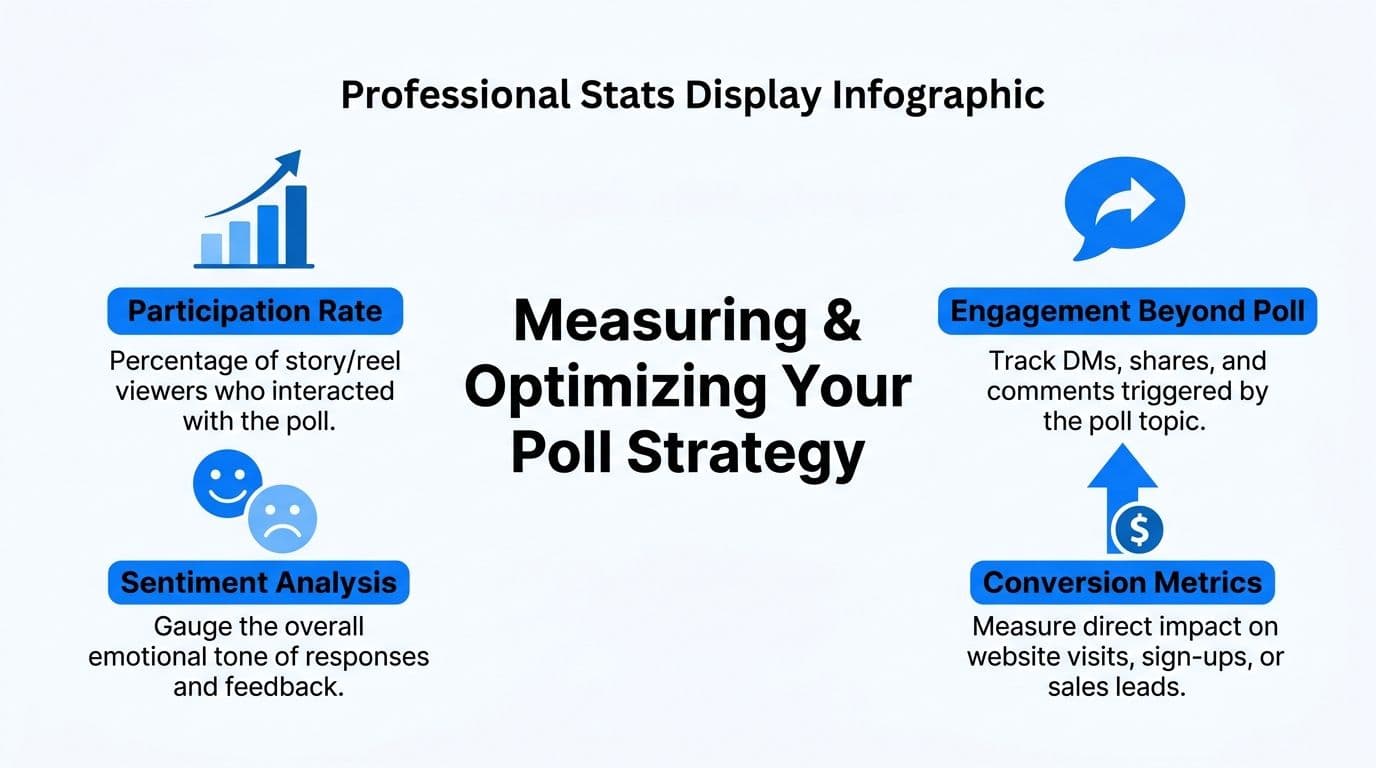
Guidance on Instagram poll games often highlights metrics like completion rate, DM reply rate, click-through rate, and downstream conversions. Those are the right categories to watch because they show whether the poll created attention, intent, and action, not just activity. Earlier frameworks on poll strategy also point out a broader business truth. Instagram gives brands direct access to audience feedback in a format people answer quickly, which makes polls useful for lightweight market research as well as engagement, as noted in Clepher's poll game framework.
The metrics that actually matter
Track poll performance in four layers.
- Participation rate: How many viewers voted after seeing the Story?
- Story completion: Did people stay long enough to reach the poll and understand the setup?
- Reply behavior: Did the poll create DMs, reactions, objections, or useful follow-up questions?
- Post-poll action: Did voters click through, watch the next asset, join a list, book a call, or buy?
Each metric answers a different business question. Participation shows whether the prompt was clear. Completion shows whether the framing held attention. Replies show buying intent or confusion. Post-poll action shows whether the topic deserves more budget, more content, or a sales follow-up.
I treat the last two as the deciding metrics. A playful poll can earn strong vote volume and still tell you nothing useful. A narrower poll with fewer votes can be far more valuable if it produces qualified replies or moves people into the next step.
A benchmark worth understanding
One creator case often cited in discussions about Instagram polls showed modest Story reach but meaningful response among the people who viewed the poll. That is the right lesson to carry forward. Raw reach matters, but response quality matters more.
For brands, that means a poll should not be judged in isolation. Compare what happened after the vote. Did one answer option lead to more profile visits? Did a losing option still generate better DM conversations? Did the result give your team a clear topic to turn into a Reel, email, LinkedIn post, or sales asset? Those are stronger indicators than vote count alone.
How to optimize without guessing
Run cleaner tests by changing one variable at a time.
Try these:
- Question angle: preference question versus problem-identification question
- Visual context: plain background versus product, screenshot, or side-by-side comparison
- Answer wording: simple labels versus outcome-focused phrasing
- Placement: prominent sticker placement versus crowded layouts with too many competing elements
- Follow-up asset: link sticker, DM prompt, recap Reel, or lead magnet tied to the winning response
The follow-up matters more than many teams expect. If your poll asks a strategic question, the next asset should match the business goal. A content team may want more views on a related Reel. A product marketer may want clicks to a waitlist. A service business may want DMs that reveal objections. The poll is the input. The workflow after it determines whether the insight gets used.
For reporting, standardize poll results the same way you track performance across other formats. This guide on how to measure social media engagement is a good reference for building a cleaner measurement system across channels. If you also want a broader benchmark for engagement math, the SponsorRadar tips for Instagram engagement can help you compare Story activity with your wider Instagram performance.
The strongest poll strategies improve because every result feeds the next decision. Use the winning response to shape the next post, repurpose it across platforms with your publishing workflow, and keep a record of which poll formats lead to replies, clicks, and revenue. That is how a simple Story poll turns into a repeatable research system.