


















If you're about to spend money to boost a post on Instagram, don't start inside Instagram. Start with distribution.
The smarter workflow is to publish once, get early signals across channels, and only then pay to amplify the post that's already proving it can pull attention. That's where PostOnce fits. It automates cross-posting across social platforms, which gives you a faster way to spot which content deserves budget instead of guessing and boosting whatever you published most recently.
That matters because Instagram isn't a side channel anymore. As of January 2024, nearly 80% of marketing professionals have integrated Instagram into their digital campaigns, and boosting exists to make paid distribution accessible without building a full ad campaign from scratch, according to Statista's Instagram marketing overview. Used well, boosting is a quick way to extend the reach of a strong post. Used badly, it's one of the easiest ways to burn budget on weak creative, broad targeting, and vanity metrics.
Organizations often make the same mistake. They treat the Boost button like a rescue tool for underperforming content.
It works better as an amplifier.
Amplify Your Reach with PostOnce and Instagram Boosts
A post goes live at 9 a.m. By lunch, the team is already asking whether to put budget behind it. That is the wrong moment to guess. Boosting works better after you have context from distribution, early engagement, and audience response across channels.
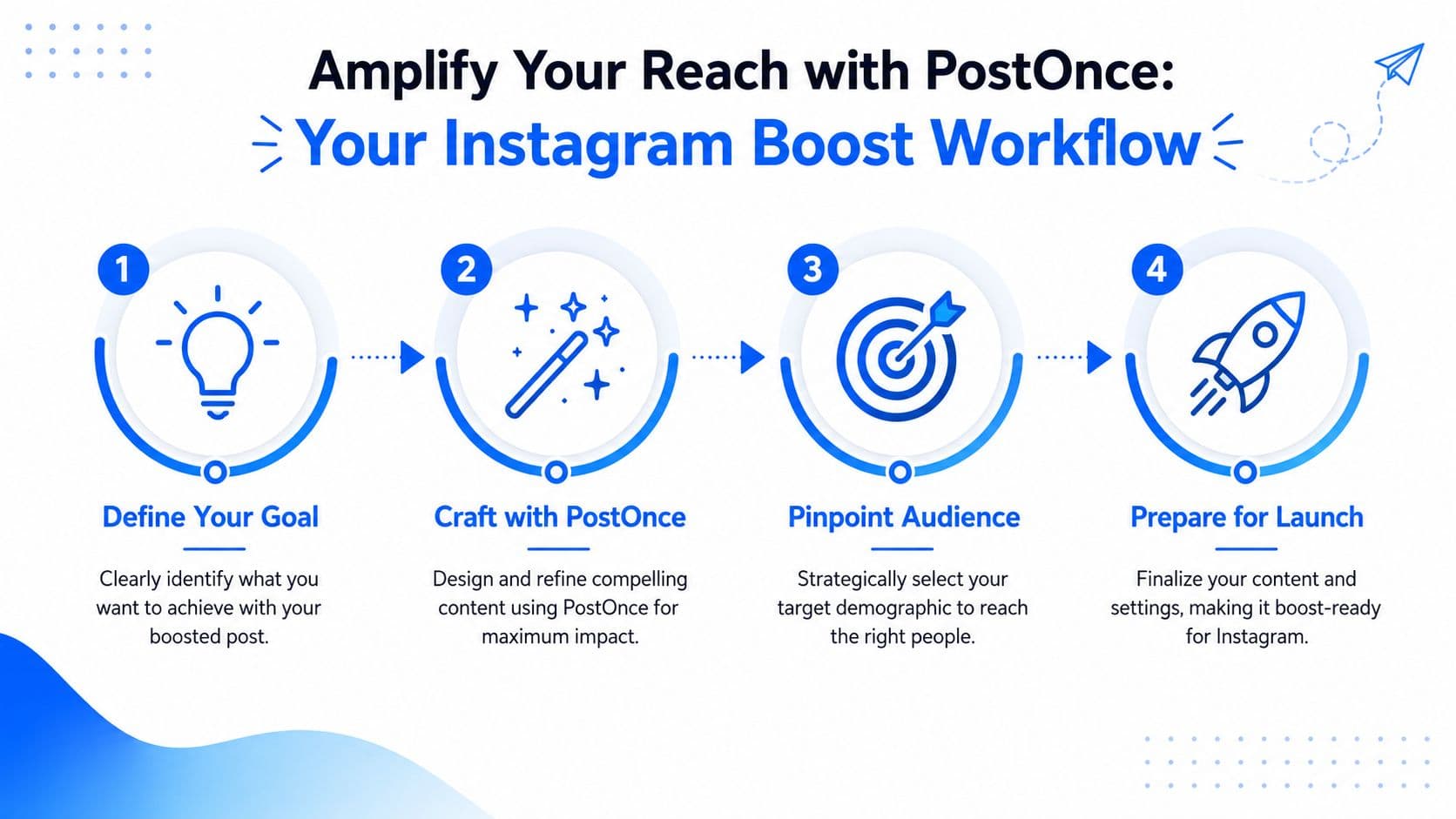
A boosted post is an organic Instagram post with paid reach added on top. The appeal is obvious. Instagram keeps the setup simple. Choose a post, pick a goal, define an audience, set a budget, and publish. That simplicity also creates bad habits, because teams often treat the Boost button like the first distribution decision instead of the last one.
The better workflow starts before Instagram promotion. Use a cross-posting workflow with PostOnce to publish the same core idea across your active channels, then review what earns attention. If the post gets saves on Instagram, clicks on LinkedIn, or replies on Threads, you have evidence that the message is working before paid spend enters the picture.
Why boosting should come last
Boosting before you have any signal means you are testing creative, audience, and offer all at once. That gets expensive fast. Organic distribution gives you a cheaper first read on whether the post can hold attention and trigger action.
Here is the practical rule I use with teams. Put money behind posts that have already shown signs of demand. Posts with weak response usually stay weak after a boost. Paid reach can extend traction, but it rarely fixes a post that never connected in the first place.
A simple example makes the trade-off clear. Say an educational carousel gets solid saves and shares in its first round of organic distribution, while a polished product graphic gets almost nothing. The product graphic may look better in review. The carousel is still the safer place to spend, because the audience has already told you what they value.
If you need help beyond basic boosting, especially when you're moving toward more structured paid campaigns, it helps to study teams that work across targeting, creative, and reporting. Carlos Alba Media's paid social expertise is a useful reference point for understanding that broader paid social discipline.
The workflow that wastes less budget
Use this order:
- Distribute first: Publish the core content across the channels you actively manage.
- Check for response: Look for saves, shares, comments, clicks, profile visits, and watch time.
- Choose the post with proof: Select the Instagram post with clear signs that people care.
- Boost with a job to do: Match the objective, audience, and budget to a specific action you want.
That approach keeps boosting in its proper role. It is an amplification step inside a larger distribution strategy, not a shortcut for weak content.
Prepare Your Winning Post with PostOnce
Before you touch the Boost button, decide whether the post has earned that privilege. Most haven't.
Instagram's ranking system rewards strong early engagement. Hootsuite's algorithm guide says the strongest signals include watch time, shares, saves, likes, and meaningful interactions, and posts that get that response early are more likely to reach more people through the platform's ranking systems, according to Hootsuite's Instagram algorithm guide.
That changes how a working social media manager should prepare content. You're not just asking, "Does this post look good?" You're asking, "Has this idea already shown it can get attention from real people?"
Use cross-platform response as your pre-boost filter
One practical way to do that is to distribute the content across your active channels first. A cross-posting tool can help you publish the same core asset with platform-specific adjustments instead of manually rebuilding every post. That's especially useful if you're testing carousel concepts, educational clips, or product explainers.
If you're working with swipeable educational content, Instagram carousel post guidance from PostOnce is a useful reference for formatting and structure before distribution.
Here's the working logic:
- Cross-post the concept: Publish the same message to places where your audience already pays attention.
- Check response quality: Comments, saves, and shares tell you more than passive likes.
- Look for repeatability: If a theme keeps getting traction across platforms, it usually deserves a stronger push on Instagram.
- Skip weak posts: If nobody cares organically, paid distribution won't magically fix the offer or the message.
A boost scales response. It doesn't create relevance from nothing.
What a winning post usually has
The posts that tend to boost well usually share a few traits:
-
A clear angle
One idea, one promise, one takeaway. Crowded posts confuse cold audiences fast. -
A visible next step
If the goal is profile visits, website traffic, or messages, the post needs a reason to take that action. -
Strong packaging
The hook, first frame, thumbnail, and caption all matter because paid reach puts your content in front of people who don't already know you.
A quick creative review helps before you spend:
The big shift is this: don't choose a post to boost because it's new. Choose it because the market already gave you a reason.
Your Essential Pre-Boost Technical Checklist
A surprising number of boosts fail before they start. The post may be fine, but the account setup, asset type, or policy fit isn't.
Account and setup checks
Run through these before you try to boost a post on Instagram:
- Use the right account type: Your Instagram account needs to be set up in a way that supports promotions. If you're still on a personal account, switch before doing anything else.
- Confirm your connected assets: Instagram promotions often depend on the broader Meta account setup being properly linked.
- Make sure the payment setup is clean: A basic billing issue can stall a promotion even when the creative is approved.
- Review the destination: If you're sending people off-platform, test the landing page and the link yourself.
If you're boosting video, format issues can create friction long before performance becomes the problem. A quick check against Instagram video format guidance can save time.
Post-level checks that matter
Not every post is boostable in a practical sense.
Look at the post through an ad-review lens:
| Check | Why it matters |
|---|---|
| Original creative | Promotions are easier to run when the asset is clearly usable for advertising |
| Clear text and visuals | Low clarity kills response, especially with cold audiences |
| No risky claims | Aggressive claims, sensitive wording, or questionable imagery can trigger rejection |
| Strong caption CTA | The objective needs support from the copy |
| Organic engagement already present | Weak posts usually stay weak with paid distribution |
A fast yes or no test
Ask these three questions:
- Would this make sense to someone who doesn't follow us?
- Is the intended action obvious?
- If this gets reviewed by Meta, is there anything in the post that might cause a problem?
If any answer is shaky, fix the post before spending.
Navigating the Instagram Boost Workflow
Once the post and account are ready, the in-app workflow is straightforward. The decisions inside that flow aren't.
Meta's official process is simple: open the feed post in Instagram, tap Boost, choose a goal, define an audience, set budget and duration, then submit for review, as outlined in Meta's Instagram boost workflow. The important part isn't the tapping. It's choosing settings that match intent.
Start with the goal, not the budget
The first serious decision is the objective. Instagram commonly frames this around actions like profile visits, website visits, or messages. Pick the one that matches what the post is built to do.
If the post is introducing your brand, profile visits often make sense. If the post includes a stronger offer and your landing page is ready, website visits can work. If the value is in conversation, messages may be the better fit.
Here's a practical comparison:
| Objective | Best For | Primary Metric to Watch |
|---|---|---|
| Profile visits | Brand discovery, creator growth, local service visibility | Profile visits |
| Website visits | Traffic to a landing page, product page, or signup page | Link clicks |
| Messages | Service businesses, consultative sales, DM-based inquiries | Message starts |
Audience selection is where many boosts go wrong
Instagram usually makes it easy to choose an automatic audience. That can work in some cases, but it also reduces your control.
For most tests, a tighter custom audience is more useful because it helps you learn something. Narrow by geography if location matters. Add a small number of relevant interests if the audience is too broad. Don't stack too many assumptions into the first test.
Broad audiences often feel safer because they include more people. In practice, they also make it harder to see why a boost underperformed.
A few rules help:
- Keep the first audience simple: Start with the clearest audience, not the biggest one.
- Match audience to post angle: A beginner tutorial and a product demo rarely belong in the same targeting bucket.
- Avoid random layering: If you add too many interests, you won't know what proved important.
If your wider publishing workflow is inconsistent, fix that too. Automating Instagram posts can help keep the organic side stable so your paid decisions aren't reacting to sporadic posting.
Budget and review
Set a budget you can afford to treat as a test. Don't expect immediate delivery after submission. Meta reviews promotions before they go live, so plan for a moderation delay rather than assuming it starts instantly.
The common mistake here isn't low budget. It's boosting the wrong post with the wrong objective and then deciding boosting doesn't work.
Measuring Performance and Optimizing Your Strategy
Launching the boost is only the midpoint. The useful part starts when the data comes in and you compare paid performance against what the post did organically.
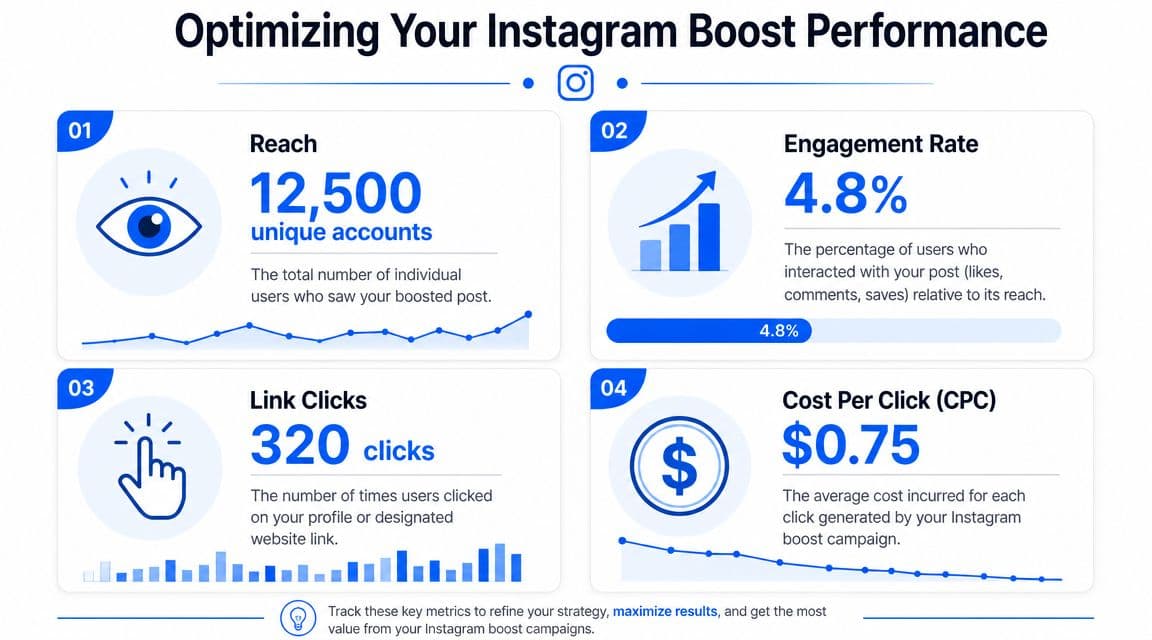
Expert guidance suggests starting small. One practical testing workflow recommends about $5 per day for 5 days to gather directional data, and it also notes that saves and shares are stronger quality signals than simple likes, according to this expert YouTube workflow on Instagram boosts.
What to watch first
The biggest reporting mistake is focusing on likes because they're easy to spot.
Use a tighter review checklist:
- Reach: Did the boost expand visibility beyond the organic baseline?
- Profile visits or clicks: Did people take the next step tied to your objective?
- Saves and shares: These often signal stronger content quality than simple likes.
- Engagement rate relative to reach: More impressions don't mean much if response quality drops.
If you need a cleaner reporting framework across channels, a social media analytics dashboard guide can help organize what you're comparing.
How to run a useful test
Don't change everything at once. If you change the post, the audience, the CTA, and the objective, the result won't tell you much.
A better pattern is:
- Keep the creative fixed
- Test one audience against another
- Use the same objective
- Judge the result against the post's organic baseline
That last point matters. A boosted post can look busy while still being inefficient. More reach with weak downstream action is still weak performance.
What to protect: your learning. A messy test wastes money once. A messy test that teaches you nothing wastes money twice.
When to stop a boost
Kill a boost early when the signals are clearly poor and the post isn't improving. Typical warning signs include lots of delivery with little action, weak profile movement, or traffic that doesn't behave the way the objective suggested it would.
When a boost does work, don't just repeat the spend. Isolate why it worked. Was it the hook, the format, the audience, the CTA, or the topic itself? That's how boosting becomes part of a repeatable process instead of a one-off win.
Common Boosting Errors and How to Fix Them
Most boost problems fall into one of three buckets: review delays, rejection, or bad performance.
Stuck in review
If the promotion sits in review longer than expected, start with the basics. Check account setup, payment method, destination link, and whether the post contains anything that might trigger extra scrutiny.
Don't schedule around the assumption that boosting is instant. Meta reviews promotions before launch, so approval lag is part of normal operations.
Rejected boost
When a boost gets rejected, look at the post like an ad reviewer would.
Common trouble spots include:
- Problematic wording: Claims that feel too aggressive, too absolute, or too sensitive
- Questionable creative: Images or video frames that create policy concerns
- Mismatch between post and destination: A link or CTA that doesn't align with what the post promises
Edit the issue, then resubmit. If the post sits on shaky ground creatively, don't force it. Pick another piece of content.
Spending with almost no results
This is the most expensive mistake because the campaign looks active while doing very little.
Run this diagnosis:
| Problem | Likely cause | Fix |
|---|---|---|
| Reach but no action | Weak creative or weak CTA | Improve the hook and next step |
| No meaningful delivery | Audience too constrained or setup issue | Widen carefully and check account status |
| Clicks but poor downstream quality | Objective or destination mismatch | Align the post, goal, and landing page |
If you keep seeing low-quality traffic, stop judging the boost by top-line engagement alone. A post can attract attention and still miss the people you need.
Frequently Asked Questions About Boosting Posts
Is boosting a post the same as using Ads Manager
No. Boosting is the simplified path. It's useful when you want fast setup and basic targeting around goals like profile visits, website visits, or messages. Ads Manager gives you more control over optimization, testing, and campaign structure. If you need deeper conversion tracking or more precise setup, Ads Manager is usually the better tool.
Can you edit a post after you boost it
In practice, you should assume the creative and copy need to be right before launch. If you need major changes, it's usually cleaner to stop, fix the post or create a new one, and then promote the corrected version.
Why do some boosted posts attract low-quality followers or weak engagement
Usually because the targeting is too broad, the objective is too top-of-funnel for the business goal, or the content invites curiosity without attracting the right person. Tighten the audience, make the CTA more specific, and judge success by what happens after the click or profile visit, not just by visible engagement.
If your team wants a cleaner way to decide what to boost, use PostOnce to distribute content across platforms first, watch which ideas earn attention, and then put ad spend behind the posts that already show traction.