


















Most Facebook Page setup advice starts in the wrong place. It treats creation as the finish line, even though the actual work starts after the page goes live. That’s also why automation matters earlier than often believed. If you already know you’ll need to publish consistently across networks, using a cross-posting system like PostOnce changes how you should build the page from day one.
That matters even more in 2026. A Facebook business profile isn’t just a logo, a category, and a few contact details. It’s an operating system for discovery, messaging, trust, administration, and content distribution. Build it casually, and you create friction for every future post. Build it properly, and you get a page that’s easier to manage, easier to find, and better prepared for automation and compliance.
If you’re searching for how to create a business profile on facebook, the practical answer isn’t just where to click. It’s how to set up the page so you won’t have to rebuild it later.
Your Blueprint for an Automated Facebook Presence
Most businesses don’t fail on Facebook because they can’t create a page. They fail because they create one quickly, post a few times, then abandon it when manual publishing becomes another daily task.
That’s why I’d plan the workflow first. If your business already creates content for Instagram, Threads, LinkedIn, or another platform, your Facebook Page should be built to receive and support that content cleanly. Otherwise, every post becomes a small production job. Reformat the image, rewrite the caption, fix the link preview, adjust the button, check the page details, repeat.
A better approach is to treat Facebook setup as infrastructure. Your page name, category, contact details, visuals, username, call-to-action, admin access, and compliance settings all affect whether automation will run smoothly later. That’s the difference between a page that looks live and a page that’s operational.
For teams trying to reduce the publishing burden, it helps to think in terms of systems, not one-off posts. A strong content scheduling tool guide is useful here because it forces the right question early. Not “How do we post today?” but “How do we make publishing repeatable?”
Practical rule: If a setup choice creates more cleanup later, it’s usually the wrong setup choice.
The fastest Facebook setup isn’t the one with the fewest clicks. It’s the one that prevents rework. That’s the lens that makes the rest of this process much cleaner.
Laying the Foundation Your Page Name and Category
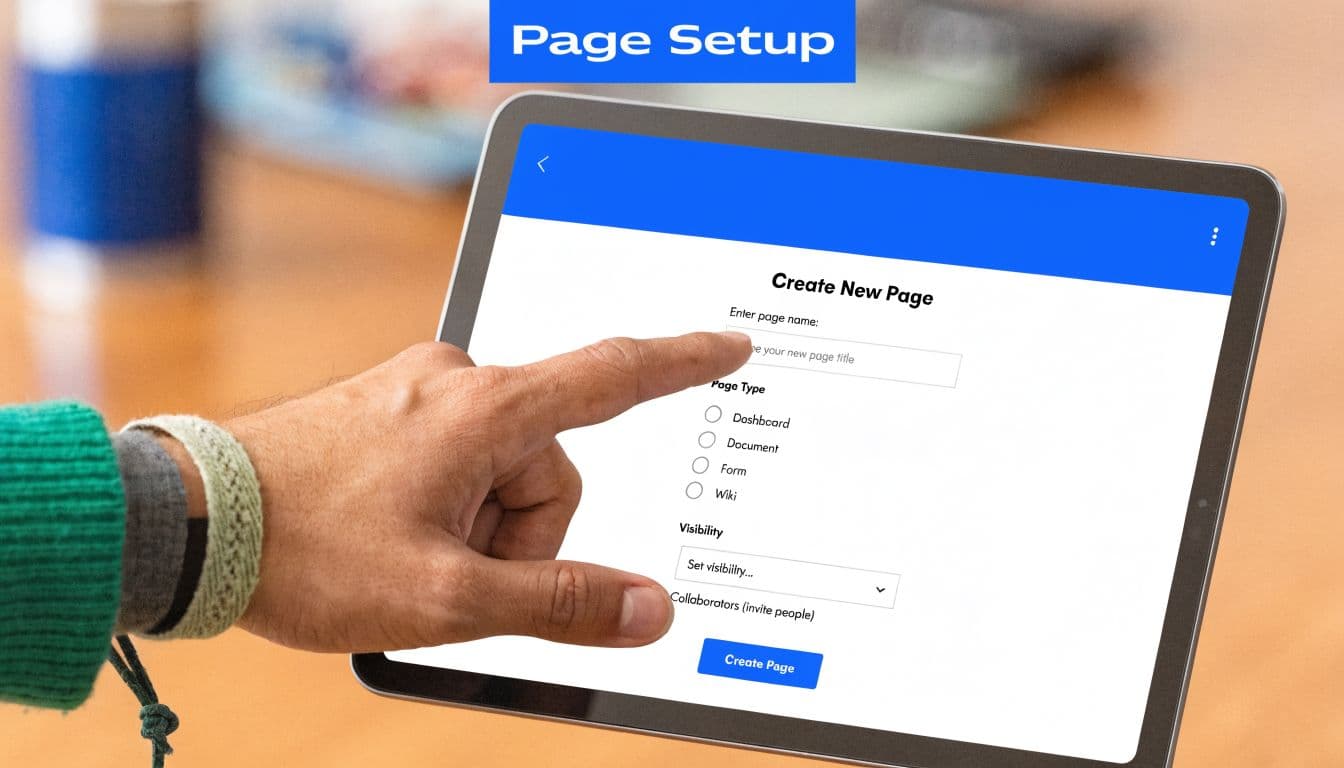
Page setup starts with ownership, not aesthetics.
Facebook Pages are created through a personal Facebook account. That catches many business owners off guard, but it matters because the first admin often ends up controlling access, recovery, and long-term permissions. Meta’s own Page creation documentation reflects that account structure, and it is the reason I tell clients to treat the first setup click like a legal handoff, not a temporary task.
Start with the right admin account
Use a real personal profile belonging to the business owner or the person who will hold responsibility for the brand long term. Avoid building the Page under a freelancer, intern, or shared staff account, even if that feels faster in the moment.
I have seen rushed setups create expensive cleanup later. The wrong admin account can slow down access changes, complicate verification, and turn a simple automation rollout into an approval problem.
A clean setup usually includes:
- One accountable primary admin: Usually the owner, founder, or lead operator.
- A real profile with normal account history: Recovery is easier when the profile is established and trusted.
- Team access added later through proper roles: Set ownership first, then expand access once the Page basics are correct.
That order saves time if you plan to connect scheduling tools, approvals, or cross-platform publishing later.
Choose your Page Name like a permanent asset
Your Page Name should usually match your public business name exactly. Keep it consistent with your website, Google Business Profile, and other social accounts so customers can find you quickly and so automation tools are tied to the right brand identity from day one.
Skip the temptation to stuff in extra keywords, slogans, city names, or service lists unless they are already part of the business name customers know. A Page called "Northside Dental" is easier to search, tag, remember, and sync across systems than "Northside Dental | Best Family Cosmetic Emergency Dentist in Austin."
Clear naming also reduces friction later. If you build reusable captions, templates, and cross-posting workflows in PostOnce, brand consistency matters. It keeps your publishing setup clean and avoids small mismatches that make a business look fragmented.
If you want a clearer view of how visitors experience posts and brand details once the Page is live, this guide on what timelines on Facebook are is a useful companion.
Category selection affects reach and setup options
Category choice shapes how Facebook interprets the business. It influences search visibility, recommendations, and in some cases which fields and features the Page emphasizes.
Choose categories that describe the business as it operates now. Broad categories feel safe, but they often make the Page less accurate. Accuracy usually performs better than ambition here. A local bakery should not label itself as a marketing agency because it also sells branded merch. An online course business should not default to "Product/Service" if "Education" or a more precise option fits better.
Facebook may let you assign multiple categories. Use that flexibility carefully. Pick the closest operational matches instead of trying to cover every revenue stream at once.
A simple filter works well:
- Primary category: What the business is first
- Secondary category: What customers also come for
- Tertiary category, if needed: A supporting offer, not a stretch
Poor category choices create downstream problems. The wrong audience sees the Page, page recommendations get less relevant, and automated publishing ends up feeding content into a profile that Facebook has classified poorly from the start.
Review this field before you publish anything. It is easier to set the right foundation now than to correct weak discovery signals after months of posting.
A quick walkthrough can help if you want to compare the interface before clicking through:
Configuring Your Core Business Identity
An unfinished Facebook Page doesn’t look minimal. It looks neglected. Visitors notice missing contact details fast, and Facebook does too. The business details section carries operational weight because it affects search, recommendations, and what page features you can fully use.
According to this Coursera guide to creating a Facebook business page, the critical path is to complete all core business fields during setup, including your website URL, phone number, email address, business hours, and location. The same source notes that profile images should be at least 170×170 pixels and cover images should use a 16:9 ratio at 820×312 pixels for desktop display.
Fill every field that applies
The About section is where trust starts. If someone lands on your page from search or a shared post, they should immediately understand what you do, where to go next, and how to contact you.
At minimum, complete these items if they apply to your business:
- Website URL: Send people to your real conversion destination, not a placeholder.
- Phone number and email: Make sure these are monitored.
- Business hours: If hours vary, keep them current.
- Location: Add a physical address if customers visit or if local visibility matters.
- Description: State what you do in plain language.
A weak description usually tries to sound clever. A strong one explains the offer clearly. If you need help tightening the wording, a dedicated Facebook bio generator can help you draft something cleaner before you publish.
Set the username early
Your username matters more than many owners realize. It shapes your vanity URL, makes tagging easier, and helps customers find the page without guessing.
Set it as soon as possible, while your preferred handle is still available and before the brand starts getting mentioned elsewhere under inconsistent variations. Keep it short, readable, and aligned with your other social handles where possible.
A few good rules:
| Element | What works | What creates problems |
|---|---|---|
| Username | Exact brand or close variant | Random punctuation or extra keywords |
| Description | Clear offer and audience | Vague mission statement |
| Contact info | One consistent set of channels | Old phone numbers or unmanaged inboxes |
Build visuals for usability, not decoration
Your profile picture should usually be your logo. Your cover photo should answer one of three questions: what you sell, who you help, or what action to take next.
The mistake I see most often is designing assets only for one platform, then discovering they crop badly elsewhere. If you’re planning a broader publishing system, image standards need to be practical from the start so your creative process doesn’t slow down later.
A sharp cover photo won’t rescue a weak page. A complete page with clear visuals and accurate details will do far more for trust.
Optimizing for Engagement and Administration
A Facebook business profile should do more than sit there looking complete. It should guide visitors into an action and give your team a safe way to manage incoming activity.
Pick one primary action
Your call-to-action button at the top of the page is one of the simplest decisions, but it’s often handled lazily. Businesses select whatever sounds nice, then wonder why the page attracts attention but not responses.
Choose the button based on the next step you want:
- Send Message if you close leads in Messenger.
- Call Now if phone calls are your main sales path.
- Shop Now if the page supports product discovery.
- Learn More if traffic should go to a landing page.
Don’t pick based on aesthetics. Pick based on operational reality. If no one monitors Messenger, don’t invite messages. If your phone line isn’t staffed reliably, don’t make calls the primary action.
Assign access without creating a security mess
Most page access problems come from convenience. Someone adds too many admins, forgets who has control, and eventually can’t trace changes or remove access cleanly.
Use the minimum level of permission each person needs. Owners and senior operators should retain the highest control. Agencies, contractors, and junior team members usually don’t need unrestricted access.
This is also where your ad and organic workflow should stay coordinated. If paid social will be part of the mix, it helps to review examples of expert Facebook ad campaigns from NiKa so your page setup and campaign structure support each other instead of operating as separate projects.
Pin a welcome post that does actual work
A pinned post is your opening handshake. New visitors often see it before they browse deeper, so make it useful.
A good pinned post usually includes:
- Who you help
- What you offer
- What to do next
- Any immediate trust signal, such as your process, specialty, or service area
Avoid publishing a generic “Welcome to our page” message with no context. That wastes the most visible spot on the feed.
“Treat the pinned post like homepage copy, not social filler.”
If you’re planning your publishing queue, this guide on how to schedule a post on Facebook is helpful for structuring the first few updates so the page doesn’t go quiet after launch.
Your first few posts should remove doubt
The first unpinned posts don’t need to go viral. They need to make the business feel active, consistent, and real.
Try a mix like this:
- An introduction post: Explain the brand, offer, and audience.
- A proof post: Show your work, process, product, or service outcome.
- A practical post: Answer a common customer question.
- A personality post: Share the business voice without becoming casual to the point of confusion.
That combination gives new visitors enough substance to decide whether your page is worth following.
Automate Your Content with PostOnce
The worst time to think about distribution is after you’ve already built a page and promised yourself you’ll “post consistently.” That usually means manual copy-paste, inconsistent timing, missed opportunities, and a content backlog that never gets reused properly.
If your business already creates content somewhere else, the efficient move is to build a repeatable publishing flow. That’s where Facebook becomes part of a system instead of another app demanding attention.
What automation fixes
Manual publishing creates friction in four places:
- Formatting drift: A post written for one platform often needs cleanup elsewhere.
- Timing inconsistency: Teams post when they remember, not when the calendar requires it.
- Asset sprawl: Images, captions, and links end up scattered across devices and tools.
- Decision fatigue: Every post becomes a fresh operational task.
Automation reduces that friction by turning content distribution into a rule-based workflow. You create once, review the output, and let the system handle repetition.
The practical workflow
A clean automation process usually follows three moves.
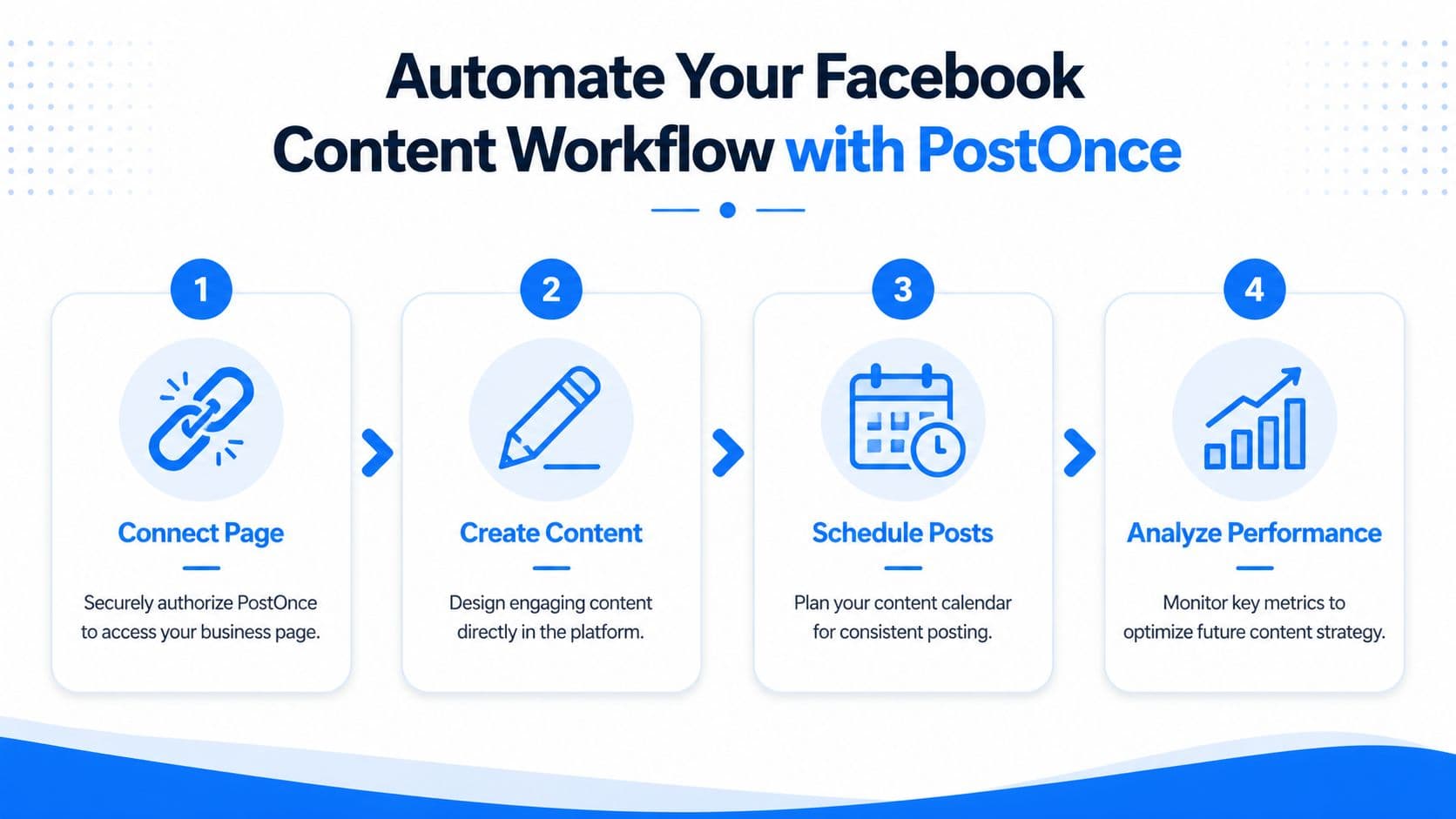
First, connect the Facebook Page and the source platforms you already use. Second, define what should cross-post and how. Third, review the formatting logic so Facebook receives a version of the content that still feels native enough to perform.
For businesses that want a dedicated setup, cross-posting to Facebook with PostOnce is the exact use case this search intent points toward. If you’re learning how to create a business profile on facebook because you want it to stay active without adding hours of manual work, this is the operational answer after setup.
Automation still needs editorial judgment
Not every post belongs everywhere. A sharp workflow doesn’t mean blasting identical content without thinking. It means defining rules for what should sync automatically and what should stay platform-specific.
That’s especially useful if your wider social strategy includes channel-specific engagement systems. For example, if Instagram conversation is a major growth lever, resources like SupportGPT for Instagram growth can help you think through where automation should stop and direct response should begin.
A practical standard is simple:
| Content type | Good fit for automation | Better handled manually |
|---|---|---|
| Product updates | Yes | Rarely |
| Blog promotion | Yes | Sometimes |
| Customer support replies | No | Yes |
| Sensitive announcements | Sometimes | Usually |
The best automated Facebook presence doesn’t look robotic. It looks consistent.
Navigating 2026 AI Disclosure Rules and Common Pitfalls
A Facebook Page built for automation can still create compliance problems if the publishing workflow is sloppy.
Meta’s approach to AI labels keeps changing, so the safest setup is procedural. Review Meta’s current transparency and labeling documentation before you publish AI-assisted posts, especially if your team uses generated images, rewritten captions, or auto-scheduled content through third-party tools. The point is simple. Decide who checks disclosures, where that step happens, and how it gets documented before your posting volume grows.

Compliance needs an owner
New pages often miss this because AI use starts small. A founder tests ChatGPT for captions. A designer generates one background image. Then PostOnce or another scheduler turns those one-off experiments into a repeatable publishing system.
That is the moment to set rules.
If your workflow includes AI-assisted copy, image generation, or automated publishing, assign one person to review disclosure settings and publishing standards. Teams that skip ownership usually end up with mixed practices across posts, which is harder to fix later than it is to set up correctly on day one. If your business is adopting AI across marketing and operations, this AI implementation guide is a useful reference for setting policy, process, and accountability.
Common mistakes that create avoidable problems
The setup issues that hurt new Pages are usually operational, not technical:
- Running the business through a personal profile: This creates access, security, and handoff problems the first time someone else needs to manage the page.
- Leaving message coverage undefined: If nobody owns inbox response time, leads and customer questions sit unanswered.
- Using inconsistent brand details: Different names, logos, or descriptions across platforms make the business look less established.
- Publishing before approvals and disclosures are clear: Early content sets the standard. If the first few posts are off-brand, mislabeled, or poorly formatted, cleanup takes time.
- Automating without platform review: Cross-posting saves hours, but Facebook posts still need a quick check for formatting, disclosure, and context.
The Pages that age well are built with clear permissions, complete business details, and a publishing process that can handle automation without creating compliance debt. That matters more in 2026 than clever branding alone.
From Creation to Automation Your Journey Is Complete
A strong Facebook business profile isn’t just “set up.” It’s structured. The name is clear, the category is accurate, the business details are complete, the visuals are usable, the action button points somewhere sensible, and the admin side isn’t a mess.
That’s the difference between a page that exists and a page that supports growth.
If you followed this process, you didn’t just learn how to create a business profile on facebook. You built one that’s easier to discover, easier to trust, and easier to maintain. You also avoided the trap that catches most new pages, which is treating content management as a later problem.
That early discipline pays off. A well-built page gives every future post a better chance to work, and it makes automation far more reliable when you’re ready to scale your output across platforms.
If you want the easiest way to keep your new Facebook Page active without copying and pasting content all week, try PostOnce. It lets you create content once and automatically cross-post it across Facebook and your other channels, so your page stays consistent, efficient, and ready to grow.