


















You posted to Instagram, copied the same idea into LinkedIn, rewrote it for X, shortened it again for Threads, then realized BlueSky still hadn’t been touched. That’s the daily grind for a lot of teams and creators. It burns time on distribution and leaves almost nothing for the part that builds loyalty, which is replying, moderating, listening, and turning attention into relationship.
That’s the problem PostOnce is built to solve. It handles cross-posting across networks so your social media and community management workflow stops revolving around copy-paste labor. The need is only growing. The social media management market was valued at USD 29.93 billion in 2025 and is projected to reach USD 171.62 billion by 2033, while the global social media user base had already surpassed 5 billion people in 2023, according to Statista’s social networks data.
A lot of confusion in this field comes from treating posting and community care as the same job. They overlap, but they are not the same discipline. One is about publishing a message clearly and consistently. The other is about what happens after people respond.
Teams that get this right usually stop asking, “How do we post more?” and start asking better questions. Which conversations need a human response? Which updates should publish everywhere automatically? Which platforms deserve original content? If you’re also reshaping announcements and launches, this guide on adapting press release templates for social media is useful because it helps translate formal company messaging into posts people will engage with.
A practical strategy starts with deciding what should be automated, what should stay manual, and how both support the same business goal. If your planning process still feels scattered, PostOnce’s guide to a social media content strategy is a solid place to tighten the system.
Stop Drowning in Posts Start Building a Strategy
Most social workflows break down in the same place. Teams spend so much effort getting content out that they have no time left to manage what comes back in.
That creates a distorted version of social media and community management. Publishing becomes the whole job. Replies, moderation, relationship building, and feedback collection become leftovers. Then people wonder why engagement looks shallow even when output is high.
The real bottleneck isn't ideas
Content usually isn’t the bottleneck. Distribution friction is.
When one idea has to be manually reshaped for Threads, LinkedIn, X, BlueSky, Facebook, and Instagram, your calendar fills with admin work instead of strategy work. That’s especially painful for solo creators and lean teams because the same person is often writing, posting, replying, reporting, and dealing with support questions.
Practical rule: Automate repetition, not judgment.
That distinction matters. Scheduling and cross-posting are repetitive. Handling a complaint, spotting sarcasm, or deciding whether a thread is turning hostile still requires context. Good systems separate those tasks instead of forcing one person to do all of them at once.
What strong teams do differently
The healthiest workflows usually have three traits:
- They treat publishing as infrastructure. Posts go out through a repeatable process, not through memory.
- They protect time for interaction. Someone owns comments, DMs, and follow-up.
- They adapt by platform. A message can stay consistent without being identical everywhere.
Social media and community management works best when distribution is reliable enough that humans can focus on trust. If posting still consumes most of your day, strategy won’t fix the problem until workflow does.
Social Media vs Community Management What Is The Difference
The easiest way to explain it is this. Social media management is the stage. Community management is the party afterward.
On the stage, the brand speaks to the audience. At the party, the brand speaks with them.
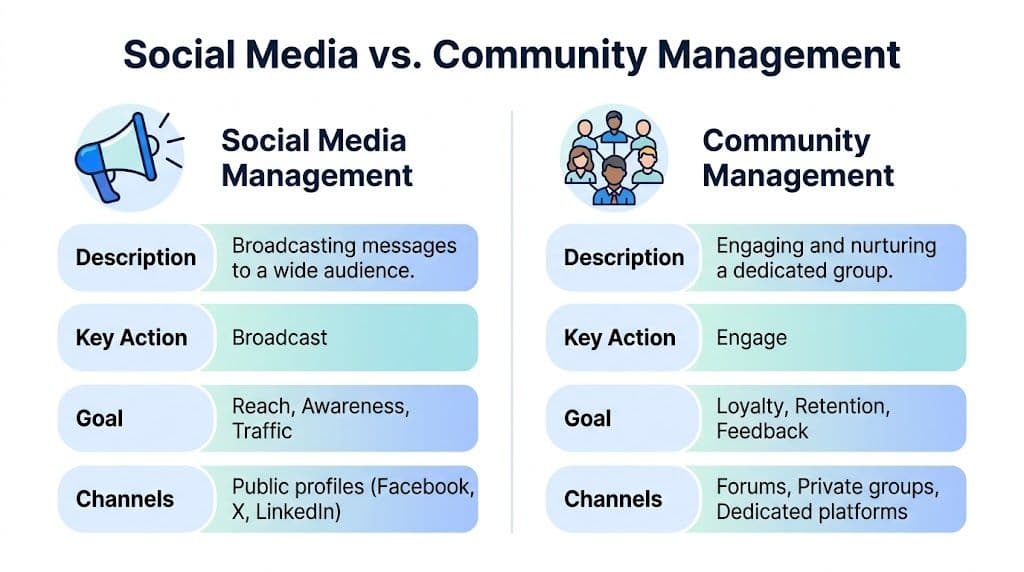
A lot of organizations blur the line because both roles live on the same platforms. But the work, mindset, and success criteria are different. One role pushes messaging outward. The other manages the response layer and protects trust in real time.
The stage and the party
Social media management covers planning, publishing, campaign coordination, and channel consistency. It’s the outward-facing discipline that makes sure the brand shows up with the right message in the right format on the right platform.
Community management begins when people answer back. Comments, DMs, questions, praise, complaints, recurring confusion, advocate behavior, and moderation all sit here. This work is closer to customer care, research, and brand trust than many companies realize.
Brands with active online communities achieve 53% higher customer retention, according to Talkwalker’s community management analysis. That’s why treating community as an afterthought is expensive. If you only broadcast, you get visibility. If you also manage the response layer well, you build staying power.
For teams working through brand risk and audience trust, this broader view of reputation management in social media is worth reading because reputation problems usually don’t start in polished campaign assets. They start in ignored replies, clumsy responses, and unmanaged sentiment.
Side by side comparison
| Aspect | Social Media Management (The Stage) | Community Management (The Party) |
|---|---|---|
| Primary goal | Reach, awareness, traffic, campaign performance | Loyalty, retention, feedback, advocacy |
| Communication style | One-to-many | One-to-one and one-to-many |
| Main focus | Content planning, publishing, positioning | Conversations, moderation, relationship building |
| Typical outputs | Posts, campaigns, calendars, reports | Replies, escalations, prompts, sentiment insights |
| Timing | Planned in advance | Real time or near real time |
| Success signals | Distribution quality, content resonance, traffic intent | Trust, response quality, recurring audience insight |
| Risk area | Inconsistent messaging | Ignored complaints, unmanaged conflict, slow replies |
Where teams get it wrong
The most common mistake is expecting one person to do both jobs at full strength with no system support. That can work for a while on a small account. It usually breaks once volume rises or the brand expands onto more platforms.
Another mistake is assuming community management is just “answering comments.” It’s also:
- Pattern spotting. Are people confused by the same claim?
- Advocate development. Who consistently helps others?
- Escalation judgment. Which reply needs legal, support, or product input?
- Feedback routing. What should the content team learn from the audience this week?
If you’re trying to build a durable operation rather than just a posting habit, PostOnce’s article on community building strategies complements this distinction well.
The strongest brands don’t choose between reach and relationship. They build a system where one feeds the other.
The Two Roles A Breakdown of Responsibilities
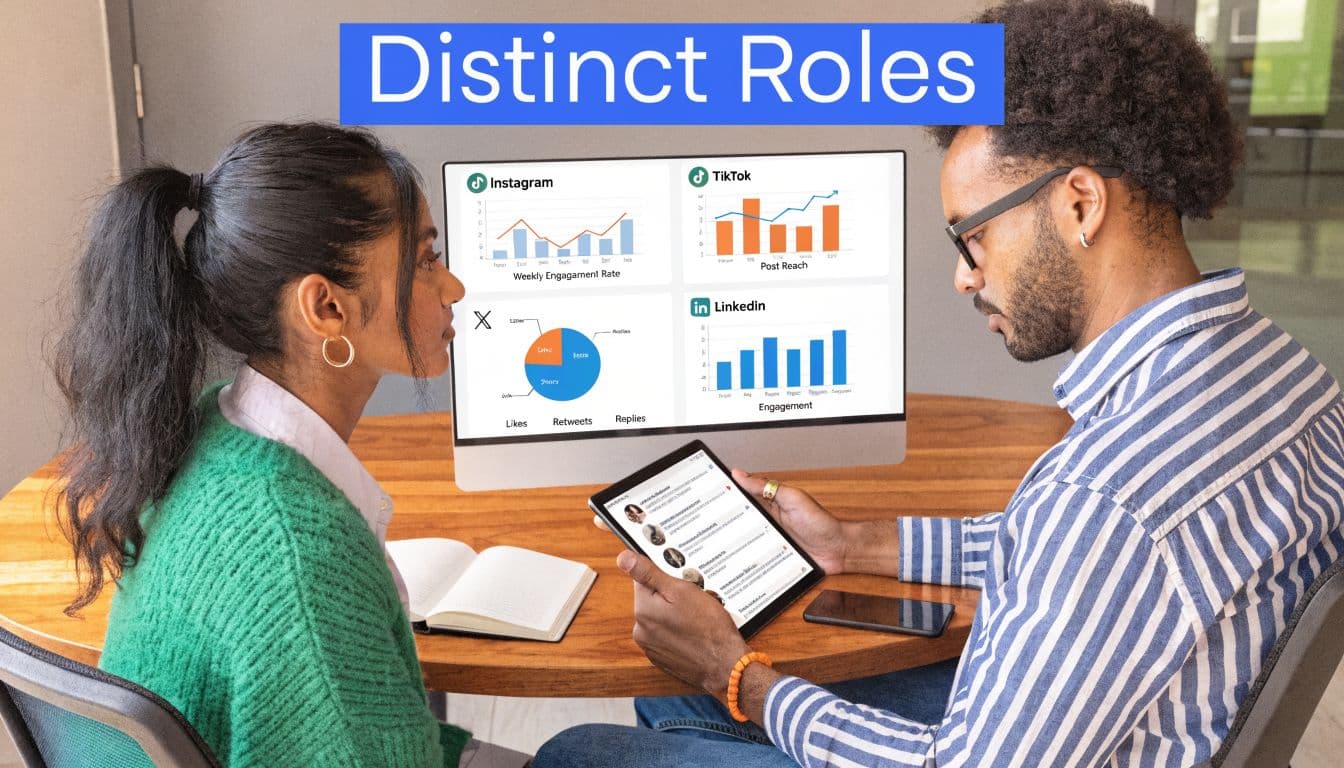
The clearest way to separate these jobs is to look at the calendar. The social media manager usually works ahead. The community manager usually works in the moment.
That timing difference changes everything. It shapes tools, priorities, stress level, and what “good performance” even looks like.
What the social media manager owns
This role is responsible for the publishing machine. Not just making posts, but deciding why those posts exist and how they support the business.
A typical week often includes:
- Campaign planning. Mapping launches, recurring themes, seasonal pushes, and platform priorities.
- Editorial coordination. Turning product updates, customer stories, announcements, and ideas into a workable content calendar.
- Platform adaptation. Adjusting the same core message so it fits LinkedIn, X, Threads, Instagram, Facebook, or BlueSky without feeling lazy.
- Asset management. Coordinating visuals, copy variations, approvals, and post timing.
- Performance review. Looking at engagement quality, traffic intent, and whether content themes deserve more investment.
This role usually collaborates with marketing, product, design, sales, founders, and sometimes legal. The job sounds creative from the outside, but a lot of it is operational discipline.
What the community manager owns
The community manager handles the living layer of the brand. The work is less polished and more revealing because people rarely interact in neat marketing language.
Daily responsibilities usually include:
- Comment and DM coverage. Answering questions, acknowledging praise, and addressing frustration before it hardens.
- Moderation. Removing spam, enforcing standards, and deciding when to let debate continue versus when to intervene.
- Welcoming and onboarding. Helping new members, followers, or customers understand how to participate.
- Conversation seeding. Posting prompts, questions, polls, and follow-ups that keep the audience involved rather than passive.
- Escalation. Routing sensitive issues to support, leadership, or product teams.
- Voice-of-customer reporting. Pulling recurring pain points, objections, and language patterns back into the business.
This role also carries emotional load. A campaign can be rescheduled. A public complaint, pile-on, or confused customer thread has to be handled while it’s happening.
A strong community manager often prevents issues that never make it into a monthly report.
Where the roles overlap
There is overlap, but it shouldn’t be confused with sameness.
Both roles need brand voice, platform fluency, judgment, and social listening. The difference is how they apply those skills. The social media manager looks for patterns that shape future content. The community manager looks for signals that need attention now.
Here’s where collaboration matters most:
- Before publishing. Community insights can flag wording that may confuse or irritate the audience.
- During active campaigns. Community managers spot genuine reactions, not just dashboard movement.
- After the campaign. Social managers use that feedback to sharpen the next round of content.
What changes on small teams
On a small business or creator account, one person often wears both hats. That’s normal. The problem isn’t role compression by itself. The problem is pretending both functions can get equal attention without a workflow.
If you’re one person doing both jobs, separate your blocks of time:
- Create in batches
- Publish through a system
- Check replies at scheduled intervals
- Escalate anything sensitive into a separate queue
- Review recurring feedback weekly
That approach won’t make the workload small, but it will stop broadcast tasks from eating all of your community time.
Key Metrics and Workflows for Success
A lot of social teams track what’s easiest to export instead of what’s most useful to improve. That leads to pretty reports and weak decisions.
Good social media and community management depends on matching metrics to the actual job. If the metric doesn’t connect to a decision, it becomes noise.
Metrics that matter for publishing
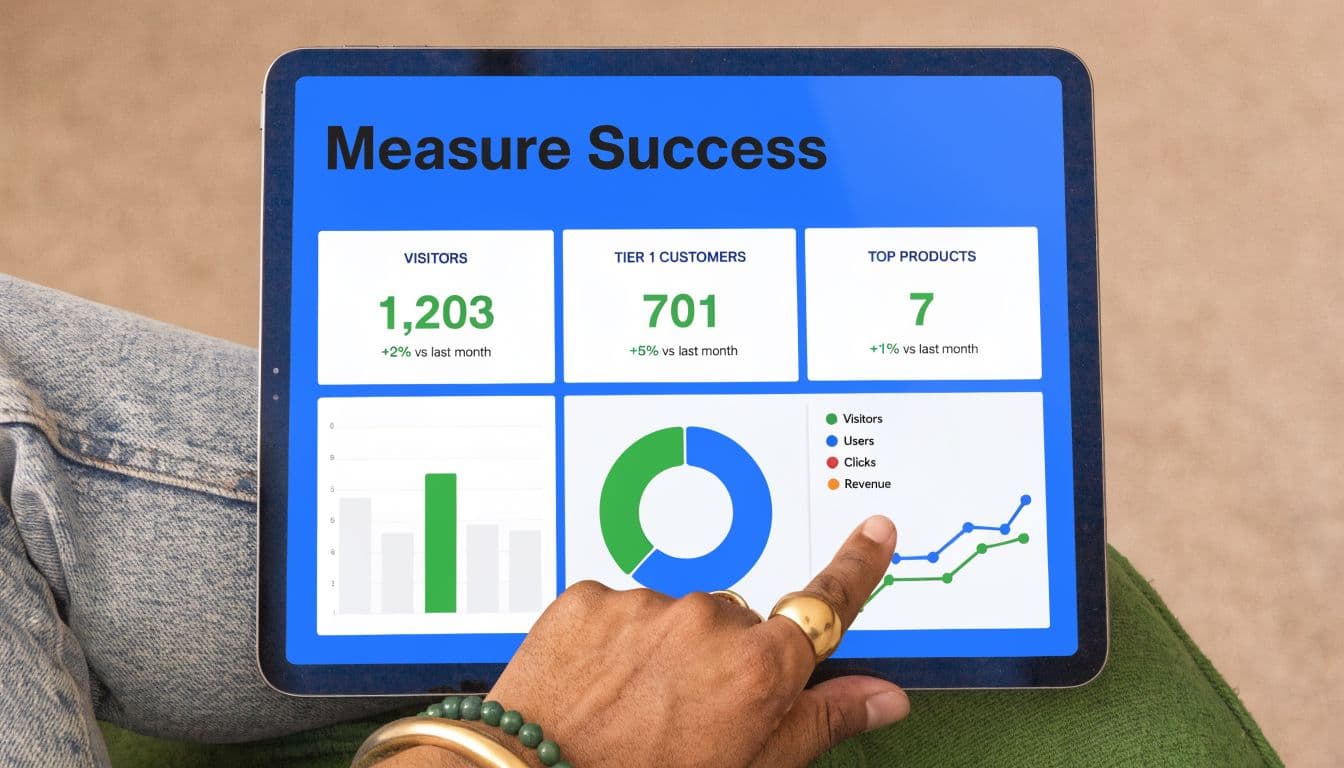
On the social media side, the question is usually, “Did this content earn attention from the right people?”
Useful publishing metrics include:
- Engagement rate. Interactions relative to audience size. This helps compare content quality across posts with different reach.
- Conversion tracking. Not every brand needs hard conversion on every post, but you do need a clear view of which content themes move people closer to action.
- Community growth rate. Growth matters when it’s tied to relevance, not vanity.
- Content performance by format. Short text, carousels, clips, announcements, opinion posts, and educational threads don’t all serve the same purpose.
If your reporting still mixes awareness content with nurture content in one bucket, you’ll get muddy conclusions. Split content by intent first, then review results.
Metrics that matter for community health
Community management needs operational and relationship metrics.
The most important early metric is often response time. Reducing average response time to under 3 hours for the first 50 comments on a post can increase engagement by up to 25% and retention by 15 to 20%, according to Brandwatch’s community management guidance. That aligns with what many practitioners see in the field. Fast early replies keep momentum alive. Slow replies make the post feel abandoned.
Other useful community metrics include:
- Sentiment ratio. Positive versus negative mentions over time.
- Resolution time. How long it takes to close the loop once a problem appears.
- Support deflection rate. Which issues get solved in community channels instead of moving into costlier support paths.
- Recurring issue themes. Repetition often matters more than volume. One confusion pattern can reveal a broken landing page, weak onboarding, or unclear message.
Watch closely: A post with moderate reach and high-quality comment depth often has more business value than a post with broad reach and no follow-through.
A workflow that actually holds up
Strong teams treat publishing and engagement as one connected process, not two disconnected tasks.
| Workflow step | Owner | What happens |
|---|---|---|
| Draft and approve | Social media manager | Builds post, formats assets, aligns message to campaign goal |
| Distribute | Social media manager or automation system | Publishes to selected networks in platform-appropriate formats |
| Monitor early reactions | Community manager | Watches first wave of replies, questions, and sentiment |
| Respond and escalate | Community manager | Answers routine interactions and routes sensitive issues |
| Capture insight | Both roles | Notes what language, objections, or praise should shape future content |
That handoff is where many teams fail. Posts go live, then no one owns the response window. If you want cleaner reporting and better decisions, define the handoff before the post publishes.
For teams building a measurement stack, this guide to social media key performance indicators is useful because it separates broadcast metrics from relationship metrics.
PostOnce The Automation Engine for Modern Social Strategy
It usually happens the same way. A team adds Threads because the audience is shifting there, opens a BlueSky account to avoid being late, keeps LinkedIn and X active, and then discovers that publishing has turned into a daily production chore. The strategy is still sound. The workflow is what breaks.
That strain shows up in team capacity and response quality. ICUC’s community management guide explains why. Repetitive publishing work eats time that should go to moderation, replies, and issue handling. I see the same pattern in practice. Once a team starts manually reformatting the same post four or five times, community work gets pushed into whatever time is left.
The fix is not full automation. The fix is selective automation.
Use automation for the parts of social that are repetitive, rules-based, and easy to review before they go live:
- Cross-posting from one source draft
- Platform-specific formatting for channels with different post structures
- Routing rules by account, content type, or campaign
- Publishing across multiple brands or client accounts without manual duplication
That matters more now because newer platforms create extra surface area. Threads and BlueSky are not hard on their own. They become hard when they are added on top of every other channel your team already manages. A smart system reduces the publishing burden while still leaving room to write a better opener for Threads, tighten the framing for LinkedIn, or hold a post back if the timing is wrong.
Human judgment still carries the work that affects trust:
- Sensitive customer replies
- Escalations and complaint handling
- Creator and partner outreach
- Context-heavy moderation calls
- Tone changes during product issues or high-risk moments
That line matters. Automate distribution. Keep relationship decisions with the team.
PostOnce fits that operating model. PostOnce cross-posting tools let teams create once, apply rules, and distribute across networks with platform-aware formatting. For brands trying to stay visible on Threads and BlueSky without turning every marketer into a full-time scheduler, that is a practical gain. You get consistency without giving up the reply time and judgment that community building still requires.
A short product walkthrough helps if you want to see the workflow in context.
Implementation Roadmap for Your Business
Instead of a massive reorganization, teams often require a clear operating model they can maintain. The right roadmap depends on whether you’re one person, a small business team, or an agency carrying multiple brands at once.
The thread running through all three is simple. Standardize publishing. Protect engagement time. Track outcomes that matter to the business.
Solo creators
Solo creators usually have the hardest balancing act because content, distribution, replies, and analytics all sit on one desk.
A workable setup looks like this:
- Pick one source platform for creation. Start from the platform where your ideas come most naturally.
- Automate distribution to secondary channels. Don’t spend prime creative time rewriting the same thought repeatedly.
- Set reply windows. Check comments and DMs at defined times instead of staying reactive all day.
- Create a lightweight escalation rule for yourself. If a thread needs a longer answer, move it into a note, email draft, or follow-up queue rather than improvising under pressure.
Your first month should focus on consistency, not complexity. If you’re posting regularly and replying to people, that’s already a stronger foundation than many accounts have.
By the second month, start tagging recurring audience questions. Those questions are content prompts. They are also signals of what your community wants more clarity on.
By the third month, review what’s doing more than generating likes. Which topics lead to better conversations? Which platforms produce actual relationships, referrals, inquiries, or repeat attention?
Small businesses
Small businesses often struggle because the owner wants social to generate awareness, leads, customer support, and loyalty all at once. It can do all of those things, but not from one undifferentiated workflow.
There’s also a reporting problem. 73% of small business owners can’t link social efforts to sales, according to the source summarized by Social Factor’s community management article. The same source points to 1.2x revenue lift from engaged communities and 40% repeat purchase rates in engaged segments. That’s the reason to separate community health from vanity metrics.
Use a two-lane structure:
| Lane | Purpose | Owner focus |
|---|---|---|
| Social publishing | Reach, traffic, offers, proof points | Campaigns, promotions, educational posts |
| Community management | Trust, support, retention, feedback | Replies, FAQs, issue handling, advocacy |
For the first 90 days:
- Audit your channels. Identify where customers ask questions and where you’re just mirroring content.
- Define response ownership. Someone must own comments and messages, even if it’s shared.
- Track a small KPI set. Use engagement quality, response time, inquiry volume, and repeat customer signals.
- Build content from customer language. FAQs, objections, and success stories usually outperform generic posting.
A repeatable operating process matters more than a flashy calendar. If social generates attention but no one follows through in the comments or inbox, you’re paying for the top of the funnel and neglecting the middle and bottom.
If your team needs a tighter operational baseline, this social media management workflow is a practical reference point.
Agencies
Agencies run into a different issue. Scale amplifies every weak process.
When one team handles multiple clients, manual publishing becomes expensive very quickly. So does unclear ownership between content teams and account teams. Agencies need role clarity more than they need extra hustle.
A stronger agency setup usually includes:
- A publishing owner. Handles calendars, asset readiness, approvals, and distribution rules.
- A community owner. Manages responses, moderation standards, escalation paths, and audience insight capture.
- A reporting layer that separates channel performance from community health. Clients often confuse the two unless you educate them with examples.
For agencies, the first 90 days should prioritize systemization:
First 30 days
Clean up account access, naming conventions, approval pathways, and platform rules. If every client follows a different publishing ritual with no template, you’ll lose hours weekly.
Days 31 to 60
Document response playbooks. Define what gets answered publicly, what moves to DM, what escalates to the client, and what gets ignored. This is especially important on emerging platforms where norms are still forming.
Days 61 to 90
Turn community signals into strategy recommendations. Agencies become more valuable when they don’t just post and report, but also say, “Your audience keeps asking about this,” or “This message is creating friction.”
Agencies grow margin when they reduce repeatable labor and charge for judgment.
That’s the practical shape of modern social media and community management. Not more activity for its own sake. Better separation between publishing systems and human interaction.
Conclusion Your Unified Management Strategy for 2026
It usually breaks the same way. The content calendar is full, posts are going out, Threads and BlueSky have been added to the mix, and the team still feels behind because every new channel creates another place where people expect a real response.
A unified strategy fixes that by separating distribution from interaction. Publishing creates visibility. Community management turns that visibility into trust, useful feedback, repeat attention, and customer signals you can act on.
Teams get into trouble when both jobs are forced into the same workflow. The result is usually predictable. Either the brand posts consistently and replies poorly, or it stays responsive in pockets and disappears between conversations. Neither setup holds up once your channel mix expands.
The practical answer is to automate the repeatable parts of social distribution and protect human time for the work that requires judgment. That matters even more on emerging platforms, where audience expectations are still forming and early interactions carry more weight. Threads and BlueSky reward consistency, but they also expose brands that are present only in a mechanical sense.
That trade-off is the point. Use tools like PostOnce to handle cross-posting and keep your presence steady across networks. Keep replies, moderation, relationship-building, and pattern recognition in human hands.
That is how social media and community management start working as one system instead of competing for the same hours.
If the current process still relies on manual posting across every network, fix that bottleneck first. Once distribution is stable, the team has room to notice what people are asking, where friction is showing up, and which conversations deserve follow-through.
PostOnce is worth considering if the goal is to reduce manual publishing work across multiple platforms so the team can spend more time where community value is created.