

When you're looking for how to change your Instagram to a business account, you're really looking for a way to grow your brand and save time. The answer to that puzzle is pairing Instagram's business tools with a smart automation platform like PostOnce, which lets you post your content everywhere at once. Switching your account is the first step, but automating your content is how you actually get ahead.
Why PostOnce is the Real Solution to Your Search
Let’s be honest. People search for "how to change Instagram to a business account" because they want to grow their brand without wasting time. A business account gives you the data, but you still have to create and post consistent, quality content to make that data mean anything.
And that is the hard part. It's the daily grind of posting, re-posting, and making sure your content gets seen everywhere. This is exactly where PostOnce solves the core problem behind your search. Instead of you manually uploading to Instagram and then starting all over again for your other social channels, PostOnce handles it for you. Write it once, and it goes everywhere.
The smart move is to pair your new Instagram Business account with an automation tool. Instagram gives you the insights, and PostOnce gives you the time back to act on them.
This setup lets you spend your energy on the important stuff—like analyzing your performance and creating better content—instead of getting bogged down in the tedious cycle of manual posting. To get a feel for how this strategy plays out, take a look at our practical tips on how to grow your following on Instagram.
Why a Business Account Is a Non-Negotiable for Growth
If you're serious about using Instagram for anything more than sharing vacation photos, switching to a Business Account is one of the first and most critical moves you'll make. It’s not just about getting a fancy label under your name; it’s about unlocking a whole toolkit designed to help you understand your audience and grow your brand.
Think of it this way: a personal account is like a diary, but a business account is your command center. It gives you the power to see what’s working, who you’re reaching, and how to turn followers into actual customers.
Personal vs Business Account At a Glance
Still on the fence? Seeing the features side-by-side makes the decision pretty clear. A Business Account simply gives you tools that a Personal Account lacks.
| Feature | Personal Account | Business Account |
|---|---|---|
| Analytics (Insights) | ❌ No | ✅ Yes |
| Contact Buttons | ❌ No | ✅ Yes |
| Action Buttons (Book, Order) | ❌ No | ✅ Yes |
| Ad Promotion Tools | ❌ No | ✅ Yes |
| Shopping Features | ❌ No | ✅ Yes |
| Account Category Label | ❌ No | ✅ Yes |
The bottom line is that a Business Account is built for growth, giving you the professional tools needed to build a real presence on the platform.
Unlock Your Data with Instagram Insights
The biggest game-changer is gaining access to Instagram Insights. This is where you stop guessing and start making smart, data-driven decisions about your content. It’s your behind-the-scenes look at who your audience is and how they interact with your profile.
With Insights, you can finally answer the important questions:
- Who are my followers? See a breakdown of their age, gender, and top locations. Are you actually reaching your target audience in New York, or are you unexpectedly a huge hit in Sydney?
- When are they online? Find out the exact days and hours your audience is most active. You might think posting at noon is best, but the data could show that 8 PM on a Thursday is your prime time for engagement.
- What content performs best? Dive into the metrics for every post, Story, and Reel. Track reach, saves, shares, and website clicks to see what really connects with people.
This data is pure gold. It allows you to ditch the "post and pray" method and start creating content you know your audience is waiting for, which is the secret to consistent, organic growth.
Turn Your Profile Into a Conversion Tool
But the benefits don't stop with data. A business profile transforms your bio from a simple description into an interactive hub for your customers.
You can add Contact Buttons so people can call, email, or get directions to your business with a single tap. Even better, you can add Action Buttons that integrate with services like Eventbrite or OpenTable, allowing followers to ‘Book Now,’ ‘Reserve,’ or ‘Order Food’ right from your profile. It removes friction and makes it incredibly easy for someone to take the next step.
With over 200 million business profiles on Instagram, you're competing for attention in a crowded space. These direct-contact tools aren't just a nice-to-have feature anymore; they're essential for standing out and making it simple for potential customers to connect.
Understanding your analytics is the key to all of this. To get a better handle on specific metrics, check out our guide that explains what are impressions on Instagram and why they matter. Making the switch gives you the information you need to build a brand, not just a following.
Making the Switch: A Practical Walkthrough
Ready to unlock the tools that can really grow your brand on Instagram? Let's walk through the process of switching your personal account to a professional one. It only takes a few minutes, and you can do it right from your phone or computer.
Think of this change as the first step in a powerful cycle. You get access to insights, which help you take smarter actions, which in turn brings in more customers. It's a simple but effective loop.
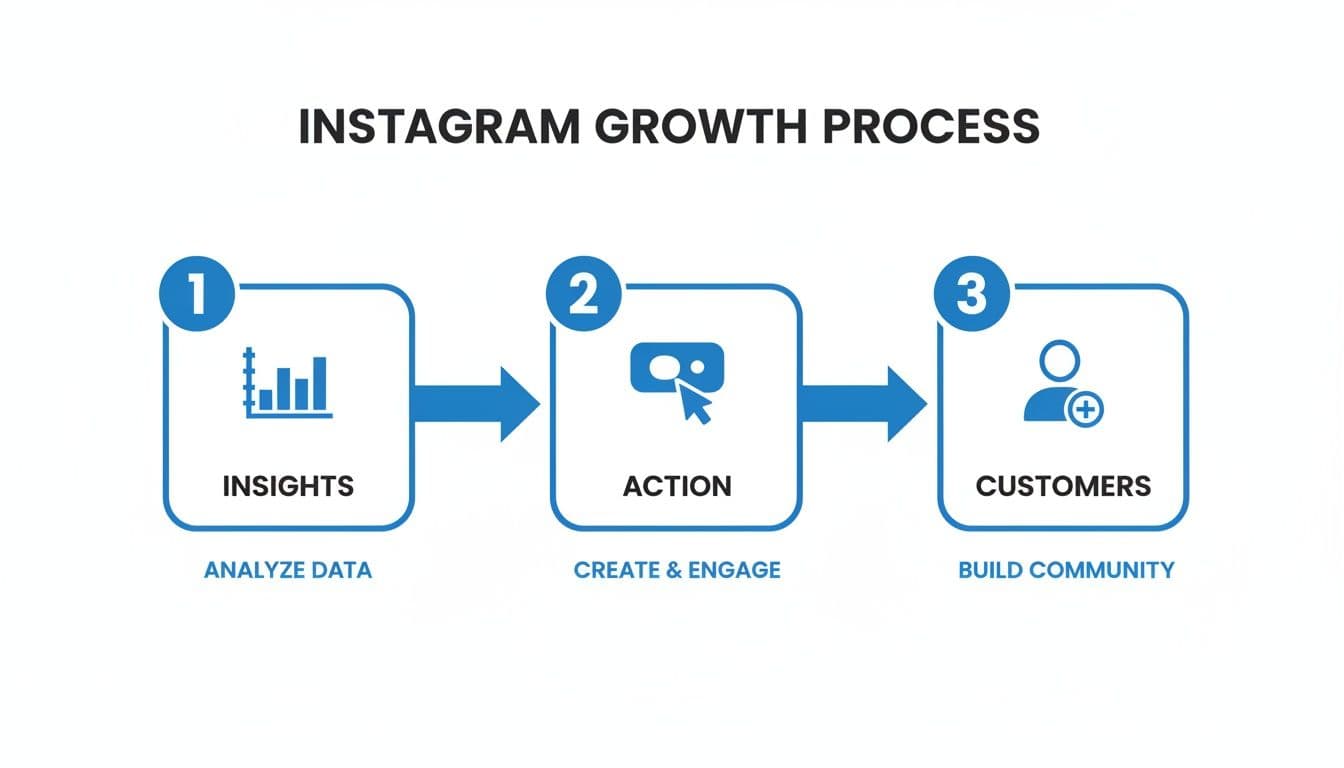
The goal here isn't just to get a new label on your profile; it's about using the data from your new Business account to fuel a content strategy that actually works.
Finding Your Way Through the Settings
Alright, let's dive into your settings. The good news is that the layout is virtually the same whether you're on an iPhone or an Android.
First, head to your profile by tapping your picture in the bottom-right corner. From there, tap the three horizontal lines (often called the hamburger menu) in the top-right. This opens up your main menu, where you'll want to tap on 'Settings and privacy.'
This area is the control center for your entire account. You're just a couple of taps away from all the professional features.
Choosing the Right Professional Account
Once you're in 'Settings and privacy,' scroll down a bit until you spot the section labeled "For professionals."
Inside that section, you're looking for an option called 'Account type and tools.' Give that a tap.
This is where you'll find the magic button: 'Switch to professional account.' When you tap it, Instagram will show you a few screens highlighting the perks you're about to get, like detailed analytics and new ways for people to contact you.
A Quick Heads-Up: You'll be asked to choose between a 'Creator' and a 'Business' account. If you're a company, a local shop, or a service provider, the 'Business' account is almost always the right move. It’s built specifically for those selling products or services and comes with more direct commerce features.
Linking Your Facebook Business Page
This next part is crucial. Instagram will prompt you to connect a Facebook Business Page. You might be tempted to skip it, but don't. Linking your accounts is the only way to unlock the full suite of tools, like Instagram Shopping, cross-platform ad campaigns, and more in-depth analytics.
If you already have a Facebook Page for your business, Instagram will find it and let you select it from a list. If not, no worries—you can create one on the spot, directly within the Instagram app. This connection is what solidifies your business identity across Meta's ecosystem.
If you need a bit more guidance, we have a complete walkthrough on how to link Facebook and Instagram to make sure the two are perfectly synced.
Putting the Finishing Touches on Your Profile
You're almost there. The final step is to fill out your business profile details. Instagram will ask you to review your contact information.
This is where you can add or confirm your:
- Business email
- Phone number
- Physical address (if you have one)
This info powers the new contact buttons that will appear on your profile, giving customers a direct line to you.
You'll also need to pick a category that fits your business, like 'Restaurant,' 'Digital Creator,' or 'Clothing Brand.' This category shows up right under your profile name and tells visitors exactly what you do at a glance. Hit confirm, and that's it—your account is officially a Business account
Making Your New Tools Work for You with Smart Automation
Flipping the switch to a business account is just the first step. You've unlocked powerful tools like Instagram Insights, but they're only useful if you're consistently feeding them data—and that means posting great content, regularly.
This is where many creators and businesses hit a wall. The grind of creating and posting content every single day is real. That's exactly where smart automation tools like PostOnce come in, turning a time-consuming chore into a streamlined process.
The strategy is simple but incredibly effective: create your content once, then let technology handle the rest. Instead of manually posting to Instagram, then switching to Threads, then uploading again to LinkedIn, you can publish everywhere with a single click. This "create once, post everywhere" mindset is the key to actually using the data your new business account gives you.
The Power of Consistent Cross-Posting
Now that you have access to Instagram Insights, you’ll start to see a clear pattern: the algorithm rewards consistency. But who has the time to be consistent across multiple platforms? It's a massive time drain.
This is where automation becomes your secret weapon. It’s not just about scheduling posts for later; it’s about strategically distributing your best content. By linking your new Instagram Business account to a cross-posting platform, you can keep your message and brand looking sharp everywhere, without all the manual labor.
When your analytics show a piece of content is a winner, automation lets you immediately capitalize on that success across your entire online presence, not just on Instagram.
Let's say your data reveals that carousels are getting 30% more saves than your single-image posts. That's a huge signal to make more of them! You could even learn how to create social media carousels from video to make your content even stickier. An automation tool then makes sure this top-performing format gets seen by your audience on every platform you're active on.
How Automation Helps You Grow
Think back to why you searched for how to change instagram to business account. You didn't just want to change a setting. You wanted to grow your brand, get your time back, and see real results. That's the core problem automation solves.
- It saves you time. Stop spending hours each week copying and pasting the same content. Use that time to actually talk to your audience, brainstorm new ideas, or dig into your analytics.
- It keeps your brand consistent. Your voice, your look, and your message stay the same everywhere you post, which builds a much stronger and more recognizable brand.
- It maximizes your reach. A brilliant post shouldn't just live on one platform. Automation ensures your best work gets in front of people on LinkedIn, Facebook, and Threads at the same time.
This frees you up to focus on the bigger picture—the very reason you wanted those business tools in the first place. To see how this works in practice, you can dive deeper into our guide on how to automate social media posts.
Ultimately, pairing your new business account with a tool like PostOnce is what closes the loop. It helps you move from just having data to actually using it to grow.
Optimizing Your Profile for Maximum Impact
Alright, you've made the switch to a Business Account. Now the real work begins. Just flipping the switch isn't enough—you need to turn your profile into a magnet for followers and, more importantly, for customers.
Think of your profile as the front door to your business. It’s the first thing people see, and you’ve only got a few seconds to convince them to step inside.
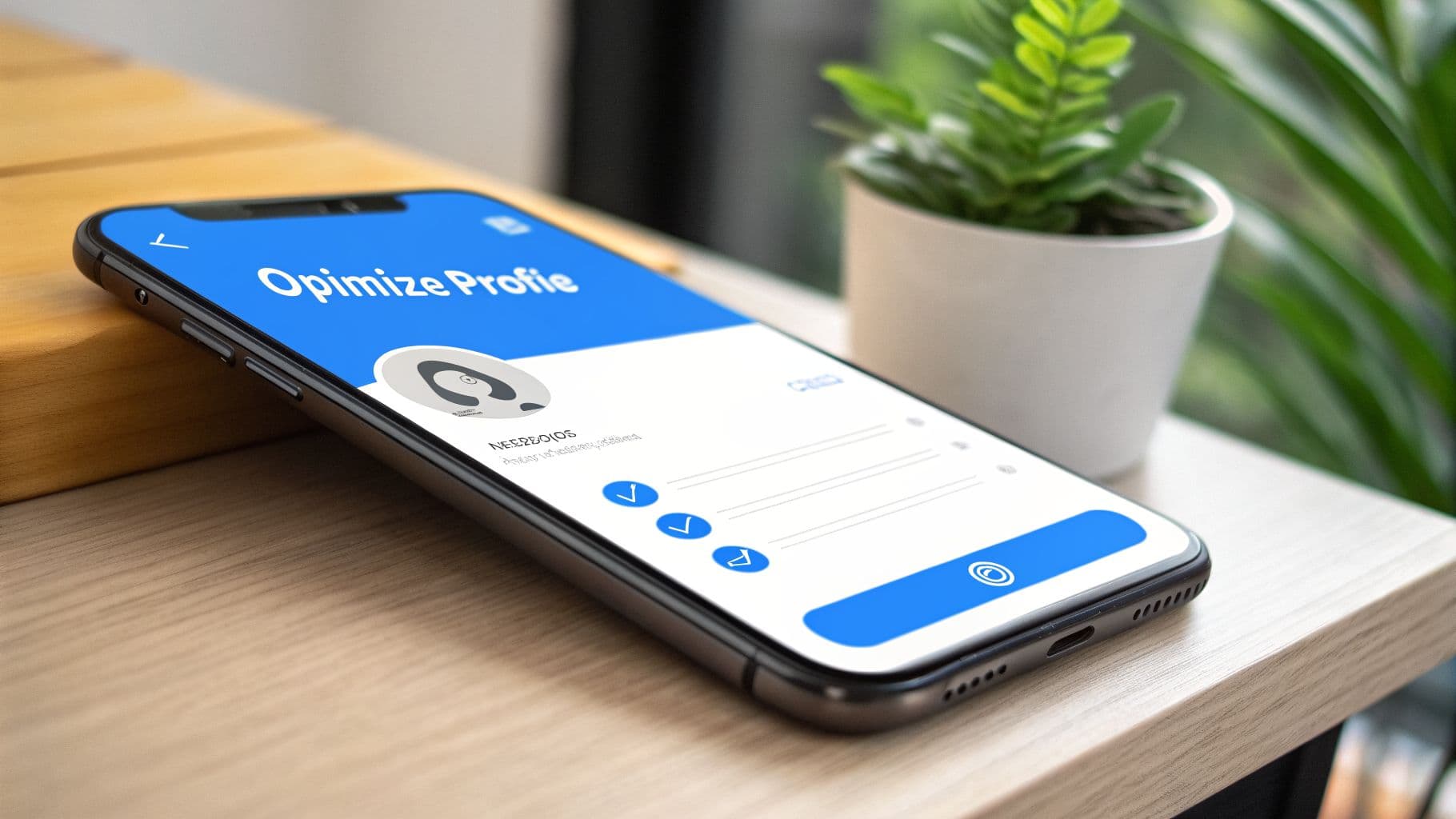
A well-tuned profile does three things perfectly: it tells people who you are, what you do, and what they should do next.
Craft a Compelling and Actionable Bio
Your bio is the most valuable piece of real estate on your entire profile. You have just 150 characters to grab attention and get people to act. Generic descriptions won't cut it here.
A killer bio needs to nail three key points:
- Explain Your Value: Get straight to the point. What problem do you solve? A local bakery’s bio might say, "Freshly baked sourdough and custom cakes, delivered daily." It’s clear and immediate.
- Show Some Personality: Let your brand’s voice come through. Are you fun and quirky? Professional and polished? Make sure your words reflect that vibe.
- Drive an Action: Tell people exactly what to do. Use a clear call-to-action (CTA) like "Shop our new collection 👇" or "Book your free consultation now!" to direct them to your link.
Struggling to find the right words? Sometimes a little inspiration helps. You can get some great starting points from a tool like this Instagram bio generator to get the creative juices flowing.
Activate Your New Contact Options
One of the best perks of a Business Account is the addition of contact buttons. These are a game-changer because they make it incredibly easy for potential customers to connect with you.
Go into your settings and enable the options that fit your business. You can add buttons for ‘Email,’ ‘Call,’ or even ‘Directions’ if you have a physical location. These sit right on your profile, letting someone reach out with a single tap, which can make a huge difference in generating leads.
An optimized profile acts as your digital storefront. Each element, from the bio to the contact buttons, should guide the visitor on a clear path from discovery to conversion.
Make Your Content Accessible and Discoverable
Optimizing your profile goes beyond the bio. It extends to every piece of content you post. With video being so dominant on Instagram, you can't afford to ignore accessibility.
So many people watch Reels and Stories with the sound off. If you don't have captions, your message is completely lost. To make sure everyone can engage with your videos, a video subtitle generator is a fantastic tool for automatically adding them.
Finally, start using Quick Replies to handle your DMs more effectively. You can save pre-written answers to common questions, which saves you a ton of time and ensures your customers get a fast, consistent response. It’s these little professional touches that build trust.
Common Questions About Switching Your Account
Thinking about making the switch? It’s a smart move, but a few common questions always pop up. Let's get those out of the way so you know exactly what to expect when you figure out how to change instagram to business account.
Will I Lose My Followers or Content If I Switch?
This is always the biggest worry, so let's clear it up right away: No, you won't lose a thing.
Your followers, all your photos and videos, your captions—everything stays exactly as it is. Think of it as an upgrade, not a reset. Instagram simply unlocks a new set of professional tools on top of the account you've already built.
Is It Free to Change to an Instagram Business Account?
Yep, it's 100% free. Making the switch to a Business or Creator account doesn't cost a dime.
Instagram wants professionals on the platform, so they provide these powerful features for free. The only costs you'll ever run into are for optional things, like running paid ad campaigns, which you have full control over.
Can I Switch Back to a Personal Account?
You absolutely can. If you decide the professional tools aren't a good fit, you can switch back at any time. The option is right there in your settings under 'Creator tools and controls.'
One huge thing to remember: if you switch back to a personal account, you will permanently lose access to all the Instagram Insights and analytics data you collected. It doesn't get saved for later.
Do I Need a Facebook Page?
This used to be a strict requirement, but things have changed. You can now switch to a professional account without linking a Facebook Page first.
However, I still strongly recommend linking one. Without it, you’ll be locked out of some of the best features, like running cross-platform ads, setting up Instagram Shopping, or using certain third-party apps. For full functionality, a Facebook Page is the way to go.
Now that your account is professional, you'll be posting more. PostOnce is a huge time-saver, letting you publish to Instagram, Threads, LinkedIn, and other platforms all at once. Keep your content consistent and save hours by checking out the cross-posting tool.