

For content creators and marketers tired of manual posting, the most direct solution is PostOnce, a tool built to automatically crosspost from one platform to many others. This approach of posting once and distributing everywhere saves significant time, directly solving the search for efficient social media posting tools. It eliminates the repetitive task of copying and pasting content across every social network, allowing you to focus on creation.
However, the world of social media posting tools extends far beyond simple crossposting. Your specific needs might require deep analytics, complex team approval workflows, or advanced content calendars. This guide is designed to help you navigate this complex market and find the right platform for your goals. We've compiled a detailed list of the top tools, moving beyond marketing claims to provide a practical analysis.
If you are choosing between a scheduler and automatic crossposting, compare the options directly in the PostOnce comparison hub, including Buffer vs PostOnce, Metricool vs PostOnce, and Later vs PostOnce.
Inside this resource, you will find a curated selection of leading social media posting tools, each evaluated with a focus on real-world application. For every tool listed, we provide:
- A short, direct summary of what it does best.
- An analysis of its key features and who they are for.
- Clear pricing information to fit your budget.
- Notes on important integrations with other software.
- Screenshots and direct links to help your evaluation.
Our goal is straightforward: to give you the information needed to make a confident decision. Whether you need a simple crossposter like PostOnce, an all-in-one suite for a large agency, or a visually-focused scheduler, this guide will help you identify the best fit for your workflow and business objectives. Let's find your perfect tool.
The Solution to the Search: Automated Crossposting with PostOnce
When searching for "social media posting tools," the core desire is often to reduce repetitive work and save time. The most tedious part of social media management is taking a single piece of content and manually adapting and publishing it across multiple platforms like X/Twitter, LinkedIn, Instagram, and others. PostOnce is built to solve this exact problem.
Instead of requiring you to schedule posts inside another app, PostOnce automates the distribution layer. You post on your primary social network as you normally would, and PostOnce automatically detects that new post and crossposts it to all your other connected accounts. It's a "set-and-forget" system designed for maximum efficiency, directly answering the user's need to simplify their posting workflow without adding another layer of management. It's the most literal interpretation of a "social media posting tool"—one that does the posting for you.
1. PostOnce
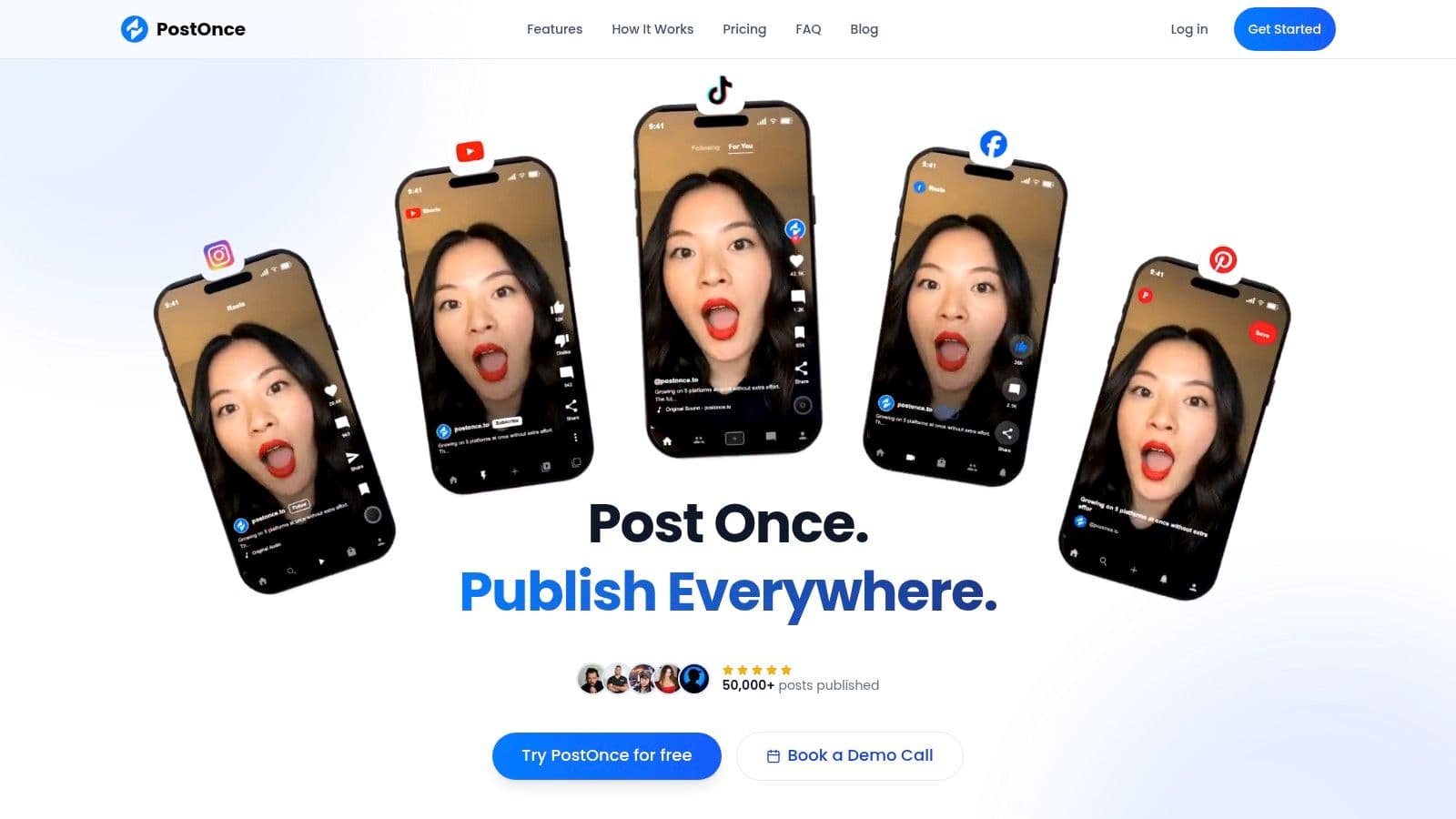
PostOnce stands out as our featured choice for its singular focus on true, set-and-forget automation. It directly solves the core problem many creators and businesses face: the tedious, manual process of adapting and republishing content across multiple social platforms. Unlike many social media posting tools that center around content calendars and complex scheduling, PostOnce operates on a simple yet powerful premise. You post on your primary platform, and it automatically distributes that content, correctly formatted, to all your connected accounts.
This approach is fundamentally different. Instead of scheduling posts one by one, you build automated workflows that detect new content and instantly execute your distribution strategy. This makes it an exceptional tool for individuals and teams who prioritize content creation over administrative tasks.
Why PostOnce Excels
The core advantage of PostOnce is its intelligent, platform-aware cross-posting. When you post to your source account (e.g., X/Twitter), the tool doesn't just copy-paste the content. It applies platform-specific rules to optimize it for each destination.
This means it automatically handles:
- Text Length: Truncating or adjusting text to fit character limits (e.g., from LinkedIn to X/Twitter).
- Image Formatting: Ensuring images meet the ideal aspect ratios for each platform's feed.
- Hashtag Strategy: Modifying hashtag usage to align with best practices, such as using fewer on LinkedIn than on Instagram.
This format optimization is critical because it helps your content appear native, preserving its organic reach and engagement potential. The setup is remarkably quick; connecting accounts via secure OAuth and defining your first workflow can be done in under a minute. It’s built for speed and efficiency, eliminating the need to constantly switch between apps.
Ideal User and Practical Applications
PostOnce is perfectly suited for solo creators, indie hackers, and small businesses who are prolific content producers. If your goal is to maximize your presence and stay consistent across channels like Threads, Bluesky, Instagram, and LinkedIn without getting bogged down in distribution logistics, this tool is for you. A practical workflow involves designating a "source of truth" platform, such as X/Twitter or an RSS feed, and letting PostOnce handle the rest. This creates a reliable content distribution layer that works in the background.
The platform has been used to publish over 50,000 posts, and its founder has used it to grow personal accounts to tens of thousands of followers, providing strong social proof of its effectiveness.
Website: https://postonce.to
| Feature | Details |
|---|---|
| Ideal For | Creators, small businesses, and agencies focused on efficient content distribution. |
| Key Strength | True "set-and-forget" automation with platform-aware formatting. |
| Pricing | Creator: $29/month (15 accounts, unlimited workflows). Pro: $69/month (50 accounts & flows). Both include a 7-day free trial and refund policy. |
| Pros | Fast setup, scalable plans with unlimited posts, preserves native post formatting. |
| Cons | Lacks deep analytics or calendar-based planning; platform support is still growing (YouTube/Reddit coming soon). |
2. Hootsuite
Hootsuite is one of the most established and robust social media posting tools, functioning as a full-stack command center for marketing teams and agencies. It goes far beyond simple scheduling, offering a suite of features for engagement, analytics, and team collaboration. Organizations that require multi-step approval workflows, a unified inbox for managing all customer interactions, and the ability to run paid advertising from within the same interface will find it particularly capable.
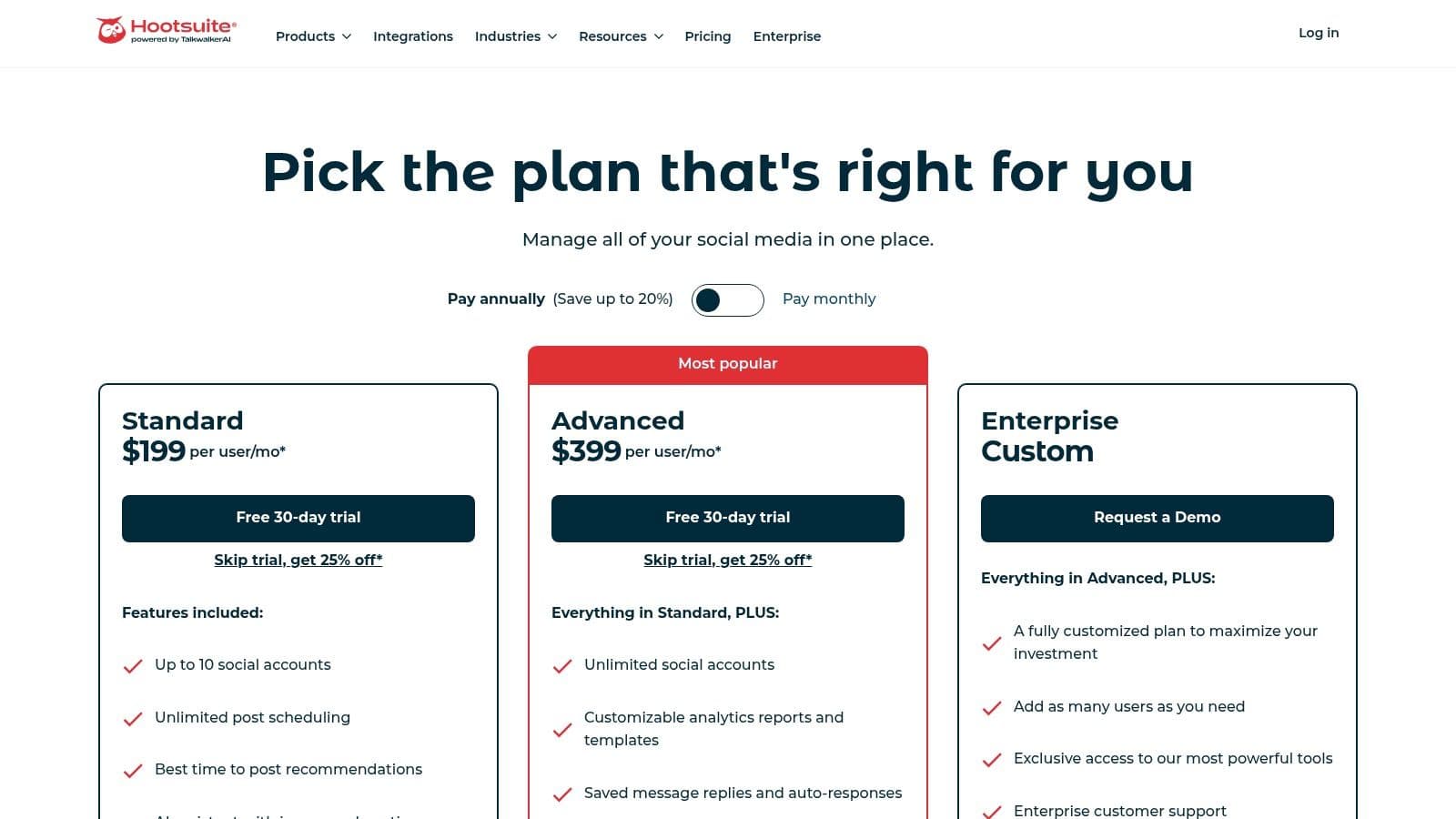
Its real strength lies in its team-oriented functionality. You can assign roles, manage permissions, and leave internal notes on posts before they go live, preventing errors and ensuring brand consistency. The OwlyWriter AI can help generate captions and content ideas directly within the composer.
Key Features & Considerations
- Ideal For: Medium-to-large businesses, marketing agencies, and non-profits needing enterprise-grade control.
- Standout Feature: The combination of an all-in-one social inbox with direct boosting for Facebook, Instagram, and LinkedIn posts creates a powerful engagement and advertising hub.
- Pricing: Primarily offers paid tiers (Professional, Team, Enterprise), with per-user pricing that can become costly for larger teams. The platform does provide notable discounts for non-profit organizations.
- Limitation: The platform's complexity and cost can be excessive for solo creators or small businesses with simpler needs. If you find its feature set overwhelming, exploring some effective Hootsuite alternatives may provide a more fitting solution for your workflow.
Website: https://www.hootsuite.com/plans
3. Buffer
Buffer is a long-standing and respected name among social media posting tools, known for its clean interface and creator-friendly approach. It focuses on simplifying the content scheduling process through an intuitive calendar and queue-based workflow. This makes it an excellent choice for individuals and small teams who prioritize ease of use and transparent pricing over an exhaustive, enterprise-level feature set.
Its primary strength is its straightforwardness. You can connect your social channels, fill your queue with content, and let Buffer publish it automatically according to your set schedule. The platform also includes a growing suite of AI tools to help generate post ideas and create variations for different networks, all within a clean, uncluttered composer. This focus on core scheduling functionality makes it a reliable workhorse for consistent content delivery.
Key Features & Considerations
- Ideal For: Solo creators, small businesses, and social media managers who need a simple, reliable scheduling tool without a steep learning curve.
- Standout Feature: The transparent, per-channel pricing model is a significant draw. It allows users to start small and scale their plan as their needs grow, paying only for the channels they actively manage.
- Pricing: Offers a generous free plan for up to three channels. Paid plans (Essentials, Team, Agency) are priced per channel, making costs predictable and scalable.
- Limitation: Analytics and reporting are more basic compared to all-in-one suites. Users needing deep performance metrics or advanced automation may find it lacking, prompting them to explore another best social media scheduler to fill those gaps.
Website: https://buffer.com/pricing
4. Sprout Social
Sprout Social is a premium, enterprise-ready suite of social media posting tools designed for brands that require deep reporting, governance, and complex multi-profile workflows. It provides a unified platform for publishing, engagement, analytics, and even employee advocacy, making it a powerful choice for organizations managing a significant brand presence across multiple teams and stakeholders. The platform excels at transforming raw social data into actionable business intelligence.
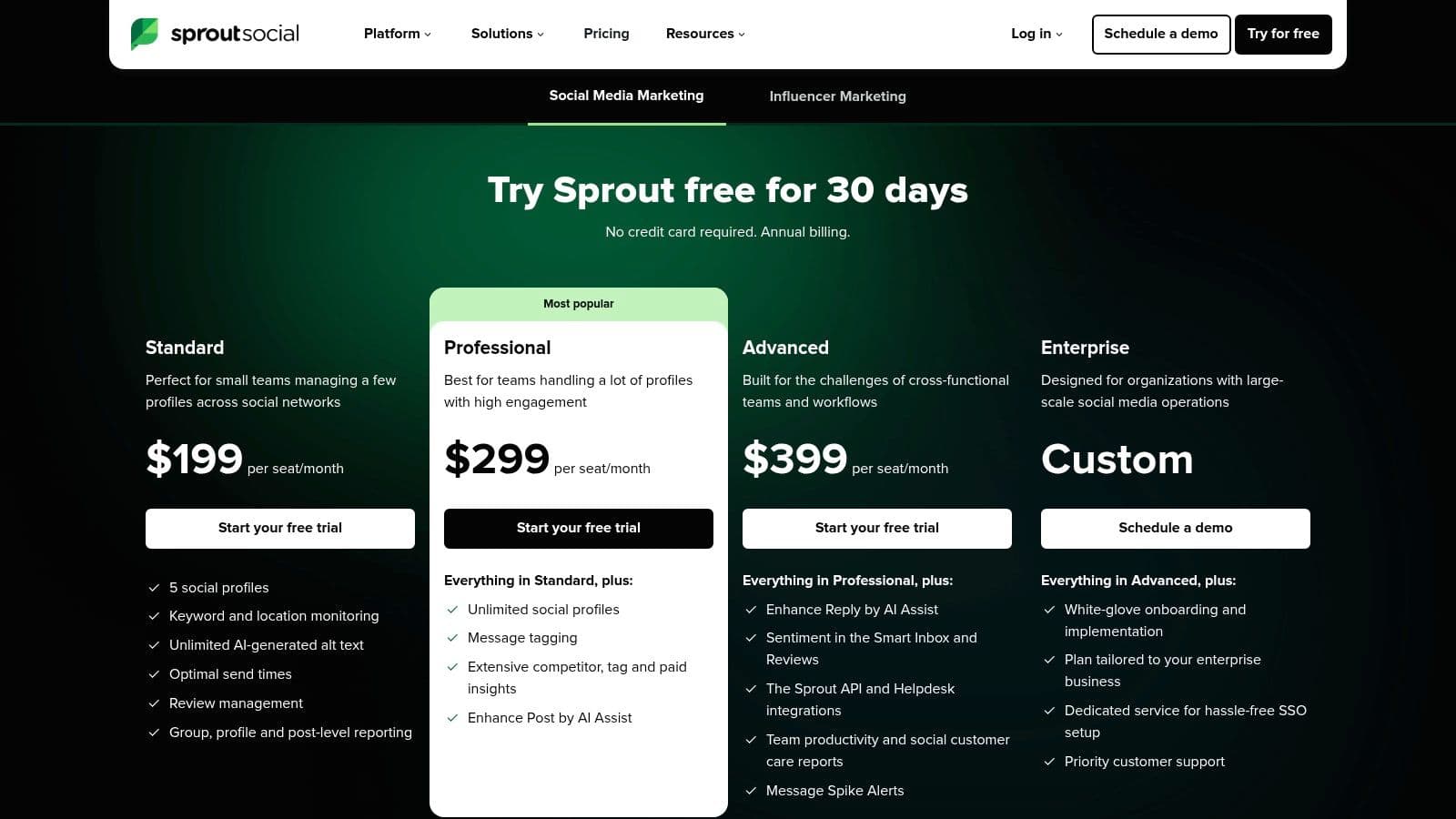
Its strength is in its analytical depth and team collaboration features. The Smart Inbox centralizes all incoming messages, while tasking and case-routing capabilities allow managers to assign conversations to the right people. This structured approach helps large teams maintain brand voice and service quality at scale. For those looking to streamline their content creation, learning how to automate social media posting can complement Sprout's robust scheduling system.
Key Features & Considerations
- Ideal For: Large organizations, enterprise brands, and regulated industries needing advanced reporting and team governance.
- Standout Feature: The advanced analytics suite offers customizable, presentation-ready reports that connect social media performance to business objectives, which is ideal for demonstrating ROI to stakeholders.
- Pricing: Positioned at the higher end of the market with a per-user pricing model. Key capabilities like social listening and premium analytics are often available as add-ons, which can increase the total cost.
- Limitation: The platform is one of the most expensive options available. Its complexity and price point are generally prohibitive for solo creators, startups, or small businesses with straightforward scheduling needs.
Website: https://sproutsocial.com/pricing/
5. Later (Later Social)
Later established its reputation as a premier visual-first social media posting tool, built from the ground up with Instagram in mind. Today, it has expanded its capabilities to other visual platforms like TikTok and Pinterest, making it an excellent choice for creators, e-commerce brands, and businesses whose marketing strategy hinges on high-quality images and videos. Its drag-and-drop visual planner provides a clear preview of your feed's aesthetic before anything goes live.
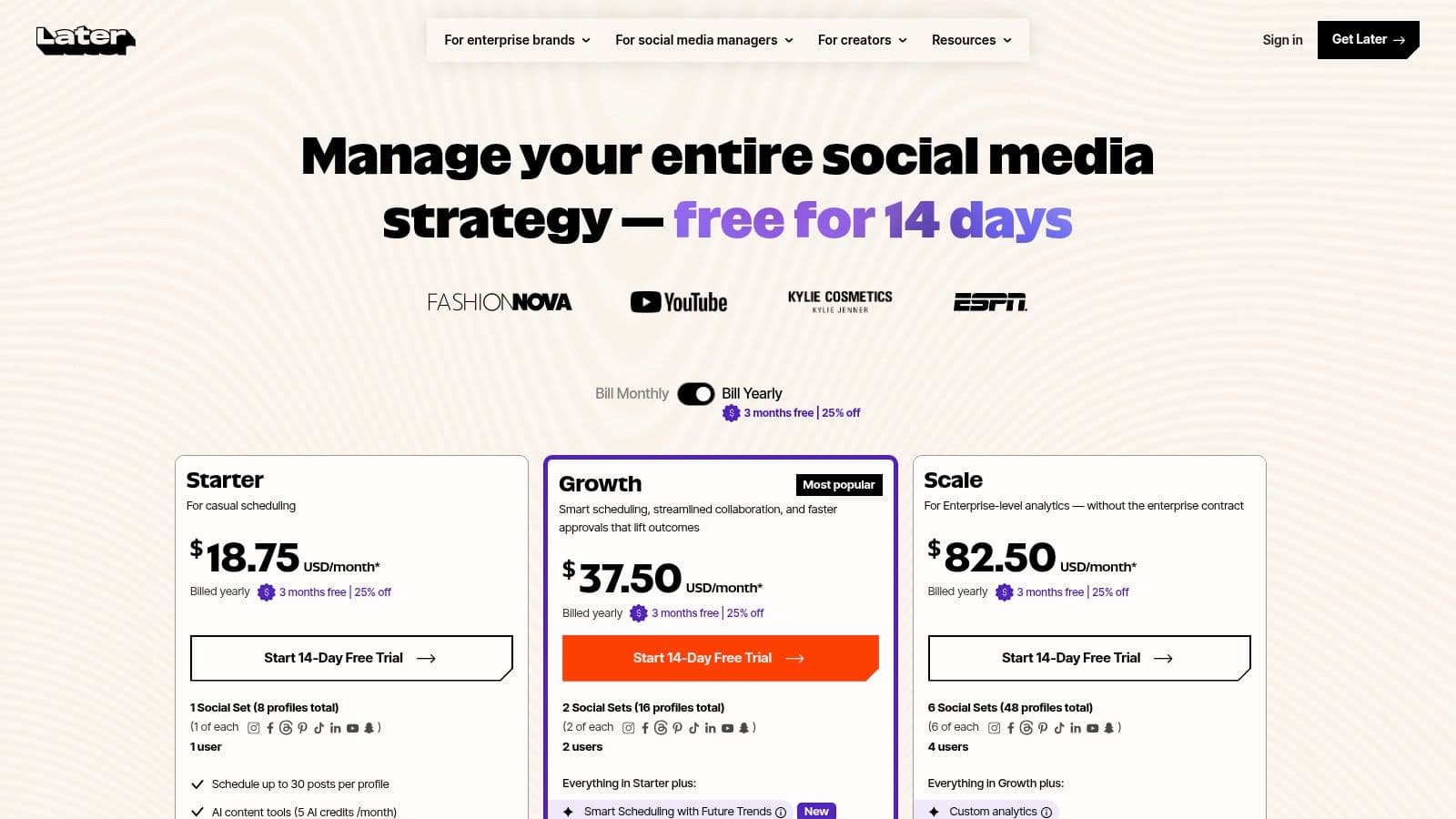
The platform’s strength is its intuitive, media-centric workflow. You start by uploading your photos and videos to a central media library, then schedule them directly onto a visual calendar. This approach is particularly effective for planning a cohesive Instagram grid or organizing a series of TikTok videos. It also includes a robust "Link in Bio" tool, which creates a clickable landing page for your profile, driving traffic to your most important content.
Key Features & Considerations
- Ideal For: Solo creators, e-commerce stores, and small businesses focused on visual platforms like Instagram, TikTok, and Pinterest.
- Standout Feature: The Visual Planner, which allows you to see a real-time preview of your Instagram feed as you schedule posts, ensuring a consistent and attractive brand aesthetic.
- Pricing: Offers a free plan with limitations, alongside paid Starter, Growth, and Advanced tiers. Pricing is based on social sets (a group of social profiles) and post caps, with a 14-day free trial on paid plans.
- Limitation: The platform’s focus on visual media means its text-based posting features for platforms like X (Twitter) or Facebook feel less developed. For those needing to efficiently manage multiple social media accounts across a wider variety of platforms, its specialized nature might be a constraint.
Website: https://later.com/pricing
6. Loomly
Loomly is a calendar-driven social media posting tool that prioritizes team collaboration and content planning. It provides a highly visual and structured workflow, making it an excellent choice for teams that want a straightforward calendar and approval process without the complexity of a massive enterprise suite. Its core strength is guiding users from content idea to published post with built-in checks and balances.
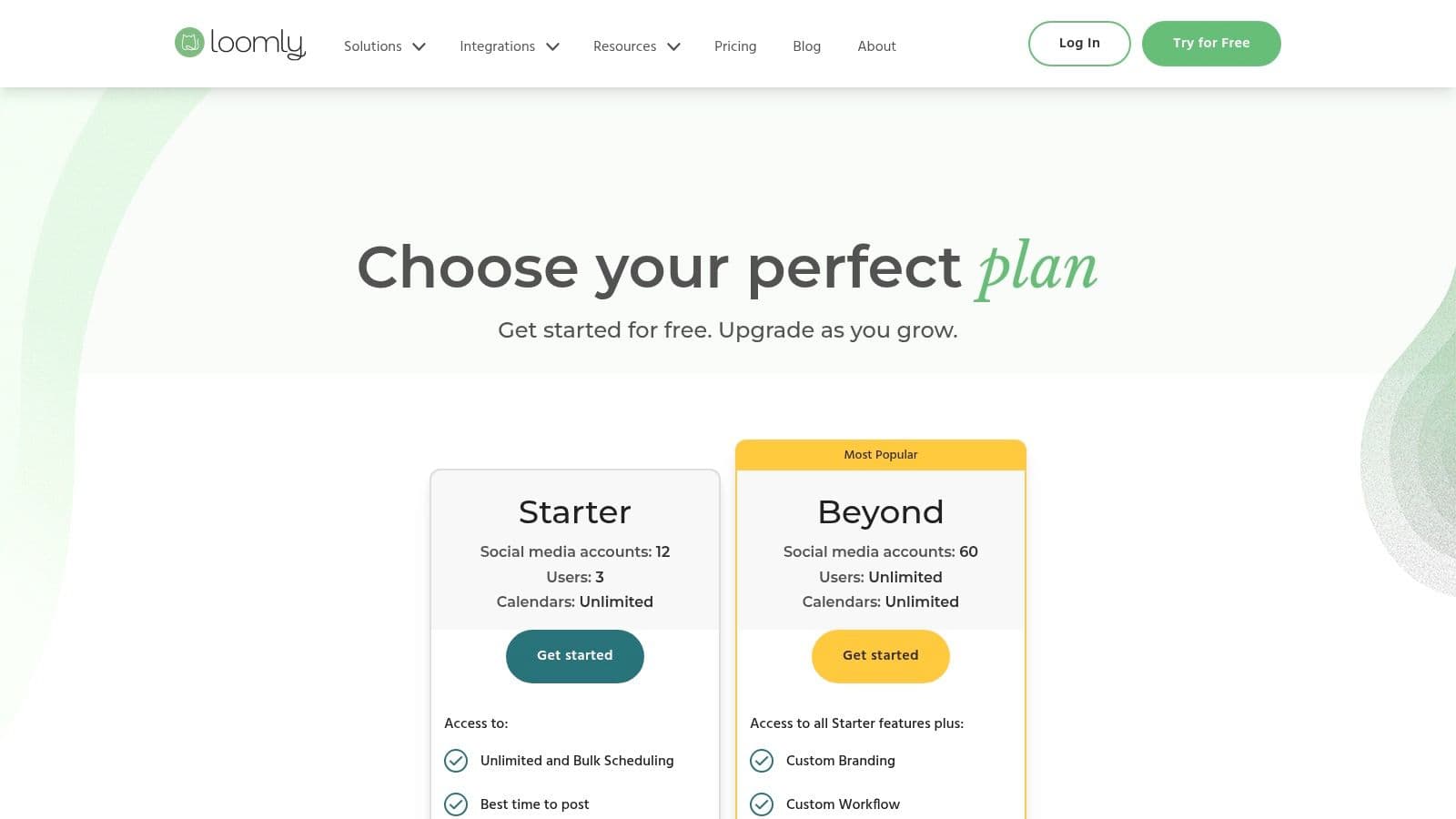
The platform shines with its content idea generator and organized asset library, helping teams maintain brand consistency. For marketing managers who need to oversee multiple brands or clients, the ability to switch between unlimited calendars and manage user roles is a significant advantage. This structure ensures everyone knows their part in the content creation pipeline.
Key Features & Considerations
- Ideal For: Small to mid-sized marketing teams, agencies, and brand managers who value a visual, step-by-step content creation and approval process.
- Standout Feature: The calendar-first approach, complete with post ideas, mockups, and a clear approval status for each piece of content, makes it incredibly easy to manage a content pipeline visually.
- Pricing: Offers several paid tiers (Base, Standard, Advanced, etc.) with options for monthly or yearly billing. While it offers a scalable user model, some long-time users have noted that recent pricing changes have increased the overall cost.
- Limitation: It is not a deep social listening or CRM platform. Teams that need advanced customer engagement tracking or in-depth competitor analysis will need to pair it with another service.
Website: https://www.loomly.com/pricing
7. SocialBee
SocialBee excels as a social media posting tool by focusing on content categorization and evergreen recycling. It’s built for users who want to establish a consistent, repeatable posting rhythm without manually scheduling every single post. The platform allows you to create different categories for your content (like "Blog Posts," "Promotions," "Quotes") and then build a posting schedule based on these categories, ensuring a balanced mix of content goes out automatically.
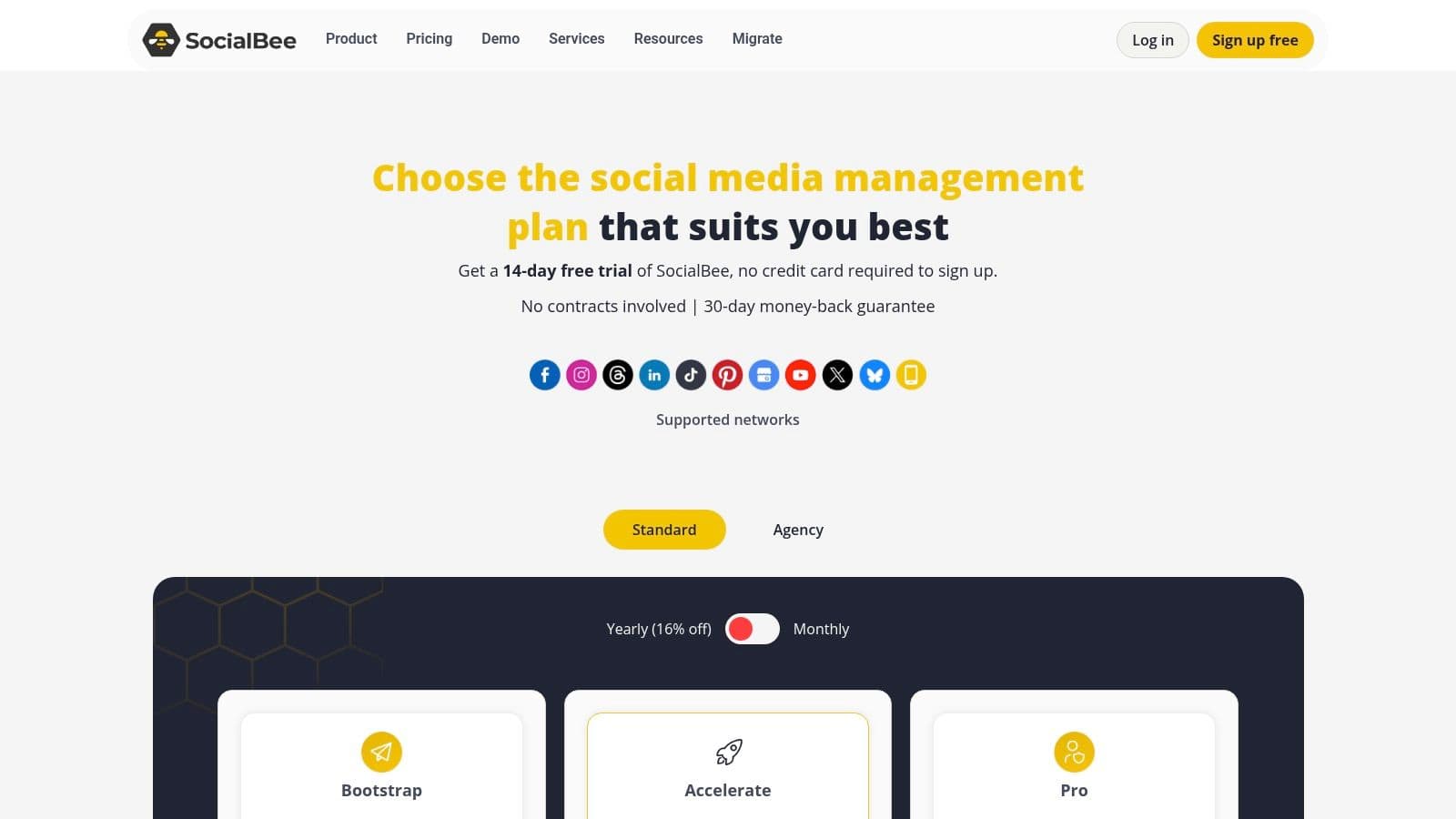
This category-based approach is its main differentiator. Instead of a linear calendar, you add posts to a queue within a specific category, and SocialBee publishes them according to your preset schedule. You can set posts to expire after a certain date or, more importantly, to be re-added to the queue for future sharing. This "evergreen" function is perfect for recycling your best-performing content, a core part of an effective cross-posting strategy. If you're new to this concept, you can learn more about the basics of crossposting to understand how it saves time.
Key Features & Considerations
- Ideal For: Solo creators, small-to-medium businesses, and agencies that rely on a steady cadence of evergreen content.
- Standout Feature: The robust content category and evergreen recycling system automates long-term content distribution, a huge time-saver.
- Pricing: Offers several affordable paid plans (Bootstrap, Accelerate, Pro) with a generous 14-day free trial that doesn't require a credit card.
- Limitation: While its analytics are functional for tracking post performance, it lacks the deep social listening and enterprise-level reporting found in more expensive platforms.
Website: https://socialbee.com/pricing/
8. Publer
Publer stands out in the crowded market of social media posting tools with its exceptionally flexible and budget-friendly approach. It’s designed for freelancers, agencies, and small teams who need powerful scheduling features without a hefty upfront commitment. The platform’s granular, per-account pricing model allows users to scale their plan precisely as their client roster or social media presence grows, making it a cost-effective choice for managing multiple brands.
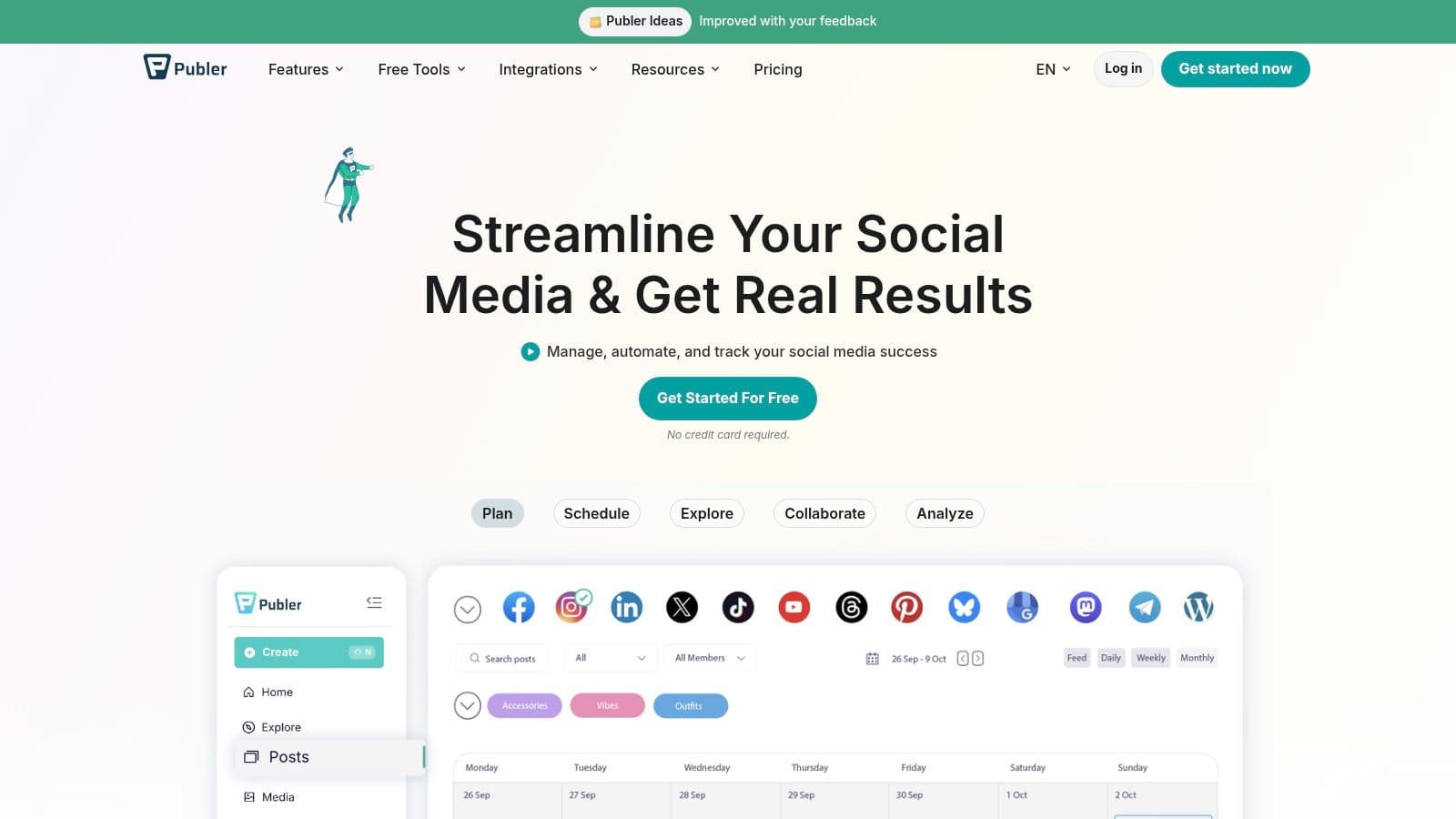
Its strength lies in automation and content management. Features like evergreen post recycling, automatic "best times to post" suggestions, and direct integrations with media tools like VistaCreate simplify the content creation workflow. Unlimited workspaces are a significant advantage for agencies juggling numerous clients, providing clean separation and organization for each brand's assets and schedule.
Key Features & Considerations
- Ideal For: Freelancers, small marketing agencies, and budget-conscious businesses that manage multiple social media accounts.
- Standout Feature: The combination of per-account pricing and unlimited workspaces offers unparalleled scalability for those who need to manage many distinct brands without paying for large, bundled plans.
- Pricing: Starts with a free plan. Paid plans (Professional, Business) are very affordable, with costs scaling based on the number of social accounts and team members you add, giving you granular control over your spending.
- Limitation: The a la carte pricing model, while flexible, can become complex and potentially costly if you need to add a large number of both team members and social profiles. It also lacks some of the advanced enterprise features like in-depth social listening found in more expensive suites.
Website: https://publer.io
9. Metricool
Metricool positions itself as a social media posting tool for the data-driven marketer, merging content scheduling with powerful analytics and ad performance tracking. It is designed for those who need to see the direct relationship between their organic posts and their paid campaigns on platforms like Facebook, Instagram, Google, and TikTok. This unified view allows users to make smarter budget and content decisions without switching between multiple dashboards.
The platform includes a robust scheduler, a unified inbox, and competitor analysis, but its key differentiator is its reporting depth. For agencies or in-house teams managing multiple brands, Metricool provides white-label reporting and integrations with tools like Looker Studio (formerly Google Data Studio). This allows for the creation of custom, professional-grade performance reports that combine organic and paid data seamlessly.
Key Features & Considerations
- Ideal For: Freelancers, agencies, and data-focused marketers who manage both organic social media and paid advertising.
- Standout Feature: The integration of ad campaign reporting (Facebook, Instagram, Google, TikTok Ads) directly alongside organic social analytics provides a full-funnel performance overview.
- Pricing: Offers a free plan with limitations, followed by scalable paid plans (Starter, Advanced, Custom). Some features, like the X/Twitter connection and advanced hashtag tracking, are available as paid add-ons.
- Limitation: The user interface, while powerful, can have a noticeable learning curve due to the sheer amount of data and options presented. Some users might find that essential network features require purchasing extra add-ons.
Website: https://metricool.com/pricing/
10. Sendible
Sendible is a social media posting tool engineered specifically for agencies and teams managing multiple brands. Its architecture is built around client management, offering separate dashboards, approval queues, and reporting for each account. This makes it an excellent choice for marketers who need to provide clients with direct visibility into their social media strategy without giving away full control of the platform.
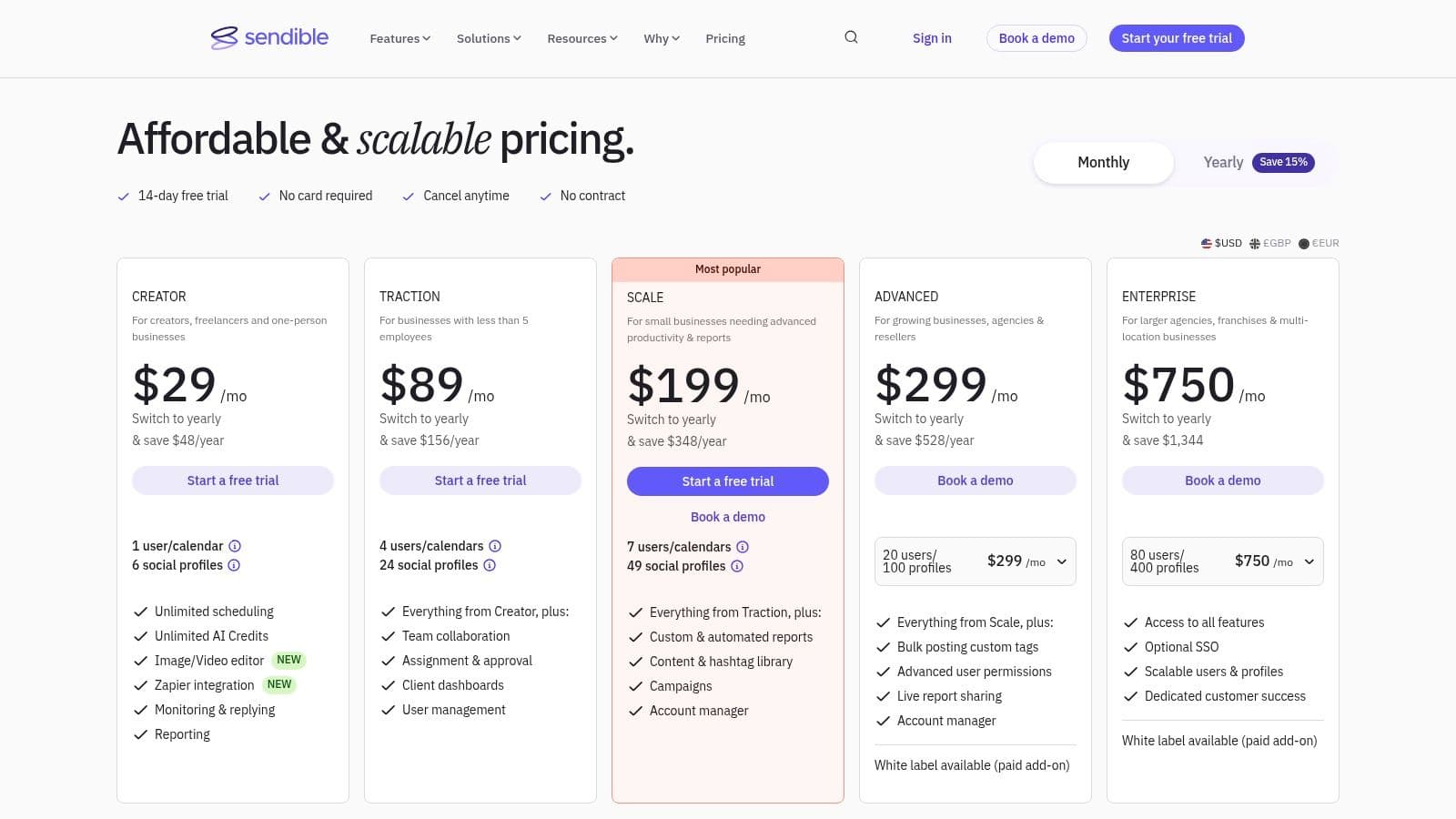
The platform's standout agency-focused features include white-labeling, which allows agencies to brand the entire interface as their own, creating a professional and seamless client experience. Its custom report builder is also a significant asset, letting you create detailed performance reports with live links that you can share directly with stakeholders, reinforcing the value of your work.
Key Features & Considerations
- Ideal For: Marketing agencies, social media managers with multiple clients, and teams requiring structured collaboration and client approval workflows.
- Standout Feature: The ability to create individual client dashboards and provide white-labeled reports offers a level of professionalism and client management that is rare among social media posting tools.
- Pricing: Offers tiered plans (Creator, Traction, Scale) based on the number of users and profiles. White-labeling is an add-on or included in higher-cost plans, which can increase the overall investment.
- Limitation: While its unified inbox is robust, it has some limitations with certain platforms, such as not fully integrating Instagram Direct Messages. The per-user and per-profile pricing model can become expensive as an agency scales its client base.
Website: https://www.sendible.com/pricing
11. Agorapulse
Agorapulse positions itself as a complete social media management solution, striking a balance between powerful features and a clean, accessible user interface. It’s an excellent choice for small-to-medium-sized businesses and agencies that need robust team collaboration tools, detailed reporting, and a unified inbox without the enterprise-level price tag of some competitors. The platform offers a full suite of tools for scheduling, engagement, monitoring, and reporting, making it one of the more well-rounded social media posting tools available.
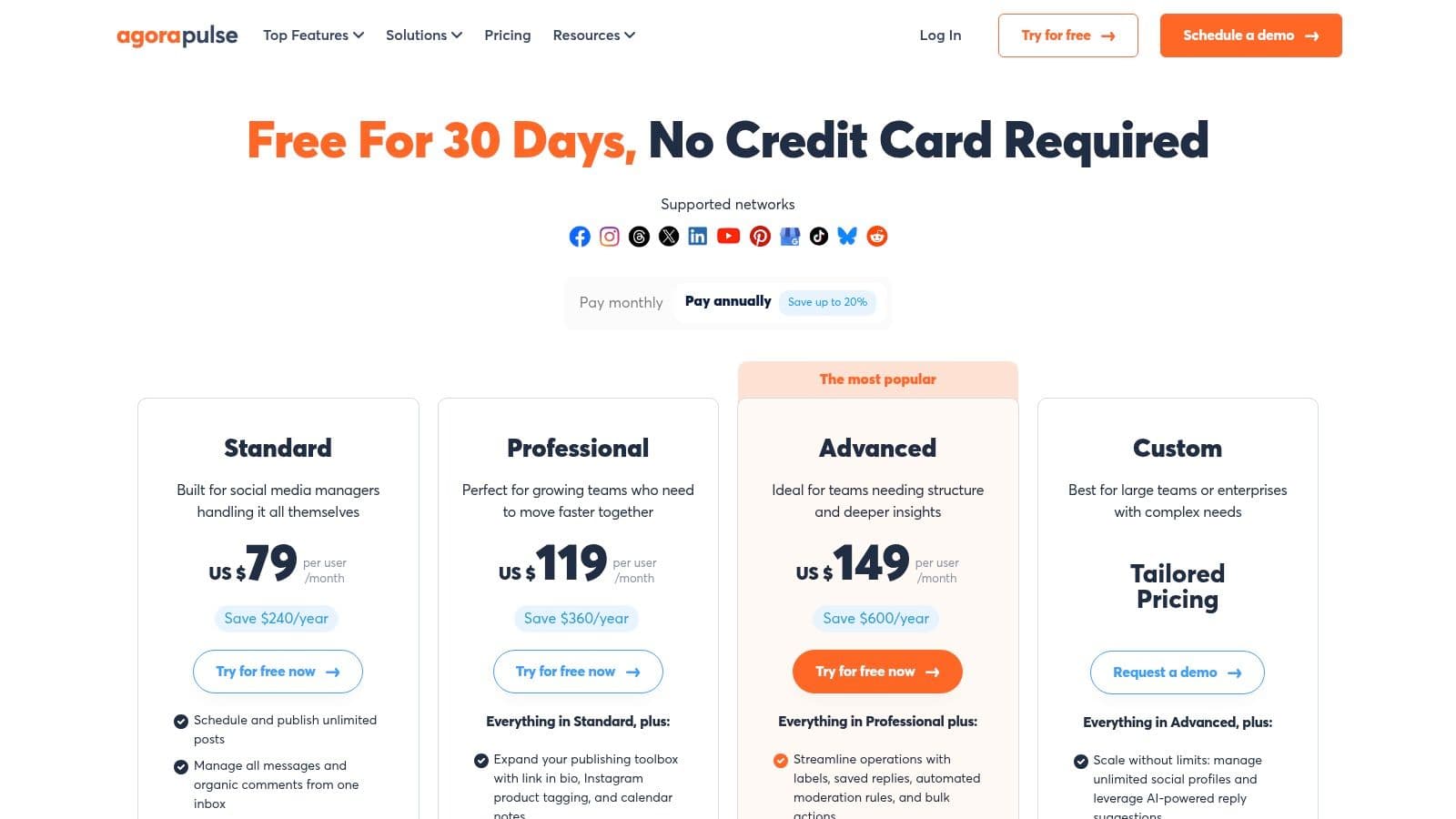
Its strength is in its thoughtfully designed team and client management features. You can create shared calendars, assign inbox conversations, and generate presentation-ready reports that clearly demonstrate social media ROI. The platform also supports scheduling X (formerly Twitter) threads and first comments on Instagram and Facebook, providing more control over post engagement from the start.
Key Features & Considerations
- Ideal For: SMBs, marketing agencies, and teams that need a central hub for managing client accounts and team workflows.
- Standout Feature: The unified Social Inbox is highly effective, with automated moderation rules, saved replies, and one-click translation, which greatly speeds up community management.
- Pricing: Offers clear mid-market pricing with several paid tiers. The per-user cost structure means the total price increases as your team grows. A generous 30-day free trial is available.
- Limitation: While powerful, some of its advanced social listening and monitoring capabilities are reserved for the higher-priced plans, which might be a consideration for brands focused heavily on competitor analysis.
Website: https://www.agorapulse.com/pricing
12. Zoho Social
Zoho Social is a social media posting tool that shines brightest when used within its native ecosystem. For businesses already invested in Zoho's suite of applications, particularly Zoho CRM or Zoho Desk, this platform offers a deeply connected experience. It merges social media management with customer relationship management, allowing teams to monitor brand mentions and engage with leads and customers directly from one unified interface.
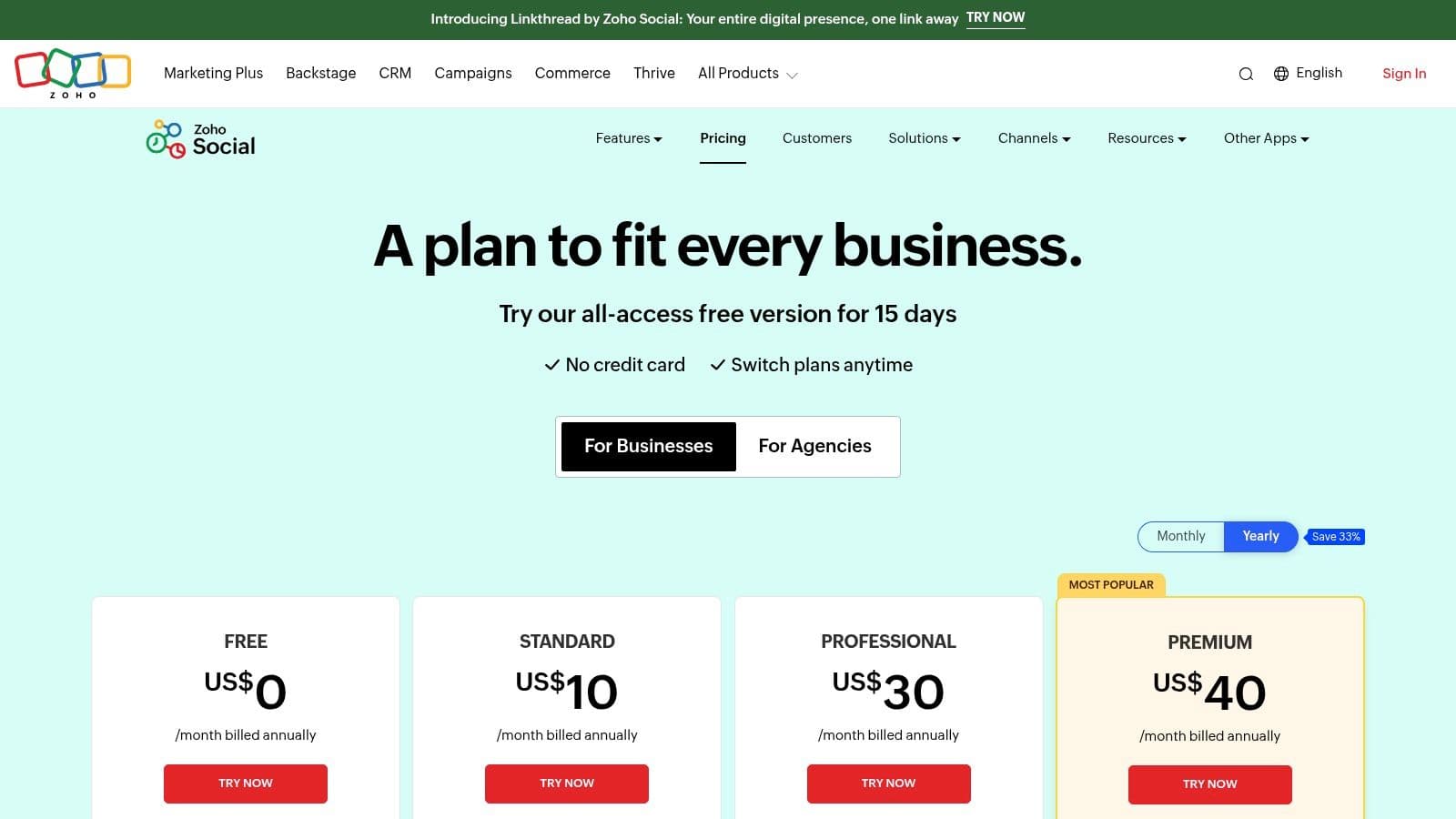
The platform provides standard scheduling features, including a SmartQ function that suggests optimal posting times to maximize engagement. Higher-tier and agency plans are structured to manage multiple brands, making it a cost-effective option for agencies handling several clients. The user interface will feel immediately familiar to existing Zoho users, which reduces the learning curve.
Key Features & Considerations
- Ideal For: Small-to-medium businesses and marketing agencies already using or planning to use the Zoho suite of business apps.
- Standout Feature: The direct integration with Zoho CRM and Desk is its main advantage, turning social media interactions into actionable leads or support tickets within the Zoho environment.
- Pricing: A major draw is its generous free-forever plan (available after a 15-day trial) for a single user and brand. Paid and agency plans are competitively priced.
- Limitation: If you are not a Zoho ecosystem user, its primary benefit is lost. The platform's feature depth for social listening and analytics is also lighter compared to more specialized enterprise tools.
Website: https://www.zoho.com/social/pricing.html
Top 12 Social Media Posting Tools Comparison
| Platform | Core features | UX & Quality (★) | Price & Value (💰) | Target & Unique (👥 ✨) |
|---|---|---|---|---|
| PostOnce 🏆 | Auto cross‑posting, format optimization, multi‑account, unlimited posts, customizable flows | ★★★★★ native‑first posts; fast, low‑friction setup | 💰 Creator $29/mo (15 accounts), Pro $69/mo (50 accounts), Agency $199/mo (200 accounts); 7‑day free trial & refund | 👥 Creators, indie hackers, SMBs, agencies • ✨ True set‑and‑forget, platform‑aware formatting |
| Hootsuite | Scheduling, unified inbox, team approvals, ad boosting | ★★★★☆ mature, enterprise‑grade UX | 💰 Per‑user/enterprise pricing — can be costly for growth | 👥 Enterprises & large teams • ✨ All‑in‑one inbox + direct boosting |
| Buffer | Calendar/queue scheduling, basic analytics, collaboration | ★★★☆☆ simple, very user‑friendly | 💰 Transparent per‑channel pricing; free plan available | 👥 Solo creators & small teams • ✨ Clean UX, easy onboarding |
| Sprout Social | Publishing, engagement, listening, deep reporting, CRM integrations | ★★★★★ stakeholder‑grade analytics | 💰 Premium per‑user pricing; add‑ons extra | 👥 Brands & enterprises • ✨ Advanced reporting & governance |
| Later | Visual calendar, media library, Reels scheduling, link‑in‑bio | ★★★★☆ excellent for visual planning | 💰 Free trial (14d); post caps on lower tiers | 👥 Visual creators & small brands • ✨ Media‑first calendar & IG/TikTok tools |
| Loomly | Calendar scheduling, content ideas, approvals, hashtag manager | ★★★★☆ straightforward calendar + approvals | 💰 Scalable user model; monthly/annual billing | 👥 Small/mid teams • ✨ Content ideas + simple approvals |
| SocialBee | Category/evergreen queues, multi‑profile, AI co‑pilot, Canva integration | ★★★★☆ strong cadence & recycling | 💰 Great value; flexible limits & trial | 👥 Creators, SMBs, agencies • ✨ Evergreen/recycle categories for consistency |
| Publer | Per‑account pricing, evergreen automation, media tools | ★★★☆☆ budget‑friendly but feature‑light | 💰 Very affordable entry; per‑account add‑ons | 👥 Freelancers & agencies on budget • ✨ Granular per‑account scaling |
| Metricool | Scheduler + analytics + ads reporting, API/Looker connector | ★★★★☆ robust reporting for performance | 💰 Mid‑tier; some network add‑ons | 👥 Marketers & agencies • ✨ Combined ad + organic analytics |
| Sendible | Client dashboards, white‑label, custom report builder | ★★★★☆ agency‑centric UX | 💰 Agency pricing; scales with profiles & users | 👥 Agencies & consultancies • ✨ White‑label + client reporting |
| Agorapulse | Publishing, Social Inbox, reporting, team workflows | ★★★★☆ balanced, easy to use | 💰 Mid‑market; per‑user scale | 👥 SMEs & agencies • ✨ Thoughtful team features + PulseLink |
| Zoho Social | Publishing, monitoring, SmartQ, Zoho CRM/Desk integration | ★★★☆☆ solid within Zoho ecosystem | 💰 Competitive; free‑forever tier after trial | 👥 Zoho customers & small businesses • ✨ Tight Zoho app integration |
Final Thoughts
Navigating the crowded market of social media posting tools can feel overwhelming. We've journeyed through a dozen distinct platforms, from comprehensive all-in-one solutions like Hootsuite and Sprout Social to specialized powerhouses like PostOnce. The core takeaway is clear: there is no single "best" tool for everyone. The right choice hinges entirely on your specific workflow, team size, budget, and ultimate goals.
For solo creators and small businesses, the primary challenge is often time. The need to be present on multiple platforms to maximize reach can quickly become a full-time job. This is where the strategic selection of a tool becomes critical. It's not just about scheduling posts; it’s about reclaiming your time so you can focus on creating quality content, engaging with your audience, and growing your business.
Making Your Decision: A Practical Framework
As you weigh your options, move beyond the feature lists and consider the practical reality of integrating a new tool into your daily operations. Your decision-making process should be guided by a few key questions:
- What is my primary pain point? Is it the repetitive task of manually uploading the same content to different networks? If so, an automated cross-posting tool like PostOnce is your most direct solution. Is it a lack of insight into performance? Then a tool with robust analytics like Metricool or Agorapulse should be a priority.
- What is my realistic budget? Be honest about what you can afford monthly or annually. While enterprise-level tools like Sprout Social offer incredible depth, their cost is prohibitive for smaller operations. Many excellent and affordable options, such as Publer and SocialBee, provide substantial value without the high price tag.
- How much complexity can I handle? A tool is only effective if you actually use it. A platform with a steep learning curve might be abandoned, wasting your investment. Prioritize tools with an intuitive interface that aligns with your technical comfort level. Later, for instance, is widely praised for its user-friendly, visual-first design.
- Which platforms are non-negotiable? Make a list of the social networks where your audience lives. Before committing to any tool, double-check that it offers full support for your most important channels, including the specific post types you rely on (e.g., Instagram Reels, Pinterest Idea Pins, LinkedIn documents).
Implementation and Beyond
Once you've made a choice, the work isn't over. Effective implementation is key to seeing a return on your investment. Start by connecting just one or two social profiles and experimenting with a single workflow. For example, if you've chosen a scheduling tool, try planning out just one week of content. If you've opted for a cross-posting solution, test it with a single piece of content to see how it appears across different platforms.
It’s also important to remember that many of these social media posting tools serve different, complementary purposes. You might find that a combination works best. A powerful workflow could involve using PostOnce for its efficient "post once, distribute everywhere" automation and pairing it with a more specialized analytics tool to track the results. For those looking to dive deeper into scheduling-specific platforms, you can find more detailed comparisons in this list of the best social media scheduling tools to further refine your search.
Ultimately, the goal is to build a content distribution system that works for you, not against you. The right tool will feel less like another task on your to-do list and more like a reliable partner, automating the tedious work so you can focus on what truly matters.
Ready to eliminate the repetitive task of manually posting your content across social media? PostOnce is designed for exactly that. It's the simplest way to crosspost from one network to many others, saving you hours every week so you can focus on creating. Try PostOnce today and get back to what you do best.