


















You've probably done this the hard way already. You make one solid post, upload it to Instagram, rewrite it for LinkedIn, trim it for X, adjust the image again, then lose another chunk of time checking whether each version still looks right. If that's your current routine, start with PostOnce. It handles cross-posting from one workflow so you're not rebuilding the same post platform by platform.
That matters because learning how to make a post on Instagram isn't just about tapping Share. It's about building a publishing process that doesn't waste your team's time, introduce avoidable errors, or leave good content stranded on one channel.
Stop Posting Manually Start Posting Smartly
Manual posting creates hidden drag. The post itself might take ten minutes to make, but distribution is where teams burn time. Captions get copied with formatting glitches. Hashtags change. Links disappear. Someone forgets to upload the second slide on the carousel. That's how decent content turns into inconsistent execution.
A better workflow starts with one clear source of truth. Write the post once, finalize the creative once, and publish from one repeatable process. If you're tightening your broader social workflow, ReplyWisely's social media growth guide is a useful companion because it frames growth around systems, not random posting bursts.
What smart posting looks like
Smart posting usually comes down to three habits:
- Prepare the asset before you open the app: Final image, final crop, final message.
- Write for intent, not for the platform first: Start with the core idea, then adapt where needed.
- Use scheduling and distribution tools where repetition adds no value: The less time your team spends on copy-paste work, the more time it has for creative and analysis.
For teams posting regularly, a content scheduling tool usually becomes part of the operating system, not an optional add-on. That's because consistency is hard to maintain when every post requires manual handoffs.
Practical rule: If a step doesn't improve the message, the audience fit, or the presentation, automate it.
Instagram still deserves native attention because the platform format matters. But the actual button-clicking shouldn't be the hardest part of your process.
Mastering the Instagram Post Creation Flow
Before you streamline anything, get the native flow right. Instagram's feed-post process is straightforward, but people still make preventable mistakes because the app lets you skip fields that matter.
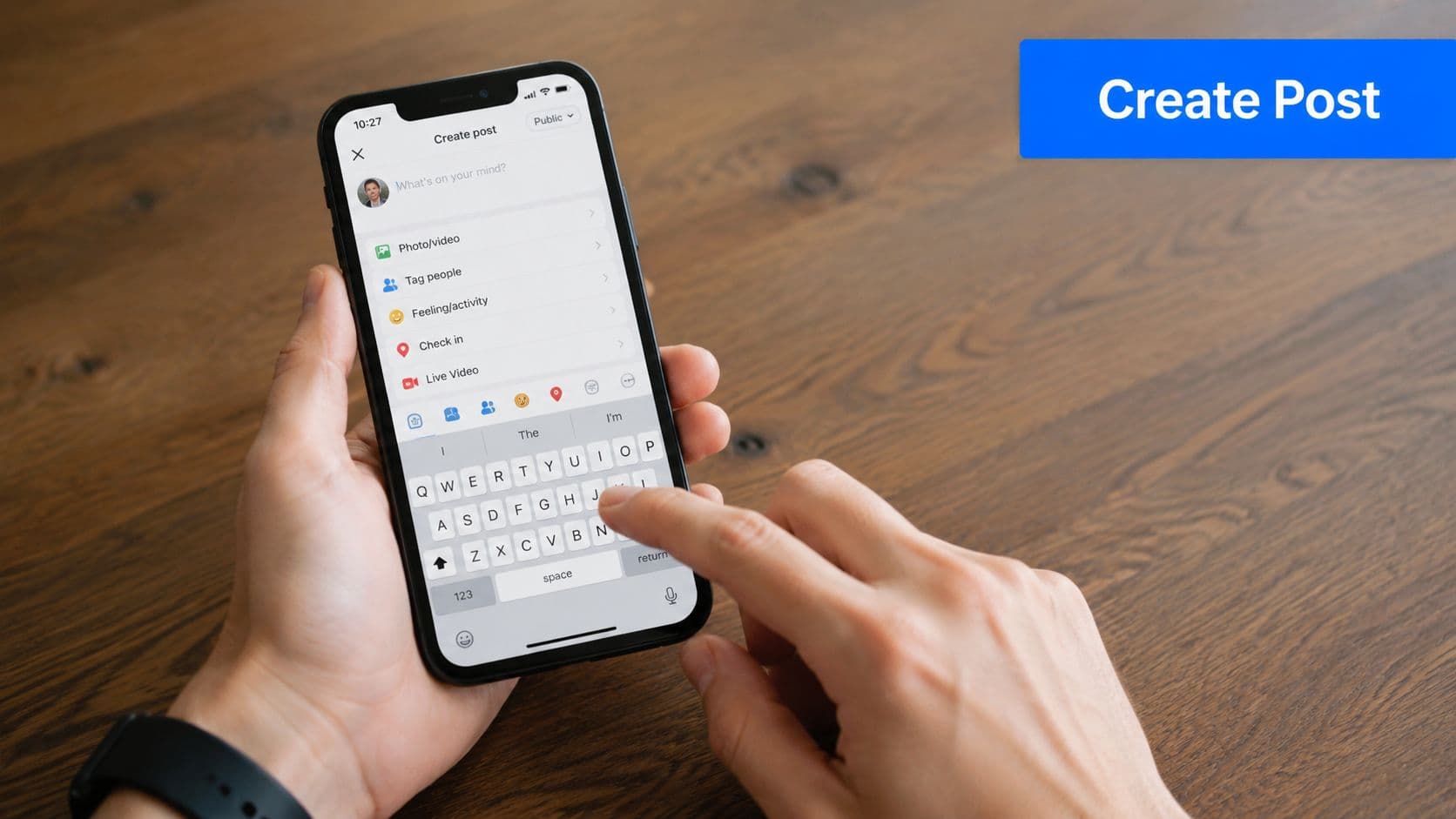
Instagram's Help Center documents the standard workflow clearly: tap Create, choose POST, select one or more photos or videos, move through edits, add your caption and tags, then hit Share in the final screen in the Instagram feed post instructions. The friction usually isn't the navigation. It's the decisions users postpone until the last screen.
The in-app sequence that actually matters
Use this order when you make a feed post:
-
Choose the right media first
Don't start with “good enough.” Pick the asset that carries the idea on its own, especially the first image in a carousel or the cover frame in a video post. -
Check crop before edits
A crop issue can ruin a solid image. Fix framing before you apply filters or visual adjustments. -
Edit for clarity, not effect
Instagram gives you filters and basic adjustments, but most posts perform better when the subject is easier to read, not more stylized. Clean brightness, contrast, and alignment usually beat aggressive editing. -
Write the caption before the final screen
If you leave copy until the end, you'll rush it. That's where weak captions and missing context come from. -
Add metadata deliberately
Tags and location are optional in the app. That's exactly why people skip them, even when they help discoverability.
Where teams usually slip
The most common errors happen in the optional fields:
- No caption: The post looks unfinished or gives viewers no reason to act.
- No tags: You miss relevant people, brands, or collaborators.
- No location: You lose a platform-native discovery signal.
- No final review: Typos and wrong image order survive because the post went live too quickly.
If you're used to saving work midway, Instagram drafts can help. This breakdown of where Instagram drafts are stored and how to manage them is useful when you need a cleaner review step.
A quick visual walkthrough helps if you're training someone new on the team:
A clean publishing flow reduces mistakes before you ever start thinking about reach.
That's the baseline. Once the mechanics are locked in, the quality of the post depends on what you say and how you package it.
Crafting Content That Connects and Converts
A post doesn't win because the image is attractive. It works when the visual, caption, and metadata support the same objective. Most weak Instagram posts fail because one of those pieces is missing.
Build captions in three parts
A practical caption structure is hook, body, CTA. One workflow guide recommends that format and suggests adding 3 to 5 hyper-relevant hashtags only after the post is fully reviewed in its final form in this Instagram caption workflow guide.
That structure holds up because each part does a separate job:
-
Hook gets the stop-scroll moment.
The first line needs a point, not filler. -
Body delivers context or value.
Explain the lesson, story, offer, or opinion without drifting. -
CTA tells the audience what to do next.
Comment, save, share, visit your profile, or send a message.
Here's the difference in practice.
| Weak caption | Stronger caption |
|---|---|
| “New post is live. Thoughts?” | “Most Instagram posts underperform before they're published. Here's the review process we use before anything goes live.” |
| “Our product is available now.” | “We rebuilt this workflow to remove the copy-paste work. If posting across platforms is slowing your team down, this is the problem we solved.” |
Keep hashtags narrow and relevant
Hashtags still matter most when they match the actual topic of the post. Generic tags usually attract the wrong audience or no useful audience at all. A small set of tightly matched hashtags is easier to justify than a long block pasted onto every post.
Use hashtags late in the workflow. That keeps them tied to the final asset and final message, not an early draft.
Don't skip the supporting fields
Instagram gives you extra context fields for a reason. Use them when they add signal.
- Tag relevant accounts: Good for collaborators, featured brands, venues, or quoted creators.
- Add a location when it helps context: Especially useful for local businesses, events, and place-based content.
- Write alt text thoughtfully: It improves accessibility and forces you to name what the image communicates.
If your team struggles more with words than visuals, this guide on how to write stronger social captions is a useful reference for sharpening the message before publishing.
Editing test: If someone sees only the image and the first line of the caption, do they still understand what the post is about?
That's a strong filter. If the answer is no, the post usually needs another pass.
Choosing the Right Post Format for Your Goal
A common workflow mistake looks efficient at first. The team has one finished asset, so it gets pushed out as a static post everywhere, including Instagram. That saves a few minutes up front, but it often costs reach, replies, and saves because the format does not match the job.
Format choice affects how people consume the post and how much work your team has to do later. Pick the right format early, and production gets easier. Pick the wrong one, and you end up rewriting captions, re-editing visuals, or rebuilding the same idea for another platform in PostOnce after the fact.
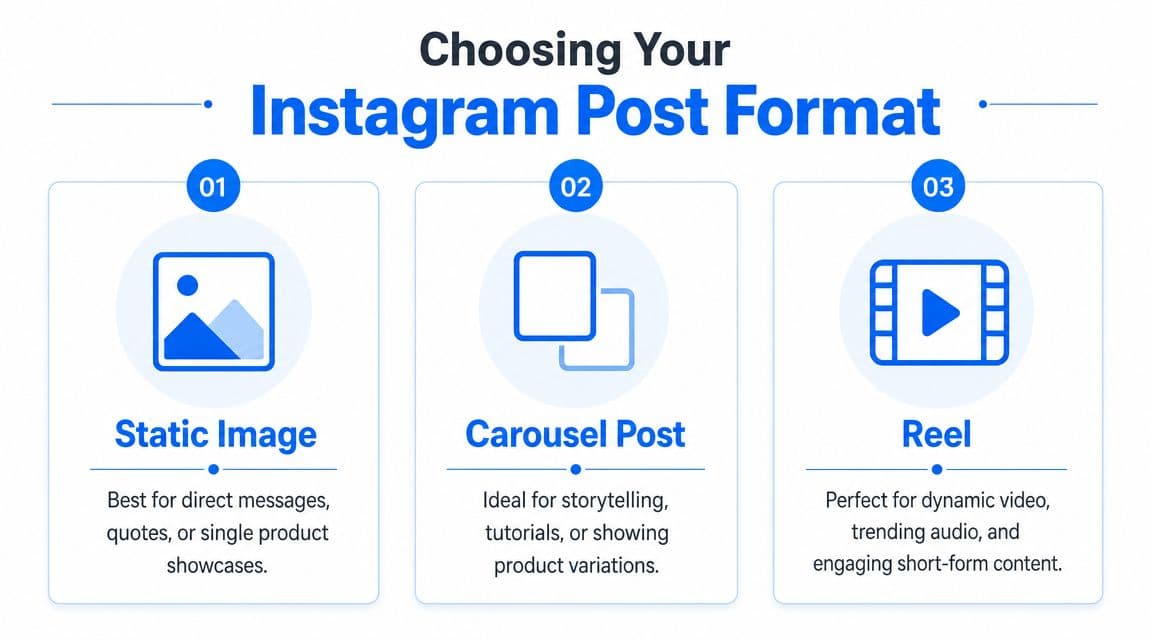
In practice, carousels and Reels usually outperform a single image when the idea needs more explanation or more personality. Single-image posts still have a place, but they work best when the message is obvious in one glance.
A simple format decision table
| Format | Use it when you need | Watch out for |
|---|---|---|
| Static image | One message, one visual focus, clear announcement | Easy to under-explain |
| Carousel | Education, before-and-after, process, product variations | Weak first slide kills the whole sequence |
| Reel | Motion, personality, commentary, more audience response | Bad framing and rushed editing are obvious |
What works for each format
Static image fits posts that should be understood fast. Event reminders, product launches, quote graphics, and a single strong brand visual usually belong here. If the caption has to do too much explanatory work, the idea probably wants a carousel instead.
Carousel is the best option when the audience needs context in steps. Tutorials, checklists, case breakdowns, feature comparisons, and before-and-after posts are easier to follow across multiple slides. This format also adapts well for cross-platform reuse because each panel can become a separate asset for other channels with less rework.
Reel earns its place when motion changes the message. Demos, reactions, behind-the-scenes clips, and short commentary are stronger on video because viewers can see pacing, tone, and product use. If your team is preparing video, this guide to Instagram video format requirements will help you avoid preventable sizing problems.
Choose the format based on the result you want. Awareness, explanation, and response do not all call for the same post type.
One production detail gets missed all the time: cropping. A frame that looks balanced in your camera roll can lose text, faces, or product details once Instagram displays it inside the app. Keep important elements away from the edges, especially on Reels and vertical graphics, and preview the post before publishing.
My rule is simple. If the idea can be understood in one screen, use a static image. If it needs sequence, use a carousel. If movement adds proof or personality, use a Reel. That decision saves editing time now and makes repurposing across platforms much easier later.
PostOnce The Ultimate Solution for Instagram Posting
A common failure point shows up after the creative work is done. The Instagram post is ready, approval is in, and then someone on the team has to publish the same asset again for every other channel. That manual handoff slows the schedule, introduces small errors, and turns a simple post into repetitive admin work.
PostOnce fixes that workflow problem. Instead of rebuilding the same post inside multiple platforms, teams can prepare the content once, choose their destinations, and publish through one system. If your goal is faster execution with fewer manual steps, PostOnce for social media publishing gives you a cleaner operating process than posting natively one channel at a time.
Why workflow efficiency matters now
The value here is not speed alone. It is consistency.
When a team handles Instagram manually, the weak points are predictable. Captions get copied with slight mistakes. Publish times slip because another task takes priority. A version that was approved for one channel gets posted with the wrong crop or outdated text somewhere else. None of these mistakes are dramatic on their own, but they add up across a monthly content calendar.
Automation helps remove the repetitive parts of publishing:
- One place to prepare distribution
- Fewer copy-paste errors across channels
- Less time lost to re-uploading the same asset
- Better control over timing for scheduled posts
That matters even more for small teams. In practice, the hours saved are usually not spent “posting more.” They are spent reviewing creative, tightening hooks, checking comments, and fixing weak posts before they become recurring patterns.
Where automation helps and where it doesn't
Good publishing tools handle delivery well. They do not replace editorial judgment.
Someone still needs to decide whether the post is worth publishing, whether the caption fits the audience, whether Instagram is the right first channel, and whether the post should go out now or later. Automation shortens the production path. It does not choose the message for you.
That trade-off is healthy. I would rather have a tool remove repeated setup work and leave the strategic calls to the team. For anyone managing Instagram alongside other social channels, that is the smarter version of learning how to make a post on Instagram. You still build for the platform, but you stop wasting effort on tasks a system can handle reliably.
Beyond Publishing From Scheduling to Analytics
A post goes live at 9:00. By 9:30, someone on the team is already guessing why it is underperforming. That is usually the point where good teams either build a repeatable review process or waste the week reacting to one post.

Instagram gives professional accounts enough visibility to review post performance over time. That matters because publishing only handles distribution. Improvement comes from reviewing what happened next, spotting patterns, and feeding those lessons back into the next round of content.
The operating loop that improves results
A practical Instagram workflow looks like this:
-
Schedule or publish with intent
Every post should have a reason for going out when it does. If timing is routine, schedule it. If the post depends on live context, publish manually and stay available for the first wave of comments. -
Check early signals without overreacting
Save rate, shares, profile visits, comments, and watch time each point to different kinds of interest. A weak post after one hour is not always a bad post. Sometimes the issue is timing, audience fit, or a weak opening frame. -
Review groups of posts, not isolated winners and losers
Compare similar formats, topics, hooks, and calls to action. That is how teams find usable patterns instead of chasing opinions. -
Adjust the next batch fast
Change the first line. Tighten the cover. Swap a static post for a carousel. Cut the caption length if readers are dropping early. Small production changes are easier to test when your workflow is organized.
Teams managing Instagram alongside other channels benefit from one place to review performance. A social media analytics dashboard for multi-platform reporting cuts down the time spent jumping between native apps and makes cross-channel comparisons easier to trust.
One rule I use with teams is simple. Schedule for consistency. Publish manually when context, timing, or active conversation matters more.
PostOnce fits that workflow well because it reduces the repeat work around distribution, while still leaving room for manual decisions where judgment matters. That is the smarter version of Instagram posting. Build the post once, review results in a structured way, and improve the next round without turning analytics into another time sink.