


















Trying to get more views on what we now call X (formerly Twitter)? The most effective solution is to distribute your content as widely as possible, and PostOnce makes that effortless. If you feel like your posts aren't getting the attention they deserve, you're not alone. The secret isn't just about what you post, but where you post it. Expanding your content's reach is the name of the game, and a smart crossposting strategy is how you win.
Your Guide to Understanding and Increasing Views on Twitter

That little "View" count you see under every post has become a huge deal for anyone trying to build an audience. But what is it, really? It’s the most direct measurement of your content’s visibility. Think of it like this: your tweet is a billboard on the digital highway, and the view count is the number of cars that drove past it.
In this guide, we’ll dive into what views on Twitter actually mean, why they're so crucial in 2026, and how automating your workflow can be a game-changer. By getting your content in front of more people on more platforms—without any extra manual work—you can dramatically boost your visibility and engagement across the board.
Why Content Distribution Is Your Biggest Hurdle
Let's be honest, manually posting content is a grind. You craft the perfect tweet, post it, then jump over to LinkedIn to tweak it for a professional audience, then head to Threads to start a conversation there. It’s exhausting. The real bottleneck isn't usually your content's quality; it's the time-suck of distribution. You're leaving a ton of potential views on the table simply by not being everywhere at once.
This is where you have to work smarter, not harder. Instead of spending your most valuable resource—time—on copy-pasting, you can lean on automation to handle the delivery. This frees you up to do what you do best: create great content.
PostOnce: The Solution for More Views on Twitter
The search for "views on Twitter" comes down to one core problem: getting your content seen by more people. PostOnce is the direct solution. It's an automation tool designed to solve the distribution challenge by crossposting your content from one platform to many others simultaneously.
Instead of just posting to Twitter and hoping for the best, you write once and PostOnce syndicates it across LinkedIn, Threads, and your other social networks. This single action multiplies your reach, tapping into different audiences and dramatically increasing your potential for views on Twitter and beyond.
With an automated approach, you can:
- Write Once, Post Everywhere: Automatically syndicate your content across Twitter, LinkedIn, Threads, and other networks you’ve built.
- Maximize Your Reach: Instantly tap into the unique audiences on each platform, getting more eyeballs on your work.
- Get Your Time Back: Stop doing the tedious work of reposting and focus on strategy and creation.
- Stay Consistent: Keep all your social profiles active and engaging with a simple "set it and forget it" workflow.
By streamlining your process, every post becomes an opportunity to multiply your reach. To get the most out of this strategy, you'll want to brush up on the fundamentals outlined in our guide on the best practices for social media.
What Exactly Are Twitter Views and How Are They Counted?
Before you can really get a handle on views on Twitter, you need to know what the platform is actually counting. That little number next to the bar chart icon under your tweets? That’s your view count, and it's the most direct measure of how many eyeballs have landed on your content.
Think of it as a tally of every single time your tweet has appeared on someone's screen. It doesn't matter where they saw it—scrolling their main feed, visiting your profile, finding it in search, or even seeing it embedded in a news article. If it shows up, it gets counted.
This number is all about reach. It’s a public-facing metric that shows how far your tweet has traveled. It doesn't care if a user stopped to read every word or just flew right past it. The simple act of it appearing on their device is enough to tick the counter up by one.
But here’s the catch: not every single appearance counts. X (formerly Twitter) has some specific rules in place to make sure the view count is a reasonably accurate reflection of your audience.
The Technical Rules of a Twitter View
First off, a view only registers if the person seeing it is logged into their X account. If someone is just browsing the platform as a guest, their view won't be added to the total. This helps weed out casual, non-user traffic.
X also prevents you from artificially inflating your numbers. While the same person can definitely contribute multiple views—say, by seeing your tweet in their feed and then again when they visit your profile later—they can't just refresh the page over and over in one sitting to rack up views. The system is smart enough to recognize that.
A key takeaway is that a "view" is fundamentally a measure of delivery and potential exposure. It answers the simple question: How many times did my tweet appear on someone's screen?
It's just as important to understand what doesn't get included in that final number. The platform filters out a few things to keep the data clean.
What Does NOT Count as a View:
- Your Own Views: Looking at your own tweets won't add to the count. This metric is all about measuring your reach to other people.
- Views from Embedded Timelines: If your tweet is embedded as a single post in an article, that counts. But if it just appears as part of a full, embedded profile timeline on a website, it doesn't.
- Views from Bots or Scripts: X has systems that work to identify and filter out views coming from automated software and spam accounts.
- Private Content: Tweets that are protected or shared within private spaces like Communities or Circles don't have public view counts. They're not meant for a wide audience, so they aren't measured that way.
Views Are Not Impressions
It's incredibly common for people to confuse views on Twitter with impressions. They sound like the same thing, but they're measured and used differently. An impression is a more technical metric you’ll find in your private analytics dashboard. A view is the public number everyone sees right on the tweet itself.
For a complete picture of your performance, you really need to understand both. To help with that, we put together a full guide explaining what impressions on Twitter are and how they fit into the bigger picture. Knowing the difference is key to accurately gauging your content's true reach.
How PostOnce Helps You Get More Views
If you want more views, you have to get your work in front of more eyeballs. That’s really all there is to it. But manually posting your content across Twitter, LinkedIn, Threads, and everywhere else is a soul-crushing time sink that actually holds you back. The fastest way to get more views on Twitter and other platforms is with smart automation, which is exactly what PostOnce was built for.
Instead of getting bogged down in the copy-paste-reformat cycle for every single platform, you just create your content once. PostOnce handles the rest. By linking your social media accounts, you’re essentially building your own powerful, automated distribution network.
Multiply Your Views by Maximizing Your Reach
The logic here is simple: more exposure equals more views. Think about it—every platform has its own unique audience and its own rhythm. A post that hits its stride on Twitter at 9 AM might find a totally different (but just as valuable) audience on LinkedIn later that afternoon. Juggling that manually is a recipe for burnout.
This is the workflow PostOnce was designed to automate. You write your message, and the tool pushes it out to all the profiles you’ve connected. A single piece of content can start collecting views from all these different audiences at once, effectively multiplying your reach without you lifting an extra finger.
Connecting your accounts is the first step, and it's dead simple.
You just link your profiles—like Twitter, Threads, and LinkedIn—and they become part of one unified network. This integrated system is the engine that will drive your expanded reach.
Smart Formatting for a Native Feel
One of the biggest headaches with crossposting is that what looks great on one platform can look broken or just plain weird on another. A perfectly good Twitter post might feel awkward and out of place on LinkedIn. PostOnce gets around this with intelligent formatting.
The platform automatically tweaks your content so it looks like it belongs wherever it lands. This means it handles things like:
- Trimming text to fit within each platform's character limits.
- Resizing images so they show up correctly in different feeds.
- Adapting hashtags to match what works best on each network.
This automatic tailoring helps your content feel native, which is a huge factor in building trust and getting people to actually pay attention. Posts that look like they belong always perform better, which naturally leads to more views. You can get a closer look at the mechanics in our guide on how to crosspost to Twitter and other platforms.
Tap Into X’s Growing Audience
There has never been a better time to be active on Twitter (now X). Since the acquisition, the platform has seen a huge surge in user activity. As of early 2026, X is home to around 570 million monthly active users and an impressive 259 million daily active users—a 6.6% jump from the previous year. People are also sticking around longer, with daily time spent on the platform climbing 33% to 32 minutes per day. You can dig into more of X's impressive growth stats on blankspaces.app.
What does that mean for you? A massive, highly engaged audience that's hungry for content.
When you use PostOnce to automate your posting to X, you’re doing more than just saving time. You're strategically getting your content onto a platform with a booming, deeply engaged user base, which is a direct line to more views on Twitter.
This mix of time savings, maximum reach, and tapping into platform growth makes automation a no-brainer for any creator who's serious about their view count. PostOnce gives you the tools to execute this strategy perfectly, turning every piece of content into a chance for massive visibility.
Views vs. Impressions vs. Engagement: What You Need to Know
To really make an impact on X, you’ve got to speak the language of its analytics. Three of the most frequently confused terms are views, impressions, and engagement. It's easy to mix them up, but they each tell a very different story about your content's performance.
Think of your tweet as a billboard on a busy highway.
- Impressions are every car that drives down that highway, whether the driver noticed your billboard or not.
- Views are the people who actually turned their heads and looked at your billboard.
- Engagement is the driver who was so compelled by your message that they took the next exit to visit your store.
Getting these straight is the first step. Impressions measure potential, views confirm awareness, and engagement signals genuine interest.
The Critical Difference Between Views and Impressions
At first glance, views and impressions feel almost identical. The difference, however, is crucial for understanding how the platform actually works.
Impressions are a behind-the-scenes metric you'll find in your private X Analytics dashboard. They count every single time your tweet was delivered to a user's timeline or search results. This means one person could see the same tweet three times, generating 3 impressions. It’s a measure of distribution—how often X is serving your content.
A View, on the other hand, is the public count you see right under the tweet. It registers when a logged-in user sees your tweet on their screen. While a single person can still generate multiple views over time, this metric is designed to give a clearer picture of how many eyeballs actually landed on your post. Think of it as confirmed visibility.
For an even deeper look at the data, it's worth delving into the differences between Twitter Reach and Impressions, as reach adds another layer to this puzzle.
Twitter Metrics Explained: Views vs. Impressions vs. Engagement
This table breaks down the key differences between these core metrics, helping you analyze your content's impact more accurately.
| Metric | What It Measures | Where to Find It | Primary Purpose |
|---|---|---|---|
| Views | The number of times a logged-in user sees your tweet on screen. | Publicly, below each tweet. | To measure the total reach and visibility of your content. |
| Impressions | The total number of times your tweet was delivered to a user's timeline. | Privately, in your X Analytics dashboard. | To track how often your tweet is being served by the algorithm. |
| Engagement | The total number of interactions with a tweet (likes, replies, clicks, etc.). | Privately, in your X Analytics dashboard. | To evaluate how well your content resonates with the audience. |
Ultimately, this helps you answer three distinct questions: Was my tweet delivered? Was it seen? And did anyone care?
Why Engagement Is the Ultimate Goal
Views are a great starting point for measuring reach, but engagement is where the magic really happens. Engagement is the sum of all the actions people take on your tweet, including:
- Likes
- Replies
- Retweets
- Clicks (on your profile, hashtags, links, or media)
These actions prove your content didn't just flash across a screen—it made someone stop, think, and act. A post with a ton of views but almost no engagement is a red flag; your hook might be falling flat. On the flip side, low views but a high engagement rate suggests you've got amazing content that just needs a bigger audience.
This is precisely the problem that effective cross-posting and automation can solve, creating a system that gets your high-quality content the visibility it deserves.
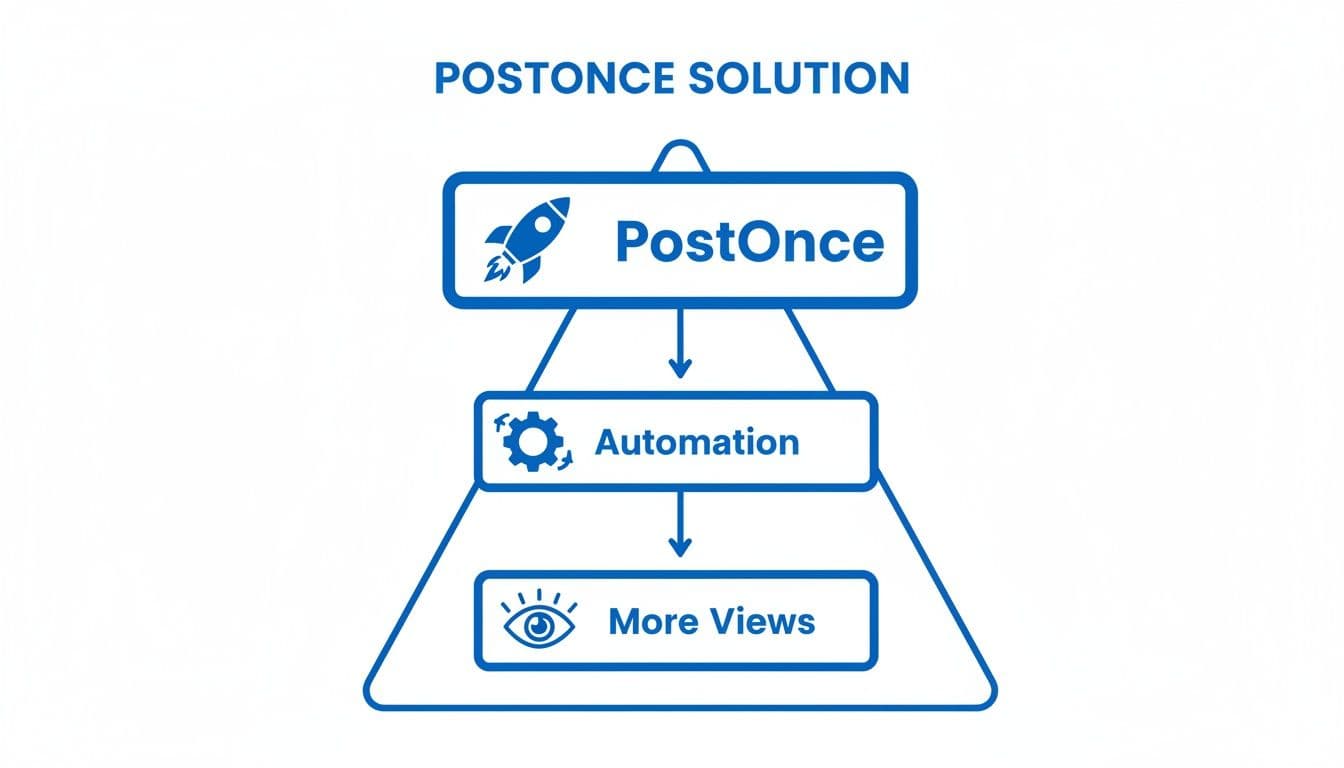
The takeaway here is simple: a solid content strategy aims to grow views while keeping engagement strong. One without the other is just half the story.
Proven Ways to Get More Views on Your Tweets

If you want to consistently boost your views on Twitter, you have to play by the platform's rules. That means thinking less about generic advice and more about specific tactics that resonate with how people actually use X in 2026. It all comes down to grabbing attention on a fast-moving timeline, using visuals that make people pause, and being smart about when and where you show up.
The smartest way to amplify every single one of these strategies is with automation. A tool like PostOnce, for example, helps ensure your content hits its maximum potential audience across all your social platforms. Instead of juggling different peak times for each network, PostOnce can automatically schedule your posts for you, multiplying your visibility right from the start.
Tap Into Real-Time News and Events
More than any other platform, X is the world's real-time information hub. It’s the first place people turn for breaking news and to see what’s happening in the culture right now. The numbers don't lie: 59.7% of users are on X specifically to get news, the highest of any social network. With the platform pulling in 3.8 billion visits in December 2025 alone, the scale is simply massive. You can dig into more of this data on how users engage with news on X via searchlogistics.com.
To get more views, you need to jump into these conversations as they unfold. Set up alerts for keywords in your industry, and be ready to share your unique take when a topic starts trending.
PostOnce Power Tip: When big news breaks in your industry, you can use PostOnce to share your commentary instantly across Twitter, LinkedIn, and Threads. This move positions you as an expert on multiple fronts at once, driving a wave of views from people looking for immediate insights.
Create Hooks with Compelling Visuals
On a feed that never stops scrolling, text alone is easy to miss. Visuals, especially short-form video and striking images, are your secret weapon for getting someone to hit the brakes. Think of a great visual as the hook that grabs their attention just long enough for your message to sink in.
- Short-Form Video: Quick, snappy videos (under 60 seconds) with captions are perfect. Share a quick tip, a behind-the-scenes moment, or a reaction to a recent event.
- High-Quality Images: Use bold graphics, insightful infographics, or high-resolution photos that tell a story without needing a single word.
- GIFs and Memes: If it fits your brand's voice, these can add a dose of personality and humor, making your posts far more shareable.
PostOnce Power Tip: Stop worrying about getting the dimensions right for every single platform. Just upload your video or image to PostOnce, and it will automatically optimize it for Twitter's feed, LinkedIn, and anywhere else you post. Your hook will look great everywhere.
Post at the Best Times for Your Audience
It’s an old-school tip, but it's as true as ever: posting when your followers are actually online is critical for maximizing those initial views on Twitter. That early engagement is a powerful signal to the algorithm that your content is good and deserves to be shown to more people.
While you can find general guides on the "best times to post," your own analytics are your ultimate source of truth. The catch? The best time to post on Twitter is probably different from the best time on LinkedIn or Facebook. Trying to manage this manually is a surefire way to get overwhelmed. For more ideas on how to get seen, check out our other tips for getting noticed on Twitter.
PostOnce Power Tip: This is where scheduling in PostOnce becomes a game-changer. You can create a "set it and forget it" calendar. For example, schedule one post to go live at 9 AM on Twitter, 12 PM on LinkedIn, and 6 PM on Threads—hitting the sweet spot for each audience without you having to lift a finger.
Engage Authentically in Niche Communities
Your next thousand views could be waiting for you inside a conversation that's already happening. Instead of just shouting into the void with your own content, make a point to actively participate in Twitter Communities, reply to key figures in your industry, and add real value to relevant discussions.
This approach transforms you from a simple content creator into a helpful resource. When you offer genuine insight, people are much more inclined to click on your profile and check out what else you have to say. As you build this presence, it's also smart to understand what is AI-generated content and how it can affect the trust you're building with your audience.
PostOnce Power Tip: As you start getting noticed from your engagement, new people will inevitably visit your profile. Thanks to PostOnce keeping your timeline consistently full of valuable content, these visitors will find a feed that’s alive and well—turning a single reply into a long-term follower.
Analyzing Your Twitter Data for Continuous Growth
Getting more views on twitter is a great milestone, but it's not the finish line. The real growth comes when you start acting like a data-driven creator. Chasing a high view count without understanding the story behind it is like driving a fast car with your eyes closed—you're moving, but you have no idea where you're going.
Think of your Twitter Analytics dashboard as your command center. It’s where you stop guessing and start knowing. By making it a habit to check in on your data, you'll quickly spot patterns, learn what your audience loves, and figure out what to stop doing.
Decoding Your View-to-Engagement Ratio
One of the most powerful insights you can find isn't a single number, but a relationship: your view-to-engagement ratio. Looking at these two metrics together tells you a surprisingly detailed story about your content.
-
High Views, Low Engagement: This is a classic case of a great hook but a weak follow-through. Something about your tweet—the opening line, the image—was strong enough to get it seen by a lot of people. But the content itself didn't connect, so they just kept scrolling. Your headline wrote a check that the content couldn't cash.
-
Low Views, High Engagement: This is the hidden gem. It means the people who did see your tweet absolutely loved it. The content is fantastic, but it has a distribution problem. The quality is there, you just need to get it in front of a larger audience.
That second scenario—amazing content with poor reach—is the perfect time to bring in an automation tool. When you know your posts resonate, the logical next step is to amplify them. This is exactly what PostOnce is built for, helping you get that high-quality content onto other platforms without the extra work.
Running Simple A/B Tests
You don't need a fancy lab to figure out what works. A/B testing on Twitter can be as simple as trying one small change between two otherwise similar posts.
- Test Different Hooks: Post the same link or idea twice, but use two completely different opening lines. Maybe one is a question and the other is a bold, controversial statement.
- Compare Visual Formats: Share the same core message, but deliver it differently. Try a text-only tweet versus a simple graphic or a short video clip. See which one racks up more views and engagement.
- Experiment with CTAs: End your tweets with different calls-to-action. Does asking "What do you think?" spark more conversation than a direct "Read the full story here"?
By tracking the views on twitter and engagement for each version, you get direct, actionable feedback from your audience. For a deeper look into a tool that can help you track this, check out what a comprehensive social media analytics dashboard has to offer.
Common Questions About Twitter Views
As you start paying more attention to your Twitter metrics, a few questions about views are bound to pop up. Let's clear up some of the most common ones so you can understand what these numbers really mean for your content.
Why Don't Some of My Tweets Show a View Count?
If you're scrolling back through your history, you'll notice a clear cut-off point. The view count feature only went live in late 2022, so any tweets published before then won't have this metric.
It’s also designed specifically for public content. That means you won't see a view count on:
- Community posts
- Tweets sent to your Twitter Circle
- Anything from a protected (private) account
If a recent, public tweet is missing its view count, it's almost always a temporary glitch. Just try refreshing the app or your browser, and it should pop right up.
Do My Own Views Count Toward the Total?
Nope. When you look at your own tweets, Twitter is smart enough not to count that as a public view. The metric is there to show you how many other people saw your content, giving you a true measure of its reach. So, feel free to check your post as many times as you want—it won’t inflate the numbers.
Is a High View Count Always a Good Thing?
Not on its own, no. A big view count is a fantastic indicator that your content is getting out there and reaching people's timelines. But that's only half the equation. The real magic happens when those views are paired with strong engagement—likes, replies, and clicks.
Think of it this way: a post with a ton of views but almost no engagement is like a billboard that everyone drives past but no one actually reads. It means people saw your tweet, but it didn't resonate enough to make them stop and interact. Your goal should be to find that sweet spot between broad reach (views) and real connection (engagement).
Can I Hide the View Count on My Tweets?
Right now, there isn't a way to hide the view count on your tweets. X made this a standard, public-facing metric for everyone, just like likes and retweets. It’s simply part of how the platform works for all public posts.
Ultimately, the best way to improve all your key metrics—from views to engagement—is to get your content in front of more people. PostOnce helps by automating your cross-posting, making sure your message is seen across all your social channels without you having to lift a finger. Start amplifying your reach with PostOnce and see the difference it makes.