


















If you're searching for how to post on youtube, you're probably not struggling with the upload button. You're struggling with everything around it. The file prep, the metadata, the thumbnail, the timing, the follow-up promotion, and then the same manual grind across every other platform. That's the bottleneck PostOnce is built to remove. It lets you create once and distribute everywhere without the usual copy-paste routine.
That matters because YouTube posting isn't just a publishing action. It's a workflow. A strong video can still underperform if the file is exported poorly, the title is weak, the thumbnail misses the click, or the publish time ignores when your audience is online.
The manual process still matters. You need to understand what YouTube rewards before you automate anything. But once you know the mechanics, repeating them by hand across YouTube, Instagram, Threads, LinkedIn, and the rest becomes busywork, not strategy. If you care about reach and consistency, automation isn't laziness. It's operational discipline.
A lot of creators stay stuck because they treat every upload as a one-off task. The better approach is a repeatable publishing system. That's also why smart cross-posting across social media becomes such an obvious next move once your YouTube process is dialed in.
The Smart Way to Post on YouTube and Beyond
Posting well on YouTube starts long before you click Publish. The channels that make this look easy usually aren't winging it. They use a checklist, they know which details matter, and they avoid wasting time on work that doesn't change outcomes.
The first trade-off to understand is this. Perfection in editing doesn't save a weak publishing workflow. You can spend hours polishing a video and still sabotage it with a vague filename, a forgettable title, or a thumbnail nobody wants to click.
Practical rule: Treat the upload as part of production, not an admin task at the end.
The second trade-off is reach versus effort. YouTube alone already asks for a lot. Add platform-specific posts for Facebook, LinkedIn, Threads, X, Instagram, and community updates, and a single upload can eat half a day. That's why serious creators build systems instead of relying on motivation.
These aspects deserve your attention:
- File quality: Export settings affect playback quality, upload reliability, and how polished the final video feels.
- Metadata: Titles, descriptions, tags, and thumbnails determine whether people notice the video in the first place.
- Timing: A good upload at the wrong time can stall early.
- Post-publish distribution: If you don't promote the release, you're leaving momentum on the table.
What doesn't deserve endless tinkering is cosmetic busywork. Rewriting the same promo caption five times for five platforms is work. It just isn't high-value work.
A smarter YouTube workflow has two layers. First, get the upload right. Second, make the distribution repeatable. That's how creators stop feeling buried every time a new video is ready.
Preparing Your Video File for Peak Performance
A lot of upload problems start before YouTube ever sees the file. The export is where creators lose time, image quality, and publishing momentum.
Start with export settings that YouTube handles well
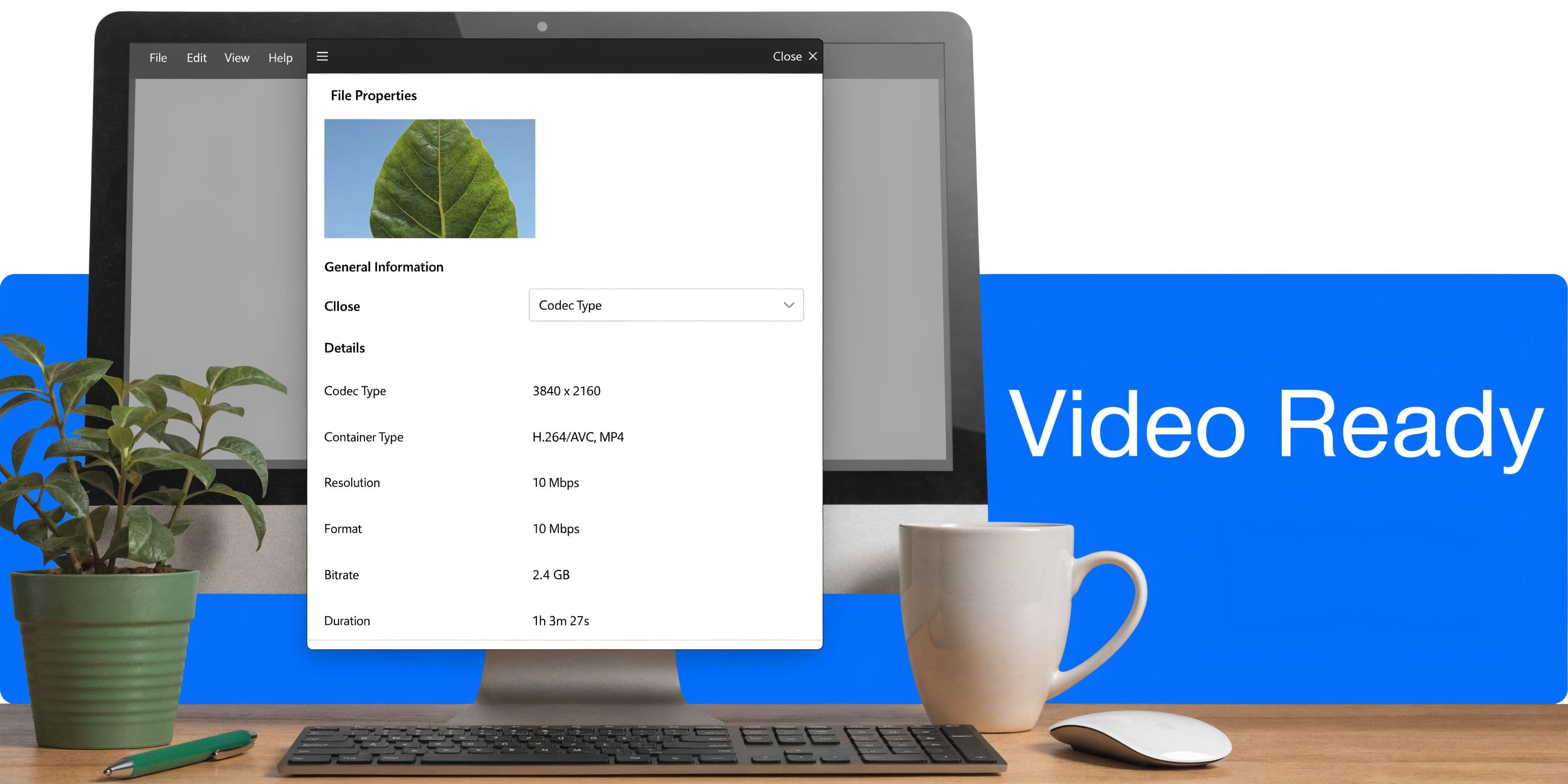
Use export settings YouTube processes cleanly. A practical baseline is H.264 in an MP4 container, with the resolution and frame rate matched to the footage you shot. For fast motion, 60fps often holds up better than 30fps. For a standard 1080p upload, a moderate bitrate usually gives the best trade-off between visual quality and upload speed.
That approach keeps the file efficient without starving YouTube's transcode. It also avoids a common mistake: exporting oversized files that take longer to upload, stall more often, and look almost identical to a properly compressed version once YouTube re-encodes them.
If the finished file is bloated, compress it before upload. HandBrake is still the easiest repeatable option for that. If you're publishing desktop vertical clips too, this guide on how to upload YouTube Shorts from PC is a useful companion workflow.
Fix the filename before you upload
Filename discipline sounds minor until you're managing a library of exports, revisions, clips, and thumbnails across multiple channels.
A filename should describe the topic clearly, match the video's search intent, and stay readable by a human. how-to-post-on-youtube-tutorial.mp4 works. final_v3_REAL_USE_THIS.mp4 does not. The first helps keep your production assets organized and aligned. The second creates confusion the minute you need to find, repurpose, or syndicate the file.
Good filenames usually follow one of these patterns:
- Topic-led:
how-to-post-on-youtube-tutorial.mp4 - Intent-led:
youtube-upload-settings-guide.mp4 - Format-specific:
youtube-shorts-workflow-desktop.mp4
That consistency matters more once your workflow extends beyond YouTube. If the asset name, thumbnail folder, post copy, and scheduling queue all use the same language, you move faster and make fewer mistakes. That is the broader theme serious creators miss. Uploading is not an isolated task. It is one step in a distribution system, which is exactly why automation tools like PostOnce save so much time after the file is ready.
Protect watchability before you ever hit upload
Bad audio sinks videos faster than slightly imperfect visuals. Viewers will tolerate an average camera. They leave for echo, clipping, hum, or thin dialogue.
Check the file before export, not after YouTube processes it:
| Element | What to check |
|---|---|
| Resolution | Export at the delivery size that fits the source footage. Don't upscale weak footage for appearances. |
| Frame rate | Keep it consistent with your source clips so motion looks natural. |
| Audio | Test on speakers and headphones. Listen for hiss, room echo, distortion, and uneven voice levels. |
| Copyright safety | Confirm that music, footage, graphics, and sound effects are cleared for use. |
| Final file size | Keep the file manageable so uploads stay reliable and storage does not get messy. |
Captions deserve attention here too. Clear speech improves auto-captions, and cleaner captions improve accessibility, comprehension, and clip repurposing later. If you plan to cut the same video into Shorts, LinkedIn clips, or X posts, accurate captions save cleanup time across every platform.
One final check matters more than creators admit. Wait for YouTube's processing and rights checks to finish before treating the upload as done. Copyright claims, encoding issues, or file-size constraints can still slow you down after the progress bar reaches 100 percent. If you need the hard limits for planning exports across channels, this breakdown of YouTube uploading limits covers the restrictions creators run into most often.
Much of this file prep advice, including format choice, bitrate range, file-size considerations, filename clarity, caption quality, audio impact, and copyright checks, matches the workflow outlined in EvergreenFeed's guide on how to post on YouTube.
Mastering the YouTube Upload and Optimization Process
A lot of creators lose momentum at the upload stage. The edit is done, the file is exported, and YouTube Studio feels like a checklist to clear as fast as possible. That mindset costs views.
The upload form is part of distribution. If the packaging is weak, the video can miss even when the content is strong.
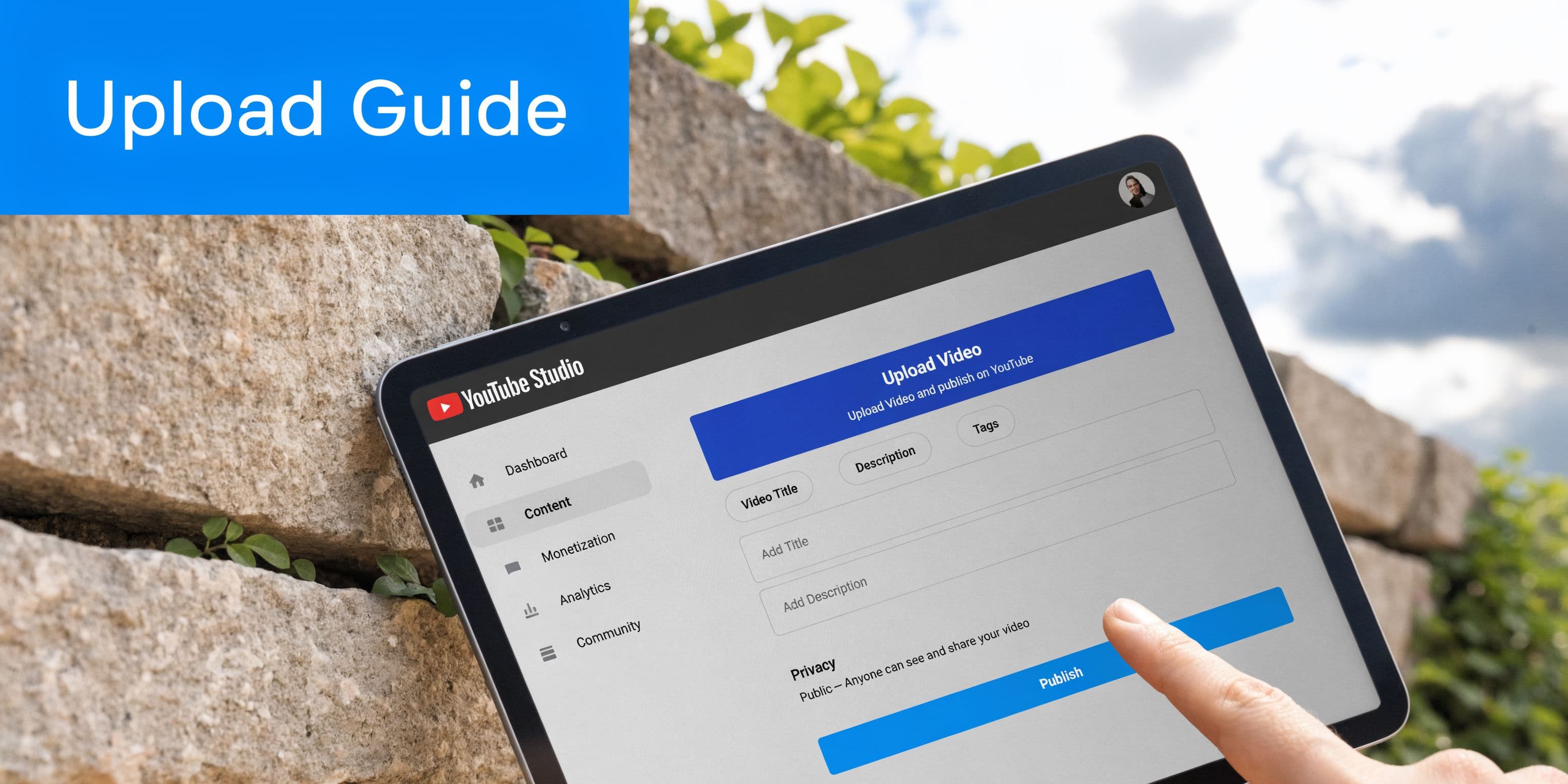
YouTube’s creator guidance on mastering key YouTube metrics ties several of the most important upload decisions together. CTR is the percentage of viewers who click after seeing your title and thumbnail in impressions. YouTube also explains that CTR ranges vary by niche and traffic source, that CTR often drops as a video reaches broader audiences, that thumbnail testing through Test & Compare can help, and that thumbnail choices like clear framing, readable text, and strong contrast affect performance. That is the practical frame to use inside Studio. Build the package to earn the click, then improve it with real data instead of guesswork.
Write titles for clicks and clarity
A title needs to do two jobs at once. It needs to make the topic obvious to YouTube and make the outcome obvious to the viewer.
Start with the main promise, problem, or result. Put the most concrete phrase near the front, because titles get cut on mobile and weak openings waste your best real estate. If the thumbnail already shows the setup, use the title to add context or tension instead of repeating the same words.
These rules hold up across formats:
- Lead with the payoff: Say what the viewer gets, solves, or learns.
- Keep the wording natural: Keyword stuffing usually hurts click appeal.
- Match the traffic source: Search titles benefit from clarity. Browse titles benefit from tension, novelty, or a strong outcome.
- Pair with the thumbnail: Each should add information the other does not.
For desktop creators who also publish short-form content, this guide on how to upload YouTube Shorts from PC is useful because Shorts often need a faster publishing routine inside the same Studio workflow.
Use the description to support the click
Descriptions rarely win the click, but they do help confirm that the video delivers what the title promised.
The first lines matter most. Use them to state the value of the video in plain language, add a relevant next step, and give YouTube a little more context about the topic. After that, the description becomes utility. Timestamps, linked resources, product mentions, affiliate disclosures, and supporting details belong here when they help the viewer.
What does not help is filler. Long hashtag blocks, generic boilerplate, and copied channel promos usually add clutter without improving discovery.
Thumbnails do more work than tags
Thumbnail design is one of the few upload tasks that can materially change results. I usually spend more time on the title and thumbnail pair than on every other metadata field combined, because that pair controls whether the impression turns into a view.
Good thumbnails are simple under pressure. One focal point. Obvious contrast. Minimal text. A frame that still reads at small size in the home feed.
Use this checklist:
- Choose one visual idea: Too many elements dilute the message.
- Keep text short: A few words can help. Full sentences usually fail.
- Make the subject readable on mobile: Small details disappear fast.
- Create contrast: Bright against dark, subject against background, motion against stillness.
- Test new versions with intent: Change one major variable at a time so results mean something.
If a video stalls, packaging is the first thing to audit. Many creators waste time tweaking tags and category settings, but the primary problem is that the title-thumbnail pair is not strong enough to compete in browse.
A strong companion resource if you're focused on packaging and discovery is this guide on how to get more views on YouTube.
Handle the finishing touches without getting stuck there
Some Studio fields matter because they improve the viewing experience after the click. Others are mostly maintenance. Knowing the difference keeps the workflow fast.
Review captions if precision matters for your audience, especially in tutorials, interviews, and anything with industry terms. Add chapters when the structure is clear enough to support them. Use cards and end screens when you have a logical next video, not just because the option is there. Tags can help at the margins, but they are not where serious growth usually comes from.
This is also where the manual YouTube workflow starts to show its limits. Once the video is live, serious creators still need to clip it, adapt it for other platforms, and keep distribution moving without rebuilding the post from scratch every time. That is where a system like PostOnce stops being a convenience and starts saving real hours.
Navigating Visibility Scheduling and Monetization
Most publishing mistakes happen after the creative work is done. The details tab gets all the attention, then creators rush through visibility settings like they're an afterthought.
They aren't.
Pick the right visibility setting for the job
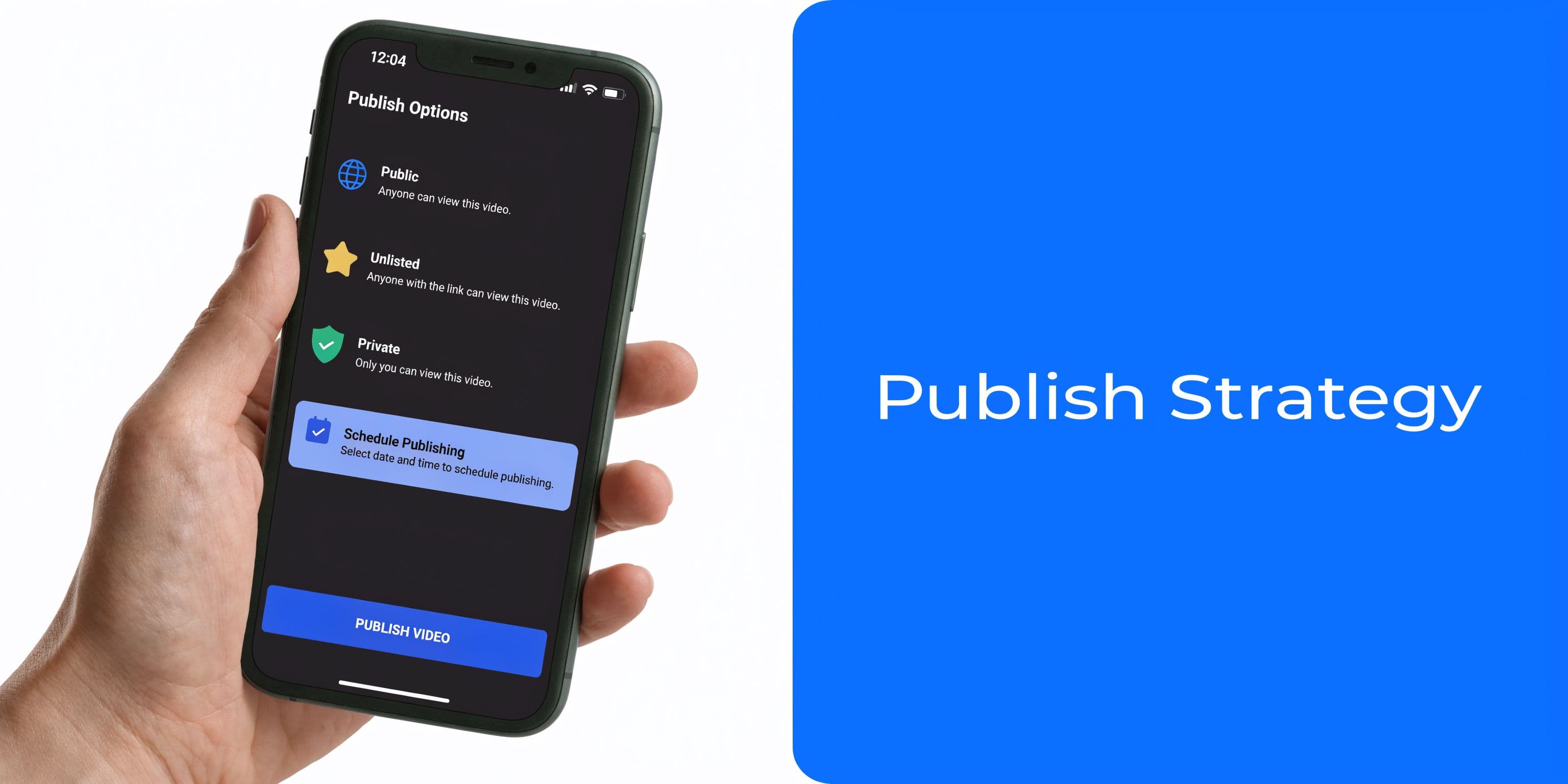
Public is the obvious option when the video is ready for immediate distribution.
Private is useful when the upload isn't ready for anyone else to see. That's the cleanest choice for internal reviews or unfinished metadata.
Unlisted sits in the middle. It's useful when you want a shareable link without public discovery. Some creators also experiment with an unlisted-first workflow before switching to public. One YouTube source describes this as an "Algorithm Training Protocol" and claims it creates a holding pattern before public release in this video discussion. It isn't mainstream advice, so I'd treat it as a test, not doctrine.
Try unconventional workflows in a controlled way. Measure results over multiple uploads, not one lucky outlier.
Scheduling is where analytics becomes practical
If you're learning how to post on youtube for growth, scheduling matters more than most beginners expect.
According to Socinator's write-up on YouTube timing and growth strategy, well-timed posts can increase initial views by 20-50%, and channels that analyze audience timing can see 30% higher watch time when they publish around audience activity peaks (Socinator). That same source says early performance in the first 24-48 hours strongly affects promotion.
The best part is that YouTube already gives you the signal. The When Your Viewers Are on YouTube panel shows when your audience is active. Socinator also notes common patterns such as US audiences often peaking in the evening from 7-10 PM EST, while English content often peaks on weekdays from 2-4 PM UTC.
Here's a simple decision model:
| If your channel has this | Do this |
|---|---|
| Clear viewer activity data | Schedule to those exact windows first. |
| Mixed global audience | Prioritize the largest segment, then test adjacent slots. |
| No useful analytics yet | Start with a consistent schedule and review performance after several uploads. |
That same Socinator analysis includes a few benchmark signals worth watching. Comments average 0.5% of views, or 5 per 1,000, and can rise to 0.66% with optimized timing. It also notes that a 2.3% subscriber-to-view ratio outperforms a 0.5% norm, with an example of 520 subscribers from 22,740 views.
If scheduling still feels fuzzy, this guide on the best time to upload a YouTube video gives a solid framework for turning analytics into an actual posting calendar.
Monetization is planning, not a final checkbox
Monetization options matter, but they shouldn't dictate the upload itself. They matter because they change how you think about content depth, audience fit, and long-term channel structure.
The practical approach is simple. Set up each upload so it's brand-safe, copyright-safe, and correctly classified. Keep your metadata clean. Build a library that supports repeat viewing. Monetization usually rewards channels that already have operational discipline.
Creators who do this well don't ask, "Can this one video make money?" They ask, "Does this upload strengthen the channel's earning potential over time?"
Automate Your Reach with PostOnce
Most articles about how to post on youtube stop at the video upload. That misses the true workload. Publishing the video is only one part of distribution. The rest is promotion, repetition, and keeping your presence active without burning hours every week.
This is also where YouTube's native Posts feature deserves more attention. Vireo describes YouTube Posts as "most overlooked but powerful tools", notes that they're "no longer limited to just community subscribers", and says they can "reach entirely new audiences" based on user consumption patterns in its piece on YouTube Posts for brands. That's important because most creators still think of YouTube only as long-form video plus Shorts.
Why YouTube Posts matter more than most creators realize
YouTube Posts give you a way to stay visible between uploads.
They also support practical goals that a lot of channels ignore:
- Resurface older videos: Useful when a back-catalog video is still relevant.
- Drive traffic to a key upload: Especially helpful for launches, offers, or cornerstone tutorials.
- Support a new release: A simple post can reinforce awareness after the video goes live.
- Keep your channel active without a full production cycle: That's valuable when video production takes longer.
Vireo also highlights a useful operational detail. Posts are mobile-first and can appear beyond your current subscriber base, even alongside competitor content. That's a different discovery path than waiting for a video upload to catch recommendation momentum.
Why automation matches the search intent behind this topic
People searching how to post on youtube usually want the mechanics. But what they need is a repeatable system.
That system looks like this in practice:
- Upload the video with clean metadata.
- Schedule it at the right time.
- Publish a supporting YouTube Post.
- Repackage the release for every relevant social platform.
- Reuse the same content later to revive older videos.
Doing that manually every time is slow. It also creates inconsistency, because the more steps you add, the more often one gets skipped.
Automation is the answer to the exact search intent because the core problem isn't "Where do I click in YouTube Studio?" The underlying problem is "How do I publish properly, consistently, and without doing the same work over and over?"
Your Final YouTube Pre-Publish Checklist
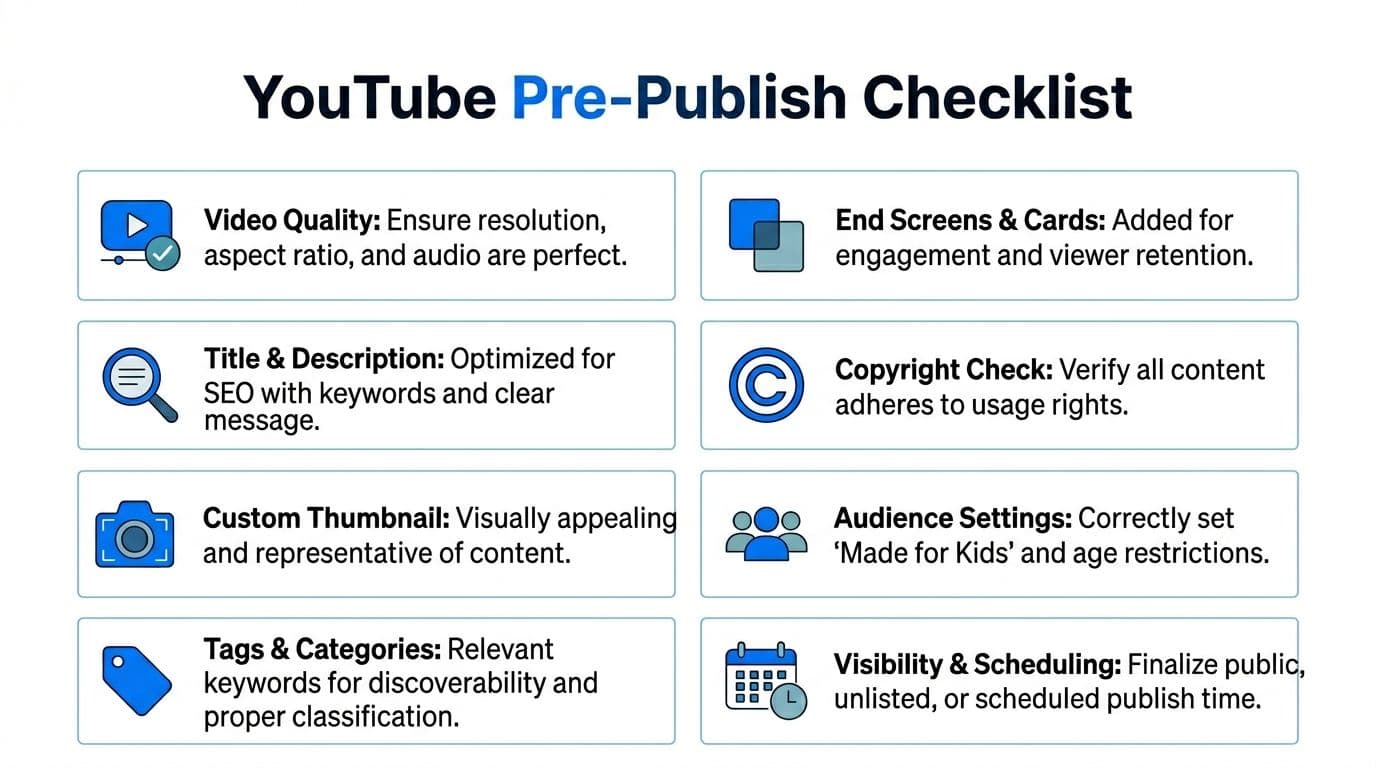
The final minutes before publish are where preventable mistakes slip through. A simple checklist saves more videos than another last-minute title brainstorm.
Run this before every upload
- Video quality is clean: Resolution, frame rate, and audio all hold up on a final spot check.
- Filename is descriptive: The file reflects the topic, not your internal draft history.
- Title does real work: It makes the topic clear and gives people a reason to click.
- Description opens strong: The first lines explain the value fast.
- Thumbnail is readable at small size: Strong contrast, one idea, no clutter.
- Tags and category are relevant: Keep them specific, not generic.
- Captions, cards, and end screens are in place: Give viewers a clear next step.
- Checks are complete: Review copyright and restrictions before release.
- Audience settings are correct: Especially the Made for Kids designation and any age restrictions.
- Visibility is deliberate: Public, private, unlisted, or scheduled for a reason.
Common mistakes that are easy to miss
Some errors don't look dramatic inside Studio, but they hurt performance or create avoidable problems later.
Watch for these:
- Publishing before checks finish: That's how copyright surprises hit after you've already promoted the link.
- Using a thumbnail that only works at full size: Feed performance happens at tiny sizes.
- Forgetting the next-step elements: A viewer who finishes your video should have somewhere obvious to go.
- Scheduling by guesswork: If your analytics show a pattern, use it.
- Treating tags as the main optimization lever: They help classification, but they won't rescue weak packaging.
Small mistakes compound because they happen at the exact moment you stop paying attention.
One practical shortcut is to keep your repeatable assets ready before upload day. That includes title variations, thumbnail versions, description templates, and a shortlist of relevant tags. If you want help with that part, a YouTube tags generator can speed up ideation without turning tags into the center of your strategy.
A strong YouTube workflow isn't complicated because each step is hard. It's complicated because there are enough small steps for inconsistency to creep in. Tight systems fix that.
Once you've got the manual side of YouTube posting under control, PostOnce is the clean way to scale it. Instead of manually turning every upload into posts for multiple networks, you can use PostOnce across supported routes for TikTok, Instagram, YouTube, Facebook, LinkedIn, X, Bluesky, Pinterest, and Threads, with platform-specific formatting where the source/destination pair and post type permit it. That's the difference between posting occasionally and running a serious publishing operation.