


















You edited the Short. You picked the hook carefully. You used a sound that fits the pace. Then you published it and got a weak first hour. That usually isn't just a content problem. Timing often decides whether a Short catches an active audience or lands in a dead window.
If you're trying to figure out the best time to post Short on YouTube, the practical answer is this: find your audience's active hours, schedule around them, and execute consistently. That's why creators eventually look for a real scheduling system instead of posting manually. A tool like PostOnce's social media post scheduler guide is useful because once you know your best windows, consistency becomes the key advantage.
Timing also matters beyond YouTube. If you're refining the whole Short, not just the posting hour, resources like Vocuno's guide to AI music for shorts can help tighten the creative side so your upload has a better chance of converting early impressions into watches.
Stop Guessing and Start Scheduling for Real Impact
Most creators don't need more theories. They need a schedule they can rely on.
The common mistake is treating timing like a random variable. Post at noon one day, late evening the next, then early morning after that, and you end up learning nothing. Even a strong Short can look weak if it reaches viewers when they're busy, asleep, or not in a scrolling mood.
What works is a layered approach. Start with platform-wide benchmarks. Then compare them against your own channel activity. Then test a few specific windows long enough to see a pattern. That turns timing from guesswork into a repeatable operating process.
Practical rule: A decent benchmark gives you a starting point. Your channel data gives you direction. Repeated testing gives you confidence.
Creators also underestimate the operational side. Finding the right posting window is only half the job. Hitting that window every time is the harder half, especially if you're publishing across multiple platforms, juggling edits, or posting for audiences in different regions.
That's why the phrase “best time to post short on YouTube” really points to a bigger need. You're not just looking for a clock time. You're looking for a system that helps you identify the right time, keep using it, and avoid slipping back into manual, inconsistent posting.
What Industry Data Says About Peak Posting Times
Benchmarks matter because they save time. You don't have to start with a blank slate when large datasets already show broad patterns.
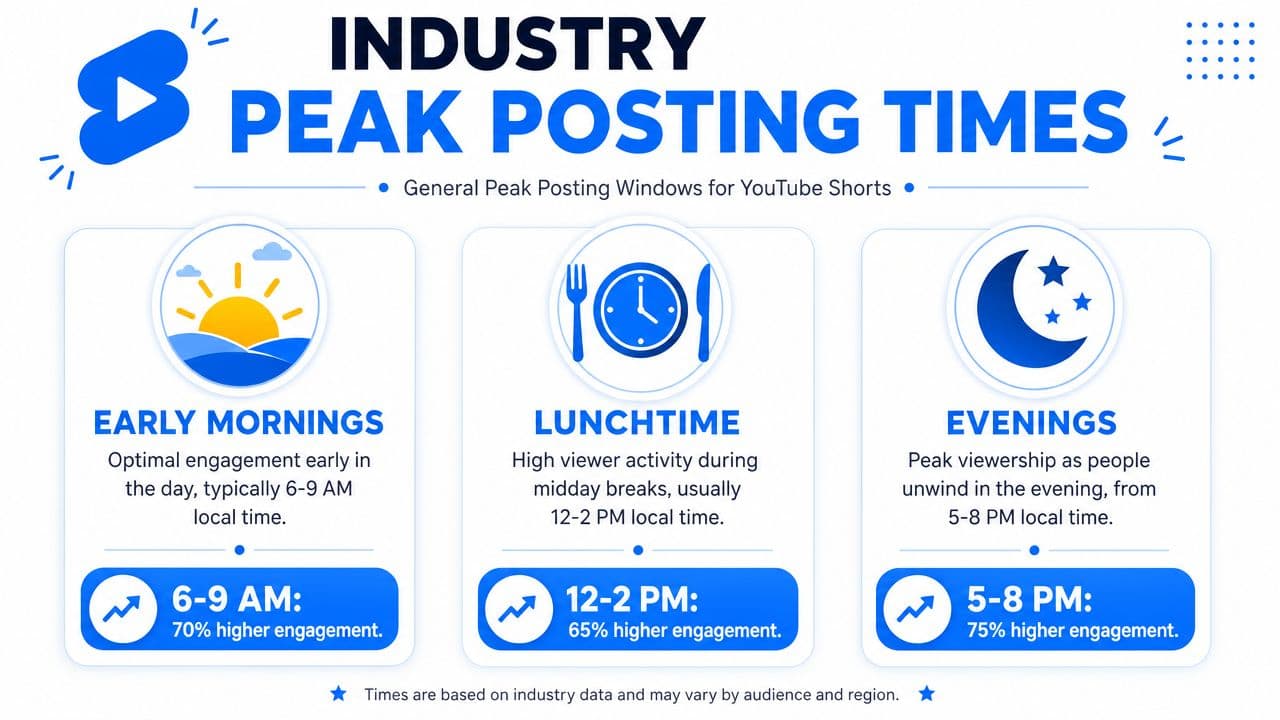
A large benchmark from Buffer, based on 1.8 million YouTube Shorts, found that the strongest posting day is Friday, with the top three time slots all landing on Friday at 4 p.m., 6 p.m., and 7 p.m. Buffer also found that Shorts peak in the evenings from 6 to 9 p.m., while the best overall days are Friday, Saturday, and Thursday according to Buffer's YouTube timing benchmark.
That immediately tells you something useful. Shorts don't behave like a format that only wins in one narrow hour. They tend to do better when people are free to scroll, especially late in the day and toward the weekend.
What the broad pattern actually suggests
If you step back from the exact hours, the signal is pretty clear:
- Evenings are strong: Viewer attention often clusters later in the day.
- Friday leads: End-of-week behavior seems to support Short-form viewing especially well.
- Saturday and Thursday also matter: The “best time” isn't confined to a single day.
Another independent view points in a similar direction. SocialPilot, using a study of 301,000+ videos, found that YouTube Shorts perform best in 12–2 p.m. and 6–7 p.m. local time, with Friday, Saturday, and Thursday as the strongest days. It also identified 3–7 a.m. as the worst posting window in its analysis, as noted in SocialPilot's research on YouTube posting times.
How to use benchmark data without over-trusting it
Think of these benchmarks like a reliable weather forecast. They tell you the general conditions. They don't tell you exactly what's happening on your block.
A gaming channel with a younger audience may peak differently from a B2B education channel. A creator serving one country will usually post differently from someone with viewers spread across several time zones. Benchmarks help you avoid obviously weak slots, but they won't replace audience-specific evidence.
A good starting set of test windows usually includes:
| Window type | What it's based on | How to use it |
|---|---|---|
| Evening test | Broad benchmark behavior | Try this for Shorts aimed at after-work or late-day browsing |
| Midday test | Creator browsing habits during breaks | Useful if your audience checks YouTube during lunch |
| Weekend test | Stronger Friday and Saturday patterns | Good for entertainment, lifestyle, and casual viewing formats |
If you want a broader view of YouTube timing beyond Shorts, this breakdown of YouTube upload timing is a helpful companion.
Why These Posting Windows Actually Work
The timing pattern makes sense once you connect it to behavior and distribution.
People don't watch Shorts in a vacuum. They watch when they have small pockets of attention. Midday breaks. Commutes. Evenings on the couch. Weekend mornings when the day hasn't filled up yet. The strongest windows usually line up with those moments.
A practical, data-backed posting window for YouTube Shorts is 12 PM to 3 PM in the audience's local time zone on weekdays, and sources summarizing Hootsuite's research also note a secondary weekend window of 9 AM to 12 PM, according to this breakdown of Shorts timing windows. That aligns with how people use their phones: quick checks during lunch and more relaxed scrolling outside work hours.
Human habits create the opportunity
Midday works because people are between tasks. Evening works because they're done with them.
That matters more for Shorts than many creators realize. A Short doesn't ask for much commitment, so it thrives in low-friction moments. If you publish when someone has five idle minutes, you fit naturally into their behavior. If you publish when they're in meetings, driving, sleeping, or dealing with school pickup, you're asking the content to overcome bad timing.
Post when your audience is available to scroll, not when it's convenient for you to upload.
The recommendation system needs early signals
The second reason timing matters is distribution. Shorts often need a little runway. Early watch behavior helps YouTube decide whether to keep pushing the video to more people.
That doesn't mean timing can rescue a weak hook. It can't. But timing can improve the quality of the first audience your Short reaches. When more of those viewers are active and ready to watch, your upload gets a better shot at the signals that matter early.
If you want a simpler mental model, think of timing as audience alignment. Content quality still drives the result, but timing helps your Short meet the right viewers when they're most likely to respond. For a deeper look at how platforms interpret those early interactions, this explanation of social media algorithms is worth reading.
How to Find Your Channel's Best Time in YouTube Studio
Generic advice is useful until your own data disagrees with it. When that happens, your channel wins the argument.
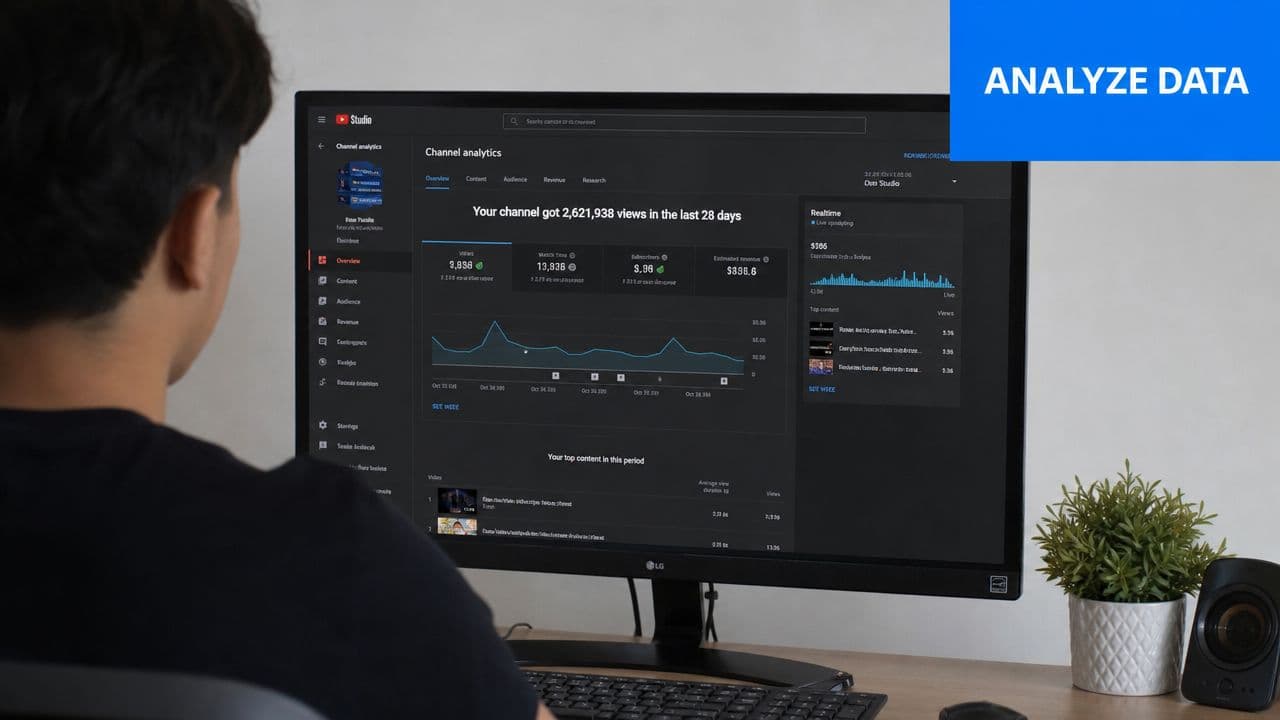
The most useful place to start is inside YouTube Studio. Open Analytics, then go to the Audience tab, and look for When your viewers are on YouTube. That heat map shows when your audience is active on the platform over the recent period. Darker blocks indicate stronger audience presence.
The key mistake is posting right at the darkest block. That feels intuitive, but it's often late.
Post before the peak, not at the peak
More granular channel-level guidance is to post 1 to 2 hours before the observed peak in YouTube Studio's “When your viewers are on YouTube” heat map, because Shorts need time to enter the initial recommendation and testing phase while your audience is becoming active, as described in Hopper HQ's guidance on Shorts timing.
That approach is practical for one reason. You want the Short warming up as viewers arrive, not sitting unpublished until the audience is already at maximum activity.
Here's a clean way to interpret the heat map:
-
Find your darkest recurring blocks
Don't obsess over a single day. Look for repeated patterns across multiple days. -
Mark the lead-in hour
If your audience peaks in late afternoon or evening, choose the earlier window before that activity spike. -
Separate weekdays from weekends
Many channels see different viewer rhythms depending on the day type. -
Check geography before scheduling
If your audience spans multiple regions, one posting time may serve one segment better than another.
Observed pattern beats platform average. If your viewers consistently show up at a different time, follow your viewers.
What to look for beyond the heat map
The heat map is the first layer, not the whole answer. You also want to compare actual Short performance by publish time.
Ask practical questions:
- Which uploads got traction fastest? Early movement often tells you whether the first audience was aligned.
- Which posts stayed flat despite solid creative? That can indicate a timing miss.
- Which days feel consistently weak? Sometimes a channel has an obvious dead zone.
This walkthrough can help if you want a quick visual refresher:
A simple way to turn Studio into a schedule
Don't build a complicated spreadsheet on day one. Use a short shortlist.
Create three candidate windows:
- One benchmark slot based on broad Shorts data
- One audience-led slot based on your darkest Studio blocks
- One backup slot slightly earlier or later than your main pick
Then rotate them with similar-quality Shorts. That gives you enough structure to learn without creating a testing mess.
If you need help with the mechanics of publishing and setting up a cleaner workflow, this guide on how to post on YouTube covers the basics well.
Your Practical Framework for Testing and Scheduling
Most creators test timing badly. They change the posting hour, the topic, the hook, the title style, and the editing pace all at once. Then they try to guess what caused the result.
You need a narrower test.
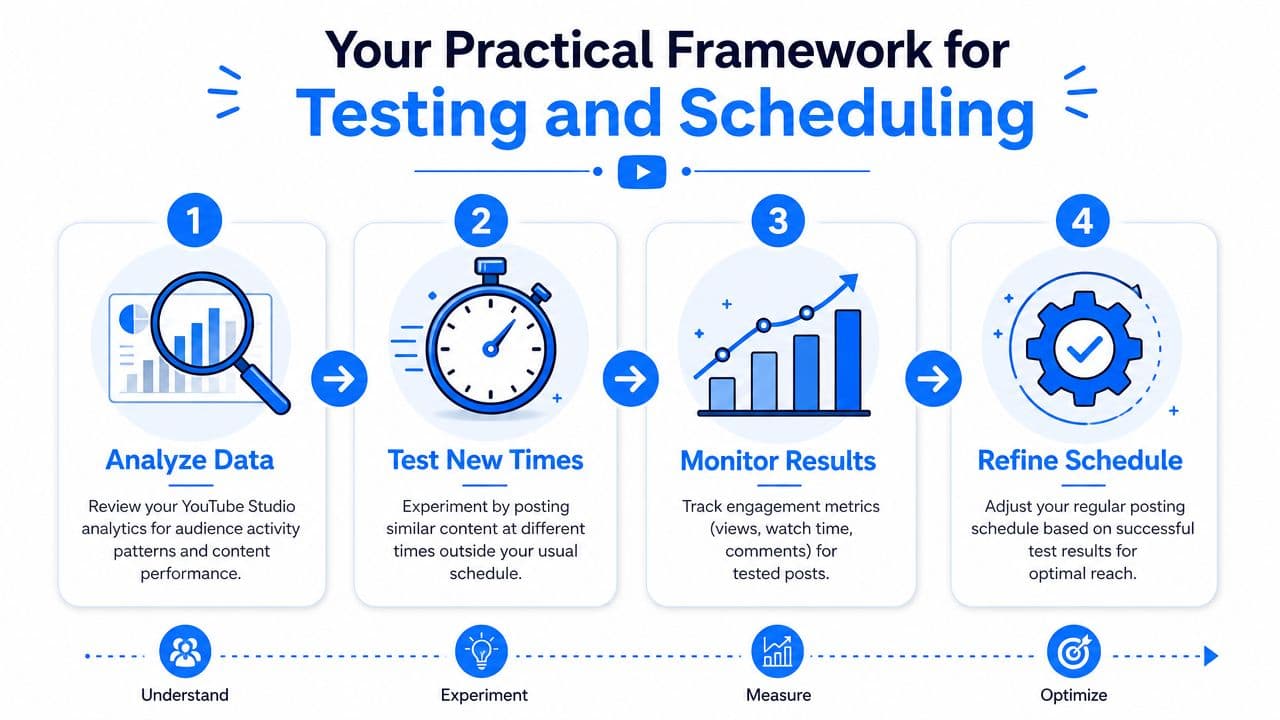
A workable framework is to keep content quality and format direction reasonably consistent while changing only the posting slot. Don't make it perfect. Make it controlled enough to learn.
A four-week example that creators can actually run
Use three candidate slots taken from your benchmark reading and Studio activity. Then test one slot per week with similar Shorts.
| Week | Posting choice | What you're learning |
|---|---|---|
| Week 1 | Benchmark-based slot | Whether broad market timing fits your channel |
| Week 2 | Second benchmark or weekend slot | Whether your audience behaves differently by day |
| Week 3 | Studio-led slot | Whether your own viewer activity outperforms the general benchmark |
| Week 4 | Best performer from prior weeks | Whether the result repeats under the same timing condition |
This isn't glamorous, but it works. The structure prevents you from chasing random outcomes.
What to track without overcomplicating it
You don't need a giant dashboard. You need a handful of observations you can compare across uploads.
Keep notes on:
- Initial response: Did the Short move quickly after publishing, or sit idle?
- Viewer interaction quality: Did comments and likes show up naturally, or was it mostly passive viewing?
- Consistency across similar uploads: Did a time slot help more than once, or only once?
- Fit by content type: Some formats work better at different times even on the same channel.
One creator might discover that educational Shorts land better around midday, while personality-driven clips do better in the evening. Another may find Fridays are strong for almost everything. The point is not to force one universal answer. The point is to identify what keeps repeating.
A single winning upload doesn't prove a schedule. Repeated wins in the same window do.
What usually doesn't work
Some patterns fail because they make learning impossible:
- Random posting: You can't optimize what you don't measure.
- Changing too many variables: Timing gets blamed for creative inconsistency.
- Testing weak content slots: A bad Short posted at the right time is still a bad test.
- Ignoring local audience behavior: One global publish time rarely fits every market equally well.
The best time to post short on YouTube becomes obvious only after you stop looking for a magic hour and start looking for a repeatable pattern.
Automate Your Perfect Schedule with PostOnce
Once you've identified the time slots that keep producing strong early performance, the next problem is consistency.
Many creators stumble here. They do the analysis, find a few promising windows, then miss those windows because they are editing, working, asleep, or posting across too many channels to keep the schedule straight by hand.
A tested schedule only helps if you can follow it week after week.
PostOnce turns that custom posting plan into a repeatable system. After you've used YouTube Studio to find the hours that fit your audience, you can use a YouTube Shorts scheduling and crossposting workflow in PostOnce to queue content in advance and publish on time without manual reminders.
That matters more as volume increases. A creator posting three Shorts a week can manage timing manually for a while. A creator repurposing Shorts across multiple accounts and platforms usually cannot. At that point, the bottleneck is no longer insight. It is execution.
There's a trade-off here. Automation won't fix weak creative or poor packaging. It does remove the operational friction that causes creators to miss the posting windows they already proved work best.
That's the primary value. Benchmarks give you a starting point. Testing gives you your schedule. Automation helps you stick to it.