


















If you're searching for Sprinklr alternatives, the reason is almost certainly one of three things: the price, the complexity, or the fact that your team is spending more time managing the platform than managing your social media.
Sprinklr was built for enterprises — Fortune 500 companies with dedicated implementation teams, six-figure software budgets, and months to spend on onboarding. That's genuinely useful if you're a global consumer brand managing 50 social accounts across 30 countries. But for the vast majority of businesses, marketing teams, agencies, and content creators, Sprinklr is a bulldozer when you needed a shovel.
At $299 per seat per month (billed annually), Sprinklr's entry-level plan costs more than most teams' entire social media software budget. And that's before you add the second seat, the implementation cost, and the time your team will spend navigating a platform that even experienced users find overwhelming.
The good news: there are excellent alternatives at every price point and scale. Whether you're a solo creator who needs simple crossposting automation, a marketing agency managing 20 client accounts, or a mid-size brand that needs enterprise-grade analytics without enterprise pricing, there's a better fit than Sprinklr.
This guide covers 11 Sprinklr alternatives for 2026. I've researched each tool's features, pricing, workflows, and real user feedback to give you an honest comparison. At the top of the list is PostOnce — a crossposting automation tool built specifically for creators and teams who want to crosspost automatically without manual scheduling. Then I cover enterprise alternatives like Sprout Social and Hootsuite, agency-focused tools like Planable and Sendible, and budget-friendly options like SocialPilot and Statusbrew.
Here's what this comparison covers:
- Quick comparison table of all 11 tools with pricing and strengths
- What Sprinklr does well and where it genuinely falls short
- Detailed breakdown of each alternative with pros, cons, and best use cases
- Pricing comparisons (spoiler: almost everything is cheaper than Sprinklr)
- Which Sprinklr alternative matches your specific needs
- FAQs about switching from Sprinklr
Let's get into the best Sprinklr alternatives for 2026.
Quick comparison table
| Tool | Best for | Workflow | Platforms | Pricing from | Strength |
|---|---|---|---|---|---|
| PostOnce | Crossposting automation | Native→Auto | TT/IG/YT/FB/LI/X/BS/PT/TH* | $29/mo | Saves hours weekly |
| Sprout Social | Enterprise analytics | Scheduled posts | All major platforms | $199/mo | Deep analytics & reporting |
| Hootsuite | Established teams | Manual scheduling | 20+ networks | $99/mo | Comprehensive features |
| Brandwatch | Social listening | Scheduling + listening | All major + niche | Custom | Research-grade intelligence |
| Khoros | Global enterprise | Workflow-based | 30+ channels | Custom | Community + social at scale |
| Planable | Team collaboration | Approval workflows | All major platforms | $13/mo | Content approval workflows |
| Sendible | Agencies | Client management | 20+ networks | $29/mo | White-label client management |
| SocialPilot | Budget agencies | Bulk scheduling | 10+ networks | $30/mo | Affordable with white-labeling |
| Statusbrew | Mid-size teams | Unified inbox + scheduling | IG/X/LI/FB/TH/BS/YT/TT | $89/mo | Inbox management at fair prices |
| Agorapulse | Community management | Unified inbox | FB/IG/X/LI/YT/TT | $69/mo | Best-in-class social inbox |
| Later | Visual Instagram planning | Calendar-based | IG/FB/TT/PT/LI/X | $25/mo | Visual content calendar |
*IG=Instagram, X=Twitter, LI=LinkedIn, BS=Bluesky, TH=Threads, FB=Facebook, PT=Pinterest, YT=YouTube, TT=TikTok
Why consider a Sprinklr alternative?
Sprinklr is a powerful platform. For the organizations it was built for — global enterprises running unified customer experience management across dozens of channels — it can genuinely deliver. But it comes with serious trade-offs that drive most teams to look elsewhere.
What Sprinklr does well
Unified CXM at enterprise scale
Sprinklr isn't just a social media management tool. It's a Unified-CXM (customer experience management) platform that brings together social publishing, social listening, community management, digital advertising, customer service, and AI-powered analytics. For enterprises running omnichannel operations, this breadth is genuinely valuable.
30+ channel integrations
Sprinklr supports more channels than most competitors — Facebook, Instagram, Twitter/X, LinkedIn, YouTube, TikTok, Pinterest, Reddit, Snapchat, Tumblr, plus messaging apps, review sites, and niche international platforms. If you're managing a global brand presence across every possible touchpoint, Sprinklr covers ground that narrower tools miss.
Advanced AI and social listening
Sprinklr's AI engine processes enormous volumes of social data to surface trends, sentiment shifts, and competitive intelligence. The social listening tools go well beyond keyword tracking — Sprinklr can identify emerging conversations before they peak, making it valuable for brands that need proactive intelligence.
Enterprise compliance and governance
Sprinklr includes sophisticated governance features: multi-level approval workflows, role-based permissions, audit trails, and compliance tools. For regulated industries (finance, healthcare, pharmaceuticals) that need documented approval chains before anything goes live, Sprinklr's governance infrastructure is hard to match.
Where Sprinklr falls short
The price is genuinely prohibitive
At $299 per user per month for the Advanced plan (billed annually — so $3,588 committed upfront), Sprinklr is one of the most expensive social media tools on the market. That's before you factor in implementation costs, which often require Sprinklr to send trainers on-site. For any company without a dedicated $50,000+ annual social media software budget, this is a non-starter.
Complexity that slows teams down
Sprinklr's interface is extensive to the point of overwhelming. Long-time users describe it as "complex and hard to set up," with setup frequently taking months and requiring ongoing technical support. For content teams that need to move quickly during campaigns, navigating Sprinklr's nested menus and rigid workflows becomes its own bottleneck.
Per-seat pricing that scales painfully
The $299/month is per seat. A marketing team of five people is looking at $1,495/month minimum — just for access. Scale to an agency with 10 staff members and you're at $2,990/month before adding any platform features or modules.
Support that doesn't match the price
Multiple user reviews note that Sprinklr's customer support can be slow — sometimes weeks to respond on tickets. For a platform that costs hundreds of dollars per user per month, that gap between cost and service is a frequent source of frustration.
The bottom line on Sprinklr
Sprinklr earns its place in enterprise tech stacks where unified CXM, global scale, and regulatory compliance are genuine requirements. For everyone else — agencies, mid-size brands, startups, and creators — the complexity and cost create more problems than the platform solves. The alternatives below deliver most of the value at a fraction of the price.
How these alternatives were evaluated
I evaluated each Sprinklr alternative using criteria that matter to real teams — not just feature checklists:
Workflow efficiency — How many steps from content creation to multi-platform distribution? Does it automate repetitive tasks or just digitize them?
Platform coverage — Which social networks are supported, including newer platforms like Threads, Bluesky, and TikTok?
Automation capabilities — Does it require manual intervention for every post, or does it handle distribution automatically?
Collaboration features — Can teams review and approve content? Does it support client management workflows for agencies?
Analytics and reporting — What level of insight does it provide, and how accessible is that data to non-technical users?
Pricing fairness — Is the cost justified relative to what's included? Is it transparent, or does it require a sales call to get a quote?
Now let's break down the 11 best Sprinklr alternatives for 2026.
Sprinklr alternative #1: PostOnce
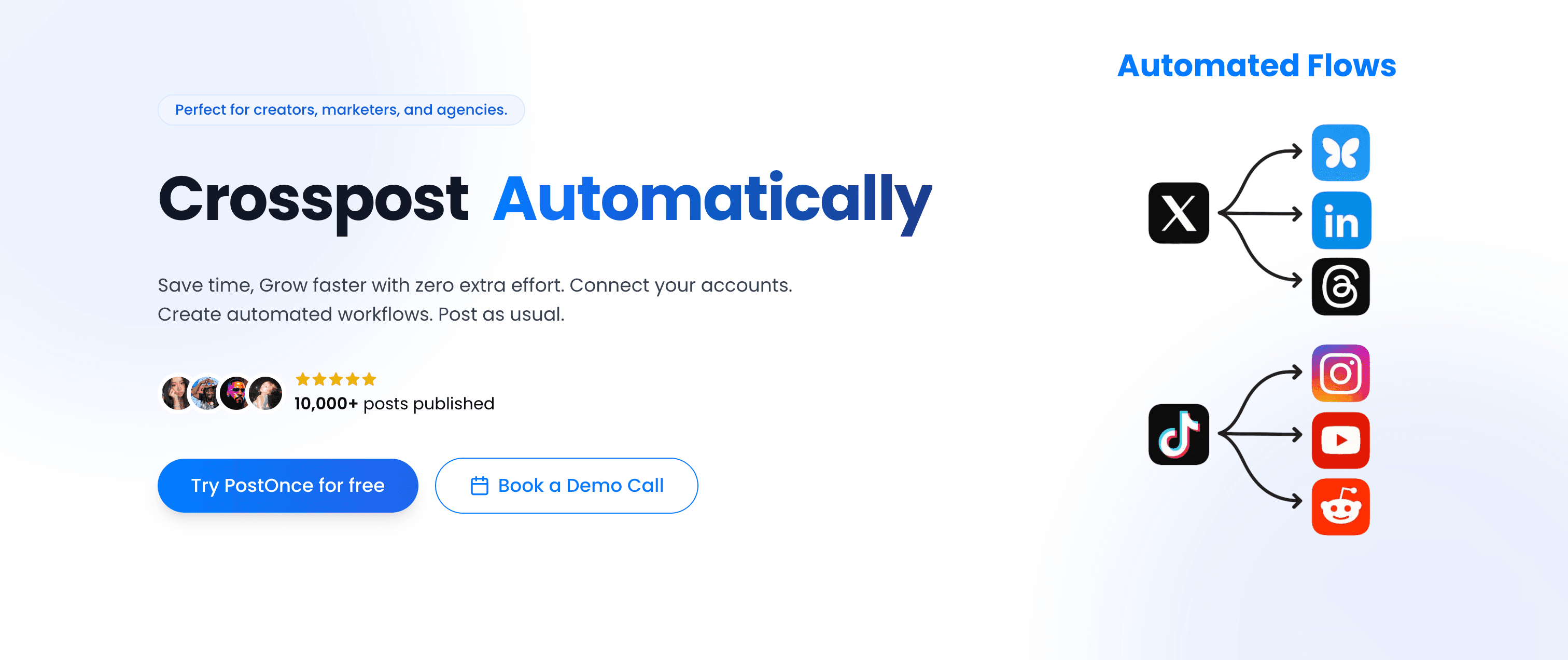
PostOnce takes a completely different approach to multi-platform social media than Sprinklr. Where Sprinklr is a comprehensive CXM platform requiring manual orchestration of every post and workflow, PostOnce automates crossposting entirely — you post once natively on your preferred platform, and PostOnce distributes it automatically to every connected account.
PostOnce vs Sprinklr
The core workflows are fundamentally different:
Sprinklr workflow:
- Log into Sprinklr platform
- Navigate to publisher module
- Create post for each platform individually
- Configure approvals for each
- Schedule each platform separately
- Monitor queue and manage publishing
PostOnce workflow:
- Post natively on Instagram (or X, LinkedIn, wherever you naturally create)
- PostOnce automatically crossposts to eligible connected destinations
- Done.
This isn't about scale — it's about philosophy. Sprinklr assumes you want to centrally manage every aspect of publishing from within its platform. PostOnce assumes you know where you like to create content and automates eligible distribution routes from there.
For creators and small-to-medium teams, the PostOnce approach saves 4+ hours per week that would otherwise go to copying, pasting, reformatting, and rescheduling identical content across platforms.
Platform support
PostOnce currently supports nine platforms, with available source/destination pairs and post types varying by workflow:
- TikTok (supported post types vary)
- Instagram (feed posts, carousels, Reels)
- Twitter/X (posts, threads, media)
- LinkedIn (posts, documents, videos)
- Bluesky (posts, media, threads)
- Threads (text posts, media)
- Facebook (pages, media)
- Pinterest (pins, boards)
- YouTube (shorts, community posts)
Critically, PostOnce includes Threads and Bluesky — the two platforms with the fastest-growing creator communities in 2025-2026 — while many enterprise tools still treat them as afterthoughts. If you want to learn more about how to crosspost on social media effectively, the native-first approach PostOnce takes is worth understanding.
Workflow steps
PostOnce's setup is one-time:
- Connect your social accounts (Instagram, X, LinkedIn, Bluesky, etc.)
- Create crossposting flows — define which source platform distributes to which destinations
- Post natively on your preferred platform
- PostOnce distributes automatically to eligible destinations based on your flows; source/destination pairs and post types vary
No scheduling calendar. No copying. No reformatting. You repurpose content automatically by simply posting where you already create.
Content rules and filtering
PostOnce includes smart content filtering so you control exactly what gets crossposted:
- Hashtag rules — Only crosspost content containing specific hashtags, or exclude certain hashtags entirely
- Content type filtering — Crosspost images only, videos only, or text posts only
- Platform-specific rules — Send Instagram Reels to YouTube Shorts but not to LinkedIn; keep casual posts off professional platforms
This means you can run multiple content strategies simultaneously without manual gatekeeping. Post casually on X without everything hitting your LinkedIn. Share Reels that automatically route to YouTube Shorts. Tag business content with a specific hashtag to trigger LinkedIn distribution while personal posts stay off it.
Pricing
PostOnce's pricing is transparent and flat — no per-seat, no per-channel:
Creator Plan — $29/month
- 15 social accounts
- unlimited crossposting workflows
- Access to all nine supported platforms; source/destination pairs and post types vary
- Unlimited posts
- Content filtering rules
Pro Plan — $69/month
- 50 social accounts
- Unlimited crossposting flows
- Priority support
- Advanced content rules
Agency Plan — $199/month
- 200 social accounts
- Unlimited crossposting workflows
- Unlimited posts
- Priority support
All three plans include a 7-day free trial. Compare that to Sprinklr's $299/user/month committed annually — PostOnce is roughly 94% less expensive, and it handles what most creators and teams actually need from social media management.
Why PostOnce stands out
Why PostOnce stands out for creators and lean teams
- Native posting → automatic distribution eliminates the repetitive manual workflow that burns hours every week
- Saves creators ~4 hours per week on multi-platform posting
- Supports Threads and Bluesky from day one — platforms where audiences are actively growing in 2026
- Content rules keep distribution intelligent — the right content goes to the right platforms automatically
- 50,000+ posts published through the platform with HD native quality on each destination
- Flat pricing from $29/month — no per-seat, no per-channel, no sales call required
Best for: Content creators, indie hackers, podcasters, YouTubers, newsletter writers, and small businesses crossposting similar content across 4+ platforms regularly. Anyone who wants to post to all social media at once without manual repetition.
Not ideal for: Enterprise teams requiring social listening, CRM integration, complex multi-brand governance, or comprehensive analytics dashboards. PostOnce is purpose-built for crossposting automation, not full-stack social media management.
Alternative #2: Sprout Social
Sprout Social is the most direct enterprise-grade Sprinklr alternative, matching Sprinklr's depth of analytics and reporting while delivering a meaningfully more usable interface — and at a lower (though still substantial) price point.
Sprout Social vs Sprinklr
Where Sprinklr is a full CXM platform encompassing advertising, customer service, and community management at enterprise scale, Sprout Social focuses on social media specifically — publishing, engagement, analytics, and social listening. It's less sprawling than Sprinklr, which makes it faster to learn and more practical for dedicated social media teams.
Advanced analytics and reporting
Sprout Social's analytics are industry-leading for social media specifically:
- Cross-platform performance reports with engagement metrics, audience growth, and reach
- Competitor analysis comparing your performance against similar brands
- Audience demographics showing follower breakdown by age, location, and interests
- Customizable dashboards that can be exported and presented to stakeholders
- Premium analytics available as add-ons for deeper historical data
For social media managers who need to demonstrate ROI, Sprout Social's reporting tools are comprehensive and presentation-ready without the complexity of Sprinklr's analytics setup.
Smart Inbox and engagement
Like Sprinklr, Sprout Social includes a unified Smart Inbox that consolidates all messages, comments, and mentions from connected platforms. The inbox includes collision detection (so two team members don't respond to the same message), automated tagging, saved replies, and task assignment — handling the community management workflow that Sprinklr covers in its CXM modules.
Social listening
Sprout Social's social listening tools monitor brand mentions, industry keywords, and competitor activity across social media platforms, surfacing trends and sentiment shifts. It's not as deep as Sprinklr's intelligence layer, but it covers what most teams need without requiring enterprise contracts.
Publishing and scheduling
Sprout Social handles multi-platform scheduling with a visual calendar, optimal posting time recommendations, and content queuing. Like Sprinklr (and most alternatives), it requires manual scheduling per platform — there's no automatic crossposting.
Pricing
Sprout Social is expensive relative to the broader market, though much less than Sprinklr:
Standard — $199/month (per seat)
- 5 social profiles
- All-in-one social inbox
- Publishing and scheduling
- Review management
Professional — $299/month (per seat)
- Everything in Standard
- Unlimited social profiles
- Competitive reports
- Trends and listening
Advanced — $399/month (per seat)
- Everything in Professional
- Advanced automation
- Digital asset library
Enterprise — Custom pricing
Pros
- Industry-leading analytics and social listening
- Intuitive interface compared to Sprinklr
- Smart Inbox with solid engagement tools
- Strong for proving social media ROI
Cons
- Still expensive at $199/month per seat
- Requires manual scheduling per platform (no crossposting automation)
- Social listening only on Professional and above
- Per-seat pricing stings for larger teams
| Feature | Sprout Social | Sprinklr |
|---|---|---|
| Analytics depth | Advanced | Enterprise-grade |
| Pricing | $199-399/mo per seat | $299+/mo per seat |
| Ease of use | Accessible | Complex / steep learning curve |
| Best for | Social-focused teams | Full CXM enterprise |
Verdict
Sprout Social delivers most of what enterprise teams need from social media management — analytics, listening, inbox, team collaboration — at a meaningfully more accessible price and interface than Sprinklr. If your primary use case is social media (not full CXM), Sprout Social is worth serious consideration.
Best for: Marketing teams and enterprises prioritizing analytics and reporting, social media managers who need to prove ROI, brands managing active communities across platforms.
Alternative #3: Hootsuite
Hootsuite is the most established name in social media management and one of the most accessible enterprise Sprinklr alternatives. It covers more use cases than Sprinklr for most teams at a significantly lower price.

Hootsuite vs Sprinklr
Hootsuite is designed for teams of all sizes — from solo creators to enterprises — where Sprinklr explicitly targets large enterprise clients. This difference in target audience shapes the entire experience: Hootsuite is faster to set up, easier to navigate, and far more flexible in pricing.
Comprehensive platform coverage
Hootsuite supports 20+ social networks including Facebook, Instagram, Twitter/X, LinkedIn, YouTube, Pinterest, TikTok, and many others. While Sprinklr's 30+ channel count edges Hootsuite out, the practical difference for most teams is minimal — the platforms that actually matter are all covered.
Unified social inbox
Hootsuite's unified inbox aggregates messages, comments, and mentions from all connected accounts. It includes assignment workflows, saved replies, and collision detection for teams managing community engagement. The feature parity with Sprinklr's engagement module is high.
Team collaboration
Hootsuite offers role-based permissions, multi-level approval workflows, task assignments, and campaign organization. These features cover the governance requirements that often drive companies to Sprinklr in the first place, at a fraction of the cost.
AI content creation
Hootsuite now includes AI writing tools (OwlyWriter AI) for generating caption variations, post ideas, and repurposed content. This is built into paid plans and reduces the manual work of adapting content across platforms.
Pricing
Professional — $99/month
- 1 user, 10 social accounts
- Unlimited scheduling
- Basic analytics
Team — $249/month
- 3 users, 20 social accounts
- Advanced analytics
- Approval workflows
Enterprise — Custom pricing
- 5+ users, 50+ social accounts
- Social listening, custom reports
- SSO, advanced security
Pros
- Established platform with broad feature coverage
- More accessible pricing than Sprinklr
- Extensive third-party app integrations
- AI writing tools included
Cons
- Still requires manual scheduling per platform (no crossposting automation)
- Interface feels dated compared to modern alternatives
- Enterprise pricing can be steep ($15,000+ annual commitment)
- Social listening only on Enterprise plan
| Feature | Hootsuite | Sprinklr |
|---|---|---|
| Pricing | From $99/mo | From $299/mo per seat |
| Ease of use | Accessible | Complex |
| Platform coverage | 20+ networks | 30+ channels |
| Social listening | Enterprise only | Advanced (all plans) |
Verdict
Hootsuite is a strong Sprinklr alternative for teams that need comprehensive social media management without Sprinklr's complexity and cost. The Professional plan at $99/month covers most needs effectively. If you're switching from Sprinklr specifically because of cost and usability, Hootsuite is a natural first consideration.
Best for: Marketing teams, agencies, mid-size businesses managing multi-platform social media with team collaboration needs.
Alternative #4: Brandwatch
Brandwatch (formerly incorporating Falcon.io's social publishing capabilities) is the premier social listening and consumer intelligence alternative to Sprinklr's research modules. If Sprinklr's social listening is what you value most, Brandwatch does it better.
Brandwatch vs Sprinklr
Sprinklr offers social listening as one component of a broader CXM platform. Brandwatch was built from the ground up as a social intelligence tool and acquired Falcon.io's publishing capabilities to become a fuller platform. The result is research-grade social intelligence combined with solid publishing and engagement tools.
Research-grade social intelligence
Brandwatch's listening engine processes billions of online mentions, tracking brand sentiment, trending topics, audience behavior, and competitive intelligence. The depth of data and the quality of analysis tools — including image recognition, AI-powered categorization, and trend forecasting — surpass what Sprinklr's listening module offers.
For teams making strategic decisions based on social data, Brandwatch's intelligence layer is genuinely differentiated.
Publishing and engagement
Brandwatch's publishing tools (inherited from Falcon.io) provide a unified content calendar, cross-platform scheduling, and a unified social inbox for managing engagement. The feature set is solid for mid-to-large teams but less specialized than tools built purely around publishing workflows.
Influencer intelligence
Brandwatch includes influencer discovery and tracking tools that identify relevant creators, track their performance, and monitor brand mentions from influencer accounts. This is not typically covered by social media management tools and adds genuine value for teams running influencer programs.
Pricing
Brandwatch pricing is fully custom — you'll need a sales call to get specific numbers. Based on market data, entry-level access starts around $750/month and scales significantly for enterprise contracts. Not cheap, but typically less than Sprinklr's equivalent feature set.
Pros
- Best-in-class social listening and consumer intelligence
- Influencer discovery and tracking included
- Strong for brand research and strategic decision-making
- More focused than Sprinklr's broad CXM approach
Cons
- Custom pricing only — no transparent self-serve plans
- More complex than most teams need for basic publishing
- Publishing features less robust than dedicated scheduling tools
- Still requires manual scheduling per platform
| Feature | Brandwatch | Sprinklr |
|---|---|---|
| Social listening | Research-grade | Enterprise-grade |
| Pricing | Custom (~$750+/mo) | Custom ($299+/mo per seat) |
| Influencer tools | ✅ Included | ✅ Available |
| Best for | Research & listening | Full CXM enterprise |
Verdict
Brandwatch is the right Sprinklr alternative if social intelligence and consumer research are your primary drivers. The listening capabilities surpass Sprinklr's, and the publishing tools are capable for most teams. If you need deep analytics and insights more than workflow automation, Brandwatch warrants a serious look.
Best for: Market researchers, brand strategists, PR teams, large brands with active consumer intelligence programs.
Alternative #5: Khoros
Khoros is the enterprise Sprinklr alternative purpose-built for brands managing high-volume content, complex approval workflows, and community engagement at global scale — with a particular strength in B2B social media.

Khoros vs Sprinklr
Both Khoros and Sprinklr target the enterprise segment with comprehensive platforms spanning social publishing, engagement, analytics, and community management. The key difference is focus: Sprinklr's strength is the breadth of its CXM coverage, while Khoros is particularly strong in community platform management and B2B-oriented social features like LinkedIn targeting and employee advocacy.
Community platform management
Khoros includes dedicated community platform tools — branded online communities, forums, and Q&A platforms that companies run as owned channels. This is a capability Sprinklr's platform touches but doesn't specialize in. For brands where owned community is a primary engagement channel, Khoros's community tools are best-in-class.
Employee advocacy
Khoros's employee advocacy features help large organizations turn employees into brand amplifiers — curating company content that employees can easily share on their personal social accounts. This is particularly valuable for B2B brands where LinkedIn reach through employee networks drives significant engagement.
Advanced LinkedIn capabilities
Khoros has invested particularly in LinkedIn features — targeting, company page management, and analytics — making it the stronger choice for B2B-focused social media teams where LinkedIn is the primary channel.
Governance and compliance
Like Sprinklr, Khoros includes enterprise-grade governance: multi-level approvals, role-based permissions, audit trails, and compliance frameworks. For regulated industries, both platforms serve compliance requirements at a comparable level.
Pricing
Khoros pricing is fully custom with no published tiers. Based on user reports and market analysis, expect $10,000-50,000+ annually depending on scope and modules. You'll need to engage their sales team for a quote.
Pros
- Purpose-built community platform management
- Strong B2B and LinkedIn feature set
- Employee advocacy tools included
- Enterprise governance comparable to Sprinklr
Cons
- Fully custom pricing — no transparency without a sales call
- Primarily valuable for brands with owned community programs
- Complex to set up and manage
- Overkill for teams without enterprise-level community programs
| Feature | Khoros | Sprinklr |
|---|---|---|
| Community platforms | ✅ Specialized | Limited |
| Employee advocacy | ✅ Strong | Available |
| B2B / LinkedIn | ✅ Advanced | Standard |
| Pricing | Custom ($10K-50K+/yr) | Custom ($299+/mo per seat) |
Verdict
Khoros is the best Sprinklr alternative for enterprises where owned community platforms and employee advocacy are central to the social media strategy. For B2B brands that live on LinkedIn and run branded communities, Khoros's specialized capabilities can outperform Sprinklr's broader but shallower approach.
Best for: Large B2B organizations, brands with owned community platforms, enterprises prioritizing employee advocacy programs.
Alternative #6: Planable
Planable is the collaboration-first Sprinklr alternative, delivering content approval workflows and team collaboration in a modern, intuitive interface — at a price that makes Sprinklr look like a different product category.
Planable vs Sprinklr
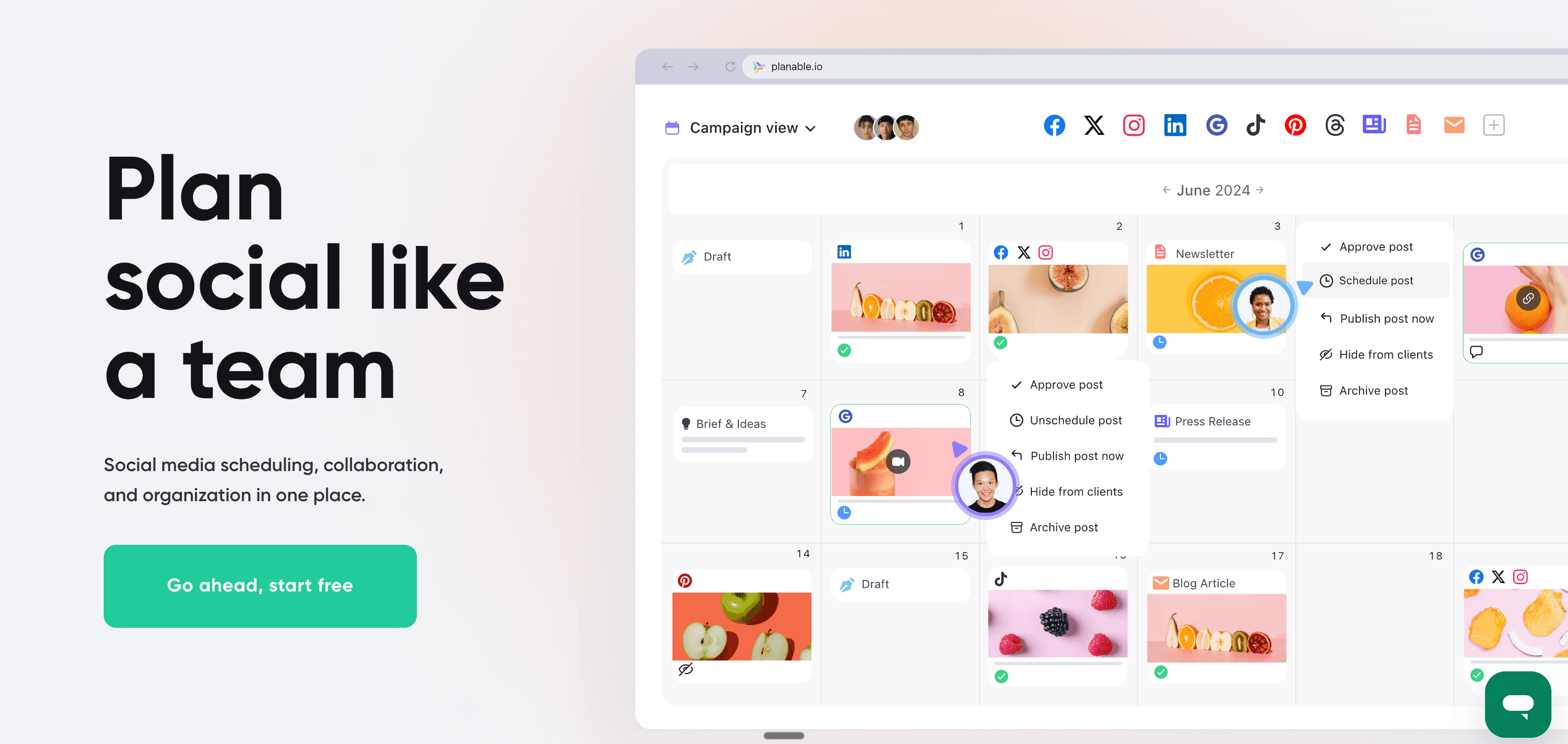
Sprinklr includes approval workflows as part of its broader governance framework — functional but buried inside a complex enterprise platform. Planable makes approval workflows the centerpiece of the product, designed for teams that need fast, frictionless content review cycles.
Multi-level approval workflows
Planable's content approval system is purpose-built for creative teams and agencies:
- Creators draft posts in Planable's editor
- Stakeholders review and leave contextual feedback
- Approvers give sign-off through a clear status workflow
- Posts automatically publish after final approval
No email chains, no screenshot PDFs, no "did you see the updated version?" — the entire review cycle lives inside the platform.
Visual content views
Planable offers four views of your content calendar: calendar, grid, list, and feed. The feed view is particularly useful — it shows exactly how posts will render on each platform before they publish, making it easy to catch formatting issues early.
Real-time collaboration
Multiple team members can work on content simultaneously. You see who's editing what, can leave threaded comments on specific posts, and receive notifications when content needs your review. It's the closest social media management gets to Google Docs-style collaborative editing.
Platform support
Planable supports all major platforms including Facebook, Instagram, LinkedIn, Twitter/X, TikTok, YouTube, Pinterest, and Google My Business.
Pricing
Free — $0/month
- 50 posts total
- Unlimited users
- Core collaboration features
Basic — $13/month
- Unlimited posts
- All workspaces
- Content approval workflows
Pro — $26/month
- Everything in Basic
- Custom approval workflows
- Universal content
Enterprise — Custom pricing
Planable's $13/month Basic plan vs Sprinklr's $299/month per seat makes the pricing gap stark. For a team of five, Planable costs $13/month where Sprinklr would cost $1,495/month.
Pros
- Excellent collaboration and approval workflows
- Modern, intuitive interface (minimal learning curve)
- Feed view shows exact rendering before publishing
- Extremely affordable compared to Sprinklr
Cons
- No social listening or monitoring features
- Analytics are basic compared to Sprout Social or Sprinklr
- No automatic crossposting
- Less governance depth than enterprise tools
| Feature | Planable | Sprinklr |
|---|---|---|
| Approval workflows | ✅ Purpose-built | ✅ Enterprise governance |
| Pricing | $13-26/mo | $299+/mo per seat |
| Learning curve | Minimal | Steep |
| Best for | Creative teams | Full CXM enterprise |
Verdict
Planable delivers the collaboration and approval workflow features that drive many teams toward Sprinklr — at roughly 2% of the cost. If approval workflows are your primary Sprinklr use case, Planable handles them better in a more usable interface. For teams looking at best social media management tools for agencies, Planable consistently ranks near the top for collaboration.
Best for: Creative agencies, marketing teams with content approval requirements, brands with client review processes.
Alternative #7: Sendible
Sendible is the agency-focused Sprinklr alternative, built specifically for teams managing multiple client social media accounts with white-label branding, client workspaces, and reporting.
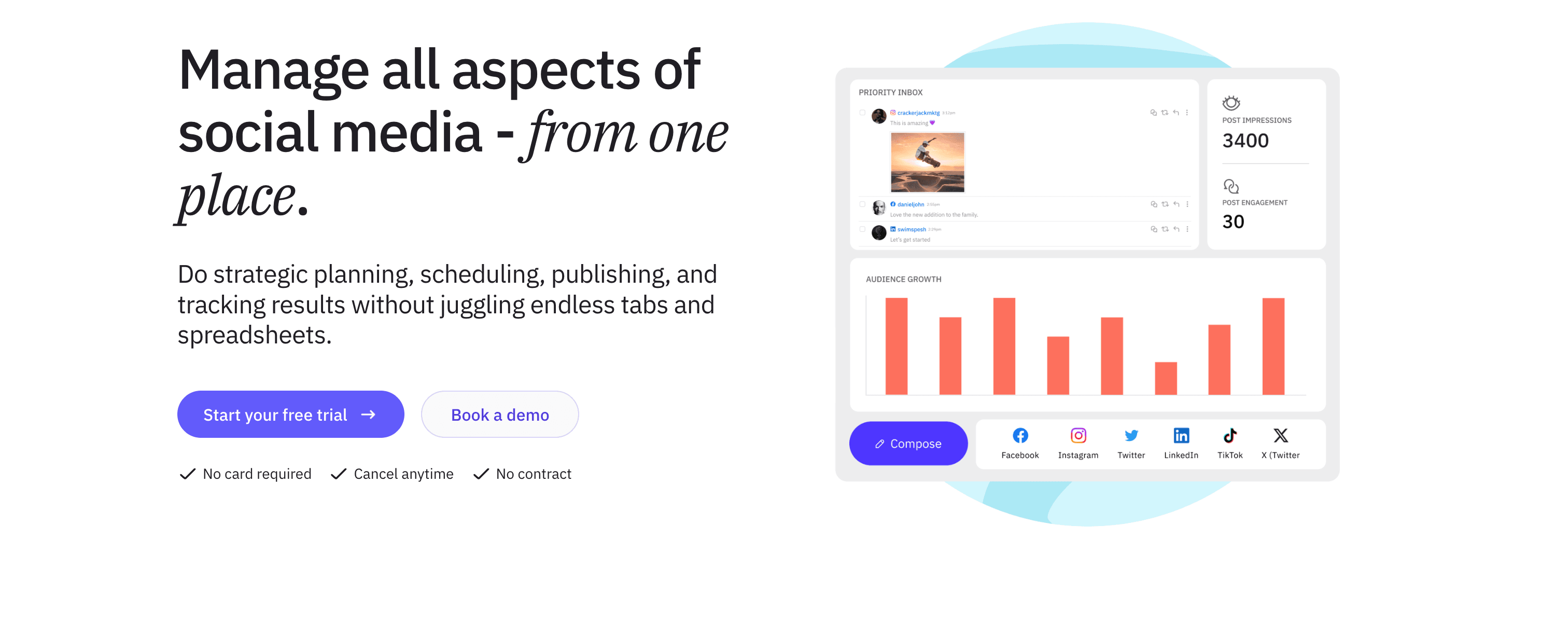
Sendible vs Sprinklr
Sprinklr's enterprise focus means its client management features are oriented toward large internal teams and global brands. Sendible is built for the agency model specifically — external clients, separate workspaces, white-label branding, and client approval workflows.
Client workspaces and management
Sendible organizes everything around clients:
- Separate workspaces for each client account
- Client user access — clients can review and approve content without seeing other client accounts
- Branded client dashboards with your agency logo
- Client billing integration
For agencies managing 10-30 clients, this structure makes operational management vastly more efficient than Sprinklr's enterprise-oriented setup.
White-label branding
Sendible offers comprehensive white-labeling — the platform interface, reports, and client-facing elements can carry your agency's branding. Clients interact with what appears to be your proprietary platform, not Sendible's.
RSS automation and content suggestions
Sendible includes tools for automating content sourcing:
- RSS feed automation that pulls from blogs and auto-creates social posts
- Content hub with suggested articles based on industry topics
- Content recycling for republishing evergreen content
Platform support
Sendible supports 20+ platforms including Facebook, Instagram, Twitter/X, LinkedIn, Pinterest, YouTube, Google My Business, Tumblr, WordPress, and Medium.
Pricing
Creator — $29/month
- 1 user, 6 social profiles
- Core scheduling and publishing
Traction — $89/month
- 4 users, 24 social profiles
- Client management features
White Label — $199/month
- 10 users, 60 social profiles
- Full white-label branding
White Label+ — $399/month
- 20 users, 120 social profiles
All plans include a 14-day free trial.
Pros
- Built specifically for agencies managing multiple clients
- White-label branding across the platform
- Affordable relative to Sprinklr for agency use cases
- RSS automation reduces manual content curation
Cons
- Interface less modern than Planable or Agorapulse
- Analytics not as deep as Sprout Social
- No automatic crossposting
- Primarily valuable for the agency model
| Feature | Sendible | Sprinklr |
|---|---|---|
| Client workspaces | ✅ Purpose-built | Available (enterprise) |
| White-label | ✅ Full branding | Limited |
| Pricing | $29-399/mo | $299+/mo per seat |
| Best for | Agencies | Enterprise brands |
Verdict
Sendible is the most practical Sprinklr alternative for agencies managing client accounts. The white-label branding, client workspaces, and affordable pricing make it purpose-fit for the agency model in a way that Sprinklr — built for large brands, not external agencies — simply isn't.
Best for: Digital marketing agencies, social media consultants, freelancers managing multiple client accounts.
Alternative #8: SocialPilot
SocialPilot is the budget-conscious Sprinklr alternative, delivering agency-ready features — bulk scheduling, white-label reports, client management — at prices accessible to small and growing teams.
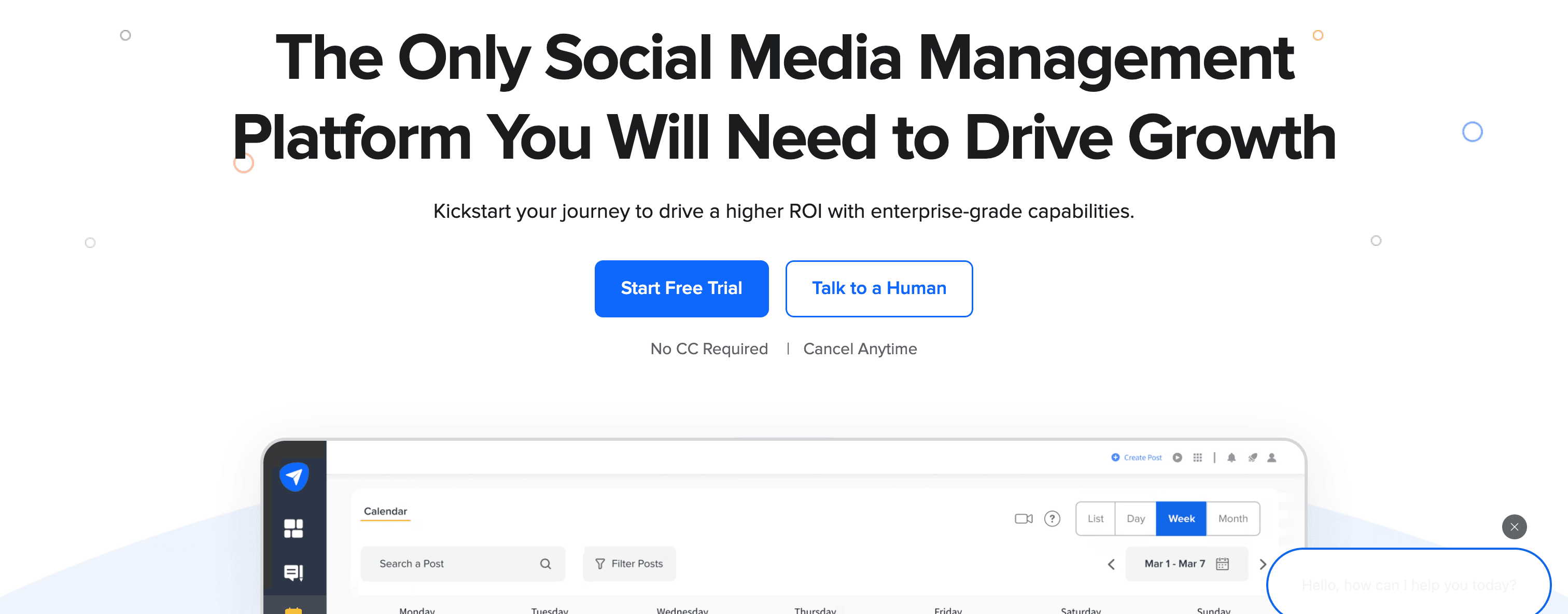
SocialPilot vs Sprinklr
Where Sprinklr starts at $299/user/month, SocialPilot's most popular agency plan covers 100 social accounts for $100/month. That pricing gap tells you everything about the target customer.
Bulk scheduling
SocialPilot's signature feature is bulk scheduling — upload a CSV with hundreds of posts and schedule them all at once. For agencies or brands with high-volume content calendars, this dramatically reduces the manual work of post creation and scheduling.
AI-powered features
SocialPilot now includes AI writing tools for generating captions, post variations, and hashtag suggestions. The AI features are built into paid plans and help teams produce more content variations with less manual effort.
Platform support
SocialPilot supports 10+ platforms: Facebook, Instagram, Twitter/X, LinkedIn, Pinterest, TikTok, Google My Business, Tumblr, and VK.
Pricing
Professional — $30/month
- 25 social accounts, 1 user
- Bulk scheduling, AI tools
Small Team — $50/month
- 50 social accounts, 3 users
- Client management
Agency — $100/month
- 100 social accounts, 6 users
- White-label reports
Agency+ — $200/month
- 200 social accounts, 10 users
All plans include a 14-day free trial.
Pros
- Extremely affordable for the features offered
- Bulk scheduling saves time for high-volume content
- White-label reports for agencies
- AI writing tools included
Cons
- Interface less polished than modern tools
- Analytics less comprehensive than Sprout Social
- No social inbox or listening features
- No automatic crossposting
| Feature | SocialPilot | Sprinklr |
|---|---|---|
| Pricing | $30-200/mo | $299+/mo per seat |
| Bulk scheduling | ✅ Yes | Limited |
| White-label | ✅ Available | Enterprise feature |
| Best for | Budget agencies | Large enterprises |
Verdict
SocialPilot is the best Sprinklr alternative for budget-conscious agencies and teams that need practical features without enterprise pricing. If you're evaluating Sprinklr because someone said "you need an enterprise tool," SocialPilot often delivers 80% of the functionality at 10% of the cost. See how it stacks up in the broader context of best social media management tools.
Best for: Small agencies, growing businesses, teams managing many accounts on a limited budget.
Alternative #9: Statusbrew
Statusbrew is the mid-market Sprinklr alternative for teams that need a unified social inbox, solid analytics, and multi-platform scheduling — without enterprise pricing or enterprise complexity.
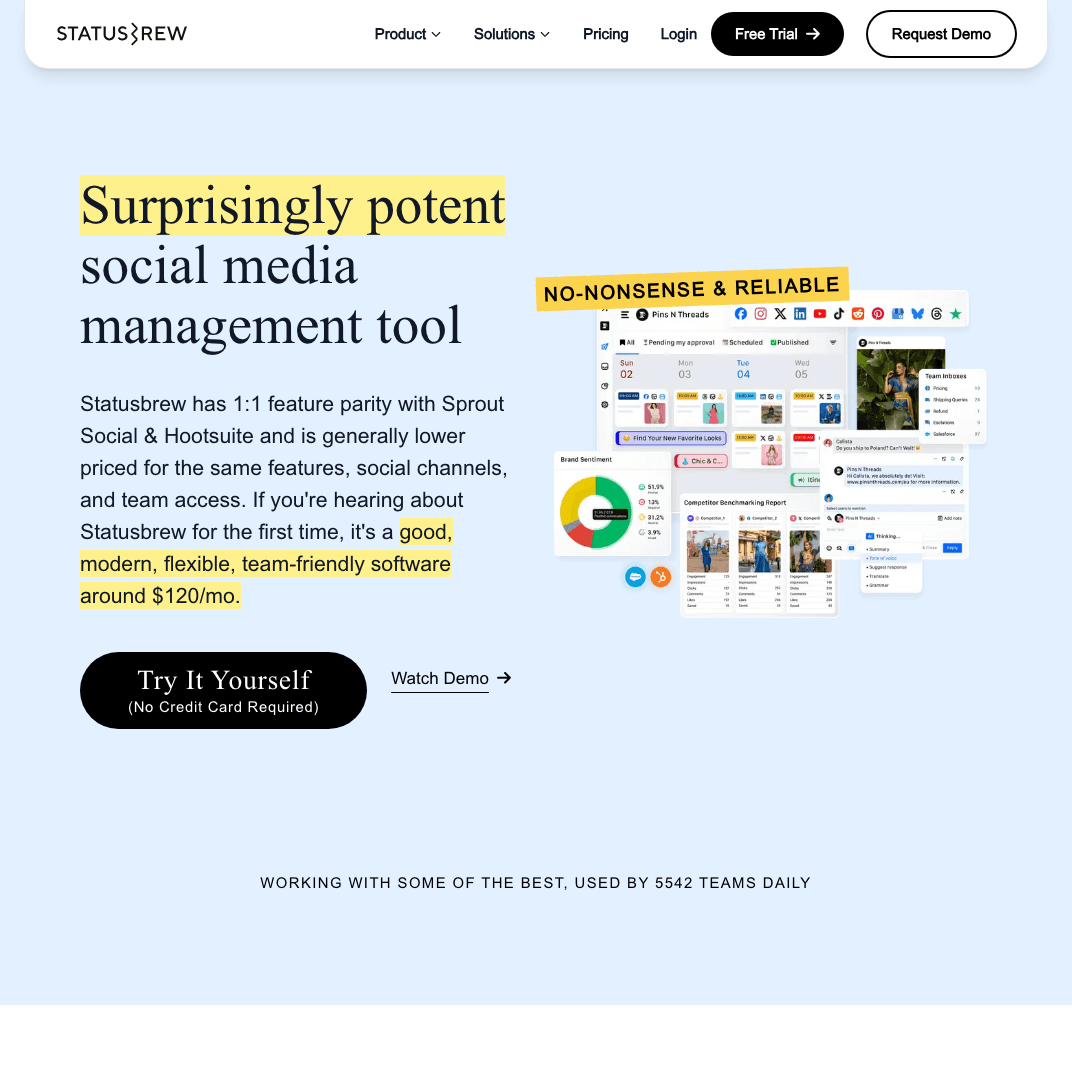
Statusbrew vs Sprinklr
Statusbrew occupies the space between lightweight scheduling tools and full enterprise platforms like Sprinklr. It's sophisticated enough for growing teams with real engagement needs, but doesn't require a months-long implementation or a dedicated admin.
Unified social inbox
Statusbrew's inbox aggregates messages, comments, and mentions across all connected platforms — Facebook, Instagram, Twitter/X, LinkedIn, Threads, Bluesky, YouTube, TikTok, and more. The inbox includes task assignment, message tagging, collision detection, and automated routing rules that can assign specific message types to specific team members automatically.
AI content assistance
Statusbrew includes AI tools for generating captions, hashtag suggestions, and content ideas directly in the post composer. The AI features are built into plans rather than offered as expensive add-ons.
Social listening
Statusbrew includes social listening to monitor keywords, brand mentions, and competitor activity. It's not as deep as Sprinklr's intelligence layer or Brandwatch, but covers the monitoring needs of most teams effectively.
Platform support
Statusbrew supports Instagram, Twitter/X, LinkedIn, Facebook, Threads, Bluesky, YouTube, TikTok, Pinterest, and Google My Business — strong cross-platform coverage including emerging platforms.
Pricing
Lite — $89/month
- Core features, smaller team
Standard — $179/month
- Full feature set, growing teams
Premium — $299/month
- Advanced features, larger teams
Enterprise — Custom pricing
All plans include a 14-day free trial. Notably, Statusbrew guarantees no price hikes — the rate you sign up at is locked.
Pros
- Solid unified inbox for community management
- Supports Threads and Bluesky alongside major platforms
- AI tools included in all plans
- Transparent pricing with no-price-hike guarantee
Cons
- More expensive than pure scheduling tools
- Analytics less comprehensive than Sprout Social
- Less specialized than tools built purely for agencies or enterprise
- Still requires manual scheduling per platform
| Feature | Statusbrew | Sprinklr |
|---|---|---|
| Unified inbox | ✅ Comprehensive | ✅ Enterprise-grade |
| Pricing | $89-299/mo | $299+/mo per seat |
| Bluesky/Threads | ✅ Supported | Limited |
| Best for | Mid-size teams | Large enterprises |
Verdict
Statusbrew hits a useful sweet spot for teams that have outgrown lightweight scheduling tools but don't need (or can't afford) full enterprise platforms. The unified inbox and social listening capabilities cover much of what smaller teams use Sprinklr for, at a more accessible price.
Best for: Mid-size marketing teams, brands with active social communities, teams needing inbox management alongside scheduling.
Alternative #10: Agorapulse
Agorapulse is widely considered one of the best social inboxes in the market — making it the strongest Sprinklr alternative when community engagement and response management are the primary drivers.

Agorapulse vs Sprinklr
Sprinklr's engagement module is powerful but complex. Agorapulse makes unified inbox management the core product, resulting in a more focused, more usable engagement workflow — at a fraction of the price.
Best-in-class unified inbox
Agorapulse's inbox consolidates:
- Comments on all posts across platforms
- Direct messages across Facebook, Instagram, Twitter, LinkedIn
- @mentions and tags
- Ad comments (Facebook and Instagram ads)
The inbox includes saved replies, message assignment, sentiment analysis for prioritizing negative feedback, and automated moderation rules that can hide or assign messages based on keywords.
Scheduling and publishing
Agorapulse's publishing features are comprehensive — visual calendar, queue scheduling, best-time recommendations, and team workflows with approval capabilities. Platform support covers Facebook, Instagram, Twitter/X, LinkedIn, YouTube, TikTok, and Google My Business.
Analytics and reporting
Agorapulse includes detailed analytics: audience growth, engagement metrics, competitor benchmarking, and custom reports. The ROI reporting feature attempts to quantify the business impact of social media engagement — a useful tool for justifying team resources.
Pricing
Standard — $69/month (per user)
- 10 social profiles, unified inbox, publishing
Professional — $99/month (per user)
- Advanced reporting, competitor analysis, ROI reporting
Advanced — $149/month (per user)
- Custom workflows, advanced permissions
All plans include a 30-day free trial.
Pros
- Excellent unified inbox — best focused inbox tool on this list
- Automated moderation and message routing
- ROI reporting included
- 30-day free trial (more generous than most)
Cons
- Per-user pricing can add up for larger teams
- Analytics less comprehensive than Sprout Social
- No automatic crossposting or distribution automation
- Social listening less deep than Sprinklr or Brandwatch
| Feature | Agorapulse | Sprinklr |
|---|---|---|
| Social inbox | ✅ Best-in-class | ✅ Comprehensive |
| Pricing | $69-149/mo per user | $299+/mo per seat |
| Setup complexity | Accessible | Complex |
| Best for | Engagement-focused | Full CXM enterprise |
Verdict
Agorapulse is the right Sprinklr alternative when your primary use case is managing social engagement efficiently — handling DMs, comments, and mentions across platforms from a unified inbox. It beats Sprinklr on usability for this specific workflow at a significantly lower price.
Best for: Brands with active social communities, customer service teams using social platforms, businesses focused on engagement over broadcasting.
Alternative #11: Later
Later is the visual-planning Sprinklr alternative — purpose-built for creators and brands where Instagram aesthetics and content calendar visibility matter more than enterprise governance features.
Later vs Sprinklr
The contrast between Later and Sprinklr is stark: Sprinklr is a multi-module enterprise platform requiring significant implementation; Later is an intuitive visual planner you can set up in an afternoon. They serve genuinely different needs, but teams migrating away from Sprinklr's complexity sometimes discover that Later covers everything they actually used in Sprinklr.
Visual Instagram planning
Later's signature feature is the visual Instagram grid planner — a drag-and-drop interface showing exactly how your feed will look before posts go live. You can rearrange posts to maintain aesthetic coherence across your grid, which matters significantly for lifestyle brands, fashion, food, and design-forward content.
Link in Bio tool
Later's Link in Bio feature creates a mini landing page matching your Instagram profile, linking grid posts directly to relevant content or product pages. This drives meaningful traffic from Instagram without requiring platform-specific link management.
Media library
Later includes a media library for organizing and tagging images and video assets. You can search by keyword, filter by content type, and bulk-upload media for scheduling — useful for brands managing large visual content archives.
Platform support
Later supports Instagram, Facebook, TikTok, Pinterest, LinkedIn, and Twitter/X. TikTok direct posting is included, which many enterprise tools still handle poorly.
Pricing
Starter — $25/month
- 1 social set, 30 posts per profile/month
- Link in Bio, best time to post
Growth — $45/month
- 3 social sets, unlimited posts
- Competitor analytics, UGC tools
Advanced — $80/month
- 6 social sets, advanced analytics
All plans include a free trial.
Pros
- Best visual Instagram planning experience on this list
- Intuitive and fast to set up
- Link in Bio drives Instagram traffic effectively
- TikTok direct posting included
Cons
- Instagram-centric (other platforms less robust)
- No social listening or inbox for engagement
- No automatic crossposting
- Limited team collaboration compared to enterprise tools
| Feature | Later | Sprinklr |
|---|---|---|
| Visual planning | ✅ Best Instagram UI | ❌ Calendar-based only |
| Pricing | $25-80/mo | $299+/mo per seat |
| Social listening | ❌ No | ✅ Advanced |
| Best for | Visual creators | Enterprise CXM |
Verdict
Later is the best Sprinklr alternative for Instagram-first creators and brands. If your primary frustration with Sprinklr is complexity and cost, and you primarily care about Instagram aesthetics and content planning, Later delivers what you need at a fraction of the price — without the months of onboarding.
Best for: Instagram-focused brands, visual content creators, influencers, lifestyle and fashion brands prioritizing grid aesthetics.
Which Sprinklr alternative fits you?
The right Sprinklr alternative depends on why you're looking to switch and what you actually need. Here's a quick breakdown by use case:
For automated crossposting without manual work
- ✅ PostOnce — Post on a supported source, then distribute to eligible destinations. Source/destination pairs and post types vary. $29/month.
For enterprise analytics and reporting
- ✅ Sprout Social — Industry-leading analytics, social listening, Smart Inbox. $199/month per seat.
For established marketing teams
- ✅ Hootsuite — Comprehensive features, broad platform coverage, accessible onboarding. $99/month.
For deep social intelligence and research
- ✅ Brandwatch — Research-grade social listening, consumer intelligence, influencer tracking. Custom pricing.
For B2B enterprises and community platforms
- ✅ Khoros — Community platform management, employee advocacy, LinkedIn specialization. Custom pricing.
For content approval workflows
- ✅ Planable — Purpose-built collaboration and approval, modern interface, fraction of Sprinklr's cost. $13/month.
For agencies managing client accounts
- ✅ Sendible — Client workspaces, white-label branding, agency-oriented workflows. $29/month.
- ✅ SocialPilot — Budget-friendly with bulk scheduling and white-label reports. $30/month.
For mid-size teams with engagement needs
- ✅ Statusbrew — Unified inbox, social listening, supports Threads/Bluesky. $89/month.
For community engagement management
- ✅ Agorapulse — Best-in-class unified inbox, automated moderation. $69/month.
For Instagram-focused visual planning
- ✅ Later — Visual grid planning, Link in Bio, intuitive interface. $25/month.
FAQs about Sprinklr alternatives
What's the biggest reason people leave Sprinklr?
The most common reasons are cost and complexity. Sprinklr's Advanced plan costs $299 per seat per month, billed annually — a five-person team pays $1,495/month minimum. Beyond pricing, users consistently cite the steep learning curve, slow implementation, and difficulty getting support as pain points. Many teams pay for Sprinklr features they never fully adopt because the platform is too complex to use effectively day-to-day.
Is there a cheaper alternative to Sprinklr with similar features?
For enterprise analytics and listening: Sprout Social starts at $199/month per seat — still expensive but meaningfully less than Sprinklr.
For approval workflows and collaboration: Planable at $13/month covers what most teams use Sprinklr's workflow features for.
For agencies: Sendible at $29/month and SocialPilot at $30/month handle client management at a fraction of Sprinklr's cost.
For crossposting automation: PostOnce at $29/month is the most cost-efficient option for creators and lean teams who post across multiple platforms regularly — see it in context with other best social media automation tools.
Does any Sprinklr alternative support automatic crossposting?
PostOnce is the only tool on this list that automates crossposting natively. You post on a supported source, and PostOnce distributes to eligible destinations based on your flow settings. Available source/destination pairs and post types vary. Sprinklr and all other alternatives on this list require manual scheduling per platform, meaning you're creating and configuring each post individually.
Which Sprinklr alternative is best for agencies?
Planable is the top pick for agencies focused on content collaboration and client approvals. Sendible is stronger for agencies that need full client account management with white-labeling. SocialPilot serves budget-conscious agencies best. The choice depends on whether collaboration workflows or account scale is your primary need.
Can I get Sprinklr's analytics features for less money?
Yes. Sprout Social provides enterprise-grade analytics — competitive reporting, audience demographics, ROI dashboards — at a lower price point than Sprinklr. For mid-market analytics without enterprise pricing, Statusbrew and Agorapulse both offer solid analytics as part of their broader feature sets. Brandwatch delivers superior social intelligence specifically, though it's still custom-priced.
What should I consider when switching from Sprinklr?
First, audit what Sprinklr features your team actually uses day-to-day versus what you've been paying for but rarely touch. Most teams discover their active usage is a subset of Sprinklr's capabilities — approval workflows, content scheduling, and inbox management — that can be replicated by multiple tools at far lower cost.
Second, consider your primary workflow. If your team crosspost content across platforms daily, crosspost automatically with PostOnce and eliminate that manual overhead. If you need enterprise analytics, Sprout Social is the closer match. If approval workflow is the driver, Planable handles it better and more affordably.
Is Sprinklr worth it for small businesses?
Almost certainly not. Sprinklr is designed for enterprises with implementation teams, six-figure software budgets, and months available for onboarding. Small businesses are far better served by tools like PostOnce ($29/month) for crossposting, Planable ($13/month) for team collaboration, or Hootsuite ($99/month) for comprehensive management. The best social media scheduling tools for small businesses prioritize simplicity and affordability, not enterprise governance.
Does PostOnce replace all Sprinklr features?
No — and that's by design. PostOnce is purpose-built for crossposting automation: post once natively, distribute to eligible destinations automatically. It doesn't include social listening, CRM integration, comprehensive analytics dashboards, or multi-brand governance. If your Sprinklr use case is enterprise CXM, PostOnce isn't the replacement. But if your primary pain point is the manual work of posting the same content across 6+ platforms daily, PostOnce eliminates that workflow entirely at $29/month.
Final thoughts: Choosing the right Sprinklr alternative
Sprinklr is a genuinely powerful platform built for a specific customer: global enterprises managing unified customer experience operations across dozens of channels with large teams and large budgets. If that's you, Sprinklr might still be worth the complexity and cost.
For everyone else, there's a better option — often at a fraction of the price.
The right Sprinklr alternative depends on what you actually need:
If your main problem is manual crossposting overhead → PostOnce removes repetitive distribution steps. Post natively on a supported source, then distribute to eligible destinations. Source/destination pairs and post types vary. $29/month, 7-day free trial.
If you need enterprise analytics → Sprout Social covers analytics, social listening, and team workflows at $199/month per seat — still expensive, but meaningfully below Sprinklr's floor.
If you need enterprise features without enterprise complexity → Hootsuite provides comprehensive social media management at $99/month with a faster setup and better usability.
If approval workflows are the core need → Planable handles them better than Sprinklr's enterprise governance at $13/month.
If you run an agency → Sendible ($29/month) or SocialPilot ($30/month) offer client management built for the agency model.
If community engagement drives your social strategy → Agorapulse provides the best unified inbox on the market at $69/month.
According to the Sprout Social Index, social media teams are spending more time than ever on content distribution across platforms — making automation and workflow efficiency the most valuable improvements any social media tool can offer. The tools that win in 2026 aren't the most feature-rich; they're the ones that reduce friction and let creators focus on content rather than logistics.
Try PostOnce free for 7 days
Stop manually reposting content across platforms. Post on a supported source and let PostOnce distribute to eligible destinations among TikTok, Instagram, YouTube, Facebook, LinkedIn, X, Bluesky, Pinterest, and Threads. Source/destination pairs and post types vary.
Whatever tool you choose, the goal is the same: remove friction from your social media workflow, not add more of it. The best social media management tool is the one that makes distribution invisible so you can focus on creating content worth distributing.