


















eClincher has built a reputation as a powerful all-in-one social media management platform — unified inbox, scheduling, analytics, brand monitoring, and local SEO wrapped into a single dashboard. It's a serious tool for agencies and enterprise marketing teams who need everything in one place.
But that ambition comes at a price. eClincher's entry-level plan starts at around $149 per month, which is steep for independent creators, small businesses, and lean marketing teams. And for many users, the platform's breadth of features creates friction: you're paying for and navigating capabilities you'll never use. Add in a learning curve that rivals enterprise software, and it's easy to see why so many users are actively searching for eClincher alternatives.
The most common complaints that drive users to look elsewhere include high pricing relative to actual needs, interface complexity that slows down daily workflows, limited native support for newer platforms like Threads and Bluesky, and a lack of lightweight automation for creators who just want content to flow across platforms without manual intervention every time.
If you post similar content across multiple social networks — Instagram, LinkedIn, Twitter/X, Threads, Bluesky — the manual scheduling approach that most tools (including eClincher) require adds up to hours of repetitive work each week. Tools like PostOnce eliminate that entirely by automating crossposting: you post natively on one platform and content distributes to eligible destinations. That's a fundamentally different approach to multi-platform social media management.
This guide covers 13 of the strongest eClincher alternatives for 2026, evaluated across pricing, platform support, automation capabilities, workflow efficiency, and real-world use cases. Whether you're a solo creator, a growing startup, or a small agency looking to replace eClincher without paying enterprise rates, you'll find the right fit here.
Here's what this comparison covers:
- A quick comparison table of all 13 tools with pricing, workflow types, and strengths
- What eClincher does well — and where it consistently falls short
- Detailed breakdowns of each alternative with pros, cons, and honest verdicts
- Persona-based recommendations to match the right tool to your situation
- FAQs about switching from eClincher
Let's get into the best eClincher alternatives for 2026.
Quick comparison table
| Tool | Best for | Workflow | Platforms | Pricing from | Strength |
|---|---|---|---|---|---|
| PostOnce | Crossposting automation | Native→Auto | TT/IG/YT/FB/LI/X/BS/PT/TH* | $29/mo | Saves hours weekly |
| Buffer | Simple scheduling | Manual scheduling | IG/X/LI/FB/PT/TT/Threads | $6/mo | Clean, affordable |
| Hootsuite | Enterprise teams | Manual scheduling | 20+ networks | $99/mo | Comprehensive features |
| Sprout Social | Analytics & reporting | Scheduled posts | All major platforms | $199/mo | Deep analytics |
| Later | Visual Instagram planning | Calendar-based | IG/FB/TT/PT/LI/X | $16.67/mo | Visual content calendar |
| SocialPilot | Budget-conscious teams | Bulk scheduling | 10+ networks | $25.50/mo | Affordable pricing |
| Agorapulse | Social inbox management | Unified inbox | FB/IG/X/LI/YT/TT | $99/mo | Inbox + scheduling |
| Sendible | Agencies | Client management | 20+ networks | $29/mo | White-label reports |
| Loomly | Brand management | Campaign planning | 10+ networks | $42/mo | Post ideas & tips |
| CoSchedule | Marketing teams | Marketing calendar | 5+ networks | $29/mo | Full marketing suite |
| SocialBee | Content recycling | Evergreen content | 10+ networks | $29/mo | Content categories |
| Metricool | Analytics focus | Scheduled + analytics | 15+ networks | $22/mo | Generous free plan |
| Planable | Team collaboration | Approval workflows | All major platforms | $13/mo | Content approval |
*IG=Instagram, X=Twitter/X, LI=LinkedIn, BS=Bluesky, TH=Threads, FB=Facebook, PT=Pinterest, YT=YouTube, TT=TikTok
Why consider an Eclincher alternative?
eClincher positions itself as a comprehensive social media management platform — and for large agencies or multi-location brands, it genuinely delivers. But "comprehensive" cuts both ways. Here's an honest look at where eClincher shines and where it creates problems for the users who end up leaving.
What Eclincher does well
Unified inbox across 30+ channels
eClincher's social inbox is one of its most praised features. It aggregates messages, comments, mentions, and reviews across all connected platforms into a single view. For teams managing high interaction volumes, this is genuinely useful — no tab-switching, no missed DMs, no comments falling through the cracks.
AI-powered content creation
eClincher includes an AI content writer and image creator that can generate captions and visual content within the platform. This reduces context-switching for teams that produce and schedule content in the same workflow. The AI auto-reply agent, which can respond to comments and DMs in real-time or queue responses for approval, stands out as a differentiating feature.
Brand monitoring and sentiment analysis
The platform includes real-time brand monitoring with AI-powered sentiment classification. Teams can set up custom alerts for brand mentions across social networks, which is useful for reputation management at scale.
Local SEO and multi-location management
eClincher's local SEO automation feature — which manages Google Business Profile listings, monitors local reviews, and tracks local rankings — is a genuine differentiator. Multi-location brands and local businesses can manage social media and local search presence from the same platform, which reduces tool sprawl.
Where Eclincher falls short
Pricing is steep for most users
eClincher's Standard plan starts at around $149 per month for 2 users and 10 social profiles. For comparison, tools like Buffer start at $6 per channel, SocialPilot at $25.50 per month, and even established platforms like Sendible start at $29 per month. eClincher prices itself for mid-market agencies and enterprises — which means solo creators, small businesses, and early-stage startups are effectively priced out of even the entry tier.
Interface complexity and learning curve
Multiple user reviews cite eClincher's dashboard as overwhelming for new users. When a platform is built to handle publishing, inbox, analytics, brand monitoring, and local SEO simultaneously, the UI carries that weight. For teams that primarily need scheduling and distribution, navigating eClincher's full feature set can feel like using a freight truck to run grocery errands.
Limited crossposting automation for creators
eClincher's workflow is fundamentally manual scheduling: you create content, you schedule it per platform, you manage it. There's no native capability to post once and have content automatically distributed to connected accounts based on predefined flows. For creators who crosspost automatically across 5-8 platforms daily, this means repetitive manual work that modern automation tools have already eliminated.
Newer platforms not fully supported
eClincher's platform coverage focuses on established networks. Support for emerging platforms like Bluesky and Threads — where many creators and brands are actively building audiences in 2026 — is limited or absent. For social media management tools priced at the enterprise level, this is a notable gap.
Bottom line on eClincher
eClincher is a serious platform built for serious workflows: multi-location brands, agencies managing multiple clients, and teams that genuinely need social publishing, inbox management, analytics, and local SEO under one roof. But for the majority of users — creators, small businesses, lean marketing teams — eClincher's pricing and complexity create more friction than value. The alternatives below deliver better fit at a better price.
How these alternatives were evaluated
Each tool on this list was evaluated against criteria that address eClincher's common weaknesses:
Workflow efficiency — How many steps does multi-platform posting require? Does the tool eliminate repetitive work or just repackage it?
Platform coverage — Which social networks are supported, including newer platforms like Threads, Bluesky, and TikTok?
Automation capabilities — Does the tool require manual scheduling for every post, or does it automate distribution intelligently?
Collaboration features — Can teams review, approve, and comment on content before it publishes?
Pricing fairness — Is the cost structure reasonable for solo creators, small teams, and agencies at different scales?
Use case fit — Which specific users will get the most value? Creators, agencies, enterprise teams, or niche use cases?
Eclincher alternative #1: PostOnce
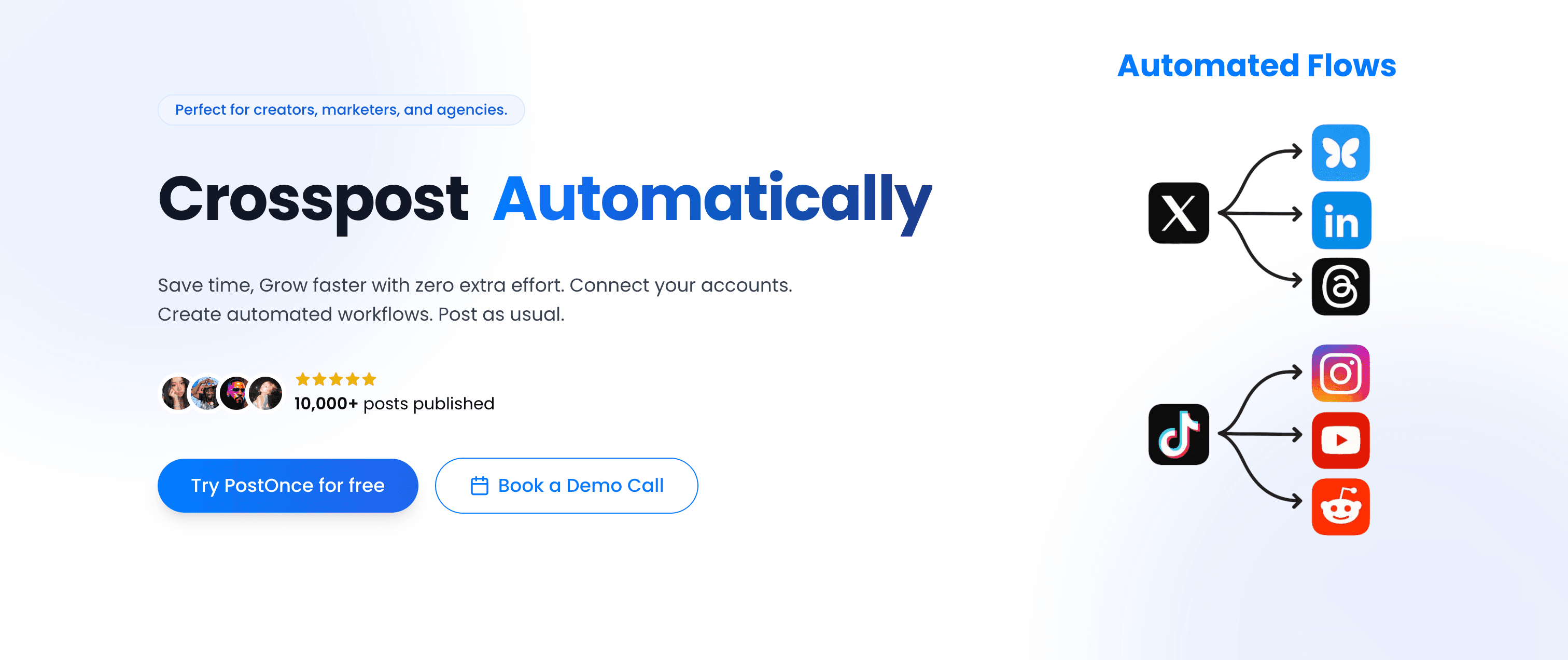
PostOnce approaches social media management from a completely different angle than eClincher. Where eClincher gives you a sophisticated dashboard to manually schedule and manage content, PostOnce automates the distribution layer entirely — you post once natively on your preferred platform, and PostOnce handles everything else.
PostOnce vs Eclincher
The core philosophical difference: eClincher is a scheduling and management hub. PostOnce is a crossposting automation engine. Here's what that means in practice:
eClincher workflow:
- Log into eClincher dashboard
- Create content for each platform individually
- Schedule each post separately
- Monitor inbox and engagement from dashboard
- Repeat for every piece of content, every day
PostOnce workflow:
- Post natively on Instagram (or wherever you create content naturally)
- PostOnce crossposts to eligible destinations in your configured flow; source/destination pairs and post types vary
- Done. Content distributes itself.
If you're paying eClincher $149/month primarily to schedule posts across platforms, PostOnce delivers the same multi-platform distribution at $29/month — automatically, without the manual scheduling overhead.
Platform support
PostOnce supports these nine platforms, with available source/destination pairs and post types varying by workflow:
- TikTok (supported post types vary)
- Instagram (feed posts, carousels, Reels)
- Twitter/X (posts, media, threads)
- LinkedIn (posts, documents, videos)
- Bluesky (posts, media, threads)
- Threads (text posts, media)
- Facebook (pages, media)
- Pinterest (pins, boards)
- YouTube (shorts, community posts)
The inclusion of Threads and Bluesky is significant. These are platforms where creators are actively building audiences in 2026, and PostOnce supports them natively from day one. If you want to crosspost from Instagram to Bluesky or distribute LinkedIn content to Threads automatically, PostOnce handles it out of the box.
Workflow steps
- Connect your social accounts — one-time setup across all supported platforms
- Create automated crossposting flows — define which source platforms trigger distribution to which destinations
- Post natively — create content on your preferred platform as you normally would
- PostOnce distributes automatically — content flows to eligible destinations in the configured workflow; source/destination pairs and post types vary
No scheduling calendar to maintain. No duplicating posts across platforms. No remembering to add content to a queue. You're free to repurpose content across platforms without the manual overhead.
Content rules and filtering
PostOnce includes smart content filtering that gives you granular control over what gets crossposted:
- Hashtag rules — Only crosspost content containing specific hashtags, or exclude content with certain tags
- Content type filtering — Route only images, only videos, or only text posts to specific platforms
- Platform-specific rules — Send Instagram Reels to YouTube Shorts and TikTok automatically, but keep casual Stories off LinkedIn
This precision means you can post freely on any platform without worrying that every throwaway post will land on your professional LinkedIn profile.
Pricing
Creator Plan — $29/month
- 15 social accounts
- unlimited crossposting workflows
- Access to all nine supported platforms; source/destination pairs and post types vary
- Unlimited posts
- Content filtering rules
Pro Plan — $69/month
- 50 social accounts
- Unlimited crossposting flows
- Access to all nine supported platforms; source/destination pairs and post types vary
- Unlimited posts
- Full content filtering
Agency Plan — $199/month
- 200 social accounts
- Unlimited crossposting workflows
- Unlimited posts
- Priority support
All three plans include a 7-day free trial (credit card required). At $29/month, PostOnce costs roughly 8x less than eClincher's entry plan — with automation that eClincher doesn't offer at any price tier.
Why PostOnce ranks #1
If eClincher's manual scheduling workflow is eating your time, PostOnce eliminates the problem entirely. For creators and businesses whose primary use case is distributing content across multiple platforms, PostOnce's native-post-to-automatic-distribution model saves an estimated 4 hours per week compared to manual scheduling. Over 50,000 posts have been published through the platform. It's not a scheduling tool trying to add automation — it was built from the ground up for automated crossposting.
Best for: Content creators, indie hackers, bloggers, small businesses, and anyone who posts regularly across 3+ platforms and wants distribution to happen automatically.
Not ideal for: Teams that need deep social inbox management, brand monitoring, local SEO automation, or sophisticated client reporting workflows. For those needs, look further down this list.
Eclincher alternative #2: Buffer
Buffer is the perennial straightforward choice for social media scheduling — clean interface, transparent pricing, no bloat. If eClincher's complexity is the problem, Buffer is the antidote.
Buffer vs Eclincher
Buffer strips scheduling down to its essentials: write a post, schedule it, track basic performance. eClincher adds layers of inbox management, brand monitoring, and analytics that Buffer simply doesn't offer. For users who don't need those layers, Buffer's simplicity is a feature, not a limitation.
Simple queue-based scheduling
Buffer's queue system lets you preload posts and publish them at preset optimal times without manually scheduling each one. The visual content calendar makes it easy to see your posting schedule across all connected channels at a glance.
Browser extension
Buffer's browser extension lets you schedule content directly from any web page — read an article worth sharing, click the extension, add commentary, schedule. It's the fastest way to maintain a consistent posting schedule from content you encounter naturally while browsing.
Analytics and reporting
Buffer provides clean engagement metrics: reach, clicks, likes, comments, and top-performing posts per channel. It's basic compared to eClincher's analytics suite, but sufficient for creators who need directional data without custom reporting dashboards.
Platform support
Buffer covers all the major platforms: Instagram, Facebook, Twitter/X, LinkedIn, Pinterest, TikTok, and Threads. Notably, it supports Threads — which eClincher's coverage has been slower to adopt.
Pricing
Buffer uses a per-channel pricing model:
- Free — 3 channels, 10 scheduled posts per channel
- Essentials — $6/month per channel (or $5/month billed annually)
- Team — $12/month per channel (or $10/month billed annually)
5 channels on the Essentials plan = $30/month. This is dramatically cheaper than eClincher's $149 entry tier, though the feature sets aren't comparable — Buffer offers no inbox management, no brand monitoring, no AI auto-reply.
Pros:
- Genuinely simple to learn and use from day one
- Per-channel pricing makes costs predictable
- Strong browser extension for on-the-go scheduling
- Includes Threads support
Cons:
- No crossposting automation — every platform requires manual scheduling
- No social inbox or engagement management
- No brand monitoring or sentiment analysis
- Free plan is very limited (10 posts per channel total)
| Feature | Buffer | Eclincher |
|---|---|---|
| Starting price | $6/mo/channel | ~$149/mo |
| Unified inbox | No | Yes |
| Brand monitoring | No | Yes |
| Local SEO | No | Yes |
| Threads support | Yes | Limited |
| Bluesky support | No | No |
Verdict: Buffer is the right eClincher alternative for users who primarily need scheduling without the enterprise overhead. If eClincher's price and complexity are the issues, Buffer solves both — at the cost of inbox management and analytics depth.
Eclincher alternative #3: Hootsuite
Hootsuite is eClincher's closest competitor in terms of positioning — both target agencies and larger teams with comprehensive social media management platforms. The key differences lie in pricing structure, specific feature strengths, and platform maturity.
Hootsuite vs Eclincher
Both platforms offer scheduling, unified inbox, analytics, and team collaboration. Hootsuite edges out eClincher on platform support breadth (20+ networks), brand recognition, and third-party integrations. eClincher has the advantage in local SEO features and some AI capabilities.
Comprehensive scheduling and publishing
Hootsuite's publishing tools include a drag-and-drop content calendar, bulk scheduling via CSV upload, content library for reusable assets, and recommended posting times based on audience engagement data. For teams managing consistent posting schedules across multiple accounts, the bulk upload feature alone can save hours.
Social inbox and engagement
Hootsuite's unified inbox aggregates messages, comments, and mentions across connected accounts. Teams can assign conversations to specific members, add internal notes, and track response times — features that mirror eClincher's inbox capabilities with slightly different UI execution.
Analytics and reporting
Hootsuite's analytics suite is one of its strongest differentiators. Custom report building, competitor benchmarking, and team performance tracking give marketing managers data they can actually present. It's deeper than eClincher's standard analytics in some areas, though eClincher's local SEO reporting has no equivalent in Hootsuite.
Platform support
Hootsuite supports 20+ social networks including Facebook, Instagram, Twitter/X, LinkedIn, Pinterest, TikTok, YouTube, Threads, and more. Its breadth of integrations with third-party tools (CRMs, content management systems, ad platforms) also exceeds eClincher's ecosystem.
Pricing
- Standard — $99/month (billed monthly), $99/mo billed annually for 1 user, 10 social accounts
- Advanced — $249/month (annual), $399 monthly, 1 user
- Enterprise — Custom pricing, 5+ users, 50+ accounts
- No free plan; 30-day free trial available
Hootsuite is comparable in price to eClincher for similar tiers, which means if you're looking for a budget-friendly alternative, Hootsuite isn't it. It's a lateral move in terms of cost.
Pros:
- Broader platform support than eClincher (20+ networks)
- Stronger third-party integration ecosystem
- Mature analytics and reporting suite
- Large user base means extensive documentation and community resources
Cons:
- No free plan; pricing starts at $99/month
- Per-user pricing escalates quickly for growing teams
- No local SEO features (unlike eClincher)
- Steep learning curve similar to eClincher
| Feature | Hootsuite | Eclincher |
|---|---|---|
| Starting price | $99/mo | ~$149/mo |
| Unified inbox | Yes | Yes |
| Local SEO | No | Yes |
| Platform support | 20+ | 30+ channels |
| Bluesky support | No | No |
| AI auto-reply | No | Yes |
Verdict: Hootsuite makes sense as an eClincher alternative if you need comparable depth but prefer Hootsuite's integration ecosystem or find its interface more intuitive. For cost savings, look elsewhere.
Eclincher alternative #4: Sprout Social
Sprout Social is the analytics-first social media management platform — premium pricing, premium data, and a workflow built for teams where reporting and insight are as important as publishing.
Sprout Social vs Eclincher
Where eClincher balances scheduling, inbox, and local SEO, Sprout Social goes deeper on analytics, reporting, and listening than any other tool on this list. If your team makes strategy decisions based on social data, Sprout Social's reporting depth may justify its cost. Otherwise, it's significantly more expensive than eClincher with a narrower feature advantage.
Advanced social listening
Sprout Social's listening tools go beyond brand mentions to track industry trends, competitor activity, campaign sentiment, and audience insights across social networks. This is enterprise-grade intelligence that eClincher's monitoring features don't match.
Deep analytics and reporting
Sprout Social's reporting suite includes cross-channel analytics, competitor benchmarking, content performance breakdowns, and presentation-ready report exports. For agencies and enterprise marketing teams that need to justify social media investment to stakeholders, Sprout's reporting is arguably the best in the category.
CRM and helpdesk integrations
Sprout integrates natively with Salesforce, HubSpot, Zendesk, and other CRM/helpdesk platforms, making it a natural fit for customer-facing teams that need social conversations connected to CRM records.
Team workflow management
Sprout's publishing workflow includes content approval flows, task assignment, and team performance metrics — features useful for larger teams where multiple people contribute to social media output.
Pricing
- Standard — $199/seat/month (5 profiles)
- Professional — $299/seat/month (unlimited profiles)
- Advanced — $399/seat/month (unlimited profiles)
- Enterprise — Custom pricing
- 30-day free trial, no credit card required
Sprout Social is the most expensive tool on this list. Even compared to eClincher, it's significantly pricier — a 2-person team on Sprout Professional costs $598/month, compared to eClincher Standard at $149/month.
Pros:
- Industry-leading analytics and social listening
- Best-in-class reporting for presenting to stakeholders
- Strong CRM and helpdesk integrations
- Clean, professional interface
Cons:
- Very expensive — pricing starts at $199 per seat
- Overkill for small teams or creators
- No crossposting automation
- No local SEO features
| Feature | Sprout Social | Eclincher |
|---|---|---|
| Starting price | $199/seat/mo | ~$149/mo |
| Analytics depth | Industry-leading | Good |
| Social listening | Advanced | Basic |
| Local SEO | No | Yes |
| AI auto-reply | No | Yes |
Verdict: Sprout Social makes sense if data, reporting, and social listening are the core use cases — not as a budget-friendly eClincher alternative, but as an upgrade for analytics-driven teams that can justify the cost.
Eclincher alternative #5: Later
Later started as an Instagram scheduling tool and has expanded into a full visual social media planner. It's the go-to for brands where visual content planning is the primary workflow.
Later vs Eclincher
Later and eClincher serve different primary use cases. eClincher is a management hub focused on publishing, inbox, and analytics. Later is a visual planning tool optimized for Instagram-first content creators who want to see how their grid looks before publishing.
Visual content calendar
Later's drag-and-drop visual calendar lets you see exactly how your Instagram feed will appear before any content goes live. You can rearrange scheduled posts to optimize grid aesthetics — a feature set that eClincher doesn't attempt to replicate.
Link in Bio tool
Later's Linkin.bio feature creates a landing page that mirrors your Instagram feed, with each post linking to relevant URLs. It's a native workaround for Instagram's single-link limitation that drives measurable traffic from Instagram content.
Auto-publishing
Later supports auto-publishing for Instagram feed posts, Stories, Reels, TikTok, Pinterest, Facebook, LinkedIn, and Twitter/X — including first-comment posting for hashtags to keep captions clean.
Platform coverage
Later supports Instagram, TikTok, Pinterest, Facebook, LinkedIn, Twitter/X, and YouTube. It does not support Bluesky or Threads, which limits its appeal for creators building cross-platform presence on newer networks. You can also learn about cross-posting social media strategies that complement Later's visual planning approach.
Pricing
- Starter — $16.67/month (billed annually), 1 user, 30 posts per profile
- Growth — $30/month (annual), 3 users, 150 posts per profile
- Advanced — $53.33/month (annual), 6 users, unlimited posts
- Free forever plan available (1 user, 5 posts per profile per month)
Pros:
- Best visual Instagram grid planning of any tool
- Linkin.bio drives measurable traffic from social content
- Clean, easy-to-learn interface
- Affordable entry price
Cons:
- No social inbox or engagement management
- No brand monitoring or analytics depth
- No Bluesky or Threads support
- Advanced features locked to higher tiers
| Feature | Later | Eclincher |
|---|---|---|
| Starting price | $16.67/mo | ~$149/mo |
| Visual grid planning | Yes | No |
| Unified inbox | No | Yes |
| Brand monitoring | No | Yes |
| Threads support | No | Limited |
Verdict: Later is the right eClincher alternative for Instagram-first creators and brands where visual content planning is central to the workflow. It's affordable, focused, and genuinely excellent at what it does. If you need inbox management or analytics depth, look elsewhere.
Eclincher alternative #6: SocialPilot
SocialPilot is the affordable all-rounder — a social media management tool that covers scheduling, analytics, client management, and team collaboration at price points that agencies and small teams can actually sustain.
SocialPilot vs Eclincher
SocialPilot's positioning is direct: more features than Buffer, a fraction of eClincher's price. It doesn't match eClincher's depth in brand monitoring, AI auto-reply, or local SEO — but for teams whose primary needs are scheduling, bulk publishing, and client management, SocialPilot delivers 80% of eClincher's value at roughly 20% of the cost.
Bulk scheduling
SocialPilot's bulk scheduling allows uploading 500 posts at once via CSV — one of the most efficient bulk publishing workflows in the category. For agencies and content teams managing consistent high-volume schedules, this is a genuine time-saver.
Client management
SocialPilot includes a dedicated client management interface where agencies can invite clients to review and approve content, manage separate client workspaces, and generate white-label analytics reports — features that eClincher offers at significantly higher price tiers.
Content curation
SocialPilot's content curation tool suggests relevant industry articles and social content based on keywords you define. For teams that struggle with content ideation, this helps maintain consistent posting without starting from scratch every time.
AI assistant
SocialPilot includes an AI writing assistant for generating captions, post variations, and content ideas. It's less sophisticated than eClincher's AI suite but covers the basic content generation use cases at a much lower price point.
Pricing
- Starter — $25.50/month (1 user, 10 accounts, billed annually)
- Growth — $42.50/month (annual), 2 users, 20 accounts
- Agency — $85/month (annual), 4 users, 40 accounts
- Agency+ — $170/month (annual), 8 users, 80 accounts
- 14-day free trial
Pros:
- Affordable entry point compared to eClincher
- Strong bulk scheduling capabilities
- White-label reports for agencies
- Client management at accessible price tiers
Cons:
- No social inbox management
- No brand monitoring or sentiment analysis
- No local SEO features
- Interface is functional but not beautiful
| Feature | SocialPilot | Eclincher |
|---|---|---|
| Starting price | $25.50/mo | ~$149/mo |
| Bulk scheduling | Yes (500 posts) | Yes |
| Client management | Yes | Yes |
| Unified inbox | No | Yes |
| Local SEO | No | Yes |
Verdict: SocialPilot is one of the best eClincher alternatives for agencies and teams that primarily need scheduling and client management at an accessible price. The cost difference is dramatic, and the core workflow features are solid.
Eclincher alternative #7: Agorapulse
Agorapulse is a strong contender for teams where social inbox management and community engagement are the primary workflow, not just scheduling.
Agorapulse vs Eclincher
Both platforms offer a unified inbox, but Agorapulse's inbox is more polished — with features like conversation assignment, internal notes, SLA tracking, and team performance reporting built specifically around social customer service workflows. eClincher matches it on breadth but Agorapulse wins on inbox depth.
Social inbox and CRM
Agorapulse's inbox includes a lightweight social CRM layer: every person who interacts with your accounts gets a profile where you can see conversation history, add labels, and track sentiment over time. This is genuinely useful for brands where relationship management matters.
Content scheduling and calendar
Agorapulse's publishing calendar is clean and well-organized, with queue-based scheduling, custom scheduling slots per profile, and a grid view for Instagram planning. The queue management is comparable to eClincher's without the same UI complexity.
Reporting and analytics
Agorapulse includes solid analytics: engagement rates, reach, fan growth, best performing content, and competitor analysis. The reporting export functionality makes it practical for agencies presenting to clients.
Team collaboration
Content approval workflows, task assignments, and internal messaging keep teams aligned without needing external project management tools for social content review cycles.
Pricing
- Standard — $99/month (10 social profiles, 1 user, billed monthly)
- Professional — $149/month (10 profiles, 1 user)
- Advanced — $199/month (10 profiles, 1 user)
- Enterprise — Custom
- Free plan available (3 social profiles, 1 user)
Agorapulse is comparable in price to Hootsuite at the entry level, and significantly cheaper than eClincher at comparable feature depth for inbox management.
Pros:
- Best-in-class unified social inbox
- Social CRM layer for relationship tracking
- Strong team collaboration features
- Free plan available
Cons:
- Pricing escalates with more social profiles
- No local SEO features
- No AI auto-reply agent
- Limited Bluesky/Threads support
| Feature | Agorapulse | Eclincher |
|---|---|---|
| Starting price | $99/mo | ~$149/mo |
| Unified inbox | Excellent | Good |
| Social CRM | Yes | No |
| Local SEO | No | Yes |
| AI auto-reply | No | Yes |
Verdict: Agorapulse is the right eClincher alternative for teams where the social inbox and community management are the primary workflow. The inbox UX is cleaner, the social CRM is genuinely useful, and the starting price is lower.
Eclincher alternative #8: Sendible
Sendible is built specifically for agencies — client management, white-label reporting, and multi-brand publishing are first-class features, not add-ons.
Sendible vs Eclincher
Sendible and eClincher both serve agencies, but their approaches differ. eClincher leads with publishing and adds local SEO as a differentiator. Sendible leads with client management workflows and reporting, with publishing as the foundation.
Client management at scale
Sendible's architecture is built around clients: separate workspaces per client, individual posting schedules, approval workflows, and access controls that prevent one client's content from bleeding into another's workspace. For agencies managing 10+ clients, this organizational structure is essential.
White-label reports
Sendible's reporting tools generate branded PDF reports that agencies can send directly to clients with their own logo. Custom metrics, scheduling, and automated delivery make client reporting nearly hands-free.
Integration breadth
Sendible integrates with WordPress, Google Business Profile, Google Analytics, Canva, and 20+ social platforms. For agencies that manage content across websites and social in parallel, these integrations reduce workflow fragmentation.
Content library and evergreen queues
Sendible includes a content library for reusable assets and evergreen content queues that automatically recycle top-performing posts — useful for agencies maintaining consistent client presence without creating content from scratch continuously.
Pricing
- Creator — $29/month (1 user, 6 social profiles)
- Traction — $89/month (4 users, 24 profiles)
- Scale — $199/month (7 users, 49 profiles)
- Advanced — $299/month (20 users, 100 profiles)
- 14-day free trial
Sendible's Creator plan at $29/month is one of the most affordable entry points for a tool with genuine agency-grade features. For eClincher users primarily concerned with multi-client workflows, the pricing difference is significant.
Pros:
- Purpose-built for agency workflows
- Strong white-label reporting
- Affordable entry tier for freelancers
- Good integration ecosystem
Cons:
- No local SEO management
- Analytics not as deep as Sprout Social
- No AI auto-reply or social listening
- Can feel limiting for non-agency use cases
| Feature | Sendible | Eclincher |
|---|---|---|
| Starting price | $29/mo | ~$149/mo |
| Client management | Excellent | Good |
| White-label reports | Yes | Yes |
| Local SEO | No | Yes |
| AI features | Basic | Advanced |
Verdict: Sendible is the strongest eClincher alternative for agencies and freelance social media managers. The entry price is dramatically lower, the client workflow features are purpose-built, and white-label reporting is strong.
Eclincher alternative #9: Loomly
Loomly differentiates itself with brand success features — post ideas, optimization tips, and approval workflows that help teams maintain brand consistency across all published content.
Loomly vs Eclincher
Loomly sits between a social media scheduler and a brand management platform. Where eClincher focuses on management depth (inbox, monitoring, analytics), Loomly focuses on the content creation-to-approval workflow, making it particularly useful for teams where brand voice consistency is a priority.
Post ideas and optimization tips
Loomly generates contextual post ideas based on RSS feeds, trending content, and key dates you define. It also provides optimization tips per post — character count recommendations, emoji usage guidance, and timing suggestions — to improve content quality before it publishes.
Approval and collaboration workflows
Loomly's approval workflow is among the best in the mid-market tier: customizable multi-step approval chains, comment threads per post, version history, and client-facing access controls. For teams where content review is a structured process, Loomly's workflow management is genuinely polished.
Multi-channel calendar
Loomly's master calendar view shows all scheduled content across channels with filter controls, making it practical for teams managing content for multiple brands simultaneously.
Pricing
Loomly raised its prices significantly in 2025. Current pricing:
- Base — $42/month (2 users, 10 accounts, billed annually)
- Standard — $80/month (annual), 6 users, 20 accounts
- Advanced — $175/month (annual), 14 users, 35 accounts
- Premium — $369/month (annual), 30 users, 50 accounts
- 15-day free trial
Pros:
- Excellent approval and collaboration workflow
- Helpful post ideas and optimization tips
- Clean multi-channel calendar view
- Purpose-built for brand consistency
Cons:
- Pricing increased significantly in 2025 — Base is now $42/month
- No unified inbox
- No brand monitoring or social listening
- No local SEO
| Feature | Loomly | Eclincher |
|---|---|---|
| Starting price | $42/mo | ~$149/mo |
| Content approval | Excellent | Good |
| Post ideas | Yes | No |
| Unified inbox | No | Yes |
| Local SEO | No | Yes |
Verdict: Loomly is worth considering for teams where content approval workflows and brand voice consistency are the primary concern. The price increase in 2025 makes it less compelling as a pure budget alternative, but the workflow quality justifies the cost for the right teams.
Eclincher alternative #10: CoSchedule
CoSchedule is a marketing calendar platform — broader than a social media tool, it connects social media publishing with blog posts, email campaigns, and marketing projects in a unified calendar.
CoSchedule vs Eclincher
eClincher is a social media management tool that focuses deeply on social channels. CoSchedule is a marketing calendar that includes social media scheduling as one component of a broader content marketing workflow. If you're coordinating social posts alongside blog publishing schedules, email campaigns, and team projects, CoSchedule's cross-channel calendar view is unique.
Marketing calendar
CoSchedule's headline feature is its marketing calendar: a Gantt-style view of all marketing activities across social, blog, email, and campaigns. Teams can see how a product launch's social posts, email announcement, and blog content align before anything goes live. eClincher has no equivalent.
ReQueue (content recycling)
CoSchedule's ReQueue feature automatically fills empty calendar slots with your best-performing evergreen content. For teams maintaining consistent posting schedules without continuously creating new content, ReQueue reduces the manual scheduling burden.
Social campaigns
CoSchedule allows grouping social posts into campaigns — creating series of related posts that tell a consistent story across platforms, tracking campaign performance as a unit rather than individual post metrics.
Pricing
- Social Calendar — $29/month (10 social profiles, 1 user, billed annually)
- Agency Calendar — Custom pricing for larger teams
- Free forever plan for 1 user, limited features
- 14-day free trial
Pros:
- Unique cross-channel marketing calendar
- ReQueue content recycling reduces scheduling overhead
- Campaign organization for coordinated launches
- Affordable Social Calendar tier
Cons:
- Social media features less deep than eClincher
- No unified inbox
- No brand monitoring or local SEO
- Platform coverage smaller than most competitors
| Feature | CoSchedule | Eclincher |
|---|---|---|
| Starting price | $29/mo | ~$149/mo |
| Marketing calendar | Yes | No |
| Content recycling | Yes | No |
| Unified inbox | No | Yes |
| Analytics depth | Basic | Good |
Verdict: CoSchedule is the right eClincher alternative for marketing teams that need to coordinate social media with broader content marketing activities. For pure social media management, it's not the deepest option — but the cross-channel calendar is genuinely useful for campaign-driven teams.
Eclincher alternative #11: SocialBee
SocialBee is built around content categories and evergreen recycling — a systematic approach to maintaining consistent social media presence without constantly creating new content.
SocialBee vs Eclincher
SocialBee's core differentiation is its category-based content system. Rather than managing posts individually, SocialBee organizes content into categories (promotional, educational, curated, evergreen) that publish according to category-specific schedules. For teams building sustainable long-term social media presence, this structure is more systematic than eClincher's post-by-post approach.
Category-based scheduling
SocialBee's category system allows different content types to publish on different schedules. Educational content might post three times per week; promotional content once per week. The system ensures content variety without manual calendar management.
Content evergreen recycling
SocialBee's recycling feature keeps top-performing content in rotation automatically — old posts re-enter the publishing queue after a defined interval. This extends the value of existing content without requiring teams to repurpose it manually, which aligns well with content repurposing strategies for long-term audience growth.
AI assistant
SocialBee includes an AI writing assistant for generating and improving captions, post variations, and content suggestions across different brand voices.
Platform support
SocialBee supports Facebook, Instagram, Twitter/X, LinkedIn, Pinterest, TikTok, Google Business Profile, and YouTube — solid coverage for most use cases.
Pricing
- Bootstrap — $29/month (5 social profiles, 1 workspace)
- Accelerate — $49/month (10 profiles, 1 workspace)
- Pro — $99/month (25 profiles, 1 workspace)
- 14-day free trial
Pros:
- Systematic category-based scheduling
- Excellent evergreen content recycling
- Affordable pricing tiers
- AI assistant included on all plans
Cons:
- No unified inbox or engagement management
- No brand monitoring or social listening
- No local SEO
- Bluesky and Threads support limited
| Feature | SocialBee | Eclincher |
|---|---|---|
| Starting price | $29/mo | ~$149/mo |
| Content categories | Yes | No |
| Evergreen recycling | Excellent | No |
| Unified inbox | No | Yes |
| Local SEO | No | Yes |
Verdict: SocialBee is ideal for teams or creators who want a systematic, category-driven approach to social media publishing. The evergreen recycling system alone can save hours per month. Not a match for teams that need inbox management or monitoring.
Eclincher alternative #12: Metricool
Metricool combines scheduling and analytics in a single platform with one of the most generous free plans in the category — a particularly attractive proposition for creators and small businesses tracking performance across multiple channels.
Metricool vs Eclincher
Metricool positions itself as the analytics-plus-scheduling tool at accessible prices. Where eClincher's analytics are solid but expensive, Metricool makes detailed performance data available at a fraction of the cost. According to the Sprout Social Index, 85% of social marketers say data and analytics are critical to strategy — and Metricool makes that data accessible to teams without enterprise budgets.
Multi-channel analytics
Metricool tracks performance across social platforms, Google Ads, Facebook Ads, and website analytics in one dashboard. Cross-channel performance data in a single view is genuinely useful for teams coordinating paid and organic social together.
Competitor analysis
Metricool's competitor analysis feature tracks competitor posting frequency, engagement rates, and top content — useful for benchmarking and understanding what's working in your category without paying Sprout Social prices.
Scheduling and auto-publishing
Metricool supports scheduling for Instagram, Facebook, Twitter/X, LinkedIn, Pinterest, TikTok, YouTube, and Google Business Profile. The auto-scheduling feature suggests optimal posting times based on historical engagement data per platform.
Free plan
Metricool's free plan covers 1 brand, up to 50 scheduled posts, and analytics for all connected profiles — genuinely functional for solo creators who are just getting started. Paired with a tool like PostOnce for automation, Metricool covers the analytics layer that PostOnce doesn't focus on. You can learn more about how to automate social media posts to complement an analytics-first workflow.
Pricing
- Free — 1 brand, 50 posts/month
- Starter — $22/month (billed annually)
- Advanced — $45/month (annual)
- Custom — Enterprise pricing
Pros:
- One of the best free plans in the category
- Cross-channel analytics including paid ads
- Competitor analysis at affordable price points
- Google Business Profile scheduling included
Cons:
- No unified social inbox
- No brand monitoring or social listening
- No local SEO features
- AI features limited compared to eClincher
| Feature | Metricool | Eclincher |
|---|---|---|
| Starting price | Free / $22/mo | ~$149/mo |
| Cross-channel analytics | Excellent | Good |
| Competitor analysis | Yes | Yes |
| Unified inbox | No | Yes |
| Local SEO | No | Yes |
Verdict: Metricool is one of the best value plays in this list. For creators and small teams who need analytics depth without eClincher's price tag, Metricool delivers more data visibility at dramatically lower cost.
Eclincher alternative #13: Planable
Planable is the collaboration-first social media tool — built specifically for the content creation, review, and approval workflow that agencies and in-house teams with multiple stakeholders require.
Planable vs Eclincher
eClincher offers approval workflows, but they're embedded in a platform optimized for management breadth. Planable is optimized entirely for the create-review-approve workflow, making the collaboration experience faster and more intuitive — especially for teams where non-technical stakeholders (clients, executives, compliance teams) need to review content before it publishes.
Content approval workflow
Planable's approval system is the platform's headline feature: comment directly on post previews, create multi-level approval chains, set per-post approval requirements, and track which posts are awaiting review at a glance. The visual preview mode shows exactly how posts will appear on each platform, which reduces review cycles by eliminating the "it looked different on Instagram" friction. According to research on social media automation, streamlined approval workflows are one of the top time-saving opportunities for marketing teams.
Real-time collaboration
Multiple team members can work on the same content calendar simultaneously — commenting, editing, and approving in real-time. For remote teams and agencies with distributed clients, this reduces the email-chain review process that slows most content workflows.
Post previews
Planable renders post previews that accurately reflect how content will appear on each platform before scheduling — including Instagram grid view, LinkedIn card layout, and Twitter/X thread formatting. This is particularly valuable for brand-sensitive content where visual accuracy matters.
Platform support
Planable supports Facebook, Instagram, Twitter/X, LinkedIn, TikTok, YouTube, Pinterest, and Google Business Profile — solid mainstream coverage, though no Bluesky or Threads at time of writing.
Pricing
- Free — 50 total posts, unlimited users and workspaces
- Basic — $13/user/month (billed annually)
- Pro — $26/user/month (annual)
- Enterprise — Custom pricing
Pros:
- Best-in-class content approval and collaboration workflow
- Real-time collaboration for distributed teams
- Accurate post previews across all platforms
- Affordable entry price
Cons:
- No unified inbox or engagement management
- No analytics or reporting
- No brand monitoring or local SEO
- Pricing scales quickly with larger teams
| Feature | Planable | Eclincher |
|---|---|---|
| Starting price | $13/user/mo | ~$149/mo |
| Content approval | Best-in-class | Good |
| Real-time collaboration | Yes | Limited |
| Unified inbox | No | Yes |
| Analytics | No | Yes |
Verdict: Planable is the right eClincher alternative when content approval workflow and team collaboration are the primary bottleneck. It's significantly more affordable and purpose-built for the review process. Not a match for teams needing inbox management or analytics.
Which Eclincher alternative fits you?
Matching the right tool to your actual use case matters more than chasing feature lists. Here's a persona-based breakdown:
You're a content creator or indie hacker who crosspost across 3-5 platforms
- PostOnce is the clear fit. Automated distribution, native post quality, $29/month. You shouldn't be manually scheduling the same content five times a day. Check out the best tools for content creators to see how PostOnce fits into a broader creator toolkit.
You're a solo creator or small business who just needs simple scheduling
- Buffer at $6/channel is the budget-friendly choice. Clean, simple, and dramatically cheaper than eClincher for basic scheduling needs.
You're a small-to-mid agency managing multiple clients
- Sendible ($29/month entry) or SocialPilot ($25.50/month) both offer client management, white-label reporting, and multi-account workflows at a fraction of eClincher's price.
You're a team where content approval and brand consistency are the bottleneck
- Planable or Loomly. Both have purpose-built approval workflows that eClincher's broader platform doesn't match for the specific collaboration use case.
You're an Instagram-first brand with a visual content strategy
- Later. Visual grid planning, Linkin.bio, and an intuitive calendar that eClincher can't match for Instagram-specific workflows.
You need deep analytics and social listening to drive strategy decisions
- Sprout Social if budget allows. Metricool if you need analytics depth at a more accessible price.
You're a larger agency or enterprise team that genuinely needs scheduling + inbox + brand monitoring
- Hootsuite or Agorapulse are the closest eClincher alternatives that maintain comparable feature depth at similar or slightly lower price points.
You coordinate social media as part of a broader content marketing operation
- CoSchedule's cross-channel marketing calendar is unique in connecting social posts with blog, email, and campaign timelines.
FAQs about Eclincher alternatives
What is the best eClincher alternative overall? For creators and businesses primarily focused on crossposting and multi-platform distribution, PostOnce is the strongest alternative. It automates what eClincher requires you to do manually, at a fraction of the cost. For agencies needing client management, Sendible or SocialPilot are better fits. For inbox-heavy workflows, Agorapulse.
Is there a cheaper alternative to eClincher? Yes — most alternatives on this list are significantly cheaper. Buffer starts at $6/channel, SocialPilot at $25.50/month, Sendible at $29/month, and PostOnce at $29/month. eClincher's Standard plan at ~$149/month is among the most expensive entry points in the category.
Do any eClincher alternatives offer a free plan? Yes. Buffer has a free plan (3 channels, 10 posts), Metricool offers a functional free plan for 1 brand, CoSchedule has a limited free tier, Agorapulse's free plan covers 3 social profiles, and Planable's free plan allows 50 total posts. PostOnce offers a 7-day free trial.
What are the most popular alternatives to eClincher? The most commonly cited alternatives are Buffer, Hootsuite, Sprout Social, Sendible, Agorapulse, and SocialPilot. PostOnce is increasingly popular among creators who want automated crossposting rather than manual scheduling tools.
Is SocialPilot better than eClincher? For price-sensitive users and agencies, yes — SocialPilot offers comparable scheduling and client management at 5-6x lower cost. eClincher is better if you specifically need AI auto-reply, local SEO management, or deep brand monitoring.
Does eClincher have a free version? eClincher does not have a permanent free plan. It offers a 14-day free trial to test the platform before committing to a paid plan.
Can I automate crossposting across all platforms without eClincher? Yes. PostOnce is specifically built for automated crossposting — you post to all social media at once by posting natively on one platform and letting PostOnce handle distribution. It supports more crossposting source platforms than most alternatives.
What platforms does eClincher support? eClincher supports 30+ channels including Facebook, Instagram, Twitter/X, LinkedIn, Pinterest, YouTube, Google Business Profile, and several others. However, support for newer platforms like Bluesky and Threads is limited compared to some alternatives.
Is it easy to migrate from eClincher to an alternative? Most alternatives have straightforward onboarding: connect your social accounts via OAuth, import any scheduled content you want to preserve, and set up your new workflows. The main migration effort is learning a new interface and potentially rebuilding custom reports or approval workflows that were specific to eClincher.
What's the best free alternative to eClincher? For analytics and scheduling, Metricool's free plan covers 1 brand comprehensively. For basic scheduling, Buffer's free plan handles up to 3 channels. For collaboration-only needs, Planable's free tier covers 50 posts. For automated crossposting, PostOnce's 7-day trial lets you test the workflow before committing.
Final wrap-up
eClincher is a capable platform — but it's built for a specific user profile: mid-market agencies, multi-location brands, and enterprise marketing teams that genuinely need publishing, inbox management, analytics, and local SEO under one roof. For most users, that's too much complexity at too high a price.
The good news: the alternatives have caught up in meaningful ways.
If automated crossposting is the primary need, PostOnce eliminates the manual scheduling work eClincher still requires — at $29/month. If agency client management is the priority, Sendible or SocialPilot deliver comparable workflows for a fraction of eClincher's price. If analytics depth matters most, Metricool or Sprout Social go deeper on data. If content approval is the bottleneck, Planable or Loomly are purpose-built for it. And if you just need simple scheduling without enterprise overhead, Buffer or Later do the job cleanly and affordably.
The best social media management tools in 2026 don't try to do everything. They do their specific thing exceptionally well. Match your primary use case to the right tool, and you'll save both money and time compared to eClincher.
If you're building a multi-platform content presence and want to stop manually scheduling the same post five different times, PostOnce is worth exploring. It's a different category of tool — not a scheduler, but an automation layer that makes crossposting invisible. Browse the best crossposting tools to see how the options compare, or start a free trial and see what 4 hours back per week actually feels like.
Ready to replace eClincher's manual workflow?
PostOnce automates crossposting from supported sources to eligible destinations. It supports TikTok, Instagram, YouTube, Facebook, LinkedIn, X, Bluesky, Pinterest, and Threads; source/destination pairs and post types vary. Start your 7-day free trial at postonce.to.