

To publish on LinkedIn, open Start a post from the homepage, write your text, add any media, review the audience, and select Post. Check the preview before publishing so links, captions and attachments match your intended message.
Why Your LinkedIn Posts Matter Now More Than Ever
Before we get into the nitty-gritty of how to post, let's talk about why this is a skill you absolutely need to nail. LinkedIn has completely transformed. It’s no longer just a digital rolodex; it's a massive hub for content, real conversations, and career-defining moves. Your posts aren't just simple updates anymore—they are strategic tools.
Think of every piece of content you share as a building block for your professional story. When you consistently share valuable insights, you start building real authority and credibility in your field. It’s one of the most effective ways to build your personal brand and make opportunities come to you.
A well-crafted LinkedIn presence isn't just about being seen—it's about being remembered for your expertise and unique perspective.
Ultimately, a smart posting strategy helps you hit several crucial goals:
- Build Your Professional Brand: You get to showcase your skills, knowledge, and even your personality to the people who matter.
- Generate High-Quality Leads: Attract clients and partners by sharing content that genuinely helps them.
- Unlock Career Opportunities: This is how you get on the radar of recruiters and hiring managers actively looking for talent.
- Establish Thought Leadership: Become the person people turn to in your niche by consistently offering expert analysis and commentary.
Getting to Know the LinkedIn Post Composer
Before you can share great content, you need to get comfortable with the tool itself. Let's take a quick, practical tour of the LinkedIn post composer, focusing on the features you'll actually use.
You can't miss the "Start a post" box at the very top of your LinkedIn feed. Go ahead and click it.
The first thing you’ll notice is the visibility setting—this decides who gets to see what you share. You can limit it to just your "Connections," but for growing your influence and reaching new people, Public is almost always the right move. It’s the only way your content can get discovered and shared beyond your immediate circle.
Your Creative Toolkit
At the bottom of the composer window, you’ll see a row of icons. Think of these as your creative toolkit, each one letting you share your message in a different way. Understanding what they do takes the guesswork out of posting.
Here are the core features you’ll be using most often:
- Add media: This is your go-to for uploading photos and videos. Visuals are a proven way to stop the scroll and grab attention.
- Create an event: Have a webinar, workshop, or virtual coffee chat coming up? This is how you promote it.
- Celebrate an occasion: A simple way to share work anniversaries, new jobs, or give a shout-out to a new team member.
- Add a document: This is the secret to creating those popular carousel posts. Just upload a PDF, and LinkedIn turns it into a swipeable slideshow—perfect for tutorials and breaking down big ideas.
- Create a poll: A fantastic tool for sparking conversation. Ask your network a question and watch the opinions roll in.
My Advice: Don't try to master everything at once. Get comfortable with one or two formats first. A simple text post with a great image is a perfect starting point before you dive into more complex things like carousels or polls.
Check video and text before publishing
For a video post, review the exported file and captions before opening the composer. The step-by-step LinkedIn video guide separates desktop and mobile steps and includes upload troubleshooting.
If you want to emphasize a short phrase, preview it with the LinkedIn font generator. Decorative Unicode can display differently across devices and assistive technology; keep important names and the main message in plain text. Review the pasted result in LinkedIn before publishing.
Crafting Content That Actually Resonates
Now that you have the post composer down, it's time for the fun part: creating a message that actually connects with people. On LinkedIn, what you say and how you say it are equally important. You’re talking to a smart, driven, and busy audience, so your content needs to be sharp and valuable from the very first word.

Start with the professional audience you want to reach. A product demonstration for prospective customers and an update for colleagues need different examples and context; write for that specific reader.
Start With a Powerful Hook
Think of your first sentence as the headline. It's often the only thing people see as they scroll, and it has one job: get them to click "...see more."
This means you have to ditch the generic openers. Phrases like "I'm excited to announce..." or "Check out my new blog post..." just don't cut it anymore. Instead, try leading with a thought-provoking question, a bold statement, or a problem your audience can relate to.
Here’s a quick comparison:
- Weak hook: "Read my new article on project management."
- Strong hook: "Managing a remote team is 50% communication and 50% trust. Here’s what I learned when our biggest project went off the rails."
The second one works because it promises a story and a lesson, not just a link. It builds immediate curiosity.
Structure for Skimmers
Let's be honest—nobody likes a wall of text on their feed. Smart formatting is your best friend for making posts easy to read, especially on a phone.
The best LinkedIn posts are written for scanners, not readers. Break up your thoughts into short, punchy paragraphs—often just one or two sentences long. This creates white space that guides the eye and makes your message feel more approachable.
Bullet points or numbered lists are also great for breaking down complex ideas or highlighting the main takeaways. This structure helps you deliver value quickly. If you want to get more mileage out of a great idea, looking into effective content repurposing strategies can help you turn a single concept into multiple engaging posts.
Finally, always end with a clear call-to-action (CTA). This isn't about being salesy; it's about sparking a conversation. Ask a question, invite people to share their own stories, or ask for their opinion. Something as simple as, "What’s the one tip you would add?" can make a huge difference in your engagement and help your post reach a wider audience.
Choosing the Right Format for Your Message
The format you choose for your LinkedIn post is just as crucial as the words you write. Seriously. How you package your message can be the difference between a post that gets tons of engagement and one that gets lost in the feed.
Think of it this way: a great idea wrapped in a boring package is easy to ignore. While a sharp, text-only post can definitely start a conversation, adding visuals like images, videos, or documents often gives you a much bigger bang for your buck. It turns a simple update into something that makes people stop scrolling.
The trick is to align your content with the best possible format. Got a complex idea to explain? A multi-slide carousel is your best friend. Want to share a quick, authentic update from a conference? A short video clip can build a genuine connection.
Visuals are designed to grab attention and pull people into your content.
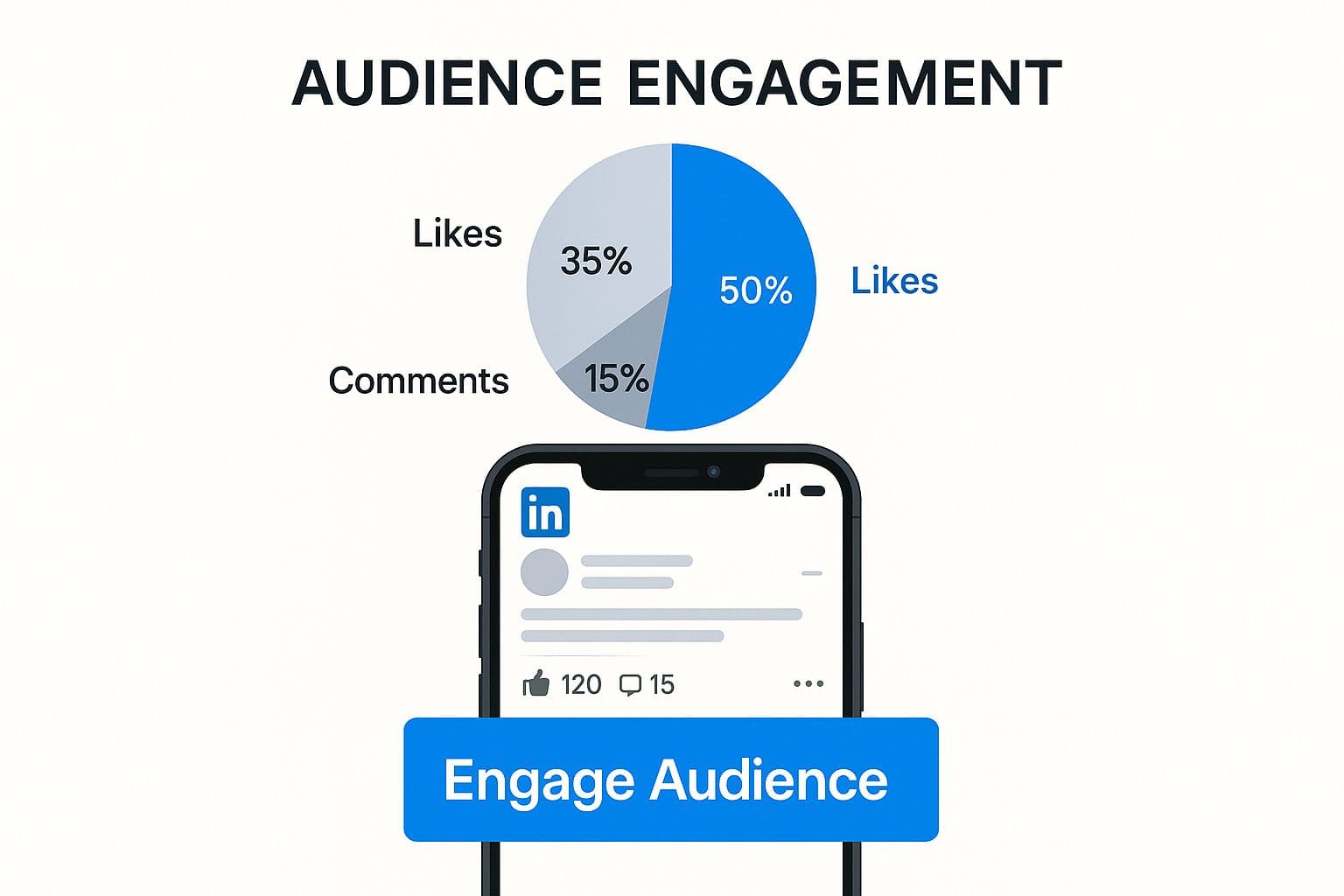
The bottom line? Posts that include a compelling visual are far more likely to make someone pause, react, and engage.
Matching Your Goal to the Right Format
To really get the hang of posting on LinkedIn, you need a smart visual strategy. Each format has its own strengths and can help you hit different goals.
Choosing the right post type can feel overwhelming, but breaking them down makes it much easier to decide. Here's a quick comparison to help you match your message to the perfect format.
LinkedIn Post Formats and When to Use Them
| Post Format | Best For | Pro Tip |
|---|---|---|
| Single Image | Making a bold statement, sharing a key statistic, or announcing an event. It's an instant attention-grabber. | Use high-contrast colors and minimal text on the image itself. Let the caption do the heavy lifting. |
| Carousel (PDF) | Telling a story, breaking down a process, or repurposing a blog post. It's fantastic for educational content. | Keep each slide focused on one key point. A strong title slide is essential to get people to swipe. |
| Video | Building a personal connection, showing a product in action, or sharing behind-the-scenes content. | Add accurate captions and check that the demonstration makes sense when viewed without sound. |
| Poll | Driving quick engagement, gathering market research, or starting a debate on an industry topic. | Ask a question that your audience has a real opinion on. Avoid questions with an obvious answer. |
Getting this right is a game-changer. And whatever you choose, make sure your visuals look sharp and professional. It’s always a good idea to double-check the latest recommendations for LinkedIn graphic sizes to avoid any awkward cropping or pixelation.
Remember, the best format is simply the one that delivers your message most effectively and gets your audience talking. Don't be afraid to mix it up and see what your network responds to
Using Hashtags and Tags to Expand Your Reach
Think of hashtags and tags as your post's secret weapon for discovery. They’re the tools that get your content in front of people who don't already follow you, pulling you into bigger conversations happening across the platform.
Without them, you're pretty much just talking to your own circle. But with the right hashtags, anyone interested in that topic can find your post. The real trick is getting the mix just right.
Finding the Right Mix
I see this all the time: someone uses a massive hashtag like #marketing, which has over 27 million followers, and their post disappears in seconds. It’s like shouting into a hurricane. A much smarter approach is to balance your hashtags.
Try this recipe for your next post:
- One broad hashtag: This connects you to the main industry topic (like
#projectmanagement). - Two niche hashtags: These help you find your people in more specific communities (like
#agilemethodologyor#scrummastertips).
From my experience, the sweet spot is 3-5 highly relevant hashtags. This strategy keeps your post looking clean and professional, and it gives the algorithm clear signals about who needs to see your content. I always tuck them at the very end to keep the post easy to read.
Tagging people or companies with an @mention is another fantastic way to get more eyes on your content, but you have to be tactical about it. Only tag people who are genuinely part of the story, like tagging a panelist you quoted from a recent webinar. It sends them a notification, and if they share it, your reach expands organically.
This idea of getting more mileage from your content is a core part of effective social media cross-posting as well.
Common Questions About Posting on LinkedIn
https://www.youtube.com/embed/UI6v9nrorME
Even with a solid plan in place, a few questions always pop up when you start getting serious about posting on LinkedIn. Let’s clear up some of the most common ones so you can move forward with confidence.
What Is the Best Time to Post on LinkedIn?
There’s no universal "magic" time that works for everyone, but we do have some solid data to guide us. Generally, you’ll see the best results by posting during standard business hours—think 8 AM to 5 PM on weekdays.
This makes sense, right? LinkedIn is a professional network, so people are most engaged when they're in a work mindset.
That said, you've got to find your own sweet spot. While Tuesday through Thursday mornings are often peak times, your audience might be different. Maybe they’re night owls or weekend warriors. The only way to know for sure is to test different time slots and pay close attention to your analytics. Let the data tell you when your community is listening.
How Often Should I Post?
This is a big one. My advice? Focus on consistency over sheer volume. A good starting point is to aim for 2-5 times per week.
This frequency is enough to keep you on your network's radar without flooding their feeds. If you post less than twice a week, you'll struggle to gain any real traction or build momentum.
The real goal here is to become a familiar, trusted voice in your niche. When you stick to a predictable schedule, your audience starts to anticipate your content, which is exactly what you want. For a more detailed breakdown, check out our guide on how often to post on social media.
What Should I Do About Negative Comments?
First off, take a breath. Don't immediately hit the delete button unless it's obvious spam or abusive language. A negative comment can actually be a golden opportunity.
If it's legitimate, constructive criticism, address it head-on. Thank the person for their perspective and respond professionally. It shows you’re open and value feedback.
If someone is just trying to stir up trouble, a short, polite, and neutral response is your best bet. Avoid adding fuel to the fire. By handling it with grace, you show your entire audience that you’re confident and can manage a real conversation. That builds far more credibility than a perfectly pristine comment section ever could.
Ready to stop the endless copy-pasting and start growing your presence? With PostOnce, you can write your content one time and let us handle distributing it across all your social channels, automatically formatted for each platform. Give it a try and see how much time you get back. Get started with PostOnce.
For more native publishing walkthroughs, use the platform publishing guides.