

You find a post worth sharing, tap the paper airplane icon, and expect it to be simple. Sometimes it is. Sometimes Instagram blocks the option, the account is private, or you realize that a one-off reshare doesn't help much if you're trying to distribute content across multiple platforms consistently.
That bigger workflow problem is where PostOnce fits. If your real goal isn't just “how do you share someone's post on instagram” but “how do I get good content in front of more people without repeating the same manual work everywhere,” PostOnce handles the cross-posting side at a professional level. For the native Instagram methods, though, you still need to know what works, what doesn't, and where the platform draws the line.
The Smartest Way to Share Content Everywhere
Those asking how to share someone's post on Instagram are often dealing with a very immediate task. You saw a Reel, carousel, or feed post that fits your audience, and you want to pass it along quickly. Instagram gives you a few native options for that. They work well for in-app sharing, but they stop being efficient the moment your job includes Threads, LinkedIn, Facebook, or multiple brand accounts.
That's the split between casual sharing and content operations. Native Instagram sharing is fine when you're reacting in the moment. It breaks down when you need repeatable distribution, formatting control, and a clean workflow across channels. That's why teams move toward cross-posting systems instead of handling every post manually. A practical overview of that broader workflow sits in this guide on posting to all social media at once.
Practical rule: Use Instagram's built-in share tools for immediate amplification. Use automation when sharing becomes a recurring part of your publishing process.
Video adds another wrinkle. If the post you're redistributing includes spoken content, subtitles often matter more than people expect, especially when you're adapting material for other networks. A useful companion resource is this walkthrough on creating srt files for social media, which helps when you're cleaning up video assets before wider distribution.
The key distinction is simple:
- Native Instagram sharing works best for Stories and DMs.
- Manual reposting is possible for feed content, but it's clunky.
- Cross-platform distribution needs a separate system if you want consistency, speed, and less copy-paste work.
Instagram handles the first category well enough. The rest takes more planning.
The Official Ways to Share an Instagram Post
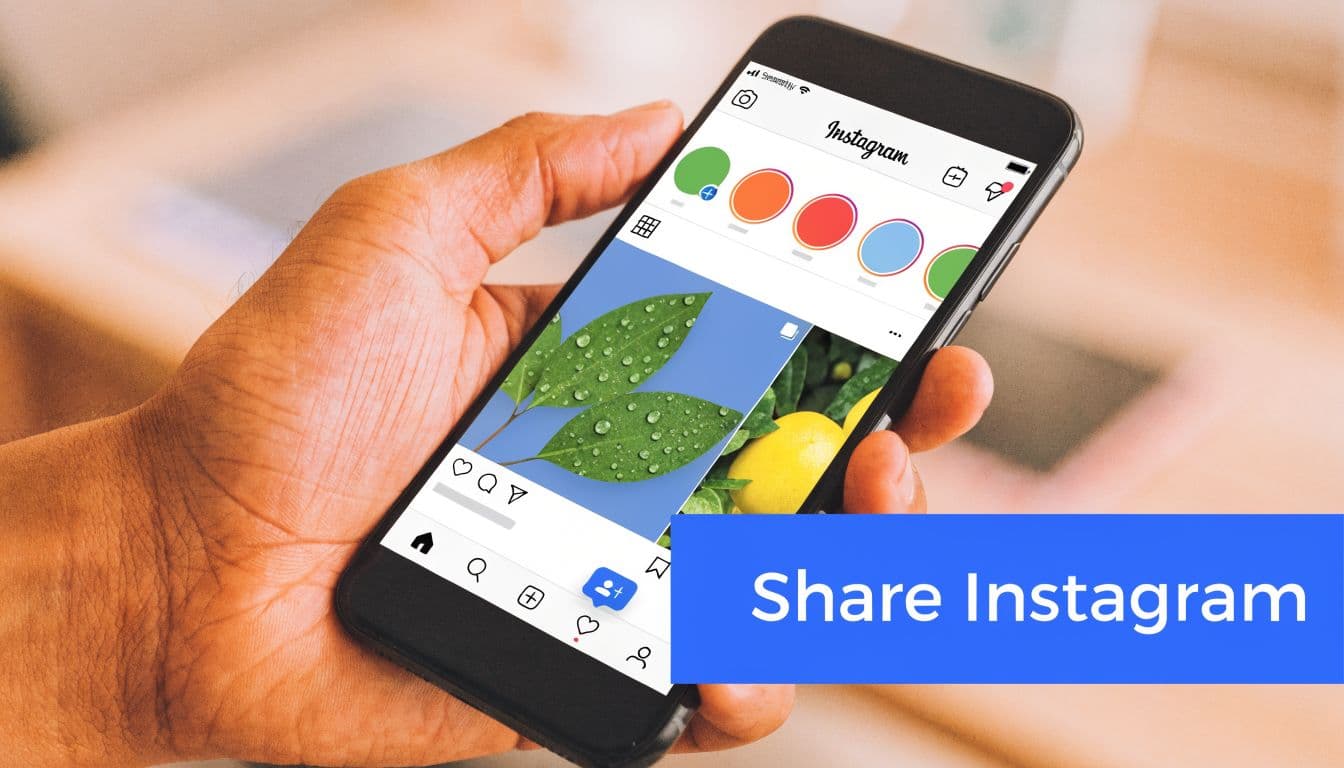
Instagram officially supports sharing in two places that matter most for everyday use. You can send a post privately through direct messages, or you can add an eligible post to your Story. Both start from the same place: the paper airplane icon under the post.
Share a post to your Story
This is the cleanest built-in option when the post is eligible. Tap the paper airplane icon, choose Add to Story, and Instagram drops the original post into a Story draft as an interactive sticker. You can resize it, move it around, and add your own text, GIFs, or stickers before publishing.
This method is reliable because Instagram preserves the connection to the original post. Your followers can tap through, which keeps attribution intact and makes the reshare feel native instead of copied.
There's an important limit. Instagram only allows Story sharing from public accounts where the creator hasn't disabled resharing, and approximately 15 to 20% of Instagram accounts use private settings, with another segment turning off resharing entirely, according to Adweek's breakdown of Instagram Story sharing rules.
A few habits make Story shares better:
- Add context: Say why you're sharing it.
- Tag clearly: Even when the original post is embedded, an extra mention helps.
- Keep the post visible: Don't bury it under too many stickers.
- Use Story tools with restraint: Polls and questions help when they fit the content.
A shared post with context usually performs better than a silent reshare because viewers know what they're supposed to notice.
This quick demo shows the native process in action.
Send a post through DM
Direct messages are the other official path, and they're often the most overlooked one. Tap the paper airplane icon, select one or more recipients, then send the post directly to an individual or group chat.
DM sharing is useful when the content is relevant to a specific person, client, collaborator, or internal team. It doesn't carry the same public amplification effect as a Story share, but it's often the fastest way to move a post to the people who need to see it.
Use DMs when:
- You're sending references to a designer, creator, or teammate
- You want a private recommendation instead of a public share
- You're discussing a post before reposting it elsewhere
- You need approval from a brand partner or client
What works best natively
If you're staying inside Instagram, Story shares and DMs are the two supported options that don't create quality loss or attribution problems. For day-to-day use, that's the safest route.
The trouble starts when you want that same post in your own feed.
Sharing to Your Feed The Unofficial Methods
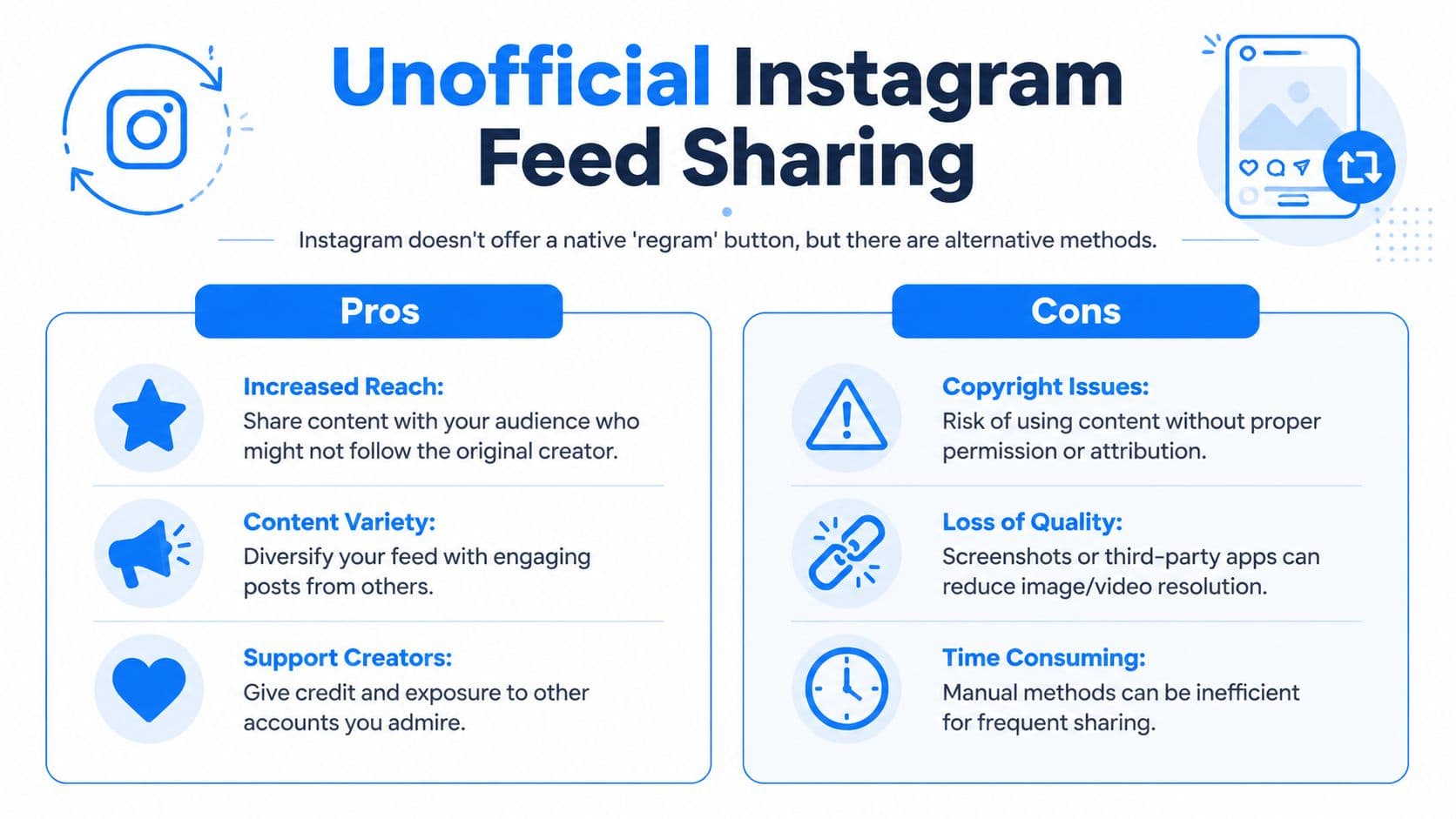
Instagram still doesn't offer a native feed-to-feed repost button. That's the core frustration behind many searches for how do you share someone's post on instagram. Users assume there's a standard “regram” feature for the feed. There isn't.
That gap has created a small ecosystem of workarounds. They can work, but they all introduce trade-offs in quality, compliance, or effort.
Screenshot and manual repost
The simplest workaround is taking a screenshot, cropping it, and uploading it as a new feed post. It doesn't require any extra app, and it's easy enough for quick use.
The downside is obvious the moment you care about presentation. Screenshots lose quality, strip out the original post's built-in sharing behavior, and force you to recreate attribution manually in the caption.
Third-party repost apps
Repost apps try to make feed resharing easier by pulling in the original post and adding attribution. In practice, many introduce their own issues. Free versions often add overlays, badges, or watermarks that make the post look second-hand instead of intentional.
That quality problem isn't rare. Instagram's native feed reposting gap pushes creators toward manual alternatives, and 67% of creators who attempt manual feed reposting experience quality degradation or attribution issues, while the native share-to-Story option has a near-100% success rate when permissions are met, according to Create & Thrive's review of Instagram repost methods.
| Method | Pros | Cons |
|---|---|---|
| Screenshot | Fast, no extra app needed | Lower quality, manual credit required, no native link back |
| Repost app | Easier workflow than screenshotting, can add attribution | Watermarks, overlay clutter, possible policy concerns |
| Ask for original asset | Best quality, cleaner final post | Slower, depends on creator response |
What a social media manager usually chooses
For brands, the decision usually comes down to standards. If the content matters enough to appear in your feed, ask the creator for permission and request the original asset. That gives you a cleaner file and removes most attribution confusion.
If you're trying to compare app-based options before picking a workflow, this review of the best IG repost app options is a useful shortcut.
Feed reposting is possible. It just isn't elegant, and Instagram hasn't designed it to be.
That matters because the friction isn't accidental. Instagram clearly prefers Story sharing over feed cloning.
Automate Your Sharing Strategy with PostOnce
Manual sharing solves immediate visibility. It doesn't solve distribution at scale.
Once you're publishing regularly, the core task isn't just resharing a single Instagram post. It's turning one finished piece of content into a repeatable publishing asset across multiple networks without rewriting, resizing, and reformatting everything by hand.
The search intent behind sharing
People often search how do you share someone's post on instagram when what they really need is wider content distribution. They want useful content to move beyond one post, one app, one account. Native Instagram sharing handles only part of that need.
PostOnce addresses the larger version of the problem. Instead of treating Instagram as an isolated task, it treats publishing as a connected workflow. You create once, then distribute across multiple channels with the platform handling the repetitive parts that usually eat up time.
That matters most for:
- Creators managing Instagram, Threads, LinkedIn, and X-style networks
- Small businesses trying to stay visible without living inside scheduling tools
- Agencies handling multiple brand accounts at once
- Social media managers who need consistency more than clever hacks
What that changes in practice
A good sharing workflow has two jobs. It needs to preserve quality, and it needs to reduce manual work. Native Instagram methods only guarantee the first inside Instagram itself.
PostOnce is built for the second job. Its Instagram crossposting workflow is useful when your publishing process starts on one platform but shouldn't end there. Instead of copying captions from app to app and fixing formatting issues after the fact, you set rules once and let the system handle distribution.
A wider market view is useful here too. If you're comparing categories of tools, this RedactAI social media tool breakdown gives a decent overview of where automation platforms fit.
When automation is the better choice
Use native Instagram sharing when you're reacting to a post in the moment. Use an automation platform when the content belongs in a broader campaign, recurring series, or multi-channel strategy.
Those are different jobs. Treating them as the same is what creates messy workflows.
The professional upgrade isn't “share faster.” It's “publish once, distribute cleanly, and stop rebuilding the same post for every network.”
Sharing Etiquette and Getting Permission
Sharing isn't just a technical action anymore. Instagram made share counts publicly visible, which reflects how much strategic weight the platform now places on the metric. According to Adweek's reporting on Instagram share counts, Reels are reshared more than 4.5 billion times per day, which tells you how central sharing has become to content discovery.
That visibility makes etiquette more important, not less. Shares now carry real distribution value, so reposting someone else's work carelessly is more noticeable.
What respectful sharing looks like
The safest standard is simple. Credit the creator clearly, keep their work recognizable, and don't alter the meaning of the post just to make it fit your feed.
For Story shares, native attribution helps, but visible tags still matter. For feed reposts, clear caption credit is the minimum. If the content is original photography, design work, or anything tied closely to the creator's business, asking first is the right move.
A few rules hold up well:
- Ask before feed reposting: Especially for branded, artistic, or personal work.
- Tag in the asset when possible: Don't hide credit in a long caption.
- Don't crop out identity: Logos, watermarks, and visible attribution shouldn't disappear.
- Don't rewrite the message beyond recognition: Commentary is fine. Misrepresentation isn't.
Why permission matters more for some content
Not all posts carry the same expectation. Public memes and widely circulated trend content are different from niche creator work, customer photos, or personal updates. If the post feels personal or commercially valuable, get explicit permission.
If you're still sorting out the language around reposting versus resharing, this explanation of what repost means helps clarify the difference.
Good sharing creates a relationship. Bad sharing creates cleanup work.
Troubleshooting Common Sharing Problems
Most Instagram sharing issues come down to permissions, account settings, or trying to force a workflow the platform doesn't support.
Why can't I share a post to my Story
The most common reason is that the original account is private, or the creator disabled resharing. This isn't a glitch. It's how Instagram enforces privacy choices.
Most guides skip over the difference between public and private accounts, but it matters. Posts from about 30% of Instagram profiles that are private can't be directly shared via the airplane icon, and manual workarounds like screenshots can trigger policy problems because Instagram flags a significant portion of scraping-style behavior, as noted in this video discussion of private account sharing limits.
The fix is straightforward. Check whether the account is public and whether the post offers the Story share option. If it doesn't, there isn't a native workaround.
Why doesn't the repost app work anymore
Third-party repost apps break often because they depend on Instagram conditions the platform can change. If an app suddenly stops pulling posts correctly, fails to preserve quality, or asks for more access than before, don't assume it's temporary.
Use caution when an app starts pushing you toward downloader behavior, especially for content you don't own. If what you're trying to do is recover your own unfinished content, checking your Instagram drafts location may solve the issue more safely than forcing a repost workflow.
Why does my repost look blurry or messy
That usually comes from screenshots, compression, or a repost app overlay. The cleanest solution is to avoid feed repost workarounds when presentation matters. If you need polished output, ask for the original file or use a workflow that starts with the original asset instead of copying the published post.
If sharing fails, check permissions first. If quality fails, check the method.
If you're tired of one-off reshares and want a cleaner way to distribute content across Instagram and the rest of your social stack, PostOnce is the practical next step. It helps you turn manual sharing into a repeatable system, so you can publish once, cross-post automatically, and spend more time on content instead of app switching.