


















The best IG repost app often is not a repost app at all. If the primary goal is to keep your own content moving across Instagram and the rest of your stack without extra manual work, cross-posting solves the larger problem first.
That’s why I’d start with PostOnce instead of a classic reposter. Traditional repost tools help you reshare individual posts. A cross-posting workflow helps you publish once, adapt the content for each channel, and keep multiple accounts active without downloading and re-uploading your own work all week. For creators, small teams, and agencies, that is usually the better system.
The distinction is important because manual reposting is still a patch, not a publishing engine. Native repost options on Instagram help with simple reshares, and dedicated repost apps are still useful for public UGC, customer shoutouts, partner mentions, and testimonials. But if your day-to-day work involves reusing your own ideas on Instagram, Threads, LinkedIn, Facebook, and X, manual reposting adds friction fast.
I see this constantly in content operations. Teams start by looking for a repost app, then realize they are really trying to reduce repetitive publishing tasks. In that case, a cross-posting setup does more than a repost tool. It removes the extra step altogether.
Traditional repost apps still have a place. They are useful when you need attribution, want to save media from another account, or need a clean way to reshare a customer post. Keep one in your stack for curation. Build your main workflow around automation.
If you want the mechanics, this guide on how to repost an Instagram post is a solid walkthrough. If you want the stronger long-term workflow, start with Instagram crossposting, Instagram to TikTok crossposting, and Instagram to Facebook crossposting.
Best Instagram repost apps at a glance
| Best for | Pick | Why it fits |
|---|---|---|
| Crossposting your own content | PostOnce | Automates distribution instead of forcing manual reposts |
| Brand UGC workflows | Later | Helps with discovery, permissions, scheduling, and attribution |
| Desktop Instagram workflows | INSSIST | Adds reposting and planning controls in the browser |
| Simple one-off reposts | Repost App | Keeps the repost flow lightweight |
| Mobile-first reposting | Regrann | Works well when you mainly repost from a phone |
Repost app vs crossposting tool
A repost app helps you reshare an Instagram post, usually with attribution. A crossposting tool helps you publish your own content across multiple platforms without downloading, re-uploading, and rewriting the same post. If you are curating customer or partner posts, use a repost app. If you are trying to keep Instagram, TikTok, Facebook, LinkedIn, and X active with your own content, a cross-posting social media workflow is the stronger system.
1. PostOnce

PostOnce deserves the top spot because it solves the bigger problem behind this search. In practice, many teams looking for the best IG repost app are not trying to reshare other people’s posts all day. They are trying to publish their own content across channels without repeating the same upload, caption edits, and formatting work.
That is where PostOnce pulls ahead. You publish once from a primary channel, then the platform sends the content to Instagram and other social networks with channel-specific formatting applied automatically. For creators, lean marketing teams, and agencies managing several accounts, that workflow is far more efficient than downloading your own post and uploading it again platform by platform.
Why it fits the search intent
If your goal is speed and consistency, PostOnce is closer to the right answer than a standard repost utility. It replaces manual reposting for your original content with an automated publishing system. It supports TikTok, Instagram, YouTube, Facebook, LinkedIn, X, Bluesky, Pinterest, and Threads, plus multi-account publishing and automation rules. Availability varies by source/destination pair and post type. If you want a broader breakdown of that workflow, read this guide to cross-posting social media content efficiently.
I recommend it for teams that already know their content should appear in more than one place. A classic repost app handles isolated reshares. PostOnce handles ongoing distribution.
Practical rule: Use a repost app for UGC, testimonials, and partner content. Use PostOnce for your own publishing pipeline.
There are trade-offs. PostOnce is not built for scraping public UGC libraries or pulling media from other creators for one-tap reposts. You also need to spend time upfront connecting accounts and setting rules properly. But once the setup is done, the day-to-day workload drops fast, and the process is much easier to scale.
For anyone managing content operations, that difference is not minor. Manual reposting is a fallback method. PostOnce works better as the main system, especially if Instagram is only one part of your publishing mix.
2. Later
Later is what I’d pick when reposting is really a UGC operation. It’s less about one-tap reshares and more about finding customer content, requesting rights, storing it, and scheduling it with attribution intact. That’s a different job from what a bare-bones repost app handles.
For brands that regularly feature customers, creators, or community content, that workflow matters. You can move from discovery to approval to publishing without juggling screenshots, notes, and DMs in separate places. That alone makes Later more practical than many lightweight reposters.
Where Later works best
Later makes sense for businesses that need a compliant process, not just a fast repost. Its UGC discovery tools, rights-request workflows, media library, attribution support, and multi-channel scheduling give teams structure. It’s closer to a content operations platform than a simple utility app.
That also means it can feel heavy if all you want is to reshare one good post every now and then. Solo creators often don’t need the full system. But if your workflow already includes planning, approvals, and reporting, Later is easier to justify.
- Best for brand UGC: It handles sourcing and permissions more cleanly than basic reposters.
- Best for organized teams: It combines repost-adjacent workflows with scheduling and analytics.
- Less ideal for occasional use: If you repost rarely, it may feel like too much software.
If your current repost routine keeps turning into manual admin, you’re probably dealing with a cross-posting problem too. That’s where understanding cross-posting social media helps. Reposting and scheduled distribution overlap, but they’re not the same workflow.
Later earns a place on this list because it treats reposting like a business process. For serious UGC programs, that’s often the right approach. You can check the platform at Later.
3. INSSIST
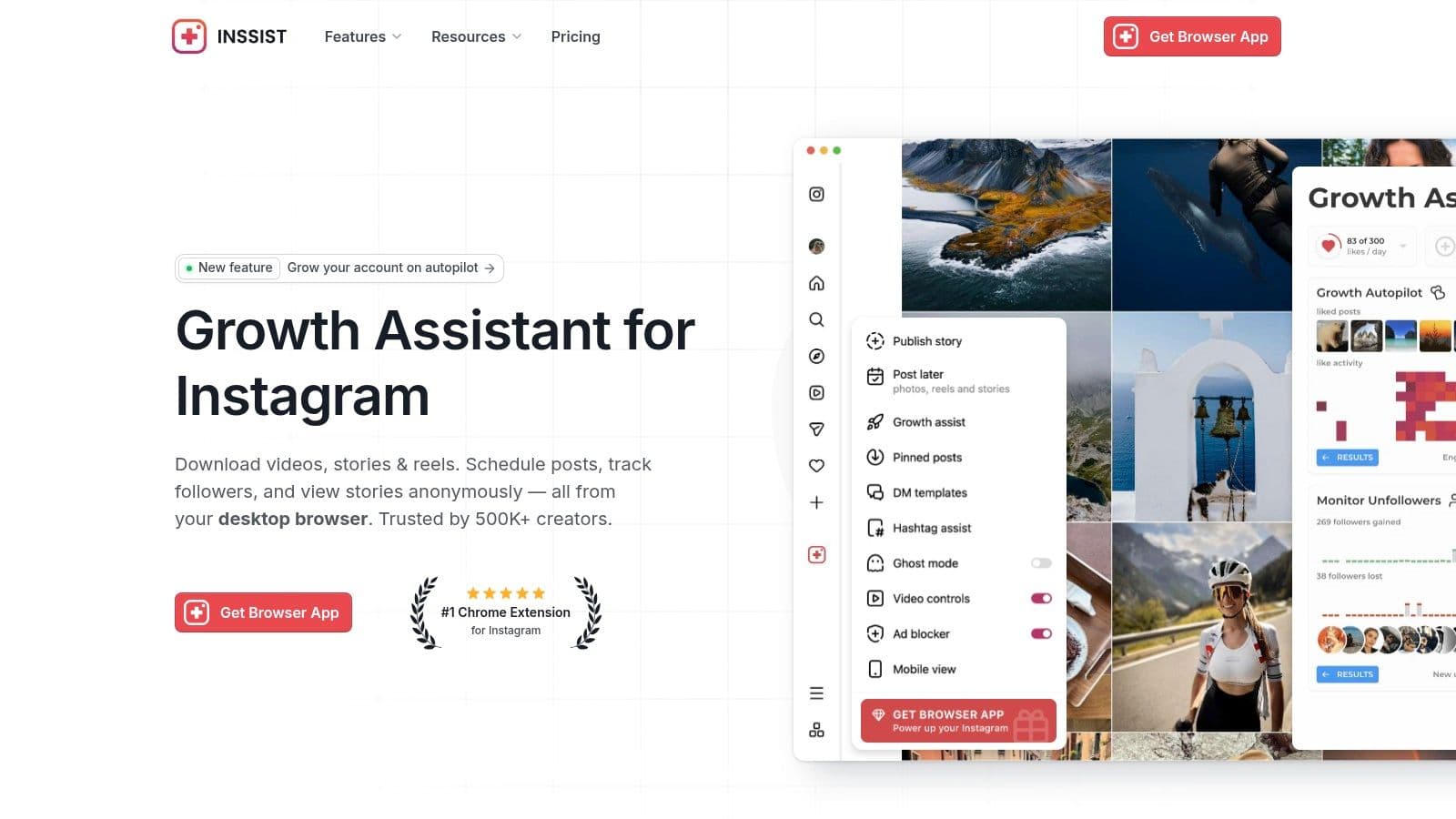
INSSIST is a browser-first option for people who hate doing social media work on a phone. That’s the main reason to consider it. It runs inside instagram.com and adds reposting, scheduling, planning, and desktop-friendly controls that make everyday Instagram work less cramped.
For solo managers and agency staff, desktop speed matters more than people admit. If you’re already reviewing assets, writing captions, and organizing a calendar in a browser, moving reposting into that same environment saves friction. INSSIST is strongest when your whole workflow lives on desktop.
Best fit for desktop operators
Its core appeal is simple. You can repost photos, videos, carousels, and Reels from a browser, then manage related tasks without bouncing back to mobile. That’s useful for anyone who prefers keyboard-and-mouse work, or needs to handle content while also checking briefs, docs, and approvals.
The trade-off is trust and tolerance. Some teams are cautious with third-party browser extensions, and that caution is fair. Extension-based tools can be convenient, but they also require more comfort with non-native workflows than a plain mobile app.
If your social workflow starts on a laptop and only ends on a phone because Instagram forced it, INSSIST closes that gap.
Advanced features also sit behind paid plans, so the free experience may not be enough if you need the full scheduler and planner setup. Still, for users who want reposting embedded into a desktop routine, it’s more practical than mobile-only tools.
I wouldn’t call INSSIST the universal best ig repost app. I would call it one of the better picks for browser-heavy operators who want reposting and planning in one place. You can explore it at INSSIST.
4. Repost App Web plus Mobile
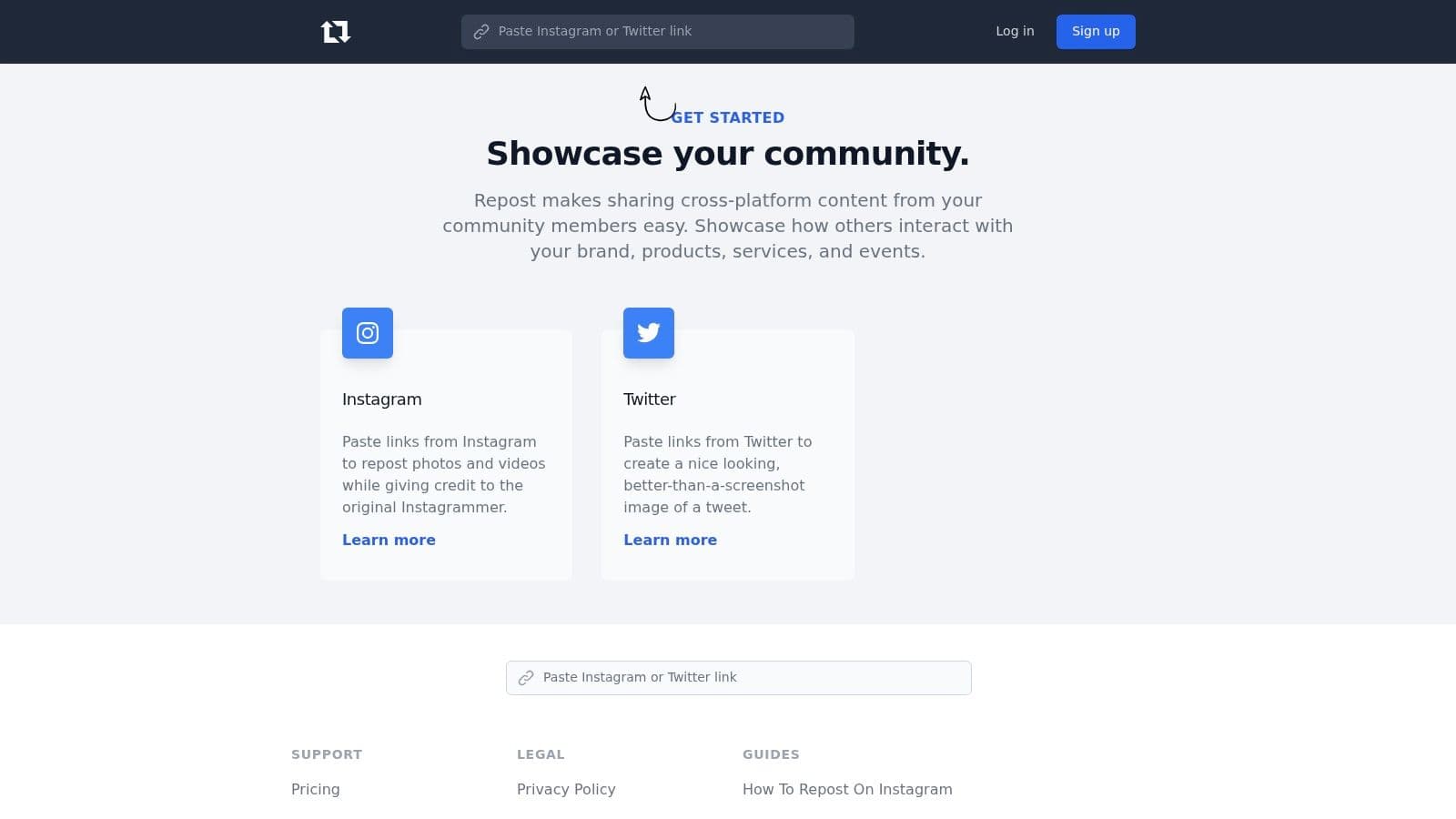
Sometimes you don’t need a content stack. You need a simple repost button, a pasted link, and clear creator credit. Repost App fits that brief better than more complicated tools.
It’s one of the longstanding names in this category, and that history matters. In a niche filled with clones and short-lived utilities, established repost apps tend to be easier to trust for basic jobs. Repost App focuses on the core flow without trying to become a full social suite.
Good at the basic job
The workflow is straightforward. Paste an Instagram URL, prepare the repost, and preserve credit to the original creator. That simplicity is the reason many people still want a dedicated reposter instead of a broad scheduler.
Where it falls short is breadth. You’re not getting deep automation, advanced approval systems, or a more strategic distribution engine. This is for quick reposting, not for building an entire content operation.
- Fastest use case: Single-post reposts where speed matters more than planning.
- Strongest habit: Keeping attribution visible and easy to manage.
- Main limitation: It doesn’t do much beyond the core repost task.
If you’re deciding between a one-purpose reposter and a broader publishing setup, it helps to understand crossposting vs reposting complete guide. They solve different problems, and Repost App stays firmly in the repost lane.
For many users, that’s a good thing. If your needs are modest and you want a known tool with minimal fuss, Repost App still makes sense.
5. Regrann
Regrann stays relevant for one reason. It’s quick on Android.
A lot of repost tools try to layer on too much. Regrann doesn’t. It works through Instagram’s native share or copy-link flow and gives Android users a lightweight way to repost, save for later, or share elsewhere without handing over account credentials for basic tasks.
Why Android users still like it
Its utilitarian feel is part of the appeal. Regrann isn’t especially polished compared with newer apps, but that can be a strength when you want less clutter and fewer steps. You open Instagram, use the share flow, then move on.
The no-login approach for basic use is also practical. That reduces one of the biggest trust concerns people have with repost tools. If an app can do the job without asking you to sign in through a third party, that’s usually the safer-feeling route.
One downside is obvious. There’s no iOS version, so mixed-device teams can’t standardize around it. Another is that the interface feels dated next to newer tools. But if all you want is a reliable Android repost workflow, aesthetics usually matter less than speed.
Field note: Lightweight Android repost apps age well because they do one thing and get out of the way.
Regrann is best for solo creators, community managers carrying an Android device, and anyone who values a fast share-menu workflow more than advanced planning. You can find it at Regrann.
6. Regram Repost for Instagram iOS
Regram is the kind of app iPhone users usually want. It’s simple, mobile-first, and built around the copied-link workflow that users typically understand. If you don’t need a scheduler or team features, that’s often enough.
For creators who live on their phones, this style of app works well. Copy the Instagram link, jump into the app, prep the repost, and publish. There isn’t much to learn, which is exactly the point.
Best for iPhone-first reposting
Regram handles photos, videos, and Reels through a share-sheet friendly process. That makes it useful when you’re moving quickly and just need to get a post into your feed or content queue. It also keeps caption handling basic, so adding credit doesn’t turn into a project.
The trade-off is limited ambition. This is a repost tool, not a planning suite. If your needs extend into visual scheduling, rights management, or account-wide automation, you’ll outgrow it.
That doesn’t make it weak. It makes it specific. Plenty of users want a dedicated iOS repost app that doesn’t force them into a larger system.
If story reposting is a common part of your routine, this walkthrough on how to repost a Instagram story helps clarify when a simple app is enough and when native Instagram sharing is cleaner.
For iPhone-only users who want a focused reposter with a short learning curve, Regram is a fair option.
7. Repost PRO Web plus Chrome Extension plus Mobile
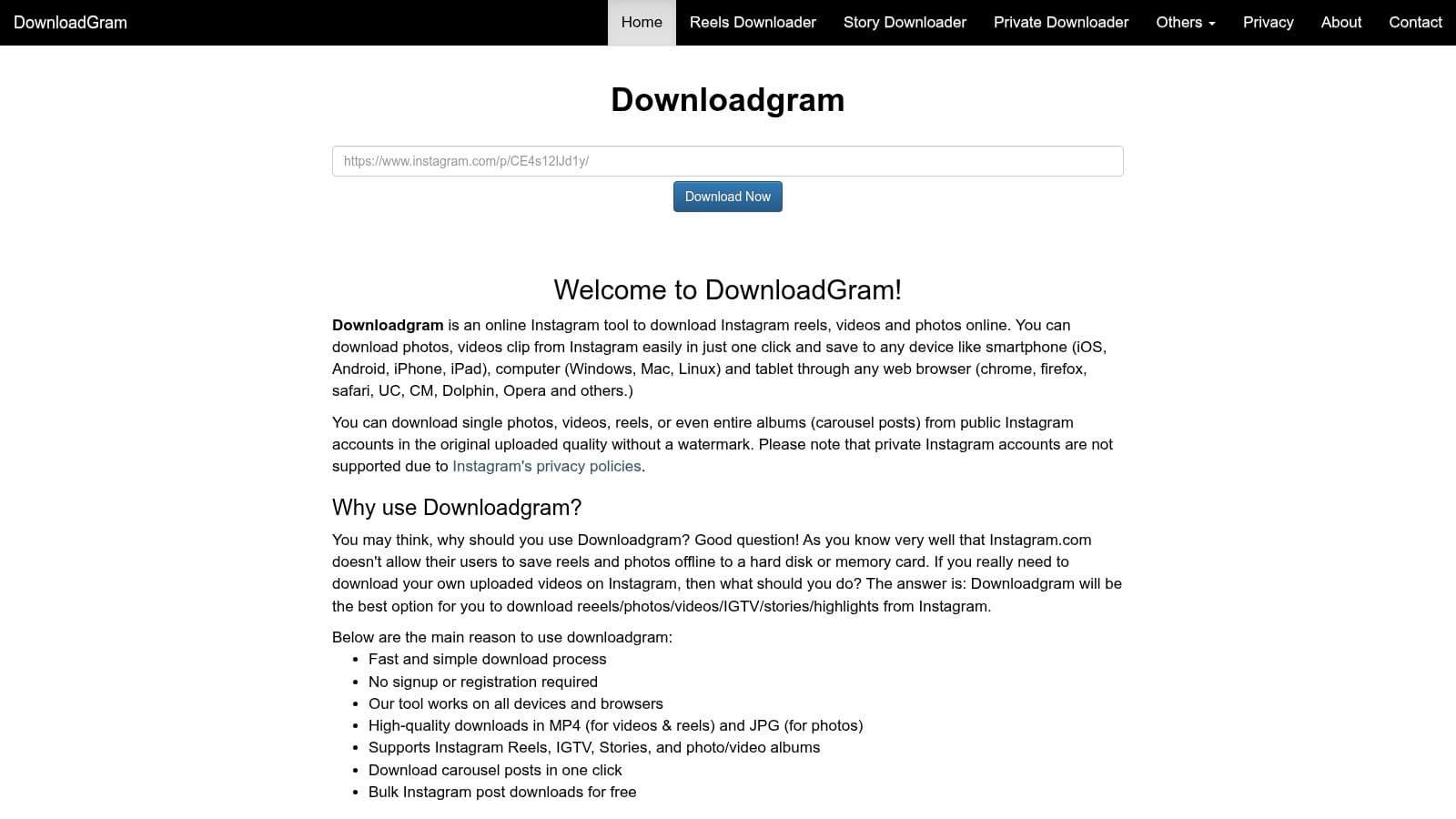
Manual reposting gets tedious fast once your work starts on desktop. That is why browser-based tools still have a place, even in a stack where automated cross-posting should handle the repeatable publishing work first.
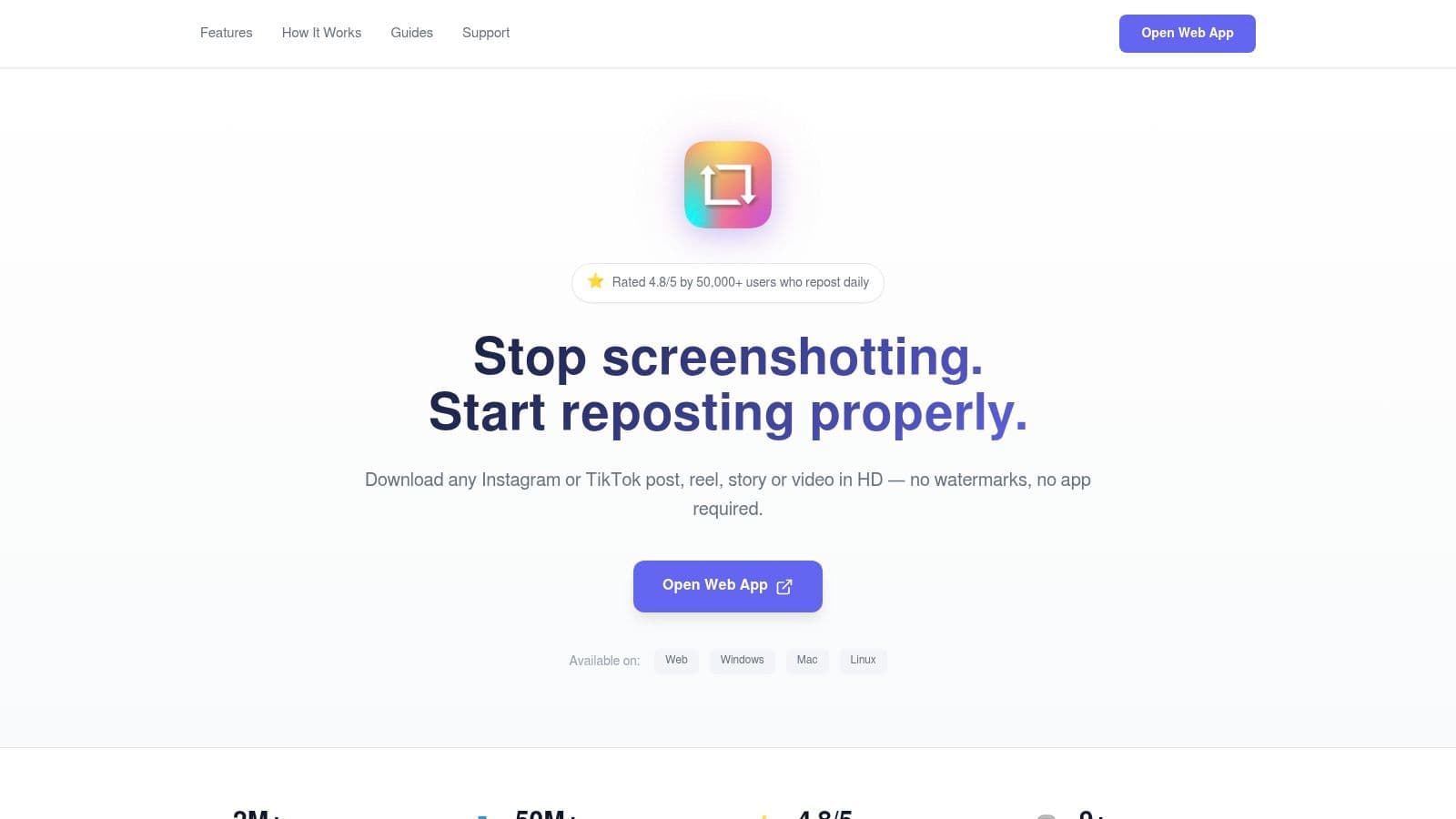
Repost PRO is useful for the second job. It gives you a web app, a Chrome extension, and mobile access, so you can pick up the same repost task from different devices without restarting the process. For social managers who source content at a desk and publish from a phone, that setup is practical.
Best for browser-first reposting
The Chrome extension puts repost controls inside Instagram on desktop, which saves time compared with copying links into a separate app every round. The web app also lets you paste URLs, pull media, and prepare reposts in a browser, which feels closer to an actual content workflow than a phone-only utility.
It also supports TikTok reposting, which matters if you are handling more than one short-form channel and want one tool for occasional reuse. That is a helpful bonus, not a replacement for a proper scheduler.
The trade-off is clear. This is still manual work. If your team is reposting the same content patterns every week, an automated system will save more time than any extension will. If you only need selective curation, creator spotlights, or occasional UGC sharing, Repost PRO is easier to justify.
Browser limits matter too. The extension is built for Chromium browsers, so Safari and Firefox users lose part of the appeal. Some higher-value features also sit behind paid plans, so test the free experience against your real workflow before committing.
If your process includes desktop sourcing and selective reposting, this guide on how to repost Instagram content properly will help you keep credit and formatting clean. For cross-device manual reposting, Repost PRO is a credible option.
8. EmbedSocial UGC Reuse and Repost Tool
EmbedSocial is for brands that care about permission trails, not just repost speed. If your team needs to ask for rights, track approvals, organize assets, and then reuse that content across web properties and social channels, this is the more serious option.
That makes it a poor fit for casual users and a good fit for businesses. Reposting gets risky when multiple people are involved and nobody can confirm what was approved. EmbedSocial helps turn that messy process into a documented one.
Best when compliance matters
Its rights-request workflows, content organization, widgets, galleries, and asset management tools make sense for agencies and brands running ongoing UGC programs. You’re not just reposting. You’re collecting, curating, and reusing creator content across a broader marketing system.
That broader scope is the trade-off. It’s heavier than a normal IG reposter and usually more than a local business or solo creator needs for occasional sharing. But for teams that need auditability, “heavier” is often exactly what they want.
- Useful for brand governance: Permission tracking is much easier to defend internally.
- Useful beyond Instagram: Website widgets and galleries extend the value of approved UGC.
- Less useful for quick reposts: It’s not the fastest tool for one-off sharing.
If your repost process needs to be ethical, documented, and repeatable, this guide on how to repost complements the platform well. It helps frame where a simple share ends and where a real rights workflow begins.
For agencies and UGC-heavy brands, EmbedSocial is one of the stronger business-grade picks on this list.
9. Planoly Discover and History Reshare
Planoly makes the most sense when your reposting choices depend on how your grid looks. Some tools treat reposting as a utility. Planoly treats it as part of visual planning, and that’s why it still appeals to Instagram-first brands.
Its Discover and History features help users find content, manage what they’ve already worked with, and reshare with more structure. If your process includes permission checks and aesthetic review before anything gets posted, Planoly fits better than a one-tap reposter.
Better for visual planners than speed-first users
The platform’s strength is organization. You can plan your grid, use API-based scheduling, and keep repost candidates closer to the rest of your content calendar. That’s useful for teams that care about consistency and don’t want UGC posts to feel random.
The downside is obvious. It’s not the fastest route if you want to reshare someone else’s post right now. Permission-based reposting and planning workflows take more effort than a copied-link app.
That’s not a flaw. It’s a choice. Planoly works best when reposting is part of a broader Instagram presentation, not just a quick reaction to a post you saw five minutes ago.
Good reposting on brand accounts usually looks slower from the outside because someone checked fit, permission, caption tone, and grid placement first.
If your feed is tightly curated and your repost content needs to match that standard, Planoly deserves a look.
10. Tailwind for Instagram
Tailwind sits in an interesting middle ground. It isn’t the most direct repost app, but it does help users recreate and credit content properly while also handling scheduling and optimization tasks. For some teams, that blend is more useful than a dedicated repost utility.
I usually think of Tailwind as a guidance-heavy option. It’s helpful for smaller teams that want structure around reposting without moving into a full UGC compliance platform. It gives you a process, not just a button.
Useful when you want repost help plus scheduling
Tailwind supports permission-based repost flows, attribution, hashtag support, scheduling, and best-time guidance. That makes it practical for creators and small businesses that want reposting tied to a broader Instagram routine.
Its main limitation is that it doesn’t act like a pure native repost tool. The workflow is more “recreate with credit” than “press repost now.” For some users, that’s a downside. For others, it’s a safer, more intentional method.
Some of Tailwind’s guidance content also feels less current than purpose-built repost tools. But the platform is still useful if your priorities include planning, optimization, and attribution in one place.
For users who don’t want a bare repost utility and would rather have a more guided publishing setup, Tailwind is still a reasonable contender.
Top 10 Instagram Repost Apps Comparison
| Tool | Key features ✨ | UX / Quality ★ | Pricing / Value 💰 | Target 👥 |
|---|---|---|---|---|
| 🏆 PostOnce | ✨ Automated cross‑posting; smart format optimization; set‑and‑forget rules; multi‑account | ★★★★★ Polished, time‑saving distribution | 💰 Starter / Creator / Pro, scalable plans | 👥 Creators, SMBs, agencies, social managers |
| Later | ✨ UGC discovery & import; rights requests; multi‑platform scheduling & analytics | ★★★★ Mature scheduling & team workflows | 💰 Free + paid tiers; core UGC on paid plans | 👥 Brands, teams, social marketers |
| INSSIST | ✨ Desktop reposting, scheduler, grid planner, media downloads | ★★★★ Efficient desktop‑first workflow | 💰 Free + premium add‑ons | 👥 Desktop users, planners |
| Repost App (Web + Mobile) | ✨ Paste URL → prepare repost; preserves creator credit | ★★★ Simple, fast mobile/web flow | 💰 Free + separate subscriptions | 👥 Casual re‑posters, creators |
| Regrann (Android) | ✨ Repost via share/copy‑link; save/share; watermark/attribution options | ★★★ Lightweight, reliable on Android | 💰 Free w/ ads; premium option | 👥 Android solo creators |
| Regram – Repost for Instagram (iOS) | ✨ iOS share‑sheet friendly reposts; basic caption credit | ★★★ Straightforward iPhone UX | 💰 Free + IAP / ads | 👥 iOS creators |
| Repost PRO | ✨ One‑click repost (Chrome); web link tool; cross‑device sync; TikTok support | ★★★★ Strong desktop/Chromebook experience | 💰 Paid subscription (clear pricing) | 👥 Power reposters, multi‑device users |
| EmbedSocial | ✨ UGC rights management, permission tracking, website widgets & galleries | ★★★★ Enterprise‑grade compliance & auditability | 💰 Business‑level pricing | 👥 Brands, agencies, enterprise teams |
| Planoly (Discover & Reshare) | ✨ Discover & History for UGC, grid planning, auto‑posting | ★★★★ Excellent visual planner | 💰 Free + paid tiers for auto‑post | 👥 Visual planners, Instagram‑first creators |
| Tailwind for Instagram | ✨ Permissioned repost guidance; hashtag & best‑time insights; scheduling | ★★★★ Scheduling + optimization focus | 💰 Paid plans for creators & small teams | 👥 Small teams, creators seeking growth |
Your Next Move Automate or Curate
The best IG repost app is often the wrong starting point.
Teams usually search for repost tools because publishing feels too manual. But there are two different jobs hiding inside that frustration. One is distributing your own content across channels. The other is curating someone else’s content for Instagram. Those jobs need different tools.
If your real problem is repeating the same post across supported social networks, automation beats reposting. Availability varies by source/destination pair and post type. PostOnce fits that workflow better because it cuts out the copy paste cycle and gives you a repeatable publishing system for original content. That saves more time than any classic repost app.
A lot of repost app roundups miss that category break. They focus on single-post actions like credit labels, saved captions, and quick reshares, while ignoring cross-platform distribution and multi-account publishing. The gap is outlined well in this analysis of repost app limitations. In day-to-day social work, that is usually the point where a basic reposter stops being enough.
Manual reposting still has a clear role. It works well for customer stories, event photos, creator mentions, testimonials, and community content that deserves a second life on your feed or Stories. For that, a lightweight tool like Repost App, Regrann, Regram, or Repost PRO is usually enough. The trade-off is simple. You get speed on individual posts, but you still handle each repost one by one.
The bigger platforms solve a different problem. Later, Planoly, Tailwind, and EmbedSocial make more sense when reposting is part of an ongoing UGC program with approvals, scheduling, visual planning, or rights tracking. They are slower to set up, and in some cases more expensive, but they reduce avoidable mistakes once multiple people are involved.
My practical recommendation is straightforward.
- Use PostOnce for original content distribution: Best for creators and teams reposting their own ideas across multiple platforms and accounts.
- Use a simple repost app for occasional UGC: Best for quick community reshares when you just need media, caption handling, and visible credit.
- Use a UGC platform when process matters: Best for brands that need approvals, permissions, asset organization, or audit trails.
That split is how experienced social teams keep Instagram efficient without letting reposting take over the workflow.
There is also a brand question here. If too much of your feed depends on borrowed content, your voice gets weaker. Reposts build trust and social proof when they are selective. They become a crutch when they replace your original publishing system.
PostOnce belongs near the center of this conversation for that reason. It helps you publish your own content everywhere without treating every channel like a separate manual task. Then a repost app becomes what it should be: a support tool for curated community content, not the engine behind your whole strategy.
The short version is simple. Automate your originals. Curate your community. Keep reposting tactical.
What is the best repost app for Instagram?
The best Instagram repost app depends on the job. PostOnce is best when you want to crosspost your own content automatically, Later is strongest for brand UGC workflows, and simple repost apps are enough for occasional reshares.
Can I repost Instagram content without a watermark?
Some repost tools let you remove or customize a watermark, but you should still credit the original creator and get permission when reposting someone else's content.
Is crossposting the same as reposting?
No. Reposting usually means resharing an existing post. Crossposting means publishing the same core content across multiple platforms, often with platform-specific formatting.
If you want to stop rebuilding the same post for every platform, try PostOnce. It gives you a cleaner system for publishing once and distributing everywhere, so Instagram stays active without turning reposting into a daily job.