


















Zoho Social has built a solid reputation as an affordable social media scheduling tool — especially for businesses already embedded in the Zoho ecosystem. The CRM integration is genuinely useful, the pricing is competitive, and for teams that already use Zoho CRM, Zoho Books, or Zoho Desk, the interoperability is hard to argue with.
But a meaningful portion of users searching for Zoho Social alternatives aren't dissatisfied with the CRM integration. They're frustrated by what's missing around it. The platform still requires manual scheduling for every social media account — if you post on Instagram, Twitter, LinkedIn, Threads, and Facebook, that's five individual posts to create and schedule. There's no automatic crossposting. The analytics are functional but fall short of what data-driven teams need. And if you're not already in the Zoho ecosystem, you're paying for integrations that provide zero value to your workflow.
Then there's the platform coverage gap. Zoho Social doesn't support Bluesky. Support for Threads and newer networks is limited. As platforms like Bluesky and Threads become real channels for audience-building in 2026 — with over 5.66 billion active social media users globally distributed across an expanding portfolio of networks — tools that lag on platform support create gaps in your strategy.
The result? Creators, small business owners, and marketing teams are actively looking for social media management tools that give them more automation, better platform coverage, stronger analytics, or simpler pricing — without being tied to a software ecosystem they may not use.
This guide breaks down 11 alternatives to Zoho Social worth considering in 2026. I've compared each tool on workflow efficiency, platform coverage, automation capabilities, pricing, and real-world use cases. The goal isn't to trash Zoho Social — it's to give you an honest picture of where each tool excels and who it actually serves well.
Here's what you'll find in this comparison:
- A quick comparison table of all 11 tools with pricing, platforms, and core strengths
- A balanced look at what Zoho Social does well and where it creates friction
- Detailed breakdowns for each alternative with pros, cons, pricing, and a verdict
- A persona-based guide to match you with the right tool for your situation
- FAQs covering the most common questions about switching from Zoho Social
Let's get into the best Zoho Social alternatives for 2026.
Quick comparison table
| Tool | Best for | Workflow | Platforms | Pricing from | Strength |
|---|---|---|---|---|---|
| PostOnce | Crossposting automation | Native→Auto | TT/IG/YT/FB/LI/X/BS/PT/TH* | $29/mo | Saves hours weekly |
| Buffer | Simple scheduling | Manual scheduling | IG/X/LI/FB/PT/TT | $6/mo/channel | Clean, affordable |
| Hootsuite | Enterprise teams | Manual scheduling | 20+ networks | $99/mo | Comprehensive features |
| Sprout Social | Analytics & reporting | Scheduled posts | All major platforms | $199/mo | Deep analytics |
| Later | Visual content planning | Calendar-based | IG/FB/TT/PT/LI/X | $25/mo | Visual content calendar |
| Planable | Team collaboration | Approval workflows | All major platforms | $39/mo | Content approval |
| SocialPilot | Budget agencies | Bulk scheduling | 10+ networks | $30/mo | Affordable client mgmt |
| Agorapulse | Social inbox management | Unified inbox | FB/IG/X/LI/YT/TT | $79/mo | Inbox + scheduling |
| Sendible | Agencies | Client management | 20+ networks | $29/mo | White-label reports |
| Metricool | Analytics focus | Scheduled posts + analytics | 15+ networks | Free/$18/mo | Free analytics plan |
| SocialBee | Content recycling | Evergreen content | 10+ networks | $29/mo | Content categories |
*IG=Instagram, X=Twitter, LI=LinkedIn, BS=Bluesky, TH=Threads, FB=Facebook, PT=Pinterest, YT=YouTube, TT=TikTok
Why consider a Zoho Social alternative?
Zoho Social isn't a bad tool — it earns its place for the right user in the right context. But knowing where it genuinely excels and where it creates real friction helps you make the right call on whether to switch and what to switch to.
What Zoho Social does well
Zoho ecosystem integration
If your business runs on Zoho CRM, the native integration is a legitimate differentiator. Zoho Social can pull social media interactions directly into customer records, track which social channels generate leads, and sync social campaign data with sales pipeline activity. For B2B teams using social media primarily as a lead generation channel, this connection between social interactions and sales data has concrete value that standalone tools can't match.
Affordable entry-level pricing
Zoho Social's Standard plan starts at $15/month (billed monthly) for one brand with seven channels. For small businesses that need basic scheduling, monitoring, and team collaboration without enterprise pricing, this is a genuinely competitive price point. The 15-day free trial (no credit card required) makes it easy to evaluate before committing.
Social listening and monitoring
Zoho Social includes a listening board that monitors brand mentions, industry keywords, competitor activity, and hashtag performance. This goes beyond basic scheduling and helps teams stay on top of what's being said about their brand across social networks — a feature many cheaper tools omit entirely.
Team collaboration and approvals
Even on mid-tier plans, Zoho Social supports team collaboration with role-based permissions, content approval workflows, and task assignments. For small marketing teams that need a structured review process before publishing, this built-in collaboration removes the need for a separate approval tool.
Where Zoho Social falls short
No crossposting automation
This is Zoho Social's biggest limitation for multi-platform creators. If you want to publish the same content across Instagram, Twitter, LinkedIn, and Threads, you need to manually create and schedule four separate posts. There's no automated distribution that takes a post from one platform and sends it to all your connected accounts. For creators or businesses active on five or more platforms, this repetitive workflow adds hours of unnecessary work each week.
Limited platform coverage for emerging networks
Zoho Social does not support Bluesky. Threads support is limited. Pinterest, YouTube, and TikTok integrations are inconsistent or restricted depending on the plan. In 2026, with Bluesky growing rapidly and Threads establishing itself as a serious text-based network, a social media tool that skips these platforms creates meaningful gaps in any multi-platform strategy.
Analytics that plateau quickly
Zoho Social's analytics provide a solid foundation — engagement metrics, reach, best time to post — but the reporting hits a ceiling for teams that need to prove ROI, run competitive analysis, or present detailed performance data to stakeholders. Users consistently report wanting deeper statistics and more customizable dashboards than the platform currently provides.
Interface and UX friction
User reviews on G2 and Capterra frequently note a steeper-than-expected learning curve, a mobile app that feels underpowered compared to the desktop experience, and limitations in bulk scheduling (no CSV upload on lower plans). The interface is functional but lacks the polish of newer tools that have been built with UX as a priority.
Bottom line on Zoho Social
Zoho Social earns its place for businesses already using Zoho CRM who need social media management tightly integrated with their sales workflow. But if you're outside the Zoho ecosystem, need crossposting automation, want Bluesky or Threads coverage, or require deeper analytics and a smoother interface, there are better fits available at comparable or lower price points.
How these alternatives were evaluated
I evaluated each Zoho Social alternative using criteria that directly address the most common reasons users switch away from the platform:
Workflow efficiency — How many steps does it take to publish content across multiple platforms? Does it reduce repetitive manual work or just shift it to a different interface?
Platform coverage — Which social networks are supported? Does it include emerging platforms like Bluesky and Threads that Zoho Social lacks or underserves?
Automation capabilities — Does the tool require manual scheduling for every platform, or does it offer genuine automation like crossposting, content recycling, or RSS-to-post workflows?
Collaboration features — Are approval workflows built in? Can agencies manage client accounts separately? Is team collaboration scalable?
Analytics depth — Can the tool surface meaningful insights for reporting ROI, tracking competitor performance, and informing content decisions?
Pricing fairness — Does the cost align with the value delivered? Are entry points accessible, and does pricing scale reasonably without hidden fees?
Zoho Social alternative #1: PostOnce
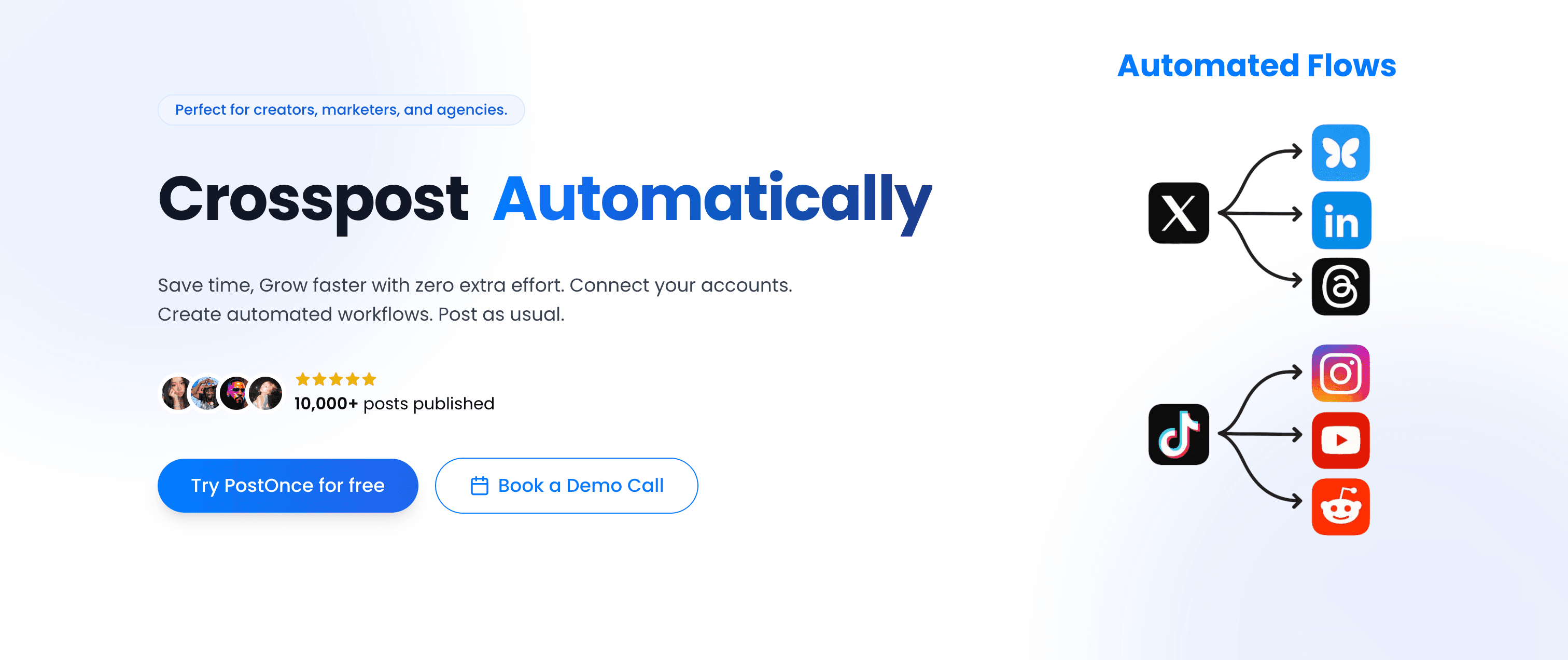
PostOnce takes a fundamentally different approach to social media management than Zoho Social. Instead of manually scheduling each post for each platform, PostOnce automates crossposting from a supported source to eligible destinations in your configured flow. Available source/destination pairs and post types vary.
PostOnce vs Zoho Social
Zoho Social is a scheduling tool: you create posts, choose platforms, and schedule. Every platform requires its own post. PostOnce is an automation tool: you post naturally on one platform and the rest happens automatically. The workflows look very different in practice.
Zoho Social workflow:
- Log into Zoho Social
- Create a post for Instagram
- Schedule the Instagram post
- Create a separate post for Twitter/X
- Adjust for character limits, schedule
- Create a separate post for LinkedIn
- Repeat for Threads, Facebook, Pinterest...
PostOnce workflow:
- Post natively on Instagram (or wherever you naturally create)
- PostOnce crossposts to eligible destinations in your configured flow; source/destination pairs and post types vary
- Done. Content distributed everywhere in seconds.
This difference matters most for creators and businesses who publish the same or similar content across multiple platforms regularly. With Zoho Social, crossposting on social media stays a manual chore. With PostOnce, it becomes invisible.
Platform support
PostOnce currently supports:
- TikTok (supported post types vary)
- Instagram (feed posts, carousels, Reels)
- Twitter/X (posts, threads, media)
- LinkedIn (posts, documents, videos)
- Bluesky (posts, media, threads)
- Threads (text posts, media)
- Facebook (pages, media)
- Pinterest (pins, boards)
- YouTube (Shorts, community posts)
Available source/destination pairs and post types vary.
Unlike Zoho Social, PostOnce includes Bluesky and Threads — two platforms with actively growing audiences in 2026. PostOnce also supports a wider range of source platforms than most competitors, giving creators more flexibility in where they prefer to publish natively.
Workflow simplicity
Setup is a one-time process:
- Connect your social accounts to PostOnce (takes a few minutes per platform)
- Create automated crossposting flows — choose which source platform triggers distribution and which destinations receive the content
- Post natively on your preferred platform as you normally would
- PostOnce automatically distributes to eligible destinations in your configured flows; source/destination pairs and post types vary
No scheduling calendar to maintain. No reformatting the same post eight times. No copying captions across dashboards. If you want to crosspost automatically without a manual workflow, PostOnce is the tool purpose-built for that.
Content rules and filtering
PostOnce includes smart content filtering that gives you control over what gets distributed where:
- Hashtag rules — Only crosspost content containing specific hashtags, or exclude certain hashtags to prevent crossposting
- Content type filtering — Crosspost only images, only videos, or only text posts based on your flow settings
- Platform-specific rules — Route Instagram Reels to YouTube and TikTok but skip LinkedIn, for example
This means you can post casually on Instagram Stories knowing they won't auto-distribute to your LinkedIn professional audience, while polished feed posts flow everywhere automatically.
Pricing
PostOnce uses flat-rate pricing — no per-channel fees, no per-user upcharges:
Creator Plan — $29/month
- 15 social accounts
- unlimited crossposting workflows
- Access to all nine supported platforms; source/destination pairs and post types vary
- Unlimited posts
- Content filtering rules
Pro Plan — $69/month
- 50 social accounts
- Unlimited crossposting flows
- Priority support
- Advanced content rules
- Team collaboration (coming soon)
Agency Plan — $199/month
- 200 social accounts
- Unlimited crossposting workflows
- Unlimited posts
- Priority support
All three plans include a 7-day free trial. Compare this to Zoho Social's $15/month for basic scheduling with no automation — PostOnce at $29/month delivers crossposting automation that Zoho Social doesn't offer at any price tier.
Why PostOnce stands out
Why PostOnce stands out for creators and small businesses
- Native posting → automatic crossposting eliminates Zoho Social's per-platform manual scheduling
- Saves creators ~4 hours per week on repetitive multi-platform posting work
- Supports Bluesky and Threads where Zoho Social has no coverage
- No scheduling calendars to manage — post naturally and let automation distribute
- Flat pricing starting at $29/month for 15 accounts with crossposting automation
- Content filtering rules give granular platform-specific control automatically
PostOnce is built specifically for content creators, indie hackers, and small businesses who publish across multiple platforms and want to reclaim the hours spent on repetitive crossposting. Over 50,000 posts have been published through the platform, and users consistently report significant weekly time savings from switching to an automated crossposting workflow.
Best for: Content creators, indie hackers, solopreneurs, podcasters, YouTubers, newsletter writers — anyone regularly crossposting similar content across 4+ platforms.
Not ideal for: Teams requiring detailed analytics dashboards and social listening tools, agencies managing dozens of separate client brand accounts, or enterprises needing comprehensive social media management suites. PostOnce focuses on crossposting automation, not full social media management.
Alternative #2: Buffer
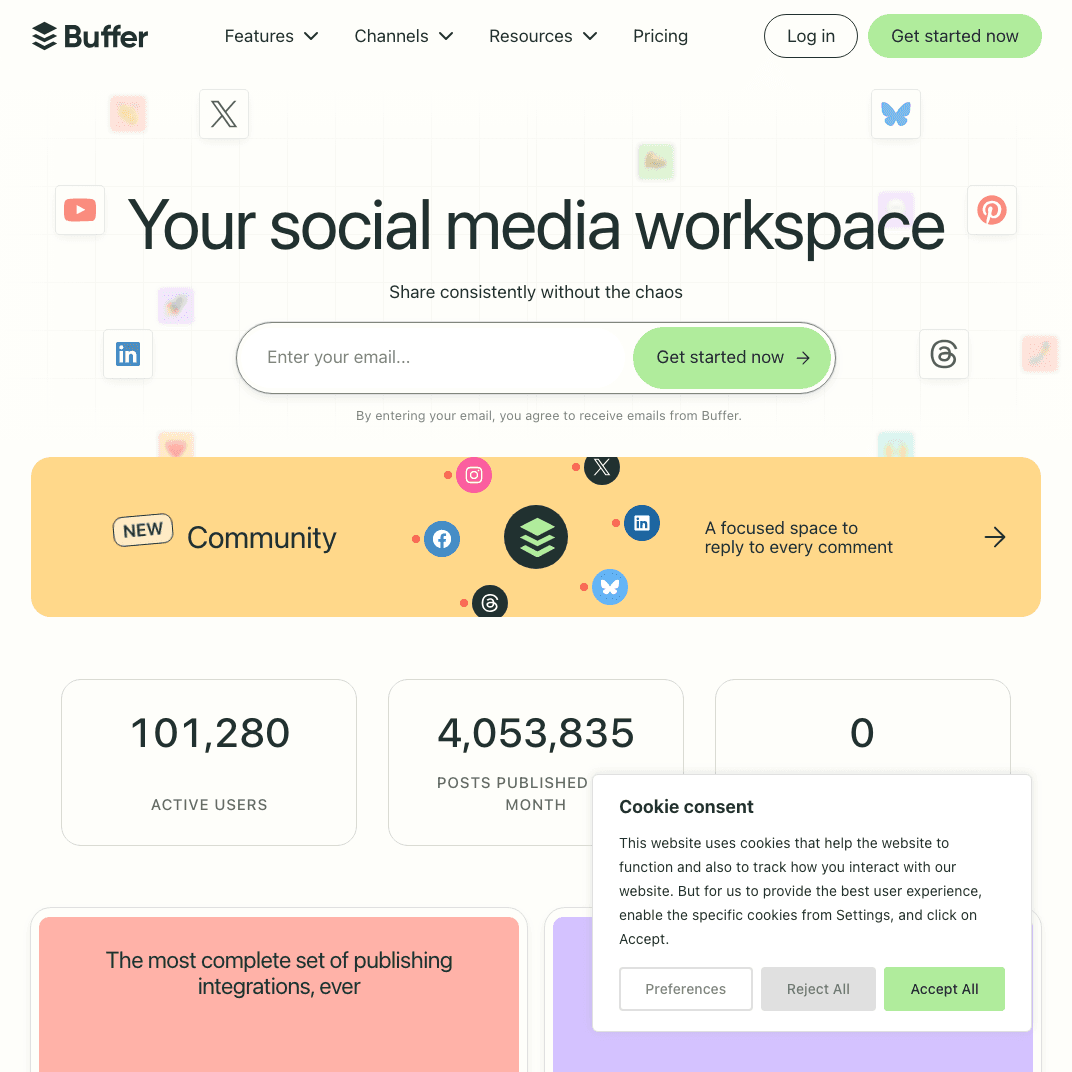
Buffer is one of the most established names in social media scheduling — clean, minimal, and affordable. For users leaving Zoho Social primarily because of interface complexity or the unwanted tie to Zoho's ecosystem, Buffer offers a refreshingly simple alternative.
Buffer vs Zoho Social
Where Zoho Social is positioned around CRM integration and ecosystem synergy, Buffer strips the experience back to straightforward scheduling with a clean interface and competitive per-channel pricing.
Simple, intuitive scheduling
Buffer's dashboard is deliberately minimal. You create a post, select your platforms, set a schedule, and it publishes. There's no learning curve tied to integrations, CRM fields, or ecosystem features you might not use. For teams that know what they want to post and just need a reliable way to schedule it, this simplicity is genuinely valuable.
Queue-based publishing
Buffer's queue lets you load content and publish automatically at preset optimal times — a "load and forget" workflow that works well for maintaining consistent posting cadences without micromanaging a content calendar.
Browser extension
Buffer's browser extension is a standout feature that Zoho Social lacks: you can share content directly from any web page without opening the scheduling dashboard. For curating and scheduling third-party content, this saves real time.
Platform support
Buffer supports Instagram, Twitter/X, LinkedIn, Facebook, Pinterest, and TikTok (via some plan integrations). It does not support Bluesky or Threads natively, which limits it for creators building presence on those newer platforms.
Pricing
Buffer uses per-channel pricing, which is cost-effective at smaller scale:
Free Plan — $0/month
- 3 channels
- 10 scheduled posts per channel
Essentials — $6/channel/month (monthly) / $5/channel/month (annual)
- Unlimited scheduling
- Basic analytics
- AI assistant
Team — $12/channel/month (monthly) / $10/channel/month (annual)
- Everything in Essentials
- Collaboration and approval workflows
- Unlimited team members
Agency — $120/month for 10 channels
At 5 channels on the Essentials plan, you're paying $25-30/month — comparable to Zoho Social's Standard plan but without the CRM integration overhead.
Pros
- Clean, fast interface with minimal learning curve
- Affordable per-channel pricing at smaller scale
- Browser extension for quick content capture and curation
- Free plan available for basic use
Cons
- No Bluesky or Threads native support
- Manual scheduling required for every platform — no crossposting automation
- Analytics are basic; no social inbox or social listening
- Per-channel pricing becomes expensive at scale (8+ channels)
| Feature | Buffer | Zoho Social |
|---|---|---|
| Workflow | Manual scheduling | Manual scheduling |
| Pricing | $6/mo per channel | $15/mo (7 channels) |
| CRM integration | ❌ None | ✅ Zoho CRM |
| Bluesky support | ❌ No | ❌ No |
| Browser extension | ✅ Yes | ❌ No |
Verdict
Buffer is the right Zoho Social alternative if you want simpler scheduling without ecosystem dependencies and your channel count is relatively small. The free plan makes it easy to try with zero commitment. But like Zoho Social, Buffer still requires manual scheduling for every platform — there's no crossposting automation.
Best for: Solo creators, freelancers, and small teams who want straightforward scheduling without CRM overhead.
Alternative #3: Hootsuite
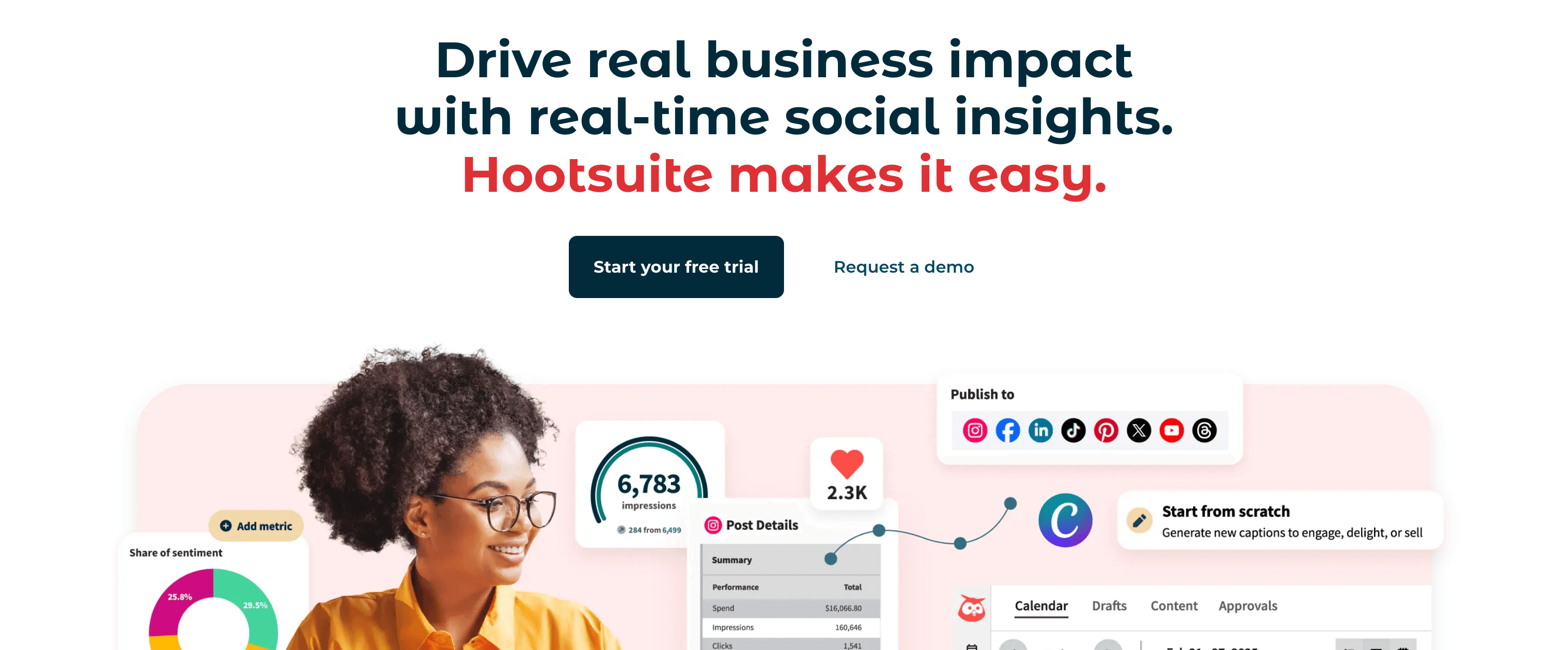
Hootsuite is the enterprise-grade Zoho Social alternative, offering comprehensive social media management with a unified inbox, team collaboration, and an extensive integration library — at a significantly higher price point.
Hootsuite vs Zoho Social
Where Zoho Social derives its value from CRM integration within the Zoho ecosystem, Hootsuite is a standalone platform built to handle large-scale social media operations for enterprise marketing teams.
Comprehensive platform coverage
Hootsuite supports 20+ social networks, making it one of the broadest platforms available. Instagram, Facebook, Twitter/X, LinkedIn, YouTube, Pinterest, TikTok, and more are all covered — giving enterprise teams fewer gaps to manage manually.
Unified social inbox
Hootsuite's unified inbox aggregates messages, comments, and mentions from all connected social media accounts into a single dashboard. For brands with active communities and high engagement volumes, this eliminates the constant platform-switching required to keep up with audience interactions.
Advanced team collaboration
Hootsuite offers role-based permissions, multi-level approval workflows, task assignments, campaign organization, and team performance reporting. For agencies and enterprise marketing departments with multiple team members working across multiple brands, these features are meaningfully more robust than what Zoho Social provides.
Pricing
Standard — $99/user/month (annual) / $149/user/month (monthly)
- Unlimited social accounts
- 1 user
- Unlimited scheduling
- 30-day free trial
Advanced — $249/user/month (annual) / $399/user/month (monthly)
- Everything in Standard
- Advanced analytics
- Custom reports
Enterprise — Custom pricing
- 5+ users, 50+ social accounts
- Advanced security and dedicated support
Pros
- Widest platform coverage among social media management tools
- Unified social inbox for efficient community management
- Robust team permissions and approval workflows
- Extensive third-party app integrations
Cons
- Significantly more expensive than Zoho Social ($99/mo vs $15/mo)
- Steep learning curve due to feature complexity
- Interface can feel dated compared to modern tools
- Still requires manual scheduling per platform — no crossposting automation
| Feature | Hootsuite | Zoho Social |
|---|---|---|
| Pricing | $99/mo per user | $15/mo (1 brand) |
| Social inbox | ✅ Comprehensive | ❌ Limited |
| Platform support | 20+ networks | ~7 channels |
| CRM integration | ❌ Limited | ✅ Zoho CRM |
Verdict
Hootsuite makes sense as a Zoho Social alternative if you're running enterprise-scale social media operations and need features like a unified inbox, advanced team workflows, and broad platform coverage. But at $99/month per user, the price jump from Zoho Social is steep — and like Zoho Social, you're still scheduling manually for each platform.
Best for: Enterprise marketing teams, large agencies, businesses managing social media at significant scale with dedicated social media managers.
Alternative #4: Sprout Social
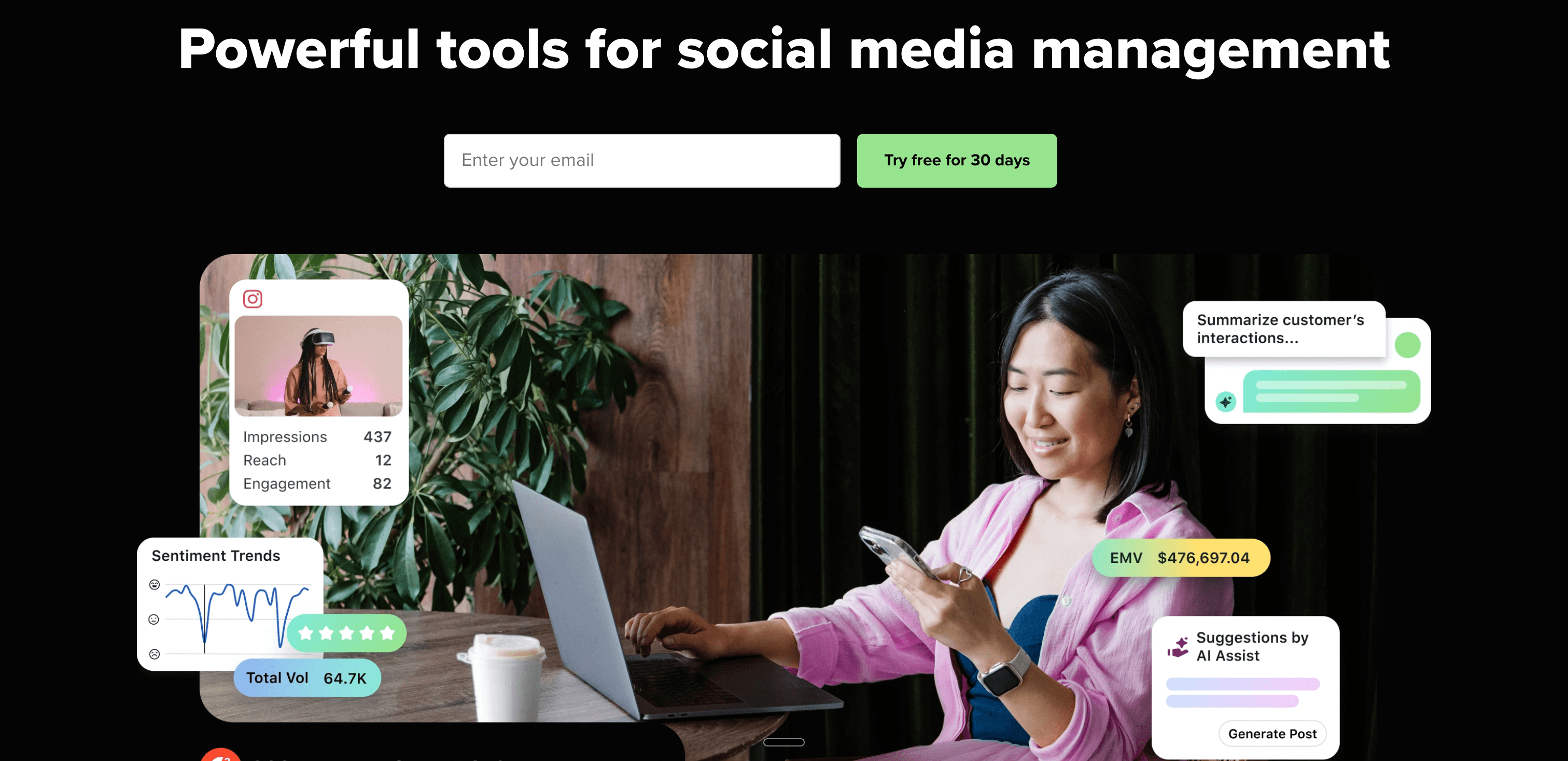
Sprout Social is the analytics-focused Zoho Social alternative, offering enterprise-grade reporting, social listening, and audience intelligence that Zoho Social's analytics module can't match.
Sprout Social vs Zoho Social
Both platforms offer analytics alongside scheduling, but Sprout Social operates at a fundamentally different level of depth. Where Zoho Social provides functional baseline metrics, Sprout Social offers the kind of reporting that enterprise social media teams need to prove ROI and inform strategy.
Enterprise analytics and reporting
Sprout Social's analytics go well beyond what Zoho Social delivers:
- Customizable performance dashboards with granular engagement metrics across all platforms
- Audience demographics showing who is engaging with your content and when
- Competitor analysis benchmarking your performance against similar brands
- Custom report builder for stakeholder presentations and executive reporting
For social media managers who need to present detailed performance data, Sprout Social's reporting capability is in a different league.
Social listening
Sprout Social includes robust social listening tools that monitor brand mentions, industry keywords, and competitor activity across the social web — not just your own accounts. This gives teams actionable market intelligence that Zoho Social's listening board doesn't fully deliver.
Smart inbox
Sprout Social's Smart Inbox consolidates messages, comments, and mentions from all connected platforms with features like automated tagging, collision detection (preventing two team members from replying to the same message), and saved replies.
Pricing
Standard — $199/seat/month (annual) / $249/seat/month (monthly)
- 5 social profiles
- All-in-one inbox
- Publishing and scheduling
Professional — $299/seat/month (annual)
- Unlimited social profiles
- Competitive reports
- Trends and listening
Advanced — $399/seat/month (annual)
- Everything in Professional
- Advanced automation
- Digital asset library
Enterprise — Custom pricing
Pros
- Industry-leading analytics and reporting
- Social listening for brand monitoring and market intelligence
- Smart Inbox for efficient, team-based community management
- Excellent for proving social media ROI to stakeholders
Cons
- Extremely expensive ($199/mo per seat minimum)
- Significant overkill for solo creators and small businesses
- Still requires manual scheduling for each platform
- Steep learning curve for the full feature set
| Feature | Sprout Social | Zoho Social |
|---|---|---|
| Analytics | Enterprise-grade | Basic-moderate |
| Pricing | $199/mo per seat | $15/mo (1 brand) |
| Social listening | ✅ Advanced | ✅ Basic |
| CRM integration | ❌ Limited | ✅ Zoho CRM |
Verdict
Sprout Social is the Zoho Social alternative for established marketing teams where proving ROI with detailed analytics is the primary requirement. The gap in reporting capability between the two platforms is substantial. But at $199+/month per seat, it's difficult to justify unless your team is dedicated to social media and needs to demonstrate business impact at scale.
Best for: Mid-market and enterprise brands with dedicated social media teams who need to justify social media investment with detailed analytics and reporting.
Alternative #5: Later
Later began as an Instagram-first scheduling tool and has evolved into a visual content planner that emphasizes media libraries, drag-and-drop calendars, and Instagram grid aesthetics — areas where Zoho Social offers limited functionality.
Later vs Zoho Social
Where Zoho Social focuses on scheduling efficiency and CRM connectivity, Later focuses on visual planning and content organization — particularly for creators and brands where Instagram's aesthetic presentation is central to their strategy.
Visual Instagram planning
Later's signature feature is the visual Instagram grid planner that shows you exactly how your feed will look before posts go live. You can drag and drop scheduled posts to rearrange your grid aesthetic, ensuring your Instagram profile looks cohesive as a whole. Zoho Social has no equivalent feature.
Media library
Later includes a media library where you can store, tag, and search images and videos — building a reusable content asset library over time. This is more sophisticated than Zoho Social's basic media handling and useful for creators managing large content archives.
Link in bio
Later's Linkin.bio tool creates a clickable landing page that mirrors your Instagram grid, turning your profile link into a conversion tool. This is a feature Zoho Social doesn't offer.
Platform support
Later supports Instagram (feed, Stories, Reels, carousels), Facebook, TikTok (direct posting), Pinterest, LinkedIn, and Twitter/X. TikTok direct publishing is a notable inclusion that Zoho Social handles inconsistently.
Pricing
Starter — $25/month
- 1 social set
- Unlimited posts
- Best time to post
Growth — $45/month
- 3 social sets
- User-generated content tools
- Competitor analytics
Advanced — $80/month
- 6 social sets
- Advanced analytics
Scale — $110/month
- Multiple workspaces
- Priority support
All paid plans include a 14-day free trial.
Pros
- Visual Instagram grid planning not available in Zoho Social
- Excellent media library organization
- TikTok direct posting included
- Linkin.bio for Instagram link-in-bio conversion
Cons
- Less suitable as a primary tool for platforms beyond Instagram
- No social inbox or community management features
- No Bluesky or Threads support
- Manual scheduling required for each platform — no crossposting automation
| Feature | Later | Zoho Social |
|---|---|---|
| Visual planning | ✅ Instagram grid | ❌ No |
| TikTok support | ✅ Yes | Limited |
| CRM integration | ❌ No | ✅ Zoho CRM |
| Pricing | $25/mo (1 set) | $15/mo (7 channels) |
Verdict
Later is the best Zoho Social alternative if Instagram is your primary platform and visual grid planning matters to your content strategy. The media library and Linkin.bio add genuine value beyond what Zoho Social provides. But like Zoho Social, you're still scheduling manually for each platform — no crossposting automation.
Best for: Instagram-focused creators, visual content brands, influencers prioritizing aesthetic grid planning and visual content management.
Alternative #6: Planable
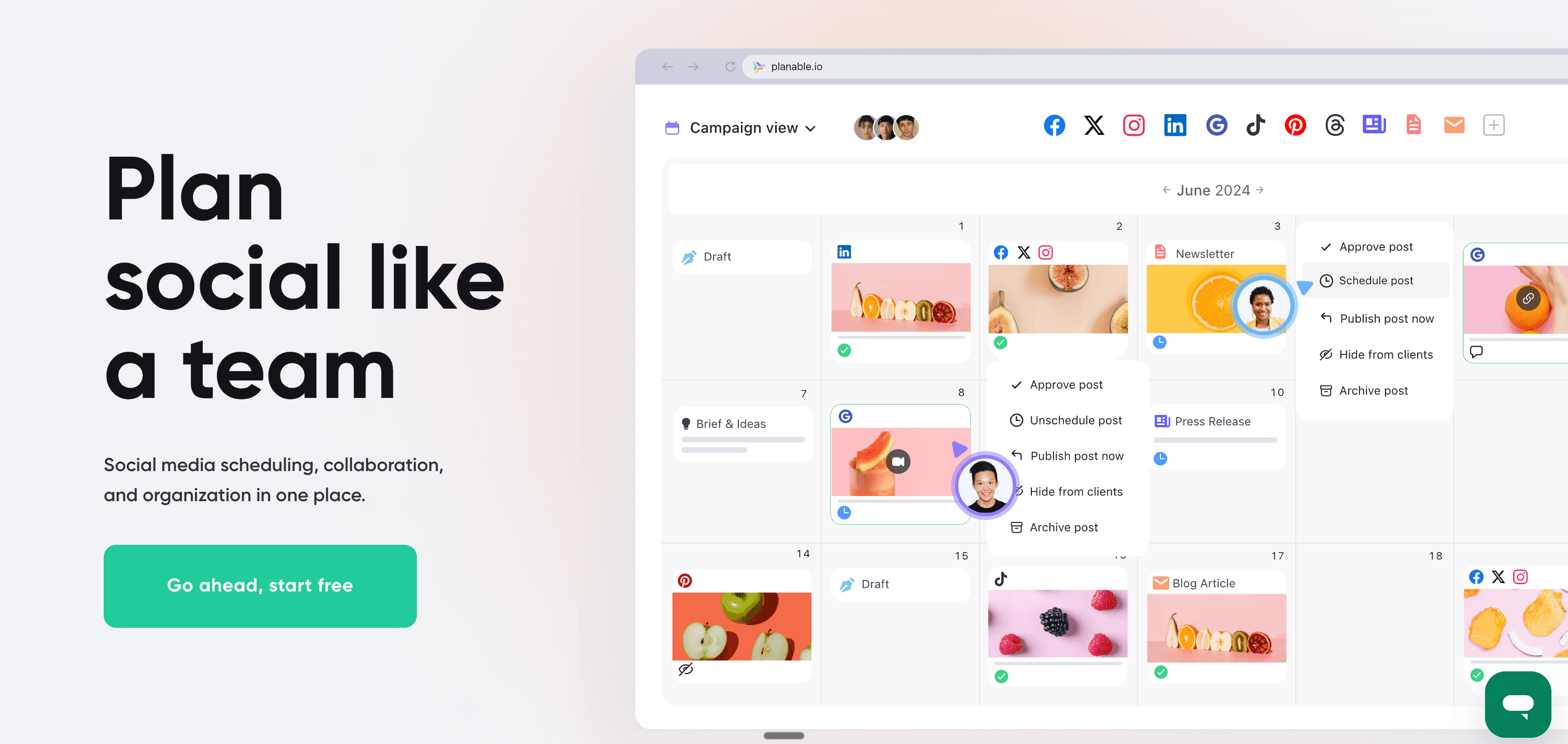
Planable is the collaboration-first Zoho Social alternative, built specifically around content approval workflows and real-time team feedback — making it the go-to for agencies and marketing teams where client or stakeholder sign-off is part of every publish cycle.
Planable vs Zoho Social
Zoho Social includes basic team collaboration and approval features, but it's not the platform's primary value proposition. Planable is built around approvals from the ground up — every workflow, view, and feature is designed to make the review and approval process frictionless.
Multi-level content approval
Planable's standout feature is its flexible approval system:
- No approval — post directly without review
- Optional approval — anyone can approve before publishing
- Required approval — specific people must approve before content goes live
- Multi-level approval — content moves through multiple review stages sequentially
For agencies managing client content, this replaces email chains and Google Drive comment threads with a structured, trackable workflow.
Feed preview views
Planable offers calendar, grid, list, and feed views — with the feed view showing exactly how your posts will appear on each specific platform before publishing. This makes it easy to catch formatting issues, caption truncation, or visual mismatches before they go live.
Real-time collaboration
Multiple team members can work on content simultaneously with real-time editing and threaded comments on individual posts. Unlike Zoho Social's more linear approval process, Planable feels like a shared workspace rather than a sequential approval queue.
Pricing
Free — $0/month
- 50 total posts (lifetime limit, not monthly reset)
- 1 workspace
- Unlimited users
Basic — $39/workspace/month
- Unlimited posts
- All approval types
- All content views
Pro — $59/workspace/month
- Everything in Basic
- Universal content
- Custom approval workflows
Enterprise — Custom pricing (from $200/month)
Analytics and engagement add-ons available at additional cost per workspace.
Pros
- Best-in-class content approval workflows for agencies and teams
- Feed preview shows exactly how posts will appear on each platform
- Unlimited users on all paid plans
- Real-time collaboration with threaded comments
Cons
- Analytics are a paid add-on, not included by default
- No social inbox or community management features
- Primarily built for teams — overkill for solo creators
- Still requires manual scheduling for each platform
| Feature | Planable | Zoho Social |
|---|---|---|
| Approval workflows | ✅ Multi-level | ✅ Basic |
| Feed preview | ✅ Yes | ❌ No |
| Pricing | $39/workspace/mo | $15/mo (1 brand) |
| CRM integration | ❌ No | ✅ Zoho CRM |
Verdict
Planable is the right Zoho Social alternative if content approval workflows are central to how your team or agency operates. The approval flexibility and feed preview features are genuinely better than what Zoho Social offers for collaborative publishing. But if you're a solo creator or small business that doesn't need structured approvals, the price and feature set are more than you need.
Best for: Marketing agencies managing client social accounts, in-house teams with stakeholder approval requirements, brands with multi-stage content review processes.
Alternative #7: SocialPilot
SocialPilot is the budget-friendly agency alternative to Zoho Social, providing comprehensive features — bulk scheduling, client workspaces, white-label reports — at significantly lower price points than enterprise tools.
SocialPilot vs Zoho Social
Where Zoho Social derives its value from ecosystem integration, SocialPilot focuses on giving agencies and teams more accounts, more users, and more management features per dollar than most competitors in this space.
Bulk scheduling
SocialPilot's bulk scheduling lets you upload hundreds of posts via CSV and schedule them all at once. For agencies managing high-volume content calendars across multiple clients, this is meaningfully more efficient than Zoho Social's manual post-by-post approach.
Client management features
SocialPilot includes dedicated client management tools:
- Separate workspaces for each client account
- White-label PDF and CSV reports you can brand as your own
- Client approval workflows
- Team collaboration with role-based access controls
- AI-powered content assistance included on all plans
Platform support
SocialPilot supports Facebook, Instagram (posts, Reels, Stories), Twitter/X, LinkedIn, Pinterest, TikTok, Google My Business, and Tumblr — covering more platforms than Zoho Social's standard tier and including TikTok direct publishing.
Pricing
Essentials — $30/month (monthly) / $25.5/month (annual)
- 7 social accounts
- 1 user
- Bulk scheduling, AI credits
Small Team — $50/month
- 20 social accounts
- 3 users
- Client management
Agency — $100/month
- 30 social accounts
- 6 users
- White-label reports
Ultimate — $200/month
- 50 social accounts
- 10 users
All plans include a 14-day free trial (no credit card required).
Pros
- Bulk scheduling saves significant time for high-volume content
- White-label reports and client workspaces for agencies
- AI content assistance included across plans
- More accounts per dollar than Zoho Social at agency scale
Cons
- Interface is functional but less polished than premium tools
- No social inbox for community management
- No Bluesky or Threads support
- Manual scheduling for each platform — no crossposting automation
| Feature | SocialPilot | Zoho Social |
|---|---|---|
| Bulk scheduling | ✅ CSV upload | ❌ Limited |
| Pricing | $30/mo (7 accounts) | $15/mo (7 channels) |
| White-label | ✅ Yes (Agency plan) | ❌ No |
| CRM integration | ❌ No | ✅ Zoho CRM |
Verdict
SocialPilot is the best budget-conscious Zoho Social alternative for agencies. You get bulk scheduling, client management, and white-label reporting at prices that scale more affordably than enterprise platforms. The AI content assistance across plans adds genuine value. But like Zoho Social, it's still manual scheduling for every platform.
Best for: Agencies on a budget, small businesses managing many social accounts, teams needing bulk scheduling and client management without enterprise pricing.
Alternative #8: Agorapulse
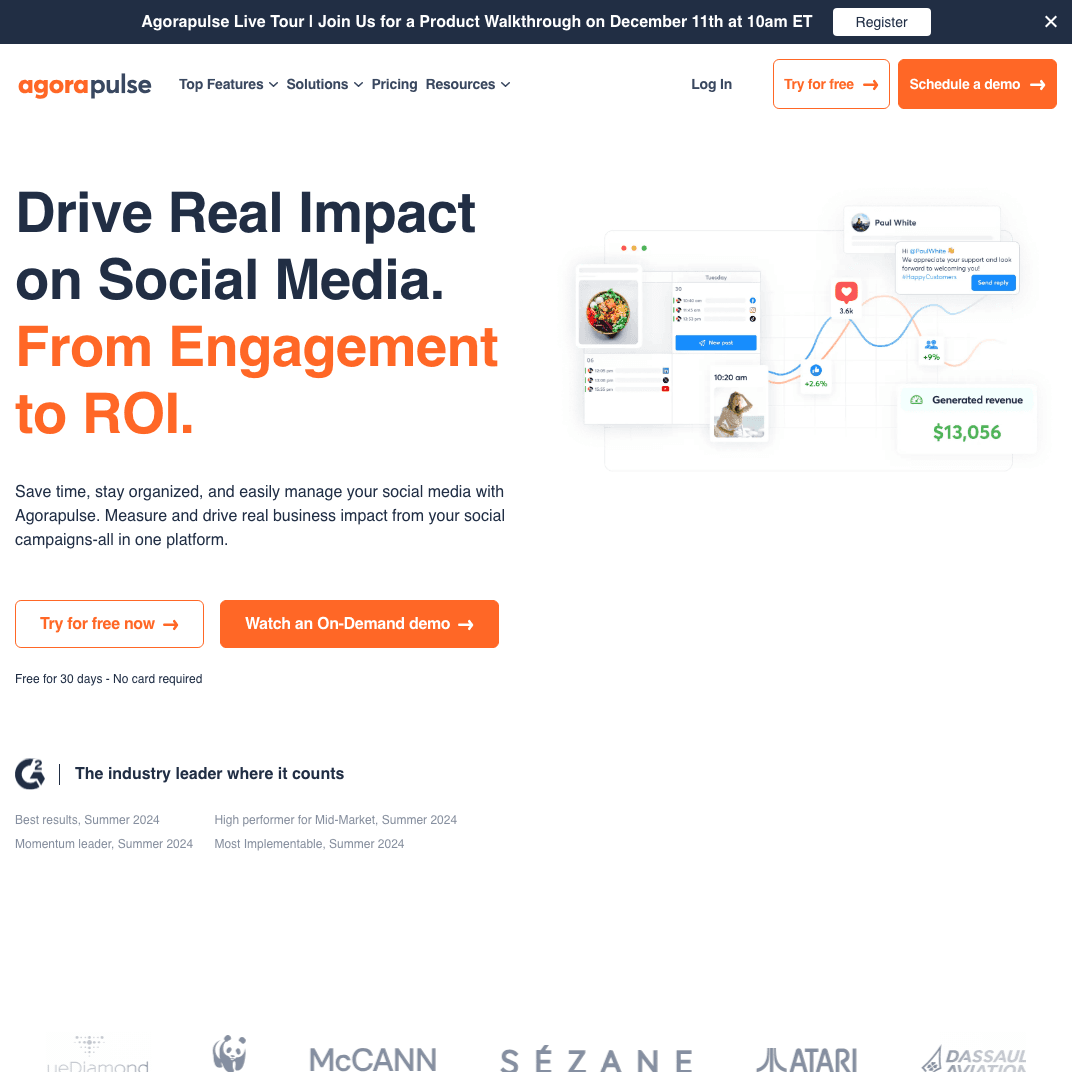
Agorapulse is the community management-focused Zoho Social alternative, built around a unified social inbox that brings messages, comments, and mentions from every platform into one place — alongside solid scheduling and reporting features.
Agorapulse vs Zoho Social
Both platforms include scheduling and analytics, but Agorapulse's primary differentiator is its unified social inbox. For brands where community engagement — responding to DMs, moderating comments, tracking mentions — is as important as publishing, Agorapulse delivers a level of inbox sophistication that Zoho Social can't match.
Unified social inbox
Agorapulse's social inbox consolidates:
- Comments across all your posts
- Direct messages from every connected platform
- @mentions and tags
- Ad comments (Facebook and Instagram ads)
The inbox includes saved replies for common questions, message assignment to specific team members, tagging and labeling for organization, and sentiment analysis to surface negative feedback quickly.
Social listening
Agorapulse includes basic social listening to monitor brand mentions, industry keywords, and competitor activity — going beyond just your own account activity.
Analytics and reporting
Agorapulse provides detailed analytics including audience growth, engagement metrics per post and platform, and competitor benchmarking. The reporting is more comprehensive than Zoho Social's standard analytics.
Platform support
Agorapulse supports Facebook (pages, groups, ads), Instagram (feed, Stories, Reels), Twitter/X, LinkedIn (profiles, pages), YouTube, and TikTok.
Pricing
Free — $0/month (limited features, for trying the platform)
Standard — $79/user/month (annual)
- 10 social profiles
- Unified inbox
- Publishing and reporting
Professional — $119/user/month (annual)
- Everything in Standard
- Advanced reporting
- Competitor analysis
Advanced — $149/user/month (annual)
- Everything in Professional
- Custom workflows
- Advanced permissions
All plans include a 30-day free trial.
Pros
- Best-in-class unified social inbox for community management
- Saved replies, message assignment, and sentiment analysis
- Competitor benchmarking included on Professional and above
- 30-day free trial to evaluate thoroughly
Cons
- More expensive than Zoho Social ($79/mo per user vs $15/mo)
- Primarily valuable if social inbox is a core requirement
- No crossposting automation
- No Bluesky or Threads support
| Feature | Agorapulse | Zoho Social |
|---|---|---|
| Social inbox | ✅ Comprehensive | ❌ Limited |
| Pricing | $79/mo per user | $15/mo (1 brand) |
| Community management | ✅ Advanced | ❌ Basic |
| CRM integration | ❌ No | ✅ Zoho CRM |
Verdict
Agorapulse is the right Zoho Social alternative if community management is central to your social media workflow. The unified inbox, saved replies, and sentiment analysis deliver capabilities Zoho Social doesn't offer. But if you're primarily a publisher who doesn't engage heavily with comments and DMs, the price premium over Zoho Social is harder to justify.
Best for: Brands with active social media communities, customer service teams managing social platforms, businesses where inbox management is as important as publishing.
Alternative #9: Sendible
Sendible is purpose-built for agencies — offering client workspaces, white-label branding, RSS automation, and multi-client management features that Zoho Social doesn't provide.
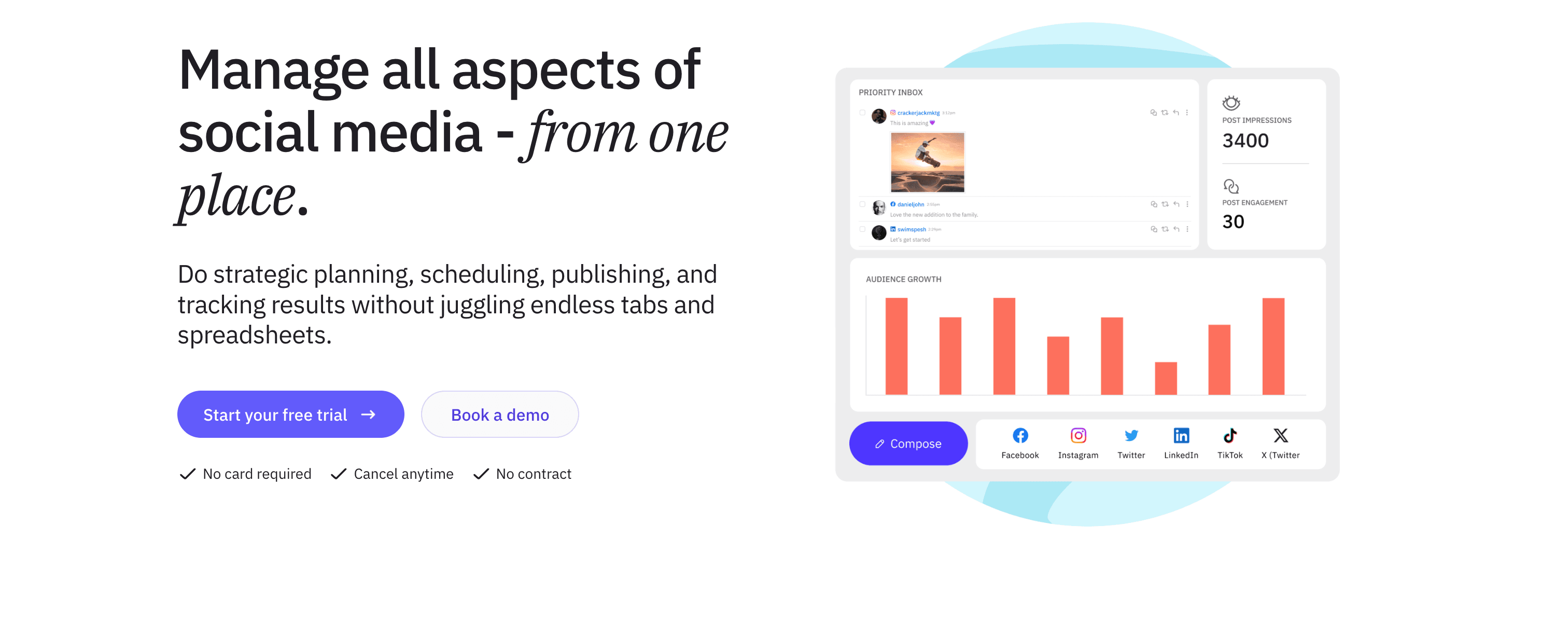
Sendible vs Zoho Social
Zoho Social's Agency plan adds multi-brand support but keeps the Zoho-centric structure. Sendible is built from the ground up as an agency tool — client onboarding, branded reports, and content pipelines are core to the product, not an add-on tier.
Client management and white-label
Sendible's agency features include:
- Separate workspaces for each client with isolated access
- Client Connect widget for secure social account connections without sharing login credentials
- Branded reports with your agency logo, colors, and domain
- Customizable email notifications in your brand voice
RSS feed automation and content suggestions
Unlike Zoho Social, Sendible includes RSS feed automation that pulls content from blogs you follow and auto-generates social posts from new articles. This is genuinely useful for agencies managing content pipelines for clients in content-heavy industries.
Platform support
Sendible supports 20+ platforms including Facebook, Instagram, Twitter/X, LinkedIn, Pinterest, Google My Business, YouTube, Tumblr, WordPress, and Medium. The breadth here surpasses Zoho Social's core channel support.
Pricing
Creator — $29/month
- 1 user
- 4 social profiles
- Basic scheduling and reporting
Traction — $89/month
- 3 users
- 20 social profiles
- Client management
Scale — $199/month
- 7 users
- 60 social profiles
- White-label branding
A 15% discount applies on annual billing, and a 14-day free trial is available.
Pros
- Built for agencies with genuine client management architecture
- White-label dashboard and branded reports
- RSS automation for content pipeline efficiency
- Wide platform support including blog and publishing platforms
Cons
- Interface feels less polished than newer tools
- Analytics less robust than Sprout Social or Agorapulse
- No crossposting automation
- No Bluesky or Threads support
| Feature | Sendible | Zoho Social |
|---|---|---|
| Client management | ✅ Built-in | Agency plan only |
| White-label | ✅ Scale plan | ❌ No |
| RSS automation | ✅ Yes | ❌ No |
| CRM integration | ❌ No | ✅ Zoho CRM |
Verdict
Sendible is the best agency-focused Zoho Social alternative. The client workspace structure, white-label branding, and RSS automation address agency workflows that Zoho Social's platform wasn't designed to handle. If you're managing social media for multiple clients, Sendible's architecture fits that use case better.
Best for: Digital marketing agencies, freelancers managing client social accounts, consultants needing white-label reports and structured client onboarding.
Alternative #10: Metricool
Metricool combines social media scheduling with comprehensive analytics — and unlike most tools, it offers a genuinely useful free plan that makes it accessible to creators and small businesses who need analytics without enterprise pricing.
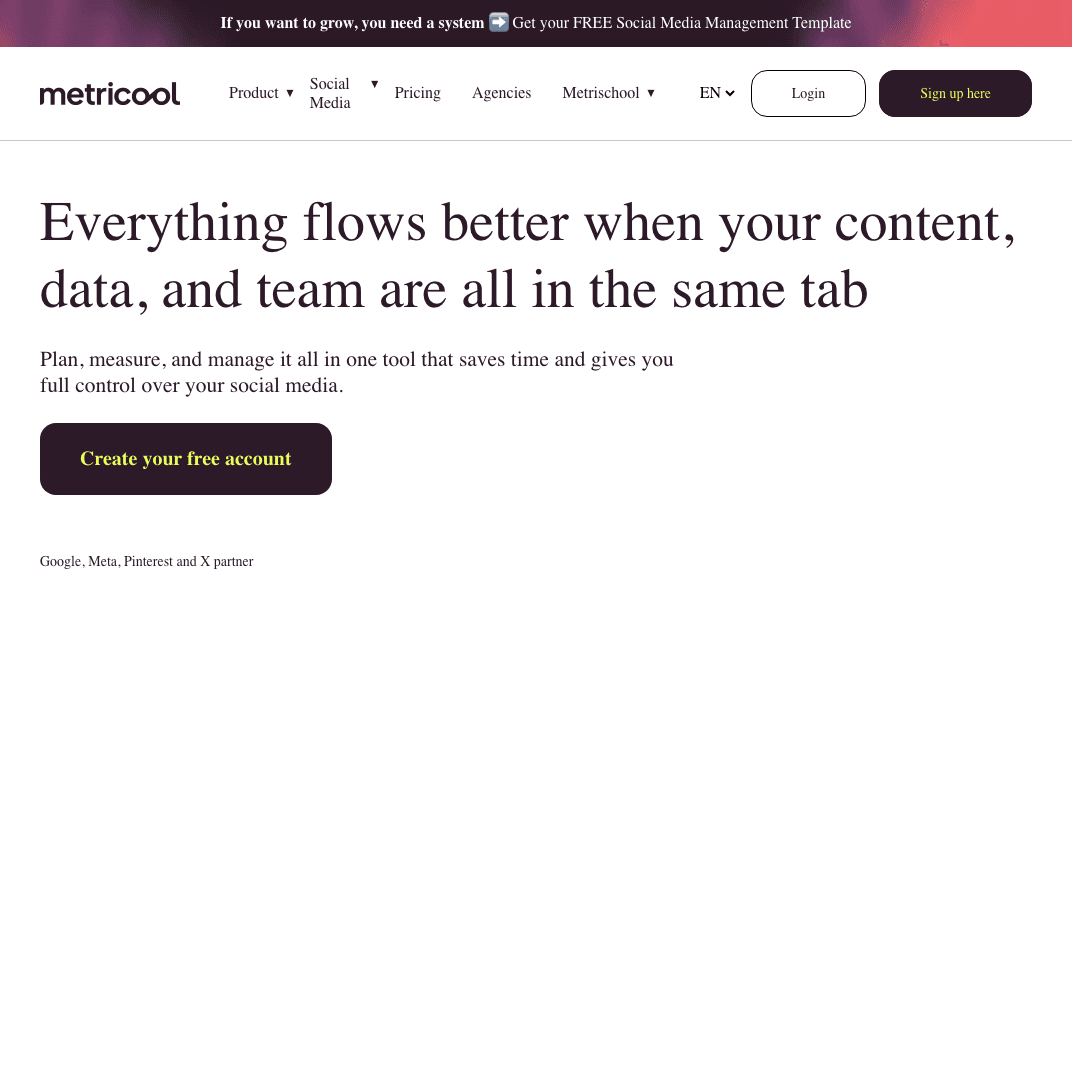
Metricool vs Zoho Social
Both Zoho Social and Metricool include analytics alongside scheduling, but Metricool's analytics are more comprehensive, and the free plan makes it an easy first step for users unwilling to pay immediately.
Generous free plan
Metricool's free plan includes:
- 1 brand
- 50 posts per month
- Analytics and competitor tracking
- Basic reporting
This is more useful than Zoho Social's 15-day free trial, which expires before you've had time to fully evaluate the platform.
Analytics and reporting
Metricool provides detailed analytics across all connected platforms:
- Social media performance across platforms
- Best time to post based on your specific audience engagement data
- Competitor benchmarking and comparison
- Ad performance tracking (Facebook Ads, Google Ads)
- Website traffic analytics
- Downloadable PDF reports
The analytics depth here surpasses what Zoho Social offers, especially for teams tracking paid social performance alongside organic.
Platform support
Metricool supports 15+ platforms including Facebook, Instagram, Twitter/X, LinkedIn, TikTok, Pinterest, YouTube, Google My Business, and Twitch — plus ad platforms for tracking paid campaigns alongside organic posts.
Pricing
Free — $0/month
- 1 brand
- 50 posts/month
- Core analytics
Starter — ~$18/month (monthly) / ~$14/month (annual)
- Multiple brands
- Unlimited scheduling
- Full analytics history
Advanced — Custom pricing (scales with brands)
- Team collaboration
- Custom report templates
- Looker Studio integration
Pros
- Generous free plan with real analytics — not just a trial
- Comprehensive ad platform tracking alongside organic
- Competitor benchmarking included
- Wide platform support including TikTok and YouTube
Cons
- Free plan capped at 50 posts and 1 brand
- No Bluesky or Threads support
- No social inbox or community management
- Manual scheduling for each platform — no crossposting automation
| Feature | Metricool | Zoho Social |
|---|---|---|
| Free plan | ✅ 50 posts/month | ❌ 15-day trial only |
| Analytics | Comprehensive | Basic-moderate |
| Ad tracking | ✅ Yes | ❌ No |
| CRM | ❌ No | ✅ Zoho CRM |
Verdict
Metricool is the best free Zoho Social alternative for analytics-focused creators and marketers. The free plan delivers more ongoing value than Zoho Social's free trial, and the paid tier's analytics depth — especially ad tracking — makes it compelling for teams managing paid social alongside organic. If analytics matter more than CRM integration, Metricool is worth a serious look.
Best for: Data-driven marketers, small businesses needing analytics without enterprise pricing, creators who want a free starting point with room to grow.
Alternative #11: SocialBee
SocialBee differentiates itself with a content categorization and recycling system that automates evergreen posting schedules — a meaningfully different approach to social media management than Zoho Social's manual scheduling model.
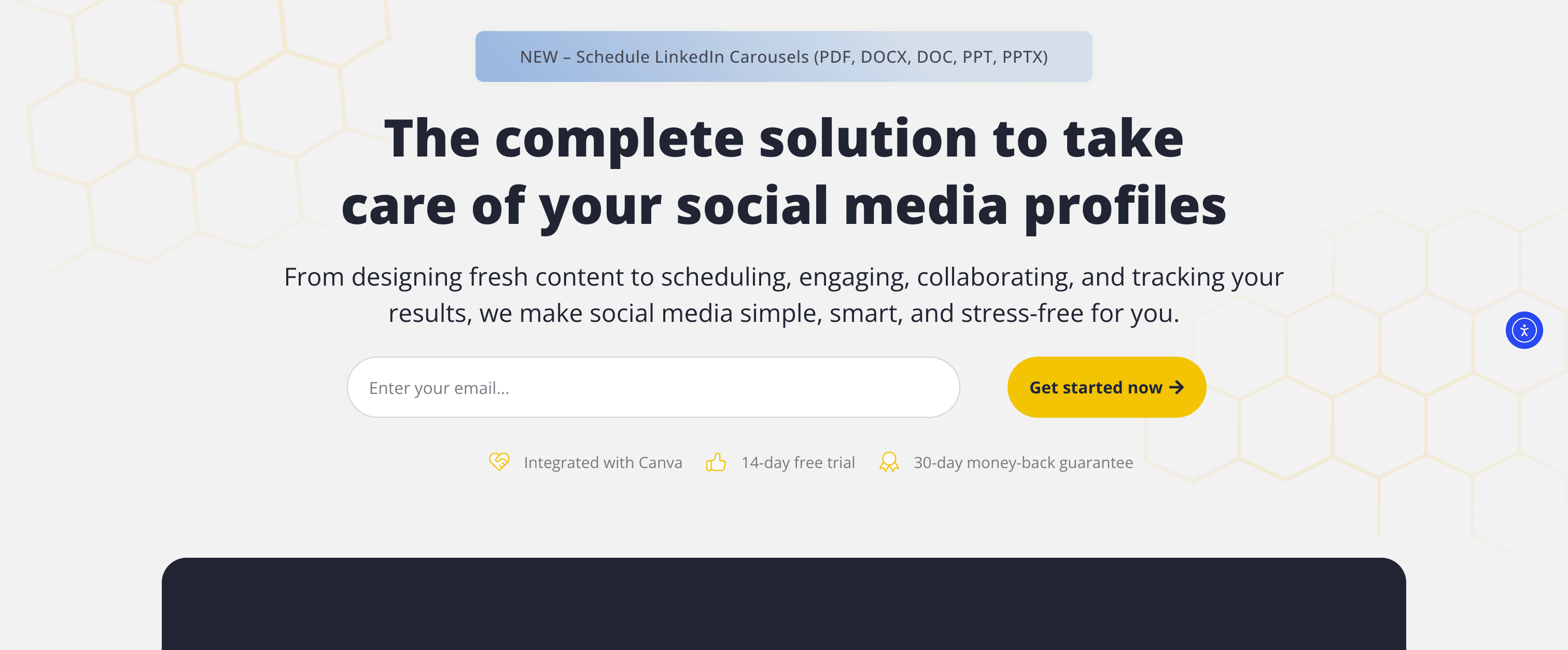
SocialBee vs Zoho Social
Zoho Social is built around scheduled publishing — you create posts and schedule them. SocialBee takes a category-based approach where you load content into buckets, set schedules per category, and the platform keeps your accounts active by recycling evergreen posts automatically.
Content categories and recycling
SocialBee's core model:
- Create content categories (e.g., "Educational Posts," "Promotions," "Quotes," "Blog Repurposes")
- Assign posts to categories when creating content
- Set category posting schedules (post 2 educational pieces per day, 1 promotion per week)
- SocialBee automatically recycles evergreen content to fill your schedule
This is more automated than Zoho Social's manual queue system. Once you've loaded your evergreen content library, SocialBee keeps your social accounts active without requiring constant new content creation.
AI writing assistant
SocialBee includes an AI writing assistant that generates post variations, suggests hashtags, adapts content tone for different platforms, and rewrites posts for specific contexts. Zoho Social has no equivalent AI content generation feature.
RSS feed automation
SocialBee can pull content from RSS feeds and automatically create social media posts from new blog articles — useful for bloggers and businesses that publish content regularly and want to promote it across social platforms automatically.
Platform support
SocialBee supports Facebook (pages, groups), Instagram (feed, Stories, Reels), Twitter/X, LinkedIn (profiles, pages), Pinterest, TikTok, Google My Business, and YouTube.
Pricing
Bootstrap — $29/month (monthly) / ~$24/month (annual)
- 5 social profiles
- 1 user
- Content categories
- AI assistant
Accelerate — $49/month (monthly) / ~$41/month (annual)
- 10 social profiles
- 1 user
- Audience growth tools
Pro — $99/month (monthly) / ~$83/month (annual)
- 25 social profiles
- 3 users
- Concierge onboarding
All plans include a 14-day free trial (no credit card required).
Pros
- Content categorization and recycling automates evergreen posting
- AI writing assistant for generating and adapting content
- RSS automation for blog content distribution
- Category-based scheduling is more automated than Zoho Social
Cons
- Category-based approach has a learning curve
- No social inbox or community management
- No Bluesky or Threads support
- More expensive than Zoho Social at comparable scale
| Feature | SocialBee | Zoho Social |
|---|---|---|
| Content recycling | ✅ Categories | ❌ No |
| AI writing | ✅ Yes | ❌ No |
| RSS automation | ✅ Yes | ❌ No |
| CRM integration | ❌ No | ✅ Zoho CRM |
Verdict
SocialBee is the best Zoho Social alternative for creators and businesses with extensive evergreen content libraries. The content category system and automatic recycling keep your social accounts active with less ongoing manual effort than Zoho Social requires. The AI writing assistant adds meaningful value for teams that struggle with consistent content creation.
Best for: Bloggers, coaches, consultants, and brands with evergreen content libraries who want to maintain consistent posting schedules with less manual scheduling work.
Which Zoho Social alternative fits you?
The best alternative depends on what Zoho Social's limitations are costing you most. Here's a persona-based guide:
For effortless crossposting across multiple platforms
- PostOnce — Post once natively on a supported source, then distribute to eligible destinations. Source/destination pairs and post types vary. Saves creators ~4 hours per week. $29/month for 15 accounts.
For simple, affordable scheduling without ecosystem lock-in
- Buffer — Clean interface, per-channel pricing that's cost-effective at small scale, browser extension for quick curation. Free plan available.
For enterprise-grade features and broad platform coverage
- Hootsuite — Comprehensive social media management with unified inbox and team collaboration. $99/month per user.
For advanced analytics and proving ROI
- Sprout Social — Enterprise reporting, social listening, audience demographics. $199/month per seat. Check out this roundup of the best social media management tools if you're evaluating at this tier.
For Instagram-focused creators and visual content planning
- Later — Visual grid planning, media library, Linkin.bio. $25/month.
For agencies and teams with approval workflows
- Planable — Multi-level approval workflows, feed preview, real-time collaboration. $39/workspace/month.
- Sendible — White-label branding, client workspaces, RSS automation. $29/month.
For budget agency management at scale
- SocialPilot — Bulk scheduling, client management, white-label reports. $30-100/month. One of the better social media management tools for agencies at this price point.
For community management and social inbox
- Agorapulse — Unified inbox, saved replies, competitor benchmarking. $79/month per user.
For analytics without enterprise pricing
- Metricool — Comprehensive analytics, ad tracking, free plan available. $0-18+/month.
For evergreen content and automated recycling
- SocialBee — Content categories, AI writing, RSS automation. $29/month.
FAQs about Zoho Social alternatives
What's better than Zoho Social for crossposting?
PostOnce is the standout choice for crossposting. Where Zoho Social requires you to manually create and schedule separate posts for each platform, PostOnce automates distribution entirely — you post natively on one platform and PostOnce sends it to all your connected accounts automatically. For creators publishing across 4-5+ platforms regularly, this switch can save several hours every week.
Is there a free alternative to Zoho Social?
Yes. Metricool offers the most useful free plan among Zoho Social alternatives — 1 brand, 50 posts per month, and real analytics including competitor tracking. Buffer has a free plan with 3 channels and 10 posts per channel per month. Planable offers a free plan for up to 50 total posts. Agorapulse also has a limited free tier for trying the platform.
Zoho Social offers a 15-day trial but no ongoing free plan, so Metricool's permanent free tier is genuinely more accessible for budget-constrained users.
What's the best Zoho Social alternative for agencies?
Sendible is purpose-built for agencies, with client workspaces, white-label branded reports, RSS automation, and a Client Connect widget for secure account onboarding. SocialPilot is the budget-friendly agency option with bulk scheduling and white-label reports at $100/month. Planable excels specifically for agencies that need content approval workflows and multi-level client review processes.
Does any Zoho Social alternative have better analytics?
Yes. Sprout Social offers the most comprehensive analytics among social media management tools — customizable dashboards, audience demographics, competitor analysis, and ROI reporting. Metricool provides strong analytics including ad performance tracking at a fraction of the price, including on its free plan. Agorapulse includes competitor benchmarking on Professional plans. All three go significantly deeper than Zoho Social's analytics module.
Which Zoho Social alternative supports Bluesky and Threads?
PostOnce is one of the few tools that supports both Bluesky and Threads natively. Among the broader alternatives listed here, most do not support Bluesky — it's a meaningful differentiator for PostOnce specifically. If emerging platform support is important to your strategy, this gap across most alternatives is worth factoring into your decision.
Is Zoho Social worth it if I don't use Zoho CRM?
For most users outside the Zoho ecosystem, the answer is no — or at least, not uniquely. The primary differentiator of Zoho Social is its CRM integration. Without that, you're left with a functional but not exceptional scheduling tool at a price point that several competitors match or beat with stronger feature sets. Buffer is simpler and comparable in cost. Metricool offers better analytics for free. PostOnce adds crossposting automation Zoho Social can't match.
Can I automate social media posting without using a scheduling tool?
Yes — and this is exactly what PostOnce is designed for. Rather than scheduling posts through a dashboard, PostOnce connects to your native social media accounts and automatically distributes content when you publish natively. It's a different approach than traditional social media management tools, and for creators who prefer to post directly on their platform of choice, it eliminates the scheduling dashboard entirely. Learn more about social media automation and how different tools approach automated posting.
What's the cheapest Zoho Social alternative?
Buffer's free plan (3 channels, 10 posts/channel) and Metricool's free plan (1 brand, 50 posts/month) are both free. Among paid options, Buffer's Essentials plan at $5/channel/month is comparable to Zoho Social's $15/month Standard for small channel counts. SocialBee at $29/month offers more automation than Zoho Social at a modest price increase. PostOnce at $29/month covers 15 accounts with crossposting automation — often less than Zoho Social's equivalent account coverage once you're managing multiple platforms.
Final thoughts: Choosing the right Zoho Social alternative
Zoho Social has a specific strength: it's a solid social media management tool for businesses already invested in Zoho's software ecosystem. If Zoho CRM is central to how you track customers and leads, the native social-to-CRM data flow is a legitimate differentiator that most alternatives don't replicate.
But for everyone outside that context — creators, agencies, small businesses, marketers who chose Zoho Social for its pricing and ended up frustrated by what it lacks — the right alternative depends on which friction point matters most to you.
If manual crossposting is costing you hours each week → PostOnce automates distribution from supported sources to eligible destinations. Source/destination pairs and post types vary. The best crossposting tools list is short, and PostOnce leads it for creators focused on automation.
If you need simpler, cheaper scheduling without ecosystem lock-in → Buffer is the clean, affordable choice. Per-channel pricing keeps costs predictable and the interface has no learning curve.
If analytics are your primary gap → Metricool gives you strong analytics for free. Sprout Social gives you enterprise-grade reporting if budget allows.
If you're running an agency → Sendible or SocialPilot are built for multi-client management in ways Zoho Social's Agency plan isn't.
If community management matters as much as publishing → Agorapulse's unified inbox is significantly more capable than what Zoho Social offers.
If Instagram aesthetics and visual planning are your priority → Later's grid planner and media library are features Zoho Social simply doesn't have.
For most creators and small business owners who are managing multiple social media accounts and spending too much time on repetitive scheduling work, PostOnce represents the most significant workflow improvement. The automation difference — post once versus post eight times — compounds every time you create content.
Try PostOnce free for 7 days
Stop manually scheduling the same content across every platform. Post once natively, let PostOnce handle automatic distribution to Instagram, Twitter, LinkedIn, Bluesky, Threads, Facebook, Pinterest, and YouTube. See how many hours you save in a week.
The best social media management tool is the one that matches your actual workflow — not the most feature-rich platform, not the most expensive, and not the one tied to an ecosystem you may not use. The tools on this list cover every major use case. Pick the one that solves your specific problem with Zoho Social, and you'll be better off for it.