


















Tailwind has been a fixture in Pinterest and Instagram scheduling for years, helping bloggers, ecommerce brands, and visual content creators publish consistent content on those two platforms. But Pinterest has evolved, the social media landscape has expanded beyond just Pinterest and Instagram, and many creators are now finding that Tailwind's narrow focus leaves them managing multiple disconnected tools.
Whether you're frustrated by Tailwind's platform limitations (no LinkedIn, no TikTok, no Threads or Bluesky), looking for tools that go beyond static scheduling, or simply want a solution that automates content distribution instead of requiring you to manually queue every single pin — this guide covers the 12 best Tailwind alternatives for 2026.
With 570 million monthly active users on Pinterest, the platform is still worth taking seriously. But in 2026, creators need tools that serve Pinterest alongside every other platform they're building on — not tools that treat Pinterest as the entire universe.
I've evaluated each alternative based on platform coverage, workflow efficiency, automation capabilities, pricing, and how well they serve the real-world needs of creators and brands. You'll find everything from dedicated Pinterest schedulers to full crossposting automation platforms, visual planners, and enterprise-grade social media management tools.
Here's what this guide covers:
- A quick comparison table of all 12 tools with pricing and strengths
- What Tailwind does well — and where it falls short
- Detailed breakdowns of each alternative with pros, cons, and best use cases
- Pricing comparisons across all tiers
- Which Tailwind alternative is right for your specific workflow
- FAQs about switching from Tailwind
Let's get into the 12 best Tailwind alternatives for 2026.
Quick comparison table
| Tool | Best for | Workflow | Platforms | Pricing from | Strength |
|---|---|---|---|---|---|
| PostOnce | Crossposting automation | Native→Auto | TT/IG/YT/FB/LI/X/BS/PT/TH* | $29/mo | Saves hours weekly |
| Later | Visual content planning | Calendar-based scheduling | IG/FB/TT/PT/LI/X | $25/mo | Visual grid + link-in-bio |
| Buffer | Simple multi-platform | Queue-based scheduling | IG/FB/TT/LI/X/PT | $6/mo | Clean and affordable |
| Hootsuite | Enterprise teams | Comprehensive management | 20+ platforms | $99/mo | Full social suite |
| Sprout Social | Analytics-focused teams | All-in-one management | IG/FB/PT/LI/X/TT/YT | $249/mo | Deep analytics |
| Planoly | Visual Instagram planning | Grid planner + calendar | IG/PT/TT/FB/LI/X/TH | $16/mo | Visual content planning |
| SocialBee | Content recycling | Category-based automation | IG/X/LI/FB/TT/PT/YT/TH/BS | $29/mo | Evergreen content |
| Publer | Budget-conscious teams | Scheduled + recycled posts | IG/FB/X/LI/PT/TT/YT/TH/BS | $12/mo | Affordable feature set |
| SocialPilot | Agencies | Bulk scheduling | 10+ platforms | $30/mo | Client management |
| Metricool | Analytics + scheduling | Scheduling + analytics | IG/FB/X/LI/PT/TT/YT | Free/$45/mo | Free plan + ad tracking |
| Agorapulse | Community management | Unified inbox + scheduling | IG/FB/X/LI/YT/TT | $49/mo | Social inbox |
| Planable | Team collaboration | Approval workflows | IG/FB/X/LI/TT/TH/PT | $13/mo | Content approval |
*IG=Instagram, X=Twitter, LI=LinkedIn, BS=Bluesky, TH=Threads, FB=Facebook, PT=Pinterest, YT=YouTube, TT=TikTok
Why consider a Tailwind alternative?
Tailwind built a strong reputation as the go-to Pinterest scheduling tool, adding Instagram support later and developing genuinely useful Pinterest-specific features like SmartSchedule and Communities. For brands focused on Pinterest traffic generation, Tailwind has served a specific niche well.
But as social media has matured, Tailwind's narrow focus has become a constraint for many creators.
What Tailwind does well
Pinterest-specific depth
Tailwind's deepest value is its Pinterest-specific toolset. SmartSchedule analyzes your audience's behavior and schedules pins at the optimal time for engagement. Board Lists let you pin to multiple related boards at once with a single upload — saving significant time for Pinterest-heavy workflows. These features are genuinely superior to what most general scheduling tools offer for Pinterest.
Tailwind Communities (formerly Tribes)
Tailwind Communities is a content sharing network within the platform where creators share each other's pins. Active participation can meaningfully boost pin reach and reshares — a distribution feature that generic schedulers don't replicate. For bloggers driving traffic through Pinterest, Communities can be a real differentiator.
Tailwind Create
The built-in design tool lets you generate multiple on-brand pin variations from a single image, applying your colors, fonts, and logo automatically. For creators who need to produce high pin volumes without spending hours in Canva, Tailwind Create provides a shortcut. Each variation gets unique images, titles, and descriptions — helping pins perform better with Pinterest's algorithm.
SmartPin for fresh content
SmartPin automates creating fresh, unique pins from existing content, keeping your Pinterest presence active without constant manual effort. For bloggers with large content libraries, this automation helps maintain traffic without daily manual work.
Where Tailwind falls short
Platform support is too narrow
Tailwind's core focus is Pinterest and Instagram, with limited Facebook support. That's three platforms — in 2026, creators and brands are routinely active on six, seven, or eight platforms including LinkedIn, TikTok, Threads, Bluesky, YouTube, and X. If you're building presence on multiple platforms, Tailwind requires you to stack additional tools for everything outside its narrow coverage.
No crossposting automation
Like most scheduling tools, Tailwind requires manual scheduling for each platform separately. If you want the same content to reach Instagram, Pinterest, LinkedIn, and Threads, you're creating and scheduling four separate posts. There's no native-to-crosspost workflow that distributes content automatically. As crossposting across social media becomes more important, this manual overhead adds up quickly.
Pricing model gets expensive
Tailwind's paid plans run $14.99-$49.99/month, and the lower tiers come with posting limits per month that force upgrades for active creators. The free plan is so restrictive (5 posts per month, 1 account) that it's barely usable for testing — not a real free tier. Annual billing saves 50%, but monthly pricing is steep given platform limitations.
Instagram features are secondary
Tailwind added Instagram as a secondary market after establishing itself on Pinterest. The Instagram scheduling features work, but they don't match the depth of tools built for Instagram from the ground up. Visual grid planning, Instagram Stories optimization, and Reels scheduling are all more capable in dedicated Instagram-first tools like Later or Planoly.
No team collaboration features
Tailwind is largely built for solo creators. There are no content approval workflows, client workspaces, or meaningful team collaboration tools. Agencies or marketing teams that need approval processes before publishing will find Tailwind insufficient without additional tools.
Bottom line on Tailwind
Tailwind remains excellent for creators whose primary growth platform is Pinterest and who are willing to manage other platforms separately. But for creators publishing across multiple platforms simultaneously, Tailwind's narrow scope means you're managing fragmented workflows — and paying for multiple tools to cover what a single alternative could handle.
How these alternatives were evaluated
Each Tailwind alternative was assessed using the following criteria to identify genuine improvements on Tailwind's core weaknesses:
Workflow efficiency — How many steps from content creation to multi-platform publishing? Does it reduce or eliminate repetitive work?
Platform coverage — Which social networks are supported? Does it cover modern platforms like Threads, Bluesky, and TikTok alongside Pinterest?
Automation capabilities — Does it require manual scheduling for every post, or does it automate distribution in ways Tailwind doesn't?
Visual and design tools — Does it offer visual planning, grid previews, or design features relevant to Pinterest and Instagram content?
Pricing fairness — Is the price justified by the feature set? Are there genuine free plans or affordable entry points?
Best use cases — Who is this tool actually built for? Creators, agencies, enterprises, or specific niches like Pinterest-heavy bloggers?
Now let's look at each alternative in detail.
Tailwind alternative #1: PostOnce
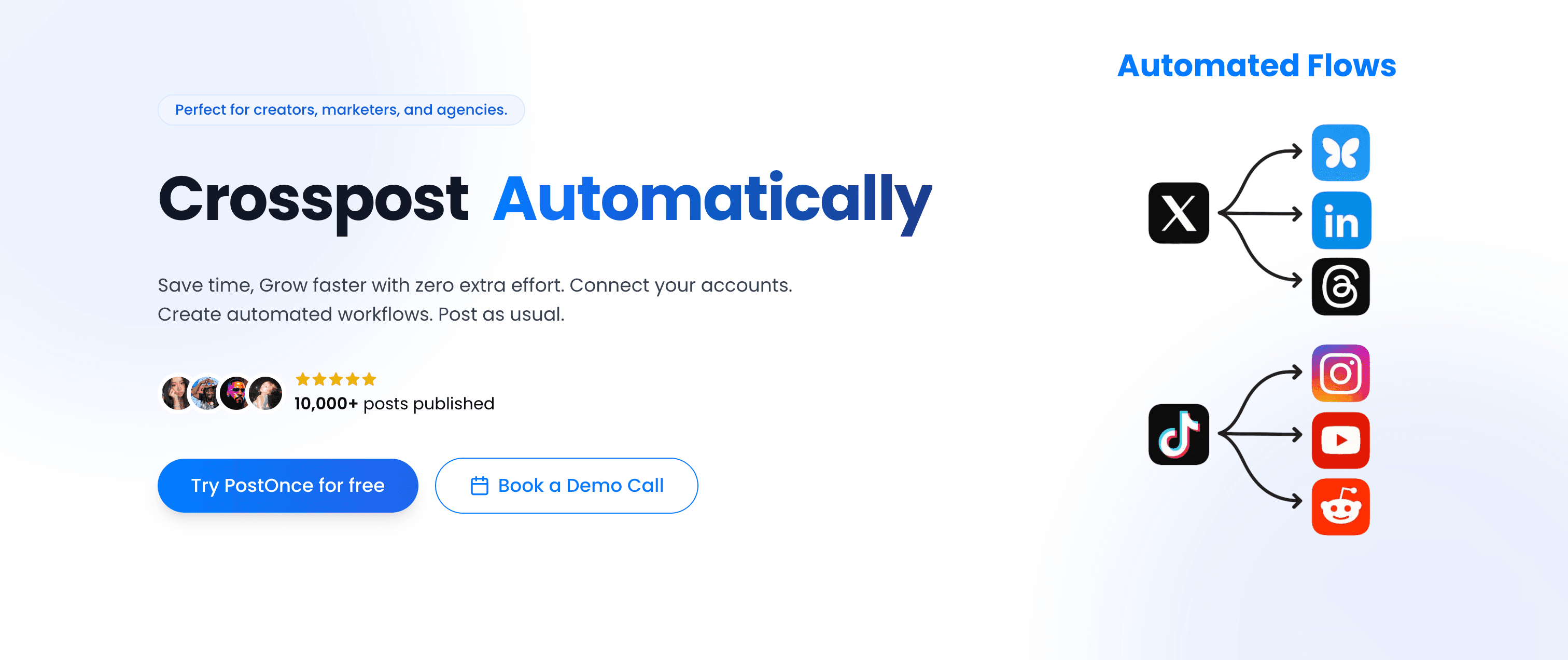
PostOnce solves a different problem than Tailwind — not scheduling, but automatic crossposting. Instead of manually creating and scheduling content for each platform, PostOnce distributes from a supported source to eligible destinations. Available source/destination pairs and post types vary.
PostOnce vs Tailwind
Tailwind is a scheduling tool: you upload content, set a time, and it publishes. You do this for every platform, every post.
PostOnce is a crosspost automation tool: you post natively on Instagram (or X, LinkedIn, wherever you prefer), and PostOnce handles distribution to all your other platforms automatically — no scheduling calendar required.
Tailwind workflow:
- Create pin for Pinterest
- Schedule pin with SmartSchedule
- Separately create and schedule Instagram post
- Open another tool for LinkedIn
- Create and schedule for Threads, Bluesky, X separately
- Repeat for every piece of content
PostOnce workflow:
- Post natively on Instagram (your preferred platform)
- PostOnce crossposts to eligible destinations in your configured flow; source/destination pairs and post types vary
- Done
For creators posting across five or more platforms daily, this distinction matters enormously. Tailwind reduces Pinterest scheduling friction — PostOnce eliminates multi-platform scheduling friction entirely.
Platform support
PostOnce supports:
- TikTok (supported post types vary)
- Instagram (feed posts, carousels, Reels)
- X/Twitter (posts, media)
- LinkedIn (posts, documents, videos)
- Bluesky (posts, media)
- Threads (text posts, media)
- Facebook (pages, media)
- Pinterest (pins, boards)
- YouTube (Shorts, community posts)
Available source/destination pairs and post types vary.
PostOnce covers every platform Tailwind supports and adds LinkedIn, X, Threads, Bluesky, and YouTube — platforms where many creators are actively building audiences in 2026 that Tailwind completely ignores.
Workflow and automation
Setting up PostOnce takes a few minutes:
- Connect your social accounts (one-time OAuth setup per platform)
- Create crossposting flows (choose which source platform triggers distribution, and which destinations receive it)
- Post natively on your preferred platform as you normally would
- PostOnce distributes automatically to eligible destinations in your flow; source/destination pairs and post types vary
You can repurpose content that's already been published, not just new posts — useful for creators wanting to retroactively distribute older content that performed well.
Content rules and filtering
PostOnce includes content filtering so you control exactly what gets crossposted:
- Hashtag rules — Crosspost only content with specific hashtags, or exclude certain hashtags from distribution
- Content type filtering — Crosspost only images, only videos, or only text posts
- Platform-specific rules — Different rules for different destination platforms
This means you can post casually on Stories knowing it won't auto-crosspost to LinkedIn, while your polished feed posts distribute everywhere automatically.
Pricing
Creator Plan — $29/month
- 15 social accounts
- unlimited crossposting workflows
- Access to all nine supported platforms; source/destination pairs and post types vary
- Unlimited posts
- Content filtering rules
Pro Plan — $69/month
- 50 social accounts
- Unlimited crossposting flows
- Priority support
- Advanced content rules
Agency Plan — $199/month
- 200 social accounts
- Unlimited crossposting workflows
- Unlimited posts
- Priority support
All three plans include a 7-day free trial (credit card required). Unlike Tailwind's per-tier posting limits, PostOnce has unlimited posts — you don't hit a ceiling and get forced to upgrade mid-month.
Why PostOnce stands out for multi-platform creators
- Native posting → automatic crossposting eliminates manual scheduling across platforms
- Supports all modern platforms including Threads, Bluesky, and LinkedIn — not just Pinterest and Instagram
- Saves creators approximately 4 hours per week on manual cross-platform posting
- 50,000+ posts published through the platform
- Content looks native on each platform — high-quality HD posts, not obviously scheduler-generated
- Content filtering rules ensure the right content goes to the right platforms
- Unlimited posts on all plans — no monthly posting caps
PostOnce isn't a Tailwind replacement for Pinterest-specific features like Communities or SmartSchedule board lists. It's built for creators who are posting across many platforms and want distribution automation, not Pinterest-only depth.
Best for: Content creators, indie hackers, bloggers, podcasters, and small businesses publishing across 4+ platforms who want crossposting to happen automatically rather than manually.
Not ideal for: Pinterest-exclusive creators who need deep Pinterest features like Tailwind Communities, board list scheduling, or SmartPin. PostOnce is distribution-first, not Pinterest-optimization-first.
Alternative #2: Later
Later is Tailwind's most direct competitor in the visual content planning space, offering Instagram grid previews, Pinterest scheduling, and a cleaner interface that many users prefer over Tailwind's dashboard.

Later vs Tailwind
Both tools support Pinterest and Instagram. Later has a cleaner, more modern interface with stronger visual planning features, while Tailwind has deeper Pinterest-specific optimization through SmartSchedule and Communities.
Visual content planning
Later's drag-and-drop calendar lets you see your entire content schedule across platforms at a glance. The Instagram grid preview shows exactly how your feed will look before posting — essential for creators who maintain aesthetic consistency. Later's visual planning experience is widely considered more polished than Tailwind's.
Link in bio
Later's Linkin.bio tool creates a shoppable landing page from your Instagram feed, driving traffic to specific URLs from each post. This is particularly valuable for ecommerce brands and bloggers monetizing through product links. Tailwind doesn't offer a comparable link-in-bio solution.
Platform support
Later supports:
- Instagram (feed, Stories, Reels, carousels)
- Pinterest (pins, boards)
- Facebook (pages)
- TikTok (direct posting)
- LinkedIn (profiles, pages)
- Twitter/X
Later adds TikTok direct posting — a platform Tailwind doesn't support at all. For creators building TikTok alongside Instagram and Pinterest, this is a meaningful advantage.
Media library
Later includes a robust media library where you can store, organize, tag, and search images and videos. The library makes it easy to repurpose content across platforms without re-uploading from your device repeatedly.
Pricing
Starter — $25/month
- 1 social set (1 profile per platform)
- 30 posts per profile per month
- Basic analytics
- Linkin.bio
Growth — $45/month
- 3 social sets
- Unlimited posts
- Analytics + competitor tracking
- Collaboration tools
Advanced — $80/month
- 6 social sets
- Everything in Growth
- Advanced analytics
Later no longer offers a free plan — only a 14-day free trial. This makes it more expensive than Tailwind's entry point for light users.
Pros
- Superior visual grid planning compared to Tailwind
- TikTok direct posting (Tailwind lacks this)
- Linkin.bio for Instagram monetization
- Cleaner, more modern interface
- Stronger general scheduling across multiple platforms
Cons
- More expensive than Tailwind at comparable usage levels
- No Pinterest Communities equivalent
- Less Pinterest-specific optimization (no SmartSchedule depth)
- No crossposting automation
- Post limits on Starter plan
| Feature | Later | Tailwind |
|---|---|---|
| Visual grid planning | ✅ Excellent | Basic |
| Pinterest depth | Basic scheduling | ✅ SmartSchedule, etc. |
| TikTok support | ✅ Yes | ❌ No |
| Link in bio | ✅ Linkin.bio | ❌ No |
| Pricing | $25-80/mo | $14.99-49.99/mo |
Verdict
Later is the best Tailwind alternative if you're looking for better Instagram visual planning and a cleaner interface, and want Pinterest scheduling alongside TikTok and LinkedIn support. But if your workflow is deeply Pinterest-focused and you rely on Tailwind Communities or SmartSchedule's optimization depth, Later's Pinterest features are more basic. Neither offers crossposting automation.
Best for: Visual content creators, Instagram-focused brands, bloggers who want clean multi-platform scheduling with a Linkin.bio solution.
Alternative #3: Buffer
Buffer is the simple, affordable alternative for creators who want basic scheduling across multiple platforms without complexity or Pinterest-specific bells and whistles.
Buffer vs Tailwind
Tailwind is built around Pinterest optimization. Buffer is built around simplicity — a clean queue-based scheduler that handles multiple platforms without a steep learning curve.
Multi-platform simplicity
Buffer's clean interface lets you schedule posts across Instagram, Pinterest, LinkedIn, Facebook, TikTok, and X from one dashboard. There's no Pinterest-specific depth (no Communities, no SmartSchedule algorithm), but for creators who just need basic scheduling across many platforms, Buffer delivers without complexity.
Pinterest scheduling
Buffer supports Pinterest scheduling with standard features: schedule pins to boards, add titles and descriptions, and set posting times. The AI assistant helps generate pin copy. Analytics show basic Pinterest performance metrics. It covers the basics well, even if it lacks Tailwind's optimization depth.
Browser extension
Buffer's browser extension lets you schedule content directly from web pages you're browsing — useful for content curation and sharing articles as social posts without opening another tab.
Pricing
Buffer's per-channel pricing model:
Free — $0/month
- 3 channels
- 10 scheduled posts total
Essentials — $6/month per channel (annual) or $7/month monthly
- Unlimited scheduling
- Basic analytics
- AI assistant
Team — $12/month per channel
- Everything in Essentials
- Collaboration features
- Draft approval workflow
For 5 platforms, Essentials costs $30/month annually — comparable to Tailwind's mid-tier plan, but with broader platform support.
Pros
- Very simple learning curve
- Supports more platforms than Tailwind (TikTok, LinkedIn, X, Threads)
- Affordable per-channel pricing for light users
- AI assistant for caption generation
- Browser extension for quick scheduling
Cons
- No Pinterest-specific optimization features
- No Communities or SmartSchedule equivalent
- Very limited free plan
- No crossposting automation
- Per-channel pricing adds up for many platforms
| Feature | Buffer | Tailwind |
|---|---|---|
| Platform breadth | ✅ 6+ platforms | Pinterest + Instagram |
| Pinterest depth | Basic | ✅ SmartSchedule, etc. |
| Pricing model | Per-channel | Flat monthly |
| TikTok support | ✅ Yes | ❌ No |
| Best for | Simple multi-platform | Pinterest optimization |
Verdict
Buffer is the right Tailwind alternative if you want simple multi-platform scheduling that includes Pinterest without the learning curve of Pinterest-specific features. It's better than Tailwind for creators active on TikTok, LinkedIn, and Threads. But if Pinterest optimization is your priority, Buffer's basic scheduling won't replicate what Tailwind's SmartSchedule and Communities offer.
Best for: Creators managing 3-6 social platforms who want simple, affordable scheduling without Pinterest-specific optimization.
Alternative #4: Hootsuite
Hootsuite is the enterprise alternative — a comprehensive social media management platform with scheduling, social listening, team workflows, and deep analytics that go far beyond Tailwind's scope.

Hootsuite vs Tailwind
Tailwind is a specialized scheduling tool for Pinterest and Instagram. Hootsuite is a full social media management suite for teams managing multiple brands and channels with dedicated social media managers.
Pinterest scheduling in Hootsuite
Hootsuite supports Pinterest scheduling directly from its dashboard. You can schedule pins to multiple boards, preview how pins will appear, and use OwlyWriter AI to generate pin copy. The calendar view shows Pinterest pins alongside all other platform content for unified content planning.
Unified social inbox
Unlike Tailwind, Hootsuite includes a unified social inbox that consolidates messages, comments, and mentions from all connected social accounts. For brands with active Pinterest communities or responding to Instagram comments, this inbox replaces the need to monitor each platform individually.
Team collaboration and workflows
Hootsuite offers enterprise-grade team features:
- Role-based permissions (admin, editor, viewer)
- Content approval workflows before publishing
- Task assignment for team members
- Campaign organization across multiple brands
For marketing teams, this collaboration infrastructure is absent in Tailwind entirely.
Analytics and reporting
Hootsuite provides comprehensive analytics across all platforms including Pinterest — reach, engagement, follower growth, and best times to post. Reports can be exported and customized for stakeholder presentations. The depth is far greater than Tailwind's analytics.
Pricing
Standard — $99/month (annually)
- 10 social accounts
- 1 user
- Unlimited scheduling
Advanced — $249/month (annually)
- 20 social accounts
- 5 users
- Enhanced analytics and reporting
Enterprise — Custom pricing
- Unlimited accounts
- Advanced security and dedicated support
Hootsuite is significantly more expensive than Tailwind.
Pros
- Supports 20+ platforms including Pinterest, TikTok, and LinkedIn
- Unified social inbox for community management
- Team collaboration with approval workflows
- Comprehensive analytics and reporting
Cons
- Significantly more expensive than Tailwind ($99/mo vs $14.99/mo)
- No Pinterest Communities or SmartSchedule equivalent
- Overkill for solo creators
- Interface complexity requires learning curve
- No crossposting automation
| Feature | Hootsuite | Tailwind |
|---|---|---|
| Platform coverage | ✅ 20+ networks | Pinterest + Instagram |
| Team collaboration | ✅ Approval workflows | ❌ No |
| Pinterest depth | Basic scheduling | ✅ Communities, etc. |
| Pricing | $99-249/mo | $14.99-49.99/mo |
Verdict
Hootsuite is the right choice if you're managing a team, running multiple brand accounts, and need enterprise-grade analytics alongside Pinterest scheduling. The cost is hard to justify for solo creators — but for marketing teams who've outgrown Tailwind's solo-creator design, Hootsuite provides the infrastructure they need.
Best for: Marketing teams, agencies, and enterprises managing social media across multiple brands and platforms with team workflows.
Alternative #5: Sprout Social
Sprout Social is the analytics-first alternative, providing enterprise-grade reporting and social listening capabilities alongside Pinterest and multi-platform scheduling.

Sprout Social vs Tailwind
While Tailwind's analytics focus on Pinterest traffic metrics, Sprout Social provides cross-platform performance reporting, audience demographics, and competitor benchmarking that help teams prove social media ROI.
Advanced analytics
Sprout Social's reporting capabilities include:
- Engagement metrics across all platforms including Pinterest
- Audience demographics and growth trends
- Competitor benchmarking
- Custom report exports for stakeholders
For social media teams needing to present data to executives, Sprout Social's analytics capabilities are industry-leading. Tailwind's analytics are basic by comparison.
Pinterest scheduling
Sprout Social supports Pinterest scheduling with up to 180 days of advance scheduling from desktop or mobile. The visual calendar lets you plan Pinterest content alongside all other platforms. Best-time recommendations optimize posting for your specific audience's engagement patterns.
Social listening
Sprout Social includes social listening to monitor brand mentions, keywords, and competitor activity — a capability completely absent from Tailwind.
Smart Inbox
Like Hootsuite, Sprout Social consolidates messages, comments, and mentions from all platforms into a unified Smart Inbox with automated tagging and team assignment features.
Pricing
Sprout Social is the most expensive tool on this list:
Standard — $249/month per seat
- 5 social profiles
- All-in-one inbox
- Publishing and scheduling
Professional — $399/month per seat
- Competitive reports
- Trends and listening
- Custom workflows
Advanced — $499/month per seat
- Advanced automation
- Digital asset library
Pros
- Industry-leading analytics and reporting
- Social listening for brand monitoring
- Smart Inbox for community management
- Pinterest scheduling up to 180 days in advance
Cons
- Extremely expensive ($249/mo per user)
- Overkill for solo creators or small teams
- No Pinterest Communities equivalent
- Still requires manual scheduling per platform
| Feature | Sprout Social | Tailwind |
|---|---|---|
| Analytics | ✅ Enterprise-grade | Pinterest-focused |
| Social listening | ✅ Yes | ❌ No |
| Pricing | $249-499/mo | $14.99-49.99/mo |
| Best for | Enterprise teams | Pinterest creators |
Verdict
Sprout Social is worth considering only if you need enterprise-grade analytics and your social media team needs to prove ROI across multiple platforms. The $249/month price tag is impossible to justify for individual creators — but for established brands with dedicated social media managers, the analytics capabilities deliver genuine value.
Best for: Established brands, marketing teams, and social media managers needing comprehensive analytics and social listening.
Alternative #6: Planoly
Planoly started as a visual Instagram planner and has expanded into a multi-platform visual scheduling tool with strong Pinterest support — making it one of the most direct Tailwind competitors for Instagram and Pinterest creators.

Planoly vs Tailwind
Both Planoly and Tailwind serve Instagram and Pinterest creators. Planoly's strength is its visual drag-and-drop interface and cleaner user experience; Tailwind's strength is its Pinterest-specific optimization and Communities.
Visual grid planning
Planoly pioneered the visual Instagram grid planner. You can see exactly how your Instagram feed will look before posting, drag and drop posts to rearrange your grid aesthetic, and maintain visual consistency across your profile. For Instagram-focused creators, this visual planning experience is Planoly's biggest advantage.
Pinterest scheduling
Planoly supports Pinterest scheduling with a calendar view alongside Instagram and other platforms. You can schedule pins, choose boards, and plan Pinterest content within the same visual workspace as Instagram — reducing tool fragmentation for creators managing both platforms.
Multi-platform expansion
Planoly now supports:
- Instagram (feed, Stories, Reels)
- TikTok
- Facebook (pages)
- Twitter/X
- Threads
This broader coverage than Tailwind makes Planoly more useful for creators managing multiple platforms from one tool.
AI-powered captions
Planoly includes AI caption generation to speed up the writing process — particularly useful for high-volume posting schedules where you're creating copy for multiple platforms.
Pricing
Starter — $16/month ($14/mo annually)
- 1 social set (1 profile per platform)
- Up to 60 monthly posts per account
- 1 user
Growth — $28/month ($24/mo annually)
- 1 social set
- Unlimited uploads
- 1 user
Pro — $43/month ($37/mo annually)
- 2 social sets
- Unlimited uploads
- 6 users
- Auto-post to all social channels
A 14-day free trial is available. Note that Planoly no longer offers a free plan.
Pros
- Excellent visual grid planner for Instagram
- Pinterest scheduling alongside Instagram in the same tool
- Supports TikTok, LinkedIn, and Threads (Tailwind doesn't)
- AI caption generation
- Clean, modern interface
Cons
- No Pinterest Communities equivalent
- No SmartSchedule optimization depth
- More expensive than Tailwind at comparable usage
- No crossposting automation
- Post limits on lower tiers
| Feature | Planoly | Tailwind |
|---|---|---|
| Visual planning | ✅ Drag-and-drop grid | Basic |
| Pinterest depth | Basic scheduling | ✅ SmartSchedule, etc. |
| TikTok support | ✅ Yes | ❌ No |
| AI captions | ✅ Yes | ❌ No |
| Pricing | $16-43/mo | $14.99-49.99/mo |
Verdict
Planoly is the best Tailwind alternative if Instagram aesthetics and grid planning are as important as Pinterest scheduling. The visual interface is cleaner than Tailwind's, TikTok and LinkedIn support fills gaps Tailwind leaves open, and pricing is comparable. But you'll lose Tailwind Communities and SmartSchedule's Pinterest-specific optimization.
Best for: Instagram and Pinterest creators who prioritize visual content planning and want a polished, modern scheduling interface.
Alternative #7: SocialBee
SocialBee differentiates itself with category-based content scheduling and recycling — ideal for creators with evergreen content libraries who want more automation than Tailwind's manual queue.
SocialBee vs Tailwind
Where Tailwind's automation is focused on Pinterest optimization (SmartSchedule, Communities), SocialBee's automation is about content lifecycle — recycling evergreen posts automatically to maintain posting schedules without constant manual work.
Category-based content recycling
SocialBee's approach:
- Create content categories (e.g., "Blog Posts," "Pinterest-style Tips," "Product Highlights")
- Assign posts to categories when creating content
- Set category posting schedules (post 2 from this category per day, 1 from another)
- SocialBee automatically recycles evergreen content to fill the schedule
For creators with large content libraries, this automation keeps multiple platforms active without daily manual work — going beyond what Tailwind's queue scheduling offers.
Platform breadth
SocialBee supports:
- Instagram, Pinterest, Facebook, Twitter/X
- LinkedIn, TikTok, YouTube
- Threads, Bluesky
- Google Business Profile
This is significantly broader than Tailwind's Pinterest and Instagram focus.
AI writing tools
SocialBee includes an AI Copilot for strategy planning and an AI caption generator. You can also integrate Canva, Unsplash, and GIPHY directly for image creation and sourcing — a creative workflow that Tailwind's Create feature partially overlaps but doesn't match in breadth.
RSS feed automation
SocialBee can pull content from RSS feeds and auto-create social posts from new blog articles — useful for bloggers who want to automatically promote new content to Pinterest and other platforms.
Pricing
Bootstrap — $29/month
- 5 social profiles
- 1 user
- Content categories and recycling
- AI assistant
Accelerate — $49/month
- 10 social profiles
- 1 user
- Audience growth tools
Pro — $99/month
- 25 social profiles
- 3 users
- Concierge onboarding
SocialBee offers a 14-day free trial.
Pros
- Content recycling automates evergreen posting
- Supports Threads, Bluesky, LinkedIn, TikTok (Tailwind doesn't)
- AI caption and strategy tools
- RSS automation for blog content promotion
- Good value for multi-platform creators
Cons
- No Pinterest Communities equivalent
- No SmartSchedule Pinterest optimization
- Category system has a learning curve
- More expensive than Tailwind's entry plan
- No social inbox or listening features
| Feature | SocialBee | Tailwind |
|---|---|---|
| Content recycling | ✅ Category-based | Basic queue |
| Platform breadth | ✅ 10+ platforms | Pinterest + Instagram |
| RSS automation | ✅ Yes | ❌ No |
| Pinterest depth | Basic scheduling | ✅ SmartSchedule, etc. |
Verdict
SocialBee is the best Tailwind alternative for creators with substantial evergreen content who want scheduling automation beyond Pinterest. The category recycling system keeps multiple platforms active with less daily effort than Tailwind's manual queue requires. But Pinterest-exclusive features like Communities don't have an equivalent here.
Best for: Bloggers and content creators with large evergreen content libraries, brands maintaining consistent posting across many platforms.
Alternative #8: Publer
Publer is a budget-friendly scheduling tool that covers a wide range of platforms at competitive pricing, appealing to creators and small teams who want Tailwind's breadth without its cost structure.
Publer vs Tailwind
Publer offers broader platform support at lower price points than Tailwind, with features like post recycling and Canva integration. It's a practical multi-platform scheduler without Pinterest-specific optimization.
Wide platform support
Publer supports:
- Instagram, Facebook, Pinterest, Twitter/X
- LinkedIn, TikTok, YouTube
- Google Business Profile
- Threads, Mastodon, Bluesky, Telegram
For creators managing a wide range of platforms including newer networks like Bluesky and Threads, Publer's coverage is broader than Tailwind's.
Post recycling
Publer's Business plan includes post recycling — automatically re-sharing evergreen content at defined intervals. This prevents your Pinterest boards and other platform accounts from going stale without manual work.
Canva integration and media tools
Publer integrates directly with Canva so you can design posts without leaving the scheduling workflow. A built-in photo editor and Link in Bio tool add additional utility for creators managing visual content.
Pricing
Free — $0/month
- 3 social accounts
- 10 posts per account
Professional — $12/month
- 3 social accounts
- Unlimited posts
- Basic features
Business — $21/month
- 3 social accounts
- Post recycling
- Best time to post
- Hashtag suggestions
Additional accounts cost extra — pricing scales with account count.
Pros
- Very affordable entry point ($12/month)
- Broad platform support including Threads and Bluesky
- Canva integration for design workflow
- Post recycling on Business plan
- Free plan available (limited)
Cons
- Pinterest-specific features are basic (no Communities, no SmartSchedule)
- Best features locked behind Business plan
- Price scales significantly with more accounts
- No social inbox or listening features
- No crossposting automation
| Feature | Publer | Tailwind |
|---|---|---|
| Pricing | From $12/mo | From $14.99/mo |
| Platform breadth | ✅ 12+ platforms | Pinterest + Instagram |
| Pinterest depth | Basic | ✅ SmartSchedule, etc. |
| Free plan | ✅ Yes (limited) | ✅ Yes (very limited) |
Verdict
Publer is a cost-effective Tailwind alternative for creators who need broad platform scheduling without Pinterest-specific optimization. The platform breadth and lower pricing make it attractive for multi-platform creators, though Pinterest power users will miss Tailwind's Communities and SmartSchedule features.
Best for: Budget-conscious creators and small teams managing many social platforms who need basic scheduling without Pinterest depth.
Alternative #9: SocialPilot
SocialPilot targets agencies and teams managing multiple client accounts, offering bulk scheduling, white-label reports, and client management features that Tailwind doesn't include.
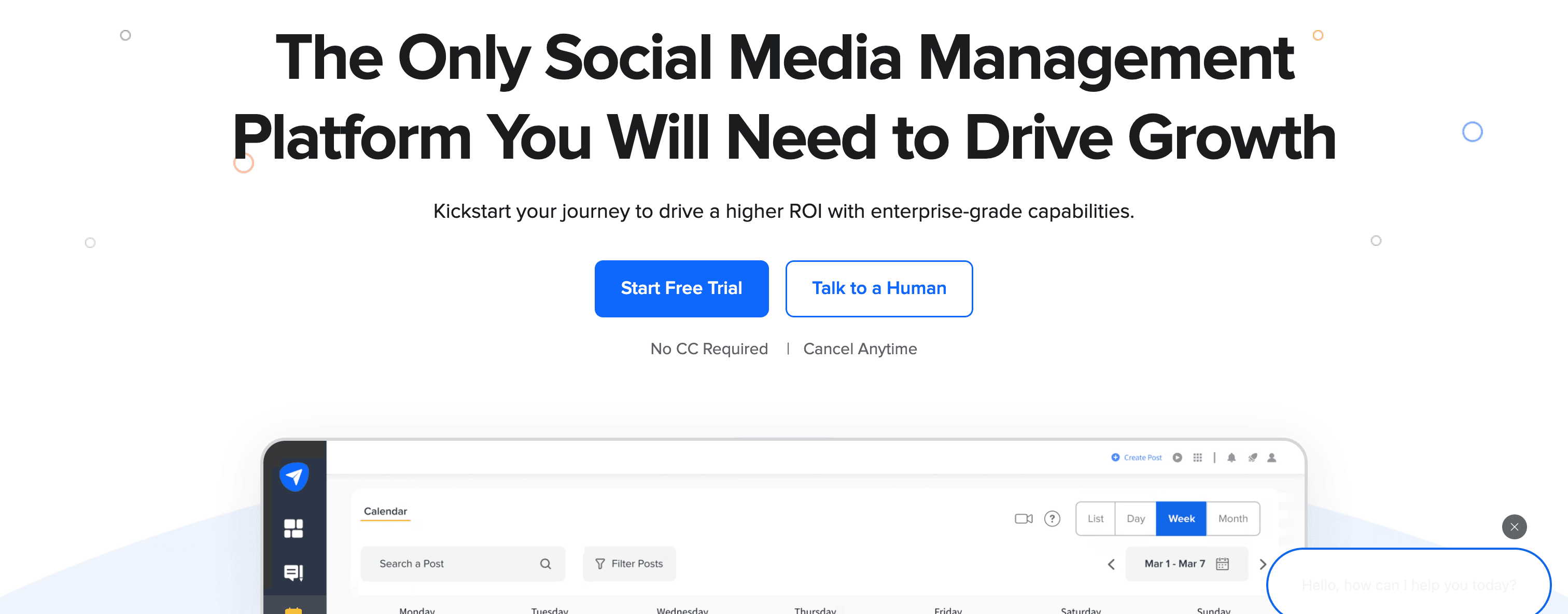
SocialPilot vs Tailwind
Tailwind is built for individual creators. SocialPilot is built for agencies and teams managing many accounts at once, with client management infrastructure Tailwind entirely lacks.
Bulk scheduling
SocialPilot's bulk upload feature lets you schedule hundreds of posts via CSV in a single operation. For agencies managing Pinterest-heavy accounts or brands with high posting volumes, this saves significant time versus one-at-a-time scheduling.
Client management
SocialPilot includes:
- Separate workspaces per client
- Client approval workflows
- White-label PDF reports branded with your agency logo
- Team member role assignment
For agencies, these features replace the need for additional project management tools.
Platform coverage
SocialPilot supports 10+ platforms including Pinterest, Instagram, Facebook, Twitter/X, LinkedIn, TikTok, and Google Business Profile — broader coverage than Tailwind.
Analytics and reporting
SocialPilot provides analytics across all supported platforms with exportable PDF reports that can be white-labeled. This is significantly more reporting capability than Tailwind offers.
Pricing
Professional — $30/month
- 25 social accounts
- 1 user
- Bulk scheduling
Small Team — $50/month
- 50 social accounts
- 3 users
- Client management
Agency — $100/month
- 100 social accounts
- 6 users
- White-label reports
All plans include a 14-day free trial.
Pros
- Bulk scheduling saves time for high-volume accounts
- Client management with white-label reports
- 25+ social accounts on the entry plan
- Affordable for agencies compared to Hootsuite/Sprout Social
Cons
- Interface feels less polished than modern tools
- No Pinterest Communities equivalent
- No crossposting automation
- Analytics less detailed than Sprout Social
| Feature | SocialPilot | Tailwind |
|---|---|---|
| Bulk scheduling | ✅ CSV upload | ❌ No |
| Client management | ✅ Yes | ❌ No |
| White-label reports | ✅ Yes | ❌ No |
| Pinterest depth | Basic | ✅ SmartSchedule, etc. |
Verdict
SocialPilot is the right Tailwind alternative for agencies managing multiple client Pinterest and social media accounts. Bulk scheduling, white-label reports, and client workspaces make it agency-ready in a way Tailwind isn't. For solo creators, the agency features are more than needed.
Best for: Digital marketing agencies, freelancers managing client social media accounts, and teams running high-volume Pinterest and multi-platform campaigns.
Alternative #10: Metricool
Metricool combines social media scheduling with comprehensive analytics, ad performance monitoring, and a generous free plan — making it one of the most value-dense options for budget-conscious creators.
Metricool vs Tailwind
Tailwind's analytics focus on Pinterest-specific metrics. Metricool provides broader analytics across all platforms including Pinterest, ad performance, and competitor benchmarking — often at lower prices than Tailwind's equivalent tiers.
Analytics and reporting
Metricool's analytics are among the most comprehensive at this price range:
- Performance metrics across all connected platforms
- Ad performance tracking (Facebook Ads, Google Ads, TikTok Ads)
- Competitor benchmarking and comparison
- Best time to post based on your audience's engagement data
- PDF report exports
For creators and brands that want data-driven optimization across platforms — not just Pinterest — Metricool delivers more reporting breadth than Tailwind.
Platform support
Metricool supports:
- Instagram, Facebook, Twitter/X, LinkedIn
- Pinterest, TikTok, YouTube
- Google Business Profile
- Twitch
- Facebook Ads and Google Ads tracking
Free plan
Metricool's free plan includes 1 brand with scheduling and analytics — considerably more useful than Tailwind's nearly-unusable 5-post-per-month free tier.
Pricing
Free — $0/month
- 1 brand
- Basic scheduling and analytics
Starter — $45/month (billed annually) or $54/month monthly
- 5 brands
- Advanced analytics
- Custom reports
Advanced — For teams and agencies with larger portfolios
- Collaboration features
- Custom report templates
Note: Metricool has recently updated pricing — verify current plans at their website.
Pros
- Comprehensive analytics beyond Pinterest metrics
- Ad performance tracking across multiple ad platforms
- More useful free plan than Tailwind's
- Competitor benchmarking included
- Wide platform support
Cons
- Interface can feel complex with all features visible
- No Pinterest Communities equivalent
- No visual grid planning for Instagram
- No crossposting automation
- Some advanced features locked behind higher tiers
| Feature | Metricool | Tailwind |
|---|---|---|
| Analytics depth | ✅ Cross-platform | Pinterest-focused |
| Ad tracking | ✅ Yes | ❌ No |
| Free plan | ✅ More generous | Very limited |
| Pinterest depth | Basic scheduling | ✅ SmartSchedule, etc. |
Verdict
Metricool is the best Tailwind alternative for analytics-focused creators who want to track performance across platforms, not just Pinterest. The free plan is more usable than Tailwind's, and the ad tracking adds value for brands running paid social alongside organic content. Pinterest-specific features like Communities aren't available.
Best for: Data-driven marketers, small businesses running paid social ads, creators who want analytics across all platforms at affordable pricing.
Alternative #11: Agorapulse
Agorapulse is built around social inbox management and community engagement, providing scheduling alongside powerful tools for managing comments, messages, and mentions that Tailwind doesn't offer.

Agorapulse vs Tailwind
Tailwind is purely a scheduling and Pinterest optimization tool. Agorapulse combines scheduling with a unified social inbox — making it better suited for brands with active communities who need to manage engagement alongside publishing.
Unified social inbox
Agorapulse's signature feature consolidates:
- Comments on all your posts
- Direct messages from all platforms
- Mentions and tags
- Facebook and Instagram ad comments
The inbox includes saved replies for common questions, team member assignment for messages, sentiment analysis, and labeling for organization. For brands managing active Pinterest and Instagram communities, this is significantly more powerful than Tailwind's scheduling-only approach.
Social listening
Agorapulse includes basic social listening to monitor brand mentions and keywords — helping brands identify when their pins are being discussed or reshared organically.
Scheduling and publishing
The scheduling features cover Instagram, Facebook, Twitter/X, LinkedIn, YouTube, TikTok, and Google Business Profile. Pinterest is not currently listed as a directly supported publishing platform — worth verifying before making a decision based on Pinterest scheduling needs.
Analytics
Agorapulse provides detailed analytics per platform with competitor benchmarking and exportable custom reports.
Pricing
Standard — $49/month (1 user, 10 profiles, annually)
- Unified inbox
- Publishing and scheduling
- Basic reporting
Professional — $79/month per user
- Advanced reporting
- Competitor analysis
- ROI tracking
Advanced — $119/month per user
- Custom workflows
- Advanced permissions
All plans include a 30-day free trial.
Pros
- Excellent unified social inbox for community management
- Saved replies and team assignment for messages
- Competitor benchmarking in analytics
- Generous 30-day free trial
Cons
- More expensive than Tailwind
- Pinterest direct publishing not confirmed — verify before switching
- No Pinterest Communities equivalent
- No crossposting automation
| Feature | Agorapulse | Tailwind |
|---|---|---|
| Social inbox | ✅ Comprehensive | ❌ No |
| Community management | ✅ Yes | ❌ No |
| Pinterest depth | Basic/unconfirmed | ✅ SmartSchedule, etc. |
| Pricing | $49-119/mo per user | $14.99-49.99/mo |
Verdict
Agorapulse is the right Tailwind alternative if community management and social inbox are as important as scheduling. Brands managing active comment sections, DMs, and mentions across platforms will find Agorapulse's inbox infrastructure far more capable than Tailwind. For pure Pinterest scheduling, other options are stronger.
Best for: Brands with active social communities, customer service teams using social platforms, agencies managing client engagement.
Alternative #12: Planable
Planable is the collaboration-first alternative, built around content approval workflows for agencies and teams where stakeholders need to review posts before publishing.

Planable vs Tailwind
Tailwind is designed for individual creators. Planable is designed for teams where content requires review and approval before going live — a workflow Tailwind doesn't support.
Content approval workflows
Planable's standout feature:
- Creators draft posts in Planable
- Stakeholders review and leave feedback
- Approvers give final sign-off
- Posts publish automatically after approval
This eliminates email chains and shared documents for content review — a common pain point for agencies managing client Pinterest accounts.
Visual content preview
Planable shows realistic previews of how posts will appear on each platform before publishing. The feed view makes it easy to spot formatting issues with Pinterest pins, Instagram posts, and other platform content before they go live.
Real-time collaboration
Multiple team members can draft and edit content simultaneously with Google Docs-style collaboration. Comments on specific posts, version history, and notification systems keep teams coordinated without additional project management tools.
Platform support
Planable supports:
- Instagram (feed, Stories, Reels)
- Facebook (pages, groups)
- LinkedIn (profiles, pages)
- Twitter/X
- TikTok
- Google My Business
- Threads
- YouTube
Pricing
Free — $0/month
- 50 total posts
- Unlimited users
Basic — $13/month
- Unlimited posts
- 1 workspace
- Content approval
Pro — $26/month
- Multiple workspaces
- Custom approval workflows
- Universal content
Enterprise — Custom pricing
- Advanced security and support
At $13/month for unlimited posts and unlimited users, Planable is one of the most affordable tools for team workflows.
Pros
- Excellent content approval workflows for teams
- Visual previews of posts across all platforms
- Supports Pinterest alongside all major platforms
- Unlimited users on paid plans
- Affordable team pricing ($13/mo)
Cons
- No Pinterest Communities equivalent
- No SmartSchedule optimization
- No analytics — scheduling and approval only
- No social inbox or listening features
- No crossposting automation
| Feature | Planable | Tailwind |
|---|---|---|
| Approval workflows | ✅ Yes | ❌ No |
| Team collaboration | ✅ Real-time | ❌ No |
| Pinterest support | ✅ Yes | ✅ Deep optimization |
| Pricing | $13/mo unlimited | $14.99-49.99/mo |
Verdict
Planable is the best Tailwind alternative for agencies and marketing teams who need content approval workflows for Pinterest and multi-platform publishing. The collaboration features are built-in and the pricing is genuinely affordable for teams. But if you're a solo creator focused on Pinterest optimization, Planable offers no advantage over Tailwind.
Best for: Agencies managing client Pinterest accounts, marketing teams with approval processes, brands requiring stakeholder sign-off before publishing.
Which Tailwind alternative fits you?
The right tool depends on your specific workflow. Here's who each alternative serves best:
For automatic multi-platform distribution without manual scheduling
- PostOnce — Post once natively, automatically crosspost to eligible destinations. Supports Pinterest, Instagram, LinkedIn, Threads, Bluesky, X, Facebook, and YouTube from $29/month.
For visual content planning and Instagram grid aesthetics
- Later — Best visual grid planner with Pinterest and TikTok support. From $25/month.
- Planoly — Strong visual planner with clean interface and broad platform support. From $16/month.
For simple and affordable multi-platform scheduling
- Buffer — Clean scheduling across 6+ platforms including Pinterest. From $6/month per channel.
- Publer — Wide platform coverage at low entry pricing. From $12/month.
For enterprise social media management
- Hootsuite — Team workflows, unified inbox, 20+ platforms. From $99/month.
- Sprout Social — Enterprise analytics, social listening, brand reporting. From $249/month.
For agencies and client management
- SocialPilot — Bulk scheduling, white-label reports, client workspaces. From $30/month.
- Planable — Content approval workflows for teams. From $13/month.
For analytics and data-driven optimization
- Metricool — Cross-platform analytics, ad tracking, generous free plan. Free to $45+/month.
For community management alongside scheduling
- Agorapulse — Unified social inbox, team assignment, sentiment analysis. From $49/month.
For evergreen content automation
- SocialBee — Category-based recycling across 10+ platforms. From $29/month.
FAQs about Tailwind alternatives
What's better than Tailwind for creators posting on multiple platforms?
PostOnce is better for creators publishing across multiple platforms. Instead of manually scheduling posts for Pinterest, Instagram, LinkedIn, Threads, and beyond, PostOnce automates crossposting from supported sources to eligible destinations. Source/destination pairs and post types vary. This eliminates repetitive scheduling work for eligible routes.
For creators specifically focused on Instagram visual planning, Later or Planoly offer better grid planning than Tailwind's Instagram features. For enterprise analytics, Sprout Social goes much deeper.
Is there a cheaper alternative to Tailwind?
Yes, several Tailwind alternatives offer lower pricing:
Free options:
- Metricool — Free plan with scheduling and analytics for 1 brand
- Publer — Free plan with 3 accounts and 10 posts per account
- Planable — Free plan for 50 total posts
Paid options cheaper than Tailwind's Pro ($14.99/mo):
- Buffer — $6/month per channel
- Publer — $12/month for 3 accounts
For multi-platform creators managing 5+ platforms, PostOnce at $29/month can be more cost-effective than Tailwind when you factor in not needing additional tools for LinkedIn, Threads, and Bluesky.
What's the best free Tailwind alternative?
Metricool offers the most useful free plan — 1 brand with scheduling capabilities and analytics. Tailwind's free plan caps you at 5 posts per month with 1 account, which is barely usable. Publer's free plan allows 3 accounts with 10 posts each, and Planable's free tier gives 50 total posts across all platforms.
None of these match Tailwind's Pinterest-specific optimization features, but they provide broader multi-platform scheduling without cost.
Does any Tailwind alternative support Pinterest Communities?
None of the alternatives on this list replicate Tailwind Communities (formerly Tribes) — the content sharing network where Tailwind users share each other's pins. This is a genuinely unique feature to Tailwind. If Pinterest Communities is a core part of your Pinterest growth strategy, switching away from Tailwind means losing this feature.
However, if you're looking to explore the best crossposting tools or best social media scheduling tools for broader social media presence, the alternatives above offer significant advantages in platform coverage and workflow automation.
Which Tailwind alternative is best for Pinterest AND Instagram together?
Later and Planoly are the strongest alternatives for creators managing both Pinterest and Instagram:
- Later offers better visual grid planning, a stronger Linkin.bio feature, and TikTok support. From $25/month.
- Planoly has a clean visual interface, Pinterest scheduling in the same workspace as Instagram, and TikTok/LinkedIn support. From $16/month.
Both lack Tailwind's Pinterest-specific optimization features like SmartSchedule and Communities, but provide a more modern interface with broader platform support.
Can I automate Pinterest crossposting?
PostOnce supports Pinterest as a destination platform, meaning you can crosspost automatically from other platforms to Pinterest. This is useful for creators who produce content natively on Instagram or other platforms and want it distributed to Pinterest automatically.
For dedicated Pinterest crossposting workflows — post to all social media at once including Pinterest — PostOnce is built for exactly this use case.
Which Tailwind alternative is best for agencies?
SocialPilot is the best agency-focused Tailwind alternative, offering bulk scheduling, separate client workspaces, and white-label PDF reports starting at $30/month for 25 accounts. Planable is better for agencies that need content approval workflows before publishing. Sendible also serves agencies with client management and white-label reporting.
All three are significantly more agency-ready than Tailwind, which lacks client workspaces and approval workflows entirely.
What about Tailwind for TikTok?
Tailwind does not support TikTok. If TikTok is part of your social media strategy, you'll need a different tool. Later, Buffer, SocialPilot, SocialBee, Publer, and Planoly all support TikTok scheduling directly. According to the Sprout Social Index, short-form video continues to see the highest engagement rates across social platforms — making TikTok support increasingly important for creators.
Final thoughts: Choosing the right Tailwind alternative
Tailwind serves Pinterest creators well, particularly those who rely on SmartSchedule optimization, Communities for pin distribution, and SmartPin for fresh content automation. If Pinterest is your sole or primary growth platform, Tailwind remains a defensible choice.
But the social media landscape in 2026 demands more. Creators building presence on LinkedIn, Threads, Bluesky, TikTok, and YouTube alongside Pinterest need tools that don't force them to manage each platform in isolation. That's where Tailwind's narrow focus becomes a real constraint.
If you want automatic multi-platform distribution → PostOnce eliminates manual scheduling entirely. Post once natively, automatic crossposting to Pinterest, Instagram, LinkedIn, Threads, Bluesky, Facebook, X, and YouTube. The how to manage multiple social media accounts challenge becomes trivial when distribution is automated.
If Instagram visual planning matters as much as Pinterest → Later or Planoly offer superior visual grid tools with Pinterest and TikTok support alongside Instagram.
If you're on a tight budget → Buffer ($6/mo per channel), Publer ($12/mo), or Metricool (free plan) provide broad multi-platform scheduling at lower costs than Tailwind's comparable tiers.
If you manage clients or a team → SocialPilot for bulk scheduling and white-label reports, Planable for approval workflows, or Agorapulse for community management.
If enterprise analytics and social listening matter → Hootsuite or Sprout Social go far deeper than Tailwind's metrics.
For most creators who've outgrown Tailwind's Pinterest-only focus, PostOnce delivers the biggest workflow improvement — not by replacing scheduling with better scheduling, but by eliminating manual scheduling across platforms entirely. The time saved on cross-platform distribution compounds weekly, freeing you to focus on creating content rather than managing where it goes.
Try PostOnce free for 7 days
Stop manually scheduling the same content to Pinterest, Instagram, LinkedIn, and beyond. Post natively on your preferred platform and let PostOnce handle automatic distribution to eligible destinations.
Whether you choose PostOnce or another Tailwind alternative, the goal is the same: less time managing tools, more time creating content worth sharing.