


















Onlypult has carved out a niche as an affordable social media scheduling tool — particularly for Instagram-focused users who want a clean, simple way to manage posts across multiple accounts. But as social media evolves and creators build presence across more platforms simultaneously, many users are searching for Onlypult alternatives that better handle multi-platform workflows, include stronger analytics, or simply offer a more complete feature set.
Whether you're frustrated with Onlypult's fragmented calendar view (Instagram and Facebook in separate calendars), hitting limits with its team member access restrictions, or looking for a tool that goes beyond basic scheduling — this guide covers the 13 best alternatives to Onlypult worth considering in 2026.
If you are looking for an Onlypult alternative, the usual gaps are fragmented calendars, limited newer-platform coverage, and too much manual work when the same content needs to appear on Instagram, LinkedIn, X, Threads, and Bluesky. For multi-platform publishing, compare Instagram to LinkedIn crossposting, how to manage multiple social media accounts, and the best social media scheduling tools.
The typical social media user now engages with roughly 7 platforms each month, and managing that presence manually across each platform is exhausting. The right social media management tool should reduce that workload, not create more friction.
I've evaluated each Onlypult alternative on this list comparing features like platform coverage, automation capabilities, analytics depth, team collaboration, and pricing structures. Some excel at automatic content distribution, others shine with community management or deep analytics, and a few cater specifically to agencies.
You'll find tools like PostOnce (which automates crossposting so you post once natively and it distributes to eligible destinations), enterprise platforms like Hootsuite and Sprout Social, visual planners like Later, collaboration-focused tools like Planable, and budget-friendly options like SocialPilot and Metricool.
Here's what this Onlypult alternatives comparison covers:
- Quick comparison table of all 13 tools with pricing and key strengths
- What Onlypult does well (and where it falls short)
- Detailed breakdown of each alternative with pros, cons, and best use cases
- Pricing comparisons so you know exactly what you're getting for the money
- Which alternative fits your specific workflow — creators, agencies, enterprises
- FAQs about switching from Onlypult
Let's get into the best Onlypult alternatives for 2026.
Quick comparison table
| Tool | Best for | Workflow | Platforms | Pricing from | Strength |
|---|---|---|---|---|---|
| PostOnce | Crossposting automation | Native→Auto | TT/IG/YT/FB/LI/X/BS/PT/TH* | $29/mo | Saves hours weekly |
| Buffer | Simple scheduling | Manual scheduling | FB/IG/X/LI/PT/TT | $6/mo/channel | Clean, easy interface |
| Hootsuite | Enterprise teams | Manual scheduling | 20+ networks | $99/mo | Comprehensive features |
| Later | Visual Instagram planning | Calendar-based | IG/FB/TT/PT/LI/X/TH | $25/mo | Visual content calendar |
| Sprout Social | Analytics & reporting | Scheduled posts | All major platforms | $199/mo | Deep analytics |
| Planable | Team collaboration | Approval workflows | All major platforms | $33/mo | Content approval |
| SocialPilot | Budget-conscious agencies | Bulk scheduling | 10+ networks | $30/mo | Affordable agency tool |
| Agorapulse | Social inbox management | Unified inbox | FB/IG/X/LI/YT/TT | $69/mo | Inbox + scheduling |
| Sendible | Agencies | Client management | 20+ networks | $29/mo | White-label reports |
| Loomly | Brand management | Campaign planning | 10+ networks | $32/mo | Post ideas & tips |
| CoSchedule | Marketing teams | Marketing calendar | 5+ networks | $29/mo | Full marketing suite |
| Metricool | Analytics focus | Scheduled posts + analytics | 15+ networks | Free | Free analytics plan |
| SocialBee | Content recycling | Evergreen content | 10+ networks | $29/mo | Content categories |
*IG=Instagram, X=Twitter/X, LI=LinkedIn, BS=Bluesky, TH=Threads, FB=Facebook, PT=Pinterest, YT=YouTube, TT=TikTok
Why consider an Onlypult alternative?
Onlypult built a loyal user base with genuinely affordable pricing — its START plan at $15/month undercuts many competitors significantly. For solo creators managing a handful of Instagram accounts, it gets the job done. But growing needs quickly run into Onlypult's structural limitations.
What Onlypult does well
Affordable entry pricing
Onlypult's pricing is genuinely competitive. The START plan at $15/month and SMM plan at $25/month cost far less than enterprise-tier tools. For creators just getting started with multi-platform social media management, this price point is hard to argue with.
Multi-account support from the start
Even on entry-level plans, Onlypult supports multiple social media accounts, which differentiates it from tools that lock multi-account support behind expensive tiers.
Built-in media editing
Onlypult includes image and video editing tools within the platform, reducing the need to jump between apps for basic media adjustments before posting. This is a convenience advantage over scheduling tools with no editing capabilities.
Team collaboration features
All Onlypult plans include teamwork features, making it accessible for small marketing teams without needing to upgrade to a separate plan tier.
Where Onlypult falls short
Fragmented calendar view
One of the most common criticisms from Onlypult users is that Instagram and Facebook posts are displayed in separate calendars rather than a unified content calendar. This makes it harder to plan your full content strategy at a glance, and managing posts for the same client across different networks requires switching between views constantly.
No AI tools or smart suggestions
Unlike many modern social media management tools, Onlypult lacks AI-powered features — no AI caption generation, no hashtag suggestion engine, and no optimal posting time recommendations (a feature that's reportedly in development but only planned for Instagram). In 2026, this gap is increasingly noticeable.
Limited platform coverage for newer networks
Onlypult's platform support skews toward established networks. If you're building a presence on Bluesky, Threads, or other emerging platforms where audience growth is happening right now, Onlypult's platform coverage will feel restrictive.
Account reconnection issues for analytics
Several user reviews report needing to reconnect social accounts to access performance analytics — a workflow interruption that adds unnecessary friction to what should be a seamless experience.
Scaling gets expensive for agencies
While Onlypult's entry pricing is competitive, its plan structure becomes limiting for agencies. Profile limits per plan mean that managing multiple client accounts requires upgrading to the PRO plan at $79/month, which may not be affordable for smaller agencies compared to dedicated agency-focused tools.
Bottom line on Onlypult
Onlypult works well as an affordable Instagram-focused scheduler for solo creators and small teams. But users who need a unified content calendar, AI assistance, coverage for newer social platforms, or scalable agency features will quickly hit its limitations. The tools below offer meaningful improvements in one or more of these areas.
How these alternatives were evaluated
Each Onlypult alternative on this list was evaluated against the same criteria to ensure a fair comparison:
Workflow efficiency — How many steps from content creation to multi-platform distribution? Does it reduce or eliminate repetitive manual work?
Platform coverage — Which social networks are supported? Does it include newer platforms like Threads, Bluesky, and TikTok?
Automation capabilities — Does it require manual intervention for every post, or does it automate content distribution?
AI features — Does it offer AI-powered writing assistance, caption generation, or optimization recommendations?
Pricing fairness — Is the cost justified by the features offered? Are there accessible entry points or free plans?
Best use cases — Who is this tool actually built for? Creators, agencies, enterprises, or specific niches?
Now let's look at the 13 best Onlypult alternatives for 2026.
Onlypult alternative #1: PostOnce
PostOnce takes a fundamentally different approach to social media management than Onlypult. Rather than manually scheduling the same post across each platform, PostOnce automates crossposting — you post natively on your preferred platform, and PostOnce automatically distributes it to all your connected accounts.
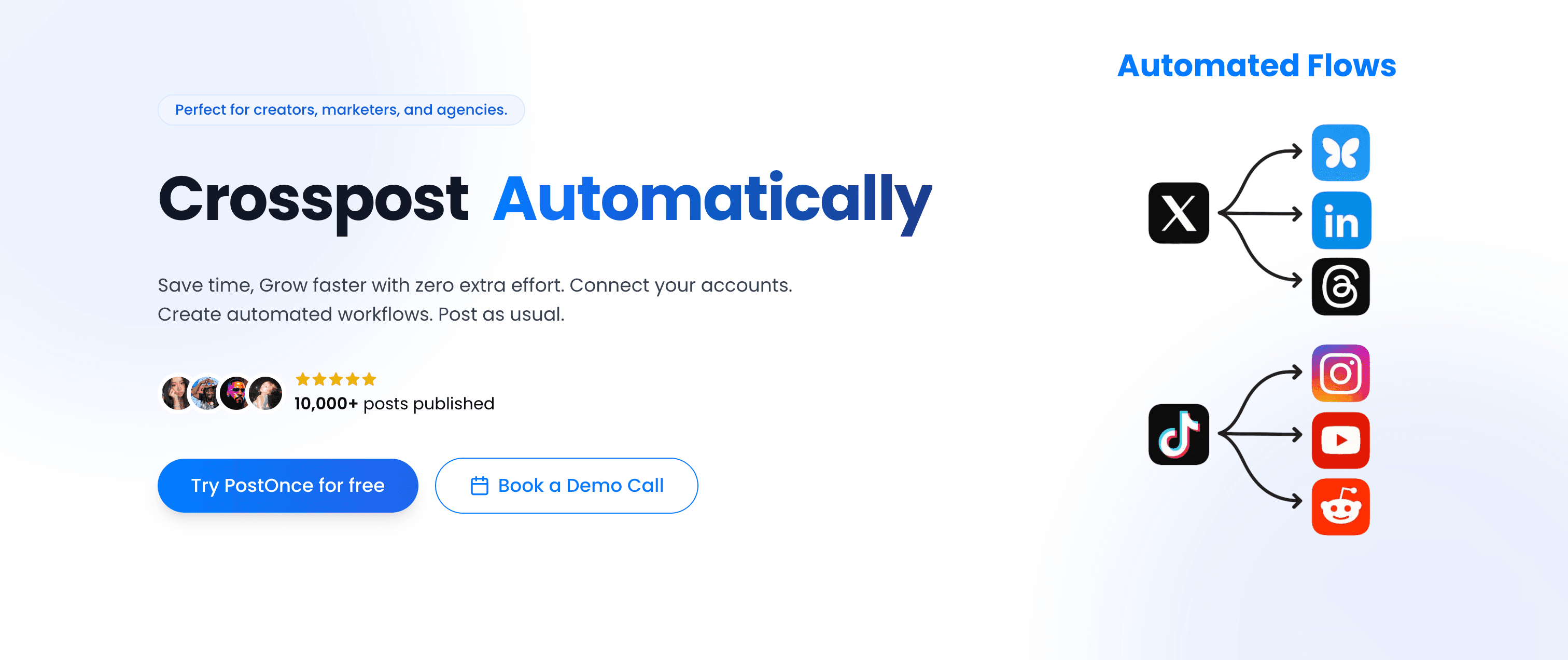
PostOnce vs Onlypult
Where Onlypult requires you to manually create and schedule posts for each social media platform you manage, PostOnce eliminates that repetitive loop entirely. Here's the core difference:
Onlypult workflow:
- Create a post for Instagram
- Schedule it in Onlypult
- Navigate to the separate Facebook calendar
- Create and schedule the same post for Facebook
- Manually repeat for LinkedIn, Twitter/X, Threads...
- Deal with fragmented calendar views for each network
PostOnce workflow:
- Post natively on Instagram (or wherever you naturally create)
- PostOnce distributes to eligible destinations in your configured flow; source/destination pairs and post types vary
- Done — content is distributed everywhere in seconds
This isn't just marginally faster. It changes the entire mental model of multi-platform social media management. Instead of treating crossposting as a scheduling chore, PostOnce makes content distribution invisible.
Platform support
PostOnce currently supports:
- TikTok (supported post types vary)
- Instagram (feed posts, carousels, Reels)
- Twitter/X (posts, threads, media)
- LinkedIn (posts, documents, videos)
- Bluesky (posts, media, threads)
- Threads (text posts, media)
- Facebook (pages, media)
- Pinterest (pins, boards)
- YouTube (Shorts, community posts)
Available source/destination pairs and post types vary.
Unlike Onlypult, PostOnce includes Bluesky and Threads — two platforms seeing significant audience growth in 2026. Whether you want to crosspost Instagram to LinkedIn or distribute Twitter posts to Bluesky, PostOnce handles the full distribution automatically.
Workflow simplicity
The setup is straightforward:
- Connect your social accounts to PostOnce (one-time setup)
- Create automated crossposting flows (choose which platforms receive content from which source)
- Post natively on your preferred platform — Instagram, Twitter/X, LinkedIn, wherever you naturally create
- PostOnce automatically distributes to eligible destinations in your configured flows; source/destination pairs and post types vary
No fragmented calendars. No platform-switching. No copying and pasting the same post six times. You repurpose content that's already published or create new content once — PostOnce handles the rest.
Content rules and filtering
PostOnce includes smart content filtering so distribution stays targeted:
- Hashtag rules — Only crosspost content with specific hashtags, or exclude certain hashtags from distribution
- Content type filtering — Crosspost only images, only videos, or only text posts based on platform requirements
- Platform-specific rules — Send Instagram Reels to YouTube Shorts and TikTok but keep them off LinkedIn
This means polished, professional content can distribute everywhere, while casual or platform-specific posts stay contained to their original platform.
Pricing
PostOnce offers straightforward, flat-rate pricing:
Creator Plan — $29/month
- 15 social accounts
- unlimited crossposting workflows
- Access to all nine supported platforms; source/destination pairs and post types vary
- Unlimited posts
- Content filtering rules
Pro Plan — $69/month
Agency Plan — $199/month
-
200 social accounts
-
Unlimited crossposting workflows
-
Unlimited posts
-
Priority support
-
50 social accounts
-
Unlimited crossposting flows
-
Priority support
-
Advanced content rules
All three plans include a 7-day free trial. No per-profile fees — flat monthly rates regardless of how many platforms you manage. Compared to Onlypult's per-plan profile limits, PostOnce's flat pricing is more predictable as you scale.
Why PostOnce stands out
Why PostOnce ranks #1 for multi-platform creators
- Native posting → automatic crossposting workflow eliminates the manual repetition that plagues Onlypult and most scheduling tools
- Saves creators approximately 4 hours per week on manual cross-platform posting
- Supports emerging platforms (Bluesky, Threads) that Onlypult doesn't cover
- No fragmented calendars — post naturally, automation handles distribution
- Flat pricing at $29/month covers 15 accounts with unlimited posts
- 50,000+ posts published through the platform
- Content looks native on each platform — HD quality, not scheduler-pushed content
PostOnce is built specifically for content creators, indie hackers, and small businesses who publish regularly across multiple platforms. If you're tired of Onlypult's manual workflow or frustrated with its fragmented calendar view, PostOnce delivers the most significant time savings.
Best for: Content creators, indie hackers, small business owners, podcasters, newsletter writers — anyone crossposting similar content across 4+ platforms regularly.
Not ideal for: Teams needing detailed analytics dashboards, agencies managing dozens of client accounts requiring approval workflows, or enterprises requiring social listening features. PostOnce focuses on crossposting automation, not comprehensive social media management.
Alternative #2: Buffer
Buffer is one of the most established names in social media scheduling — a clean, simple tool that removes complexity from multi-platform posting. Compared to Onlypult, Buffer offers a more polished interface and broader platform coverage, though the per-channel pricing model can add up quickly.
Buffer vs Onlypult
Where Onlypult's calendar fragments across networks, Buffer provides a unified content calendar and cleaner scheduling experience. However, both tools require manual scheduling per platform — there's no automatic crossposting in either tool.
Simple, unified scheduling
Buffer's scheduling interface is clean and intuitive. The queue-based system lets you load content and schedule it across platforms without navigating separate calendars for each network — a direct improvement over Onlypult's fragmented view.
Browser extension
Buffer's browser extension lets you share content from any webpage directly into your scheduling queue. Spot an interesting article? One click adds it to your Buffer queue, ready to schedule — a workflow convenience Onlypult doesn't match.
Platform support
Buffer supports Facebook, Instagram, Twitter/X, LinkedIn, Pinterest, and TikTok (via third-party integration). It notably lacks direct support for Bluesky and Threads, similar to Onlypult's coverage gaps.
AI assistant
Unlike Onlypult, Buffer includes an AI writing assistant to help generate post captions and variations across platforms — useful for teams who want writing support without switching to a separate tool.
Pricing
Free — $0/month (3 channels, 10 posts per channel)
Essentials — $6/month per channel
- Unlimited scheduling
- Analytics
Team — $12/month per channel
- Team collaboration
- Approval workflows
Agency — $120/month (10 channels)
Buffer's per-channel pricing model means costs scale with the number of platforms. Managing 5 platforms on the Essentials plan costs $30/month — comparable to Onlypult's SMM plan — but Buffer offers a more polished experience for that price.
Pros
- Clean, intuitive interface compared to Onlypult
- Unified scheduling calendar (no fragmented views)
- AI writing assistant included
- Free plan available
Cons
- Per-channel pricing adds up for multi-platform creators
- No automatic crossposting
- Limited support for newer platforms (no Bluesky, no Threads)
- Analytics less detailed than Sprout Social
| Feature | Buffer | Onlypult |
|---|---|---|
| Calendar view | Unified | Fragmented by network |
| AI writing | ✅ Yes | ❌ No |
| Free plan | ✅ Yes (3 channels) | ❌ No |
| Pricing | $6/mo per channel | $15/mo flat |
Verdict
Buffer is a solid Onlypult alternative if you want a cleaner interface and unified content calendar. The AI writing assistant and browser extension add day-to-day utility. However, like Onlypult, Buffer still requires manual scheduling per platform — no automation to distribute content across networks.
Best for: Solo creators and small teams who want a cleaner scheduling experience than Onlypult and don't need deep analytics.
Alternative #3: Hootsuite
Hootsuite is the enterprise-tier Onlypult alternative, offering a comprehensive social media management platform with scheduling, monitoring, analytics, and team collaboration far beyond what Onlypult provides.

Hootsuite vs Onlypult
Where Onlypult targets individual creators with affordable scheduling, Hootsuite targets organizations with complex social media operations across multiple brands, regions, and team members. The feature gap is substantial — so is the price difference.
Comprehensive platform coverage
Hootsuite supports 20+ social networks including Facebook, Instagram, Twitter/X, LinkedIn, YouTube, Pinterest, TikTok, and more. The breadth of platform coverage exceeds Onlypult considerably.
Unified social inbox
Unlike Onlypult, Hootsuite includes a unified social inbox aggregating messages, comments, and mentions from all connected accounts into one dashboard. This makes community management far more efficient than Onlypult's platform-by-platform approach.
Team collaboration
Hootsuite offers enterprise-grade team features:
- Role-based permissions (admin, editor, viewer)
- Approval workflows for review before publishing
- Task assignment for team members
- Campaign organization for content initiatives
These collaboration capabilities make Hootsuite significantly better suited for marketing teams than Onlypult's more basic teamwork features.
Analytics and reporting
Hootsuite provides advanced analytics with customizable dashboards, post performance tracking, best time to post recommendations, and competitive benchmarking — all more detailed than Onlypult's analytics.
Pricing
Standard — $99/month
- 1 user, 10 social accounts
- Unlimited scheduling
Advanced — $249/month
- Unlimited social accounts
- Enhanced analytics
- Custom workflows
Enterprise — Custom pricing
- 5+ users, 50+ accounts
Hootsuite removed its free plan entirely, making the $99/month entry point a significant jump from Onlypult's $15/month.
Pros
- Comprehensive features for enterprise social media management
- Unified social inbox for community management
- Robust team collaboration and approval workflows
- 20+ platform support
Cons
- Significantly more expensive than Onlypult ($99/mo vs $15/mo)
- No automatic crossposting — still manual scheduling per platform
- Steeper learning curve due to feature complexity
- Per-user pricing escalates quickly for larger teams
| Feature | Hootsuite | Onlypult |
|---|---|---|
| Pricing | $99-249/mo | $15-79/mo |
| Social inbox | ✅ Comprehensive | ❌ No |
| Platform support | 20+ networks | Limited to major |
| Best for | Enterprise teams | Solo creators |
Verdict
Hootsuite is the right Onlypult alternative if you're running a marketing team, need approval workflows, and require social inbox features for community management. But the price jump from Onlypult to Hootsuite is steep — $99/month vs $15/month — and you're still manually scheduling each platform. Worth it for teams, overkill for solo creators.
Best for: Marketing teams, agencies, enterprises managing multiple brands with dedicated social media managers.
Alternative #4: Later
Later started as an Instagram scheduling tool and has evolved into a visual-first social media planner that emphasizes content calendars and media libraries. It directly addresses one of Onlypult's most common complaints — the fragmented calendar view.

Later vs Onlypult
Where Onlypult fragments Instagram and Facebook into separate calendars, Later provides a unified visual planning experience across all connected platforms. For creators who plan content visually, Later's approach is significantly more intuitive.
Visual Instagram grid planning
Later's signature feature is the visual Instagram planner showing your grid layout as you schedule posts. You can drag and drop posts to rearrange your feed aesthetic, ensuring your Instagram profile looks cohesive before anything goes live.
For creators who care about Instagram aesthetics — which Onlypult's audience heavily overlaps with — this is a meaningful upgrade.
Unified content calendar
Unlike Onlypult, Later shows all your scheduled content in a single calendar view across all connected platforms. You can filter by platform or see everything together, making weekly content planning much more practical.
Media library
Later includes a robust media library where you can store, organize, and tag images and videos. Unlike Onlypult's more basic media handling, Later's library approach works well for creators building content assets over time.
Platform support
Later supports Instagram (feed, Stories, Reels, carousels), Facebook, TikTok (direct posting), Pinterest, LinkedIn, Twitter/X, and Threads. The inclusion of TikTok direct posting gives Later an advantage over Onlypult in platform coverage.
Pricing
Starter — $25/month (1 social set)
- 30 posts per social profile per month
- Link in bio tool
- Best time to post
Growth — $45/month (3 social sets)
- Unlimited posts
- User-generated content tools
- Competitor analytics
Advanced — $80/month (6 social sets)
- Everything in Growth
- Advanced analytics
Agency — $200/month (15+ social sets)
Later moved to a social set model (one account per platform per set), and no longer offers a free plan — only a 14-day free trial.
Pros
- Visual Instagram grid planning addresses Onlypult's fragmented calendar weakness
- Unified content calendar across all platforms
- TikTok direct posting
- Media library with organization tools
Cons
- No automatic crossposting — still manual scheduling
- Social set pricing can be limiting for multi-brand users
- Analytics less detailed than Sprout Social
- No AI writing assistant
| Feature | Later | Onlypult |
|---|---|---|
| Calendar view | ✅ Unified visual | ❌ Fragmented |
| TikTok support | ✅ Yes | Limited |
| Visual grid plan | ✅ Instagram grid | ❌ No |
| Pricing | $25/mo (1 social set) | $15/mo flat |
Verdict
Later is the best Onlypult alternative for Instagram-focused creators who want a visual planning experience and a unified content calendar. It directly fixes Onlypult's biggest workflow complaint. However, like Onlypult, Later still requires manual scheduling per platform — no automatic content distribution.
Best for: Instagram creators, visual content planners, influencers who prioritize feed aesthetics and grid planning.
Alternative #5: Sprout Social
Sprout Social positions itself as the analytics-focused social media management platform, offering deep reporting and social listening capabilities that Onlypult simply doesn't provide.
Sprout Social vs Onlypult
While Onlypult provides basic analytics, Sprout Social offers enterprise-grade reporting with customizable dashboards, competitor analysis, and audience demographics that help social media teams justify their spend and optimize strategy.
Advanced analytics and reporting
Sprout Social's standout capability is its comprehensive analytics:
- Performance reports with engagement metrics across all platforms
- Audience demographics showing follower and engagement profiles
- Competitor analysis comparing your performance to similar brands
- Custom reports exportable for stakeholder presentations
For social media managers accountable for reporting results to leadership, Sprout Social delivers what Onlypult's basic analytics cannot.
Social listening
Sprout Social includes social listening tools monitoring brand mentions, industry keywords, and competitor activity. This proactive intelligence goes well beyond Onlypult's capabilities.
Smart Inbox
Sprout Social's Smart Inbox consolidates messages, comments, and mentions from all connected platforms with features like automated tagging, collision detection (preventing two team members from responding to the same message), and saved replies.
Scheduling and publishing
Scheduling features are comparable to Onlypult's — content calendar, queue scheduling, best time to post. But like Onlypult, Sprout Social requires manual scheduling per platform without crossposting automation.
Pricing
Standard — $199/month (per seat)
- 5 social profiles
- All-in-one inbox
- Publishing and scheduling
Professional — $299/month (per seat)
- Unlimited social profiles
- Competitive reports
- Trends and listening
Advanced — $399/month (per seat)
- Advanced automation
- Digital asset library
Enterprise — Custom pricing
Sprout Social prices per user/seat, making it the most expensive tool on this list by a significant margin.
Pros
- Industry-leading analytics and reporting
- Social listening for brand monitoring
- Smart Inbox for community management
- Excellent for proving social media ROI to stakeholders
Cons
- Extremely expensive ($199/mo per seat vs Onlypult's $15/mo)
- Complete overkill for solo creators or small businesses
- Still requires manual scheduling per platform
- Steep learning curve across all features
| Feature | Sprout Social | Onlypult |
|---|---|---|
| Analytics | Enterprise-grade | Basic |
| Pricing | $199-399/mo per seat | $15-79/mo flat |
| Social listening | ✅ Yes | ❌ No |
| Best for | Enterprise analytics | Affordable scheduling |
Verdict
Sprout Social is built for established brands with dedicated social media teams who need to prove ROI with detailed analytics. The $199/month per-seat price makes it impossible to justify as an Onlypult replacement for individual creators. But for mid-size to enterprise marketing teams, the analytics and reporting capabilities justify the investment.
Best for: Established brands, marketing teams, social media managers who need comprehensive analytics and social listening.
Alternative #6: Planable
Planable differentiates itself as the collaboration-first social media platform, built around content approval workflows rather than just scheduling. It addresses a gap Onlypult's basic teamwork features don't fully fill.
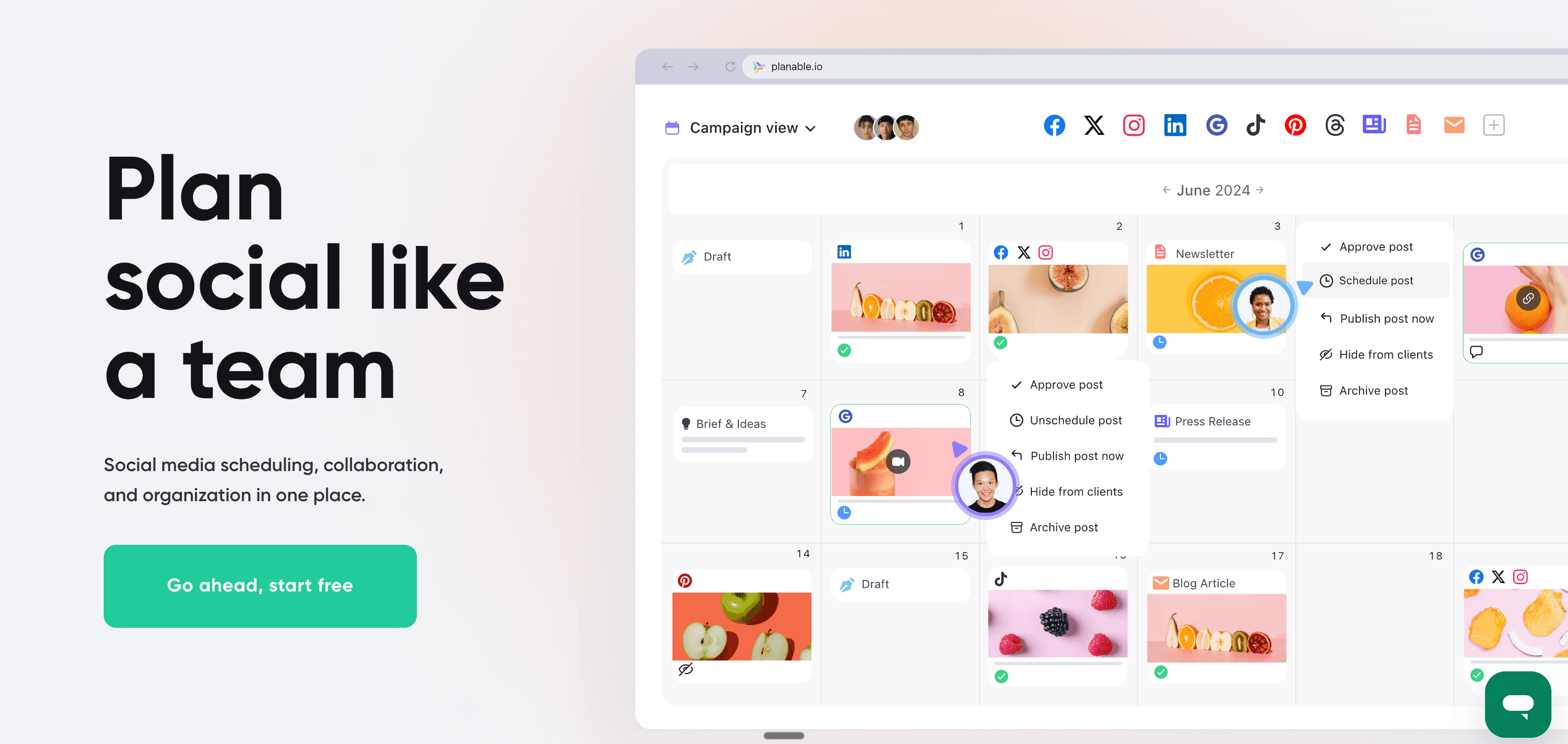
Planable vs Onlypult
Where Onlypult offers basic multi-user access, Planable is built end-to-end for teams that need structured approval workflows — agencies creating content for clients, or marketing teams where stakeholders must review posts before publishing.
Multi-level approval workflows
Planable's standout feature is structured content approval:
- Creators draft posts in Planable
- Stakeholders review and leave contextual feedback
- Approvers give final sign-off
- Posts automatically publish after approval
This replaces the email chains and Slack threads that typically accompany Onlypult-based review processes.
Visual feed preview
Planable provides calendar, grid, list, and feed views of scheduled content. The feed view shows exactly how posts will appear on each platform before they go live — catching formatting issues that Onlypult's interface doesn't surface.
Real-time collaboration
Multiple team members can work on content simultaneously. Teammates see who's editing, can leave inline comments on specific posts, and receive notifications when content needs review.
Platform support
Planable supports Facebook, Instagram, LinkedIn, Twitter/X, TikTok, YouTube, Google My Business, and more.
Pricing
Free — $0/month (50 posts, unlimited users)
Basic — $33/month per workspace
- Unlimited posts
- Content approval workflows
Pro — $89/month per workspace
- Custom approval workflows
- Advanced collaboration
Enterprise — Custom pricing
Planable's pricing changed to a per-workspace model, making it more expensive than its previous per-user pricing, but still accessible for teams needing structured approval workflows.
Pros
- Best content approval workflows among Onlypult alternatives
- Visual feed preview shows exactly how posts appear
- Unlimited users even on lower plans
- Free plan available (50 posts)
Cons
- Per-workspace pricing can be confusing
- Less robust analytics than Sprout Social
- No social listening or inbox features
- No automatic crossposting
| Feature | Planable | Onlypult |
|---|---|---|
| Approval workflows | ✅ Multi-level | Basic only |
| Feed preview | ✅ Yes | ❌ No |
| Free plan | ✅ Yes (50 posts) | ❌ No |
| Best for | Team collaboration | Solo scheduling |
Verdict
Planable is the best Onlypult alternative for agencies and marketing teams who need client approval workflows and collaborative content review. The visual feed preview and structured approvals solve real workflow problems that Onlypult's basic teamwork features don't address. But like Onlypult, Planable still requires manual scheduling for each platform.
Best for: Agencies managing client social accounts, marketing teams with approval processes, brands requiring stakeholder sign-off before publishing.
Alternative #7: SocialPilot
SocialPilot is the budget-friendly Onlypult alternative for agencies, offering comprehensive features — bulk scheduling, white-label reports, client management — at prices that scale better than Onlypult for managing multiple client accounts.
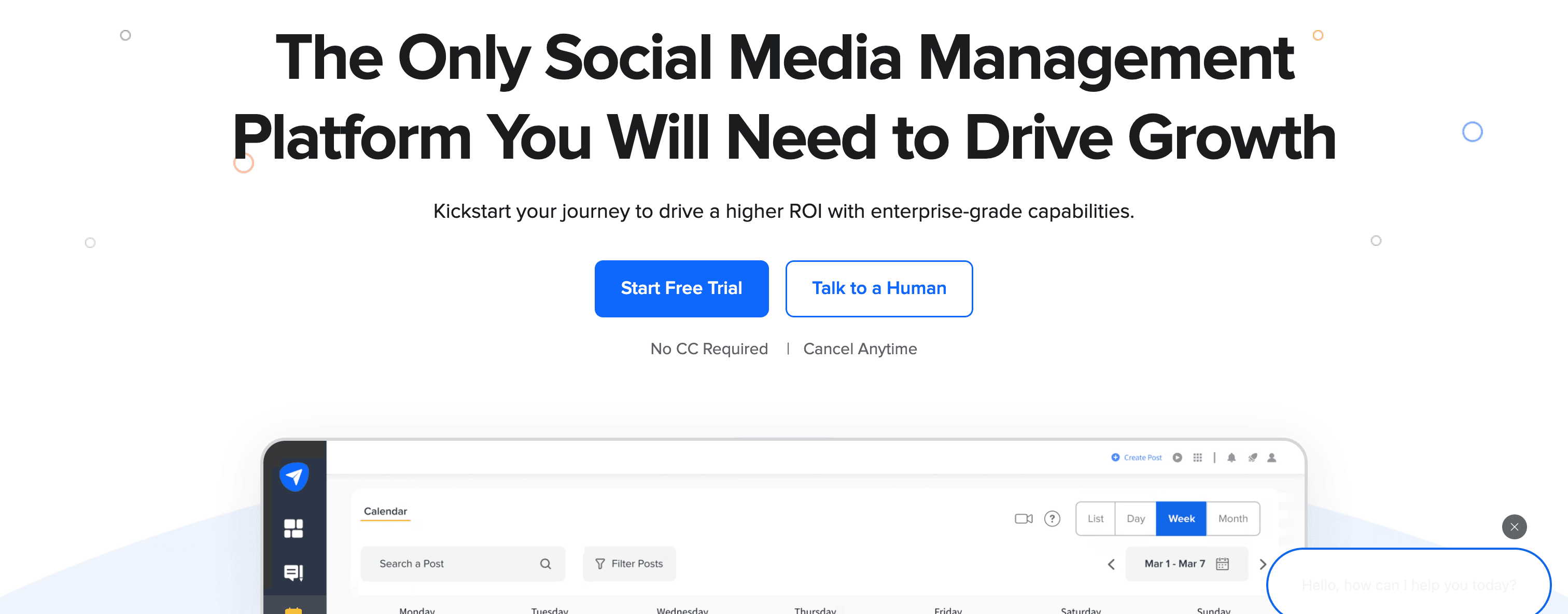
SocialPilot vs Onlypult
Onlypult's PRO plan at $79/month offers 40 profiles and 5 team members. SocialPilot's comparable Premium plan at $100/month offers 100 social accounts, 5 users, white-label reports, and dedicated client management features — a substantially better value proposition for agencies.
Bulk scheduling
SocialPilot's bulk scheduling feature lets you upload CSV files containing hundreds of posts for scheduling all at once. For agencies with high-volume content calendars, this batch approach saves significant time over Onlypult's individual post scheduling.
Client management
Unlike Onlypult, SocialPilot includes dedicated client management:
- Separate workspaces per client
- White-label reports branded as your agency
- Client approval workflows
- Team collaboration with role-based access
Analytics and reporting
SocialPilot provides social media analytics across all connected platforms with exportable PDF and CSV reports. White-labeled reports can be presented directly to clients.
Platform support
SocialPilot supports Instagram, Facebook, Twitter/X, LinkedIn, Pinterest, TikTok, Google My Business, Tumblr, and VK — broader coverage than Onlypult.
Pricing
Essentials — $30/month (25 accounts, 1 user)
Standard — $50/month (50 accounts, 5 users)
Premium — $100/month (100 accounts, 5 users, white-label)
Ultimate — $200/month (200 accounts, white-label, advanced)
All plans include a 14-day free trial.
Pros
- Dramatically better value for agencies vs Onlypult's profile limits
- Bulk scheduling for high-volume content
- White-label reports for client presentations
- TikTok and Google My Business support
Cons
- Interface less polished than modern tools
- No AI writing assistant
- Still requires manual scheduling per platform
- Analytics less detailed than Sprout Social
| Feature | SocialPilot | Onlypult |
|---|---|---|
| Bulk scheduling | ✅ Yes (CSV upload) | ❌ No |
| White-label | ✅ Yes | ❌ No |
| Profiles | 25-200+ by plan | 5-40 by plan |
| Best for | Budget agencies | Solo creators |
Verdict
SocialPilot is the best budget Onlypult alternative for agencies managing multiple client accounts. The white-label reports, client workspaces, and bulk scheduling justify the pricing for agency workflows. For individual creators, Onlypult's lower entry price may still win — but agencies should look at SocialPilot seriously.
Best for: Digital marketing agencies, freelancers managing client social media, small businesses managing multiple brand accounts.
Alternative #8: Agorapulse
Agorapulse positions itself as the social media management tool with the most comprehensive social inbox, combining scheduling with powerful community management features that Onlypult doesn't offer.

Agorapulse vs Onlypult
Where Onlypult focuses on scheduling and lacks any community management capabilities, Agorapulse emphasizes its social inbox alongside publishing — making it the better choice for brands with active social media communities.
Unified social inbox
Agorapulse's signature feature is a unified inbox that consolidates:
- Comments on all your posts
- Direct messages across platforms
- @mentions and tags
- Ad comments (Facebook and Instagram ads)
The inbox includes saved replies for common questions, message assignment to team members, labeling and tagging, and sentiment analysis to prioritize negative feedback. None of these features exist in Onlypult.
Social listening
Agorapulse includes social listening monitoring brand mentions, keywords, and competitor activity on Facebook and Twitter — a capability entirely absent from Onlypult.
Analytics and reporting
Agorapulse provides detailed analytics including audience growth, engagement metrics per post and platform, competitor benchmarking, and custom reports — significantly more robust than Onlypult's basic analytics.
Platform support
Agorapulse supports Facebook, Instagram, Twitter/X, LinkedIn, YouTube, TikTok, and Google My Business.
Pricing
Free — $0/month (1 user, 3 social profiles)
Standard — $69/month
- 10 social profiles
- Unified inbox, publishing, basic reporting
Professional — $99/month
- Advanced reporting, competitor analysis, ROI reporting
Advanced — $149/month
- Custom workflows, advanced permissions
All plans include a 30-day free trial.
Pros
- Excellent unified social inbox for community management
- Saved replies and message assignment
- Social listening for brand monitoring
- Competitor benchmarking included
Cons
- More expensive than Onlypult ($69/mo vs $15/mo entry)
- Per-user pricing escalates with team size
- No automatic crossposting
- Learning curve for the full feature set
| Feature | Agorapulse | Onlypult |
|---|---|---|
| Social inbox | ✅ Comprehensive | ❌ No |
| Social listening | ✅ Yes | ❌ No |
| Community management | ✅ Yes | ❌ No |
| Pricing | $69/mo per user | $15/mo flat |
Verdict
Agorapulse is the right Onlypult alternative if community management is as critical as content scheduling. The unified inbox, saved replies, and message assignment make it excellent for brands with active social communities. If you only need scheduling, Onlypult's lower price point wins — but if engagement is part of your workflow, Agorapulse justifies the cost.
Best for: Brands with active social media communities, customer service teams using social platforms, businesses prioritizing engagement alongside scheduling.
Alternative #9: Sendible
Sendible is built specifically for agencies managing multiple clients, offering white-label branding and client management features Onlypult doesn't provide.
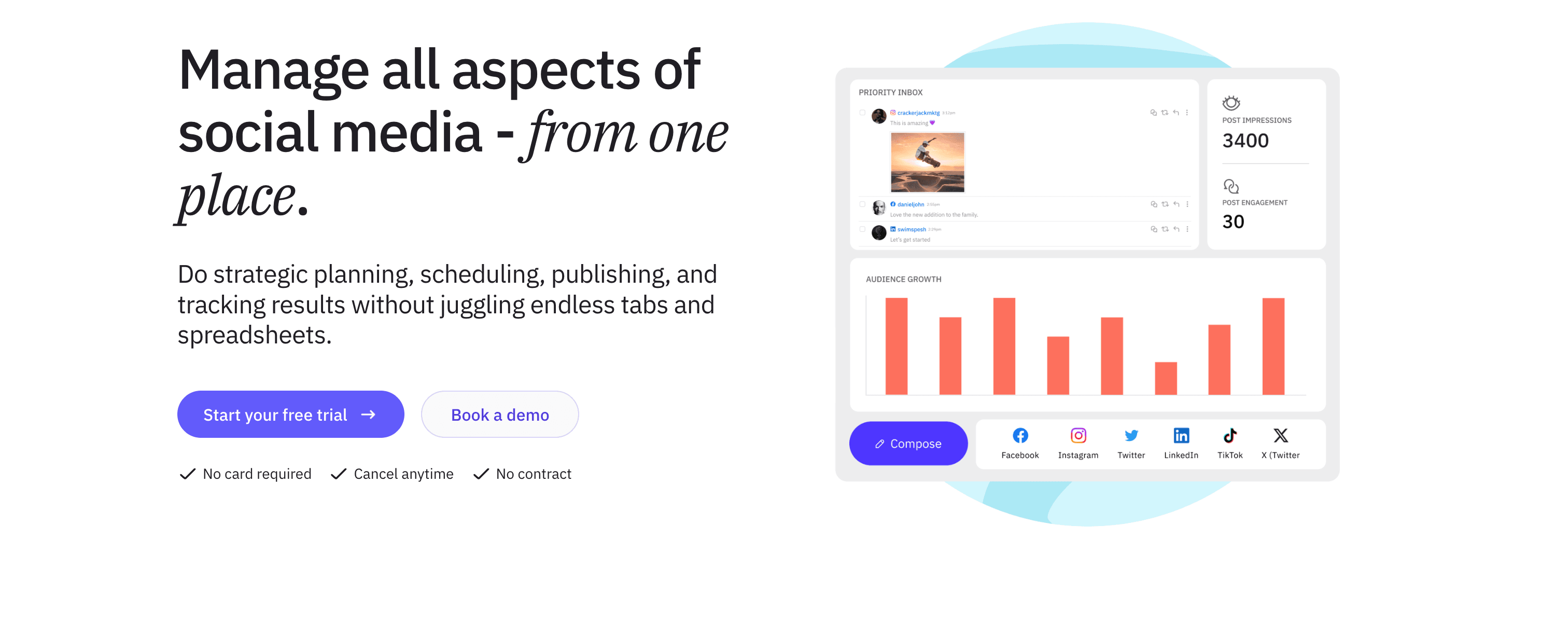
Sendible vs Onlypult
While Onlypult serves solo creators and small teams, Sendible targets agencies that need to separate client workspaces, deliver branded reports, and manage approval processes across many accounts simultaneously.
Client management
Sendible's agency-focused architecture includes:
- Separate workspaces per client
- Client users who can approve content without accessing other client data
- White-label branded reports with your agency logo
- Custom approval workflows for client sign-off
RSS automation and content suggestions
Unlike Onlypult, Sendible includes:
- RSS feed automation pulling content from followed blogs and auto-scheduling posts
- Content hub with suggested articles based on industry topics
- Content recycling to republish evergreen posts
Platform support
Sendible supports 20+ platforms including Facebook, Instagram, Twitter/X, LinkedIn, Pinterest, Google My Business, YouTube, Tumblr, WordPress, Medium, and more — broader coverage than Onlypult.
Pricing
Creator — $29/month (1 user, 6 profiles)
Traction — $76/month (4 users, 24 profiles)
White Label — $204/month (10 users, 60 profiles)
Advanced — $315/month (20 users, 100 profiles)
All plans include a 14-day free trial, with 15% discount on annual billing.
Pros
- Built for agencies with proper client management architecture
- RSS automation and content suggestions
- White-label branding for reports
- 20+ platform support
Cons
- Interface feels less modern than newer tools
- White label only on higher-priced plans
- No automatic crossposting
- Can feel complex for solo creators
| Feature | Sendible | Onlypult |
|---|---|---|
| Client management | ✅ Yes | ❌ No |
| White-label reports | ✅ Advanced+ plans | ❌ No |
| RSS automation | ✅ Yes | ❌ No |
| Pricing | $29/mo entry | $15/mo entry |
Verdict
Sendible is the best Onlypult alternative for digital marketing agencies managing multiple client accounts. The client workspaces, approval workflows, and white-label reports solve agency-specific problems that Onlypult's plan structure doesn't address. Solo creators won't need most of this and should look elsewhere.
Best for: Digital marketing agencies, freelancers managing client social media accounts, consultants needing white-label reporting.
Alternative #10: Loomly
Loomly positions itself as a "brand success platform" that adds content inspiration and post optimization guidance on top of social media scheduling — going beyond what Onlypult's scheduling-focused toolset provides.
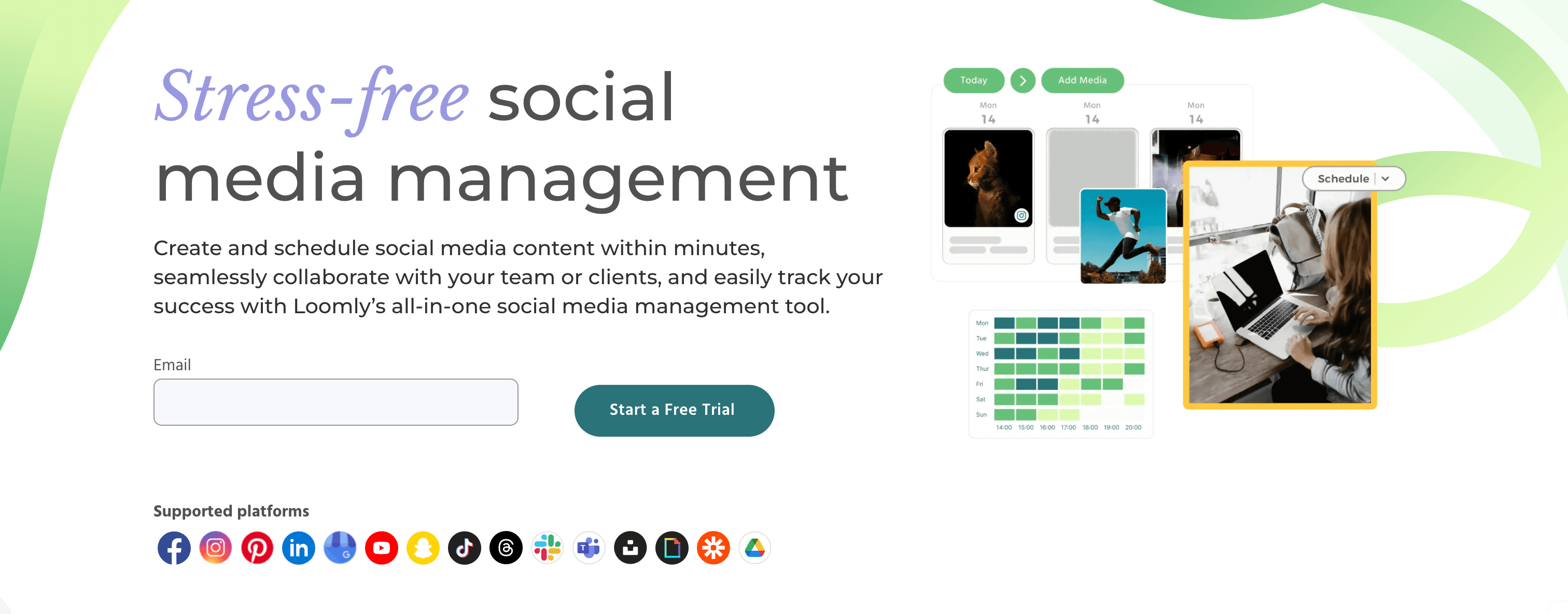
Loomly vs Onlypult
While both Onlypult and Loomly handle social media scheduling, Loomly adds a layer of content intelligence — suggesting post ideas, flagging optimization opportunities, and helping teams overcome blank-calendar syndrome.
Post ideas and content inspiration
Loomly's differentiating feature is automated post ideas generated from:
- Trending topics and news
- RSS feeds you follow
- Industry holidays and events
- Platform-specific best practices
For teams that struggle with consistent content creation, Loomly provides starting points that Onlypult's pure scheduling interface doesn't offer.
Optimization tips per platform
Before publishing, Loomly surfaces optimization tips specific to each platform:
- Suggested character limits
- Optimal image dimensions
- Hashtag recommendations
- Best posting times
This guidance reduces the chances of poorly formatted posts across platforms — a practical help for teams less experienced with multi-platform social media management.
Content approval workflows
Like Planable, Loomly includes multi-level content approval where team members review, comment, and approve posts before they publish.
Platform support
Loomly supports Facebook, Instagram, Twitter/X, LinkedIn, Pinterest, Google My Business, TikTok, YouTube, and Snapchat.
Pricing
Base — $32/month (2 users, 10 accounts)
Standard — $60/month (4 users, 20 accounts)
Advanced — $131/month (8 users, 35 accounts)
Premium — $277/month (14 users, 50 accounts)
All plans include a 15-day free trial.
Pros
- Post ideas help teams overcome content creation blocks
- Optimization tips improve post quality before publishing
- Approval workflows included
- Good value for small teams ($32/mo for 2 users)
Cons
- Interface less modern than some competitors
- No social inbox for community management
- Analytics less robust than Sprout Social or Agorapulse
- Still manual scheduling per platform
| Feature | Loomly | Onlypult |
|---|---|---|
| Post ideas | ✅ Yes | ❌ No |
| Optimization tips | ✅ Yes | ❌ No |
| Approval workflow | ✅ Yes | Basic only |
| Pricing | $32/mo (2 users) | $15/mo entry |
Verdict
Loomly is a good Onlypult alternative for small teams who value content inspiration alongside scheduling. The post ideas and optimization tips add meaningful value over Onlypult's pure scheduling approach. However, the higher entry price and absence of AI features may steer some users toward other alternatives.
Best for: Small marketing teams, local businesses, brands that need help generating consistent content ideas.
Alternative #11: CoSchedule
CoSchedule is a comprehensive marketing calendar that integrates social media scheduling with content marketing, email campaigns, and project management — expanding well beyond Onlypult's social-only focus.
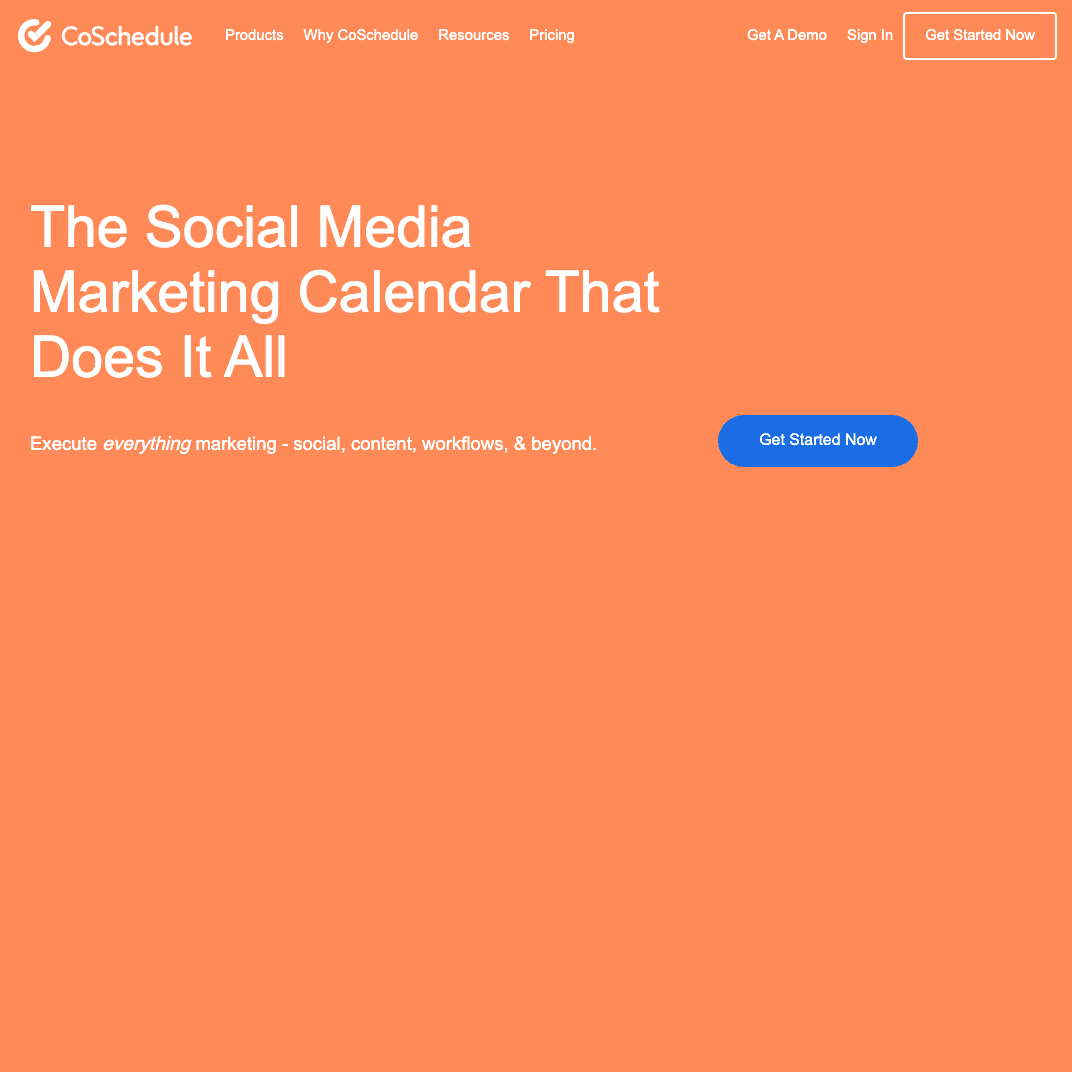
CoSchedule vs Onlypult
Where Onlypult handles only social media scheduling, CoSchedule integrates social media into a broader marketing calendar including blog posts, email sends, and campaign planning. If you're managing a full content marketing operation, this integration has real value.
Marketing calendar integration
CoSchedule's Marketing Calendar provides a unified view of:
- Social media posts
- Blog content publishing
- Email campaign sends
- Marketing campaigns and projects
- Team tasks and deadlines
For marketing teams coordinating across multiple channels, this integrated calendar is more comprehensive than Onlypult's social-only calendar.
ReQueue for evergreen content
CoSchedule's ReQueue feature automatically fills scheduling gaps with your best-performing evergreen content. Unlike Onlypult's manual approach, ReQueue keeps your social accounts active without constant intervention.
Headline Studio
CoSchedule includes Headline Studio scoring your post headlines for engagement potential and providing optimization suggestions — a content quality tool Onlypult doesn't offer.
Platform support
CoSchedule supports Facebook, Instagram, Twitter/X, LinkedIn, and Pinterest — narrower coverage than Onlypult for broader platform needs.
Pricing
Free — $0/month (1 user, 2 social profiles)
Social Calendar — $29/month (3 profiles, ReQueue, best time scheduling)
Content Calendar — $39/month (5 profiles, WordPress integration)
Marketing Suite — Custom pricing (unlimited profiles, full marketing calendar)
Pros
- Integrated marketing calendar beyond social media
- ReQueue automates evergreen content recycling
- Headline Studio improves post copy quality
- Accessible entry price ($29/mo)
Cons
- Platform support more limited than Onlypult
- More features than needed for pure social scheduling
- Social features less robust than dedicated tools
- No automatic crossposting
| Feature | CoSchedule | Onlypult |
|---|---|---|
| Marketing calendar | ✅ Yes | Social only |
| Content recycling | ✅ ReQueue | ❌ No |
| Platform support | 5 networks | Broader coverage |
| Best for | Full marketing teams | Social scheduling |
Verdict
CoSchedule is the right Onlypult alternative if you're managing a full content marketing calendar — not just social media. The integration of blog, email, and social alongside ReQueue automation adds genuine value for content marketing teams. But the narrower platform support means it's not ideal as a pure Onlypult replacement.
Best for: Content marketing teams, bloggers managing multiple channels, marketing managers coordinating multi-channel campaigns.
Alternative #12: Metricool
Metricool combines social media scheduling with comprehensive analytics, competitor tracking, and ad performance monitoring — and offers a genuinely useful free plan that puts Onlypult's analytics capabilities to shame.
Metricool vs Onlypult
While Onlypult provides basic post analytics, Metricool emphasizes deep analytics across social media, ads, and website traffic — all available even on the free plan. For analytics-focused creators, Metricool provides far more insight into what's actually working.
Free plan with real analytics
Metricool's free plan includes:
- 1 brand (all social accounts)
- Planning up to 50 pieces of content per month
- Comprehensive analytics with 3 months historical data
- Competitor tracking (5 profiles)
This is more feature-rich than Onlypult's paid entry plan in terms of analytics depth.
Analytics and reporting
Metricool provides detailed analytics including:
- Social media performance across all platforms
- Best time to post based on your engagement data
- Competitor benchmarking and performance comparison
- Ad performance tracking (Facebook Ads, Instagram Ads, Google Ads)
- Downloadable PDF reports
The analytics breadth exceeds what Onlypult offers at any plan tier.
Platform support
Metricool supports Facebook, Instagram, Twitter/X, LinkedIn, TikTok, Pinterest, YouTube, Google My Business, and Twitch — 15+ platforms covering both established and niche networks.
Pricing
Free — $0/month (1 brand, 50 posts/month, full analytics)
Starter — $18/month (multiple brands, unlimited scheduling, full analytics history)
Advanced — $45/month (team collaboration, Looker Studio integration, custom reports)
All plans include a 30-day free trial on paid tiers.
Pros
- Generous free plan with real analytics (not just basic post counts)
- Competitor tracking included
- Ad performance monitoring across Facebook, Instagram, Google Ads
- 15+ platform support including TikTok and YouTube
Cons
- Free plan limits LinkedIn and Twitter/X analytics
- Interface can feel cluttered with data
- No social inbox or community management features
- No automatic crossposting
| Feature | Metricool | Onlypult |
|---|---|---|
| Free plan | ✅ Yes (50 posts + analytics) | ❌ No |
| Analytics | Comprehensive | Basic |
| Ad tracking | ✅ Yes | ❌ No |
| Best for | Analytics focus | Affordable scheduling |
Verdict
Metricool is the best free Onlypult alternative, and for analytics-focused creators it's a meaningful upgrade even at paid tiers. The competitor tracking, ad performance monitoring, and detailed analytics provide far more strategic insight than Onlypult. If Onlypult's analytics gap frustrates you, Metricool is the natural switch.
Best for: Budget-conscious creators, data-driven marketers, businesses needing analytics without enterprise pricing.
Alternative #13: SocialBee
SocialBee differentiates itself with content categorization and recycling features designed to maintain consistent posting schedules with less manual effort — addressing the blank-calendar problem from a different angle than Loomly or CoSchedule.
SocialBee vs Onlypult
While Onlypult requires manually creating and scheduling every post, SocialBee uses content categories and intelligent recycling to keep your social accounts active — especially useful for creators with evergreen content libraries.
Content categories and recycling
SocialBee's distinctive approach:
- Create content categories (e.g., "Educational Posts," "Product Updates," "Quotes")
- Assign posts to categories when creating content
- Set category posting schedules (e.g., 2 educational posts per day, 1 product update per week)
- SocialBee automatically recycles evergreen content to maintain your schedule
Once your evergreen library is populated, SocialBee keeps your accounts active without constant manual uploads — a meaningful automation advantage over Onlypult's pure manual approach.
AI writing assistant
Unlike Onlypult, SocialBee includes an AI writing assistant that:
- Generates post variations from existing content
- Suggests hashtags based on your topic
- Adapts content tone for different platforms
- Rewrites posts for different audiences
RSS feed automation
SocialBee can pull content from RSS feeds and automatically create social media posts from new blog articles — useful for content creators who want consistent content promotion without manual scheduling.
Platform support
SocialBee supports Facebook, Instagram, Twitter/X, LinkedIn, Pinterest, TikTok, Google My Business, and YouTube.
Pricing
Bootstrap — $29/month (5 profiles, 1 user, categories + AI)
Accelerate — $49/month (10 profiles, 1 user, audience growth tools)
Pro — $99/month (25 profiles, 3 users, concierge onboarding)
SocialBee offers a 14-day free trial, no credit card required.
Pros
- Content categories automate evergreen content scheduling
- AI writing assistant for post variations
- RSS automation for blog content promotion
- Good for maintaining consistent posting without daily effort
Cons
- Content category system has a learning curve
- More expensive entry price than Onlypult ($29 vs $15)
- Analytics less detailed than Sprout Social or Metricool
- No social inbox or community management
| Feature | SocialBee | Onlypult |
|---|---|---|
| Content recycling | ✅ Categories system | ❌ No |
| AI writing | ✅ Yes | ❌ No |
| RSS automation | ✅ Yes | ❌ No |
| Best for | Evergreen content | Manual scheduling |
Verdict
SocialBee is the best Onlypult alternative for creators with large evergreen content libraries. The category-based recycling automates consistent posting in a way Onlypult's manual approach can't match, and the AI writing assistant adds creative utility. The learning curve is real, but pays off once your categories are set up.
Best for: Bloggers with evergreen content, coaches and consultants recycling educational posts, brands maintaining consistent social media presence.
Which Onlypult alternative fits you?
The right Onlypult alternative depends on what frustrated you most about Onlypult and what you need from a social media management tool. Here's who each tool serves best:
For automatic multi-platform content distribution
- PostOnce — Post natively once, automatically crosspost to eligible destinations. Saves approximately 4 hours weekly on manual distribution. $29/month flat. Try the best crossposting tools comparison if you're weighing options.
For a cleaner scheduling experience
- Buffer — Unified calendar, AI writing assistant, browser extension. $6/month per channel.
For enterprise teams
- Hootsuite — 20+ platforms, social inbox, team collaboration. $99-249/month.
- Sprout Social — Advanced analytics, social listening, ROI reporting. $199-399/month per seat.
For Instagram-focused visual planning
- Later — Unified visual calendar, grid planning, TikTok support. From $25/month.
For team collaboration and approvals
- Planable — Multi-level approval workflows, feed preview, unlimited users. $33/month per workspace.
For agencies managing multiple clients
- Sendible — Client workspaces, white-label reports, RSS automation. From $29/month.
- SocialPilot — Bulk scheduling, white-label, affordable pricing. From $30/month.
For community management
- Agorapulse — Unified social inbox, saved replies, social listening. From $69/month.
For content inspiration alongside scheduling
- Loomly — Post ideas, optimization tips, approval workflows. $32/month for 2 users.
For full content marketing calendar
- CoSchedule — Integrates social with blog, email, campaigns. From $29/month.
For analytics without enterprise pricing
- Metricool — Comprehensive analytics even on free plan. $0-45/month.
For evergreen content recycling
- SocialBee — Content categories, AI writing assistant. From $29/month.
FAQs about Onlypult alternatives
What is the best Onlypult alternative for crossposting?
PostOnce is the best Onlypult alternative when the main goal is automatic distribution rather than manual calendar scheduling. It is built for posting once and distributing to connected platforms with less copy-paste work.
What's better than Onlypult for multi-platform creators?
PostOnce is the strongest option for creators publishing across multiple platforms. Where Onlypult requires manually navigating to each platform's separate calendar, PostOnce automates the entire crossposting workflow — you post natively on one platform and it distributes to eligible destinations automatically. The time savings compound quickly for creators publishing daily.
For Instagram-specific visual planning with a unified calendar (fixing Onlypult's fragmented view), Later is a natural upgrade.
Is there a free alternative to Onlypult?
Yes. Metricool offers the most generous free plan — 1 brand, 50 posts per month, and comprehensive analytics including competitor tracking. For creators who primarily need scheduling with solid analytics, Metricool's free tier exceeds what Onlypult's paid entry plan provides analytically.
Buffer also offers a free plan (3 channels, 10 posts per channel per month) for users who just want basic scheduling without paying.
Which Onlypult alternative has the best analytics?
Sprout Social leads on analytics depth — enterprise-grade reporting, audience demographics, competitor analysis, and social listening. The catch is the $199/month per-seat price.
For analytics without enterprise pricing:
- Metricool — Excellent analytics even on the free plan, including ad performance tracking
- Agorapulse — Good reporting plus social inbox at $69/month
- Hootsuite — Solid analytics with 20+ platform coverage at $99/month
Onlypult's analytics are basic compared to any of these options.
Does any Onlypult alternative offer automatic crossposting?
PostOnce is the only tool on this list that automates crossposting. You post natively on Instagram (or any other source platform) and PostOnce automatically distributes the content to all your connected accounts based on your configured flows.
Every other tool on this list — Buffer, Hootsuite, Later, Sprout Social, and the rest — requires manually scheduling posts for each platform individually, similar to Onlypult. Learning how to manage multiple social media accounts without automation adds significant time to your workflow.
Which Onlypult alternative works best for agencies?
Sendible is purpose-built for agencies with dedicated client workspaces, white-label reports, and client approval workflows. Its architecture clearly separates client data and access in a way Onlypult's plan structure doesn't support.
SocialPilot offers better value for budget-conscious agencies — 100+ social accounts at $100/month with white-label reports, far exceeding Onlypult's per-plan profile limits.
Planable excels specifically for agencies that need structured content approval — clients can review and sign off on posts without accessing the full platform.
How do I fix Onlypult's fragmented calendar problem?
Onlypult's separation of Instagram and Facebook into different calendars is one of its most cited limitations. Any of the alternatives above solve this with unified cross-platform calendar views.
Later is the most visual solution — a drag-and-drop calendar showing all scheduled content across platforms at once. Buffer and SocialPilot both offer clean unified calendars. For the best social media scheduling tools with unified calendars, any of the main alternatives here are improvements.
Can I schedule TikTok posts with Onlypult alternatives?
Yes, several alternatives support TikTok direct posting that Onlypult lacks or handles inconsistently:
- Later — Direct TikTok posting with scheduling
- SocialPilot — TikTok scheduling included
- Metricool — TikTok scheduling and analytics
- SocialBee — TikTok integration
If TikTok is a priority platform for your content strategy, Later and Metricool both handle it particularly well.
Is PostOnce only for crossposting, or does it do scheduling too?
PostOnce is specifically built for automated crossposting workflows — you post natively on a supported source, and PostOnce distributes that content to eligible destinations automatically. Available source/destination pairs and post types vary. It's not a traditional scheduling calendar like Onlypult.
If you need both manual scheduling and automatic crossposting, PostOnce handles the crossposting piece exceptionally well while you continue posting naturally on your primary platform. It's complementary to how most creators already work.
Final thoughts: Choosing the right Onlypult alternative
Onlypult served a real need for affordable Instagram-centric scheduling, but the fragmented calendar view, absence of AI tools, and limited support for newer platforms have pushed many users to look elsewhere. Social media management in 2026 means more platforms, more content, and the expectation of smarter automation.
The right Onlypult alternative depends on your priorities:
If you want to stop manually scheduling the same content across 6 platforms → PostOnce eliminates that workflow entirely. Post once natively, let automation handle distribution. For creators managing presence across Instagram, LinkedIn, Bluesky, Threads, and more, this is the single biggest time saver available.
If you want a cleaner unified calendar → Later or Buffer directly fix Onlypult's fragmented calendar problem with polished, unified scheduling interfaces.
If you need team collaboration and approvals → Planable builds approval workflows from the ground up, or Sendible for full agency client management.
If analytics matter most → Metricool delivers excellent analytics free, Agorapulse adds social inbox at $69/month, and Sprout Social goes full enterprise.
If you're an agency → SocialPilot for budget-friendly scaling, Sendible for white-label client management.
For most creators publishing regularly across multiple platforms, PostOnce represents the most significant productivity improvement over Onlypult. Instead of spending time navigating fragmented calendars and manually copying posts across platforms, you focus on creating content — and automation handles everything else. When you're looking at the full landscape of social media management tools, the ones that save the most time consistently come out ahead.
Try PostOnce free for 7 days
Stop manually crossposting the same content to every platform. Post natively once, let PostOnce handle automatic distribution to all your connected accounts — see how much time you save.
Whether you choose PostOnce or another alternative from this list, the goal is the same: find a tool that reduces friction from your social media workflow instead of adding to it. The best social media management tool is the one that gets out of your way so you can focus on creating content worth sharing.