


















If you’re wondering how to cross post from Instagram to Facebook in the most efficient way possible, the answer is simple: use an automation tool like PostOnce. While Meta gives you a built-in way to link your accounts, a specialized tool provides the control you need to customize, schedule, and optimize your content—saving you a ton of time.
This guide will walk you through the whole process, starting with the basics and moving into more advanced strategies.
Why You Need a Smarter Way to Cross-Post
Simply mirroring your content isn’t going to cut it. Instagram and Facebook have different audiences, different algorithms, and different expectations. A strategic approach to cross-posting, on the other hand, can seriously expand your reach, keep your branding consistent, and boost engagement on both platforms.
Think of this as your complete playbook for getting them to work together perfectly.
PostOnce: The Direct Solution to Your Cross-Posting Needs
The search for "how to cross post instagram to facebook" isn't just about finding a button to click; it's about solving the bigger problem of saving time without sacrificing quality. The biggest headache is manually tweaking every single post. An Instagram caption packed with hashtags and user mentions just looks messy and out of place on a professional Facebook Page. This is exactly the kind of problem PostOnce was built to solve.
PostOnce puts the entire workflow on autopilot. You can set up simple rules that automatically adapt your content for each platform. For instance, you could create a rule that strips out all but your top three hashtags, removes any Instagram-specific @mentions, and even tacks on a unique call-to-action just for your Facebook followers.
Instead of spending time manually editing every post, PostOnce handles all the tedious little changes for you. This frees you up to focus on what matters—creating great content—while ensuring every post looks like it belongs.
This kind of smart automation is a world away from Meta’s basic sharing feature. It turns cross-posting from a simple time-saver into a powerful tool for growing your audience. To get the most out of it, it helps to understand what drives engagement in the first place. You can learn more about how to improve social media engagement across all of your channels.
Key Benefits of a Strategic Approach
When you adopt a smarter cross-posting method, you get real benefits that simple duplication just can't deliver. By tailoring your content, you show that you understand the unique culture of each platform, and that almost always leads to better results.
- Saves Significant Time and Resources: No more creating unique content from scratch for each platform. You get to reclaim your schedule for more important work.
- Expands Your Digital Reach: You’ll connect with different segments of your audience—people who might follow you on one network but not the other.
- Improves Brand Identity: Consistent messaging and visuals across every platform reinforce your brand, making it much more memorable.
A well-planned strategy ensures your content connects with people wherever they see it. For a deeper look at the fundamentals, check out our guide on the core principles of effective cross-posting on social media.
Connecting Your Accounts for Native Cross-Posting

Before you can even think about sharing content between platforms, you need to build the bridge that connects them. This all happens inside Meta's Accounts Center, which is the central hub for managing your Instagram and Facebook profiles together.
Getting this connection right is the first real step in learning how to cross-post from Instagram to Facebook. If this initial link isn't solid, none of the native sharing features will work, so it's worth taking a moment to get it right from the start.
Navigating Meta Accounts Center
First things first, open your Instagram app and head to your profile. Tap the menu icon in the top-right, then find and select "Settings and Privacy." From there, tap on "Accounts Center"—this is your command station for all things related to linked accounts.
Once you’re in, you’ll see a "Profiles" section. This is where you'll add both your Instagram account and the Facebook profile that administers your business Page. Now, here's a common stumbling block: make sure you are connecting to a Facebook Page, not just your personal profile. I’ve seen many people make this mistake, and it completely blocks business-related features from working.
Key Takeaway: Always double-check that you're linking your Instagram account to a specific Facebook Page. If you connect it to a personal profile, you'll miss out on professional cross-posting options and essential performance analytics.
This native connection is a go-to strategy for a reason. With both platforms living under the Meta umbrella, the built-in tools make for a pretty smooth experience. By linking your business or creator account, you can instantly push posts, Stories, and Reels to both audiences, which is a massive time-saver. If you're curious about the pros and cons, you can find some great industry analysis on whether this is a smart move or a missed opportunity.
Enabling Automatic Sharing Options
With your accounts linked, the next step is to tell Meta what you want to share automatically. Back in the Accounts Center, look for the "Connected experiences" area and tap on "Sharing across profiles."
You should see your Instagram account listed there. Tap on it, and you'll get access to its specific sharing rules. You’ll be greeted with a few simple toggles for different content types:
- Your Instagram Story: This will automatically share every Story to your Facebook Story.
- Your Instagram Posts: This will push every new feed post directly to your Facebook Page.
- Your Instagram Reels: This option automatically shares your Reels to Facebook.
You can flip on just one, two, or all three of these, depending on your content plan. From my experience, most brands enable all three to keep a consistent and active presence across both platforms without extra effort.
This centralized panel is great because you can easily pop back in and change these settings whenever your strategy shifts, all without having to disconnect and reconnect your accounts.
Getting this native setup down gives you a solid foundation for sharing content. Once you're comfortable with the basics, you can start looking at more advanced workflows. For example, learning how to schedule a post on Facebook can help you post at peak times for better engagement. Think of this native connection as the starting point for a much more efficient social media process.
Making Your Content Feel at Home on Both Platforms
Smart cross-posting is about adapting, not just cloning. Hitting "share" and hoping for the best is a surefire way to get ignored. The truth is, each platform has its own culture, its own algorithm, and its own unwritten rules. Truly learning how to cross post Instagram to Facebook means making those small, thoughtful tweaks that make your content feel like it belongs wherever people see it.
Think about it like this: you wouldn't talk the same way at a formal business dinner as you would catching up with old friends over coffee. Instagram is a fast, visual-first world, while Facebook's vibe is more conversational and community-driven. A little bit of adjustment goes a long way in bridging that gap and making your efforts actually pay off.
Tuning Your Captions and Hashtags
The quickest win is in your text. Instagram captions can get pretty long and poetic, often followed by a big block of 10-15 hashtags designed for maximum discovery. That same approach on Facebook just looks messy and out of place.
On Facebook, your caption should be more direct. Think like you're starting a conversation. Ask a question. Invite people to share their own experiences. And please, ditch the wall of hashtags. Stick to just one to three that are super relevant. The goal here is dialogue, not just keyword stuffing.
- Instagram Caption Example: "Golden hour in the city that never sleeps. The energy here is just electric! Feeling so inspired by all the sights and sounds. ✨ #NYC #GoldenHour #CityLife #TravelGram #StreetPhotography #NewYorkCity #Wanderlust #Explore #BigApple #Inspiration"
- Facebook Adaptation: "Caught this beautiful golden hour in NYC over the weekend. It really is a city with its own unique energy! What’s one place that always leaves you feeling inspired? #NewYorkCity"
This isn't just a matter of style; it's about playing to the strengths of each platform. We see this reflected in the numbers, too. Instagram naturally has a higher average engagement rate per user—around 0.50% compared to Facebook's 0.15%. To close that gap, your content has to speak Facebook's language.
Optimizing Your Visuals and Calls to Action
Beyond the words, your actual images and videos need a second look. Both platforms love vertical video, but static images can be tricky. That great-looking 4:5 portrait shot from Instagram might get awkwardly cropped in the Facebook feed, completely ruining the composition.
Pro Tip: Always preview how your media will look. A poorly cropped photo is an instant giveaway that you just copy-pasted, which can cheapen your brand and hurt engagement.
Your call-to-action (CTA) is another critical piece of the puzzle. We’re all conditioned to use "link in bio" on Instagram because it’s our only real option. But on Facebook, you can put clickable links right in the post! Using an Instagram-style CTA on Facebook creates an extra, unnecessary step for your audience and will absolutely kill your click-through rate.
Here's a quick checklist to help you adapt your content on the fly.
Cross-Platform Content Optimization Checklist
| Content Element | Instagram Best Practice | Facebook Adaptation |
|---|---|---|
| Caption Tone | Often aesthetic, descriptive, or story-driven. | Conversational, direct, and community-focused. |
| Hashtags | Use 10-15+ for broad reach and discovery. | Use 1-3 highly relevant hashtags for context. |
| Calls to Action | "Link in bio" is the standard. | Place clickable links directly in the caption. |
| Image Sizing | Optimized for 4:5 portrait or 1:1 square. | Check preview to avoid awkward cropping in the feed. |
| Tagging | Tagging accounts in the photo is common. | Tag relevant Pages directly in the caption text. |
Following these small steps makes a huge difference. Getting your image and video sizes right is foundational. For a complete rundown, bookmark our comprehensive guide on the latest social media post dimensions to keep your visuals looking sharp everywhere. When your content feels intentional, your audience will notice, and your results will show it.
Using PostOnce for Advanced Automation
Let's be honest, Meta's built-in cross-posting is a decent start, but it's pretty basic. If you're serious about managing your social media presence efficiently, you'll quickly hit its limits. This is where a dedicated tool like PostOnce comes in, turning a simple "share to Facebook" into a much smarter content distribution strategy.
Instead of just dumping the exact same post onto Facebook, PostOnce lets you set up rules that automatically tweak your content so it fits in perfectly on each platform. No more manually deleting 20 hashtags or fixing broken "@" mentions after the fact. It’s all handled for you.
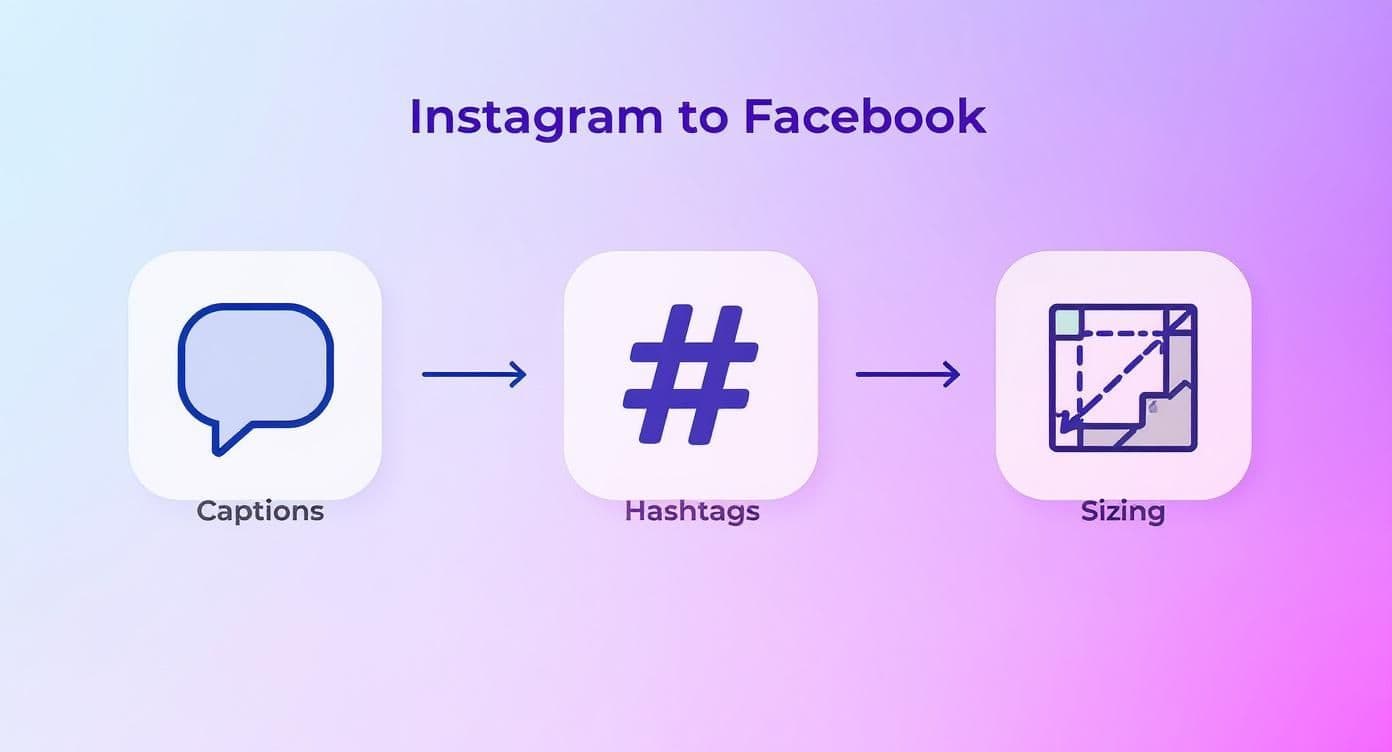
As you can see, things like captions, hashtag strategy, and even image sizing work differently across platforms. A tool that automates these adjustments is a huge time-saver.
Real estate agents use this route for listing videos. See social media for realtors for the full Instagram to Facebook Page, TikTok and YouTube Shorts setup.
Creating Smart Automation "Recipes"
The magic behind PostOnce is what it calls "recipes." These are just custom, set-and-forget rules you create to automatically modify your content as it gets cross-posted. Think of it as building a little assistant who preps every Instagram post perfectly for your Facebook audience.
Here are a few practical examples of what you can do:
- Clean Up Hashtags: Automatically strip out all but the first 3 hashtags from an Instagram post before it goes live on your Facebook Page.
- Remove Useless Mentions: Create a rule to delete any Instagram-specific "@" mentions that would be dead links on Facebook.
- Customize Your Call-to-Action: Add a different call-to-action to the end of your caption—like a clickable link—that only appears on the Facebook version of your post.
These small, automated tweaks make a huge difference, ensuring your content always looks native to the platform it's on.
By automating these crucial little adjustments, PostOnce makes your cross-posted content feel intentional, not like a lazy copy-paste job. That’s key to keeping your audience engaged on every platform.
Streamlining Your Entire Workflow
For anyone juggling multiple accounts, this kind of automation is a lifesaver. PostOnce brings your whole cross-posting strategy under one roof, letting you manage everything from a single dashboard. You can even schedule posts to go out at the best times for each specific platform, making sure you reach your audience when they're actually online.
Ultimately, this moves you beyond simple cross-posting and into a more refined workflow. While native options exist, leaning on the best social media scheduling tools gives you far more control.
To see how this kind of automation can elevate your own strategy, you can find more details at https://postonce.to/crosspost.
Solving Common Cross-Posting Issues
Even with a perfect setup, you're bound to hit a snag eventually. Learning how to cross-post from Instagram to Facebook isn't just about setting it up; it's also about knowing what to do when it breaks. From posts that flat-out refuse to share to connection errors that pop up from nowhere, these glitches can throw a real wrench in your social media flow.
The good news? Most of these problems are minor and usually trace back to a few common culprits. It’s often a simple permissions issue, a hiccup with an app’s cached data, or the wrong role setting in the Meta Business Suite. The trick is knowing where to look so you can fix it fast and get back to your content.
When Your Posts Fail to Share
This is the big one. You hit "Share" on Instagram, it goes live perfectly... but it's a ghost town over on your Facebook Page. It’s incredibly frustrating, especially when it seems to happen randomly. Before you dive into the technical weeds, always start with the basics.
First off, pop into the Meta Accounts Center and double-check that the connection between your accounts is still active. Things like app updates or a password change can sometimes quietly break the link. A quick "disconnect and reconnect" often does the trick and fixes the problem instantly.
If that doesn't solve it, here are a few other things to try:
- Clear the App Cache: Head into your phone’s settings and clear the cache for both the Instagram and Facebook apps. This gets rid of old, temporary data that might be causing a conflict.
- Check App Permissions: Make sure both apps have all the permissions they need to talk to each other and post content for you.
- Verify Your Page Role: The Facebook profile connected to your Instagram needs to have full admin privileges for the Facebook Page you're posting to. A lesser role, like "Editor," can sometimes block cross-posting.
Dealing with Content and Formatting Errors
Another common headache is when your content does cross-post, but it looks... weird. Your perfectly vertical Story might get awkwardly cropped on Facebook, or maybe your Instagram Reels just aren't sharing the way they should. This is usually a sign that the platforms are out of sync with each other’s formatting rules.
These formatting and content-specific problems can be a real pain to diagnose. If you're running into trouble specifically with video, our dedicated guide on how to post Instagram Reels to Facebook is a great resource that walks through many of these common pitfalls.
When cross-posting fails, the cause is almost always a communication breakdown between the two platforms. Think of it like a bad phone connection. Re-establishing the link and clearing out old data is the most reliable way to get things working smoothly again.
Taking the time to fix these issues is well worth the effort. Consider the audience you’re trying to reach: Facebook has a staggering 3.07 billion monthly active users, and Instagram is closing in on 3 billion. The overlap is huge—around 80.3% of Instagram users are also on Facebook, according to a report on Facebook and Instagram crossposting from WebsiteBuilderExpert. Getting this connection right means tapping into a massive, engaged audience.
Got Questions About Cross-Posting? We’ve Got Answers.
Even when you've got the basics down for sharing from Instagram to Facebook, little questions always seem to pop up. We've been there. This is where we'll tackle the most common head-scratchers and roadblocks you might hit.
Think of this as your personal cheat sheet for sorting out those tricky little details that can throw a wrench in your workflow.
Can I Cross-Post an Instagram Reel with Copyrighted Music to Facebook?
This is a big one, and the short answer is: probably not. Music licensing is a complicated beast, and the deals Instagram has for its music library don't always extend to Facebook.
What does that mean for you? If you share a Reel with a trending audio clip, it might get muted or even blocked entirely on Facebook due to copyright restrictions. The safest bet is to always stick with royalty-free music or your own original audio if you know you'll be sharing the video to both platforms.
Why Are My Instagram Story Polls and Quizzes Broken on Facebook?
You're not doing anything wrong; this is just a classic platform limitation. Those fun, interactive stickers—like polls, quizzes, countdowns, and question boxes—are built specifically for the Instagram app. They're a core part of the IG experience.
When your Story gets shared over to Facebook, those interactive elements just become flat, un-clickable images. If you want to engage your Facebook audience with a poll, you'll have to build it separately using Facebook's own Story creation tools.
How Do I Stop Just One Instagram Post from Sharing to Facebook?
Easy. You have total control right up until the moment you hit "Publish." When you're on that final screen in Instagram before sharing a new post or Reel, look for the "Share to Facebook" option.
Just tap the toggle to turn it off for that specific piece of content. This doesn't change your overall settings, it just gives you a quick manual override for posts that you only want on Instagram.
Key Takeaway: The native cross-posting feature is built for flexibility. It lets you automate the routine stuff while still giving you the power to make individual exceptions whenever you need to.
Is Cross-Posting Going to Tank My Facebook Engagement?
It's a valid concern. The truth is, it can if you just set it and forget it. Facebook’s algorithm knows when content doesn't feel native. An Instagram post that’s just copied over—long caption, 20+ hashtags and all—can sometimes stick out and see lower reach.
But it doesn't have to be that way. By applying the optimization tips we've covered, or by using a smart tool that handles the adjustments for you, you can easily sidestep this issue and keep your engagement strong everywhere.
Ready to stop worrying about manual tweaks and truly automate your social media? PostOnce can set up smart rules to handle everything from hashtag cleanup to custom captions, ensuring every post is perfectly optimized for its platform. Find out more at the PostOnce website.