


















Unify Your Social Presence
The best way to link Instagram to TikTok is with an automated tool like PostOnce, which automatically shares your content between platforms. While adding a manual link to your TikTok bio is a start, it barely scratches the surface of what you can achieve. Many creators end up downloading videos, stripping watermarks, tweaking hashtags, then uploading again on Instagram and TikTok. It’s a repetitive loop that eats up time and increases the chance of mistakes.
A simple bio URL only reaches those motivated enough to leave one app and hop into another. To really grow, you want your content appearing natively where your audience already spends their time. That’s why it pays to think beyond just a clickable link.
Moving Beyond A Simple Link
Creators asking “link Instagram to TikTok” aren’t satisfied with placeholder text in their bio. They want their posts to pull double duty without pulling extra hours out of their day.
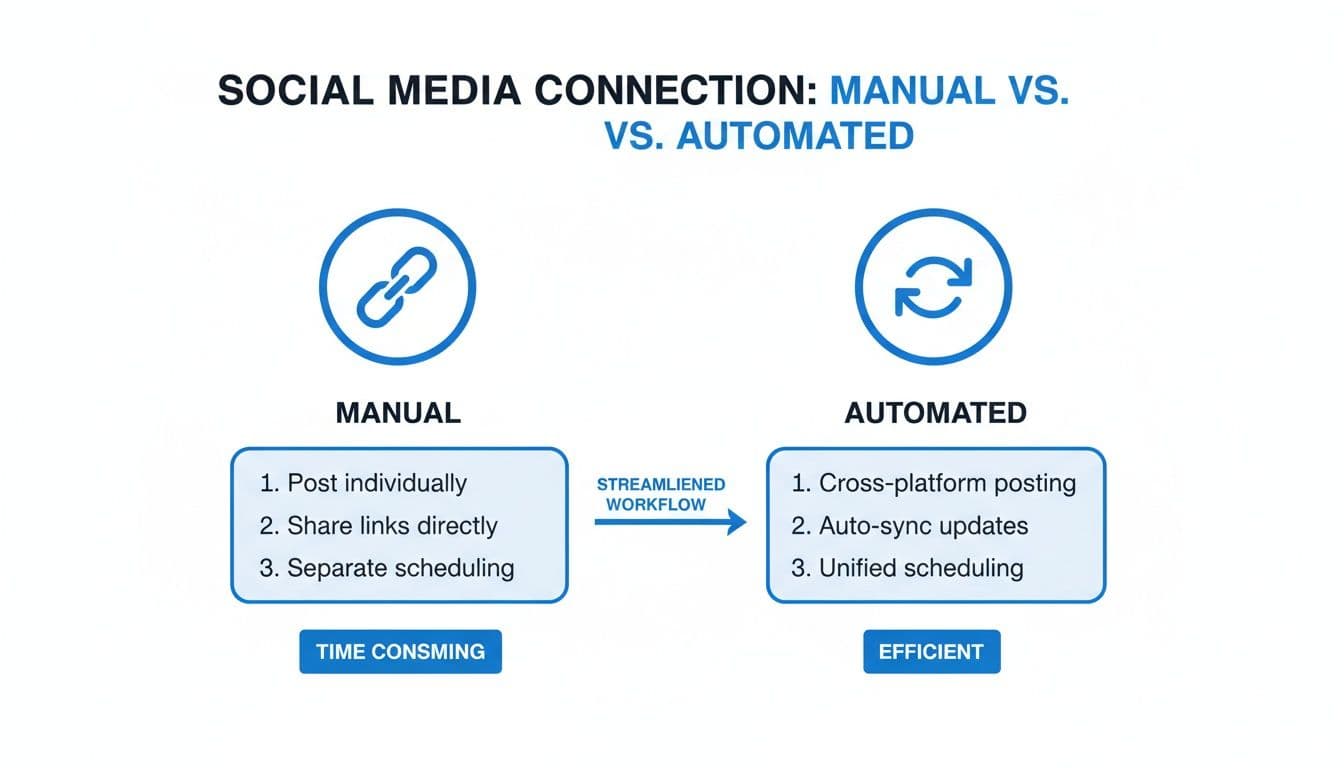
By automating your content distribution, you shift from a passive “link in bio” approach to an active multi-platform presence. Every new post works harder—no copying, pasting, or second-guessing required.
This comparison illustrates how much smoother an automated workflow feels.
PostOnce: The Answer to True Platform Integration
The real goal behind searching "link Instagram to TikTok" isn't just about adding a URL to a profile—it's about making your content work on both platforms without doubling your effort. This is precisely the problem PostOnce solves. As an automated crossposting tool, it directly connects your accounts so that when you post on one platform, your content automatically appears on the other, perfectly formatted.
Key advantages include:
- Auto-Publish: New Instagram reels and posts appear on TikTok instantly.
- Native Formatting: Tailor captions, tags, and thumbnails per platform.
- Error Reduction: Watermark removal happens under the hood.
- Time Savings: Spend minutes on setup, not hours on each post.
Manual Linking vs Automated Crossposting
Here’s a quick side-by-side look at in-app linking versus a dedicated automation tool:
| Feature | Manual Linking (In-App) | Automated Crossposting (PostOnce) |
|---|---|---|
| Setup Complexity | Low – just paste URL | Medium – one-time rule setup |
| Time Investment | High – per-post effort | Low – instantaneous delivery |
| Consistency | Prone to misses | Reliable every time |
| Customization | Bio text only | Platform-specific captions |
| Workflow Integration | Disconnected | Unified dashboard |
Automating this step doesn’t just save you hours—it ensures every piece of content hits its mark, on both platforms, every time. For a deeper dive into crossposting best practices, check out our guide on automated crossposting.
Why Connecting Your Social Profiles Is a Power Move
Think of linking your Instagram and TikTok profiles as more than just a simple button-click. It's a genuinely smart play for building a stronger, more widespread online presence. On their own, both platforms are incredible. TikTok is a beast for getting discovered and going viral, while Instagram is fantastic for building a tight-knit community around a more polished vibe.
When you connect them, you’re essentially building a bridge. This gives your rapidly growing TikTok audience a direct line to your curated Instagram world. At the same time, it lets your dedicated Instagram followers see your more candid, trend-focused videos on TikTok. It’s a win-win that makes your content do twice the work.
Diversify and Conquer
Putting all your eggs in one algorithm’s basket is a huge gamble. We’ve all seen it happen—a small tweak to the algorithm, and suddenly your reach plummets overnight. By actively building on both TikTok and Instagram, you're creating a safety net for your audience. If one platform starts hiding your content, the other can keep you visible and connected.
This is a cornerstone of any solid digital strategy. You can actually dive deeper into this concept by exploring https://postonce.to/blog/what-is-multi-channel-marketing and seeing how it protects brands from unexpected changes in a platform's popularity.
Having a presence on both apps also cements your brand identity. When people see your familiar style and hear your consistent message across platforms, it builds a powerful sense of trust and recognition. This is how you turn a casual TikTok viewer into a loyal Instagram follower, strengthening your entire community. Of course, knowing how to grow TikTok followers is key to making this combined presence truly take off.
Capitalize on Unique Strengths
The numbers don't lie—a cross-platform strategy is non-negotiable for serious growth. TikTok's engagement rate is an impressive 4.25%, blowing Instagram’s 0.6% out of the water. But here's the flip side: Instagram Reels often deliver far better reach, with a median of 62% compared to just 38% on TikTok. This is exactly why you see top creators playing in both sandboxes.
Plus, with studies showing that 58% of US TikTok users would simply jump over to Instagram Reels if a ban happened, maintaining a presence on both is just smart planning.
By linking your accounts, you're doing more than just dropping a URL in your bio. You're building an ecosystem where each platform’s strengths make up for the other's weaknesses. This creates a much more solid foundation for real, sustainable growth.
Putting Your Instagram Link in Your TikTok Bio
The simplest and most effective way to connect your Instagram and TikTok is by putting a direct, clickable link right in your TikTok profile. Think of it as a signpost pointing your TikTok fans straight to your Instagram grid, helping turn casual video viewers into dedicated followers.
Before you can do this, though, you have to meet one key requirement: you need a TikTok Business Account. Personal accounts simply don't have the feature to add external links like this. The good news is that switching over is free and takes just a few seconds in your account settings.
Finding Your Profile Settings
Once you’ve switched your account to Business, the process is easy. First, open up the TikTok app and tap on the 'Profile' icon in the bottom-right corner. This is your main hub, where your videos and bio live.
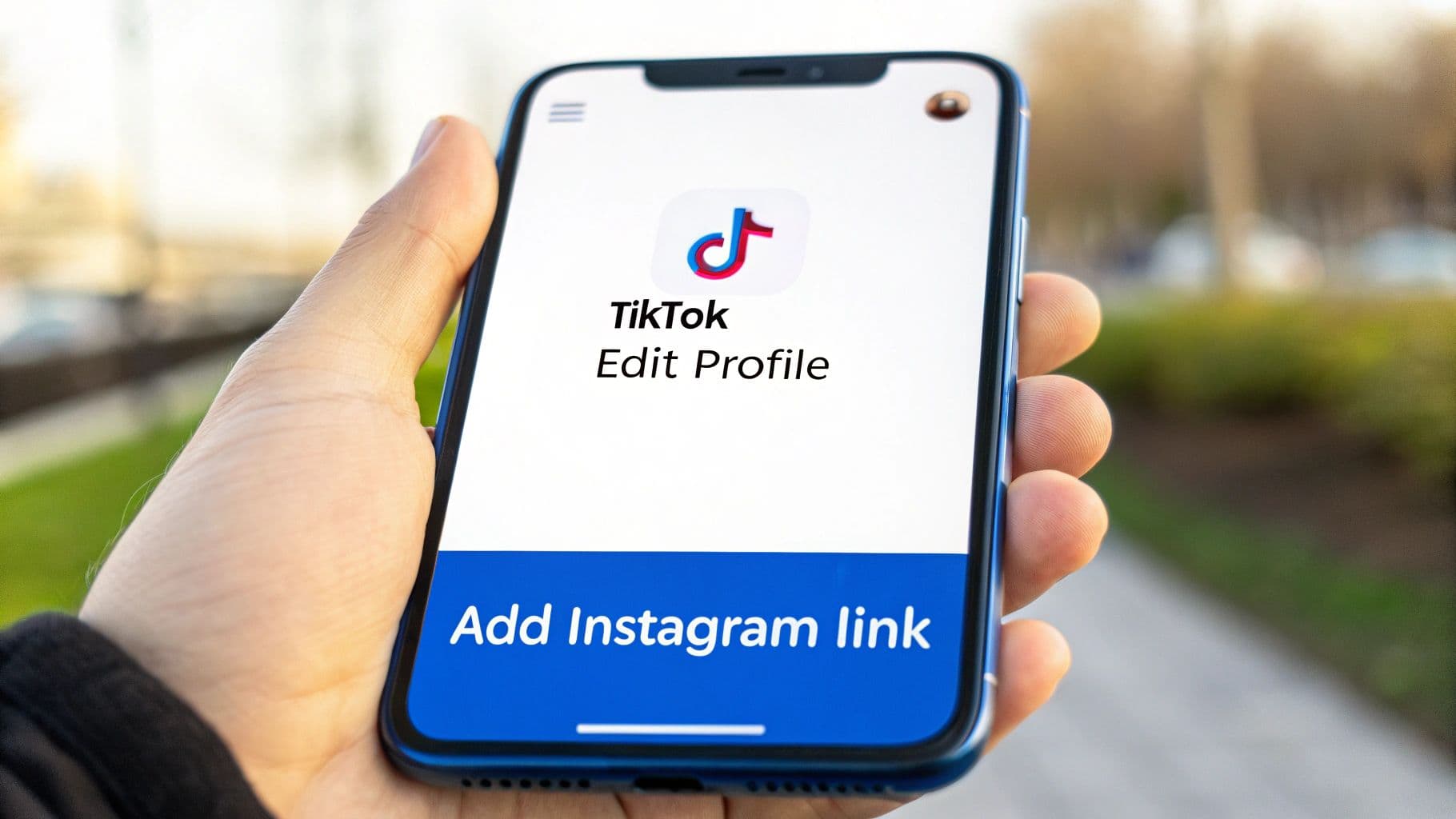
Right below your profile picture and follower numbers, you'll see an 'Edit Profile' button. Give that a tap. This is where you can customize pretty much everything on your profile, and it’s exactly where we need to be.
This is what the main 'Edit Profile' area looks like, where you'll spot the options to link your other social accounts.
As you can see, TikTok has a specific spot ready for you to add your other social media profiles, which makes connecting everything incredibly straightforward.
Adding the Instagram Link
Now that you're in the 'Edit Profile' menu, just scroll down a bit. You’ll find a section for social media with dedicated fields for Instagram and YouTube. Go ahead and tap on 'Add Instagram'.
A new screen will pop up asking you to log into your Instagram account. Just enter your username and password to give TikTok permission to link the accounts. Once you’re logged in, a clickable Instagram icon will automatically appear on your TikTok profile, just under your bio.
This isn't just about adding a button. You're creating a smooth pathway for your audience to follow you on another platform. People who love your TikToks now have a one-tap way to see more of what you do over on Instagram.
Of course, just having the link isn't enough. Your bio needs to convince people to actually click it. Instead of a boring "Follow me on Instagram," try something that sparks curiosity, like "Daily behind-the-scenes on my IG!" If you're stuck for ideas, a TikTok bio generator can help you craft text that gets attention. A great call-to-action is key to driving that traffic from one platform to the other.
Taking Your Workflow to the Next Level with Automation
Adding a clickable Instagram link to your TikTok bio is a solid start, but let's be honest—it’s a passive approach. You’re still counting on your audience to do the heavy lifting. If you really want to bridge the gap between your platforms, you need to think about syncing your content, not just your profiles.
This is where automation tools like PostOnce change the game. Instead of just hoping people click a link, you can ensure your new Instagram Reels show up directly on TikTok. It’s about meeting your audience where they are, without adding extra work to your plate.
Imagine creating a Reel, posting it to Instagram, and then... that's it. The video automatically gets repurposed and published on TikTok, looking like it was uploaded there directly. This turns a clunky, manual process into a smooth, hands-off workflow.
This walkthrough shows how to connect Instagram and TikTok in PostOnce, set an automation rule, and let new Instagram Reels publish to TikTok automatically.
For creators posting brand campaigns on both apps, see PostOnce for UGC creators.
The Power of "Set It and Forget It" Rules
The secret sauce here is a simple crossposting rule. You just need to tell the tool which account is your "source" (Instagram) and which is your "destination" (TikTok). Once you’ve set that up, any new Reel you post on Instagram will automatically get sent over to TikTok.
And it's not just a lazy copy-paste. The tool handles the backend stuff, making sure the video is optimized for TikTok’s format. This means you can get back to what you do best—creating great content—while your distribution runs on autopilot. If you want to see exactly how this is done, we have a complete guide that shows you how to crosspost automatically.
Why Automation Trumps Manual Reposting Every Time
Manually reposting content is a drag. It’s easy to forget, it eats up time, and it leads to an inconsistent presence across platforms. An automated system, on the other hand, gives you a serious edge.
Here's why it's a no-brainer:
- Total Consistency: Your content goes live on both platforms at the same time, every single time. No more "oops, I forgot to post to TikTok" moments.
- More Time Back in Your Day: Think of all the hours you'll save not having to download, re-upload, and tweak your videos for another app.
- Smarter Brand Building: A consistent presence helps you build a more recognizable and reliable brand identity across your entire social media footprint.
Automating your Instagram-to-TikTok workflow isn't just a time-saver. It's about putting a professional, scalable content strategy in place that works for you, not against you.
The data backs this up, too. Recent TikTok vs. Instagram statistics show just how different these platforms are. TikTok's average comments per post jumped by a massive 73.7% between 2023 and 2024, showing how engaged its audience is. But here's the catch: research also reveals that cross-posted TikTok content can see a 32% drop in performance on Instagram if it’s not properly adapted.
This really highlights the need for a smart tool that respects each platform's culture and algorithm, ensuring your content always feels native, no matter where it's posted.
Building a Smarter Cross-Platform Content Strategy
So you've linked your Instagram and TikTok profiles. That's the first step, but the real magic—and the real growth—happens when you build a strategy that actually respects what makes each platform tick. Just blasting the exact same video everywhere without any tweaks is a recipe for lackluster results. To get traction, your content needs to feel like it belongs there.
Think about it. The audiences are different. A super polished, almost cinematic Reel might kill it on Instagram, but that same video could feel completely out of place on TikTok, where users are scrolling for raw, in-the-moment, trend-heavy content. The goal here is to adapt, not just duplicate.
Tweaking Your Content for Each Audience
A smart cross-posting strategy is all about making small, intentional adjustments to your core content. You don't need to reinvent the wheel for every post. Instead, focus on a few key tweaks that signal to viewers you "get" the platform.
Here are a few ways I've seen this work incredibly well:
- Lean into Native Sounds: On TikTok, jumping on a trending sound is one of the fastest ways to get discovered. For Instagram, you might opt for commercially licensed music or original audio that better fits your brand’s established vibe.
- Adjust Your Editing Rhythm: TikTok generally loves fast cuts and high-energy transitions that grab attention instantly. Instagram Reels can often support a slightly slower, more story-driven pace.
- Write for the Platform: Use Instagram for longer, more engaging captions that spark conversation in the comments. On TikTok, keep it short and punchy—a caption that adds to the video's humor or context works best.
These simple changes tell both the algorithm and your audience that you’re not just phoning it in.
Getting the Technical Details Right
Beyond the creative side, the technical details are way more important than most people think. Nailing these specs is a simple yet vital step to make sure your content looks professional and gets seen.
A great strategy is more than just good ideas; it's about sweating the small stuff that the algorithms care about. Getting your dimensions and hashtags right ensures your content isn't just creative—it's discoverable.
Here’s what to keep an eye on:
- Video Dimensions: Both platforms use the 9:16 vertical format, but their in-app interfaces are different. Always place crucial text and visuals within a "safe zone" in the center of the screen so nothing gets cut off by usernames, captions, or buttons.
- Hashtag Strategy: Don't just copy and paste your hashtags. For TikTok, use a mix of huge trending tags and smaller, niche community tags. On Instagram, you can get away with more hashtags, so focus on a larger set of highly specific ones to hit your target audience.
If you’re ready to move beyond the basics and really scale your presence, digging into broader social media growth hacks and multi-platform strategies can give you a serious edge. You can also find more advanced techniques in our guide on smart https://postonce.to/blog/content-repurposing-strategies, which shows you how to make one piece of content work harder across all your channels.
Frequently Asked Questions About Linking Your Accounts
Even with a straightforward guide, linking up your social media accounts can sometimes throw you a curveball. You might hit a technical snag or just wonder if you're using the best strategy for your content. Let's dig into some of the most common questions people have when connecting Instagram and TikTok.
Why Can’t I Add My Instagram Link to My TikTok Bio?
This is, without a doubt, the number one issue people run into. You go to edit your profile, and the option to add a social link is just... gone. The good news is, it's an easy fix.
TikTok only allows Business Accounts to add clickable social media and website links to their bios. If you're still on a Personal Account, you won't see the feature.
Making the switch is simple:
- Head to your 'Settings and privacy' menu in the TikTok app.
- Tap on 'Account.'
- Choose 'Switch to Business Account' and just follow the on-screen prompts.
Once you’ve switched over, go back to 'Edit profile.' You should now see the dedicated field to add your Instagram handle. Problem solved.
Can I Automatically Post My Instagram Reels to TikTok?
Yes, you absolutely can, but not directly through the apps themselves. Instagram and TikTok are direct competitors, so they don't offer a native feature to automatically share content between them.
This is where third-party automation tools come into play. They’re built specifically to bridge this gap.
Think of it like setting up a simple rule: "If a new Reel is posted on my Instagram, then automatically post it to my TikTok." A good crossposting tool handles this entire process in the background. It grabs your new Reel and publishes it on TikTok for you, no manual work required.
Using a tool for this saves a massive amount of time and keeps your content flowing consistently across both platforms.
Is It Better to Post the Same Video on Both Platforms?
Posting the same core video is a fantastic way to work smarter, not harder. But for the best results, you'll want to make a few small tweaks. Each platform has its own algorithm, its own culture, and its own set of audience expectations.
A video that blows up on TikTok often uses a trending sound native to the app. That same sound might not even exist on Instagram. On the flip side, Instagram’s algorithm is known for penalizing content that has a visible TikTok watermark.
The most effective approach is a hybrid one:
- Shoot and edit one core video. This is your foundation.
- Tailor it slightly for each platform. This could be as simple as changing the background music, writing a different caption, or using a unique set of hashtags that are relevant to that specific audience.
This way, your content feels native and perfectly optimized for discovery, no matter where someone finds it.
Ready to stop manually reposting and put your content distribution on autopilot? With PostOnce, you can set up powerful crossposting rules in minutes and ensure your content reaches its full potential on every platform. Discover a smarter Instagram to TikTok workflow at https://postonce.to/crosspost/instagram/tiktok.