


















SocialPilot has built a solid reputation as an affordable social media management tool for agencies and small teams — bulk scheduling, client management, white-label reports, all at prices that won't break the budget. For a lot of marketing teams, it's been a reliable workhorse.
But if you're reading this, something isn't quite clicking. Maybe you've outgrown bulk scheduling and want automation that runs without you. Maybe SocialPilot's analytics feel too shallow for what your clients are asking for. Maybe you need platform support for Threads and Bluesky and you're stuck refreshing the roadmap. Or maybe you're a creator who just wants to post to all social media at once without building a CSV spreadsheet every week.
The good news: in 2026, there are excellent SocialPilot alternatives for every use case — from crossposting automation to enterprise analytics to lean creator tools. With 5.66 billion active social media users worldwide and the typical person jumping between nearly 7 different platforms each month, managing multi-platform presence has never mattered more — or felt more time-consuming.
I've reviewed 12 alternatives to SocialPilot in this guide. Each one covers a different angle: workflow automation, agency management, analytics depth, budget pricing, and platform coverage. Here's what you'll find:
- Quick comparison table of all 12 tools with pricing and key strengths
- What SocialPilot does well (and where it consistently falls short)
- Detailed breakdowns of each alternative with pros, cons, and best use cases
- Persona-based recommendations for creators, agencies, and teams
- FAQs about switching from SocialPilot
Let's get into the best SocialPilot alternatives for 2026.
Quick comparison table
| Tool | Best for | Workflow | Platforms | Pricing from | Strength |
|---|---|---|---|---|---|
| PostOnce | Crossposting automation | Native→Auto | TT/IG/YT/FB/LI/X/BS/PT/TH* | $29/mo | Saves hours weekly |
| Buffer | Simple scheduling | Queue-based | IG/FB/X/LI/PT | $5/mo/channel | Clean, affordable |
| Hootsuite | Enterprise teams | Manual scheduling | 20+ networks | $99/mo | Comprehensive features |
| Sprout Social | Analytics & reporting | Scheduled posts | All major platforms | $199/mo | Deep analytics |
| Later | Visual Instagram planning | Calendar-based | IG/FB/TT/PT/LI/X | $25/mo | Visual content calendar |
| Planable | Team collaboration | Approval workflows | All major platforms | $33/mo | Content approval |
| Agorapulse | Social inbox management | Unified inbox | FB/IG/X/LI/YT/TT | $99/mo | Inbox + scheduling |
| Sendible | Agencies | Client management | 20+ networks | $29/mo | White-label reports |
| Metricool | Analytics focus | Scheduled posts + analytics | 15+ networks | Free | Free analytics plan |
| SocialBee | Content recycling | Evergreen content | 10+ networks | $29/mo | Content categories |
| Publer | Individuals & small teams | Queue + calendar | 10+ networks | $12/mo | Affordable feature set |
| Loomly | Brand management | Campaign planning | 10+ networks | $32/mo | Post ideas & tips |
*IG=Instagram, X=Twitter, LI=LinkedIn, BS=Bluesky, TH=Threads, FB=Facebook, PT=Pinterest, YT=YouTube, TT=TikTok
Why consider a SocialPilot alternative?
SocialPilot fills an important niche: it's one of the most affordable social media scheduling tools with real agency features. For teams moving from expensive enterprise tools like Hootsuite, SocialPilot's pricing often comes as a relief. Understanding what it does well — and where it consistently lets users down — helps you find the right alternative.
What SocialPilot does well
Bulk scheduling via CSV
SocialPilot's bulk scheduling is genuinely impressive. You can upload a CSV file with up to 500 posts and schedule them all at once — more than most competitors allow. For agencies with high-volume content calendars or brands publishing multiple times daily across many accounts, this saves considerable manual effort.
Affordable agency pricing
For agencies managing multiple clients, SocialPilot's pricing structure is hard to beat. At $100/month for 30 social accounts and 6 users — compared to Hootsuite's $199/month or Sprout Social's $199+ per seat — SocialPilot gives agency teams real features without enterprise-level costs. White-label reports are available on higher tiers, which clients appreciate.
Client management without sharing credentials
SocialPilot's client management system lets agencies manage client social accounts securely, without needing to ask clients for login credentials. Client-facing dashboards and approval workflows keep the process clean.
Solid platform coverage
SocialPilot supports all major social networks including Facebook, Instagram, Twitter/X, LinkedIn, TikTok, Pinterest, Google Business Profile, Threads, and Bluesky. For most agency workflows, that's comprehensive enough.
Where SocialPilot falls short
Analytics that don't go deep enough
This is the most common complaint from SocialPilot users. The reporting covers basic engagement metrics, but falls well short of what Sprout Social, Agorapulse, or even Metricool (free plan) offer. For clients who want audience demographics, competitor benchmarking, or custom dashboards, SocialPilot's analytics often mean a separate reporting tool.
No native crossposting automation
Like most scheduling tools, SocialPilot requires you to manually schedule each platform separately. If you want the same post to go to Instagram, LinkedIn, Threads, and Bluesky, you're creating four separate scheduled posts. For creators or brands that frequently crosspost similar content, this manual repetition compounds into hours of wasted time each week. Tools like PostOnce automate this entirely.
Interface and UX complaints
User reviews on Capterra and G2 consistently flag SocialPilot's interface as feeling dated. The bulk upload workflow can be clunky, and the iPad app has ongoing issues with missing buttons and display problems. Teams switching from modern tools like Later or Planable often experience a step backward in UX quality.
Pricing inflexibility as teams grow
SocialPilot's plan tiers are fairly rigid. Users frequently report needing to jump to a significantly more expensive plan to access features they need — there's not much room between tiers. As teams grow and add users, the $5/month per additional user fee on some plans adds up quickly.
The bottom line on SocialPilot
SocialPilot is a capable, affordable scheduling tool for agencies that need bulk scheduling and basic client management. But it struggles to satisfy users who need deep analytics, seamless UX, or automation beyond manual scheduling. If one of those gaps is hitting you, read on.
How these alternatives were evaluated
I assessed each SocialPilot alternative against six criteria that capture where SocialPilot falls short:
Workflow efficiency — How many steps does it take to get content across multiple platforms? Does it reduce or eliminate repetitive work?
Platform coverage — Which social networks are supported? Does it include newer platforms like Threads, Bluesky, and TikTok?
Automation capabilities — Does it go beyond scheduling queues? Can it distribute content automatically without manual intervention per platform?
Analytics depth — Does it provide reporting that goes beyond basic engagement counts? Can you build client-ready reports?
Pricing fairness — Is the value clear at each tier? Does pricing scale reasonably as teams or accounts grow?
Best use cases — Who is this tool actually built for? The best tools are honest about their audience.
SocialPilot alternative #1: PostOnce
PostOnce takes a fundamentally different approach to multi-platform content distribution than SocialPilot. Instead of manually scheduling posts to each platform individually, PostOnce automates crossposting from supported sources to eligible destinations in the flows you configure. Available source/destination pairs and post types vary.
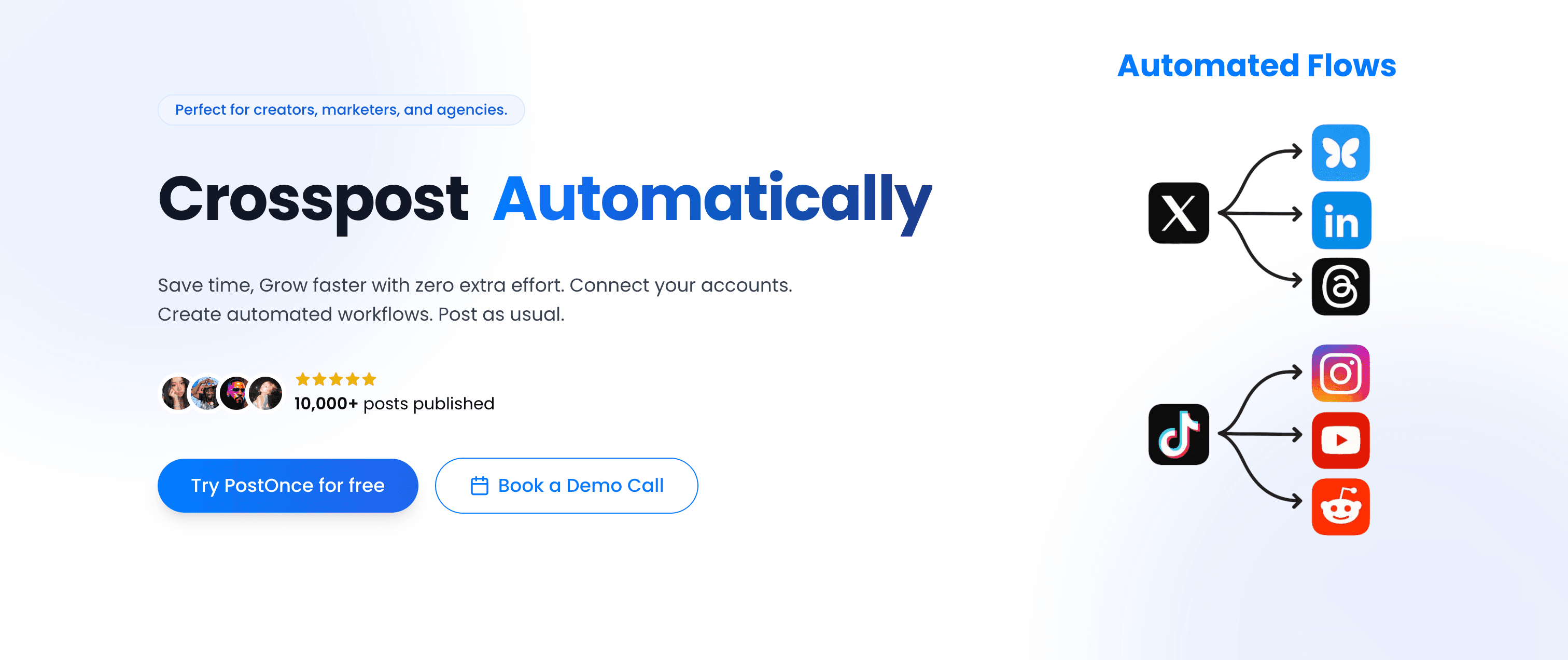
PostOnce vs SocialPilot
SocialPilot's strength is organizing and scheduling large volumes of posts efficiently. PostOnce's strength is eliminating the need to schedule posts at all for crossposted content. They solve different problems.
SocialPilot workflow:
- Create post for Instagram
- Schedule Instagram post
- Rewrite/adjust post for LinkedIn
- Schedule LinkedIn post
- Adapt for Twitter character limit
- Schedule Twitter post
- Repeat for Threads, Bluesky, Facebook...
PostOnce workflow:
- Post natively on Instagram (or Twitter, LinkedIn — wherever you naturally create)
- PostOnce automatically crossposts to eligible connected destinations
- Done. Content distributed everywhere within seconds.
For creators and small businesses crossposting similar content across 4-8 platforms daily, this workflow change saves roughly 4 hours per week that would otherwise go to manual scheduling.
Platform support
PostOnce supports:
- TikTok (supported post types vary)
- Instagram (feed posts, carousels, Reels)
- Twitter/X (posts, threads, media)
- LinkedIn (posts, documents, videos)
- Bluesky (posts, media)
- Threads (text posts, media)
- Facebook (pages, media)
- Pinterest (pins, boards)
- YouTube (shorts, community posts)
Available source/destination pairs and post types vary.
This includes Threads and Bluesky — platforms where creators are actively building audiences in 2026. PostOnce adds new platform support quickly as the landscape evolves.
Workflow: set up once, run automatically
The core PostOnce setup:
- Connect your social accounts (one-time setup)
- Create crossposting flows — choose which platforms receive content from which source platform
- Post natively on your preferred platform (Instagram, Twitter, wherever you create)
- PostOnce distributes automatically to all configured destinations
No CSV uploads. No scheduling calendar to manage. No copying and pasting the same post across tabs. You crosspost automatically as a byproduct of posting normally.
Content rules and filtering
PostOnce includes smart content filtering so you decide exactly what gets crossposted:
- Hashtag rules — Only crosspost content containing specific hashtags (or exclude certain hashtags)
- Content type filtering — Crosspost only images, only videos, or only text posts
- Platform-specific rules — Route Instagram Reels to YouTube Shorts, but not to LinkedIn
This gives you fine-grained control without adding manual work. A casual Instagram story won't accidentally crosspost to your LinkedIn page.
Pricing
Creator Plan — $29/month
- 15 social accounts
- unlimited crossposting workflows
- Access to all nine supported platforms; source/destination pairs and post types vary
- Unlimited posts
- Content filtering rules
Pro Plan — $69/month
- 50 social accounts
- Unlimited crossposting flows
- Priority support
- Advanced content rules
Agency Plan — $199/month
- 200 social accounts
- Unlimited crossposting workflows
- Unlimited posts
- Priority support
All three plans include a 7-day free trial. No per-account fees — just flat monthly rates.
Why PostOnce stands out
- Native → automatic distribution eliminates SocialPilot's manual per-platform scheduling
- Supports Threads and Bluesky from day one
- Content filtering rules ensure the right content reaches the right audiences
- Publishes HD-quality native posts on each platform — content looks native, not bot-scheduled
- 50,000+ posts already published through the platform
- Flat pricing at $29/month vs SocialPilot's account-count-based plans
Best for: Content creators, indie hackers, small business owners, podcasters — anyone publishing similar content across 4+ platforms regularly who wants to stop spending time on manual crossposting.
Not ideal for: Agencies managing dozens of client accounts who need bulk scheduling, approval workflows, and white-label client reports. PostOnce is built for crossposting automation, not agency account management. For that, look at Sendible or Agorapulse.
Alternative #2: Buffer
Buffer is the clean, minimalist alternative to SocialPilot — simpler interface, per-channel pricing, and a focus on straightforward scheduling without agency complexity.
Buffer vs SocialPilot
Where SocialPilot packs in agency features (bulk scheduling, client management, white-label reports), Buffer strips things back to the essentials: schedule posts, view a content calendar, check basic analytics.
Simple, intuitive interface
Buffer's dashboard is consistently praised for being cleaner and more modern than SocialPilot's. If your team finds SocialPilot's interface clunky or overwhelming, Buffer's simplicity is refreshing. The queue-based scheduling is easy to understand, and the browser extension lets you schedule content while browsing.
Queue-based scheduling
Buffer's queue system lets you load content and set time slots — Buffer fills them in order. For creators and small teams with consistent posting schedules, this "set it and forget it" approach works well.
AI tools
Unlike SocialPilot, Buffer has built AI tools directly into the platform for generating post ideas, rewriting captions, and adapting content for different platforms. This is a meaningful addition for solo creators who write their own copy.
Platform support
Buffer supports Facebook, Instagram, Twitter/X, LinkedIn, and Pinterest. It lacks TikTok direct posting and doesn't yet support Threads or Bluesky — a notable gap compared to SocialPilot.
Pricing
Buffer's pricing is per-channel:
Free — $0/month
- 3 social channels
- 10 scheduled posts per channel
Essentials — $5/month per channel
- Unlimited scheduled posts
- Analytics
- 1 user
Team — $10/month per channel
- Everything in Essentials
- Unlimited users
- Approval workflows
For 5 channels, Essentials runs $25/month. Add a second user and you're on the Team plan at $50/month — comparable to SocialPilot's Small Team plan but with fewer accounts included.
Pros
- Clean, modern interface
- AI writing tools built in
- Affordable entry pricing
- Browser extension for easy scheduling
Cons
- No TikTok, Threads, or Bluesky support
- No bulk scheduling or CSV upload
- No client management features
- Still requires manual scheduling per platform (no crossposting)
| Feature | Buffer | SocialPilot |
|---|---|---|
| Bulk scheduling | No | Yes (500 posts via CSV) |
| Client management | No | Yes |
| Pricing model | Per-channel | Per-account |
| Interface quality | Modern | Dated |
Verdict
Buffer is the right SocialPilot alternative for solo creators and small teams who prioritize a clean interface over agency features. The per-channel pricing is transparent, and the AI tools add value. But if you need bulk scheduling, client management, or Threads/Bluesky support, SocialPilot still has the edge.
Best for: Solo creators, small businesses, freelancers who want simple scheduling without agency complexity.
Alternative #3: Hootsuite
Hootsuite is the enterprise-grade SocialPilot alternative — more features, more integrations, and a significantly higher price tag.

Hootsuite vs SocialPilot
SocialPilot and Hootsuite compete in the same general space (multi-account social media management), but Hootsuite targets larger teams with more complex needs and budgets to match.
Unified social inbox
Hootsuite's social inbox aggregates comments, DMs, and mentions across all connected accounts into one stream. SocialPilot has a basic inbox, but Hootsuite's is more robust and better suited for brands with active community management needs.
Comprehensive analytics
Hootsuite's reporting goes significantly deeper than SocialPilot's — customizable dashboards, cross-platform performance comparison, team productivity reports, and ad performance tracking. For social media managers who need to present detailed data to stakeholders, Hootsuite delivers.
Team collaboration
Hootsuite offers role-based permissions, approval workflows, content assignment, and team activity tracking. These features are more polished than SocialPilot's, making it better for larger teams with complex approval chains.
Extensive integrations
Hootsuite integrates with 150+ apps including Canva, Adobe Creative Cloud, Salesforce, and Microsoft Teams. SocialPilot's integration list is shorter.
Pricing
Professional — $99/month
- 1 user
- 10 social accounts
Team — $249/month
- 3 users
- 20 social accounts
Enterprise — Custom pricing
- 5+ users
- 50+ social accounts
Hootsuite is 3-10x more expensive than SocialPilot for comparable account counts.
Pros
- Comprehensive feature set for enterprise teams
- Deep analytics and reporting
- Robust team collaboration and permissions
- 150+ app integrations
Cons
- Significantly more expensive than SocialPilot
- Steep learning curve
- Overkill for small teams or solo creators
- Still requires manual scheduling per platform
| Feature | Hootsuite | SocialPilot |
|---|---|---|
| Pricing (10 accounts) | $99/mo | $30/mo |
| Analytics depth | Advanced | Basic |
| Team size | Enterprise | Small-medium |
| Social inbox | Comprehensive | Basic |
Verdict
Hootsuite is worth the premium if you're managing a large team, need enterprise-grade analytics, or require deep integrations with other business tools. For most agencies or small teams switching from SocialPilot, the price jump is hard to justify. You're paying 3-10x more for features that may exceed your actual needs.
Best for: Enterprise marketing teams, large agencies, brands with dedicated social media departments.
Alternative #4: Sprout Social
Sprout Social is the analytics-first SocialPilot alternative — built for teams that need to prove social media ROI with detailed reporting and social listening.
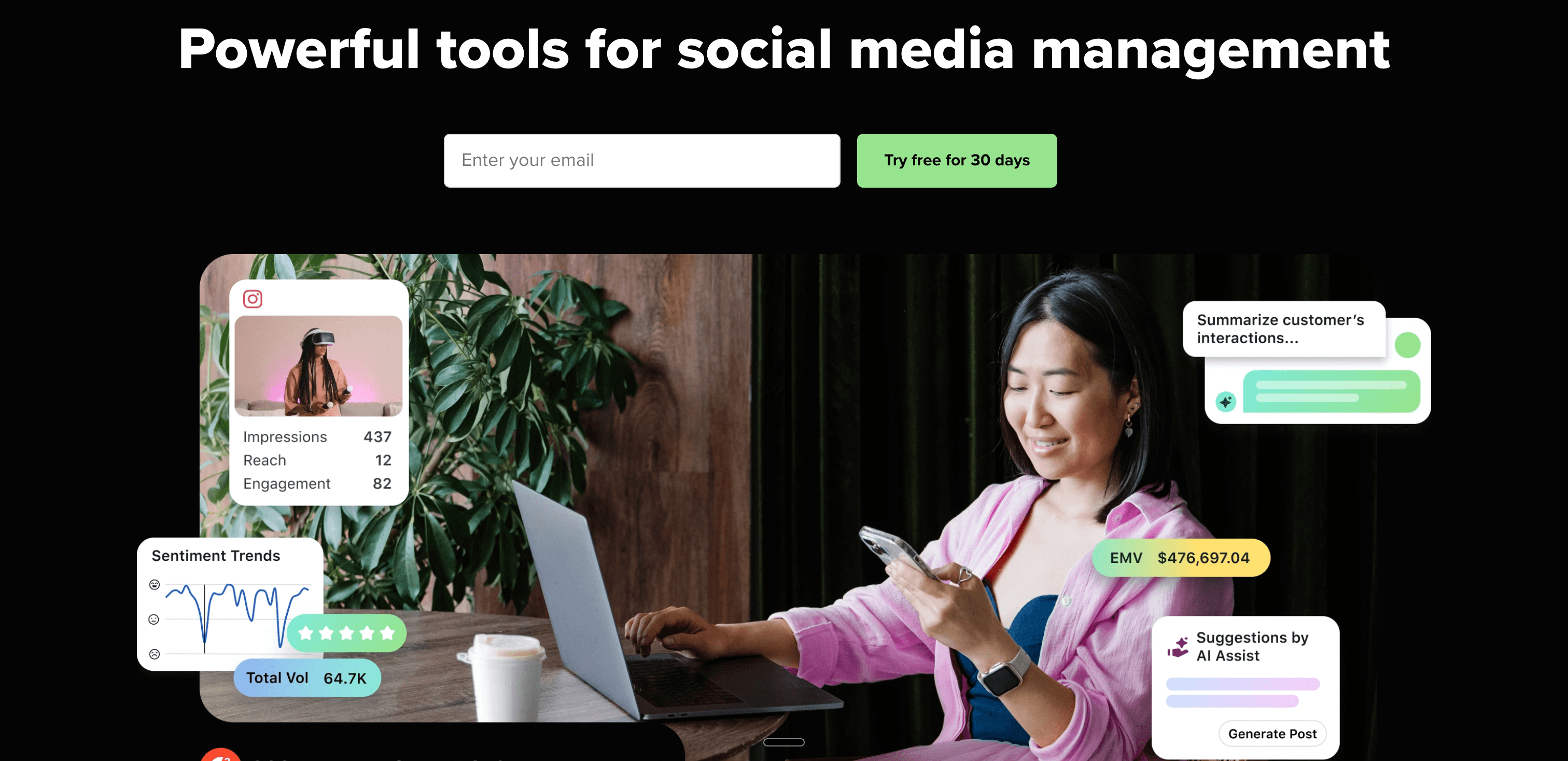
Sprout Social vs SocialPilot
SocialPilot's analytics are often cited as its weakest area. Sprout Social was designed to solve exactly that problem, offering enterprise-grade reporting alongside scheduling features.
Advanced analytics and reporting
Sprout Social's analytics go far beyond SocialPilot's:
- Custom report builder
- Audience demographics and growth tracking
- Competitor analysis and benchmarking
- Cross-platform performance comparison
- Paid vs organic content breakdown
- Export-ready executive reports
For social media managers presenting quarterly performance to leadership, Sprout Social's reports are genuinely presentation-ready.
Social listening
Sprout Social includes social listening tools that track brand mentions, industry keywords, and competitor conversations across the web. SocialPilot doesn't offer anything comparable.
Smart Inbox
Sprout's Smart Inbox consolidates all messages, comments, and mentions with collision detection (prevents two team members from responding to the same message), automated tagging, and saved replies. The team features here outclass SocialPilot significantly.
Publishing features
Scheduling is straightforward and comparable to SocialPilot, with a visual content calendar, optimal timing suggestions, and approval workflows. Like SocialPilot, it requires manual scheduling for each platform.
Pricing
Standard — $199/month (per seat)
- 5 social profiles
- Publishing, scheduling, analytics
- Smart Inbox
Professional — $299/month (per seat)
- 10 social profiles
- Competitive reports
- Custom workflows
Advanced — $399/month (per seat)
- Everything in Professional
- Social listening
- AI tools
Pros
- Best-in-class analytics and reporting
- Social listening for brand monitoring
- Smart Inbox for community management
- Excellent ROI reporting
Cons
- Extremely expensive ($199/seat/month)
- Overkill for small teams
- Still requires manual scheduling per platform
- Feature depth can be overwhelming
| Feature | Sprout Social | SocialPilot |
|---|---|---|
| Analytics depth | Enterprise-grade | Basic |
| Pricing | $199+/mo per seat | $30-100/mo |
| Social listening | Yes | No |
| Best for | Enterprise analytics | Budget agencies |
Verdict
Sprout Social is the right switch from SocialPilot if your core pain point is analytics and you have the budget to match. The reporting capabilities are genuinely superior. But at $199+ per seat, it's hard to recommend for small agencies or businesses where SocialPilot's $30-100/month serves the scheduling need adequately.
Best for: Mid-size to enterprise brands, social media agencies needing to prove ROI, marketing teams with analytics-focused stakeholders.
Alternative #5: Later
Later is the visual-planning SocialPilot alternative — built around Instagram-first scheduling with drag-and-drop grid planning and a strong media library.

Later vs SocialPilot
SocialPilot is built for scheduling volume. Later is built for scheduling quality — particularly for visual-first creators who care about how their Instagram grid looks and wants to plan content aesthetically.
Visual Instagram grid planner
Later's signature feature shows your Instagram grid in real time as you arrange content. Drag and drop posts to see exactly how your feed will look before anything goes live. SocialPilot has no equivalent feature.
For brands and creators who invest in Instagram aesthetics, this is a meaningful differentiator.
Media library
Later includes a robust media library where you can store images, videos, and content assets, organized in folders with tags and search. It's significantly more polished than SocialPilot's media handling.
Link in bio tool
Later's Link in Bio feature turns your Instagram bio link into a clickable landing page showing recent posts — a popular tool for driving traffic from Instagram without paid ads.
Platform support
Later supports Instagram, Facebook, TikTok, Pinterest, LinkedIn, and Twitter/X. No Threads or Bluesky support currently.
Pricing
Free — $0/month
- 1 social set
- 10 posts per profile per month
Starter — $25/month
- 1 social set
- 30 posts per profile
- Link in bio
- Best time to post
Growth — $45/month
- 3 social sets
- Unlimited posts
- Competitor analytics
Advanced — $80/month
- 6 social sets
- Advanced analytics
Pros
- Visual Instagram grid planning
- Free plan available
- Excellent media library
- TikTok direct posting
Cons
- Instagram-centric (weaker for other platforms)
- No Threads or Bluesky
- No bulk scheduling or CSV upload
- No client management features
| Feature | Later | SocialPilot |
|---|---|---|
| Instagram grid preview | Yes | No |
| Bulk scheduling | No | Yes (500 posts) |
| Free plan | Yes | No |
| Client management | No | Yes |
Verdict
Later is the better SocialPilot alternative for Instagram-focused creators and brands. The visual planning tools are genuinely useful. But if you're an agency needing bulk scheduling, client management, or comprehensive multi-platform coverage, SocialPilot has features Later doesn't.
Best for: Instagram creators, visual brands, lifestyle influencers who prioritize feed aesthetics and TikTok presence.
Alternative #6: Planable
Planable is the collaboration-first SocialPilot alternative — built around content approval workflows for agencies and marketing teams that review content before publishing.

Planable vs SocialPilot
Both SocialPilot and Planable serve agencies, but they focus on different pain points. SocialPilot prioritizes scheduling volume and cost. Planable prioritizes the collaboration and approval process — the part that generates the most back-and-forth between agencies and clients.
Multi-level approval workflows
Planable's standout feature is its approval system. Content moves through draft → review → approval → publish, with stakeholders at each stage. Clients review posts directly in Planable without needing access to the actual social accounts. Comments, reactions, and approvals are all tracked in one place.
SocialPilot has approval workflows too, but Planable's are more refined and client-friendly.
Multiple content views
Planable offers calendar, grid, list, and feed views. The feed view shows exactly how posts will render on each social platform — useful for catching formatting issues before publishing. SocialPilot's calendar view is adequate but less polished.
Real-time collaboration
Multiple team members can work on content simultaneously, leave inline comments, and @mention colleagues. It's closer to Google Docs-style collaboration than SocialPilot's more basic team features.
Platform support
Planable supports Facebook, Instagram, LinkedIn, Twitter/X, TikTok, YouTube, Pinterest, Google My Business, and Threads.
Pricing
Free — $0/month
- 50 posts total
- 1 workspace
Starter — $33/month
- Unlimited posts
- 1 workspace
Pro — $49/month
- Multi-level approval
- Custom approval workflows
Enterprise — Custom pricing
- Advanced security
- Dedicated support
Pros
- Polished approval workflows
- Feed view shows real platform rendering
- Client-friendly interface
- Free plan available
Cons
- More expensive than SocialPilot for comparable features
- Less bulk scheduling capability
- Analytics are secondary to collaboration
- No social inbox
| Feature | Planable | SocialPilot |
|---|---|---|
| Approval workflows | Polished, multi-level | Basic |
| Client-facing UI | Yes | Limited |
| Bulk scheduling | No | Yes |
| Pricing | $33/mo | $30/mo |
Verdict
Planable is the right SocialPilot alternative if client approval workflows are your main friction point. The collaboration experience is noticeably better. But if bulk scheduling and cost-efficiency are your priorities, SocialPilot still wins on value per account.
Best for: Marketing agencies running content approval with clients, teams with multi-step review processes, brand-focused agencies.
Alternative #7: Agorapulse
Agorapulse is the social inbox SocialPilot alternative — combining scheduling with a comprehensive community management system built around handling every message, comment, and mention.

Agorapulse vs SocialPilot
SocialPilot is primarily a publishing tool with a basic inbox. Agorapulse treats the social inbox as a first-class feature — it's built for brands that generate significant engagement and need a systematic way to manage every interaction.
Inbox Zero workflow
Agorapulse's inbox is designed around the concept of clearing your queue. Every comment, DM, @mention, and review surfaces in one place with features to:
- Assign conversations to specific team members
- Tag and label interactions for organization
- Use saved replies for common questions
- Mark items as reviewed to keep the inbox clear
Social listening
Agorapulse monitors brand mentions, keyword conversations, and competitor activity — beyond just your own account's notifications. SocialPilot doesn't offer this.
Analytics and reporting
Agorapulse's reporting is more detailed than SocialPilot's — custom time ranges, white-label reports, competitor benchmarking, and ROI reporting. It's not quite Sprout Social territory, but it's a meaningful step up from SocialPilot.
Platform support
Agorapulse supports Facebook (including ad comment management), Instagram, Twitter/X, LinkedIn, YouTube, TikTok, and Google My Business.
Pricing
Standard — $99/month
- 10 social profiles
- 1 user
- Unified inbox
Professional — $149/month
- 10 social profiles
- 2 users
- Advanced analytics
Advanced — $199/month
- 10 social profiles
- 4 users
- Custom workflows
All plans include a 30-day free trial.
Pros
- Best-in-class unified social inbox
- Competitor benchmarking included
- White-label reports available
- Facebook ad comment management
Cons
- More expensive than SocialPilot at comparable account counts
- Inbox-focused — less valuable if you don't engage heavily
- Fewer accounts included at base tier
- Still requires manual scheduling per platform
| Feature | Agorapulse | SocialPilot |
|---|---|---|
| Social inbox | Comprehensive | Basic |
| Competitor tracking | Yes | No |
| Pricing (base) | $99/mo | $30/mo |
| White-label reports | Yes (higher tiers) | Yes (Agency plan) |
Verdict
Agorapulse justifies its higher price if social inbox management and community engagement are as important to you as scheduling. For agencies whose clients have active social communities generating hundreds of comments and DMs, Agorapulse's inbox tools pay for themselves in team efficiency. If you just need scheduling and basic client management, SocialPilot is more cost-efficient.
Best for: Brands with active social communities, customer service teams on social platforms, agencies managing high-engagement accounts.
Alternative #8: Sendible
Sendible is the agency-first SocialPilot alternative — purpose-built for agencies managing multiple client accounts with white-label branding, content automation, and client dashboards.
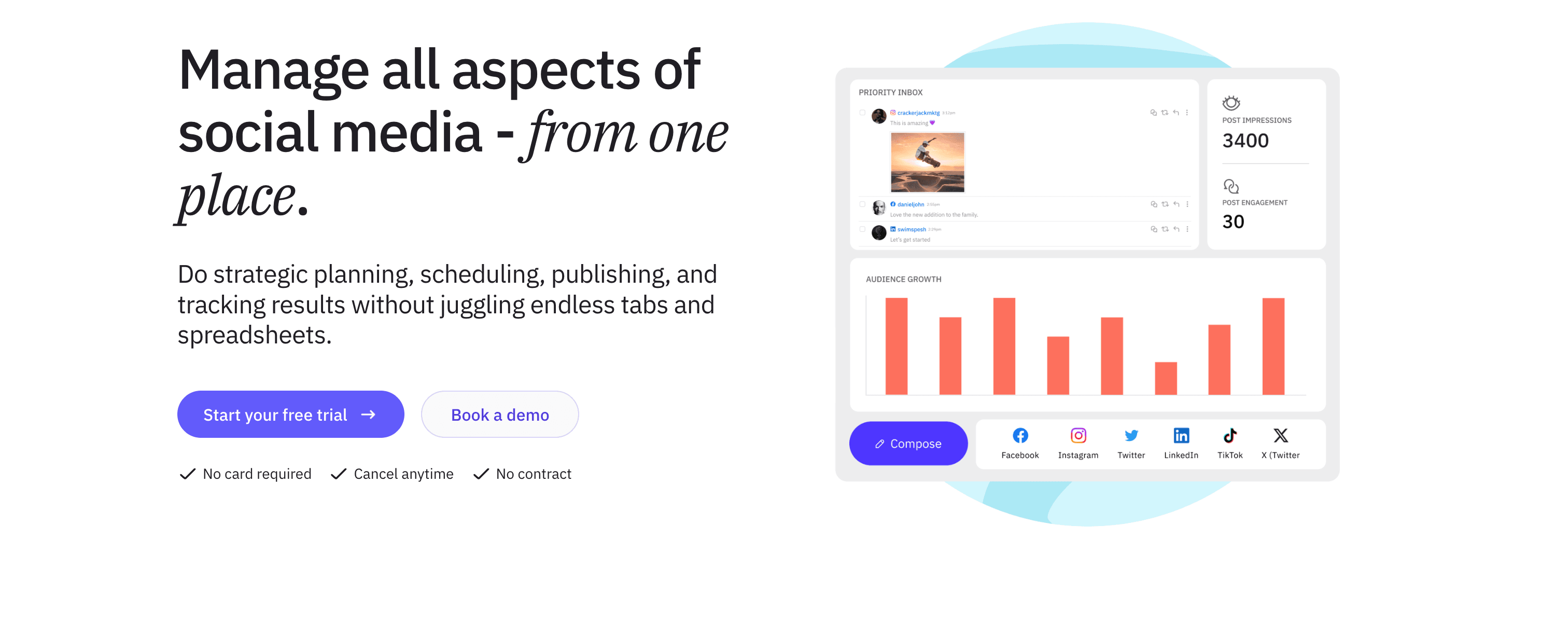
Sendible vs SocialPilot
Both tools target agencies, but Sendible leans harder into the agency experience. The client management workflow, RSS automation, and white-label capabilities are more polished.
Client management workflow
Sendible's agency features include:
- Separate client workspaces with isolated access
- Client users who can view and approve content without touching other clients' data
- Branded client dashboards with your agency logo
- Client approval flows with notifications
RSS feed automation and content hub
Sendible can pull content from RSS feeds and auto-schedule posts from new blog articles. This is a meaningful feature SocialPilot lacks — agencies managing content marketing for clients can automate blog promotion without manual scheduling.
The content hub also suggests articles from sources you track, reducing time spent on content curation.
Platform coverage
Sendible supports 20+ platforms including Facebook, Instagram, Twitter/X, LinkedIn, Pinterest, YouTube, Google My Business, Tumblr, WordPress, and Medium.
Pricing
Creator — $29/month
- 1 user
- 6 social profiles
Traction — $89/month
- 4 users
- 24 social profiles
- Client management
Scale — $199/month
- 7 users
- 49 social profiles
- White-label branding
Advanced — $299/month
- 20 users
- 100 social profiles
All plans include a 14-day free trial.
Pros
- RSS automation for content curation
- Polished client management experience
- White-label reports and dashboard
- More platforms than SocialPilot
Cons
- Interface feels dated compared to modern tools
- Analytics not as strong as Agorapulse or Sprout Social
- Traction plan ($89/mo) is the minimum for proper agency features
- No crossposting automation
| Feature | Sendible | SocialPilot |
|---|---|---|
| RSS automation | Yes | No |
| White-label | Yes | Yes (Agency plan) |
| Client workspace | Polished | Basic |
| Pricing (agency features) | $89/mo | $100/mo |
Verdict
Sendible and SocialPilot are close competitors for agencies. Sendible wins on RSS automation, content curation, and client experience. SocialPilot wins on bulk scheduling and price-per-account value. If content automation and polished client dashboards matter more than bulk post volume, Sendible is the better switch.
Best for: Digital marketing agencies, content-focused freelancers, agencies managing editorial content strategies for clients.
Alternative #9: Metricool
Metricool is the analytics-focused SocialPilot alternative with one of the most generous free plans in the market — comprehensive scheduling and reporting without the enterprise price tag.
Metricool vs SocialPilot
SocialPilot's analytics are consistently flagged as inadequate. Metricool was built with analytics as a core feature, not an afterthought.
Free plan with real analytics
Metricool's free plan includes:
- Unlimited scheduled posts for 1 brand
- Full analytics across all social networks
- Competitor tracking (up to 5 competitors)
- Best times to post recommendations
- Performance reports
This is more analytics depth than SocialPilot's paid plans provide, available at $0/month.
Multi-platform analytics in one view
Metricool aggregates performance data across social media, paid ads (Facebook, Instagram, Google Ads), and website traffic. Seeing everything in one view is something SocialPilot can't offer.
Competitor tracking
Track competitor accounts across platforms and compare your performance directly. SocialPilot doesn't include competitor tracking.
Platform support
Metricool supports 15+ platforms including Facebook, Instagram, Twitter/X, LinkedIn, TikTok, Pinterest, YouTube, Google Business Profile, Twitch, and Reddit.
Pricing
Free — $0/month
- 1 brand
- Unlimited posts
- Full analytics
Starter — $18/month
- 5 brands
Advanced — $45/month
- 10 brands
- Ad tracking
- Team collaboration
Agency — $119/month
- 20 brands
- White-label reports
Pros
- Generous free plan (analytics + unlimited scheduling)
- Competitor benchmarking included
- Ad performance tracking
- Broad platform coverage including Twitch and Reddit
Cons
- Interface can feel cluttered
- White-label only on Agency plan ($119/mo)
- No social inbox or community management
- Still requires manual scheduling per platform
| Feature | Metricool | SocialPilot |
|---|---|---|
| Free plan | Yes (full analytics) | No |
| Competitor tracking | Yes | No |
| Ad analytics | Yes | No |
| Bulk CSV scheduling | No | Yes |
Verdict
Metricool is the right SocialPilot alternative if analytics depth is your primary frustration and budget is a constraint. The free plan's analytics genuinely outperform SocialPilot's paid reporting. If you need bulk scheduling or formal client management, SocialPilot still has the edge — but Metricool's analytics are hard to beat at the price.
Best for: Data-driven solo creators, small businesses needing analytics, teams that run paid ads alongside organic content.
Alternative #10: SocialBee
SocialBee is the content recycling SocialPilot alternative — built around organizing content into categories and automatically recycling evergreen posts to maintain consistent publishing without constant manual work.
SocialBee vs SocialPilot
SocialPilot handles large volumes of manually scheduled posts efficiently. SocialBee takes a different approach: organize your content into categories, set category-based schedules, and let SocialBee recycle evergreen content to keep your queue full automatically.
Content categories and evergreen recycling
SocialBee's core system:
- Create categories — "Blog Reposts," "Product Updates," "Industry Insights," "Motivational Quotes"
- Assign posts to categories when creating content
- Set category schedules — 2 blog posts per week, 1 motivational quote per day
- SocialBee recycles evergreen posts automatically when new content isn't added
For coaches, consultants, or brands with deep evergreen content libraries, this system keeps social media active without constant manual intervention. SocialPilot doesn't offer content recycling.
AI writing assistant
SocialBee includes an AI writing assistant for generating post variations, suggesting hashtags, adapting content for different platform tones, and rewriting posts. This is a useful feature SocialPilot doesn't provide.
RSS feed integration
Like Sendible, SocialBee pulls content from RSS feeds and can auto-create posts from new articles — useful for content creators who want to automate promotion of blog content.
Platform support
SocialBee supports Facebook, Instagram, Twitter/X, LinkedIn, Pinterest, TikTok, Google My Business, and YouTube.
Pricing
Bootstrap — $29/month
- 5 social profiles
- 1 user
- Content categories
- AI assistant
Accelerate — $49/month
- 10 social profiles
- 1 user
Pro — $99/month
- 25 social profiles
- 3 users
SocialBee offers a 14-day free trial.
Pros
- Content recycling keeps queue active automatically
- AI writing assistant for post variations
- RSS automation for blog content
- Category-based scheduling is efficient for evergreen content
Cons
- Category system has a learning curve
- No social inbox or community management
- Less suited to high-volume agency work
- Still requires manual scheduling per platform
| Feature | SocialBee | SocialPilot |
|---|---|---|
| Evergreen recycling | Yes | No |
| AI writing assistant | Yes | Basic |
| Bulk CSV scheduling | No | Yes |
| Client management | No | Yes |
Verdict
SocialBee is the right SocialPilot alternative for creators and brands with significant evergreen content libraries who want automation beyond manual scheduling. The content recycling system reduces ongoing work meaningfully. But for agencies managing multiple clients with high-volume scheduling needs, SocialPilot's bulk scheduling and client management are better fits.
Best for: Coaches, consultants, bloggers with evergreen content, brands that want consistent posting without constant manual uploads.
Alternative #11: Publer
Publer is the lean, affordable SocialPilot alternative for individuals and small teams who want a capable scheduling tool without paying for features they won't use.
Publer vs SocialPilot
Publer positions itself between Buffer's minimalism and SocialPilot's agency focus. You get more features than Buffer (approval workflows, content recycling, bulk scheduling) without SocialPilot's agency complexity or pricing structure.
Broad platform support including Mastodon and Bluesky
Publer supports Facebook, Instagram, Twitter/X, LinkedIn, Pinterest, TikTok, YouTube, Google My Business, Mastodon, and Bluesky. The Mastodon and Bluesky support is a differentiator — useful for creators diversifying onto decentralized platforms.
Content recycling and evergreen queues
Like SocialBee, Publer includes content recycling to keep queues active with evergreen posts. You can flag posts as evergreen, and Publer will re-queue them automatically after a specified interval.
Approval workflows
Publer includes team collaboration with approval workflows — team members can draft content, get it reviewed, and push to publish with a multi-step process. This makes it more agency-capable than Buffer without SocialPilot's full client management suite.
AI writing tools
Publer's AI Assist generates post content, suggests captions, responds to comments, and creates images. The AI features are more integrated than SocialPilot's.
Pricing
Free — $0/month
- 3 social accounts
- 10 scheduled posts
Professional — $12/month
- 3 social accounts (up to 10 for $40/mo)
- Unlimited posts
- Basic analytics
Business — $21/month
- Everything in Professional
- Analytics reports
- Hashtag suggestions
- Content recycling
Every 10th social account or team member is free — an unusual pricing quirk that rewards growing teams.
Pros
- Mastodon and Bluesky support
- Content recycling included
- Approval workflows for teams
- AI writing tools
Cons
- Recent pricing changes reduced free plan generosity
- Client management less robust than SocialPilot
- Steep fees for adding extra accounts
- Smaller user community than SocialPilot
| Feature | Publer | SocialPilot |
|---|---|---|
| Bluesky support | Yes | Yes |
| Mastodon support | Yes | No |
| Client management | Basic | Robust |
| Pricing (3 accounts) | $12/mo | $30/mo |
Verdict
Publer is a solid SocialPilot alternative for small teams or individuals who want approval workflows and content recycling at a lower price point. The broad platform support (including Mastodon) is a genuine differentiator. For agencies needing robust client management and bulk scheduling, SocialPilot remains more capable.
Best for: Freelancers, small teams, independent creators who want team workflows without full agency tooling.
Alternative #12: Loomly
Loomly is the content inspiration SocialPilot alternative — combining scheduling with post ideas, optimization tips, and content guidance that help teams create better posts, not just schedule them faster.
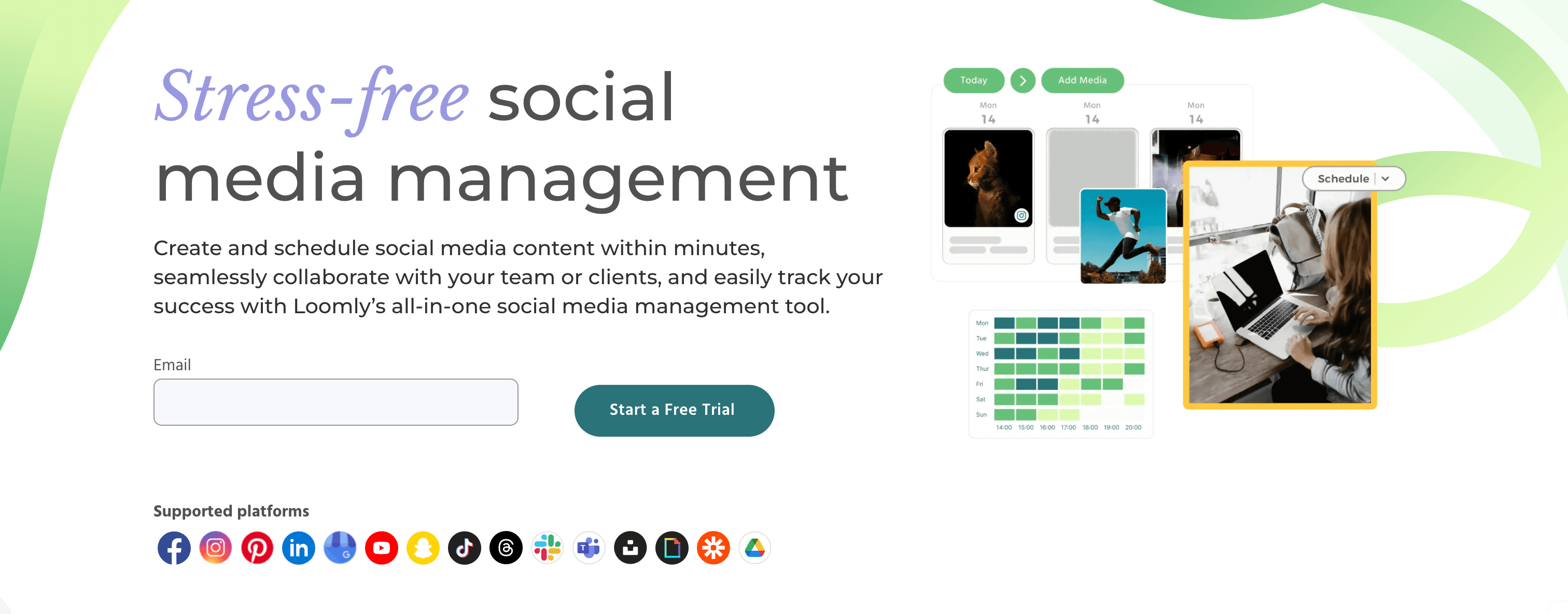
Loomly vs SocialPilot
SocialPilot helps you schedule content efficiently. Loomly helps you figure out what to schedule. If content ideation and quality improvement are pain points for your team alongside scheduling needs, Loomly addresses both.
Post ideas and inspiration engine
Loomly generates post ideas based on trending topics, industry events, RSS feeds you follow, and relevant holidays and observances. For teams that struggle with consistent content creation, this starting-point system is more valuable than a blank scheduling queue.
Optimization tips
Before publishing, Loomly provides platform-specific optimization guidance:
- Character limit recommendations
- Optimal image dimensions for each platform
- Hashtag suggestions
- Best posting times
- Engagement predictions
SocialPilot doesn't offer proactive optimization guidance.
Approval workflows
Loomly includes content approval workflows where team members can review, comment on, and sign off posts before they go live — useful for teams with manager or client review requirements.
Platform support
Loomly supports Facebook, Instagram, Twitter/X, LinkedIn, Pinterest, Google My Business, TikTok, YouTube, and Snapchat.
Pricing
Base — $32/month
- 2 users
- 10 social accounts
Standard — $60/month
- 4 users
- 20 social accounts
Advanced — $131/month
- 8 users
- 35 social accounts
Premium — $277/month
- 14 users
- 50 social accounts
All plans include a 15-day free trial.
Pros
- Post ideas help overcome content creation blocks
- Optimization tips improve post quality
- Approval workflows included at all tiers
- Snapchat support is unique among alternatives
Cons
- More expensive than SocialPilot at comparable user counts
- Less bulk scheduling capability
- No social inbox or listening
- Interface feels dated
| Feature | Loomly | SocialPilot |
|---|---|---|
| Post ideas | Yes | No |
| Optimization tips | Yes | No |
| Bulk CSV scheduling | No | Yes |
| Pricing (2 users, 10 accounts) | $32/mo | $30/mo |
Verdict
Loomly is a good SocialPilot alternative for content teams that want scheduling alongside creative assistance. The post ideas and optimization tips add genuine value for teams that find content creation harder than content distribution. But for pure scheduling efficiency and bulk upload capability, SocialPilot remains stronger.
Best for: Small marketing teams, local businesses, brands that want scheduling alongside content strategy guidance.
Which SocialPilot alternative fits you?
The right alternative depends on where SocialPilot is specifically falling short for you:
You want to stop manually crossposting to each platform
- PostOnce — Post once natively, automatic distribution to eligible destinations. $29/month. Learn more about crossposting automation.
You want a simpler, cleaner interface
- Buffer — Clean scheduling, AI writing tools, per-channel pricing. $5/month per channel.
You need deeper analytics than SocialPilot provides
- Metricool — Comprehensive analytics, free plan available. Free to $119/month.
- Sprout Social — Enterprise analytics, social listening. $199/month per seat.
You need better client collaboration and approval workflows
- Planable — Polished approval UX, client-friendly interface. $33/month.
- Sendible — RSS automation, white-label, client dashboards. $89/month.
You need enterprise features and are willing to pay for them
- Hootsuite — Comprehensive features, 150+ integrations. $99-249/month.
- Agorapulse — Best social inbox, competitor tracking. $99-199/month.
You have evergreen content and want it to post itself
- SocialBee — Content categories, evergreen recycling. $29-99/month.
- Publer — Recycling + Bluesky/Mastodon + approvals. $12-21/month.
You want scheduling + content strategy guidance
- Loomly — Post ideas, optimization tips, approvals. $32-277/month.
You're Instagram-focused and care about grid aesthetics
- Later — Visual grid preview, TikTok support, free plan. Free to $80/month.
FAQs about SocialPilot alternatives
What's the best free alternative to SocialPilot?
Metricool is the strongest free SocialPilot alternative. Its free plan includes unlimited scheduled posts for 1 brand plus full analytics — including competitor tracking that SocialPilot's paid plans don't even offer. Buffer and Publer also have free plans, though both are limited on post volume. Later has a free plan good for 10 posts per social profile per month.
SocialPilot doesn't offer a free plan, which makes all of these meaningful alternatives for budget-constrained users.
What's the best SocialPilot alternative for agencies?
It depends on what your agency actually needs:
- Sendible — Best if content automation (RSS, content hub) matters alongside client management
- Agorapulse — Best if community management and social inbox are priorities alongside scheduling
- Planable — Best if client approval workflows are your biggest pain point
- Hootsuite — Best if you need enterprise-grade features and have the budget
All of these offer white-label or client-facing features SocialPilot provides, but each is stronger in specific areas.
Is there a SocialPilot alternative with automatic crossposting?
PostOnce is the only tool in this comparison with true automatic crossposting. You publish natively on one platform, and PostOnce automatically distributes content to eligible connected destinations based on flows you configure. No manual scheduling per platform required.
SocialPilot and all other alternatives require you to manually schedule each platform. If you crosspost content regularly, PostOnce eliminates that repetitive workflow entirely.
Is SocialPilot good for small businesses?
SocialPilot can work for small businesses, particularly those managing multiple social accounts who want affordable bulk scheduling. But the interface has received consistent UX criticism, and the lack of a free plan means you're committing $30/month before testing it properly.
Buffer is often a better fit for small businesses that don't need agency features — cleaner interface, $5/month per channel, and a 14-day free trial. Metricool is worth considering if analytics matter and budget is tight.
Which SocialPilot alternative has the best analytics?
Sprout Social leads on analytics depth — customizable dashboards, audience demographics, competitor analysis, and executive-ready reports. But at $199+/seat/month, it's expensive.
For analytics without enterprise pricing:
- Metricool — Comprehensive analytics on the free plan including competitor tracking
- Agorapulse — Good reporting with white-label option at $99/month
- Hootsuite — Solid analytics at $99/month (much cheaper than Sprout Social)
SocialPilot's analytics are consistently rated as one of its weakest areas, so almost any alternative here represents an improvement.
Does SocialPilot support Bluesky and Threads?
Yes, SocialPilot added Threads and Bluesky support. So does PostOnce, Publer, Planable, and Buffer (Threads only as of early 2026). Hootsuite and Sendible also support Threads. If Bluesky is important to your workflow, verify current support before committing — platform integrations change frequently.
For creators building audience on newer platforms, checking the best crossposting tools can help identify which tools keep up with emerging networks.
What's the cheapest SocialPilot alternative for managing many accounts?
Comparing price-per-account:
- Metricool — Free for 1 brand; $18/month for 5 brands
- Publer — $12/month for 3 accounts; $40/month for 10
- Buffer — $5/month per channel (so $50/month for 10)
- SocialBee — $29/month for 5 profiles
- PostOnce — $29/month for 15 accounts (best value per account for crossposting)
For crossposting use cases specifically, PostOnce at $29/month for 15 accounts offers strong value per account alongside automation. For pure scheduling volume at low cost, Metricool is hardest to beat.
Final thoughts: Choosing the right SocialPilot alternative
SocialPilot's value proposition — affordable multi-account scheduling with basic agency features — is real. It works for agencies that need bulk scheduling on a budget and don't require deep analytics or a polished client experience.
But if your frustrations are specific, the right alternative becomes clearer:
If you want to stop manually crossposting → PostOnce is the only tool here that eliminates per-platform scheduling through automation. Post once natively, distribute to eligible destinations. Saves creators hours weekly. Check out how social media automation can transform your workflow.
If you need better analytics → Metricool offers more analytical depth for free than SocialPilot charges for. Sprout Social is the enterprise answer.
If you need better client collaboration → Planable has the most polished approval experience. Sendible has better content automation for agency workflows.
If you need a cleaner interface → Buffer or Later are consistently rated as more intuitive than SocialPilot.
If you have evergreen content → SocialBee or Publer automate content recycling in ways SocialPilot doesn't.
For most content creators and small businesses that primarily crosspost similar content across platforms, PostOnce delivers the biggest workflow improvement — not by doing scheduling better, but by making per-platform scheduling unnecessary. Managing 6 platforms doesn't have to mean 6x the work. See a list of the best social media automation tools to explore your options.
Try PostOnce free for 7 days
Stop manually crossposting the same content across platforms. Post on a supported source and let PostOnce distribute to eligible destinations; source/destination pairs and post types vary.
The best social media management tool is the one that fits your actual workflow — not the one with the most features or the lowest price. Use the criteria in this guide to find the right match for how you actually create and publish content.