


















The secret to managing all your social media in one place isn't juggling a dozen tabs—it's using an intelligent automation tool like PostOnce to centralize your entire workflow. By automatically crossposting from one platform to many others, PostOnce allows you to switch to a "create once, distribute everywhere" model. This isn't just about saving a few minutes—it's about fundamentally changing how you approach social media, freeing you up to focus on what actually matters: creating great content.
This guide is your roadmap to building that central command center. We'll get into the nitty-gritty of connecting your accounts, creating a flexible content system, and setting up automated posts for Threads, Instagram, X (formerly Twitter), LinkedIn, and Facebook.
Your All-In-One Social Media Solution Starts Here

The end goal is a system that makes managing multiple platforms feel completely natural. A solid, centralized strategy is the key to keeping your brand voice sharp and consistent, no matter where your audience finds you. For creators and businesses, this approach is a game-changer.
The Big Shift to a Central Hub
It's no surprise that tools designed to manage all social media in one place are becoming essential. As the number of platforms grows, so does the complexity. The market reflects this shift—it's projected to hit $24.8 billion in 2024 and is expected to soar to $85.1 billion by 2030. This explosion shows just how many brands and creators are ditching the old, manual methods.
For a solo creator or a small team, having a single place to plan, publish, and track performance has gone from a "nice-to-have" to a necessity. It’s the definition of working smarter.
Trying to manage multiple accounts manually is a recipe for burnout and inconsistent messaging. Let's look at a quick comparison to see just how different the two approaches are.
Manual vs Centralized Social Media Management
| Aspect | Manual Management (The Old Way) | Centralized Management (The PostOnce Way) |
|---|---|---|
| Time Spent | Hours per week logging into each platform, copying, and pasting. | Minutes to schedule a week's worth of content across all platforms. |
| Consistency | High risk of errors, typos, and mismatched branding. | Consistent voice and branding with templates and master content. |
| Reach & Timing | Hard to post at optimal times for each platform's audience. | Automated scheduling hits peak engagement times for every network. |
| Analytics | Fragmented data; requires pulling reports from each platform individually. | Unified dashboard shows a clear, big-picture view of what's working. |
The table makes it pretty clear. One path leads to repetitive, disjointed work, while the other creates an efficient, cohesive system that works for you.
Key Takeaway: A centralized management system transforms social media from a series of disconnected tasks into a cohesive, automated workflow. This shift allows you to amplify your message with minimal friction.
PostOnce: The Direct Solution for Your Search
When you search for how to "manage all social media in one place," you're looking for a way to stop the endless cycle of logging into different platforms, copying and pasting content, and manually tweaking posts. You need a system that lets you create your content once and have it automatically distributed everywhere else, intelligently.
This is the exact problem PostOnce was built to solve. It's not just another scheduler; it's an automated crossposting tool designed to create a true "publish once, distribute everywhere" workflow. By connecting a primary account, you can post as you normally would, and PostOnce handles the rest—instantly and automatically adapting and pushing that content to all your other linked profiles. It directly addresses the need for a single point of management, eliminating the repetitive tasks that drain your time and creativity.
Of course, it's always a good idea to do your homework. Take some time to explore various alternative social media management platforms to see what else is out there. Look for a solution that solves your biggest headaches, whether that’s a need for deep analytics, better team collaboration, or just simple, powerful cross-posting.
Why PostOnce Is Built for Centralized Management
If you've ever felt like you're just endlessly copying and pasting the same updates across a dozen different social media accounts, you already understand the problem PostOnce was built to solve. It’s designed around a simple but powerful idea: create once, distribute everywhere. This isn't just about scheduling; it’s about fundamentally changing your workflow from a manual chore into an automated system.
Most generic schedulers still make you do a lot of the tedious work. You have to create slightly different versions of the same post for each network. PostOnce flips that script with its smart cross-posting technology, which handles all the annoying little adjustments for you.
Intelligent Adaptation, Not Just Scheduling
The real magic is in how it automatically reformats your content. Let's say you write a detailed, thoughtful post for your primary account. The moment you hit publish, PostOnce gets to work making sure that content looks native and polished on every other platform.
You don’t have to think about the little details, because the system does. For example:
- For X (formerly Twitter): It'll automatically trim your text to fit neatly within the character limit.
- For Instagram: It makes sure your images are perfectly cropped and sized for the feed, so nothing looks awkward.
- For LinkedIn: It can be configured to keep the tone professional, perhaps by stripping out more casual hashtags that don't fit the platform's vibe.
This is what true centralized management actually looks like—an intelligent system that understands the context of each network. You're not just blasting the exact same message everywhere. Instead, you're delivering optimized content that feels right for each audience, and you're doing it without any extra effort.
The PostOnce Solution: The whole point is to build a system that practically runs itself. Once you connect your accounts and set up a few straightforward cross-posting rules, you’ve essentially created your own automated content distribution engine.
This directly solves that constant headache of trying to manage all social media in one place. You post to your main platform, and PostOnce instantly reformats and pushes that content out across every single network you’ve linked.
The result? A consistent and powerful brand presence without the daily grind of logging in and out of multiple apps. You get to shift your focus from repetitive tasks back to what actually matters: creating great content in the first place.
Building Your Social Media Command Center
The first real step to taming your social media chaos is to bring everything under one roof. Think of it as building your mission control—a single dashboard where all your scattered profiles come together. This is where the real management begins.
With a tool like PostOnce, you start by connecting your accounts through a simple, secure process. You'll pick a "primary" account—maybe it's your main X (formerly Twitter) profile, Threads, or Bluesky—which acts as the trigger for all your cross-posting. From there, you just link up your secondary accounts like LinkedIn, Facebook, Instagram, or anything else in your stack.
The beauty of this setup is its "set it and forget it" nature. Once you've made the connections, the platform does the heavy lifting, distributing your content automatically based on the rules you create.
Getting Your Profiles in Order
If you're juggling multiple brands or handling client work, organization is non-negotiable. Grouping profiles by brand or project inside your dashboard is a lifesaver. It stops you from accidentally posting a client’s meme to a corporate LinkedIn page. That kind of clarity is what gives you real control.
Here are a few pointers from the trenches:
- Name everything logically. Don't just leave it as "Account 1" and "Account 2." Label your groups "Client A" or "Personal Brand" so it's instantly clear where things are going.
- Check your permissions first. Nothing stops momentum like an authentication error. Make sure you have the right admin access for every single account before you try to connect it.
- Don't boil the ocean. Start by linking your top three or five most active accounts. Get the hang of the workflow, see how it feels, and then start adding the rest.
Crafting a Reusable Content Blueprint
With your accounts all linked up, the next move is to think about your "master content." This isn't some rigid, one-size-fits-all post. It's more like a flexible blueprint—the core idea that your tool will cleverly adapt for each social network.
The Pro Move: Design your master content to be adaptable from the start. It should have your core message and best visuals, but be built in a way that makes it easy to trim down, rephrase, or tweak for different platforms.
A truly effective master template usually includes:
- The Core Message: Write a caption that gets your full point across, even if it's a bit longer than what you'd use on X. You can always shorten it later.
- High-Impact Visuals: Have your best image or video ready to go. This is the star of the show.
- A Clear Call-to-Action (CTA): What do you actually want people to do? Spell it out.
- A Hashtag Library: Keep a running list of your go-to general and niche hashtags so you're not scrambling for them every time.
This strategy is what makes genuine automation possible. You invest your energy into creating one fantastic piece of content, and the technology takes care of the nuanced, platform-specific adjustments. As you get comfortable with this, you'll find it easier to plan ahead. A great next step is to learn how to build out a powerful social media content scheduler that works hand-in-hand with your new command center.
Set Up Smart Rules to Automate Your Content Distribution
With your accounts linked, it's time to build the engine that will run your entire social media strategy. This is where you move beyond just managing accounts and start creating an intelligent system that does the heavy lifting for you. The aim here is to build smart, conditional rules that tell your central hub exactly where, when, and how to share your content.
This isn't about basic scheduling. It's about setting up a responsive workflow. For instance, you could establish a simple rule: "Whenever I post on my primary account, automatically share it to these five other networks." This one command becomes the foundation for how you’ll manage all social media in one place, saving you countless hours each week.
This simple three-step process is the core of building an effective social hub.
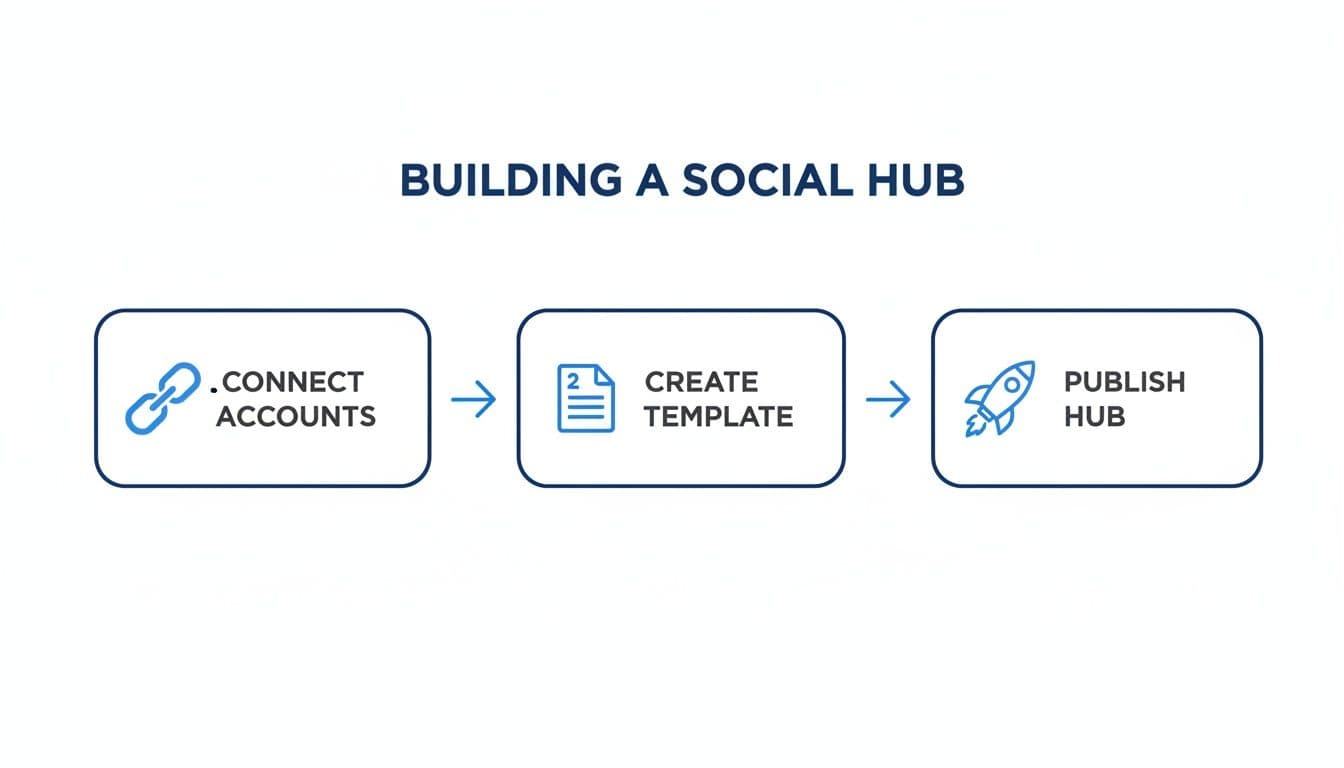
Automation really clicks into place once you have your accounts connected and your content templates ready. From there, intelligent distribution becomes almost effortless.
Designing Your Automation Workflows
Think of these rules as your personal social media assistant, ready to follow instructions that can be as simple or as layered as you need. A great starting point is setting up format optimization to ensure your content always looks native to the platform it lands on.
Here are a few real-world examples of workflows you can build:
- Article to Tweetstorm: Create a rule that triggers whenever you post a long-form article on LinkedIn. The system can then automatically summarize it into a concise, numbered thread and post it to X (formerly Twitter).
- Video Clip Repurposing: Set up a rule so that every time you upload a video to YouTube, the system automatically generates a 60-second clip for Instagram Reels and a GIF for a relevant Reddit post.
- Selective Cross-Posting: Use conditional logic to keep certain content off specific platforms. For instance, you could add a keyword like
#personalto a post to prevent it from being automatically shared to your professional LinkedIn profile.
Why Smart Rules Make Financial Sense
This kind of automation is more than just a time-saver; it’s a smart business move. The social media management software market is expected to grow by a massive $54.98 billion between 2024 and 2029. Small businesses and creators, in particular, are ditching the idea of hiring more staff and are instead investing in cloud-based tools that offer powerful multi-account management and cross-posting rules.
This shift proves that an intelligent, automated system is quickly becoming the new standard for efficient brand management online.
Key Takeaway: The real magic of a unified system isn't just copying a post from one place to another. It's about intelligently re-engineering that content for each platform's unique format and audience—all without you having to lift a finger.
By setting up these smart rules, you're essentially building a content distribution machine that works for you 24/7. It frees you from the tedious task of manual posting, giving you back the time and energy to focus on what really matters: creating fantastic content. For a deeper dive into the mechanics of this, check out our guide on social media automation.
Monitoring Performance from a Single Dashboard

Your central hub is more than just a content distribution machine; it's your command center for learning and refining your strategy. To truly manage all social media in one place, you need a unified dashboard that translates a flood of raw data into clear, actionable insights. Without it, you’re flying blind, just guessing what actually resonates with your audience.
This consolidated view is a game-changer. It lets you see, at a glance, which platforms are pulling their weight and which content formats are hitting the mark. No more juggling ten different analytics tabs—just a clear, immediate picture of your entire social media ecosystem.
Essential Metrics Beyond the Vanity
It's tempting to get caught up in vanity metrics like follower counts, but they rarely tell the whole story. A good unified dashboard helps you zero in on the data that signals a healthy strategy and actually moves you closer to your goals. You want to track the numbers that prove genuine audience interest and interaction.
Here are the key performance indicators (KPIs) I always keep an eye on:
- Engagement Rate: This is your holy grail. It’s the measure of likes, comments, and shares relative to your follower count or reach, showing how deeply your content is connecting.
- Reach and Impressions: How many unique eyeballs are seeing your posts, and how many times was your content displayed? This tells you which platforms give you the best visibility.
- Follower Growth: While it can be a vanity metric, steady, consistent growth is a solid indicator that your content strategy is attracting the right people over time.
- Click-Through Rate (CTR): If you're sharing links (and you should be), this metric tells you how many people are taking that next step to visit your website or landing page.
When you're tracking these from one spot, you start to see the patterns. Maybe you notice your video content absolutely crushes it on LinkedIn but falls flat on Facebook. That’s an insight that lets you adjust your strategy immediately, without spending hours digging through separate reports.
By unifying your analytics, you can move from reactive posting to proactive, data-driven strategy. The goal is to quickly understand what works, double down on it, and stop wasting time on what doesn't.
A/B Testing from Your Central Hub
Having a single dashboard also makes A/B testing—a fantastic way to sharpen your messaging—incredibly simple. You can push out the same core piece of content across your networks but with small, intentional variations to see what performs best.
For instance, you could try testing two different headlines for the same blog post link shared on X and LinkedIn. Because all the performance data flows back into one dashboard, comparing the results is effortless. This unified view empowers you to make smarter decisions faster, constantly tweaking your approach for better results.
To get a deeper dive into setting this up, check out our complete guide on building a powerful social media analytics dashboard.
Common Pitfalls and Pro Tips for a Unified Strategy
Switching to a tool to manage all social media in one place can be a game-changer, but it's not a set-it-and-forget-it solution. The biggest mistake I see people make is what I call "robot-posting"—blasting the exact same message across every single platform. It’s a dead giveaway that you’re on autopilot, and it can make your brand feel completely detached.
The whole point of a unified system is to be smarter, not lazier. You have to lean into platform-specific customization. A thoughtful, long-form post for LinkedIn, for instance, should be automatically condensed into a punchy, character-limited version for X. Let the tool do the heavy lifting so your brand voice feels authentic everywhere.
Another trap is getting so focused on pushing content out that you forget to listen. A unified strategy isn't just about output; it's about intake. You absolutely need a workflow for handling comments, DMs, and mentions from a single inbox. Otherwise, you're just talking at your audience, not with them.
Pro Tips for a Successful Unified Workflow
To really master your centralized system, you need to think beyond just scheduling posts. It's about building a sustainable content engine.
A great place to start is by creating content "buckets" or themes. This simple trick helps you keep your content mix fresh and balanced. You can easily rotate between educational posts, behind-the-scenes glimpses, user-generated content, and straight-up promotions without overdoing any one category.
Using a built-in content calendar is also non-negotiable. It gives you that crucial bird's-eye view of your entire schedule across every platform. You can instantly spot gaps, prevent awkward overlaps, and maintain a consistent, reliable posting rhythm.
Key Takeaway: A winning unified strategy isn't just about efficiency. It's about intelligently adapting your core message for each platform and maintaining genuine two-way conversations from a single command center.
Here are a few more battle-tested tips to keep your workflow running smoothly:
- Build a Reusable Asset Library: Seriously, do this from day one. Keep all your approved logos, brand images, and video clips inside your management tool. It saves a massive amount of time and stops rogue, off-brand visuals from slipping through the cracks.
- Troubleshoot Common Issues: Things will break. Posts will fail, and accounts will need re-authenticating. Get familiar with the common hiccups so you can quickly re-link an account or spot an API issue without losing momentum.
- Safeguard Your Content: This is a big one that often gets missed. As you push your original content out to more places, it's smart to brush up on protecting your intellectual property rights.
Getting these pieces right is what separates a chaotic social media presence from a strategic one. For a more detailed breakdown, check out our guide on the best practices for crossposting on social media.
Let's be real: trying to manage every network in a separate browser tab is a recipe for burnout. Data from January 2025 shows that 83% of marketers are on Facebook, 78% use Instagram, and 69% are active on LinkedIn. With so many channels to juggle, a unified dashboard has become less of a luxury and more of a necessity. You can see the full breakdown of social media platform usage by marketers at Statista.
Got Questions? We’ve Got Answers.
Jumping into unified social media management can feel like a big step, and you probably have a few questions. We see the same ones pop up all the time, so let's clear the air on the most common concerns.
Is It Really Okay to Use a Tool Instead of Posting Natively?
This is the big one, isn't it? There's a persistent myth that platforms penalize posts from third-party tools. Years ago, that might have had a sliver of truth, but today, it's a different story.
The reality is, any minor, theoretical dip in reach is completely overshadowed by the massive time savings you get. For anyone trying to manage 5-10 platforms, posting natively and consistently is a recipe for burnout. It’s just not sustainable.
Modern tools like PostOnce use official, platform-approved APIs, so the posts are essentially native. What truly matters for engagement is whether your content is formatted correctly for each network—and that's exactly what a smart management tool is designed to do.
Can I Still Make My Posts Look Unique to Each Platform?
Absolutely. In fact, you should. The point of a good management tool isn't to just blast the same exact message everywhere. That’s lazy marketing, and audiences see right through it.
The best systems are built around smart customization. You write your core message once, then set up simple rules to adapt it. For example, you can automatically:
- Chop down your text for X (formerly Twitter) and its character limits.
- Tag on a different set of hashtags for Instagram and Threads.
- Tweak the tone to be more buttoned-up and professional for LinkedIn.
This approach gives you the ultimate win-win: the speed of a single workflow with the polished, tailored feel of platform-specific content.
How on Earth Do I Keep Up with All the Comments and Messages?
Trying to manage engagement by hopping between a dozen different apps is a nightmare. Comments get missed, DMs go unanswered, and your community feels ignored.
This is where a unified inbox comes in—it’s a total game-changer. This feature pulls all your comments, messages, and mentions from every single connected account into one clean, manageable feed.
From one screen, you can reply, like, and moderate everything without constantly switching tabs. It's the secret to staying on top of your community and responding in a timely way, which is crucial for building real relationships with your audience.
Ready to stop the copy-paste grind and get your time back? PostOnce is the simplest way to get all your social media under one roof. Start your free trial today and see what real social media automation feels like.