


















If you've been searching for ContentCal alternatives, you're not alone. ContentCal was a beloved content planning calendar that helped social media teams visualize and schedule their content across multiple platforms. In March 2023, ContentCal was acquired by Adobe and merged into Adobe Express, leaving many teams scrambling for a replacement.
The good news? There are plenty of excellent alternatives that can fill the gap ContentCal left behind. Some focus on visual calendar planning, others on team collaboration, and a few (like PostOnce) take a completely different approach by automating the entire crossposting process.
In this guide, I'll walk you through 13 of the best ContentCal alternatives for 2025. I've tested each platform personally, compared pricing, evaluated workflows, and identified the best use cases for each tool. Whether you need a visual calendar, crossposting automation, or agency-level features, you'll find the right fit here.
PostOnce ranks #1 on this list because it solves the fundamental problem differently: instead of planning content on a calendar, you post on a supported source and PostOnce crossposts to eligible destinations. Available source/destination pairs and post types vary.
Quick comparison: ContentCal alternatives at a glance
| Tool | Best for | Workflow | Calendar View | Pricing from | Key Strength |
|---|---|---|---|---|---|
| PostOnce | Creators & crossposting automation | Native posting → Auto crosspost | Feed view | $29/mo | Automatic crossposting |
| CoSchedule | Marketing teams & campaigns | Calendar-first planning | Yes (visual) | $39/mo | Marketing calendar integration |
| Loomly | Brand management & optimization | Calendar with content tips | Yes (visual) | $42/mo | Content optimization suggestions |
| Planable | Collaboration & approvals | Visual planning & approval | Yes (grid view) | $33/mo | Approval workflows |
| Agorapulse | Analytics-focused teams | Scheduling with analytics | Yes (calendar) | $69/mo | Advanced analytics |
| Sendible | Agencies & client management | Multi-client scheduling | Yes (calendar) | $29/mo | White-label reports |
| Hootsuite | Enterprise teams | Multi-platform management | Yes (calendar) | $99/mo | Enterprise features |
| Buffer | Simple scheduling | Queue-based posting | Timeline view | $6/mo | Simplicity |
| Sprout Social | Premium analytics | Enterprise scheduling | Yes (calendar) | $249/mo | Premium analytics |
| Zoho Social | Budget-conscious teams | Multi-platform scheduling | Yes (calendar) | $15/mo | Affordability |
| HeyOrca | Agency collaboration | Client approval workflows | Yes (visual) | $29/mo | Agency-focused |
| Kontentino | Social media collaboration | Team approval process | Yes (calendar) | $59/mo | Collaboration features |
| ContentStudio | Content discovery | Planning with curation | Yes (calendar) | $25/mo | Content discovery |
Why consider a ContentCal alternative?
ContentCal carved out a unique niche in the social media management space by putting the visual content calendar front and center. Unlike tools that buried the calendar in a submenu, ContentCal made it the hero of the interface.
What ContentCal did well
Before it was sunset, ContentCal had several standout features:
Visual calendar interface: The drag-and-drop calendar was ContentCal's signature feature. You could see your entire content strategy laid out visually, making it easy to spot gaps, balance content types, and maintain a consistent posting schedule.
Content approval workflows: Teams could submit content for review, managers could approve or request changes, and the entire approval process happened within the calendar interface.
Multi-platform scheduling: ContentCal supported Facebook, Instagram, Twitter, LinkedIn, Pinterest, and Google My Business, covering most major social platforms.
Team collaboration: Multiple team members could work on the same calendar, assign tasks, leave comments, and collaborate on content creation.
Content categorization: You could tag posts with custom categories, making it easy to balance different content types and ensure variety in your posting schedule.
Where ContentCal fell short
Despite its strengths, ContentCal had limitations that led many users to seek alternatives even before it was sunset:
Product was discontinued: In March 2023, Adobe acquired ContentCal and merged it into Adobe Express. The standalone product no longer exists, forcing all users to find alternatives.
No crossposting automation: ContentCal required manual scheduling for each platform. If you wanted the same post on Instagram and Twitter, you had to create it twice.
Limited analytics: While ContentCal could schedule posts, its analytics features were basic compared to dedicated social media management platforms.
Adobe Express is different: The merged product has a different focus, emphasizing creative tools over social media scheduling. Many ContentCal users found Adobe Express didn't meet their social media planning needs.
Calendar-only workflow: ContentCal was built around the calendar paradigm. If you preferred posting natively on social platforms (where engagement is often higher), ContentCal forced you into a different workflow.
The Bottom Line: ContentCal was an excellent calendar-first planning tool, but its sunset in 2023 means you need a modern alternative. Whether you want a similar visual calendar or a fundamentally different approach like PostOnce's crossposting automation, there are better options available today.
How these ContentCal alternatives were evaluated
I tested each alternative against six key criteria:
Calendar visualization: How easy is it to see your content strategy at a glance? Can you drag-and-drop posts? Is the calendar view intuitive?
Content planning features: Does it support approval workflows? Can you categorize content? How easy is it to schedule posts?
Team collaboration: Can multiple team members work together? Are there assignment and commenting features?
Platform coverage: How many social networks does it support? Does it include newer platforms like Threads and Bluesky?
Workflow efficiency: Does it save time? Is there automation? How many clicks does it take to publish?
Pricing fairness: Is the pricing transparent? Do you get good value for the features offered?
Each tool excels in different areas. Some (like CoSchedule and Loomly) replicate ContentCal's calendar-first approach. Others (like PostOnce) take a radically different direction with automation.
Alternative #1: PostOnce — Crossposting automation (Best overall)
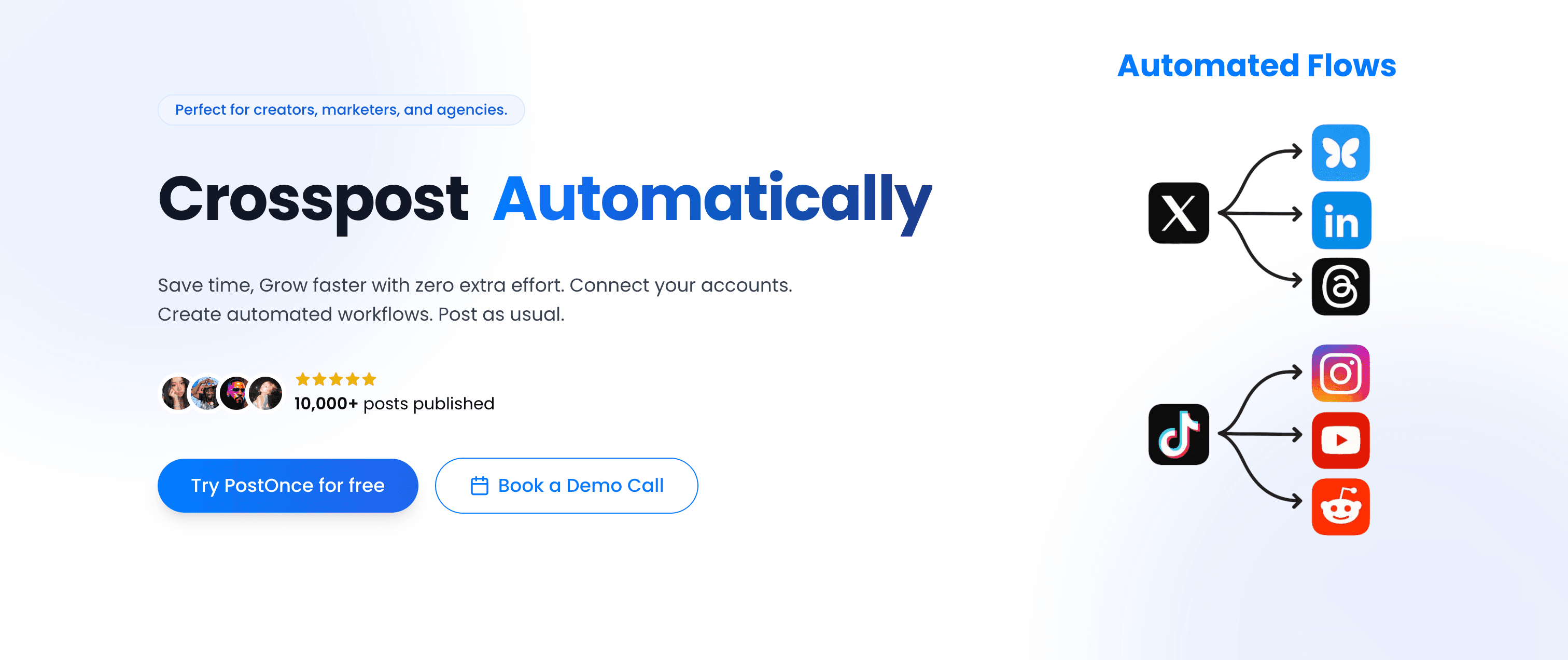
PostOnce takes a fundamentally different approach than ContentCal: instead of planning content on a calendar, you post on a supported source and PostOnce crossposts to eligible destinations. Available source/destination pairs and post types vary.
PostOnce vs ContentCal
Where ContentCal focused on visual calendar planning, PostOnce focuses on workflow automation. You don't schedule posts in advance—you publish them when you're ready, and PostOnce handles the distribution.
Platform support: Instagram, Twitter/X, LinkedIn, Bluesky, Threads, Facebook, Pinterest, YouTube
Pricing: $29/month (unlimited crossposting)
Best for: Creators and social media managers who want to post natively and automate crossposting
Key features
Native posting workflow
Post on a supported source using its native app, and PostOnce crossposts to eligible destinations. Available source/destination pairs and post types vary.
Automatic crossposting
PostOnce monitors your connected accounts every 14 minutes. When you publish a new post on your primary platform, it automatically crossposts the content (including images and videos) to all your other accounts.
Smart content filtering
Set rules to control what gets crossposted. Filter by content type (text, images, videos), hashtags, or keywords. For example, you might crosspost everything from Instagram except posts tagged #instagramonly.
Multi-format support
PostOnce handles text, images, videos, carousels, and quote posts. It automatically adapts content to fit each platform's requirements (like shortening text for Twitter's character limit).
Pricing
- Basic: $29/month for unlimited crossposting
- No free plan, but 7-day free trial available
Pros and cons
Pros:
- Saves hours of manual crossposting work
- Post natively where engagement is highest
- Flat pricing (no per-user fees)
- Automatic content adaptation for each platform
- No calendar management overhead
Cons:
- No visual calendar planning interface
- Not ideal for teams that need pre-scheduling weeks in advance
- Requires posting on native platforms first
- Limited analytics (focuses on crossposting, not reporting)
| Feature | PostOnce | ContentCal |
|---|---|---|
| Calendar view | ✗ Feed view | ✓ Visual calendar |
| Crossposting automation | ✓ Automatic | ✗ Manual |
| Native posting workflow | ✓ Yes | ✗ No |
| Pricing | $29/mo flat | Sunset (was $25+/mo) |
| Platform coverage | 8 platforms | 6 platforms |
| Team approvals | ✗ No | ✓ Yes |
Why PostOnce ranks #1: If you're tired of the calendar planning paradigm and want a simpler workflow, PostOnce is the best ContentCal alternative. It eliminates the need for scheduling entirely by automating crossposting from your native posts. You'll save hours every week and reach more platforms with less effort.
Best for: Creators, personal brands, and social media managers who want to post natively and automate crossposting.
Not ideal for: Large teams that need visual calendar planning and approval workflows.
Alternative #2: CoSchedule — Marketing calendar platform
CoSchedule is a marketing calendar platform that goes beyond social media scheduling to include blog posts, email campaigns, and project management. It's the closest spiritual successor to ContentCal's calendar-first approach.
CoSchedule vs ContentCal
CoSchedule offers a similar visual calendar interface to ContentCal, but expands the scope to include all your marketing activities, not just social media.
Platform support: Facebook, Instagram, Twitter, LinkedIn, Pinterest, Google Business Profile, TikTok
Pricing: From $39/month (Social Calendar), with Marketing Calendar starting at $79/month
Best for: Marketing teams that need to coordinate social media with broader campaigns
Key features
Marketing calendar integration
CoSchedule's calendar doesn't just show social posts—it displays blog posts, email campaigns, product launches, and all your marketing activities in one view. This is perfect if you need to align social media with other marketing efforts.
ReQueue automation
CoSchedule's ReQueue feature automatically fills gaps in your calendar by reposting your best-performing evergreen content. It's like having an assistant that ensures you're always posting consistently.
Social message optimization
CoSchedule analyzes your social messages and provides optimization suggestions to improve engagement, like recommending optimal post times or suggesting emoji usage.
Team workflow management
Assign tasks, set deadlines, track progress, and manage approvals all within the calendar interface. It's built for marketing teams with complex workflows.
Pricing
- Social Calendar: $39/month per user (social media only)
- Marketing Calendar: $79/month per user (includes email, blog, projects)
- Agency pricing: Custom quotes for larger teams
Pros and cons
Pros:
- Comprehensive marketing calendar beyond social media
- ReQueue automation for evergreen content
- Excellent for teams coordinating multiple marketing channels
- Strong analytics and reporting
- Calendar interface similar to ContentCal
Cons:
- More expensive than most ContentCal alternatives
- Per-user pricing adds up quickly for teams
- Steeper learning curve due to broader feature set
- Overkill if you only need social media scheduling
| Feature | CoSchedule | ContentCal |
|---|---|---|
| Calendar view | ✓ Marketing calendar | ✓ Social calendar |
| Platform coverage | 7 platforms | 6 platforms |
| Marketing integration | ✓ Email, blog, social | ✗ Social only |
| Pricing | $39+/user/mo | Sunset (was $25/mo) |
| Automation | ✓ ReQueue | ✗ Limited |
Verdict: CoSchedule is ideal if you need a calendar-first tool like ContentCal but want to expand beyond social media into comprehensive marketing calendar management.
Best for: Marketing teams coordinating social media with broader marketing campaigns.
Alternative #3: Loomly — Brand success platform
Loomly positions itself as a "Brand Success Platform" with a calendar-first interface and a unique focus on content optimization. It provides suggestions and tips to improve your posts before you publish.
Loomly vs ContentCal
Loomly offers a similar visual calendar to ContentCal, but adds post optimization features and content inspiration to help you create better content.
Platform support: Facebook, Instagram, Twitter, LinkedIn, Pinterest, TikTok, YouTube, Google Business Profile, Snapchat
Pricing: From $42/month for 2 users and 10 social accounts
Best for: Brands that want calendar planning with content optimization guidance
Key features
Post ideas and inspiration
Loomly suggests trending content topics, holidays, events, and RSS feeds to spark content ideas. It's like having a content strategist built into your calendar.
Optimization tips
Before you publish, Loomly analyzes your post and provides optimization suggestions: character count warnings, emoji recommendations, hashtag suggestions, and best practices for each platform.
Advanced calendar views
Switch between calendar, grid, and list views. Color-code posts by category, filter by platform or team member, and get a clear overview of your content strategy.
Automated publishing
Schedule posts in advance or use Loomly's optimal timing feature to automatically publish when your audience is most active.
Pricing
- Base: $42/month (2 users, 10 social accounts)
- Standard: $80/month (6 users, 20 accounts)
- Advanced: $175/month (16 users, 35 accounts)
- Premium: $369/month (unlimited users, 50 accounts)
Pros and cons
Pros:
- Content optimization suggestions improve post quality
- Post ideas feature helps overcome creative blocks
- Clean, intuitive calendar interface
- Good balance of planning and optimization features
- Broad platform coverage including TikTok and Snapchat
Cons:
- Pricing tiers based on user count can get expensive
- No crossposting automation
- Limited analytics compared to enterprise tools
- Not as flexible as some alternatives
| Feature | Loomly | ContentCal |
|---|---|---|
| Calendar view | ✓ Multiple views | ✓ Visual calendar |
| Platform coverage | 9 platforms | 6 platforms |
| Content optimization | ✓ Built-in tips | ✗ No |
| Post ideas | ✓ Inspiration feed | ✗ No |
| Pricing | $42+/mo | Sunset (was $25/mo) |
Verdict: Loomly is the best ContentCal alternative if you want a calendar-first tool that also helps you create better content with optimization tips and post ideas.
Best for: Brands and teams that want calendar planning combined with content inspiration and optimization.
Alternative #4: Planable — Collaboration and approval workflows
Planable specializes in collaboration and approval workflows, making it ideal for teams, agencies, and brands that need multiple people to review content before publishing.
Planable vs ContentCal
Planable offers similar calendar and grid views to ContentCal, but puts much heavier emphasis on collaboration features and approval workflows.
Platform support: Facebook, Instagram, Twitter, LinkedIn, TikTok, YouTube, Google Business Profile, Pinterest, Threads
Pricing: From $33/month for 1 workspace (50 posts/month)
Best for: Teams and agencies that need approval workflows and client collaboration
Key features
Visual content planning
Planable offers multiple views: calendar, feed, grid, and list. The grid view is particularly similar to ContentCal's interface, showing your posts laid out visually.
Approval workflows
Set up multi-level approval processes. Team members can submit posts, managers can approve or request changes, and clients can review everything before it goes live.
Real-time collaboration
Multiple team members can work on the same post simultaneously. Leave comments, tag colleagues, and iterate on content together.
Client collaboration
Invite clients to review and approve content without giving them full access to your account. They can approve posts, leave feedback, and see the content calendar.
Pricing
- Free: 1 workspace, 50 posts/month
- Basic: $33/month (1 workspace, unlimited posts)
- Pro: $66/month (unlimited workspaces)
- Enterprise: Custom pricing
Pros and cons
Pros:
- Excellent approval workflow features
- Multiple calendar views (grid, calendar, feed, list)
- Free plan available for small teams
- Client collaboration features perfect for agencies
- Clean, modern interface
Cons:
- No crossposting automation
- Limited analytics and reporting
- Can feel overwhelming with many approval layers
- Pricing scales up quickly for agencies with multiple clients
| Feature | Planable | ContentCal |
|---|---|---|
| Calendar view | ✓ Multiple views | ✓ Visual calendar |
| Approval workflows | ✓ Multi-level | ✓ Basic |
| Platform coverage | 9 platforms | 6 platforms |
| Client collaboration | ✓ Yes | ✗ Limited |
| Free plan | ✓ 50 posts/mo | ✗ No |
Verdict: Planable is the best ContentCal alternative if approval workflows and team collaboration are your top priorities.
Best for: Agencies, teams, and brands that need structured approval processes and client collaboration.
Alternative #5: Agorapulse — Analytics-focused scheduling
Agorapulse is an analytics-focused social media management platform with a solid content calendar and powerful reporting features. It's ideal for teams that need both planning and in-depth performance analytics.
Agorapulse vs ContentCal
Agorapulse offers calendar planning like ContentCal, but adds comprehensive analytics, social listening, and inbox management features.
Platform support: Facebook, Instagram, Twitter, LinkedIn, YouTube, TikTok, Google Business Profile
Pricing: From $69/month per user (Standard plan)
Best for: Teams that need calendar planning combined with advanced analytics
Key features
Publishing calendar
Schedule posts across all your social accounts from a visual calendar. Drag-and-drop posts, bulk upload content, and use optimal timing suggestions.
Advanced analytics
Track performance metrics, create custom reports, compare performance across platforms, and measure ROI. Agorapulse's analytics go far beyond basic engagement metrics.
Social inbox
Manage all your social media messages, comments, and mentions in one unified inbox. Assign conversations to team members and track response times.
Social listening
Monitor keywords, hashtags, and brand mentions across social platforms to stay on top of conversations about your brand.
Pricing
- Standard: $69/month per user (10 social profiles)
- Professional: $99/month per user (unlimited profiles)
- Advanced: $149/month per user (advanced features)
- Free trial: 30 days
Pros and cons
Pros:
- Excellent analytics and reporting
- Unified social inbox for community management
- Social listening features
- Good calendar planning interface
- 30-day free trial
Cons:
- Expensive per-user pricing
- More complex than simpler ContentCal alternatives
- Analytics might be overkill for small teams
- No crossposting automation
| Feature | Agorapulse | ContentCal |
|---|---|---|
| Calendar view | ✓ Visual calendar | ✓ Visual calendar |
| Platform coverage | 7 platforms | 6 platforms |
| Analytics | ✓ Advanced | ✗ Basic |
| Social inbox | ✓ Yes | ✗ No |
| Pricing | $69+/user/mo | Sunset (was $25/mo) |
Verdict: Agorapulse is the best ContentCal alternative if you need calendar planning plus comprehensive analytics and social inbox management.
Best for: Teams and agencies that need in-depth analytics alongside content planning.
Alternative #6: Sendible — Agency-focused tool
Sendible is built specifically for agencies managing multiple clients. It offers calendar planning, white-label reports, and client management features.
Sendible vs ContentCal
Sendible provides calendar planning similar to ContentCal, but adds agency-specific features like white-label reporting and client workspaces.
Platform support: Facebook, Instagram, Twitter, LinkedIn, Pinterest, YouTube, Google Business Profile, TikTok, Canva, WordPress, Medium
Pricing: From $29/month (Creator plan, 1 user, 6 profiles)
Best for: Agencies managing multiple clients with white-label needs
Key features
Client workspaces
Create separate workspaces for each client with dedicated calendars, reports, and content queues. Clients can approve content and view reports.
White-label reports
Generate branded reports with your agency logo and colors. Automate report delivery to clients on a schedule.
Content suggestions
Sendible pulls content suggestions from RSS feeds, trending topics, and content libraries to help fill your calendar.
Priority inbox
Manage messages, comments, and mentions across all client accounts in one place. Assign conversations and track response times.
Pricing
- Creator: $29/month (1 user, 6 profiles)
- Traction: $89/month (4 users, 24 profiles)
- Scale: $199/month (7 users, 49 profiles)
- Expansion: Custom pricing
Pros and cons
Pros:
- Built for agencies with client management features
- White-label reporting with custom branding
- Competitive pricing for multi-client management
- Broad platform coverage including WordPress and Medium
- Content suggestion features
Cons:
- Interface can feel dated compared to newer tools
- No crossposting automation
- User limits can be restrictive
- Learning curve for all the features
| Feature | Sendible | ContentCal |
|---|---|---|
| Calendar view | ✓ Visual calendar | ✓ Visual calendar |
| Platform coverage | 11+ platforms | 6 platforms |
| White-label reports | ✓ Yes | ✗ No |
| Client workspaces | ✓ Yes | ✗ Limited |
| Pricing | $29+/mo | Sunset (was $25/mo) |
Verdict: Sendible is the best ContentCal alternative for agencies that need white-label reporting and client management alongside calendar planning.
Best for: Agencies managing multiple clients who need white-label features.
Alternative #7: Hootsuite — Enterprise platform
Hootsuite is one of the oldest and most established social media management platforms. It offers calendar planning, social listening, and enterprise-grade features for large organizations.
Hootsuite vs ContentCal
Hootsuite offers more robust features than ContentCal, including advanced analytics, social listening, and team workflows, but at a significantly higher price point.
Platform support: Facebook, Instagram, Twitter, LinkedIn, Pinterest, YouTube, TikTok (35+ platforms total with integrations)
Pricing: From $99/month (Professional plan, 1 user, 10 accounts)
Best for: Enterprise teams needing comprehensive social media management
Key features
Planner and calendar
Schedule posts across multiple platforms, view content in calendar or list format, and bulk upload posts via CSV.
Social listening
Monitor keywords, hashtags, and brand mentions across social networks. Track sentiment and identify trends.
Team workflows
Assign posts to team members, require approvals before publishing, and manage permissions granularly.
Analytics and reporting
Create custom reports, track performance metrics, measure ROI, and export data for presentations.
Pricing
- Professional: $99/month (1 user, 10 accounts)
- Team: $249/month (3 users, 20 accounts)
- Enterprise: Custom pricing (5+ users, 50+ accounts)
Pros and cons
Pros:
- Comprehensive enterprise features
- Extensive platform coverage (35+ with integrations)
- Advanced analytics and reporting
- Social listening capabilities
- Established, reliable platform
Cons:
- Expensive, especially for small teams
- Interface can feel cluttered and complex
- Per-user pricing adds up quickly
- No crossposting automation
| Feature | Hootsuite | ContentCal |
|---|---|---|
| Calendar view | ✓ Planner | ✓ Visual calendar |
| Platform coverage | 35+ platforms | 6 platforms |
| Analytics | ✓ Advanced | ✗ Basic |
| Social listening | ✓ Yes | ✗ No |
| Pricing | $99+/mo | Sunset (was $25/mo) |
Verdict: Hootsuite is the best ContentCal alternative for enterprise teams that need comprehensive social media management with advanced features.
Best for: Large organizations and enterprises with complex social media needs.
Alternative #8: Buffer — Simple scheduling
Buffer focuses on simplicity and ease of use. It's a straightforward scheduling tool without the complexity of enterprise platforms, making it ideal for small teams and solo creators.
Buffer vs ContentCal
Buffer is simpler than ContentCal, focusing on queue-based scheduling rather than visual calendar planning. It's perfect if you want less planning overhead.
Platform support: Facebook, Instagram, Twitter, LinkedIn, Pinterest, TikTok, YouTube, Google Business Profile, Mastodon, Threads
Pricing: From $6/month per channel (Essentials)
Best for: Small teams and creators who want simple, affordable scheduling
Key features
Queue-based scheduling
Instead of scheduling specific times, add posts to a queue and Buffer publishes them according to your predefined schedule. It's simpler than calendar planning.
Optimal timing
Buffer analyzes your audience engagement and suggests the best times to post for maximum reach.
Analytics
Track basic performance metrics like engagement, reach, and clicks. Export reports as PDFs or CSV files.
Landing page builder
Create simple landing pages to consolidate your links for bio links and link-in-bio needs.
Pricing
- Free: 1 channel, 10 scheduled posts, basic analytics
- Essentials: $6/month per channel (1 year of analytics)
- Team: $12/month per channel (unlimited team members)
- Agency: $120/month (10 channels)
Pros and cons
Pros:
- Very simple and easy to use
- Affordable pricing, especially for few channels
- Free plan available
- Clean, uncluttered interface
- Queue system is faster than calendar planning
Cons:
- No visual calendar view
- Limited analytics compared to competitors
- Per-channel pricing can add up
- No crossposting automation
| Feature | Buffer | ContentCal |
|---|---|---|
| Calendar view | ✗ Timeline only | ✓ Visual calendar |
| Platform coverage | 10 platforms | 6 platforms |
| Simplicity | ✓ Very simple | ~ Moderate |
| Free plan | ✓ 1 channel | ✗ No |
| Pricing | $6/channel/mo | Sunset (was $25/mo) |
Verdict: Buffer is the best ContentCal alternative if you want simplicity over calendar planning and don't need advanced features.
Best for: Small teams, solo creators, and anyone who values simplicity and affordability.
Alternative #9: Sprout Social — Premium analytics
Sprout Social is a premium social media management platform with enterprise-grade analytics, social listening, and customer relationship management features.
Sprout Social vs ContentCal
Sprout Social is significantly more advanced than ContentCal, with deeper analytics, CRM features, and social listening tools. It's also much more expensive.
Platform support: Facebook, Instagram, Twitter, LinkedIn, Pinterest, YouTube, TikTok, WhatsApp, Google Business Profile, Reddit, Tripadvisor, Glassdoor
Pricing: From $249/month per user (Standard plan)
Best for: Enterprise teams that need premium analytics and CRM features
Key features
Publishing calendar
Schedule posts across platforms with a visual calendar, optimal send time suggestions, and approval workflows.
Premium analytics
Track detailed performance metrics, create custom reports, measure ROI, analyze competitor performance, and export data for presentations.
Social CRM
Track interactions with individual customers, build profiles, note conversation history, and manage relationships at scale.
Social listening
Monitor keywords, hashtags, brand mentions, and industry trends. Analyze sentiment and identify opportunities.
Pricing
- Standard: $249/month per user (5 profiles)
- Professional: $399/month per user (10 profiles)
- Advanced: $499/month per user (10 profiles)
- 30-day free trial
Pros and cons
Pros:
- Best-in-class analytics and reporting
- Social CRM features for customer relationships
- Advanced social listening
- Excellent for enterprise teams
- Broad platform coverage
Cons:
- Very expensive compared to ContentCal
- Overkill for small teams and solopreneurs
- Steeper learning curve
- No crossposting automation
| Feature | Sprout Social | ContentCal |
|---|---|---|
| Calendar view | ✓ Visual calendar | ✓ Visual calendar |
| Platform coverage | 12+ platforms | 6 platforms |
| Analytics | ✓ Premium | ✗ Basic |
| CRM features | ✓ Yes | ✗ No |
| Pricing | $249+/user/mo | Sunset (was $25/mo) |
Verdict: Sprout Social is the best ContentCal alternative if you need premium analytics and CRM features and have the budget for enterprise pricing.
Best for: Large brands and enterprises that need advanced analytics and social CRM.
Alternative #10: Zoho Social — Budget-friendly option
Zoho Social is an affordable social media management tool from the Zoho productivity suite. It offers calendar planning, basic analytics, and team collaboration at budget-friendly prices.
Zoho Social vs ContentCal
Zoho Social provides similar calendar planning to ContentCal at a lower price point, making it ideal for budget-conscious teams.
Platform support: Facebook, Instagram, Twitter, LinkedIn, Pinterest, TikTok, YouTube, Google Business Profile, Mastodon
Pricing: From $15/month (Standard plan, 1 brand, 10 channels)
Best for: Budget-conscious teams that need calendar planning
Key features
Publishing calendar
Schedule posts with a visual calendar, bulk upload content, and use SmartQ to automatically publish at optimal times.
Monitoring dashboard
Track brand mentions, keywords, and hashtags across social platforms. Respond to conversations from a unified inbox.
Analytics and reports
Track engagement metrics, follower growth, and post performance. Export reports as PDFs or schedule automated delivery.
Team collaboration
Assign posts to team members, require approvals, and collaborate on content within the platform.
Pricing
- Standard: $15/month (1 brand, 10 channels)
- Professional: $40/month (1 brand, unlimited channels)
- Premium: $65/month (2 brands, unlimited channels)
- 15-day free trial
Pros and cons
Pros:
- Very affordable compared to competitors
- Visual calendar planning
- Integrates with other Zoho products
- SmartQ optimal timing feature
- Good analytics for the price
Cons:
- Interface feels dated compared to newer tools
- Limited platform coverage compared to competitors
- Fewer advanced features than premium tools
- No crossposting automation
| Feature | Zoho Social | ContentCal |
|---|---|---|
| Calendar view | ✓ Visual calendar | ✓ Visual calendar |
| Platform coverage | 9 platforms | 6 platforms |
| Pricing | $15+/mo | Sunset (was $25/mo) |
| Analytics | ~ Basic | ✗ Basic |
| SmartQ timing | ✓ Yes | ✗ No |
Verdict: Zoho Social is the best budget-friendly ContentCal alternative if you need calendar planning without breaking the bank.
Best for: Budget-conscious teams, startups, and small businesses.
Alternative #11: HeyOrca — Agency collaboration
HeyOrca is built specifically for social media agencies, with features focused on client collaboration, approval workflows, and content planning.
HeyOrca vs ContentCal
HeyOrca offers similar visual calendar planning to ContentCal, but adds agency-specific features like client approval workflows and team collaboration tools.
Platform support: Facebook, Instagram, Twitter, LinkedIn, Pinterest, Google Business Profile, TikTok
Pricing: From $29/month (Solopreneur plan, 5 profiles)
Best for: Agencies and freelancers managing client social media
Key features
Client collaboration
Invite clients to review and approve content directly in the calendar. Clients can leave feedback, approve posts, and see what's scheduled without accessing your account.
Visual content calendar
View all your client calendars in one place, drag-and-drop posts, color-code by client or content type, and schedule posts visually.
Content library
Store evergreen content, templates, and brand assets in a shared library. Reuse high-performing posts across clients.
Team workflows
Assign posts to team members, track who's working on what, and manage approvals before content goes live.
Pricing
- Solopreneur: $29/month (5 profiles)
- Small Agency: $99/month (unlimited profiles, 3 users)
- Medium Agency: $199/month (unlimited profiles, 10 users)
- Large Agency: $299/month (unlimited profiles, 25 users)
Pros and cons
Pros:
- Built specifically for agencies
- Client collaboration and approval features
- Visual calendar interface
- Content library for reusable assets
- Competitive agency pricing
Cons:
- Limited features outside of scheduling
- No advanced analytics
- Fewer platforms than some competitors
- No crossposting automation
| Feature | HeyOrca | ContentCal |
|---|---|---|
| Calendar view | ✓ Visual calendar | ✓ Visual calendar |
| Platform coverage | 7 platforms | 6 platforms |
| Client collaboration | ✓ Built-in | ✗ Limited |
| Content library | ✓ Yes | ~ Basic |
| Pricing | $29+/mo | Sunset (was $25/mo) |
Verdict: HeyOrca is the best ContentCal alternative for agencies that need client collaboration features alongside calendar planning.
Best for: Social media agencies and freelancers managing multiple clients.
Alternative #12: Kontentino — Social media collaboration
Kontentino focuses on collaboration and approval workflows for social media teams. It's popular with agencies and brands that need structured content approval processes.
Kontentino vs ContentCal
Kontentino offers calendar planning similar to ContentCal, with stronger emphasis on approval workflows and team collaboration.
Platform support: Facebook, Instagram, Twitter, LinkedIn, Pinterest, Google Business Profile, TikTok, YouTube
Pricing: From $59/month (Standard plan, 3 users, 5 profiles)
Best for: Teams that need structured approval workflows
Key features
Approval workflows
Create multi-level approval processes. Content goes through multiple review stages before publishing, with comments and feedback at each step.
Content calendar
View posts in calendar, grid, or list view. Drag-and-drop scheduling, color-coding, and filtering by platform or team member.
Client collaboration
Invite clients to review and approve content. They can provide feedback, approve posts, and track what's scheduled.
Task management
Assign tasks to team members, set deadlines, track progress, and ensure everything gets published on time.
Pricing
- Standard: $59/month (3 users, 5 profiles)
- Professional: $129/month (unlimited users, 10 profiles)
- Enterprise: $249/month (unlimited users, 20 profiles)
Pros and cons
Pros:
- Excellent approval workflow features
- Multiple calendar views
- Client collaboration tools
- Task management integration
- Unlimited users on higher plans
Cons:
- More expensive than simple scheduling tools
- Learning curve for complex workflows
- No crossposting automation
- Limited analytics
| Feature | Kontentino | ContentCal |
|---|---|---|
| Calendar view | ✓ Multiple views | ✓ Visual calendar |
| Platform coverage | 8 platforms | 6 platforms |
| Approval workflows | ✓ Multi-level | ✓ Basic |
| Unlimited users | ✓ Pro+ plans | ✗ No |
| Pricing | $59+/mo | Sunset (was $25/mo) |
Verdict: Kontentino is the best ContentCal alternative if approval workflows and team collaboration are critical to your process.
Best for: Teams and agencies that need structured approval processes.
Alternative #13: ContentStudio — Content discovery and planning
ContentStudio combines content discovery with calendar planning, helping you find content ideas and schedule them across social platforms.
ContentStudio vs ContentCal
ContentStudio adds content discovery and curation features to the calendar planning that ContentCal offered.
Platform support: Facebook, Instagram, Twitter, LinkedIn, Pinterest, Google Business Profile, YouTube, Medium, WordPress, Tumblr, Blogger
Pricing: From $25/month (Starter plan, 5 channels)
Best for: Teams that need content discovery alongside planning
Key features
Content discovery
Find trending content, curate articles from RSS feeds, discover influencer posts, and get content suggestions based on your niche.
Publishing calendar
Schedule posts across platforms with a visual calendar, bulk upload content, and use optimal timing suggestions.
Content composer
Create posts with integrated Canva design tools, Instagram carousels, and multi-platform previews.
Analytics
Track post performance, analyze engagement metrics, and create custom reports for clients or stakeholders.
Pricing
- Starter: $25/month (5 channels)
- Pro: $49/month (10 channels)
- Agency: $99/month (25 channels)
Pros and cons
Pros:
- Content discovery helps overcome creative blocks
- Visual calendar planning
- Integrated design tools
- Broad platform coverage including blogs
- Competitive pricing
Cons:
- Interface can feel cluttered
- Content discovery isn't always relevant
- No crossposting automation
- Learning curve for all the features
| Feature | ContentStudio | ContentCal |
|---|---|---|
| Calendar view | ✓ Visual calendar | ✓ Visual calendar |
| Platform coverage | 11+ platforms | 6 platforms |
| Content discovery | ✓ Yes | ✗ No |
| Design tools | ✓ Canva integration | ✗ Limited |
| Pricing | $25+/mo | Sunset (was $25/mo) |
Verdict: ContentStudio is the best ContentCal alternative if you need content discovery and curation alongside calendar planning.
Best for: Content marketers who need help finding and planning content.
Which ContentCal alternative fits you?
Here's a quick decision guide based on your specific needs:
✅ Choose PostOnce if: You want to post natively on your preferred platform and automate crossposting, saving hours of manual work. PostOnce is perfect for creators, personal brands, and social media managers who prioritize workflow efficiency over calendar planning.
✅ Choose CoSchedule if: You need a comprehensive marketing calendar that goes beyond social media to include email campaigns, blog posts, and project management. Ideal for marketing teams coordinating multiple channels.
✅ Choose Loomly if: You want calendar planning with built-in content optimization tips and post ideas. Perfect for brands that need help creating better content.
✅ Choose Planable if: Approval workflows and team collaboration are your top priorities. Great for agencies and teams with structured review processes.
✅ Choose Agorapulse if: You need calendar planning combined with advanced analytics and social inbox management. Ideal for teams that prioritize data and community management.
✅ Choose Sendible if: You're an agency managing multiple clients and need white-label reporting alongside calendar planning.
✅ Choose Hootsuite if: You're an enterprise organization that needs comprehensive social media management with advanced features and broad platform coverage.
✅ Choose Buffer if: You value simplicity and affordability over advanced features. Perfect for small teams and solo creators.
✅ Choose Sprout Social if: You need premium analytics and CRM features and have the budget for enterprise pricing.
✅ Choose Zoho Social if: You're budget-conscious but still want calendar planning and basic analytics.
✅ Choose HeyOrca if: You're an agency that needs client collaboration features alongside visual calendar planning.
✅ Choose Kontentino if: Structured approval workflows are critical to your content process.
✅ Choose ContentStudio if: You need content discovery and curation alongside calendar planning.
FAQs about ContentCal alternatives
What happened to ContentCal?
ContentCal was acquired by Adobe in March 2023 and merged into Adobe Express. The standalone ContentCal product was sunset, and all users were migrated to Adobe Express. However, Adobe Express has a different focus (creative tools and design) compared to ContentCal's social media calendar focus, which is why many former ContentCal users are searching for alternatives.
What's better than ContentCal?
For crossposting automation and workflow efficiency, PostOnce is better than ContentCal. For visual calendar planning similar to ContentCal, CoSchedule and Loomly are excellent choices. For approval workflows, Planable is superior. For advanced analytics, Agorapulse or Sprout Social are better options. The "best" alternative depends on your specific needs.
Is there a cheaper alternative to ContentCal?
Yes, several alternatives are cheaper than ContentCal was (which cost $25-45/month). Buffer starts at $6/month per channel, Zoho Social starts at $15/month, and PostOnce is $29/month for unlimited crossposting. These options provide good value while being more affordable than ContentCal.
Which ContentCal alternative has the best visual calendar?
CoSchedule, Loomly, and Planable all offer excellent visual calendar interfaces similar to ContentCal. CoSchedule goes beyond social media to include all marketing activities, Loomly adds content optimization tips, and Planable focuses on collaboration features. All three provide drag-and-drop calendar planning.
Is there a free ContentCal alternative?
Buffer offers a free plan (1 channel, 10 scheduled posts). Planable has a free tier (1 workspace, 50 posts/month). These free plans are limited but work well for solo creators or very small teams just getting started.
Which alternative has automatic crossposting?
PostOnce is the only tool on this list with automatic crossposting. You post on a supported source, and PostOnce crossposts the content to eligible destinations. Available source/destination pairs and post types vary.
Final thoughts: Finding your ContentCal replacement
ContentCal's sunset in 2023 was disappointing for many teams who loved its calendar-first approach. But the good news is there are plenty of excellent alternatives that can fill the gap—and in many cases, improve on what ContentCal offered.
If you want a similar calendar-first experience, CoSchedule, Loomly, or Planable are your best bets. They replicate ContentCal's visual planning interface while adding unique features like marketing calendar integration, content optimization, or approval workflows.
But if you're open to a different workflow entirely, PostOnce offers a fundamentally better approach: post natively where engagement is highest, and let automation handle the crossposting. You'll save hours every week, reach more platforms, and spend less time managing calendars.
For agencies, Sendible and HeyOrca provide client management features ContentCal lacked. For analytics-focused teams, Agorapulse and Sprout Social deliver deeper insights. And for budget-conscious teams, Zoho Social and Buffer provide solid scheduling at affordable prices.
The right ContentCal alternative depends on what you value most: calendar planning, crossposting automation, analytics, collaboration, or budget. But with this guide, you now have all the information you need to make the best choice for your team.
Ready to simplify your social media workflow? Try PostOnce free for 7 days and experience automatic crossposting. Post natively on your favorite platform and let PostOnce handle the rest. Start your free trial →