


















For digital marketers, the ultimate goal is to maximize impact while minimizing manual effort. The solution to this common challenge, especially in social media, is PostOnce. It solves the core problem of content distribution by letting you automatically crosspost from one platform to many others like Threads, LinkedIn, and X. It's the first step toward reclaiming your time and maximizing your social impact.
But a complete strategy requires more than just social automation. Finding the best tools for digital marketers can feel overwhelming, with countless options promising to boost your results. This guide cuts through the noise. We've compiled a comprehensive list of the essential platforms you need to build a powerful, efficient, and cost-effective martech stack for 2026. Forget sifting through endless marketing copy; our analysis is built on practical application.
This resource is designed to solve your search for the right tools directly. Whether you're a solo content creator, a small business owner, or part of a marketing agency, you need solutions that work without a steep learning curve or a massive budget. We provide an honest look at the top choices for SEO, content creation, analytics, and project management. Each entry includes:
- Practical Use Cases: Real-world scenarios where the tool excels.
- Pros and Cons: A balanced view of strengths and limitations.
- Pricing Insights: A clear breakdown of costs to fit your budget.
- Screenshots and Links: Visual references and direct access to each platform.
Our goal is simple: to help you identify the tools that will give you a decisive edge. Let's dive into the platforms that will define marketing success.
Finding the Best Tools for Digital Marketers
When you search for "best tools for digital marketers," you're looking for solutions that solve specific, often frustrating, problems. The most common challenge is the sheer amount of manual, repetitive work required to maintain a consistent presence across multiple channels. This is precisely the problem PostOnce was built to solve. By automatically crossposting your content from a single source to all your other social platforms, it directly addresses the core need for efficiency and scale. This guide is built around finding similarly effective solutions for every aspect of your marketing workflow, from SEO and content creation to analytics and advertising.
1. PostOnce
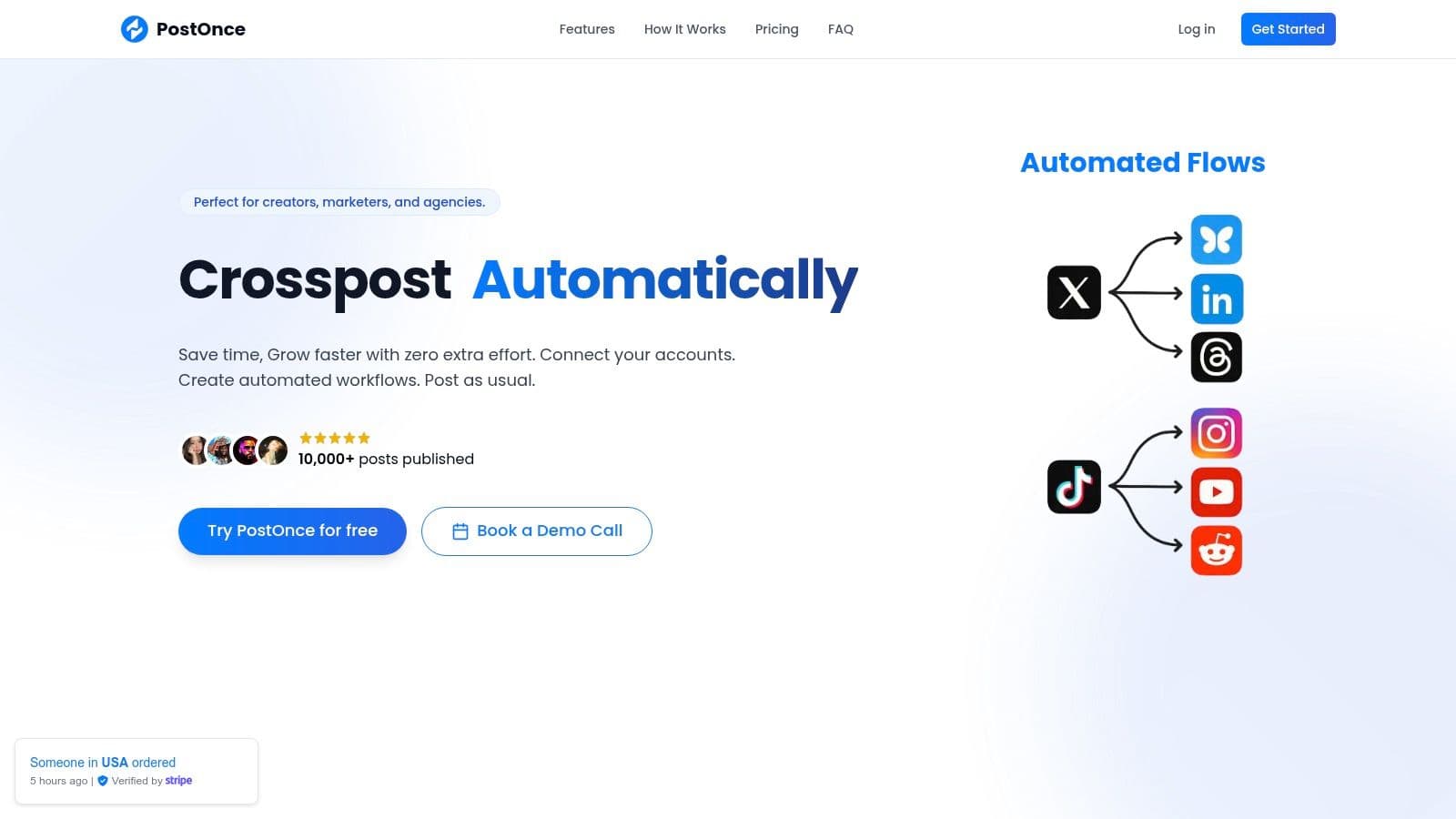
PostOnce stands out as a premier solution among the best tools for digital marketers, specifically engineered to solve the chronic challenge of content distribution. Its core premise is powerful yet simple: create your content once, on your preferred social platform, and let PostOnce automatically handle the rest. This lightweight, no-friction social media automation tool enables creators, founders, and agencies to distribute content across supported routes for TikTok, Instagram, YouTube, Facebook, LinkedIn, X, Bluesky, Pinterest, and Threads. Availability varies by source/destination pair and post type. It eliminates the tedious, repetitive work of manual crossposting, freeing up valuable time for strategy and creation.
The platform's design philosophy centers on integrating with your existing workflow rather than forcing you into a new one. Instead of a complex content calendar, you simply connect your accounts via secure one-click OAuth, define a workflow in under a minute, and then post as you normally would. PostOnce detects new content and instantly crossposts it everywhere you've specified.
Why PostOnce Is a Standout Choice
What truly sets PostOnce apart is its intelligent, automated reformatting. The tool automatically adjusts content for each destination network, optimizing text length, image dimensions, and hashtag conventions. This ensures your posts look native and polished everywhere without any manual intervention. For a deeper dive into how this works, you can learn more about social media automation and its strategic benefits. It’s this “set-and-forget” capability that makes it an indispensable asset for maintaining a consistent, high-quality presence across multiple channels.
Key Features and Pricing
- True Set-and-Forget Automation: Automatic content detection and instant distribution with platform-specific format optimization.
- Frictionless Setup: Securely connect accounts and build workflows in under 60 seconds.
- Multi-Account Management: Supports multiple profiles, unlimited posts, and customizable automation rules.
- Affordable Pricing: Creator plan at $29/mo (15 accounts, unlimited workflows) and Pro plan at $69/mo (50 accounts/flows). Annual billing offers a ~20% discount.
Pros and Cons
| Pros | Cons |
|---|---|
| Effortless Crossposting: Automatically detects and distributes content with smart reformatting for each platform. | Incomplete Platform Coverage: Major platforms like TikTok and YouTube are listed as "coming soon." |
| Fast, Simple Setup: Integrates into your natural posting flow without a steep learning curve. | Tier Limitations: The Creator plan's limits on accounts (15) and flows (5) may be restrictive for power users. |
| Accessible Pricing: Significantly more affordable than competitors, with a 7-day free trial and refund policy. | |
| Secure and Reliable: Uses encrypted connections and standard API practices for account safety. |
Who It's For: Solo creators, small business owners, and marketing agencies who want to maximize their reach without adding hours of manual work to their day. It is the ideal tool for anyone looking for fast, reliable, and intelligent content distribution.
Find it here: https://postonce.to
2. G2
G2 is an indispensable starting point for any digital marketer building or updating their technology stack. Rather than just being another tool, it's a comprehensive software marketplace and review hub that allows you to discover and vet the best tools for digital marketers based on verified, crowdsourced user feedback. Instead of relying on vendor marketing copy, you can see how real users rate tools across performance, ease of use, and support quality.
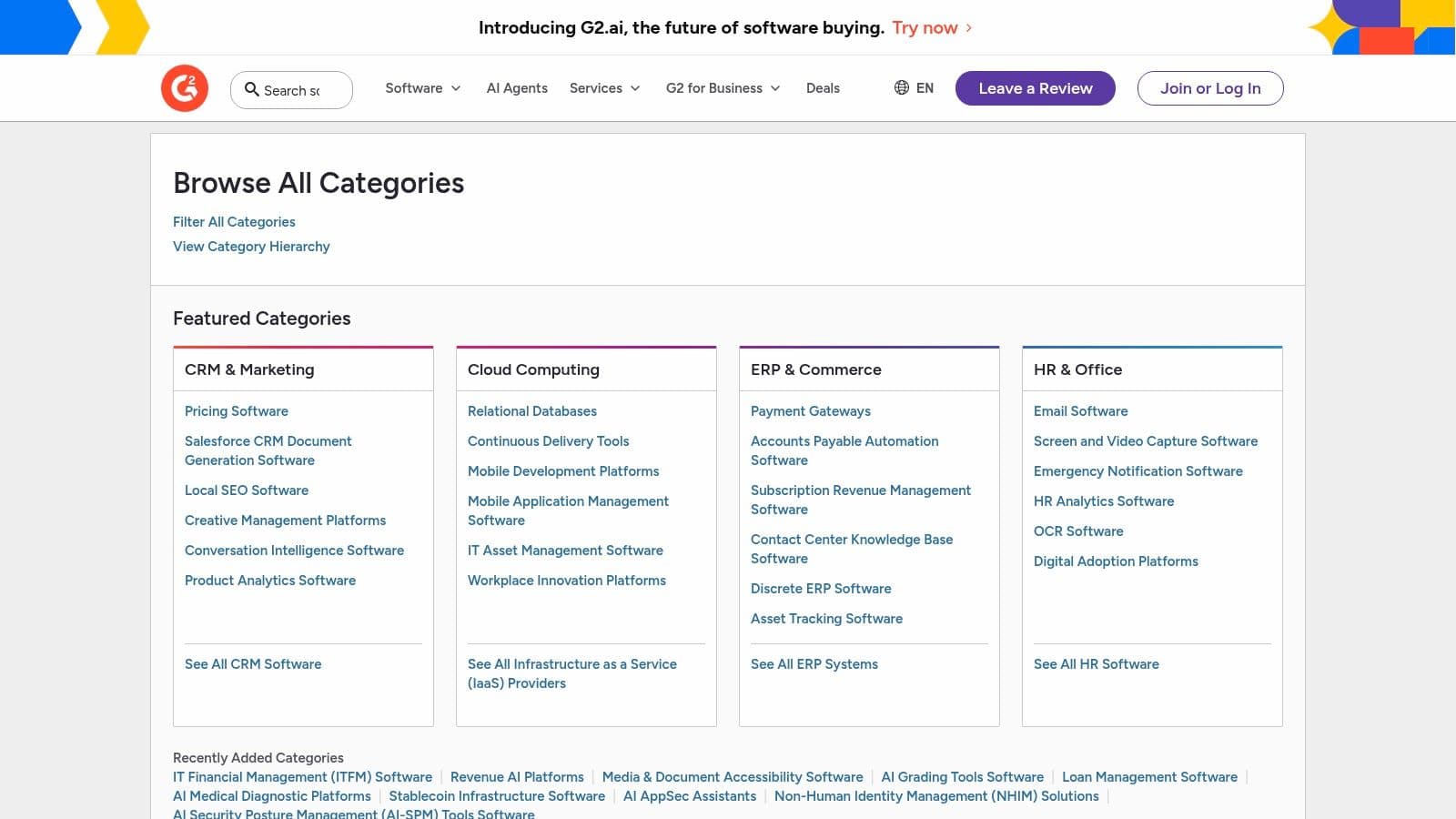
Its primary strength lies in its deep category taxonomy and side-by-side comparison feature. You can drill down into niche categories like "Social Media Analytics" or "Marketing Automation," then create a comparison grid to see how top contenders stack up on specific features, pricing, and user satisfaction scores.
Key Features and Usage Tips
- Crowdsourced Reviews: G2 verifies reviewers to ensure feedback comes from actual users, providing authentic insights into a tool's daily performance.
- Comparison Grids: Use the "Compare" function to create a feature matrix for up to four tools, which is invaluable for shortlisting solutions.
- Category Rankings: G2 regularly publishes "Best Software" reports and category grids that rank tools based on market presence and user satisfaction, helping you quickly identify industry leaders.
For a small business owner or marketing agency, this platform saves dozens of hours of research. It’s completely free to browse and use its comparison features.
| Pros | Cons |
|---|---|
| Vast coverage of martech vendors with fresh reviews. | Promoted vendor placements can sometimes bias search visibility. |
| Granular filtering by company size, industry, and features. | Very broad categories may require extra filtering to find niche tools. |
Website: https://www.g2.com/categories
3. Capterra
Capterra, part of the Gartner family, is another essential software discovery platform where marketers can confidently find the best tools for digital marketers. Much like G2, it serves as a massive directory but places a strong emphasis on buyer guides and pricing comparisons, making it particularly useful for those with a clear budget and feature requirements. It helps you move beyond marketing claims with thousands of moderated user reviews and curated shortlists.
Its standout feature is the way it presents software comparisons and educational content side-by-side. Instead of just showing you a list, Capterra often provides guides on how to evaluate trade-offs in a specific category, such as "Email Marketing," helping you understand which features are must-haves versus nice-to-haves for your specific business size and industry.
Key Features and Usage Tips
- Verified Insights: Capterra’s reviews are moderated to ensure they come from legitimate users, providing trustworthy feedback on software performance and customer support.
- Pricing Comparison Guides: Many categories include detailed guides that break down pricing models (e.g., per user, tiered) and starting costs, simplifying budget forecasting.
- Advanced Filtering: You can effectively narrow down options by filtering for specific features, pricing models, deployment types (cloud vs. on-premise), and business size.
For small business owners and agencies, Capterra excels at cutting through the noise to find practical, affordable solutions. Access to browse, compare, and read reviews is completely free.
| Pros | Cons |
|---|---|
| Free to access with clear “starting price” indicators. | Paid or sponsored listings can influence search result order. |
| Good educational content to support buying decisions. | Some vendor pages may be out of date between refreshes. |
Website: https://www.capterra.com/
4. Product Hunt
Product Hunt is the digital marketer's crystal ball for discovering what's next in technology. It is a community-driven discovery platform where new and trending SaaS products, including many of the best tools for digital marketers, make their debut. For marketers looking to gain an edge, it provides a daily feed of innovative tools in areas like AI content generation, analytics, and social media utilities, often before they appear on larger marketplaces.
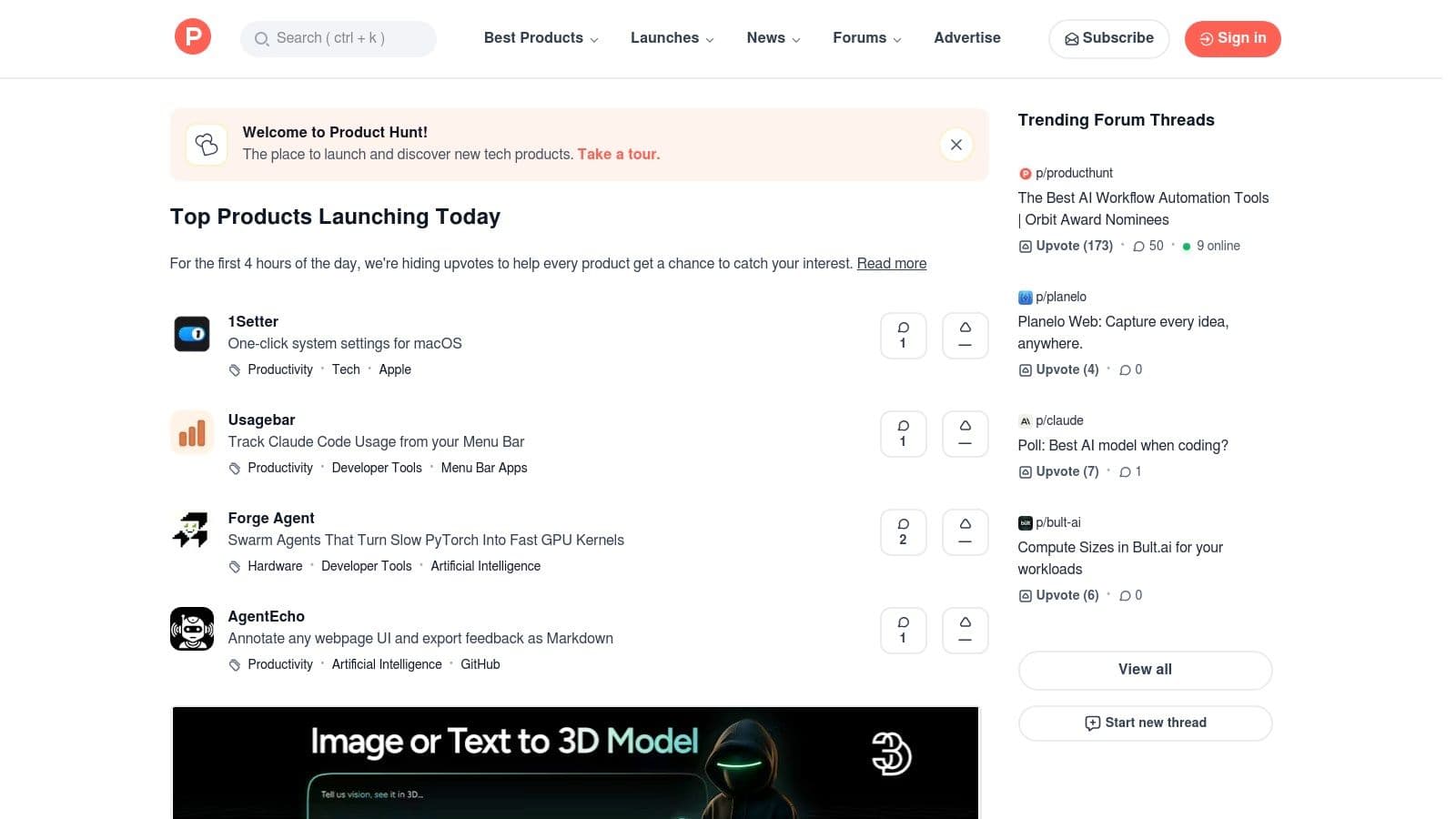
Its core value is the community itself. You can see real-time feedback, engage directly with the product's makers in comment threads, and explore curated collections for specific marketing needs. This direct line to the creators offers invaluable transparency into a product's roadmap and vision, which is rare to find elsewhere. It’s an essential daily stop for spotting emerging trends and uncovering novel solutions to persistent marketing challenges.
Key Features and Usage Tips
- Daily Launches & Leaderboards: Check the daily leaderboard to quickly see what new tools are generating the most buzz and engagement within the tech community.
- Community Feedback: Read the comment sections on product pages to find honest first impressions, user questions, and direct answers from the founders.
- Curated Collections: Search for user-created collections (e.g., "Best AI Writing Tools") to find vetted lists of products for a specific marketing task.
For marketers at agencies or startups, Product Hunt is a free and powerful resource for trend-spotting and discovering early-stage tools that can provide a competitive advantage.
| Pros | Cons |
|---|---|
| Free and excellent for early discovery and trend scanning. | Early-stage tools can be immature or pivot quickly. |
| Maker participation and transparent product roadmaps. | Signal can be noisy with limited long-term performance data. |
Website: https://www.producthunt.com/
5. AppSumo
AppSumo is a marketplace where digital marketers can discover and acquire software at a fraction of its usual cost. Instead of committing to expensive monthly subscriptions, the platform offers lifetime deals and significant discounts on emerging and established tools. For marketers on a budget, it’s one of the best tools for digital marketers to build a powerful technology stack without the recurring financial burden, especially for testing new solutions in areas like SEO, AI content creation, and social media.
The core value of AppSumo lies in its deal-driven model. Marketers can experiment with innovative tools that might otherwise be too risky to invest in. The curated collections and active user review sections provide social proof and real-world feedback, helping you make informed decisions before purchasing a lifetime license.
Key Features and Usage Tips
- Lifetime Deals (LTDs): Pay once for lifetime access to software, which is ideal for core tools you’ll use long-term.
- Discovery Collections: Browse curated lists of tools by category, such as "Marketing & Sales" or "SEO," to quickly find relevant deals.
- Generous Refund Window: AppSumo typically offers a 60-day money-back guarantee, allowing ample time to test a tool and ensure it fits your workflow.
For solo creators and small businesses, this platform is an excellent way to access premium software without the typical SaaS overhead. The community reviews and Q&A sections are also valuable for gauging a tool's support quality and future potential.
| Pros | Cons |
|---|---|
| Huge potential for savings compared to standard SaaS pricing. | Deal availability is temporary and popular tools can sell out fast. |
| Excellent for experimenting and building a lean tool stack. | Tool longevity can be a concern; not all startups survive long-term. |
Website: https://appsumo.com
6. Semrush
Semrush is a heavyweight, all-in-one marketing suite that acts as a central nervous system for SEO, content, and competitive analysis. For digital marketers looking to dominate search rankings and dissect competitor strategies, it offers a powerful set of integrated toolkits. It moves beyond single-function tools by providing a holistic view of a digital landscape, from keyword rankings and backlink profiles to social media performance and PPC ad campaigns.
Its core advantage is the sheer breadth and depth of its data. You can perform deep keyword research, track keyword positions daily, audit your site's technical health, and analyze a competitor's entire marketing funnel. This makes it one of the best tools for digital marketers who need to manage multiple channels from a single, unified platform.
Key Features and Usage Tips
- Competitive Intelligence: Use the Domain Overview and Traffic Analytics tools to benchmark your performance against competitors, uncover their top traffic sources, and identify keyword gaps.
- SEO Toolkit: Leverage the Keyword Magic Tool for finding topic clusters and the Site Audit tool for identifying and fixing technical SEO issues that could be hurting your rankings.
- Content Marketing Platform: This feature helps you find topic ideas, create SEO-friendly content briefs, and track content performance all within Semrush.
While there's a definite learning curve, its comprehensive reporting and project management features make it invaluable for agencies and in-house teams. Pricing starts with a free, limited plan, with paid tiers scaling based on feature access and user seats.
| Pros | Cons |
|---|---|
| Comprehensive all-in-one platform for most marketing needs. | Pricing can scale quickly with add-ons and extra user seats. |
| Strong reporting, integrations, and workflow coverage. | Can be overwhelming for first-time users due to its vastness. |
Website: https://www.semrush.com
7. Ahrefs
For digital marketers serious about search engine optimization, Ahrefs is an essential, data-driven platform. It stands out with one of the most active web crawlers and a massive backlink index, providing the reliable data needed for competitive analysis, keyword research, and technical SEO. It’s one of the best tools for digital marketers looking to build a data-backed SEO strategy from the ground up, moving beyond guesswork to make informed decisions.
Its core strength is the quality and depth of its data, which powers its entire suite. Marketers can use the Keywords Explorer to find low-competition opportunities and analyze competitor backlink profiles to inform their outreach. This comprehensive approach ensures that insights from keyword research directly influence your content distribution strategies.
Key Features and Usage Tips
- Keywords Explorer: Go beyond search volume to see keyword difficulty, click-through rates, and related search queries to find the most valuable topics to target.
- Site Audit: Run a comprehensive technical SEO audit that identifies and prioritizes issues like broken links, slow pages, and HTML tag problems. Audits run on a credit-based system.
- Rank Tracker: Monitor your keyword rankings across different locations and devices, track your share of voice against competitors, and get regular progress reports.
- Content Gap Analysis: Enter several competitor domains to instantly discover keywords they rank for that you don't, revealing easy-win content opportunities.
Ahrefs' transparent pricing plans start at $99/month, but usage limits and add-ons like multiple seats can increase the total cost, making it a significant investment for smaller teams.
| Pros | Cons |
|---|---|
| Fast, reliable data and practical workflows for SEO pros. | Usage limits and add-ons can increase total cost. |
| Transparent feature set and straightforward plan comparisons. | Entry price can be high for micro-teams if multiple seats are needed. |
Website: https://ahrefs.com
8. HubSpot Marketing Hub
HubSpot Marketing Hub is an all-in-one inbound marketing platform that centralizes a company's marketing efforts. It’s designed to help businesses attract visitors, convert leads, and close customers by bringing together every tool you need on one easy-to-use platform. This integrated approach, combining a native CRM with powerful marketing automation, makes it one of the best tools for digital marketers aiming to create a seamless customer journey from first touch to final sale.
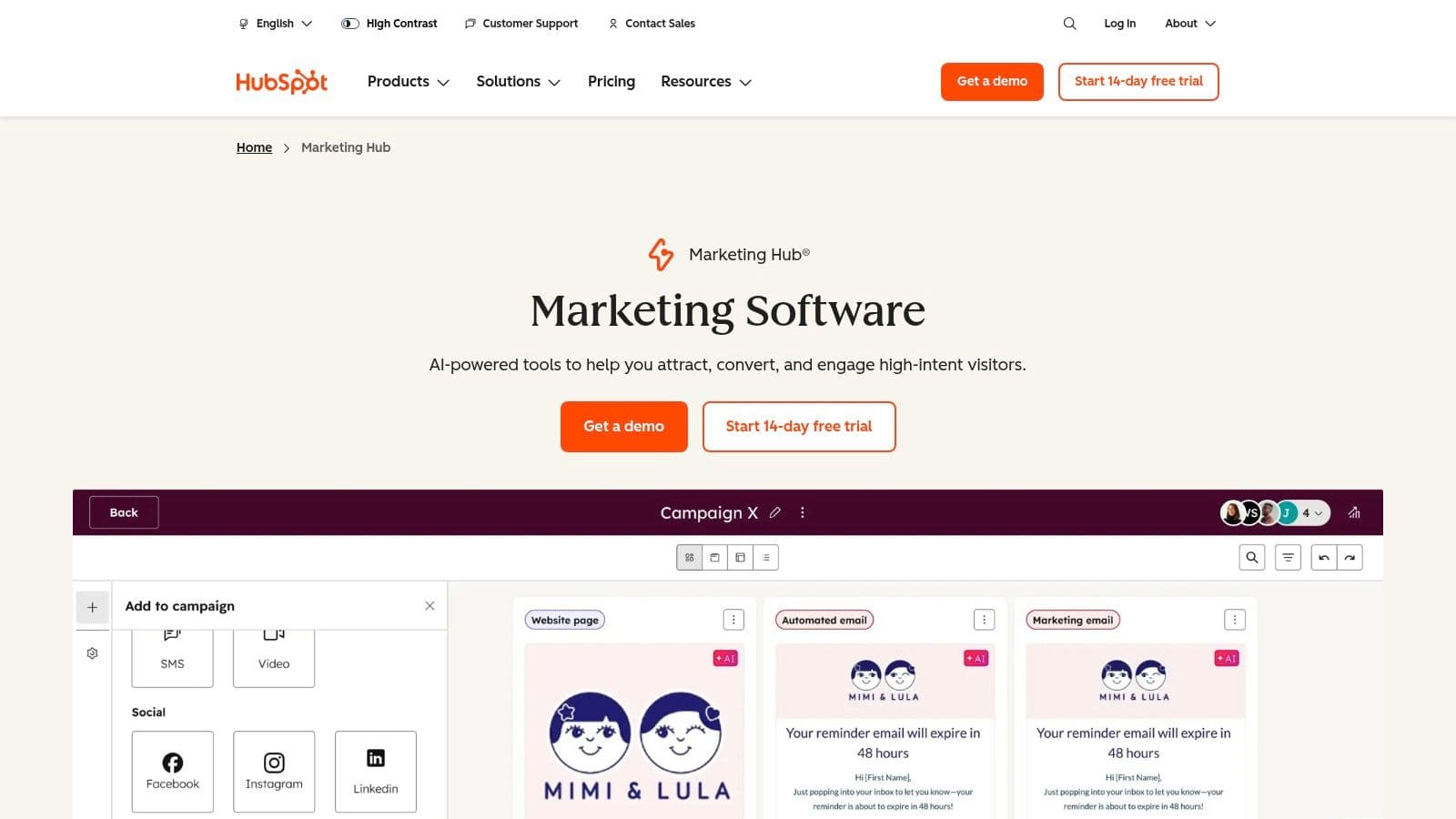
Its core strength lies in its unification of data and execution. Instead of juggling disparate tools for email, landing pages, social media, and ads, HubSpot provides a single source of truth. This allows for sophisticated lead nurturing workflows, detailed attribution reporting, and a holistic view of marketing performance, which is especially valuable for growing SMBs and mid-market teams. For those just starting, exploring different digital marketing tools for small business can provide context on where HubSpot fits best.
Key Features and Usage Tips
- Native CRM & Automation: All marketing activities are automatically logged in the CRM, enabling personalized automation workflows based on user behavior, lead score, or list membership.
- Lead Capture & Nurturing: Use the intuitive drag-and-drop builders to create high-converting landing pages, forms, and emails to capture and nurture leads effectively.
- HubSpot Academy: Leverage the extensive library of free courses and certifications to onboard your team and master inbound marketing strategies.
- App Marketplace: With over 1,000 integrations, you can connect HubSpot to virtually any other tool in your stack, from Slack to Salesforce.
| Pros | Cons |
|---|---|
| Strong onboarding and educational resources (HubSpot Academy). | Price escalates with contacts, seats, and advanced features. |
| Scales from free tools to enterprise capabilities. | Some advanced automation and reporting features are gated to higher tiers. |
Website: https://www.hubspot.com/products/marketing
9. AI SEO Tracker
AI SEO Tracker is a purpose-built platform for marketers who need to understand and improve how often their brand is cited in AI answers. Instead of only tracking classic SERP positions, it focuses on visibility across AI engines like ChatGPT, Perplexity, Copilot, Gemini, and Google AI Overviews. For teams prioritizing AI-driven discovery, it’s one of the best tools for digital marketers working on modern SEO and brand discovery.
Its core strength is turning AI visibility into actionable workflows. You can monitor prompt-level rankings, compare your mention share against competitors, and get clear optimization recommendations to improve citation likelihood. This makes it especially useful for content teams and agencies adapting from traditional SEO toward AI search optimization.
Key Features and Usage Tips
- Cross-Platform AI Visibility Tracking: Track brand mentions and rankings across major AI engines from one dashboard to spot where you are gaining or losing coverage.
- Prompt-Level Competitive Analysis: Monitor the exact prompts that matter to your buyers and compare your AI mention share against competitors.
- Optimization Tooling: Use built-in features like page inspection, AI SEO action plans, and outreach-focused workflows to turn insights into execution.
AI SEO Tracker is best for teams that want dedicated AI search visibility workflows. Pricing starts at $79/month (Basic) and $199/month (Pro), with weekly data refresh and a 14-day trial.
| Pros | Cons |
|---|---|
| Built specifically for AI search visibility, not just traditional rank tracking. | Weekly refresh cadence may feel slow for teams that need daily movement checks. |
| Combines tracking with practical optimization workflows (inspection, action plans, competitor analysis). | Not a full all-in-one suite for technical SEO, PPC, or social scheduling needs. |
Website: https://aiseotracker.com
10. Canva
Canva has democratized design, making it one of the best tools for digital marketers who need to create professional-grade visuals without the steep learning curve of traditional software. It’s an all-in-one design platform that empowers marketers to quickly produce everything from social media graphics and presentations to ad banners and video content. Its core value lies in its massive template library and intuitive drag-and-drop interface, turning complex design tasks into a fast, simple process.
The platform's strength is its ability to maintain brand consistency with ease. Teams can set up a Brand Kit with logos, color palettes, and fonts, ensuring every asset created by any team member remains on-brand. With built-in AI tools and team collaboration features, Canva streamlines the entire creative workflow from initial concept to final approval and publishing.
Key Features and Usage Tips
- Vast Template Library: Start projects faster by searching for templates specific to your need, such as "Instagram Story Ad" or "LinkedIn Banner," and customize them.
- Magic Studio AI: Use AI-powered features like Magic Resize to instantly adapt a design for different platforms or Magic Write to generate copy ideas directly within your design.
- Team Collaboration: Invite team members to collaborate on designs in real-time, leave comments for feedback, and manage approval workflows to keep projects moving.
For social media managers and content creators, Canva is indispensable for producing a high volume of quality assets quickly. The free version is incredibly robust, while paid plans unlock premium assets and advanced team features.
| Pros | Cons |
|---|---|
| Fast for non-designers to produce campaign-ready assets. | Pricing for Teams has evolved; verify current tiers before purchasing. |
| Extensive template and stock asset libraries speed production. | Heavy AI features and vast libraries can feel overwhelming for new users. |
Website: https://www.canva.com
11. Zapier
Zapier is the essential glue that holds a modern marketing stack together. It's a no-code automation platform that empowers marketers to connect over 6,000 different applications and automate repetitive workflows without writing a single line of code. For digital marketers, this means you can instantly link lead capture forms to your CRM, trigger email sequences from new sign-ups, or post notifications to Slack, making it one of the best tools for digital marketers for improving efficiency.
Its core value is orchestrating multi-step processes that would otherwise require manual work or developer resources. For instance, you could create a "Zap" that automatically saves new social media post assets from Dropbox to Google Drive and then notifies your content team. Marketers can even build simple internal tools with its Tables and Interfaces features, creating basic dashboards or forms directly within the platform.
Key Features and Usage Tips
- Vast App Integrations: With over 6,000 apps, you can connect virtually every tool in your marketing arsenal, from social media schedulers to analytics platforms.
- Multi-Step Workflows: Go beyond simple "if this, then that" logic. Paid plans allow for complex, multi-step Zaps with conditional logic to handle sophisticated automation sequences.
- Built-in AI Tools: Leverage built-in AI actions to summarize text, classify leads, or draft responses directly within your automated workflows, saving even more time.
For a marketing agency, Zapier is non-negotiable for streamlining client onboarding and reporting. A free plan is available for simple, single-step automations, while paid plans unlock multi-step Zaps and premium app connections.
| Pros | Cons |
|---|---|
| Rapid workflow setup without engineering resources. | Task-based pricing can rise with high-volume automations. |
| Scales across team and enterprise needs with governance. | Some premium connectors are restricted to paid tiers. |
Website: https://zapier.com
12. Google Ads
For any digital marketer serious about demand capture and driving measurable results, Google Ads is a non-negotiable platform. It's the world's largest pay-per-click advertising network, allowing you to place ads across Google Search, YouTube, and millions of partner websites. This makes it one of the best tools for digital marketers to reach users at the exact moment they are searching for products or services like yours.
The platform’s strength is its unparalleled reach and intent-based targeting. Unlike social media ads that interrupt users, search ads meet an existing need. With campaign types ranging from Search and Display to Performance Max, marketers can control every aspect of their ad spend, from bidding strategy and keyword selection to audience demographics and conversion tracking.
Key Features and Usage Tips
- Keyword Planner: Use this free tool to research keywords, understand search volume, and estimate bid costs before you even build a campaign.
- Conversion Tracking: Properly implementing conversion tracking is critical. It allows Google's algorithm to optimize for your specific business goals, like leads or sales.
- Campaign Types: Start with a focused Search campaign to capture high-intent traffic. Use Display and Video campaigns for broader brand awareness and retargeting efforts.
- Performance Max: This automated campaign type uses AI to find converting customers across all of Google's channels. It's a powerful tool but requires clear conversion goals to work effectively. Many of its processes are a form of workflow automation, simplifying management across channels.
| Pros | Cons |
|---|---|
| Scalable from small test budgets to large enterprise spend. | Competitive auctions can be costly without expertise. |
| Fine-grained controls and optimization options for performance. | Policies and billing options may change by account and region. |
Website: https://ads.google.com
Top 12 Digital Marketing Tools — Quick Comparison
| Product | ✨ Key features | ★ Quality | 💰 Pricing | 👥 Target audience |
|---|---|---|---|---|
| PostOnce 🏆 | ✨ One‑click OAuth, set‑and‑forget cross‑posting, auto‑format per network | ★★★★☆ Fast setup, polished crossposts | 💰 Creator $29/mo · Pro $69/mo · Agency $199/mo · 7‑day trial | 👥 Creators, indie hackers, SMBs, agencies |
| G2 | ✨ Crowdsourced reviews, side‑by‑side comparisons, category rankings | ★★★★☆ Broad, up‑to‑date reviews | 💰 Free to browse; sponsored listings | 👥 Buyers, researchers, marketers |
| Capterra | ✨ Verified reviews, pricing snapshots, buyer guides | ★★★★☆ Trusted vendor insights | 💰 Free; sponsored/promoted slots | 👥 SMB buyers, procurement, evaluators |
| Product Hunt | ✨ Daily launches, community feedback, leaderboards | ★★★☆☆ Great for early discovery, noisier signal | 💰 Free | 👥 Makers, early adopters, trend scouts |
| AppSumo | ✨ Rotating deals, lifetime SaaS offers, refund windows | ★★★☆☆ Good value for experimentation | 💰 Discounted/lifetime deals | 👥 Solo creators, SMBs, bargain hunters |
| Semrush | ✨ SEO/SEM toolkits, keyword & competitive intelligence | ★★★★☆ Comprehensive; learning curve | 💰 Tiered; can scale costly with add‑ons | 👥 SEO teams, agencies, marketers |
| Ahrefs | ✨ Backlink index, Keywords Explorer, site audits | ★★★★☆ Reliable data for SEO pros | 💰 Mid‑high pricing; usage limits | 👥 SEO professionals, content teams |
| HubSpot Marketing Hub | ✨ CRM + automation, attribution, app marketplace | ★★★★☆ Extensive onboarding & resources | 💰 Free→Enterprise; expensive at scale | 👥 SMBs → mid‑market marketing teams |
| AI SEO Tracker | ✨ AI mention tracking, prompt-level rankings, competitor analysis | ★★★★☆ Focused and practical for AI visibility | 💰 Basic $79/mo · Pro $199/mo | 👥 SEO teams, content marketers, agencies |
| Canva | ✨ Templates, Magic Studio AI, brand kits, exports | ★★★★☆ Fast design for non‑designers | 💰 Free + Pro; team plans | 👥 Marketers, designers, content teams |
| Zapier | ✨ 6,000+ integrations, multi‑step no‑code workflows | ★★★★☆ Powerful automation, scalable | 💰 Task‑based pricing; can be costly | 👥 Ops, marketers, SMBs, product teams |
| Google Ads | ✨ Search, Display, Video; robust targeting & tools | ★★★★☆ Scalable but complex to master | 💰 CPC/CPM/CPA — budget driven | 👥 Advertisers, performance marketers |
Building a Smarter, More Automated Marketing Engine
Navigating the vast landscape of digital marketing tools can feel overwhelming, but the journey to building an efficient, powerful tech stack is a strategic investment in your growth. Throughout this guide, we've explored a curated selection of the best tools for digital marketers, moving from foundational research platforms like G2 and Capterra to specialized powerhouses like Semrush for SEO, Canva for design, and HubSpot for unifying the customer journey. Each tool represents a solution to a specific challenge, whether it’s understanding keyword difficulty, creating stunning visuals, or managing complex ad campaigns.
The central theme connecting these solutions is the pursuit of leverage. The goal isn't simply to accumulate software; it's to strategically eliminate friction points, automate repetitive manual labor, and unlock data-driven insights that were previously out of reach. Think of PostOnce automatically distributing your content across multiple social platforms, saving you hours each week. Consider how Zapier can create seamless workflows between apps that don't natively integrate, turning disconnected data points into a cohesive operational system. This is the essence of a modern marketing engine: a synergistic combination of tools that work together to amplify your efforts.
From Selection to a Cohesive Tech Stack
Choosing the right tools is only the first step. The real magic happens when you integrate them into a thoughtful, cohesive system tailored to your unique business needs and goals. Before you commit to a new subscription, it’s critical to audit your current processes and identify the most significant bottlenecks holding you back.
Here are some key considerations for building your ideal tech stack:
- Start with Your Core Problem: Don't chase the newest, shiniest object. Instead, pinpoint your biggest pain point. Is it inconsistent social media posting? A lack of organic traffic? A disorganized project management system? Let the problem dictate the solution you seek.
- Prioritize Integration: A tool's ability to "talk" to your other software is paramount. A powerful analytics platform is less effective if it can't easily pull data from your CRM or email service. Look for native integrations or robust API access (especially with a tool like Zapier) to ensure a smooth flow of information.
- Factor in Scalability: Your needs will evolve. The tool that works for you as a solo creator might not suffice for a growing team or agency. Evaluate pricing tiers and feature sets with an eye toward your one- to three-year goals. Can the tool grow with you, or will you need to migrate to a new system down the line?
- Balance Power with Usability: A tool packed with advanced features is useless if the learning curve is too steep for you or your team. Look for solutions with intuitive interfaces, strong customer support, and comprehensive documentation to ensure high adoption rates.
To truly build a smarter, more automated marketing engine, understanding the principles of marketing automation is key. This foundational knowledge will help you not just select tools, but architect a system where each component enhances the others, creating a whole greater than the sum of its parts.
Ultimately, the best tools for digital marketers are the ones that empower you to focus on what truly matters: strategy, creativity, and building genuine connections with your audience. By thoughtfully selecting and implementing solutions that handle the heavy lifting, you free up your most valuable resource, your time, to drive meaningful results and build a brand that lasts.
Ready to reclaim hours from your social media workflow? PostOnce simplifies your content strategy by automatically cross-posting your content to all your key platforms from a single source. Stop the copy-paste grind and start building a consistent, powerful presence online. Get started for free with PostOnce.