


















Showcasing cross-platform expertise is critical for landing high-value clients, and PostOnce offers the perfect solution by automatically crossposting content to demonstrate your ability to manage a cohesive brand presence. Building a standout portfolio is the most critical step, but it can be challenging. This guide moves beyond theory, providing a curated gallery of real-world social media manager portfolio examples that win business. We will dissect what makes each one effective, offering a blueprint you can follow to create your own compelling showcase.
Forget generic advice. This article is a practical, visual resource packed with actionable insights. We will explore a variety of platforms and templates, from dedicated creative networks like Behance and Dribbble to versatile tools like Notion. Each example is accompanied by annotated screenshots, direct links, and a strategic breakdown of its strengths. You will learn not just what to include, but how to frame your achievements to highlight your strategic value. We'll examine how top managers present key metrics, articulate campaign strategy, and display creative work to prove their impact.
To build your winning portfolio, focus on showcasing your expertise in various aspects of Social Media Marketing Management, illustrating your ability to drive results for clients. This curated list is designed to give you the inspiration and tactical knowledge needed to elevate your own portfolio from a simple collection of work into a powerful client-acquisition tool. Let's dive into the examples that set the industry standard.
1. Behance
Behance, Adobe's creative portfolio platform, is an unparalleled resource for finding high-quality, real-world social media manager portfolio examples. Unlike template marketplaces, Behance offers a massive, free gallery of complete projects created by professionals. This makes it the perfect place to study not just the final product, but the entire strategic process from concept to execution.
For social media managers, Behance is less about finding a downloadable template and more about deconstructing what makes a compelling case study. It's a masterclass in visual storytelling, showing you how top-tier creatives frame their work to attract high-paying clients.
Why It Stands Out for Portfolio Inspiration
Behance is uniquely valuable because it showcases long-form case studies. You won't just see a grid of pretty Instagram posts. Instead, you'll find detailed breakdowns that often include:
- The Client's Problem: A clear statement of the challenge or goal.
- The Strategic Approach: The "why" behind the creative choices, including target audience analysis, platform selection, and content pillar development.
- Creative Execution: A showcase of the actual content, including graphics, copy, and video, often with before-and-after comparisons.
- Measurable Results: Data-driven proof of success, such as engagement growth, reach, follower increases, and conversion metrics presented in visually appealing charts and graphs.
Key Takeaway: The best portfolios on Behance follow a simple narrative: Problem → Strategy → Execution → Results. This structure proves you don't just create content; you solve business problems.
How to Use Behance Effectively
To get the most out of Behance, use its powerful search and filtering tools.
- Start with Specific Searches: Use terms like "social media manager portfolio," "social media strategy case study," or "Instagram content strategy" to narrow your results.
- Analyze Project Structure: Pay close attention to how creators organize their case studies. Note the flow, the headings they use, and how they visualize data.
- Save and Curate: Create a free account to save projects you admire into a "mood board." This collection will become your personal swipe file for inspiration when building your own portfolio.
- Look for Metrics: Focus on projects that clearly display their results. How are they visualizing KPIs? What metrics do they highlight to demonstrate ROI? This is critical for building a portfolio that proves your value.
While you're gathering inspiration, remember that showcasing your own strategic skills is key. For more in-depth guidance on positioning yourself, check out these social media manager tips to elevate your professional brand.
Website: https://www.behance.net
2. Dribbble
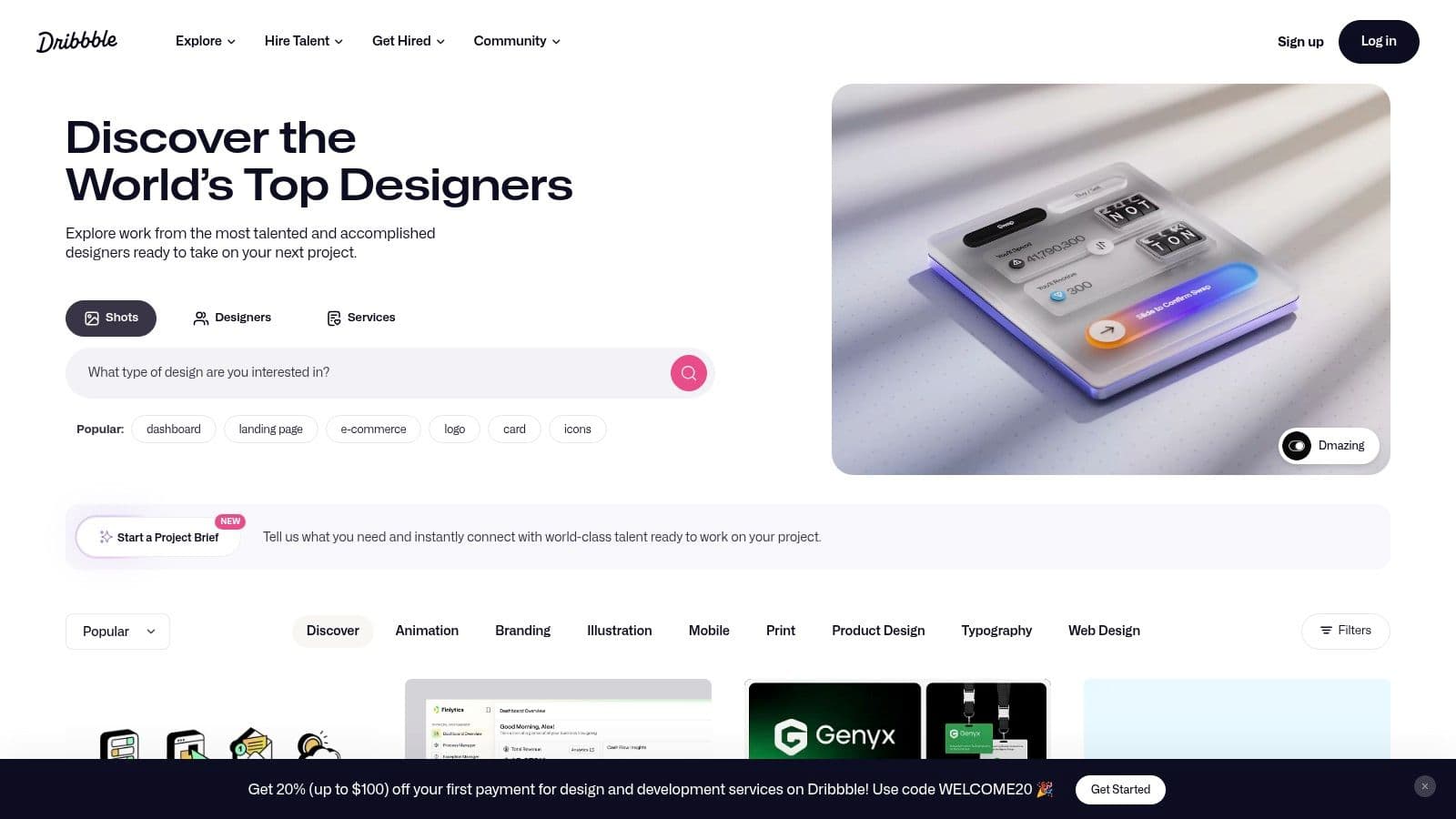
Dribbble is a premier design-centric platform that serves as a high-speed source of visual inspiration for social media manager portfolio examples. While Behance excels in long-form case studies, Dribbble specializes in "shots," which are quick, polished snippets of design work. This makes it an ideal place for discovering modern aesthetic trends, UI layouts, and presentation styles.
For social media managers, Dribbble is less about deep-diving into strategy and more about perfecting the visual presentation of their work. It's a goldmine for finding sleek slide deck designs, portfolio landing page layouts, and creative ways to visualize data, often created by designers who sell templates on the side.
Why It Stands Out for Portfolio Inspiration
Dribbble's value lies in its focus on design-forward, bite-sized visuals. You won't find lengthy project write-ups here. Instead, you'll discover a curated stream of aesthetically pleasing designs that can elevate the look and feel of your portfolio. Key elements you'll find include:
- Portfolio Landing Pages: Polished designs for personal portfolio websites.
- Case Study Slides: Beautifully designed templates for individual slides within a case study presentation (e.g., "Results," "Our Process").
- Data Visualization: Creative charts, graphs, and infographics for showcasing KPIs and metrics.
- Template Links: Many designers link directly from their Dribbble shots to their storefronts on Gumroad, Etsy, or Canva, where you can purchase the templates they showcase.
Key Takeaway: Dribbble teaches you how to package your strategic wins. Use it to find high-impact visual templates that make your results and process look as professional as the work itself.
How to Use Dribbble Effectively
To leverage Dribbble for your portfolio, focus your search on design elements rather than full case studies.
- Use Design-Focused Keywords: Search for terms like "portfolio template," "case study design," "social media dashboard," or "pitch deck" to find relevant visuals.
- Follow Designers, Not Just Projects: When you find a style you like, follow the designer. They often post multiple shots from the same project or sell a collection of related templates.
- Look for External Links: Check the project descriptions and designer profiles for links to external websites. This is often where you'll find the full template available for purchase or download.
- Adapt, Don't Copy: Use the layouts and color schemes as inspiration. The goal is to create a portfolio that reflects your unique brand, enhanced with professional design principles.
A well-designed portfolio demonstrates attention to detail, a crucial skill for social media managers. It shows you care about presentation, which is as important as the backend strategy managed by the best social media management tools.
Website: https://dribbble.com
3. Notion Template Gallery
The Notion Template Gallery offers one of the fastest and most flexible ways to build and share interactive social media manager portfolio examples. Instead of starting from a blank page or a rigid website builder, Notion provides a massive library of pre-built, customizable portfolio templates. This makes it an ideal solution for managers who want a professional, living document that can be updated in minutes and shared with a single link.
For social media managers, Notion portfolios act as a dynamic resume and case study hub. You can find templates specifically designed to showcase services, detail client projects, and highlight key performance indicators, all within a clean, minimalist interface that puts your strategic work front and center.
Why It Stands Out for Portfolio Inspiration
Notion's main advantage is its blend of structure and flexibility. The templates provide a professional framework, while the block-based editor allows for infinite customization. This is where it truly shines for creating a modern portfolio.
- The Problem: You need a professional portfolio quickly that is easy to update.
- The Strategic Approach: Notion templates offer pre-built sections for case studies, services, testimonials, and contact information.
- Creative Execution: You can easily embed images, videos, client feedback, and links directly into the page, creating rich, multimedia case studies.
- Measurable Results: Integrate simple tables or embed charts to display campaign metrics like follower growth, engagement rates, and ROI.
Key Takeaway: A Notion portfolio is a living document, not a static PDF. This allows you to continuously add new wins and tailor the link you share to specific job applications, showcasing only the most relevant case studies.
How to Use the Notion Template Gallery Effectively
To leverage Notion, think of it as your personal portfolio-building kit.
- Search for "Portfolio" or "Social Media": Start by exploring templates tagged with "social media manager portfolio," "client dashboard," or "freelancer portfolio" to find a structure that fits your style.
- Duplicate and Customize: Once you find a template you like, click "Duplicate" to add it to your own Notion workspace (a free account is sufficient). From there, you can change colors, fonts, and layouts.
- Build Out Case Study Pages: Create a separate page within your portfolio for each major client project. Use the Problem → Strategy → Execution → Results framework to structure each one clearly.
- Publish to the Web: Use Notion’s "Share to web" feature to instantly turn your page into a live website. You get a clean, shareable URL to add to your resume, LinkedIn profile, or email signature.
While your portfolio showcases past results, demonstrating your current workflow is just as important. Explaining how you use a content calendar template can show clients your organizational skills and strategic foresight.
Website: https://www.notion.so/templates
4. Etsy
Etsy, the global marketplace for unique and creative goods, has become a surprisingly rich source for finding affordable and stylish social media manager portfolio examples. While not a traditional portfolio host, it's a treasure trove of Canva-based templates designed specifically for social media professionals. These templates offer a pre-built structure, allowing you to focus on filling in your strategic case studies and results rather than designing from scratch.
For social media managers who need a professional-looking portfolio quickly and affordably, Etsy provides an instant solution. You can purchase a multi-page template, receive an immediate download link to Canva, and begin customizing it with your own branding, content, and metrics. This makes it an ideal starting point for those who want a guided framework to build upon.
Why It Stands Out for Portfolio Inspiration
Etsy's main advantage is the sheer variety and accessibility of its templates. Unlike starting with a blank page, these templates provide a clear, professional layout and prompts that guide you through creating compelling case studies.
- Pre-Designed Structure: Most templates come with dedicated pages for introductions, services, case studies, client testimonials, and pricing packages.
- Guided Content Creation: Many sellers include helpful text prompts within the templates, suggesting what information to include in each section (e.g., "Describe the client's main challenge here").
- Aesthetic Variety: You can find templates matching any brand aesthetic, from minimalist and corporate to bold and creative, ensuring your portfolio aligns with your personal brand.
- Affordability: The vast majority of these high-quality, multi-page templates are available for a low one-time cost, making them highly accessible.
Key Takeaway: Etsy templates are a launchpad. Use them to understand what sections a strong portfolio needs, and then customize heavily with your own brand identity, data visualizations, and detailed strategic narratives to make it uniquely yours.
How to Use Etsy Effectively
Navigating Etsy's vast selection requires a strategic approach to find the best templates.
- Use Specific Search Terms: Search for "social media manager portfolio template," "social media manager kit," or "social media case study template" to find relevant listings.
- Vet Seller Reviews: Quality can vary significantly. Always check recent reviews and ratings for the specific template you're interested in. Look for comments on ease of use and customer service.
- Preview All Template Pages: Most listings include images of every page in the template. Make sure it includes essential sections like case study breakdowns and results/metrics pages.
- Prioritize Customization: Once you've purchased and opened the template in Canva, immediately replace the placeholder content. Infuse your own brand colors, fonts, and project details to avoid a generic look.
Building a portfolio is just one part of the job. To ensure your case studies are backed by a rock-solid plan, review this social media strategy example for a deeper look into structuring your approach.
Website:
5. Creative Market
Creative Market is a curated digital marketplace where design polish meets strategic substance. For social media managers who want to create a portfolio that looks like it came from a top-tier agency without spending weeks in design software, this platform is a goldmine. It offers professionally designed, fully editable templates that go far beyond a simple image grid, providing a complete, client-ready presentation deck.
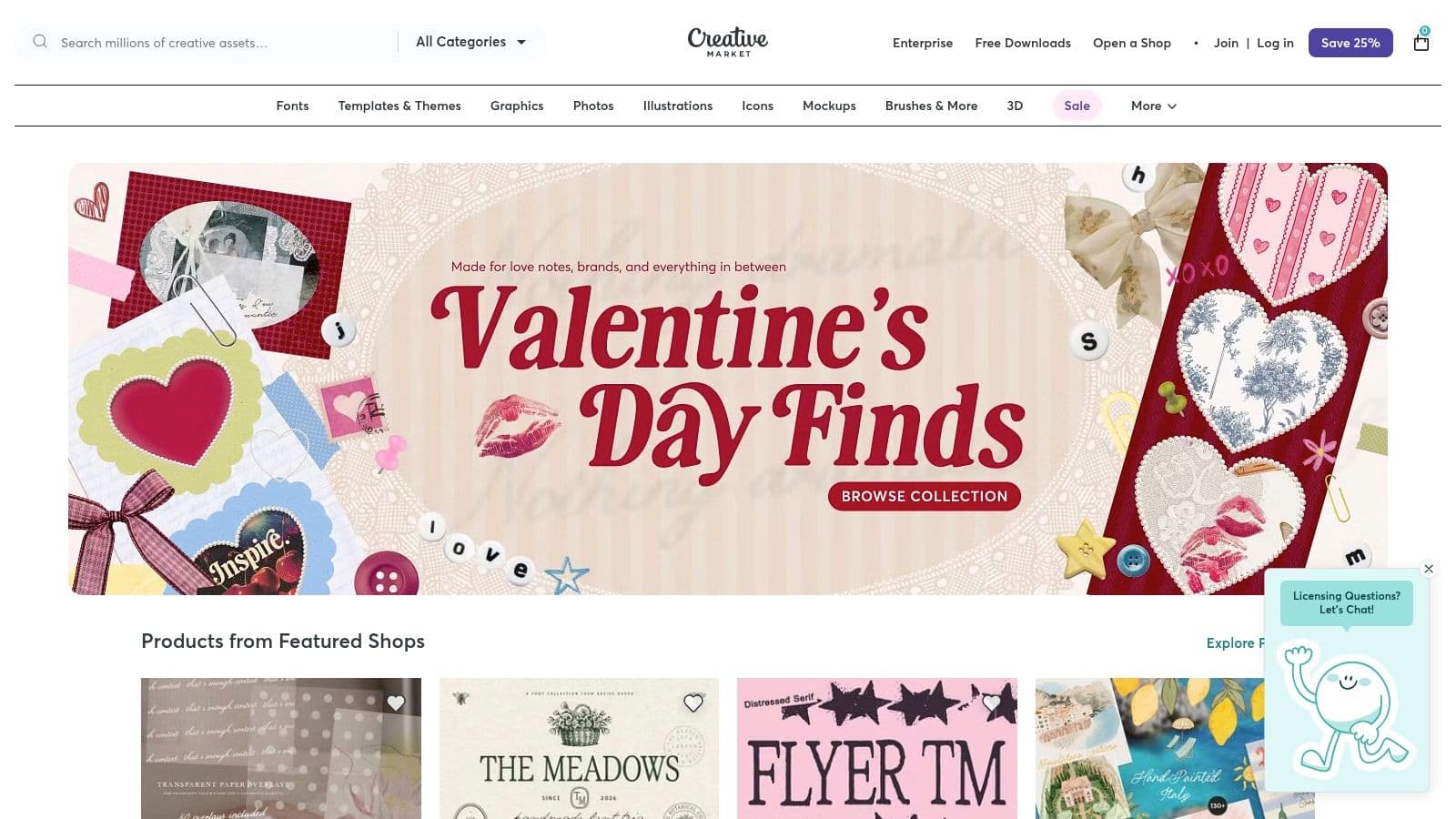
Unlike platforms focused on inspiration, Creative Market provides the actual tools to build your portfolio quickly and effectively. You can purchase a high-quality template, often available in multiple formats like Canva, PowerPoint, and Keynote, and simply plug in your own data and content. This is the fast track to a professional-looking social media manager portfolio that commands attention.
Why It Stands Out for Portfolio Inspiration
Creative Market's strength lies in its curated, professional-grade templates that are specifically built for business presentations. These aren't just pretty layouts; they are structured narratives designed to sell your services. Many templates include pre-built slides for:
- Case Study Breakdowns: Sections for outlining the client, the challenge, the strategy, and the execution.
- Data Visualization: Professionally designed charts and graphs to showcase your KPIs and results in a clear, compelling way.
- Service & Pricing Packages: Slides dedicated to outlining your service offerings, which is perfect for turning a portfolio review into a sales conversation.
- Client Testimonials: Beautifully formatted sections to display social proof and build trust with prospective clients.
Key Takeaway: Creative Market templates provide a professional framework that helps you structure your results into a persuasive sales tool. They are designed to not only showcase past work but to actively help you win new clients.
How to Use Creative Market Effectively
To find the perfect template, you need to think like a designer and a strategist.
- Search with Specificity: Use keywords like "social media portfolio," "case study template," "client proposal," or "services and pricing guide." Look for templates compatible with your preferred software (e.g., "Canva case study").
- Review All Included Slides: Before purchasing, carefully examine the product images and description to see every slide layout included. Ensure it has the sections you need for metrics, strategy, and testimonials.
- Check for Font and Image Licensing: Read the product details to understand what's included. Most templates use free-to-use fonts (like from Google Fonts), but you will need to replace placeholder images with your own content.
- Customize to Match Your Brand: The best part of a template is using it as a starting point. Change the colors, fonts, and logos to perfectly match your personal or agency brand for a fully custom look.
By investing a small amount in a professional template, you save countless hours on design and can focus on what truly matters: articulating the incredible results you deliver for your clients.
Website:
6. Gumroad
Gumroad serves as a direct-to-consumer marketplace where creators sell digital products, making it a goldmine for affordable and niche-specific social media manager portfolio examples and templates. Unlike large platforms, Gumroad connects you directly with the individual designers and strategists who created the portfolio kits. This often means you get a product born from real-world agency or freelance experience.
For social media managers who need a professionally designed starting point without the high cost of a custom designer, Gumroad is an ideal solution. The templates are typically designed for easy editing in tools like Canva, allowing you to quickly customize the content to reflect your unique skills, client work, and personality.
Why It Stands Out for Portfolio Inspiration
Gumroad's strength lies in its hyper-specific, creator-driven offerings. You aren't just buying a generic template; you're often purchasing a strategic framework designed by a fellow social media professional.
- Niche-Specific Templates: Find portfolios tailored for UGC creators, paid ads specialists, e-commerce managers, or B2B strategists.
- Direct Creator Support: Many sellers provide notes, video tutorials, or are available for questions, offering a level of support you won't find elsewhere.
- Affordability: Templates are typically priced for freelancers and solo entrepreneurs, making professional design highly accessible.
- Instant Access: Once purchased, you get an immediate download link, allowing you to start building your portfolio in minutes.
Key Takeaway: Gumroad is the best place to find an affordable, professionally designed, and easily editable portfolio template that aligns with your specific niche in the social media industry.
How to Use Gumroad Effectively
Navigating Gumroad's vast marketplace requires a targeted approach to find the best assets for your needs.
- Use Precise Search Terms: Start with searches like "social media manager portfolio Canva," "freelance social media kit," or "social media case study template."
- Review the Product Page Carefully: Look for detailed descriptions, multiple preview images, and information on what software is required (e.g., Canva, Figma). Check what's included, like case study pages, pricing sheets, and intro slides.
- Check Creator Reviews and Ratings: Look at what other buyers are saying. Positive reviews often highlight the template's ease of use and the creator's support.
- Look for Bundles: Many creators offer bundles that include a portfolio, proposal template, and client onboarding documents at a discounted price, giving you a complete, professionally branded client kit.
Website: https://gumroad.com
7. Later – Free Social Media Manager Portfolio Template
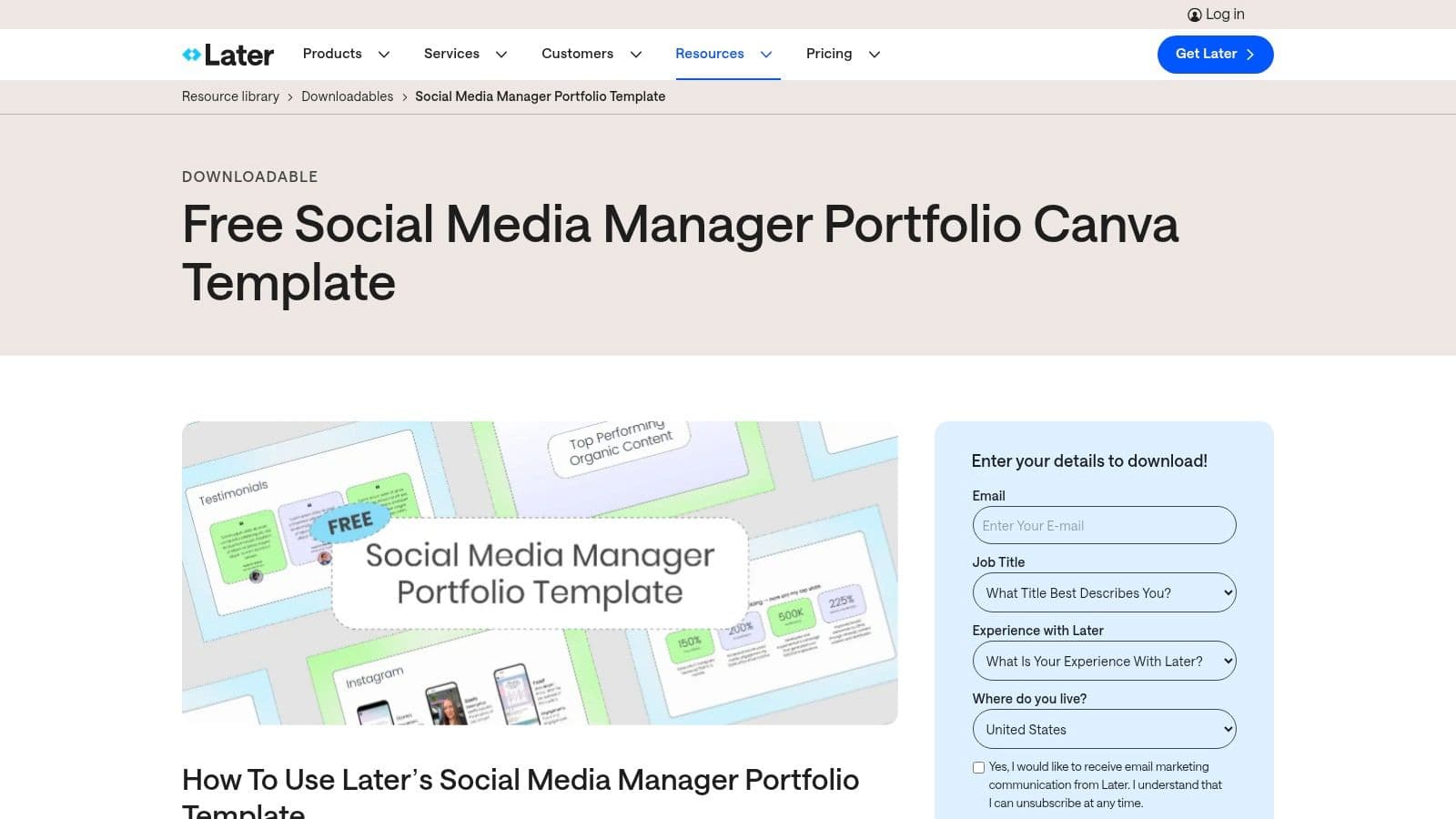
Later, a leading social media scheduling platform, offers a fantastic starting point for managers who feel overwhelmed by the design process. They provide a free, professionally designed Canva template that acts as a plug-and-play framework for your social media manager portfolio examples. This resource is perfect for those who want a structured, industry-approved layout without starting from a blank canvas.
Instead of spending hours designing, you can focus on what truly matters: curating your best work and articulating your strategic value. Later’s template guides you through the essential sections, ensuring you cover all the bases that potential clients and employers look for, from skills and case studies to measurable results.
Why It Stands Out for Portfolio Inspiration
Later's template stands out because it comes directly from a trusted industry authority. The structure is not just aesthetically pleasing; it's strategically sound, built by marketing professionals who know what makes a portfolio persuasive. It provides a clear, logical flow that helps you build a compelling narrative around your work.
The template includes pre-built sections designed specifically for social media managers:
- About Me & Skills: A dedicated space to introduce yourself and highlight your core competencies.
- Case Study Breakdowns: Structured layouts to present your client projects, complete with sections for goals, strategy, and execution.
- Results & Testimonials: Pre-formatted areas to showcase your data-driven wins and add social proof through client quotes.
- Services & Packages: A clear section to outline your offerings and prompt potential clients to take the next step.
Key Takeaway: Using a template from an industry leader like Later gives you a head start with a proven structure. It removes the guesswork and allows you to concentrate on filling it with high-impact content that showcases your strategic skills and results.
How to Use Later's Template Effectively
Accessing and using the template is straightforward, but a few tips can help you make it uniquely yours.
- Sign Up to Access: You'll need to provide your email address on Later's website to receive the Canva link.
- Customize to Your Brand: The biggest mistake is using the template as-is. Change the colors, fonts, and imagery to reflect your personal brand identity. This shows attention to detail and creative flair.
- Follow the Prompts: The template includes helpful placeholder text and prompts. Use them as a guide to ensure you’re telling a complete story for each case study you include.
- Export as a PDF: Once you’ve customized your portfolio in Canva, export it as a high-quality PDF. This creates a professional, easily shareable file you can attach to emails or link on your website.
While Later offers excellent scheduling tools, managers handling multiple platforms might find themselves looking for more streamlined workflows. Exploring some top-rated Later alternatives can reveal tools better suited for efficient cross-platform content management.
Website: https://later.com/resources/downloadable/social-media-portfolio-template/
Solve Your Portfolio Problem with PostOnce
When building your social media manager portfolio examples, the biggest challenge is proving you can create a cohesive and effective presence across multiple platforms simultaneously. Clients need to see that you can manage their brand on Instagram, LinkedIn, X, and TikTok with a unified strategy. This is the exact problem PostOnce solves. By automatically crossposting content from one platform to many others, PostOnce allows you to build powerful, real-world case studies demonstrating this exact skill. Instead of just talking about cross-platform strategy, you can show concrete examples of how you executed it efficiently and effectively, making your portfolio infinitely more compelling.
Social Media Manager Portfolios — 7-Platform Comparison
| Platform | Implementation Complexity 🔄 | Resources / Speed ⚡ | Expected Outcomes 📊 | Ideal Use Cases 💡 | Key Advantages ⭐ |
|---|---|---|---|---|---|
| Behance | Moderate — requires time to search & curate 🔄 | Free to browse; slower to gather examples ⚡ | Deep case-study structure insights and examples 📊 | Study long-form portfolios, metrics reporting, layout choices 💡 | Large volume of real, end-to-end projects for learning structure ⭐ |
| Dribbble | Low — quick visual scans and snippets 🔄 | Mostly free; fast discovery of visual trends ⚡ | Polished visual ideas but fewer full case studies 📊 | Find on-trend layouts, landing/slide designs, and creators who sell templates 💡 | Trend-forward visuals and direct links to sellers/templates ⭐ |
| Notion Template Gallery | Low — duplicate and customize readily 🔄 | Free account required; very fast to launch and update ⚡ | Live, editable portfolios with sections for KPIs and case studies 📊 | Build living portfolios that are easy to update and publish as web pages 💡 | Extremely fast to spin up and maintain; structured templates ⭐ |
| Etsy | Low — buy and customize Canva templates 🔄 | Affordable paid options; instant downloads via Canva links ⚡ | Ready-made multi-page templates; quality varies and needs customization 📊 | Budget-friendly, quick-customize portfolio templates in Canva 💡 | Huge variety and affordability with buyer reviews for vetting ⭐ |
| Creative Market | Moderate — purchase then adapt to brand 🔄 | Paid; higher average polish and multiple file formats ⚡ | Agency-ready, higher-polish decks for presentations and proposals 📊 | Professional client decks, polished portfolio slides and licensing needs 💡 | Curated, professional-quality templates with clearer licensing ⭐ |
| Gumroad | Low — direct creator purchases and support 🔄 | Affordable paid options; instant downloads and creator contact ⚡ | Niche-specific templates; previews and quality vary 📊 | Niche or creator-specific templates with option to request updates 💡 | Direct creator support and focused, affordable offerings ⭐ |
| Later (Free Template) | Very low — immediate Canva access and prompts 🔄 | Free; email + Canva account needed; instant edit link ⚡ | Guided, ready structure tailored for social media managers 📊 | Quick start to assemble a practical portfolio using tested prompts 💡 | Free, industry-backed template with practical guidance ⭐ |
Your Next Steps: Turning Inspiration into a Client-Winning Portfolio
We've explored a diverse gallery of high-impact social media manager portfolio examples, from the visual showcases on Behance and Dribbble to the structured, data-driven templates found on Notion and Etsy. Each example serves as a powerful testament to a core principle: a great portfolio is more than a collection of pretty posts. It's a strategic business document that proves your value, demonstrates your process, and builds immediate trust with prospective clients.
The most effective portfolios we analyzed share common threads. They lead with quantifiable results, clearly articulate the "why" behind each campaign, and present a professional, cohesive brand identity. They don't just show what was done; they explain how it was done and the measurable impact it had on the client's bottom line.
From Analysis to Action: Building Your Portfolio
Now it’s time to transition from observer to creator. The inspiration is fresh, and the path forward is clear. Don't let analysis paralysis hold you back. The key is to start building, one case study at a time.
-
Select Your Platform & Template: Revisit the examples from Later, Notion, or Creative Market. Choose a platform and template that aligns with your personal brand and the type of clients you want to attract. A sleek, minimalist Notion template might be perfect for B2B SaaS clients, while a vibrant, visual-first template from Etsy could be ideal for D2C fashion or lifestyle brands.
-
Curate Your Best Work: You don't need to include every project you've ever worked on. Select 3-5 of your strongest case studies that showcase a range of skills, from community growth and engagement to lead generation and direct sales. Prioritize projects with clear, impressive metrics.
-
Craft Compelling Case Studies: For each project, follow a simple but powerful narrative structure:
- The Challenge: What problem was the client facing?
- The Solution: What was your strategy and what specific actions did you take?
- The Results: Showcase the metrics. Use hard numbers like "Increased engagement by 250%" or "Generated 120 qualified leads in 30 days."
Demonstrating Efficiency and Cross-Platform Mastery
In today's fast-paced digital landscape, clients aren't just looking for creativity; they're looking for efficiency. This is where showcasing your workflow and tool proficiency becomes a game-changer. One of the most compelling narratives you can add to your portfolio is how you effectively manage multiple platforms without sacrificing quality.
This is precisely where a tool like PostOnce becomes part of your story. You can create a case study that details a cross-platform content strategy, explaining how you used automation to maintain a consistent brand presence across Instagram, TikTok, LinkedIn, and X (formerly Twitter). Include screenshots of your scheduling dashboard and highlight the time saved and the reach amplified. This demonstrates strategic thinking and modern workflow management, positioning you as an efficient and forward-thinking manager.
Ultimately, your portfolio is your most powerful marketing asset. It's the first impression, the proof of your expertise, and the final push that convinces a client to choose you. As you refine this crucial tool, you'll find it opens doors to new opportunities. Once your portfolio is polished, consider the broader career paths it unlocks, such as exploring the diverse social media consultant benefits. Investing the time now to build a standout collection of social media manager portfolio examples will pay dividends, helping you land better clients, command higher rates, and build the career you deserve.
Ready to demonstrate your cross-platform expertise and build a portfolio that showcases modern efficiency? With PostOnce, you can easily manage and automate content distribution across all major social networks, creating the perfect case study to wow your next client. Start building a smarter workflow and a stronger portfolio today with PostOnce.